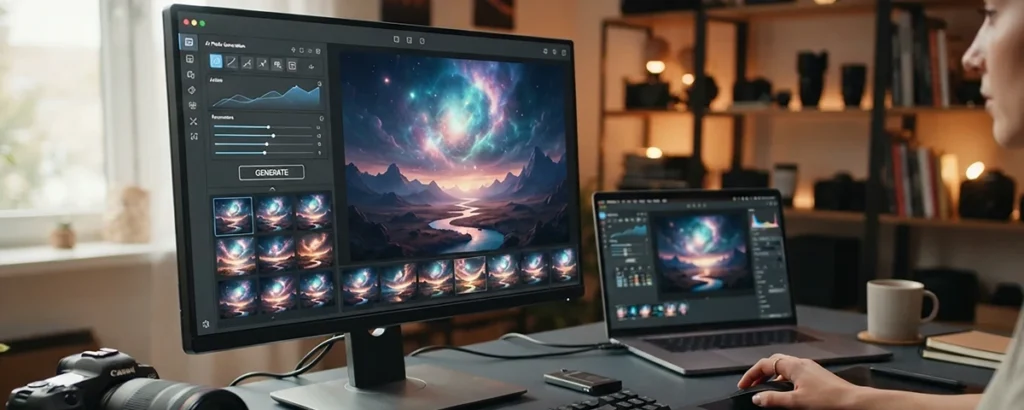

How to turn a room or an idea into realistic design visuals with AI—so you can explore looks, see what you love, and plan your space before spending a penny.
The quick answer
AI interior design visualization uses AI to create realistic images of interior spaces—either redesigning a photo of a real room or generating a room from a description. You describe or upload a space and the look you want, and the AI produces a visual of how it could look, letting you see design ideas before committing. It's a fast, affordable way to explore styles, compare directions, and picture your space.
This guide explains, in plain language, how it works, who it helps, how to describe the look you want, and how to use it well—alongside its limits. AI visuals are powerful for exploration and communication, but they're impressions, not construction plans. Used as inspiration and a starting point, with a designer for real projects, AI interior visualization is a wonderful way to plan and dream about a space.
What this guide covers
Table of contents
- The quick answer
- What this guide covers
- What AI interior visualization actually is
- Who it helps
- How it works, simply
- Why it's so useful
- Redesigning a real room from a photo
- Describing the look you want
- Exploring many styles quickly
- Sharing and communicating ideas
- Knowing the limits
- AI and designers work together
- Great for every kind of room
- Mix ideas and keep what you like
- A cheap way to avoid expensive mistakes
- A powerful tool for professionals
- AI interior mistakes to avoid
- How we can help with your visuals
- Frequently asked questions
- How to start
- Bringing it all together
- Helpful official resources
What AI interior visualization actually is
AI interior design visualization uses AI to create realistic pictures of interior spaces. You can upload a photo of a real room and ask the AI to redesign it in a chosen style, or describe a room from scratch and have it generated. Either way, you get a realistic image of how a space could look—a fast, affordable way to see design ideas before spending money making them real.
A lovely way to picture it is like having a magic window into how your room could be. Point it at your living room and say "show me this in a warm, modern style," and moments later you're looking at a version of your space transformed. Try another style, and the window shows that instead. It lets you explore possibilities that once needed imagination, sketches, or expensive mock-ups.
The key thing to understand is that these are realistic impressions, not exact plans. They're brilliant for seeing and feeling a design direction, but they're inspiration and exploration rather than construction drawings. Understanding AI interior visualization as a fast way to see and explore ideas is the foundation for using it well, and it builds on the same principles as broader AI image generation.
See a space
Before building it
Realistic design visuals.
A magic window
Into your room
Try a style, see it instantly.
Impressions
Not exact plans
Inspiration and exploration.
Who it helps
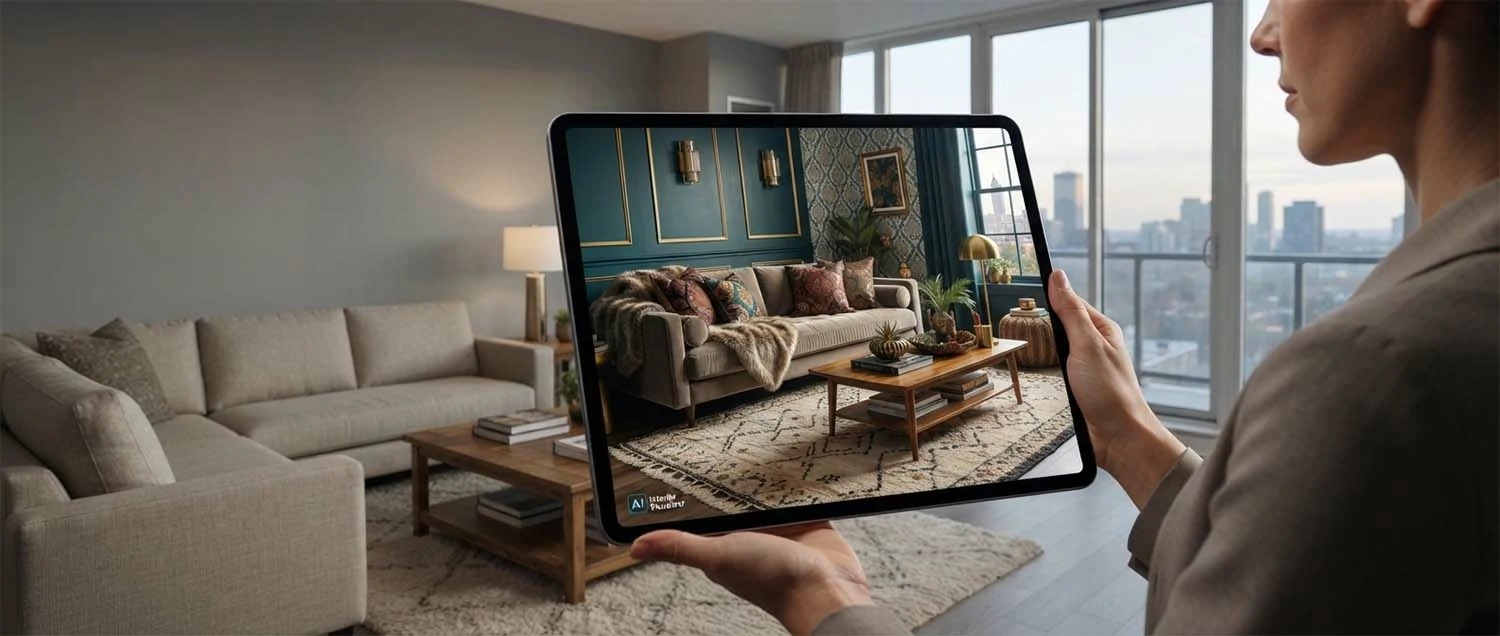
AI interior visualization helps a surprising range of people. Homeowners can plan a room and try looks before decorating. Interior designers can explore and present ideas fast. Estate agents can stage empty properties virtually. Businesses can visualize offices, shops, or cafes. Anyone who wants to see how a space could look, before spending money on it, can benefit—which is almost everyone with a space to shape.
A tool for many. Help homeowners plan and try room looks. Let designers explore and present ideas fast. Let agents stage empty properties virtually. Help businesses visualize offices and shops. Support anyone shaping a space. Let people see before they spend. Turn imagination into a shared picture. Recognize almost anyone with a space benefits. AI interior visualization helps a surprising range of people, because homeowners can plan a room and try looks before decorating, interior designers can explore and present ideas fast, estate agents can stage empty properties virtually, and businesses can visualize offices, shops, or cafes—so anyone who wants to see how a space could look before spending money on it can benefit, which is almost everyone with a space to shape, the same broad usefulness that a good interior design guide serves.

How it works, simply
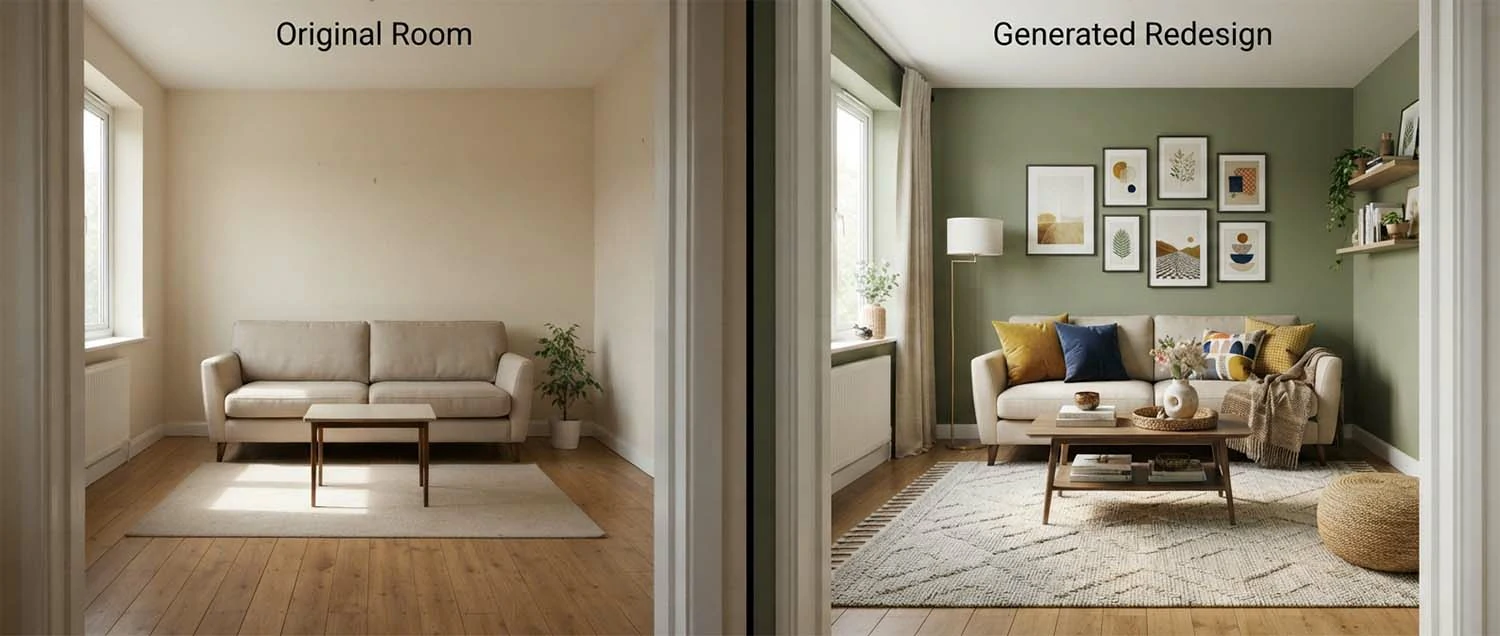
There are two main ways to use it. You can upload a photo of a real room and ask the AI to redesign it—keeping the general space but reimagining the style, furniture, and colours. Or you can describe a room from scratch and have it generated entirely from your words. Either way, you get a realistic image in moments, and can keep trying variations until you find a look you love.
Two simple paths. Upload a photo of a real room. Ask the AI to redesign it in a style. Or describe a room from scratch. Let the AI generate a realistic image. Keep the space, reimagine the look. Try variations until one clicks. Compare different directions side by side. Recognize both paths give fast results. How AI interior visualization works comes down to two main paths: uploading a photo of a real room and asking the AI to redesign it—keeping the general space but reimagining the style, furniture, and colours—or describing a room from scratch and having it generated from your words, so either way you get a realistic image in moments and can keep trying variations until you find a look you love, the same accessible ease that a good AI image workflow offers.
Redesign a photo
Keep the space
Reimagine the look.
Or from scratch
From a description
Generate a whole room.
In moments
Try variations
Until one clicks.
Why it's so useful
Deciding on a design used to mean imagining it, trusting sketches, or paying for mock-ups—and often committing money before you could really see the result. AI visualization changes that: you can see a realistic version of a design before spending anything, try dozens of looks cheaply, and avoid costly mistakes. It turns "I think this might work" into "I can see this works," which is genuinely valuable.
See before you commit. See a design before spending money. Try many looks cheaply and quickly. Avoid costly decorating mistakes. Replace guesswork with a real picture. Explore ideas you'd never have paid to mock up. Feel confident before committing. Turn "might work" into "I can see it works." Recognize seeing beats imagining. AI visualization is so useful because deciding on a design used to mean imagining it, trusting sketches, or paying for mock-ups, often committing money before you could really see the result—so being able to see a realistic version before spending anything, try dozens of looks cheaply, and avoid costly mistakes turns "I think this might work" into "I can see this works," which is genuinely valuable, the same confidence that professional rendering provides at a higher level.
Redesigning a real room from a photo
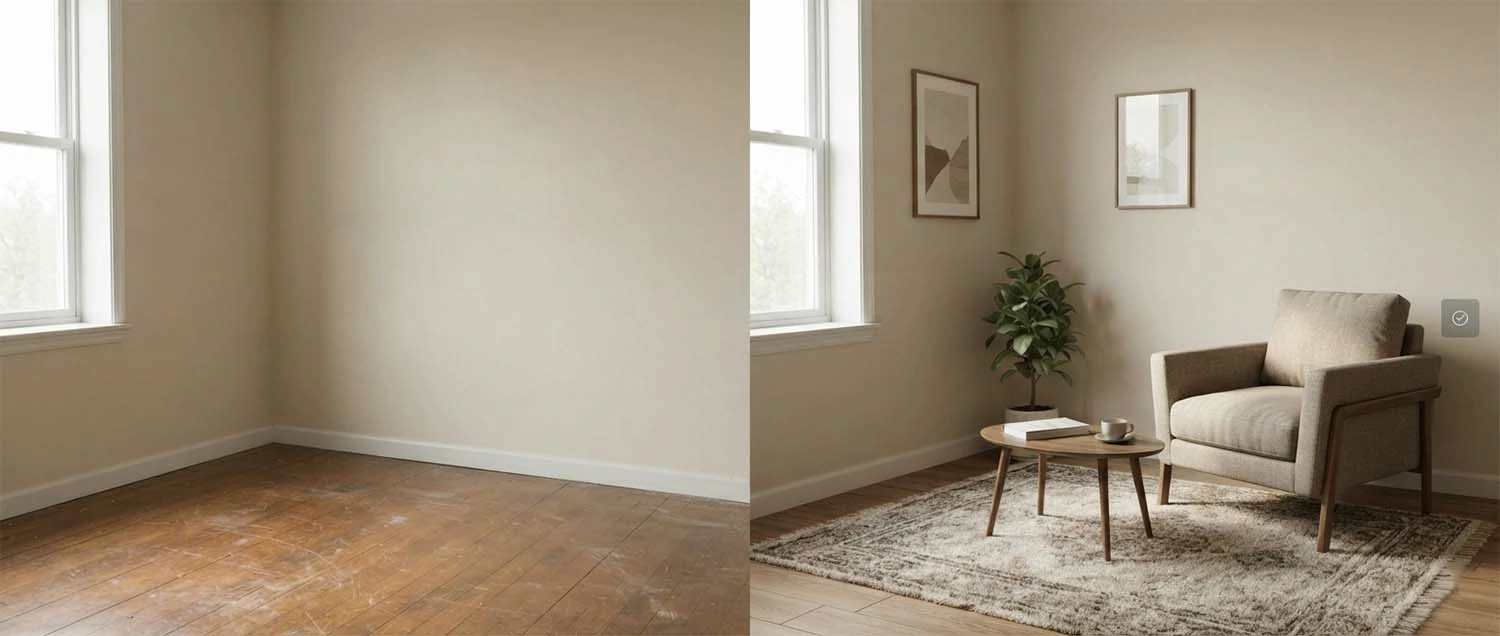
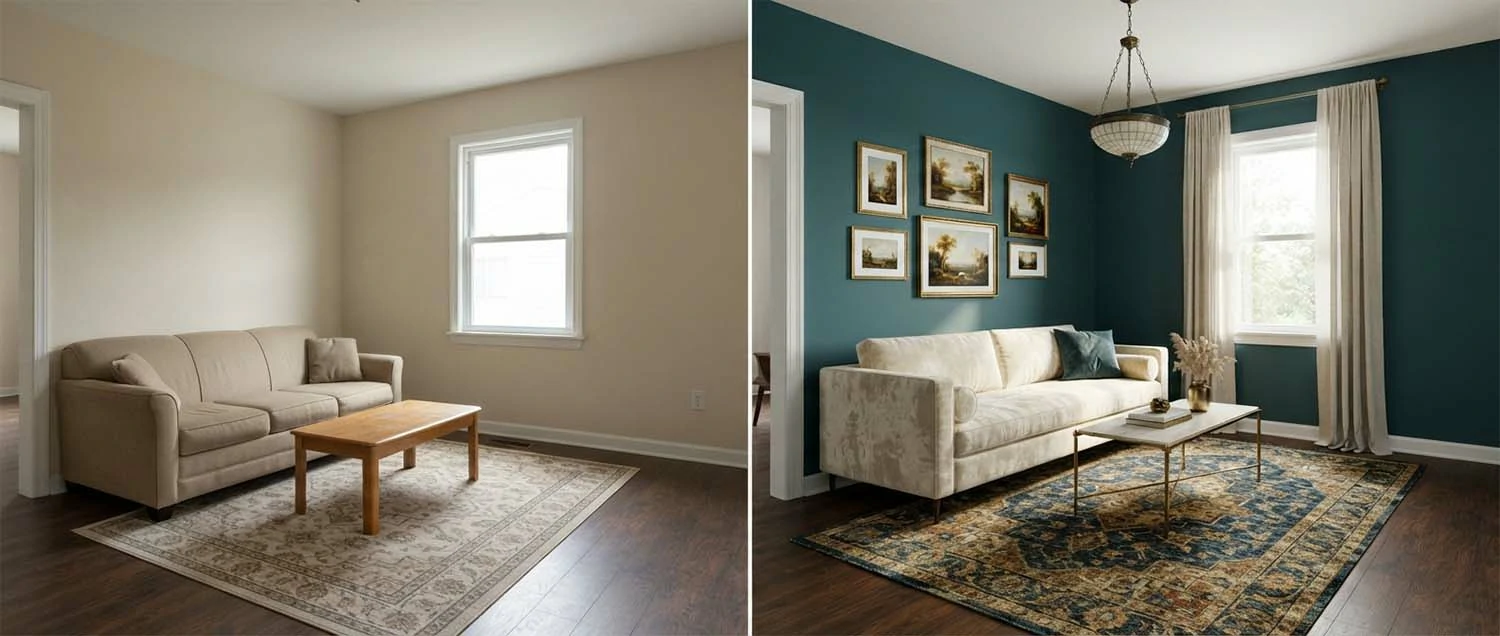
One of the most magical uses is redesigning your own room from a photo. Take a clear picture of the space, upload it, and ask the AI to reimagine it—"make this a bright Scandinavian living room," say. It keeps the room's general shape and layout but transforms the style, so you see your actual space in a new look. A clear, well-lit photo gives the best results.
See your own space transformed. Take a clear, well-lit photo of the room. Upload it to the AI tool. Ask for a specific new style. Keep the room's shape, change the look. See your actual space reimagined. Try several styles on the same room. Use a good photo for the best result. Recognize this makes it personal and real. Redesigning a real room from a photo is one of the most magical uses, because taking a clear picture of the space, uploading it, and asking the AI to reimagine it—"make this a bright Scandinavian living room," say—keeps the room's general shape and layout while transforming the style, so you see your actual space in a new look, and a clear, well-lit photo gives the best results, the same good-input principle that quality AI images depend on.
Upload a photo
Of your room
Clear and well-lit.
Ask for a style
Keep the shape
Change the look.
Your actual space
Reimagined
Personal and real.
Describing the look you want
As with all AI creative tools, your description shapes the result. Be specific about the style (modern, rustic, minimalist, cosy), the colours, materials, and mood, the room type, and any key pieces you'd love—"a calm bedroom with warm neutrals, natural wood, and soft lighting." The clearer your description, the closer the visual. Learning to describe interiors well is the main skill, and it improves quickly with practice.
Describe the space clearly. Name the style you want. Mention colours and materials. Describe the mood or feeling. Say the room type. Note any key pieces you love. Be specific rather than vague. Refine your description if it misses. Recognize clear description gives a closer visual. Describing the look you want well is the main skill, because your description shapes the result—so being specific about style, colours, materials, mood, room type, and key pieces, like "a calm bedroom with warm neutrals, natural wood, and soft lighting," gets a closer visual, and learning to describe interiors well improves quickly with practice, the same clarity that good prompting depends on.
Exploring many styles quickly
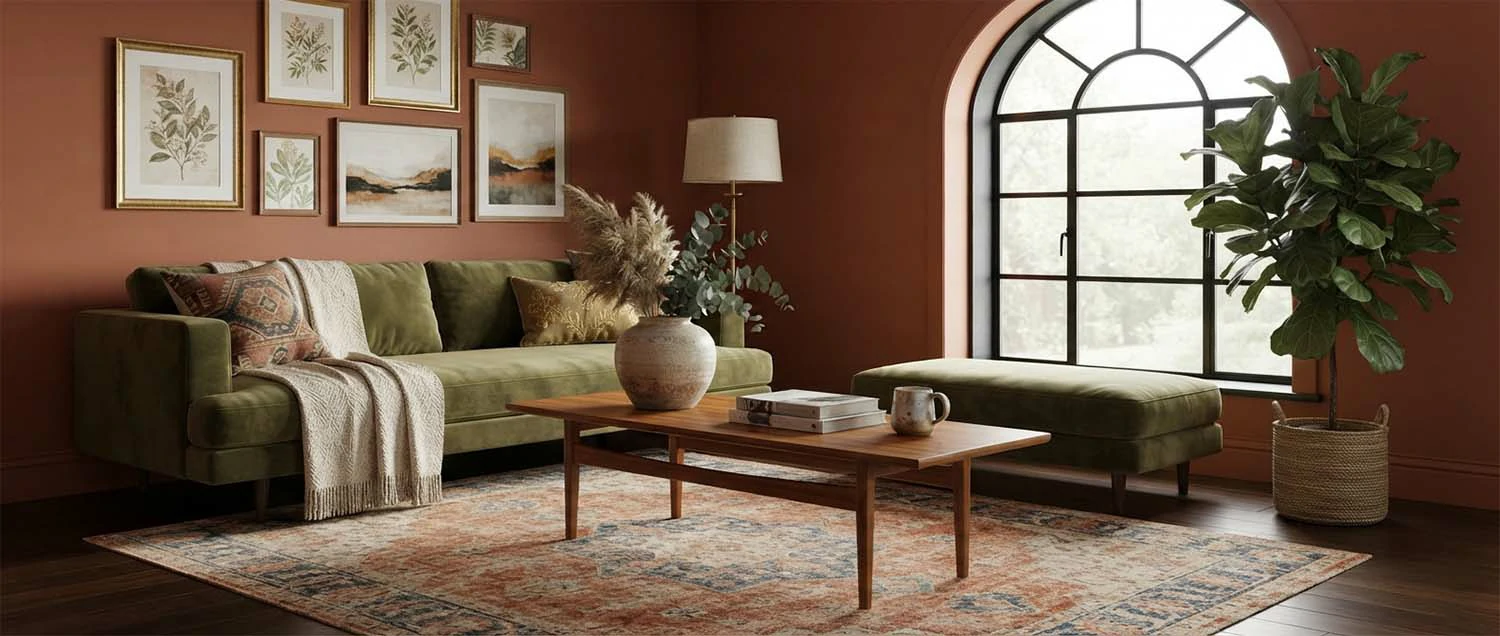
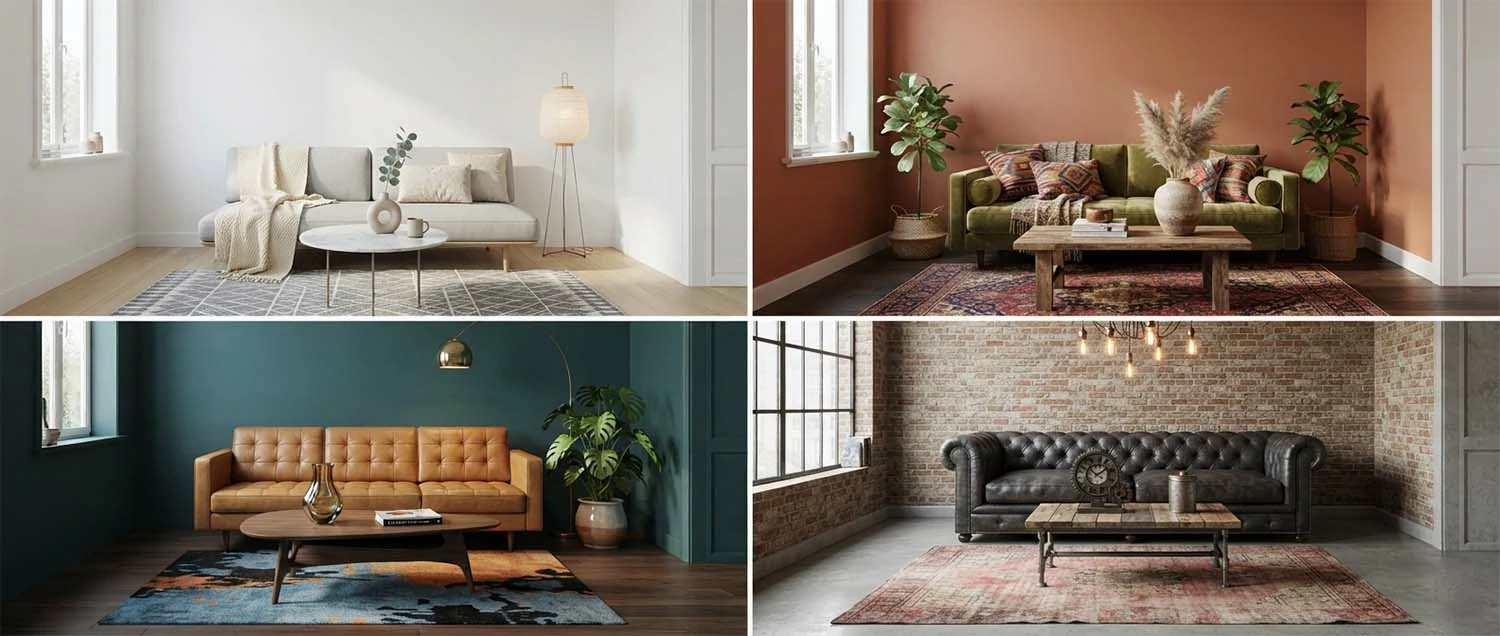
One of the greatest joys of AI interior visualization is trying lots of directions fast. Because each version costs only a description and a moment, you can see your room modern, then rustic, then bold, then minimal—and discover what you actually love, often surprising yourself. This cheap, rapid exploration is invaluable early on, when you're still working out what feels right for your space.
Try everything, then decide. Generate the same room in many styles. Compare modern, rustic, bold, and minimal. Discover what you actually love. Surprise yourself with unexpected favourites. Explore cheaply and quickly. Narrow down before committing. Use exploration to clarify your taste. Recognize fast exploration is invaluable. Exploring many styles quickly is one of the greatest joys of AI interior visualization, because each version costs only a description and a moment—so you can see your room modern, then rustic, then bold, then minimal, and discover what you actually love, often surprising yourself—making this cheap, rapid exploration invaluable early on when you're still working out what feels right, the same exploratory value that an interior design tool offers.
Many styles
Same room
Modern, rustic, bold, minimal.
Discover
What you love
Often surprise yourself.
Cheap & fast
Clarify your taste
Invaluable early on.
Sharing and communicating ideas
A picture is worth a thousand words, especially with interiors. AI visuals make it easy to show others what you have in mind—a partner, a designer, a builder, a client—so everyone sees the same vision instead of imagining different things from vague descriptions. This shared, clear picture prevents misunderstandings, aligns everyone early, and makes conversations about a space far more productive.
Show, don't just describe. Show others the look you have in mind. Get everyone seeing the same vision. Align a partner, designer, or builder. Prevent misunderstandings from vague words. Make design conversations more productive. Use visuals to agree a direction early. Share a clear picture, not just ideas. Recognize a shared visual saves confusion. Sharing and communicating ideas is where AI visuals shine, because a picture is worth a thousand words, especially with interiors—so showing others what you have in mind, whether a partner, designer, builder, or client, means everyone sees the same vision instead of imagining different things from vague descriptions, which prevents misunderstandings, aligns everyone early, and makes conversations far more productive, the same clarity that avoids the miscommunication behind common missteps.

Knowing the limits
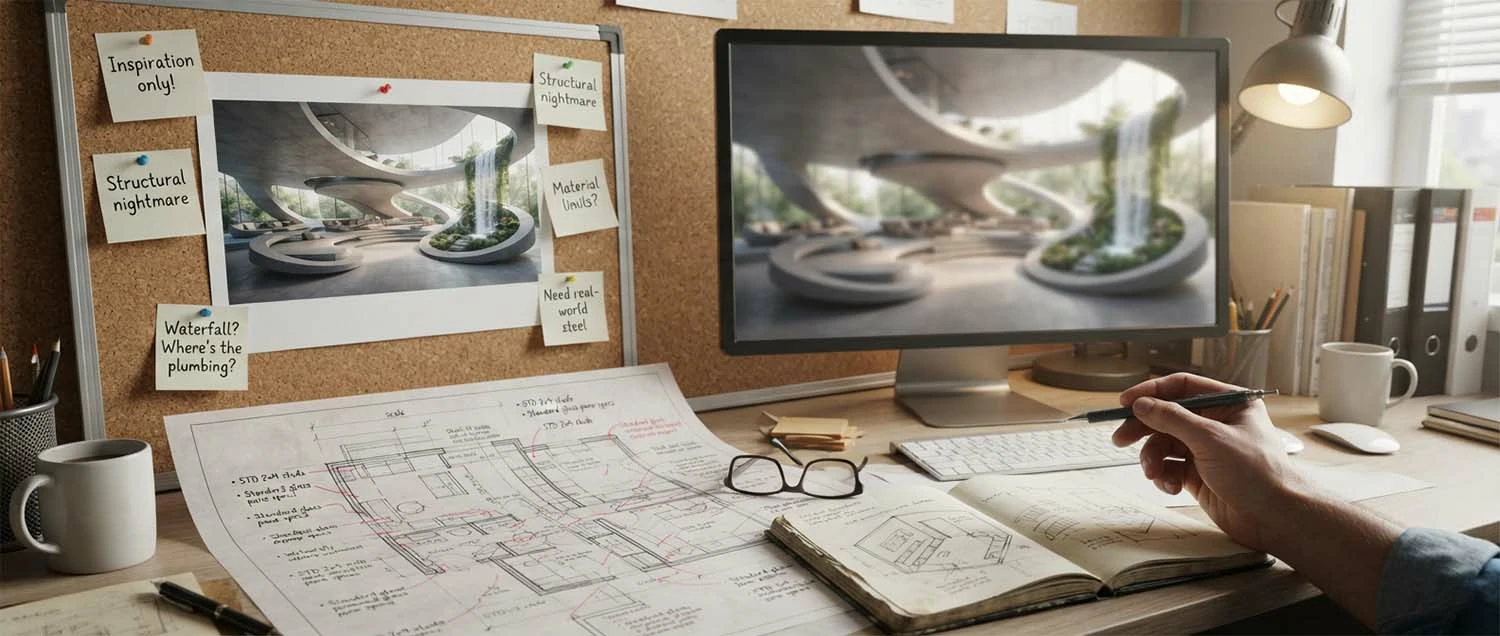
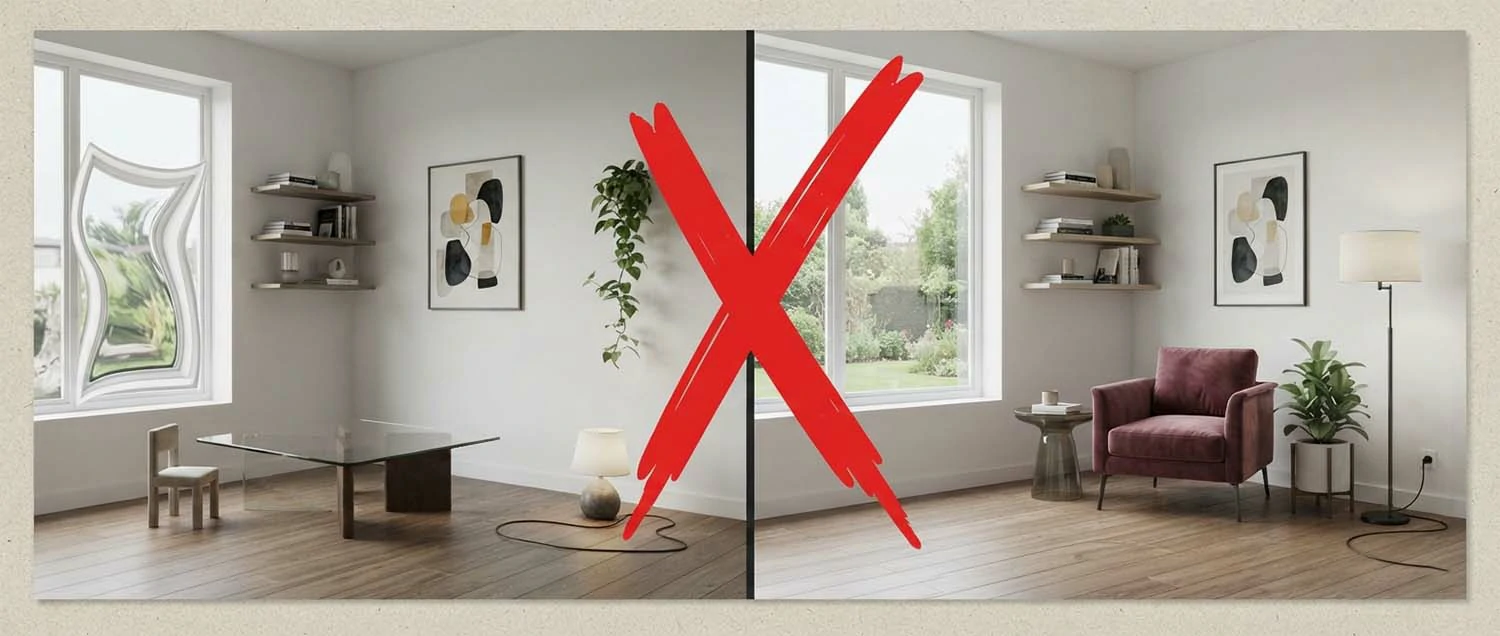
It's important to be clear-eyed about what AI visuals are: impressions, not construction plans. They may show things that aren't practical, exactly to scale, or actually buildable, and they can't guarantee measurements, structural feasibility, or that a product really exists. Treating them as inspiration and a starting point—not a finished, buildable design—keeps your expectations realistic and stops disappointment when reality meets the render.
See them for what they are. Recognize AI visuals are impressions, not plans. Understand they may not be to scale. Know they can't guarantee measurements. Accept they ignore structural feasibility. Remember shown products may not exist. Treat them as inspiration, not a build spec. Bring in a designer for real plans. Recognize realistic expectations prevent disappointment. Knowing the limits matters because AI visuals are impressions, not construction plans—they may show things that aren't practical, exactly to scale, or buildable, and can't guarantee measurements, structural feasibility, or that a product really exists—so treating them as inspiration and a starting point, not a finished buildable design, keeps expectations realistic and stops disappointment when reality meets the render, the same honest framing that avoids the letdowns behind common missteps.
Impressions
Not plans
Not to exact scale.
No guarantees
Measurements, buildability
Products may not exist.
Inspiration
Not a build spec
Realistic expectations.
AI and designers work together
AI visualization and professional designers aren't rivals—they complement each other beautifully. AI is superb for early exploration, inspiration, and communicating a direction, often before or alongside a designer. A professional then brings the expertise to turn your chosen look into a real, workable, buildable design—sorting measurements, materials, sourcing, and feasibility. Many people use AI to explore, then a designer to deliver, getting the best of both.
Use each where it shines. Use AI for early exploration and ideas. Use it to communicate a direction. Bring in a designer for real plans. Let a pro handle measurements and sourcing. Get feasibility and buildability sorted. Explore with AI, then deliver with a designer. Combine speed with real expertise. Recognize they complement, not compete. AI and designers work together beautifully, because they aren't rivals—AI is superb for early exploration, inspiration, and communicating a direction, often before or alongside a designer, while a professional brings the expertise to turn your chosen look into a real, workable, buildable design with measurements, materials, sourcing, and feasibility—so many people use AI to explore, then a designer to deliver, getting the best of both, the same complementary balance that a good interior design guide describes.
Great for every kind of room
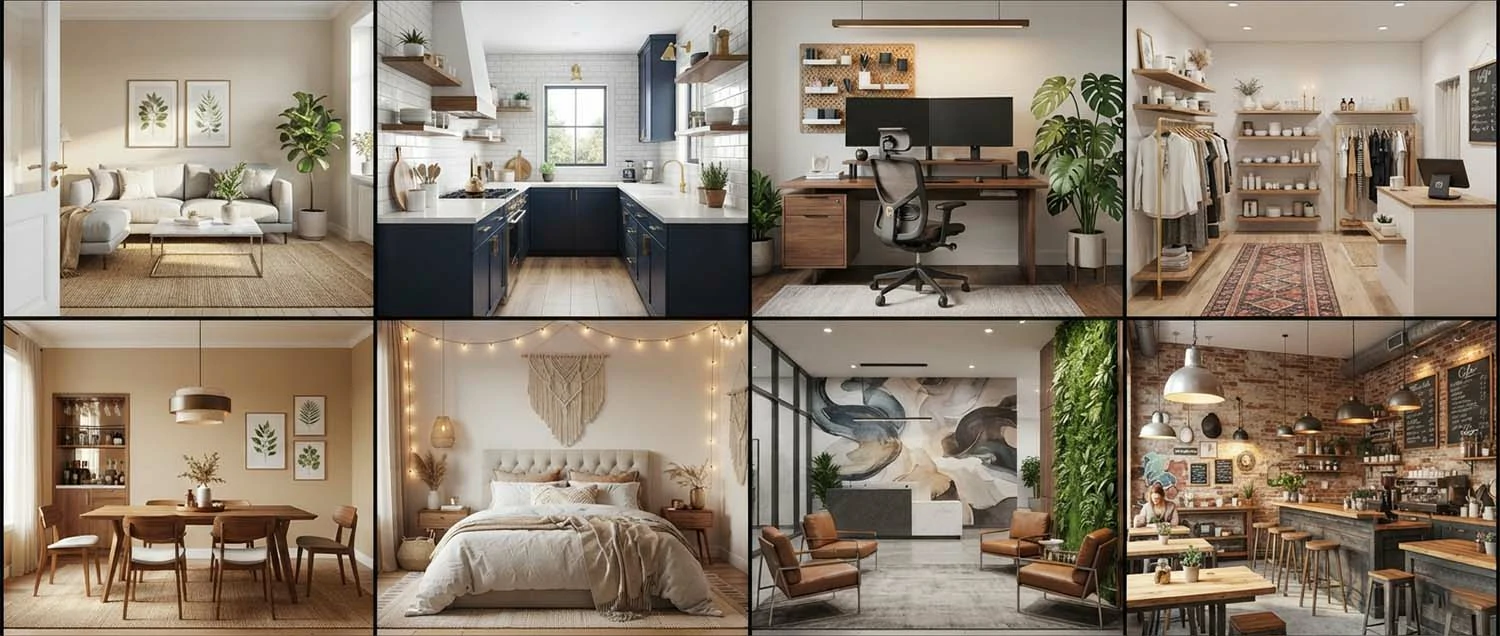
AI visualization works across every kind of space: living rooms, bedrooms, kitchens, bathrooms, offices, cafes, shops, and outdoor areas. Whether you want a cosy reading nook, a sleek kitchen, or a welcoming shopfront, you can picture it before you build it. This breadth means whatever room you're shaping, AI can help you see the possibilities and find a direction you love.
Any space, any style. Visualize living rooms and bedrooms. Picture kitchens and bathrooms. Design offices, cafes, and shops. Imagine outdoor and garden spaces. See any room before you build it. Explore looks for any purpose. Find a direction for every space. Recognize the tool suits any room. AI visualization is great for every kind of room, because it works across living rooms, bedrooms, kitchens, bathrooms, offices, cafes, shops, and outdoor areas—so whether you want a cosy reading nook, a sleek kitchen, or a welcoming shopfront, you can picture it before you build it, meaning whatever room you're shaping, AI helps you see the possibilities and find a direction you love, the same broad usefulness that a good interior tool offers.
Homes
Every room
Living, bed, kitchen, bath.
Businesses
And spaces
Offices, cafes, shops.
Even outdoors
Any purpose
See it before you build.
Mix ideas and keep what you like
You rarely love everything about one generated look—and that's fine. The trick is to treat each visual as a source of ideas to mix and match: the colours from one, the furniture layout from another, the lighting from a third. Noting what you like across several looks helps you build a design that's genuinely yours, blending the best bits rather than settling for a single AI result.
Take the best from each. Treat each visual as a source of ideas. Note what you like across looks. Mix colours, layout, and lighting from different ones. Blend the best bits together. Build a design that's truly yours. Don't settle for one whole result. Combine ideas thoughtfully. Recognize mixing gives a personal result. Mixing ideas and keeping what you like works because you rarely love everything about one generated look—so treating each visual as a source of ideas to mix and match, taking the colours from one, the layout from another, and the lighting from a third, and noting what you like across several, helps you build a design that's genuinely yours, blending the best bits rather than settling for a single AI result, the same curating instinct that a good creative workflow uses.
A cheap way to avoid expensive mistakes
Decorating and renovating mistakes are costly—the wrong colour on the walls, furniture that doesn't fit the feel, a layout that doesn't work. Seeing a realistic visual before you buy or build helps you catch these before they cost money. For the price of a description, you can test a decision that might otherwise be an expensive regret. That's a genuinely valuable safety net.
Test before you spend. Recognize decorating mistakes are costly. See a look before buying or building. Catch wrong colours or layouts early. Test a decision for the price of a description. Avoid an expensive regret. Feel confident before committing money. Use visuals as a cheap safety net. Recognize seeing prevents costly errors. A cheap way to avoid expensive mistakes is exactly what AI visualization offers, because decorating and renovating mistakes are costly—the wrong wall colour, ill-fitting furniture, a layout that doesn't work—so seeing a realistic visual before you buy or build helps you catch these before they cost money, letting you test a decision for the price of a description rather than an expensive regret, which is a genuinely valuable safety net, the same risk-reducing foresight that avoids the letdowns behind common missteps.
Mistakes cost
A lot
Wrong colour, layout, furniture.
Test cheaply
Before you spend
The price of a description.
A safety net
Avoid regrets
Commit with confidence.

A powerful tool for professionals
For interior designers, agents, and businesses, AI visualization is a professional edge. Designers can show clients options quickly and win work with compelling visuals. Agents can help buyers see a property's potential. Businesses can present a planned space to stakeholders. Being able to produce polished, persuasive visuals fast helps professionals communicate, sell, and win confidence in a way words and floor plans alone rarely can.
Win work with visuals. Show clients options quickly. Win projects with compelling visuals. Help buyers see a property's potential. Present planned spaces to stakeholders. Communicate a vision persuasively. Produce polished visuals fast. Build client confidence early. Recognize visuals sell better than words. A powerful tool for professionals is exactly what AI visualization is, because for interior designers, agents, and businesses it's a professional edge—designers can show clients options quickly and win work with compelling visuals, agents can help buyers see a property's potential, and businesses can present a planned space to stakeholders—so producing polished, persuasive visuals fast helps professionals communicate, sell, and win confidence in a way words and floor plans alone rarely can, the same persuasive power that a strong brand presence brings.

AI interior mistakes to avoid
A few common mistakes lead to disappointment or poor decisions. Recognizing them helps you get real value from AI interior visualization.
Treating it as a plan
It's an impression. Use it for ideas.
A vague description
You get generic rooms. Be specific.
A poor room photo
It limits redesigns. Use a clear, lit one.
Expecting exact products
Shown items may not exist. Treat as ideas.
Skipping the designer
Real projects need plans. Bring in a pro.
Settling too fast
Exploration is cheap. Try more styles.
How we can help with your visuals
Turning ideas into beautiful, believable visuals takes a good eye and the right tools. Our team helps you create, refine, and present interior and design visuals—and brings a full range of services so everything you show looks its best.
Web Design and Development
We build the sites and portfolios where your interior visuals showcase beautifully.
Video Editing
We create walkthrough and reveal videos that bring your spaces to life.
Image Editing
We refine and perfect interior visuals into polished, presentable images.
Audio Editing
We polish the audio in your walkthrough and reveal videos for a professional feel.
3D Design and Rendering
We create precise, photorealistic 3D renders for real interior and product projects.
SEO Services
We help your design work and portfolio get found by the right clients.
Frequently asked questions
What is AI interior design visualization?
It uses AI to create realistic images of interior spaces—either redesigning a photo of a real room or generating a room from a description. You describe or upload a space and the look you want, and the AI produces a visual of how it could look, letting you see design ideas before committing.
Who is it useful for?
It helps homeowners planning a room, interior designers exploring and presenting ideas, estate agents staging properties virtually, and businesses visualizing spaces. Anyone who wants to see how a space could look before spending money on it can benefit from AI interior visualization.
How does it work?
You either upload a photo of a room and ask the AI to redesign it in a style, or describe a space from scratch. The AI generates a realistic image matching your description—the style, furniture, colours, and mood—so you can see and compare design directions in moments.
Is it accurate to the real room?
When redesigning a photo, AI keeps the general space but reimagines the look, so it's a realistic impression rather than an exact plan. It's excellent for exploring ideas and mood, but for precise measurements, buildability, and final decisions, a professional designer's plans are still needed.
How do I describe the look I want?
Be specific about the style (modern, rustic, minimalist), colours, materials, mood, and key pieces you'd like. Mention the room type and any must-keeps. Clear, detailed descriptions help the AI produce visuals that genuinely match your vision, so learning to describe interiors well is the key skill.
Can it help me decide on a real design?
Yes, as a powerful exploration and communication tool. It lets you try many looks cheaply, see what you like, and share a clear picture with others before committing. It complements, rather than replaces, a designer's expertise for turning a chosen direction into a real, workable design.
What are the limits?
AI visuals are impressions, not construction plans—they may show things that aren't practical, exact, or buildable. They can't guarantee measurements, structural feasibility, or real product availability. Treating them as inspiration and a starting point, not a finished design, keeps expectations realistic.
How do I start?
Take a clear photo of your room or picture the space you want, choose an AI interior tool, and describe the look you'd like. Generate a few options and compare. Experimenting with different styles quickly shows you what you love and how AI can help you plan your space.
How to start
Getting started is easy and genuinely fun. Take a clear photo of the room you want to redesign, or picture the space you have in mind, choose an AI interior tool, and describe the look you'd love. Generate a few options, compare them, and try different styles. That first session quickly shows you what you're drawn to and how AI can help you plan and dream about your space.
As you go, keep good habits: start from a clear photo, describe styles specifically, explore widely before settling, and treat the visuals as inspiration rather than exact plans. Use them to clarify what you love and to share your vision with others. When you're ready to make a real project happen, bring in a designer to turn your favourite direction into a workable reality.
The main thing is to play. You don't need any design skill—just a photo or an idea and a sense of the look you want. Do that, and you'll soon find that seeing your space transformed, trying looks you'd never have dared commit to, and planning with confidence has become a delightful, affordable part of shaping any room.

Bringing it all together
AI interior design visualization is a wonderful way to see a space before you build it—turning a photo or a description into a realistic image of how a room could look. It lets homeowners, designers, agents, and businesses explore looks fast, discover what they love, avoid costly mistakes, and share a clear vision with others, all far more cheaply and quickly than ever before.
To use it well, start from a clear photo or idea, describe the look specifically, explore many styles, and use the visuals to clarify and communicate. Keep in mind their limits—they're impressions, not construction plans—and remember AI and designers work best together, with AI exploring and a professional delivering the real, buildable result.
Above all, just try it. See your room reimagined, play with styles, and enjoy planning your space with new confidence. Do that, whether on your own or alongside a designer, and AI interior visualization becomes a delightful, practical tool—helping you dream, decide, and communicate about any space, and turning "I wonder how it would look" into "now I can see."