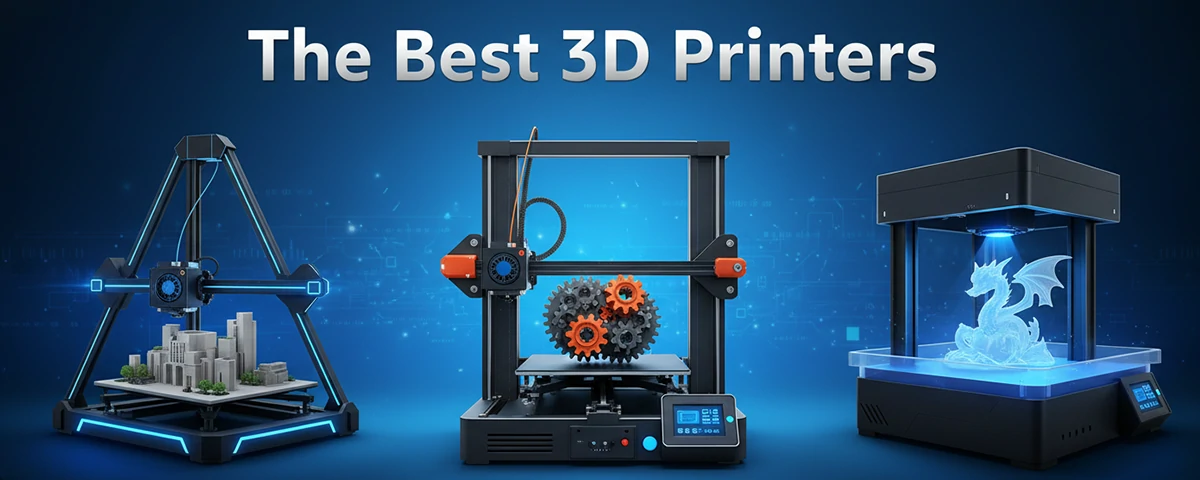


From budget-friendly FDM printers for hobbyists to high-resolution resin printers for professionals, this comprehensive guide covers the best 3D printers available in 2025 for every skill level and budget
🧮 3D Printers
📊 FDM
💡 Resin SLA
💰 Budget Guide
📅 Updated 2025
📋 15 Printers Reviewed
🎯 All Budgets Covered
🧮 Introduction: The 3D Printing Revolution in 2025
The 3D printing industry has undergone a remarkable transformation over the past decade, evolving from an expensive, niche technology accessible only to engineers and industrial designers to an affordable, mainstream tool used by hobbyists, educators, small businesses, and professionals across virtually every industry. In 2025, the 3D printer market offers an unprecedented combination of performance, reliability, and affordability. Machines that cost thousands of dollars just a few years ago are now available for a few hundred dollars, while professional-grade printers deliver results that rival industrial production equipment.
Choosing the right 3D printer can be overwhelming given the sheer number of options available. The market is broadly divided between two main technologies. Fused Deposition Modeling printers, commonly known as FDM, work by melting and extruding plastic filament layer by layer to build a three-dimensional object. FDM printers are the most common and affordable type of 3D printer, making them ideal for beginners, hobbyists, and professionals who need large, functional parts. Resin printers, also known as SLA or MSLA printers, use a liquid photopolymer resin that is cured by a light source, typically a UV laser or LED screen. Resin printers produce significantly higher detail and smoother surface finishes than FDM printers, making them the preferred choice for jewelry making, dental applications, miniatures, and any application where surface quality and fine detail are critical.
Within each technology category, printers range from entry-level machines under $200 to professional industrial systems costing several thousand dollars. This guide covers the best 3D printers available in 2025 across every price point and use case, helping you find the perfect machine for your specific needs, skill level, and budget. Whether you are a complete beginner looking for your first printer, a hobbyist upgrading to a more capable machine, or a professional seeking production-grade equipment, this guide has you covered.
A hero banner showing a collection of 3D printed objects arranged in a stylish composition on a dark workbench. Objects include a detailed mechanical gear assembly in metallic gray PLA, a miniature dragon figurine in translucent green resin showing fine scales and intricate details, a functional wrench tool printed in orange PETG, a vase-mode spiral vase in rainbow silk filament, a jewelry piece in castable resin, and a architectural model with intricate window details in white PLA. Behind the objects, three 3D printers are partially visible: an open-frame FDM printer with an active print head, a enclosed resin printer with a glowing UV screen, and a large-format CoreXY printer. The lighting highlights the different surface finishes achievable with FDM versus resin printing. A monitor in the background shows slicing software with a complex model prepared for printing. The caption reads: "The 3D printing market in 2025 offers incredible options for every user. From functional parts to detailed miniatures, the right printer opens unlimited creative possibilities."
💰 Best FDM 3D Printers for Beginners Under $500
Entering the world of 3D printing has never been more affordable or accessible. The entry-level FDM printer market in 2025 is dominated by machines that offer impressive print quality, user-friendly features, and reliable performance at prices that make 3D printing accessible to virtually anyone. These printers are ideal for beginners who want to learn the fundamentals of 3D printing without making a large financial commitment.
Creality Ender 3 V3 SE: The Creality Ender 3 series has been the most popular beginner 3D printer for years, and the V3 SE represents the culmination of continuous improvement. Priced around $249, the Ender 3 V3 SE offers an impressive array of features that were previously only available on more expensive printers. It includes automatic bed leveling through a CR Touch sensor, eliminating the tedious manual leveling process that frustrated many beginners. The direct drive extruder allows for printing with flexible filaments like TPU, and the 32-bit silent motherboard keeps operation quiet enough for home and office use. The print volume of 220 x 220 x 250 millimeters is adequate for most beginner projects, and the open-frame design makes it easy to modify and upgrade as your skills grow. The Ender 3 V3 SE is the best choice for beginners who want a proven, well-supported printer with a massive community of users for troubleshooting and inspiration.
Anycubic Kobra 2 Pro: Anycubic has emerged as a strong competitor to Creality with the Kobra series. The Kobra 2 Pro, priced at approximately $329, offers a larger print volume of 250 x 220 x 220 millimeters and significantly faster printing speeds thanks to its improved motion system. The Kobra 2 Pro can print at speeds up to 500 millimeters per second, reducing print times dramatically compared to the Ender series. It features auto bed leveling, a direct drive extruder, and a full-color touchscreen interface that makes operation intuitive even for complete beginners. The printer comes mostly preassembled, requiring about 15 minutes of setup time before the first print. The Kobra 2 Pro is ideal for beginners who want faster printing speeds and a larger build volume without a significant increase in price.
Bambu Lab A1 Mini: Bambu Lab disrupted the 3D printing industry with their high-speed CoreXY printers and has now brought that technology to the budget segment with the A1 Mini. Priced at $299, the A1 Mini offers print quality and speed that rivals printers costing twice as much. Its fully enclosed design reduces noise and maintains stable temperatures for consistent prints. The A1 Mini features automatic bed leveling, a vibration compensation system that eliminates layer artifacts at high speeds, and a user-friendly touchscreen interface with Wi-Fi connectivity for wireless printing. Its compact 180 x 180 x 180 millimeter build volume is smaller than the Ender and Kobra options, but the exceptional print quality and ease of use make it the best choice for beginners who prioritize quality and convenience over maximum build size. The Bambu Lab ecosystem also offers an automatic material system that allows for multi-color printing, though this adds to the cost.
Elegoo Neptune 4 Pro: Elegoo is best known for their resin printers, but the Neptune 4 Pro FDM printer has earned a strong following in the budget segment. Priced at $339, it offers a 225 x 225 x 265 millimeter build volume, Klipper firmware for fast and precise motion control, and a dual-gear direct drive extruder that handles both rigid and flexible filaments with ease. The Neptune 4 Pro features a 60-watt hotend that heats up quickly and maintains stable temperatures even at high print speeds. Its full-metal hotend can reach temperatures required for engineering-grade filaments like polycarbonate and nylon, giving beginners room to experiment with advanced materials as their skills develop. The printer includes an accelerometer for input shaping, which eliminates ringing and ghosting artifacts at high print speeds.
A comparison grid of four beginner FDM printers. Each printer is shown in a product-style photo on a clean background with its model name and price displayed below. Printer 1 shows the Creality Ender 3 V3 SE with its open-frame gantry design and CR Touch sensor highlighted with a callout arrow. Printer 2 shows the Anycubic Kobra 2 Pro with its full-color touchscreen interface and large build volume labeled. Printer 3 shows the Bambu Lab A1 Mini in its compact enclosed design with the AMS lite multi-color system beside it. Printer 4 shows the Elegoo Neptune 4 Pro with its Klipper firmware screen and dual-gear extruder highlighted. Below each printer, three key specs are listed: Build Volume, Max Print Speed, and Price. A small icon shows "Best for Beginners" or "Best Value" or "Best Quality" or "Best Speed" under each respective printer. The caption reads: "The best beginner FDM printers in 2025 offer automatic bed leveling, direct drive extruders, and user-friendly interfaces at prices from $249 to $339. Any of these printers will provide an excellent introduction to 3D printing."
⚙️ Best FDM 3D Printers for Professionals and Enthusiasts
For professionals, serious hobbyists, and small businesses, the mid-range and high-end FDM printer market offers machines with larger build volumes, faster print speeds, multi-material capabilities, and industrial reliability. These printers are designed for users who need consistent, production-quality results and are willing to invest in equipment that delivers professional-grade performance day after day.
Bambu Lab P1S: The Bambu Lab P1S has become the most popular mid-range 3D printer, and for good reason. Priced at $799, the P1S offers an enclosed CoreXY design with a 256 x 256 x 256 millimeter build volume, print speeds up to 500 millimeters per second, and the ability to print with a wide range of materials including PLA, PETG, ABS, ASA, TPU, and polycarbonate. The enclosed design maintains stable temperatures for engineering-grade filaments and reduces noise significantly. The P1S features automatic bed leveling, vibration compensation, and Bambu Lab's proprietary flow rate calibration that ensures consistent extrusion across the entire build area. The printer supports the Bambu Lab AMS system, allowing for multi-color and multi-material printing with up to four different filaments. The P1S comes fully assembled and calibrated out of the box, requiring only about 10 minutes to set up and start printing. The Bambu Lab ecosystem includes a slicer, a mobile app, and a cloud platform that makes managing prints and monitoring progress seamless. The P1S is the best choice for professionals and enthusiasts who want premium print quality and speed at a reasonable price.
Prusa MK4: Prusa Research has been a gold standard in the 3D printing community for years, and the MK4 continues that tradition. Priced at $1,099 as a kit or $1,299 assembled, the Prusa MK4 is more expensive than competitors with similar specifications, but it offers unparalleled reliability, build quality, and community support. The MK4 features a 250 x 210 x 220 millimeter build volume, a next-generation extruder with load cell bed leveling that provides the most accurate first layer calibration available, and a 32-bit electronics platform with silent stepper drivers. Prusa printers are known for their exceptional reliability and print quality, and the MK4 delivers consistent, flawless prints across thousands of hours of operation. The printer supports multi-material printing through the Prusa MMU3 unit, though this adds $299 to the cost. Prusa provides industry-leading customer support, regular firmware updates, and a massive community of users who share knowledge, profiles, and designs. For professionals who need a printer that simply works, every single time, without tinkering or troubleshooting, the Prusa MK4 is the gold standard.
Creality K1 Max: Creality's K1 Max is a large-format CoreXY printer that competes directly with the Bambu Lab X1 series at a lower price point. Priced at $999, the K1 Max offers a massive 300 x 300 x 300 millimeter build volume, print speeds up to 600 millimeters per second, and a fully enclosed design with a HEPA air filtration system for safe printing with high-temperature materials. The K1 Max includes a LiDAR sensor for automatic first-layer calibration, a dual-gear direct drive extruder capable of reaching 300 degrees Celsius, and a 60-degree Celsius heated bed suitable for ABS and polycarbonate printing. The printer's large build volume makes it ideal for printing functional prototypes, architectural models, and large artistic pieces in a single piece rather than assembling multiple smaller prints. The K1 Max is the best choice for users who need a large build volume and high-speed printing without moving up to the $2,000-plus price range.
UltiMaker S7: For industrial and educational applications where reliability and support are paramount, the UltiMaker S7 is the leading choice. Priced at approximately $3,500, the S7 is a significant investment, but it delivers industrial-grade reliability, exceptional print quality, and comprehensive support that justifies the cost for organizations that cannot afford printer downtime. The S7 features a 330 x 240 x 300 millimeter build volume, a fully enclosed design with dual-gear feeder, active bed leveling, and an advanced build plate system that ensures excellent adhesion across thousands of prints. UltiMaker's Cura slicer software is the industry standard, offering thousands of print profiles that have been rigorously tested and validated. The S7 supports a wide range of advanced materials including polycarbonate, nylon, TPU 95A, and composites like carbon fiber-filled filaments. UltiMaker provides enterprise-level support with training, maintenance, and rapid replacement parts, making it the printer of choice for universities, research labs, and manufacturing facilities.
A professional workshop setting with four advanced FDM printers arranged in a row on a sturdy workbench. Printer 1 is the Bambu Lab P1S with its AMS system connected, displaying a complex multi-color print in progress. Printer 2 is the Prusa MK4 with its signature orange PETG printed parts, displaying a detailed functional prototype with clean layer lines. Printer 3 is the Creality K1 Max with its large enclosure open, showing a tall architectural model being printed. Printer 4 is the UltiMaker S7 in its professional gray enclosure with the UltiMaker logo, displaying a carbon fiber nylon part with exceptional surface finish. A monitor on the wall shows Cura slicer software with a prepared print job. Small information cards below each printer list key specs: build volume, max speed, material compatibility, and price. The caption reads: "Professional FDM printers offer larger build volumes, faster speeds, multi-material capabilities, and the reliability that businesses and serious enthusiasts demand. Choose based on your specific requirements for build size, speed, material compatibility, and budget."
💡 Best Resin 3D Printers for High-Detail Applications
Resin 3D printers use photopolymerization to create objects with exceptional detail, smooth surface finishes, and fine feature resolution that FDM printers cannot match. These printers are the preferred choice for jewelry making, dental and medical applications, miniature figurines, tabletop gaming models, prototyping of small intricate parts, and artistic creations where surface quality is paramount. The resin printer market has become increasingly competitive, with significant improvements in print speed, resolution, and user-friendliness.
Elegoo Mars 5 Ultra: The Elegoo Mars series has been the most popular entry-level resin printer for years, and the Mars 5 Ultra continues that legacy. Priced at approximately $299, the Mars 5 Ultra offers a 9K monochrome LCD screen with 18.5-micron resolution, delivering exceptional detail for miniatures, jewelry patterns, and small parts. The printer features a build volume of 153 x 77 x 170 millimeters, which is adequate for most small to medium-sized resin prints. The Mars 5 Ultra includes a tilting release mechanism that reduces peel forces, resulting in fewer print failures and better surface quality. The printer's monochrome screen lasts significantly longer than color screens, and the 405 nanometer UV light source provides consistent, even curing across the entire build area. The Mars 5 Ultra is the best entry-level resin printer for beginners who want to explore the world of resin printing without a large investment.
Anycubic Photon Mono M7 Pro: Anycubic's Photon series has been a direct competitor to Elegoo's Mars line, and the Mono M7 Pro pushes the boundaries of what is possible in the consumer resin printer segment. Priced at $499, the M7 Pro offers an impressive 14K resolution with a 22-micron XY resolution, producing prints with virtually invisible layer lines. The printer features a large 200 x 126 x 178 millimeter build volume, giving users the ability to print larger objects or batch print multiple small items in a single run. The M7 Pro includes a heated resin vat that maintains optimal resin temperature for consistent viscosity and print quality in any environment, a feature that was previously only available on much more expensive printers. Its high-speed printing mode can complete a standard layer in as little as 1.5 seconds, dramatically reducing total print time for tall models. The Photon Mono M7 Pro is the best choice for intermediate users who want high resolution and a larger build volume.
Phrozen Sonic Mega 8K: For users who need to print larger objects in resin, the Phrozen Sonic Mega 8K offers the largest build volume in the consumer resin printer segment. Priced at $999, the Sonic Mega 8K features a massive 330 x 185 x 400 millimeter build volume, making it capable of printing full-size helmet replicas, large architectural models, and multiple production parts in a single print run. The printer uses a 4K monochrome LCD screen that covers the large build area, and the XY resolution of 46 microns provides good detail for a printer of this size. The Sonic Mega 8K includes a tilting vat design that reduces peel forces and improves reliability for large prints. The printer requires a significant amount of workspace and the large build volume means consuming more resin per print, but for users who need to print large objects in high-quality resin, the Sonic Mega 8K is the best option available.
Formlabs Form 4: For professional applications where part quality, reliability, and material properties are critical, the Formlabs Form 4 is the industry standard. Priced at $4,399, the Form 4 is a significant investment, but it delivers professional-grade results that justify the cost for dental laboratories, jewelry manufacturers, engineering firms, and medical device companies. The Form 4 uses Low Force Display technology with a 50-micron laser spot size and a build volume of 200 x 125 x 210 millimeters. Formlabs offers an extensive library of over 40 engineering-grade resins, including biocompatible materials for dental and medical applications, castable resins for jewelry investment casting, rigid and flexible engineering resins, and durable materials for functional prototyping. The Form 4's heated resin tank maintains optimal printing temperature automatically, and its automatic resin dispensing system ensures consistent material delivery across multiple prints. Formlabs provides comprehensive support including training, maintenance, and material qualification, making the Form 4 the printer of choice for professionals who cannot compromise on part quality or reliability.
A clean laboratory-style workspace with four resin printers arranged on a sturdy table. Printer 1 shows the Elegoo Mars 5 Ultra with its compact form factor and a tray of detailed miniature figurines in gray resin beside it, each showing crisp details and smooth surfaces. Printer 2 shows the Anycubic Photon Mono M7 Pro with a large display showing a 3D model of a jewelry ring, and a completed jewelry master pattern in castable resin beside the printer. Printer 3 shows the Phrozen Sonic Mega 8K with its large build volume, displaying a complete helmet replica in translucent blue resin. Printer 4 shows the Formlabs Form 4 with its professional white enclosure, displaying dental models and medical-grade surgical guides beside it. Each printer has a spec card showing resolution, build volume, and price. In the foreground, a comparison magnified 10x shows the surface finish of an FDM print versus a resin print, clearly demonstrating the superior detail of resin printing. The caption reads: "Resin 3D printers deliver exceptional detail and surface quality for applications where FDM printing falls short. From affordable entry-level machines to professional production systems, there is a resin printer for every need and budget."
📊 Key Factors to Consider When Choosing a 3D Printer
Selecting the right 3D printer requires understanding how different specifications and features align with your specific needs. The best printer for one user may be completely wrong for another. By evaluating your requirements across several key dimensions, you can narrow the field of options and identify the printer that best matches your use case, skill level, and budget.
Print Technology: FDM vs Resin: The first and most important decision is which technology to choose. FDM printers are best for functional parts, large objects, and durable prints. They use spools of filament that are affordable and easy to store, and the printed parts are strong enough for mechanical applications. FDM printers are also easier to operate and maintain than resin printers, making them the better choice for beginners and for users who need large or structurally functional prints. Resin printers are best for detailed miniatures, jewelry, dental models, and any application where surface finish and fine detail are more important than strength or size. Resin printing requires more post-processing, including washing in isopropyl alcohol and UV curing, and the liquid resin requires careful handling due to its toxicity. Your choice between FDM and resin should be driven by what you plan to print most frequently.
Build Volume: The build volume determines the maximum size of objects you can print. Small printers with 180 to 220 millimeter build volumes are adequate for most hobbyist projects including figurines, small tools, and household items. Medium printers with 250 to 300 millimeter build volumes allow for larger functional parts, helmet-sized objects, and batch printing of multiple small items. Large-format printers with 350 millimeter and above build volumes are needed for industrial prototyping, architectural models, large sculptures, and production parts. Consider not just the maximum size of objects you will print but also whether you want to print multiple parts simultaneously. A larger build volume provides more flexibility but also takes up more workspace and costs more.
Print Speed and Quality: Modern printers offer significantly faster print speeds than machines from just a few years ago, but speed often comes with trade-offs in print quality. CoreXY printers like those from Bambu Lab and Creality's K1 series can print at speeds exceeding 500 millimeters per second, but achieving the best surface quality at these speeds requires features like input shaping and vibration compensation. Bed slinger printers like the Ender and Kobra series are slower but can still produce excellent print quality. For resin printers, layer exposure time is the primary speed factor, and newer printers with high-power light sources can cure layers in as little as 1.5 seconds. Consider whether your priority is speed or quality, and choose a printer that offers the right balance for your typical projects.
Material Compatibility: The range of materials a printer can handle determines what you can create. Entry-level FDM printers typically handle PLA, PETG, and TPU. Mid-range and professional printers add support for ABS, ASA, polycarbonate, nylon, and composite filaments containing carbon fiber, glass fiber, or wood. Printing with engineering-grade materials requires an enclosed printer with a heated chamber and a hotend capable of reaching 300 degrees Celsius or higher. Resin printers vary in their compatibility with different resin types, with professional printers like the Form 4 offering the widest range of validated materials. Consider what materials you will need for your projects and ensure your chosen printer supports them.
Ease of Use and Ecosystem: For beginners and professionals who value their time, ease of use is an important consideration. Features like automatic bed leveling, Wi-Fi connectivity, touchscreen interfaces, and mobile app monitoring significantly reduce the learning curve and daily friction of 3D printing. The ecosystem around a printer also matters. A strong community of users means more shared print profiles, troubleshooting help, and third-party modifications. Integration with popular slicing software and compatibility with standard file formats ensures you can work efficiently. Bambu Lab and Prusa have particularly strong ecosystems, while Creality's massive user base provides extensive community support. The time you save with a user-friendly printer and strong ecosystem often justifies paying a higher upfront price.
An infographic titled "How to Choose Your 3D Printer" with five decision factors arranged in a flowchart-style layout. Factor 1 "Technology" is presented as a split comparison: left side shows FDM with a gear icon and lists "Functional parts, large objects, durable, easy to use" with a photo of a printed wrench tool, right side shows Resin with a droplet icon and lists "Detailed miniatures, smooth surface, jewelry, dental" with a photo of a detailed dragon figurine. Factor 2 "Build Volume" shows three printer silhouettes labeled Small (180-220mm), Medium (250-300mm), and Large (350mm+) with typical object sizes shown beside each. Factor 3 "Speed & Quality" shows a graph with Speed on the X-axis and Quality on the Y-axis, with different printer types plotted on the curve. Factor 4 "Materials" shows icons for PLA, PETG, ABS, TPU, Nylon, Polycarbonate, and Composite filaments, with a temperature scale showing the required hotend temperature range for each. Factor 5 "Ease of Use" shows a checklist: auto bed leveling, touchscreen, Wi-Fi, mobile app, community support, software integration. The bottom of the infographic shows three user profiles: "Hobbyist Beginner" recommends an entry-level FDM printer, "Enthusiast Maker" recommends a mid-range CoreXY printer, and "Professional" recommends a high-end FDM and/or resin printer. The caption reads: "Evaluate your needs across these five factors to find the perfect 3D printer for your specific use case. The right choice depends on what you print, your experience level, and your budget."
💻 Software, Slicers, and Workflow Essentials
A 3D printer is only as good as the software and workflow that support it. The process of taking a digital 3D model and turning it into a physical print involves several steps, each with its own software tools and considerations. Understanding the software ecosystem and workflow essentials will help you get the most out of your 3D printer, regardless of which machine you choose.
Slicing Software: The slicer is the most important software tool in 3D printing. It takes a 3D model file in STL, OBJ, or 3MF format and converts it into G-code instructions that the printer can execute. The slicer determines virtually every aspect of the print, including layer height, infill density and pattern, print speed, temperature settings, support structures, and adhesion methods. The most popular slicers include UltiMaker Cura, which is free, open-source, and supports hundreds of printer models; PrusaSlicer, which is optimized for Prusa printers but works with many others; Bambu Studio, which is designed for Bambu Lab printers; and Lychee Slicer, which is specialized for resin printing and offers advanced support generation tools. Most modern printers come with recommended slicer profiles that provide a good starting point, but learning to adjust slicer settings for different materials and applications is the key to achieving the best print quality.
3D Modeling Software: To create your own designs for 3D printing, you need 3D modeling software. The choice of software depends on what you want to create. TinkerCAD is a free, browser-based application that is perfect for beginners and for creating simple geometric designs. Fusion 360 is a professional CAD application that offers powerful parametric modeling capabilities for engineering and mechanical designs, with a free license available for hobbyists and students. Blender is a free, open-source 3D creation suite that excels at organic modeling, sculpting, and artistic designs, making it the tool of choice for figurines, characters, and decorative objects. For resin printing, specialized software like PreForm for Formlabs printers and Chitubox for MSLA printers offer features specifically designed for supporting and orienting resin models. Learning at least one modeling application expands what you can create from printing existing designs to bringing your own ideas to life.
Design Databases and Communities: You do not need to be a designer to benefit from 3D printing. Massive online databases host millions of printable 3D models created by designers around the world. Thingiverse is the largest and oldest 3D design database, with hundreds of thousands of free models ranging from practical household items to artistic sculptures. Printables was created by Prusa Research and has become a thriving community with high-quality curated models and regular design contests. Cults3D offers both free and paid premium designs, with a focus on high-quality, professional models. MyMiniFactory is the leading platform for tabletop gaming miniatures, with a strong community of designers creating exceptional models for resin printing. These platforms allow you to start printing immediately without any design skills, and as you gain experience, you can contribute your own designs to the community.
Post-Processing and Finishing: The print is not finished when it comes off the build plate. Post-processing is an essential step in the 3D printing workflow that transforms a raw print into a finished object. For FDM prints, post-processing typically involves removing support structures, sanding layer lines, and applying surface finishes such as primers, paints, or sealants. Acetone vapor smoothing can give ABS prints a glossy, injection-molded finish. For resin prints, post-processing is more involved. Prints must be washed in isopropyl alcohol or a specialized wash solution to remove uncured resin from the surface, then cured under UV light to achieve full material strength and stability. After washing and curing, resin prints can be sanded, primed, and painted just like FDM prints. Investing in proper post-processing equipment, such as a wash and cure station for resin printing or a ventilated spray booth for painting, significantly improves the quality of your finished prints.
A 3D printing workflow diagram showing the complete process from digital model to finished object. Stage 1 "Design" shows a computer monitor with Fusion 360 displaying a CAD model of a mechanical bracket, and a second monitor showing Blender with a sculpted character model. Stage 2 "Slicing" shows a computer screen with Cura slicer software displaying the model with visible support structures, brim, and infill pattern, with the settings panel showing layer height, temperature, and speed parameters. Stage 3 "Printing" shows a printer actively printing the model with filament feeding from a spool. Stage 4 "Post-Processing" is split into two sections: for FDM, it shows sanding, priming, and painting tools; for resin, it shows a wash station with isopropyl alcohol and a UV curing station with a rotating platform. Stage 5 "Finished Object" shows the completed print with high-quality surface finish. Arrows connect each stage in sequence. Below the workflow, icons for the major design databases Thingiverse, Printables, Cults3D, and MyMiniFactory are shown with brief descriptions. The caption reads: "The 3D printing workflow encompasses design, slicing, printing, and post-processing. Mastering each stage is essential for achieving professional-quality results consistently."
🔧 Maintenance, Troubleshooting, and Upgrading Your 3D Printer
Even the best 3D printer requires regular maintenance to deliver consistent, high-quality results. Understanding how to maintain your printer, troubleshoot common issues, and make strategic upgrades will extend the life of your machine, improve print quality, and save you time and frustration. The difference between a printer that works reliably for years and one that becomes a constant source of frustration is often determined by the owner's approach to maintenance and problem-solving.
Regular Maintenance Checklist: Establishing a regular maintenance routine prevents most common printing problems before they occur. Before every print, visually inspect the build plate surface for residue or damage, clean it with isopropyl alcohol if needed, and check that the filament spool feeds freely without tangles. After every 50 hours of printing, lubricate the linear rails or rods with a PTFE-based lubricant, check the belt tension and adjust if the belts feel loose, and inspect the nozzle for wear or clogs. After every 200 hours, perform a more thorough maintenance session that includes cleaning and re-greasing the Z-axis lead screws, checking all electrical connections for tightness, replacing the nozzle if it shows signs of wear, and cleaning the cooling fans and heat sink to prevent thermal issues. For resin printers, maintenance focuses on the LCD screen, which should be cleaned carefully after each print to remove resin residue, and the FEP film at the bottom of the resin vat, which should be inspected regularly for scratches, cloudiness, or punctures that could cause print failures. A well-maintained printer will produce consistently better prints and require fewer troubleshooting interventions over its lifetime.
Common 3D Printing Problems and Solutions: Every 3D printer user encounters problems, and knowing how to diagnose and fix them is an essential skill. Poor bed adhesion is the most common issue, and solutions include cleaning the build plate thoroughly, re-leveling the bed, adjusting the Z-offset for proper first layer squish, applying a thin layer of glue stick or painter's tape, and ensuring the bed temperature is appropriate for your filament type. Stringing and oozing occur when filament leaks from the nozzle during travel moves, and can be reduced by enabling retraction in your slicer settings, lowering the print temperature, and increasing travel speed. Layer shifting, where layers are misaligned, is typically caused by loose belts, high print speeds, or mechanical binding, and solutions include tightening belts, reducing acceleration and jerk settings, and lubricating moving parts. Warping and curling happen when the print cools unevenly and lifts from the build plate, and can be prevented by using an enclosure to maintain stable ambient temperatures, applying a brim or raft, and ensuring the bed temperature is correct for your material. Filament jams can be caused by a clogged nozzle, incorrect temperature, or poor quality filament, and solutions include performing a cold pull to clean the nozzle, increasing the hotend temperature, and using a filament filter to keep dust out of the system. Understanding these common problems and their solutions will save you hours of frustration and help you maintain a high success rate on your prints.
Strategic Upgrades for FDM Printers: Upgrading your printer can improve print quality, expand material capabilities, and enhance convenience. The most impactful upgrade for most FDM printers is a direct drive extruder, which replaces the Bowden tube setup with a motor mounted directly above the hotend. Direct drive extruders improve print quality with flexible filaments like TPU, provide more precise extrusion control, and reduce the risk of jams. A second popular upgrade is a PEI spring steel build plate, which offers excellent adhesion when hot and releases prints easily when cool, eliminating the need for glue sticks or tape. All-metal hotends allow printing at higher temperatures required for polycarbonate and nylon. Automatic bed leveling sensors like the BLTouch or CR Touch eliminate the tedious manual leveling process. A filament dryer is an often-overlooked upgrade that can dramatically improve print quality, as moisture-absorbed filament causes popping, bubbling, and weak prints. For CoreXY printers like the Bambu Lab P1S and Creality K1 Max, the most popular upgrades are enclosures, camera systems for remote monitoring, and auxiliary part cooling fans that improve overhang and bridge quality. For resin printers, upgrades are more limited but include replacement FEP films, screen protectors for the LCD, and heater systems for maintaining consistent resin temperature in cold environments.
When to Repair vs Replace: Understanding when to repair a printer versus replace it saves money and prevents unnecessary frustration. Minor issues like clogged nozzles, worn build plates, and loose belts are easily repairable at low cost. Moderate issues like failed electronics boards, worn linear bearings, and damaged LCD screens on resin printers may be worth repairing if the printer is otherwise in good condition and the repair cost is less than half the cost of a new printer. Major issues like a warped frame, severe corrosion, or repeated electronics failures often signal that the printer has reached the end of its useful life, and replacement is more cost-effective than continued repairs. A well-maintained FDM printer can last three to five years with regular use, while resin printers typically have a shorter lifespan of two to three years due to the degradation of the LCD screen from UV exposure. Factor the expected lifespan into your purchasing decision, and consider that the skills and knowledge you develop with your first printer will make you a more informed buyer when it is time to upgrade.
A maintenance and troubleshooting guide for 3D printers. The top section "Maintenance Schedule" shows a timeline infographic with maintenance tasks organized by frequency: "Before Each Print" shows a checklist with icons for build plate cleaning, filament check, and visual inspection; "Every 50 Hours" shows icons for lubrication, belt tension check, and nozzle inspection; "Every 200 Hours" shows icons for Z-axis cleaning, electrical check, nozzle replacement, and fan cleaning. The middle section "Common Problems" shows six problem panels arranged in a grid, each with a photo of the failed print on the left and the solution on the right. Panel 1: "Poor Adhesion" shows a print that detached from the bed, with solutions listed. Panel 2: "Stringing" shows a print covered in thin strings, with solutions listed. Panel 3: "Layer Shifting" shows a print with misaligned layers, with solutions listed. Panel 4: "Warping" shows a print with curled corners, with solutions listed. Panel 5: "Under-Extrusion" shows a print with gaps and weak layers, with solutions listed. Panel 6: "Over-Extrusion" shows a print with blobs and rough surfaces, with solutions listed. The bottom section "Upgrades" shows three upgrade kits beside a printer: a direct drive extruder kit, a PEI spring steel build plate, and an auto bed leveling sensor, each with a price and difficulty rating of Easy, Medium, or Advanced. The caption reads: "Regular maintenance prevents most printing problems before they occur. When issues do arise, systematic troubleshooting and targeted upgrades keep your printer producing high-quality results for years."
🏭 Practical Applications and Use Cases for 3D Printing
3D printing is not just a hobby or a futuristic technology. It is a practical tool that solves real problems across virtually every aspect of daily life, creative work, and professional practice. Understanding the diverse applications of 3D printing helps you see the full potential of your printer and inspires projects that go beyond printing decorative objects. The true value of a 3D printer is realized when you start using it to create things that improve your life, solve problems, and enable projects that would otherwise be impossible.
Home and Household Applications: The most immediately practical use of a 3D printer is creating solutions for everyday household needs. Replacement parts are one of the most valuable applications. When a plastic part breaks on a kitchen appliance, piece of furniture, or household tool, you can design and print a replacement rather than throwing away the entire item and buying new. Common household prints include drawer knobs, cable management clips, shelf brackets, door stoppers, vacuum cleaner attachments, and garden tool handles. Organizers and storage solutions are another practical category. Custom-divided drawer organizers, spice rack inserts, utensil holders, and tool wall mounts can be designed to fit your exact space and needs. The ability to create custom solutions for your specific home environment is one of the most satisfying and useful aspects of owning a 3D printer, and it often leads to significant cost savings by extending the life of broken items and eliminating the need to buy organizers that do not quite fit your space.
Educational and Learning Applications: 3D printing is an extraordinary educational tool that brings abstract concepts to life. In STEM education, students can print molecular models to understand chemistry, geometric shapes to explore mathematics, planetary models for astronomy, and mechanical assemblies to learn physics and engineering. History teachers can print replicas of artifacts and historical objects that students can handle and examine. Biology students can print anatomical models including bones, organs, and cells. The tactile, hands-on nature of 3D-printed educational materials significantly improves comprehension and retention compared to textbook diagrams or digital renderings. For parents and educators, a 3D printer opens up unlimited possibilities for creating custom educational materials tailored to specific lessons and individual learning needs. The process of designing and printing educational models also teaches students design thinking, problem-solving, and digital literacy skills that are increasingly valuable in the modern workforce.
Business and Professional Applications: Small businesses and professionals use 3D printing for prototyping, production, and customization. Product designers can iterate through dozens of design versions in a single day, testing form, fit, and function before committing to expensive injection molding or CNC machining. Jewelry makers use resin printers to create master patterns for investment casting, producing highly detailed pieces that would take hours to carve by hand. Dental laboratories use 3D printing to produce surgical guides, aligner models, and temporary crowns with exceptional accuracy and speed. Architects print scale models of buildings and developments for client presentations and design review. Engineers create jigs, fixtures, and tooling that improve manufacturing efficiency. The cost and speed advantages of 3D printing for small-batch production have made it an essential tool for startups and small businesses that cannot afford the minimum order quantities required by traditional manufacturing methods.
Creative and Artistic Applications: Artists and creators have embraced 3D printing as a new medium for creative expression. Sculptors use large-format FDM printers to create art pieces that would be impossible to construct using traditional methods. Fashion designers create 3D-printed accessories, jewelry, and even clothing elements that push the boundaries of what is possible with fabric. Cosplayers and prop makers use 3D printing to create highly detailed armor, weapons, and costume pieces for conventions and events. Tabletop gaming enthusiasts print miniature figurines, terrain pieces, and board game components that would be prohibitively expensive to purchase. Photographers create custom camera accessories, lens hoods, and rig components tailored to their specific equipment. The creative potential of 3D printing is limited only by imagination, and the ability to bring digital designs into the physical world has opened new frontiers in artistic expression that continue to expand as the technology improves.
A collage of 3D printing applications organized into four quadrants. Quadrant 1 "Home & Household" shows a kitchen with a rack of 3D-printed organizers, a broken appliance with a printed replacement part beside it, and a wall-mounted tool organizer with printed brackets. Quadrant 2 "Education" shows a classroom with students holding 3D-printed DNA models, a detailed topographic map, a working gear mechanism, and molecular structures. Quadrant 3 "Business" shows a product designer's desk with multiple iterations of a product prototype in different colors, a jeweler examining a castable resin master pattern, a dental technician with printed surgical guides, and an engineer inspecting a custom jig on a workbench. Quadrant 4 "Creative Arts" shows a cosplayer wearing a 3D-printed helmet and armor, a tabletop gaming table with printed miniature figures and terrain, a fashion model wearing 3D-printed accessories, and a photographer using a custom 3D-printed camera rig. Each quadrant has a colored border matching the application category. The caption reads: "3D printing is a versatile tool that serves practical, educational, professional, and creative purposes. The more you explore its applications, the more value you will discover from your printer."
❓ Frequently Asked Questions About 3D Printers
Common questions about choosing, setting up, and using 3D printers
❗ What is the best 3D printer for a complete beginner?
The Creality Ender 3 V3 SE at $249 is the best printer for beginners due to its low price, automatic bed leveling, user-friendly features, and massive community support. If you have a slightly higher budget, the Bambu Lab A1 Mini at $299 offers exceptional print quality and ease of use with its fully enclosed design and intuitive interface. Both printers come mostly preassembled and include features that significantly reduce the learning curve for new users.
❗ Should I buy an FDM or resin printer for my first 3D printer?
For most beginners, an FDM printer is the better choice. FDM printers are easier to set up, operate, and maintain. The filament is safe and easy to handle, and the printing process is more forgiving of mistakes. Resin printers produce higher detail but require more complex post-processing, including washing and curing, and the liquid resin requires careful handling due to its toxicity. Start with an FDM printer to learn the fundamentals, then consider adding a resin printer later if your projects require higher detail.
❗ How much does it cost to run a 3D printer?
The ongoing cost of 3D printing is relatively low. A 1-kilogram spool of PLA filament costs between $15 and $25 and can print dozens of small to medium-sized objects. Electricity costs are minimal, typically adding less than $1 to your monthly bill even with frequent printing. Resin is more expensive, with 1-liter bottles costing between $30 and $60, and resin prints consume more material for supports and require additional consumables like isopropyl alcohol for washing. Overall, 3D printing is an affordable hobby, with material costs significantly lower than manufacturing parts through traditional methods.
❗ Do I need to know 3D modeling to use a 3D printer?
No. You can download millions of free 3D models from websites like Thingiverse, Printables, and MyMiniFactory and start printing immediately. However, learning basic 3D modeling expands what you can create significantly. TinkerCAD is a free, browser-based application that makes modeling accessible to anyone, even children, and you can learn the basics in an afternoon. As your skills grow, you can advance to more powerful tools like Fusion 360 for engineering designs or Blender for artistic creations.
❗ How long does it take to learn 3D printing?
You can go from opening the box to printing your first object in about 30 minutes with modern beginner-friendly printers. Achieving consistently good results takes a few weeks of regular printing as you learn about bed adhesion, temperature settings, and slicer profiles. Mastering advanced techniques like printing with engineering materials, multi-color printing, and designing your own models takes several months of dedicated practice. The 3D printing community is exceptionally supportive, and resources for learning are abundant and free.
❗ Is 3D printing safe to use indoors?
Printing with PLA, the most common 3D printing filament, is generally safe indoors as PLA is made from cornstarch and produces a sweet, non-toxic smell similar to waffles. However, printing with ABS, polycarbonate, and nylon produces fumes that require ventilation or an enclosed printer with HEPA filtration. Resin printing requires more caution, as liquid resin is toxic and the fumes from printing and curing can be harmful. Always use resin printers in a well-ventilated area, wear nitrile gloves when handling liquid resin, and dispose of resin waste according to local regulations.
🏆 Conclusion: Find Your Perfect 3D Printer in 2025
The 3D printer market in 2025 offers more choice, better performance, and lower prices than ever before. Whether you are a complete beginner looking for your first printer, a hobbyist upgrading to a more capable machine, or a professional seeking production-grade equipment, there is a 3D printer that perfectly matches your needs and budget. The key to making the right choice is understanding what you want to create and matching those requirements to the appropriate technology and features.
For beginners and budget-conscious users, the Creality Ender 3 V3 SE and Bambu Lab A1 Mini offer exceptional value and ease of use. For enthusiasts and professionals who need speed, quality, and reliability, the Bambu Lab P1S and Prusa MK4 are outstanding choices that will serve you well for years. For those who prioritize large build volume, the Creality K1 Max delivers impressive capacity at a reasonable price. If high-detail resin printing is your goal, the Elegoo Mars 5 Ultra and Anycubic Photon Mono M7 Pro offer exceptional resolution at accessible prices, while the Formlabs Form 4 provides industrial-grade quality for professional applications.
Whichever printer you choose, remember that the 3D printing community is one of the most welcoming and supportive communities in technology. Thousands of users share their knowledge, print profiles, and designs freely, and the learning resources available online are extensive and high-quality. Your 3D printer is the beginning of a journey into additive manufacturing that will open new creative possibilities and practical capabilities you never imagined. The future of making is here, and it has never been more accessible.
🧮 Start Your 3D Printing Journey Today
Choose your printer, download a design, and make your first print. The world of 3D printing is waiting for you to bring your ideas to life.
📋 Download Printer Comparison Chart
🏭 Find Printer Deals
Was this article helpful?
Pro Pixel Agency
Want this done for you? Try our 3D rendering free.
Send a sample, get the finished result back, and only then decide. Clear prices, no commitment.