What Is 3D Modeling?
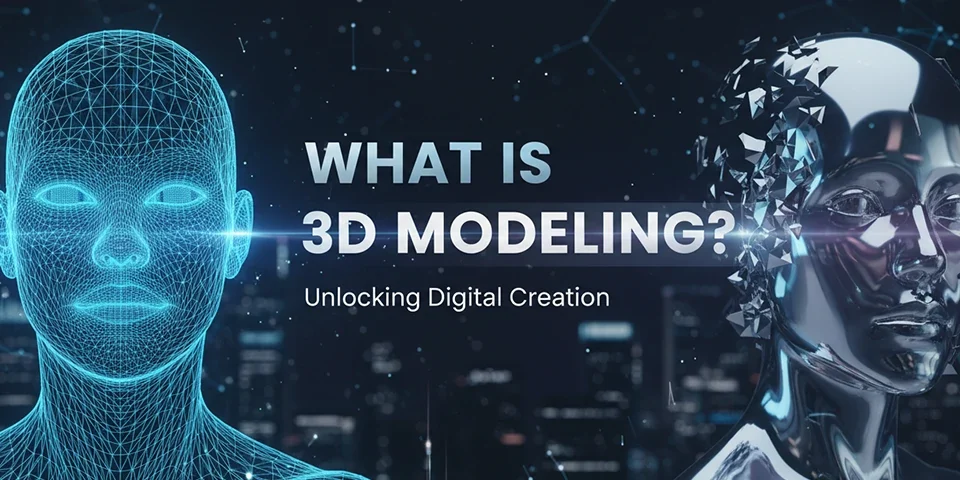
3D modeling is the process of creating a mathematical representation of a three-dimensional object or shape using specialized software. These digital models can represent anything from simple geometric shapes to complex organic forms like human characters, architectural structures, vehicles, and natural environments.
Unlike 2D design, which works with flat images on a plane, 3D modeling creates objects that have depth, width, and height. These models exist in a virtual three-dimensional space and can be viewed from any angle, animated, textured, and rendered into photorealistic images or video sequences.
"3D modeling is the art of bringing imagination to life in three dimensions — creating virtual objects that look, move, and feel like reality."
The 3D modeling process involves defining the geometry of an object using vertices (points), edges (lines connecting points), and faces (surfaces connecting edges). By manipulating these fundamental elements, modelers can create increasingly complex shapes and forms that accurately represent their creative vision or real-world objects.
Key Takeaway
3D modeling creates digital objects with depth, width, and height that can be viewed from any angle, animated, textured, and rendered for various applications across multiple industries.
Why Learn 3D Modeling?
In 2025, 3D modeling skills are more valuable than ever. The demand for 3D content has exploded across entertainment, gaming, architecture, product design, e-commerce, and virtual reality. Learning 3D modeling opens doors to exciting career opportunities and creative possibilities.
Career Opportunities
3D modelers are in high demand across multiple industries. Game studios, film production companies, architectural firms, advertising agencies, and product manufacturers all need skilled 3D artists. The average salary for 3D modelers ranges from $50,000 to $80,000 annually, with senior positions and specialized roles commanding significantly higher compensation.
Freelance opportunities abound for 3D artists, with platforms like TurboSquid, CGTrader, and Shutterstock 3D offering marketplaces for selling 3D models. Many 3D professionals enjoy the flexibility of remote work and the ability to choose projects that align with their interests and expertise.
Creative Expression
3D modeling offers unparalleled creative freedom. Unlike physical sculpting or building, digital 3D work allows unlimited experimentation without material costs. You can create anything imaginable — from realistic product visualizations to fantastical creatures — limited only by your imagination and skill.
The satisfaction of seeing your creations come to life through rendering and animation is deeply rewarding. Many 3D artists describe their work as a perfect blend of technical skill and artistic expression, combining problem-solving with creative storytelling.
Industry Growth
The 3D industry continues to expand rapidly. Virtual reality, augmented reality, and the metaverse are creating entirely new applications for 3D content. E-commerce companies increasingly use 3D product visualization to enhance online shopping experiences. These trends ensure strong and growing demand for skilled 3D professionals.
Core 3D Concepts Every Beginner Must Know
Before diving into 3D modeling software, understanding fundamental concepts will make your learning journey smoother and more productive. These core principles apply across all 3D tools and workflows.
Vertices, Edges, and Faces
The three fundamental building blocks of all 3D models. Vertices are points in 3D space, edges connect vertices to form lines, and faces connect edges to create surfaces. Every 3D model, no matter how complex, is ultimately composed of these three elements arranged in specific patterns.
Polygon Mesh
A polygon mesh is the collection of vertices, edges, and faces that define the shape of a 3D object. Most 3D models are polygon meshes, with triangles and quads (four-sided polygons) being the most common face types. Understanding mesh topology — how polygons are arranged — is crucial for creating clean, efficient models.
Coordinate System
3D space uses three axes: X (horizontal), Y (vertical), and Z (depth). Every point in 3D space is defined by its coordinates on these three axes. Understanding how to navigate and manipulate objects within this coordinate system is fundamental to effective 3D modeling.
Normals
Normals are vectors perpendicular to surfaces that determine how light interacts with faces. Correct normals ensure proper lighting and rendering. Flipped or inconsistent normals can cause rendering artifacts, making understanding and managing normals essential for quality 3D work.
UV Mapping
UV mapping is the process of projecting a 2D image onto a 3D model's surface for texturing. Think of it like unwrapping a gift box and laying the wrapping paper flat. Proper UV mapping is essential for applying textures, materials, and colors accurately to 3D objects.
Lighting and Rendering
Lighting defines how 3D scenes are illuminated, while rendering converts 3D data into 2D images. Understanding different light types, shadow behavior, and rendering engines is crucial for creating photorealistic or stylized final outputs from your 3D models.
An educational diagram showing the fundamental components of 3D modeling — vertices, edges, faces, and polygon meshes — with clear labels and visual representations of each concept.
1200 x 800 px
Types of 3D Modeling Techniques
Different 3D modeling techniques serve different purposes and produce distinct results. Understanding these approaches helps you choose the right method for your specific projects.
1. Polygonal Modeling
Polygonal modeling is the most common technique, building models from vertices, edges, and faces. This versatile approach works for everything from simple props to complex characters. Artists manipulate polygon meshes using tools like extrude, bevel, loop cut, and bridge to shape geometry precisely.
Polygonal modeling offers direct control over mesh topology, making it ideal for creating clean, animation-ready models. It's the foundation of most 3D workflows and the technique beginners should learn first.
2. NURBS Modeling
NURBS (Non-Uniform Rational B-Splines) modeling uses mathematical curves and surfaces to create smooth, precise shapes. This technique excels at creating organic curves and is commonly used in automotive design, industrial design, and product visualization where smooth surfaces are essential.
While NURBS produces mathematically perfect curves, it can be less flexible than polygonal modeling for complex organic shapes. Many modern workflows combine NURBS and polygonal techniques to leverage the strengths of both approaches.
3. Sculpting
Digital sculpting mimics traditional clay sculpting, allowing artists to push, pull, smooth, and shape geometry organically. Sculpting is ideal for creating characters, creatures, and organic forms where natural, flowing shapes are desired.
Sculpting tools like those in ZBrush and Blender's sculpt mode offer intuitive, artistic workflows that many artists find more natural than traditional polygonal modeling. The high-resolution detail possible with sculpting makes it essential for character and creature work.
4. Procedural Modeling
Procedural modeling generates geometry through rules, algorithms, and parameters rather than manual manipulation. This technique excels at creating repetitive structures like buildings, vegetation, and terrain. Changes to parameters automatically update the entire model, enabling rapid iteration.
Procedural approaches are increasingly important in game development and visual effects, where large-scale environments and complex systems require efficient creation methods. Learning procedural workflows opens doors to advanced techniques and greater productivity.
5. Parametric Modeling
Parametric modeling defines objects through mathematical parameters and constraints. Changes to parameters propagate through the entire model, maintaining relationships and proportions. This approach is essential in CAD (Computer-Aided Design) and engineering applications where precision and modification flexibility are critical.
Parametric workflows are particularly valuable for product design, architectural visualization, and any application where models may need to be adjusted or resized frequently while maintaining accuracy.
| Technique | Best For | Learning Curve |
|---|---|---|
| Polygonal | General modeling, characters, props | Moderate |
| NURBS | Smooth surfaces, industrial design | Steep |
| Sculpting | Characters, organic forms, details | Moderate |
| Procedural | Environments, repetitive structures | Steep |
| Parametric | CAD, engineering, product design | Steep |
Best 3D Modeling Software for Beginners
Choosing the right software is crucial for beginners. The best choice depends on your goals, budget, and the type of 3D work you want to pursue. Here's a comprehensive overview of the top options.
| Software | Best For | Price | Difficulty |
|---|---|---|---|
| Blender | General purpose, all-around | Free | Intermediate |
| Tinkercad | Complete beginners, education | Free | Beginner |
| Fusion 360 | Product design, CAD | Free (personal) | Intermediate |
| ZBrush Core | Digital sculpting | $9.99/month | Intermediate |
| Maya | Animation, film, games | $185/month | Advanced |
| 3ds Max | Architecture, visualization | $185/month | Advanced |
| Cinema 4D | Motion graphics, design | $719/year | Intermediate |
| Nomad Sculpt | Mobile sculpting | $14.99 one-time | Beginner |
Blender: The Free Powerhouse
Blender has revolutionized the 3D industry by offering professional-grade tools completely free. It handles modeling, sculpting, animation, rendering, compositing, and video editing in a single application. The active community provides abundant tutorials, addons, and support resources.
While Blender has a steeper learning curve than some beginner tools, the investment in learning pays dividends throughout your career. Skills transfer to other 3D applications, and Blender's capabilities rival commercial alternatives costing thousands of dollars.
Tinkercad: The Easiest Start
Tinkercad is a browser-based tool designed for complete beginners and educational use. Its simple, intuitive interface makes it perfect for understanding basic 3D concepts without the complexity of professional software. Tinkercad is excellent for 3D printing projects and learning fundamental spatial reasoning.
Fusion 360: CAD for Makers
Fusion 360 combines parametric CAD with mesh modeling, making it ideal for product design and engineering applications. Free for personal use, it offers professional tools that bridge the gap between hobbyist and professional workflows. Its integrated simulation and manufacturing tools make it valuable for product development.
A comparison screenshot showing the interfaces of the top 4 3D modeling software tools (Blender, Tinkercad, Fusion 360, ZBrush) arranged in a clean grid layout with labels and brief descriptions.
1200 x 800 px
Professional 3D Modeling Workflow
A structured workflow is essential for efficient, high-quality 3D modeling. Professional modelers follow established processes that ensure consistency, optimize performance, and produce clean, usable models.
The 3D Production Pipeline
1
Concept and Planning
Before modeling, gather reference images, create concept sketches, and plan your approach. Understanding the model's purpose, target platform, and technical requirements guides all subsequent decisions.
2
Blockout
Create a rough version of the model using simple shapes to establish proportions, silhouette, and overall form. This low-detail stage allows rapid iteration and ensures the foundation is solid before investing time in details.
3
Detailed Modeling
Refine the blockout by adding detail, refining shapes, and ensuring clean topology. This stage involves careful attention to edge flow, polygon density, and surface quality that will affect texturing and animation.
4
UV Unwrapping
Unwrap the model's UVs to prepare for texturing. Proper UV layout ensures textures apply correctly without stretching or seams. This technical step is crucial for professional-quality results.
5
Texturing and Materials
Apply colors, textures, and material properties to bring the model to life. This stage defines surface qualities like roughness, metalness, opacity, and emission that determine how the model looks under different lighting conditions.
6
Lighting and Rendering
Set up lights and render the final image or animation. Rendering converts 3D data into 2D output, applying lighting, shadows, reflections, and other effects that create the final visual result.
7
Optimization and Export
Optimize the model for its intended use — reducing polygon count for games, ensuring proper scale for 3D printing, or preparing assets for animation. Export in appropriate formats for target platforms.
Industries Using 3D Modeling
3D modeling skills apply across numerous industries, each with unique requirements and opportunities. Understanding these applications helps you focus your learning and identify career paths that align with your interests.
Game Development
The gaming industry is one of the largest employers of 3D artists. Games require vast numbers of 3D models — characters, environments, props, vehicles, and effects. Game 3D work emphasizes optimization, as models must perform well in real-time rendering engines.
Careers in game 3D modeling include character artists, environment artists, prop artists, technical artists, and concept artists. The interactive nature of games makes this work particularly rewarding, as players directly engage with your creations.
Film and Television
Film and television use 3D modeling for visual effects, character animation, set extensions, and creature creation. The demand for photorealistic quality drives innovation in modeling, texturing, and rendering techniques.
Film 3D work often involves collaboration between large teams of specialists, each contributing specific expertise to create seamless visual experiences that blend with live-action footage.
Architecture and Real Estate
Architectural visualization uses 3D modeling to create photorealistic renderings of buildings and spaces before construction begins. This application helps architects communicate designs to clients and allows stakeholders to visualize projects realistically.
Architectural 3D work requires precision, attention to detail, and understanding of materials, lighting, and camera composition that accurately represents designed spaces.
Product Design and E-Commerce
Product designers use 3D modeling for prototyping, visualization, and manufacturing preparation. E-commerce companies increasingly use 3D product visualization to enhance online shopping experiences, allowing customers to view products from any angle.
3D product visualization reduces photography costs, enables rapid iteration on product designs, and creates engaging interactive experiences that increase customer confidence and reduce returns.
Virtual and Augmented Reality
VR and AR applications require optimized 3D models that maintain visual quality while performing smoothly in real-time. These emerging technologies are creating new opportunities for 3D artists across gaming, education, healthcare, and enterprise applications.
Working in VR/AR requires understanding unique constraints like performance budgets, stereoscopic rendering, and interactive design principles that differ from traditional 3D applications.
Our Professional 3D Design Services
At Pro Pixel Agency, we provide comprehensive 3D design and rendering services that bring your visions to life with photorealistic quality and technical precision.
Web Design
Stunning websites featuring 3D elements and interactive visualizations that create immersive user experiences.
Video Editing
Professional video editing with integrated 3D elements, motion graphics, and visual effects for cinematic results.
Image Editing
Expert photo editing services that complement 3D visualizations and enhance overall project quality.
Audio Editing
Complete audio production services for 3D animations, interactive experiences, and multimedia projects.
3D Design & Rendering
Photorealistic 3D modeling, texturing, lighting, and rendering for product visualization, architecture, and characters.
SEO Services
Visual SEO optimization including 3D product visualization that improves engagement and conversion rates.
Frequently Asked Questions About 3D Modeling
How long does it take to learn 3D modeling?
Basic proficiency typically takes three to six months of regular practice. Intermediate skills generally develop within one to two years. Advanced expertise, particularly in specialized areas like character modeling or architectural visualization, may require three to five years or more. Consistent practice and project-based learning accelerate skill development.
Do I need expensive equipment for 3D modeling?
While high-end workstations improve productivity, you can start 3D modeling with a mid-range computer. A modern processor, dedicated graphics card with at least 4GB VRAM, 16GB RAM, and an SSD provide a solid foundation. A graphics tablet is helpful for sculpting but not essential for polygonal modeling.
Which software should beginners learn first?
Blender is the recommended starting point for most beginners. It's free, capable, and the skills transfer to other applications. Complete beginners uncomfortable with complex interfaces might start with Tinkercad before progressing to Blender. Your choice should align with your goals — Blender for general 3D work, Fusion 360 for product design, or ZBrush for sculpting.
Can I make money with 3D modeling?
Absolutely. 3D modelers earn income through employment at studios, freelance work, selling models on marketplaces, creating assets for games and apps, and providing visualization services for businesses. Many 3D professionals earn comfortable incomes, with specialized skills commanding premium rates.
What's the difference between 3D modeling and 3D animation?
3D modeling focuses on creating static 3D objects and environments. 3D animation brings those models to life through movement, timing, and performance. While related disciplines, they often require different skill sets and specializations. Many 3D professionals focus on one area while understanding the other.
Is 3D modeling hard to learn?
3D modeling has a learning curve, but it's accessible to anyone willing to practice consistently. Start with simple projects and gradually increase complexity. Online tutorials, courses, and community resources make learning easier than ever. Many people find 3D modeling addictive once they experience the satisfaction of creating tangible objects from imagination.
What file formats should I know?
Common 3D formats include OBJ and FBX for general exchange, STL for 3D printing, GLTF/GLB for web and AR, and native formats like .blend (Blender), .max (3ds Max), and .mb (Maya). Understanding format differences ensures your models work correctly across different applications and platforms.
Pro Pixel Agency
Want this done for you? Try our 3D rendering free.
Send a sample, get the finished result back, and only then decide. Clear prices, no commitment.