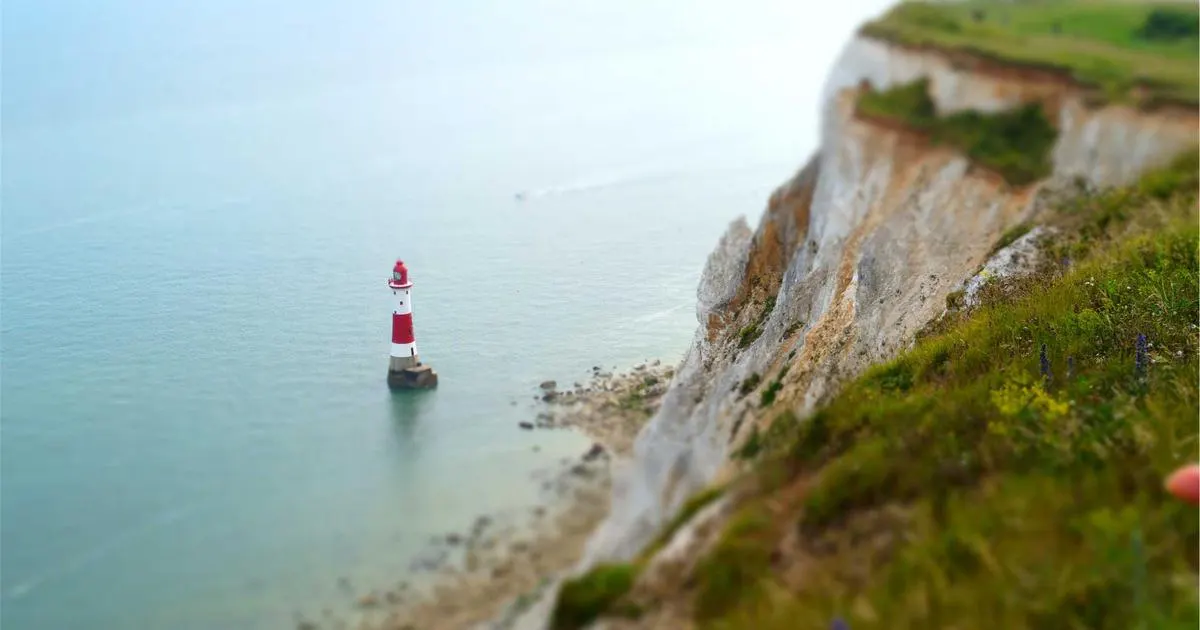


The ultimate guide to optimizing your photography website for search engines. Learn proven strategies to boost your visibility, attract more clients, and dominate local search results.
Editorial Team
SEO Strategy
Featured Image: SEO for Photography Websites
1. Why SEO Matters for Photographers
In today's digital landscape, having a stunning portfolio is simply not enough. You could be the most talented photographer in your region, capturing breathtaking images that leave clients speechless, but none of that matters if potential customers cannot find your website. Search Engine Optimization, commonly known as SEO, is the bridge between your incredible work and the people actively searching for photography services in your area.
The photography industry has become increasingly competitive online. According to recent studies, over 90% of online experiences begin with a search engine, and Google alone processes more than 8.5 billion searches per day. When someone types "wedding photographer near me" or "portrait photographer in Chicago," Google uses complex algorithms to determine which websites appear at the top of the results. Without proper SEO, your website is essentially invisible to these potential clients.
SEO for photography websites goes beyond simply stuffing keywords into your content. It encompasses a holistic approach that includes technical website optimization, creating high-quality content, building authoritative backlinks, and ensuring your site provides an exceptional user experience. When executed correctly, SEO delivers sustainable, long-term results that paid advertising simply cannot match.
Why This Matters
Photographers who invest in SEO see an average of 1,000% more organic traffic compared to those who rely solely on social media. Unlike Instagram or Facebook, where your content disappears within hours, SEO provides lasting visibility that compounds over time.
- Organic traffic converts at 5x higher rates than paid advertising
- SEO builds trust and credibility with potential clients
- High rankings signal authority and professionalism
- Local SEO helps you dominate your geographic market
Furthermore, SEO helps you attract the right kind of clients. Instead of randomly posting on social media and hoping the right people see your work, SEO targets users who are actively looking for photography services. These high-intent visitors are far more likely to convert into paying clients. When someone searches for "best newborn photographer in Denver," they are not just browsing—they are ready to book.
The return on investment for SEO is also significantly higher than most marketing channels. While it requires an upfront investment of time and resources, the results continue to deliver value for months and even years after implementation. A well-optimized blog post or landing page can continue driving traffic and generating leads long after it is published.
2. Keyword Research for Photography Niches
Keyword research is the foundation of any successful SEO strategy. For photographers, understanding what potential clients are typing into Google is crucial for creating content that ranks and attracts the right audience. Effective keyword research reveals not just what people search for, but also how they search, when they search, and what intent drives their queries.
Start by brainstorming the core services you offer. If you are a wedding photographer, your primary keywords might include "wedding photographer," "wedding photography packages," "bride and groom portraits," and "wedding day coverage." However, the real opportunities often lie in long-tail keywords—longer, more specific phrases that have lower competition but higher conversion rates.
Tools for Keyword Research
Several powerful tools can help you discover valuable keywords for your photography business. Google Keyword Planner is free and provides search volume data and competition levels. SEMrush and Ahrefs offer more comprehensive analysis, including competitor keyword gaps and content ideas. Ubersuggest is another excellent option for photographers on a budget.
When conducting keyword research, focus on keywords with a balance of decent search volume and manageable competition. A keyword with 1,000 monthly searches and low competition is often more valuable than one with 100,000 searches and extremely high competition. For local photographers, long-tail location-based keywords are goldmines.
Types of Keywords for Photographers
- Service-based keywords: "family portrait photographer," "commercial photographer," "event photographer"
- Location-based keywords: "photographer in Austin TX," "Denver wedding photographer," "San Diego headshot photography"
- Style-based keywords: "moody wedding photography," "light and airy portraits," "editorial photography style"
- Informational keywords: "how to choose a wedding photographer," "what to wear for family photos," "best time for outdoor portraits"
- Price-based keywords: "affordable wedding photographer," "cheap headshot photography," "photography packages pricing"
Pro Tip: The Power of Local Keywords
For most photographers, local clients represent the majority of revenue. Target location-specific keywords like "portrait photographer in [your city]" and create dedicated landing pages for each service area you cover. Include your city name naturally in page titles, headings, meta descriptions, and throughout your content.
Analyze your competitors to discover keyword opportunities you might have missed. Use tools like SEMrush to see which keywords your top-ranking competitors target. Look for gaps where they are ranking but you are not, and create superior content to capture those positions. Also, pay attention to "People Also Ask" boxes and related searches at the bottom of Google results pages—these reveal real questions your potential clients are asking.
3. Optimizing Image File Names
One of the most overlooked yet impactful SEO tactics for photographers is proper image file naming. Every image you upload to your website sends signals to search engines about what the image contains. A file named "DSC_4523.jpg" tells Google nothing, while "sunset-wedding-portrait-malibu-beach.jpg" provides clear, keyword-rich context that helps your images rank in Google Images search.
Google Images accounts for approximately 22.6% of all web searches, making it the second-largest search engine in the world. For photographers, this represents an enormous opportunity to drive additional traffic to their websites. However, you can only capitalize on this traffic if your images are properly optimized with descriptive file names.
Best Practices for Image File Naming
The rules for image file naming are straightforward but require discipline. Always use lowercase letters, separate words with hyphens (not underscores), and include relevant keywords naturally. Avoid special characters, spaces, and excessive keyword stuffing, which can actually hurt your rankings.
- Good: "bride-groom-first-dance-wedding-reception.jpg"
- Good: "newborn-baby-posing-photography-studio.jpg"
- Bad: "IMG_20240115_001.jpg"
- Bad: "photo (123).jpg"
- Bad: "wedding-wedding-photographer-wedding-photos.jpg" (keyword stuffing)
Consider incorporating both primary and secondary keywords into your file names where appropriate. For example, if you are targeting "family photographer in Portland" and the image shows a family session at a park, a file name like "family-photographer-portland-riverfront-park.jpg" naturally includes your target keyword while also describing the image accurately.
Critical Reminders
Never rename images after they have been published and indexed. If you must change file names on existing pages, set up proper 301 redirects to avoid broken image links and loss of search rankings. Always keep a backup of your original files and maintain a naming convention spreadsheet for consistency across your entire portfolio.
Batch renaming can save significant time when you have hundreds or thousands of images. Tools like Adobe Lightroom allow you to rename files on export using templates. You can create presets that automatically generate SEO-friendly file names based on metadata like location, date, and client name. This workflow ensures every image leaves your studio ready for search engine optimization.
4. Alt Text Best Practices
Alt text, short for alternative text, is a written description of an image that serves two essential purposes: accessibility and SEO. For visually impaired users who rely on screen readers, alt text provides a verbal description of what the image shows. For search engines, alt text helps them understand image content and context, directly impacting your rankings in both regular and image search results.
Many photographers either leave alt text blank or use generic descriptions, missing a significant SEO opportunity. Google has stated that alt text is one of the most important pieces of information it uses to understand images. Properly crafted alt text can help your images appear in relevant search results, driving additional traffic to your website.
Writing Effective Alt Text
The key to writing good alt text is being descriptive yet concise. Aim for 125 characters or fewer to ensure screen readers do not truncate your description. Focus on what the image actually shows rather than trying to include every possible keyword. Search engines are sophisticated enough to understand context, so keyword stuffing in alt text is both unnecessary and potentially harmful.
- Effective: "Bride and groom exchanging vows at sunset beach wedding ceremony in Malibu, California"
- Effective: "Newborn baby sleeping peacefully in a woven basket with soft pink blankets"
- Weak: "wedding photo" (too vague)
- Weak: "best wedding photographer Malibu California wedding photography" (keyword stuffing)
For portfolio pages showcasing multiple images, write unique alt text for each photograph. Even if images look similar to you, each tells a different story. One might show a bride with her mother, another might capture the first dance, and a third might feature the cake cutting. These distinctions matter both for accessibility and for targeting different search queries.
Accessibility Matters
Web accessibility is not just an ethical consideration—it is increasingly becoming a legal requirement in many jurisdictions. The Americans with Disabilities Act (ADA) and similar laws worldwide are being applied to websites. Proper alt text helps you comply with Web Content Accessibility Guidelines (WCAG) standards, protecting your business from potential lawsuits while making your site inclusive for all users.
When writing alt text for blog posts and informational content, think about the context in which the image appears. If an image accompanies a paragraph about choosing wedding venues, the alt text should reference the venue shown. This contextual relevance strengthens the connection between your written content and visual assets, creating a more cohesive SEO strategy.
5. Page Speed Optimization
Page speed is one of Google's confirmed ranking factors, and for photography websites, it presents a unique challenge. High-resolution images are essential for showcasing your work, but they can significantly slow down your website. Studies show that 53% of mobile users abandon sites that take longer than 3 seconds to load, making page speed optimization critical for both SEO and user experience.
Google's Core Web Vitals are three specific metrics that measure real-world user experience: Largest Contentful Paint (LCP), First Input Delay (FID), and Cumulative Layout Shift (CLS). For photography websites, LCP is particularly important because it measures how quickly the main content of your page loads. Large images are often the primary culprit behind poor LCP scores.
Image Compression Strategies
The first step in optimizing page speed is compressing your images without sacrificing quality. Modern image formats like WebP and AVIF offer superior compression compared to traditional JPEG and PNG formats. WebP images are typically 25-34% smaller than JPEG equivalents while maintaining comparable visual quality.
- TinyPNG/TinyJPG: Free online tool for batch compression
- ShortPixel: WordPress plugin with lossy and lossless options
- Imagify: Automated compression plugin for WordPress
- Squoosh: Google's free browser-based image optimizer
Implementing lazy loading ensures images below the fold only load when users scroll to them. This dramatically reduces initial page load time and improves perceived performance. Most modern browsers support native lazy loading through the loading="lazy" attribute, and WordPress offers several plugins that handle this automatically.
Speed Optimization Checklist
- Compress all images to under 200KB without visible quality loss
- Use next-gen formats like WebP with JPEG fallbacks
- Enable lazy loading for images below the fold
- Implement a CDN (Content Delivery Network) to serve images faster globally
- Minimize HTTP requests by combining CSS and JavaScript files
- Enable browser caching so returning visitors load pages faster
Server-side optimizations also play a crucial role. Choose a hosting provider that specializes in WordPress and photography websites. Providers like Cloudways, Kinsta, and WP Engine offer optimized server configurations, built-in caching, and CDN integration. Upgrading to PHP 8.0 or higher can also improve server response times by up to 30%.
Regular monitoring is essential. Use Google PageSpeed Insights, GTmetrix, and Lighthouse to test your website speed regularly. Set a goal of achieving a score above 90 on both mobile and desktop. Remember that page speed is not a one-time fix—as you add new content and images, you need to continually optimize to maintain fast load times.
6. Mobile-First Design for Photo Sites
Google now uses mobile-first indexing, meaning it predominantly uses the mobile version of your website for ranking and indexing. With over 60% of all Google searches coming from mobile devices, having a mobile-optimized photography website is no longer optional—it is essential for SEO success.
Mobile-first design goes beyond simply making your website responsive. It requires rethinking the entire user experience from the perspective of someone using a smartphone. Your potential clients are scrolling through Instagram on their phones, see your work, and immediately visit your website to learn more. If they encounter a slow, difficult-to-navigate mobile site, they will leave within seconds.
Mobile Optimization Essentials
Start with responsive design that adapts seamlessly to any screen size. Your images should scale appropriately, your navigation should be thumb-friendly, and your text should be readable without zooming. Touch targets like buttons and links need to be at least 48x48 pixels to be easily tappable on mobile devices.
- Responsive image galleries that work beautifully on all screen sizes
- Touch-friendly navigation with hamburger menus and swipe gestures
- Optimized mobile forms for booking inquiries and contact forms
- Click-to-call buttons for easy phone contact
- Simplified layouts that prioritize essential information
Mobile User Behavior
Mobile users exhibit different browsing behavior than desktop users. They tend to scan rather than read, prefer visual content over text, and make quicker decisions. Design your mobile site accordingly: use larger images, shorter paragraphs, prominent calls-to-action, and streamlined navigation that guides users toward booking your services.
Test your mobile experience regularly using Google's Mobile-Friendly Test tool. Check every page of your website, including portfolio galleries, blog posts, and contact pages. Pay special attention to image galleries—they should load quickly and be easy to browse on small screens. Consider implementing swipe navigation for galleries and pinch-to-zoom functionality for detailed viewing.
Page speed on mobile devices is particularly critical due to varying network conditions. Optimize for 3G and 4G connections, not just Wi-Fi. Compress images more aggressively for mobile, minimize the use of large background videos, and defer non-essential JavaScript to ensure your mobile site loads within 2-3 seconds even on slower connections.
7. Local SEO for Photographers
For photographers serving specific geographic areas, local SEO is perhaps the most important aspect of their entire search optimization strategy. When potential clients search for "photographer near me" or "wedding photographer in [city name]," Google displays local results prominently, often above organic listings. Capturing these local searches can transform your business.
Local SEO operates differently from traditional SEO. While standard SEO focuses on ranking for broad search terms, local SEO emphasizes proximity, relevance, and prominence within a specific geographic area. Google's local algorithm considers your physical location, your service area, the relevance of your content to the search query, and your overall online authority.
Building Local Citations
Local citations are mentions of your business name, address, and phone number (NAP) across the internet. Consistent NAP information across directories like Yelp, WeddingWire, The Knot, Thumbtack, and local business directories signals to Google that your business is legitimate and trustworthy. Inconsistencies in your NAP information can confuse search engines and hurt your local rankings.
- Claim and optimize listings on all major directories
- Ensure NAP consistency across every platform
- Get listed in local directories specific to your city and state
- Earn reviews on multiple platforms, not just Google
- Build location-specific content on your website
Local SEO Power Moves
Create dedicated landing pages for each city or area you serve. If you photograph weddings in Los Angeles, San Diego, and Orange County, each location should have its own optimized page with location-specific content, local landmarks, venue recommendations, and testimonials from clients in that area. This strategy allows you to rank for multiple geographic markets simultaneously.
Encourage satisfied clients to leave Google reviews. Reviews are one of the most influential factors in local search rankings. Respond to every review, both positive and negative, professionally and promptly. This engagement shows Google that you are an active, legitimate business that values customer feedback.
Embed a Google Map on your contact page showing your studio location or primary service area. This helps Google understand your geographic relevance and makes it easy for clients to find you. If you operate without a physical studio and travel to clients, clearly define your service area on your website and in your Google Business Profile.
8. Blogging for SEO Growth
Blogging is one of the most powerful tools in a photographer's SEO arsenal. While your portfolio showcases your best work, your blog demonstrates expertise, targets additional keywords, and provides fresh content that keeps your website active in Google's eyes. Photographers who maintain active blogs generate 67% more leads than those who do not.
The key to blogging for SEO is creating content that directly answers the questions your potential clients are asking. Every blog post should target specific keywords while providing genuine value to readers. Think about the conversations you have with clients during consultations—those questions and concerns make excellent blog topics.
Blog Post Ideas for Photographers
- "What to Wear for Your Family Photo Session" — targets informational keywords and reduces client preparation anxiety
- "Best Wedding Venues in [Your City]" — targets venue-specific searches and helps with local SEO
- "How to Choose the Right Photographer for Your Event" — establishes authority and targets comparison keywords
- "What to Expect During Your Newborn Photo Session" — targets long-tail keywords and educates potential clients
- "Top 10 Photo Locations in [Your City]" — targets location-based searches and provides genuine value
Content Strategy Framework
Aim to publish at least 2-4 blog posts per month. Each post should be at least 1,500 words for comprehensive coverage, include original images from your sessions, target a primary keyword and several related keywords, and provide genuine value that keeps readers engaged. Internal linking between related posts strengthens your site's overall SEO structure.
Optimize every blog post for both SEO and readability. Use your target keyword in the title, first paragraph, at least one subheading, and naturally throughout the content. Write compelling meta descriptions that encourage clicks from search results. Use header tags (H2, H3, H4) to structure your content logically, making it easy for both readers and search engines to understand.
Don't forget to optimize the images within your blog posts. Use descriptive file names and alt text, compress images for fast loading, and include a mix of your own photographs and infographics where appropriate. Blog images not only make your content more engaging but also provide additional SEO opportunities through Google Images search.
9. Backlink Strategies
Backlinks—links from other websites pointing to yours—remain one of Google's most important ranking factors. For photographers, earning high-quality backlinks from reputable sources signals to Google that your website is trustworthy and authoritative. However, not all backlinks are created equal; quality matters far more than quantity.
A single backlink from a major wedding publication like Martha Stewart Weddings or Vogue is worth more than hundreds of links from low-quality directories. Google evaluates the authority, relevance, and trustworthiness of linking domains, so your backlink strategy should focus on earning links from sources that are relevant to the photography industry.
Effective Backlink Building Tactics
- Guest posting on industry blogs: Write valuable articles for photography blogs, wedding blogs, and small business publications in exchange for a link back to your site
- Vendor and client relationships: Ask wedding planners, venues, florists, and other vendors you work with to link to your website from their recommended vendor pages
- Local business associations: Join your local Chamber of Commerce and photography associations for authoritative local backlinks
- Creating linkable assets: Develop resources like photography guides, pricing calculators, or location guides that naturally attract links
The Power of Resource Links
Create comprehensive resources that other websites want to link to. Examples include "The Ultimate Wedding Planning Timeline," "Complete Guide to Family Photo Outfits," or "[City] Photography Location Guide." These resources provide genuine value and naturally attract backlinks from wedding planners, venue websites, and lifestyle bloggers.
Testimonials are another surprisingly effective backlink strategy. Write genuine testimonials for products and services you use—camera equipment, editing software, studio rental spaces, or business tools. Many companies feature customer testimonials on their websites with a link back to the reviewer's site. This approach provides a win-win: the company gets a testimonial, and you get a high-quality backlink.
Monitor your backlink profile regularly using tools like Ahrefs or Google Search Console. Identify and disavow toxic backlinks from spammy sites, as these can hurt your rankings. Track new backlinks as they come in and analyze which strategies are generating the best results. Over time, you will develop a clearer picture of what works best for your specific niche and location.
10. Google My Business Setup
Google Business Profile (formerly Google My Business) is the single most important platform for local SEO. When potential clients search for photographers in your area, your Google Business Profile is often the first thing they see. An optimized profile can place your business in the coveted local pack (top 3 local results), dramatically increasing your visibility and client inquiries.
Setting up your Google Business Profile correctly requires attention to every detail. Start by claiming or creating your listing using a business email you actively monitor. Verify your business through the postcard, phone, or email verification process. Once verified, complete every section of your profile thoroughly.
Optimizing Your Profile
Your business name should match your legal business name exactly—do not stuff keywords into your business name. Select the most accurate primary category ("Photographer") and add relevant secondary categories like "Portrait Studio," "Wedding Photographer," or "Event Photographer." Your category selection significantly impacts which searches trigger your listing.
- Business description: Write a compelling 750-character description incorporating relevant keywords naturally
- Services: List all photography services you offer with descriptions and price ranges
- Photos: Upload at least 100 high-quality images including your best work, studio shots, and team photos
- Hours: Set accurate business hours and update them for holidays
- Attributes: Add relevant attributes like "identifies as women-owned," "LGBTQ+ friendly," or "wheelchair accessible"
Google Business Profile Posts
Google Business Profile posts appear directly in your listing and keep your profile active and engaging. Share recent session highlights, special promotions, behind-the-scenes content, and tips. Post at least once a week to signal to Google that your business is active. Each post should include a high-quality image, compelling text, and a clear call-to-action with a link to your website.
Reviews on your Google Business Profile are critical for both local rankings and client trust. Develop a systematic process for requesting reviews from every satisfied client. Send a follow-up email with a direct link to your review page a few days after delivering their photos. Respond to every review promptly and professionally, thanking positive reviewers by name and addressing any concerns raised in negative reviews.
Keep your profile updated with fresh photos regularly. Google favors active profiles, and new photos give potential clients a reason to click through. Upload images that showcase your range as a photographer, including different styles, settings, and subjects. Always use high-quality images that represent your best work—your Google Business Profile is often a potential client's first impression of your photography.
11. Social Media and SEO
While social media signals are not direct ranking factors in Google's algorithm, the relationship between social media and SEO is more nuanced than many photographers realize. Social media platforms can amplify your content, increase brand awareness, drive traffic to your website, and indirectly improve your search rankings through increased engagement and backlink opportunities.
When your content goes viral on social media, it exposes your work to thousands of potential clients and industry professionals who might link to your website, mention your brand, or share your content. This amplification effect can lead to natural backlinks, brand mentions, and increased search volume for your brand name—all of which positively impact your SEO.
Platform-Specific Strategies
Each social media platform offers unique SEO benefits. Instagram, with its visual-first approach, is ideal for showcasing photography work and driving traffic to your website through bio links and story swipe-ups. Pinterest functions as a visual search engine, and pins can rank in both Pinterest search results and Google Images. LinkedIn is valuable for commercial and corporate photographers building professional connections.
- Instagram: Use relevant hashtags, tag locations, and include website links in stories and bio
- Pinterest: Create SEO-optimized pin descriptions with keywords, link directly to blog posts and portfolio pages
- Facebook: Share blog content, join local business groups, and encourage check-ins at your studio
- LinkedIn: Publish thought leadership content and connect with commercial clients
- TikTok: Create behind-the-scenes content that drives curiosity and website visits
Content Syndication Strategy
Repurpose your blog content across social media platforms to maximize reach. Turn a blog post about "What to Wear for Family Photos" into an Instagram carousel, a Pinterest infographic, a TikTok video, and a LinkedIn article. Each platform drives traffic back to your original blog post, increasing page views, reducing bounce rates, and signaling to Google that your content is valuable.
Social media profiles themselves can rank in search results. When someone searches for your brand name, your social media profiles often appear alongside your website. Claim and optimize your social media profiles with consistent branding, keywords, and links to your website. This creates a unified online presence that dominates search results for your brand name.
Encourage social sharing on your website by adding share buttons to your blog posts and portfolio pages. Make it easy for visitors to share your work on their social media profiles. The more your content is shared, the more exposure it receives, and the higher the likelihood of earning natural backlinks and brand mentions that benefit your SEO.
12. Tracking SEO Performance
SEO is not a set-it-and-forget-it strategy. To maximize your results and make informed decisions, you need to continuously monitor, measure, and adjust your approach. Tracking SEO performance allows you to identify what is working, what needs improvement, and where new opportunities exist. Without data, you are essentially guessing.
Google Analytics and Google Search Console are the two essential free tools every photographer needs. Google Analytics provides detailed information about your website traffic, user behavior, and conversions. Google Search Console shows how your website performs in Google search results, including which keywords drive traffic, which pages rank well, and any technical issues affecting your visibility.
Key Metrics to Monitor
- Organic traffic: Total visitors coming from search engines (should increase monthly)
- Keyword rankings: Position of your target keywords in search results
- Click-through rate (CTR): Percentage of people who click your listing after seeing it in search results
- Bounce rate: Percentage of visitors who leave after viewing only one page
- Conversion rate: Percentage of visitors who complete a desired action (booking inquiry, contact form submission)
- Page load time: How quickly your pages load on desktop and mobile
Monthly SEO Reporting Template
Create a simple monthly report tracking these key metrics. Compare month-over-month and year-over-year trends. Look for patterns—which blog posts drive the most traffic? Which pages have the highest conversion rates? Which keywords are growing fastest? Use these insights to refine your content strategy and double down on what works.
Set up conversion tracking in Google Analytics to measure how many website visitors actually become clients. Track form submissions, phone calls, and email inquiries as conversions. Calculate your conversion rate and cost per acquisition to understand the true ROI of your SEO efforts. If certain pages or blog posts drive significantly more conversions, create more content like them.
Use rank tracking tools like SEMrush, Ahrefs, or AccuRanker to monitor your keyword positions over time. Set up alerts for significant ranking changes—both improvements and drops. When you notice a ranking drop, investigate immediately: check for technical issues, algorithm updates, or new competitor content that might be affecting your position.
13. Advanced Technical SEO Tips
Technical SEO ensures that search engines can effectively crawl, index, and understand your website. While photography websites focus primarily on visual content, the underlying technical infrastructure plays a crucial role in determining how well your site performs in search results. Addressing technical SEO issues can unlock significant ranking improvements.
Structured Data Markup
Schema markup is code that helps search engines understand the context of your content. For photographers, implementing LocalBusiness, ImageObject, and Portfolio schema can enhance your search listings with rich snippets, including star ratings, business information, and image thumbnails. These enhanced listings attract more clicks and improve your click-through rates.
- XML Sitemap: Create and submit an XML sitemap to Google Search Console, ensuring all important pages are indexed
- Robots.txt: Configure your robots.txt file to guide search engine crawlers efficiently
- SSL Certificate: Ensure your website uses HTTPS for security and ranking benefits
- Canonical Tags: Prevent duplicate content issues by specifying canonical URLs
- Internal Linking: Create a logical internal linking structure that distributes page authority throughout your site
Technical SEO Checklist
- Crawl errors: Monitor and fix 404 errors and redirect issues in Search Console
- Mobile usability: Address all mobile usability issues flagged by Google
- Page experience: Optimize Core Web Vitals to meet Google's thresholds
- Site architecture: Ensure every page is reachable within 3 clicks from the homepage
- Breadcrumb navigation: Implement breadcrumbs for improved user experience and structured data
Image-specific technical optimizations are essential for photography websites. Implement srcset attributes to serve appropriately sized images based on the user's device. Use the picture element for art direction with different image crops for different screen sizes. Add focal point hints to prevent important subjects from being cropped out during responsive resizing.
Regularly audit your website using tools like Screaming Frog, Sitebulb, or Ahrefs Site Audit. These tools identify technical issues like broken links, missing meta tags, duplicate content, slow pages, and crawl errors. Schedule quarterly technical SEO audits to keep your website in peak condition and prevent small issues from becoming major problems.
14. Common SEO Mistakes Photographers Make
Even well-intentioned photographers often make SEO mistakes that hold their websites back from reaching their full potential. Understanding these common pitfalls can help you avoid them and accelerate your SEO progress. Many of these mistakes are easy to fix once identified, while others require more strategic adjustments.
Mistake #1: Ignoring Technical SEO
Many photographers focus exclusively on content and aesthetics while neglecting technical foundations. Slow page speeds, broken links, missing meta tags, and poor mobile experience all negatively impact rankings. Schedule regular technical audits and address issues promptly.
Mistake #2: Keyword Stuffing
Trying to rank by repeating keywords unnaturally throughout your content is not only ineffective but can actually trigger Google penalties. Write naturally for humans first, and optimize for search engines second. If your content reads awkwardly, it needs rewriting.
Mistake #3: Neglecting Local SEO
Photographers who skip Google Business Profile optimization, local citations, and location-specific content miss out on the most valuable traffic. For service-area businesses, local SEO should be your top priority.
Mistake #4: Duplicate Content Across Portfolio Pages
Many photographers upload similar images with identical or near-identical descriptions across multiple portfolio pages. This creates duplicate content issues. Ensure each page has unique descriptions, alt text, and supporting content.
More Common Mistakes to Avoid
- Not tracking analytics: Without data, you cannot measure success or identify problems
- Expecting instant results: SEO takes 3-6 months to show significant impact
- Ignoring mobile users: With mobile-first indexing, a poor mobile experience devastates rankings
- Using stock photos: Google values unique content; use your own work whenever possible
- Neglecting image optimization: Uncompressed images and missing alt text waste SEO opportunities
- Building low-quality backlinks: Spammy links can trigger Google penalties
- Not updating old content: Refreshing and expanding existing content improves rankings
Perhaps the biggest mistake photographers make with SEO is giving up too early. SEO is a long-term strategy, and results compound over time. The photographers who succeed are those who consistently implement best practices, create valuable content, and adapt their strategies based on data and industry changes. Stay patient, stay consistent, and the results will come.
Our Professional Services
Web Design
Stunning, responsive websites designed specifically for photographers. SEO-optimized, fast-loading, and built to convert visitors into paying clients.
Video Editing
Professional video editing services for wedding films, promotional content, behind-the-scenes footage, and social media reels that captivate audiences.
Image Editing
Expert photo retouching, color correction, and post-processing. From basic edits to advanced compositing, we make every image shine.
Audio Editing
Crystal-clear audio editing for podcasts, voiceovers, music production, and video soundtracks. Professional mixing and mastering services available.
3D Design
Custom 3D modeling, rendering, and visualization. Create stunning virtual environments, product renders, and architectural visualizations for your projects.
SEO Services
Comprehensive SEO strategies tailored for photographers. From keyword research to technical optimization, we help you rank higher and attract more clients.
Was this article helpful?
Pro Pixel Agency
Want this done for you? Try our image editing free.
Send a sample, get the finished result back, and only then decide. Clear prices, no commitment.