Your complete guide to finding the best Final Cut Pro training, from beginner courses to advanced editing techniques

James Davidson
Professional Video Editor & Educator
Final Cut Pro stands as one of the most powerful video editing software options available today. Used by professionals across film, television, YouTube, and corporate media, it offers exceptional performance, intuitive design, and features that make professional editing accessible to creators at all levels.
Whether you're a complete beginner wanting to edit your first videos, a content creator looking to improve production quality, or a professional seeking to master advanced techniques, finding the right Final Cut Pro course can accelerate your journey dramatically.
This comprehensive guide walks you through everything you need to know about Final Cut Pro training. From understanding what the software offers to comparing course options, pricing, and provider selection, we'll help you make an informed decision about your video editing education.
What Is Final Cut Pro?

Final Cut Pro is Apple's professional video editing software, first released in 1999 and significantly redesigned over the years. The current version, Final Cut Pro 10.6, represents decades of refinement, offering features that compete with—and in many ways exceed—other professional editing platforms.
The software excels at non-linear video editing, allowing you to arrange, trim, and manipulate video clips, audio, and effects on a timeline. Its magnetic timeline eliminates the traditional "track-based" complexity that frustrates new editors, making the editing process feel more intuitive and fluid.
Final Cut Pro includes comprehensive tools for color correction, audio mixing, visual effects, and export. Its integration with the Apple ecosystem provides seamless workflows for Mac users, while its one-time purchase pricing makes it more accessible than subscription-based competitors.
💡 Quick Insight
Final Cut Pro runs exclusively on Mac computers. If you're a Windows user, you'll need to either switch to Mac or consider alternatives like Adobe Premiere Pro or DaVinci Resolve for your video editing journey.
Why Learn Final Cut Pro?
The demand for video content has exploded across every platform and industry. Learning professional video editing opens numerous opportunities, and Final Cut Pro provides an excellent pathway into this creative field.
Industry Adoption
Final Cut Pro enjoys strong adoption across multiple industries. YouTube creators, corporate video teams, independent filmmakers, wedding videographers, and broadcast professionals all use the software professionally. This widespread use creates robust job opportunities for skilled practitioners.
Cost-Effective Professional Tool
Unlike competitors that require ongoing subscriptions, Final Cut Pro is available as a one-time purchase. This makes it more affordable for freelancers, students, and small production companies. The lifetime ownership model means you pay once and own the software indefinitely.
Performance and Stability
Final Cut Pro leverages Apple's hardware optimization to deliver exceptional performance. The software handles complex projects with numerous clips, effects, and 4K+ footage smoothly, reducing render times and improving workflow efficiency compared to many alternatives.
Freelance Flexibility
Many Final Cut Pro professionals work as freelance video editors, offering services to multiple clients on project basis. This career path provides flexibility, variety, and the potential for significant income while working from anywhere with a capable Mac computer.
Types of Final Cut Pro Courses

Training options for Final Cut Pro vary widely in format, intensity, and depth. Understanding the different course types helps you choose the approach that best matches your learning style, schedule, and goals.
Intensive Bootcamps
Bootcamps compress comprehensive training into focused periods, typically ranging from one week to several weeks. These programs suit those seeking rapid skill acquisition or career transition. Full-day sessions provide immersive learning, though the intensity requires significant time commitment.
Evening and Weekend Courses
Part-time courses accommodate those who cannot leave current employment. Evening classes and weekend workshops spread learning over extended periods, typically several months. This format provides balance between learning and other commitments.
Online Self-Paced Courses
Online courses offer flexibility for those with unpredictable schedules. You can learn at your own pace, revisiting difficult concepts as needed. Many quality online programs exist, though self-paced learning requires significant discipline and self-motivation.
University and College Programs
Formal education institutions offer Final Cut Pro as part of broader media, film, or digital production programs. These range from short courses to full degrees. University programs provide comprehensive education and credentials, though require longer time commitments.
Private Tutoring
One-on-one tutoring provides personalized attention and customized curriculum. While more expensive than group courses, individual instruction accelerates learning and addresses specific needs. Many experienced editors offer private sessions.
In-Person vs Online Learning

The choice between in-person and online learning affects your learning experience significantly. Each approach offers distinct advantages depending on your circumstances and learning preferences.
Benefits of In-Person Training
Direct interaction with instructors enables immediate feedback and clarification. In-person courses facilitate networking with fellow students, building professional connections. The structured schedule creates accountability, and the dedicated learning environment minimizes distractions.
Benefits of Online Learning
Online courses offer unmatched flexibility for those with unpredictable schedules or geographic constraints. You can learn from world-class instructors regardless of location, often at lower costs. The ability to re-watch recordings helps reinforce difficult concepts.
💡 Recommendation
For most beginners, in-person courses provide the optimal balance of structure, support, and networking. If budget is a constraint, look for affordable evening courses that allow you to work while learning.
What You'll Learn in Final Cut Pro Courses

Quality Final Cut Pro courses build skills progressively, starting with fundamentals and advancing to complex techniques. Understanding typical curriculum helps you evaluate course comprehensiveness.
Interface and Workflow
Initial modules cover the Final Cut Pro interface, library organization, project management, and the relationship between different panels. Understanding the workspace foundation enables efficient navigation as skills advance.
Importing and Organizing Media
Courses teach efficient media import, keyword management, ratings, and organization. Learning to organize footage effectively prevents the chaos that derails many editing projects and makes finding the right clips fast.
Timeline Editing
Core editing skills include cutting, trimming, rearranging clips, and understanding the magnetic timeline. Students learn various trimming techniques, blade tools, and methods for maintaining edit flexibility throughout the process.
Audio Editing
Audio constitutes half of any video. Courses cover audio waveforms, noise reduction, level adjustment, background music mixing, and the audio inspector tools. Understanding audio editing creates professional-quality soundtracks.
Color Correction
Color correction transforms raw footage into polished, consistent footage. Students learn color wheels, curves, color matching, and the color inspector. These skills create the professional look that distinguishes amateur from professional work.
Titles and Graphics
Final Cut Pro includes comprehensive title tools. Courses teach creating lower thirds, titles, motion graphics, and integrating with Motion graphics templates. These elements add production value to any project.
Effects and Transitions
Beyond basic transitions, courses cover effects plugins, keying, compositing, and the effects inspector. Understanding when and how to apply effects appropriately elevates production quality without looking overproduced.
Export and Delivery
Creating final output requires understanding export settings, formats, and delivery requirements. Students learn to choose appropriate settings for different platforms, from broadcast to social media to client delivery.
How Long Do Courses Take?

Course durations vary significantly based on format, intensity, and depth of coverage. Understanding typical time commitments helps you plan realistically.
Typical Duration Ranges
Introductory workshops: 1-3 days (intensive) or 3-6 weeks (evenings) — covers basics and interface orientation
Comprehensive courses: 2-4 weeks (full-time) or 3-6 months (part-time) — builds solid foundational skills
Career programs: 3-12 months — transforms complete beginners into job-ready professionals
Advanced training: 1-4 weeks intensive — for those seeking specialized skills
Remember that course duration represents contact time only. Significant additional practice time is necessary to develop proficiency. Plan for at least as many hours of self-practice as course instruction time.
Final Cut Pro Course Pricing

Understanding typical price ranges helps you budget appropriately and evaluate whether quoted prices represent fair value. Final Cut Pro training costs reflect the quality and depth of instruction.
Price Ranges
Introductory workshops: £100-300 for short taster sessions (3-8 hours)
Evening courses: £400-800 for 6-12 sessions covering fundamentals
Intensive courses: £800-2000 for 1-4 week full-time programs
Career bootcamps: £3000-8000+ for comprehensive transformation programs
Private tutoring: £40-120+ per hour for one-on-one instruction
💰 Cost Considerations
Beyond course fees, consider additional costs: Final Cut Pro software (one-time purchase around £240), potential computer upgrades if your Mac isn't adequate, and materials or resources recommended by instructors.
How to Choose a Course Provider

Selecting the right training provider significantly impacts your learning experience and outcomes. Evaluating potential providers systematically helps ensure you invest in quality education.
Instructor Credentials
Research instructor backgrounds. Look for proven industry experience, professional portfolio showing current work, and teaching credentials. Industry professionals with real-world project experience bring insights that self-taught editors may lack.
Curriculum Quality
Evaluate whether course content matches your goals. Comprehensive courses cover all fundamentals; specialized courses focus on specific applications. Review syllabi and project descriptions to ensure appropriate coverage.
Reviews and Testimonials
Past student experiences reveal much about course quality. Look for detailed reviews mentioning specific learning outcomes. Be cautious of uniformly positive reviews without substance—authentic feedback includes both praise and constructive criticism.
Student Outcomes
Ask about career placement or freelance success rates. While not guaranteed, courses with strong student outcomes typically provide comprehensive training and valuable industry connections. Alumni networks often provide ongoing support.
Best Final Cut Pro Courses for Beginners
If you're entirely new to video editing, look for courses specifically designed for beginners. These programs assume no prior knowledge and build foundations systematically.
What Beginners Need
Beginner courses should cover software installation and setup, interface navigation, basic editing concepts, simple project creation, and fundamental techniques. Pacing should allow time for concepts to settle before introducing complexity.
Prerequisites
While no prior Final Cut Pro experience is needed, basic computer literacy helps. Familiarity with Mac operating system is helpful but not essential. Comfort with learning new software and willingness to practice are more important than existing technical skills.
Advanced Final Cut Pro Courses

After establishing fundamentals, advanced courses help experienced users master complex techniques and specialized applications. These programs assume comfortable baseline proficiency.
Advanced Color Grading
Beyond basic correction, advanced color grading teaches creative color looks, skin tone optimization, color harmony, and the science behind color theory in video. These skills are essential for those pursuing professional color work.
Complex Multicam Editing
Multicam workflows enable editing from multiple camera angles simultaneously. Advanced courses cover multicam sync, angle selection, and creative techniques for events, interviews, and live production.
Motion Graphics Integration
Advanced editors often need to create or integrate motion graphics. Courses covering Motion (Apple's companion app) or working with After Effects expand capabilities for titles, graphics, and visual effects.
Workflow Optimization
Efficiency matters in professional environments. Advanced courses teach proxy workflows, custom keyboard shortcuts, batch processing, and automation techniques that dramatically improve productivity.
Certification and Credentials

While formal certification isn't required for most editing positions, credentials can strengthen your professional profile and demonstrate competence to potential clients and employers.
Apple Certification
Apple offers Final Cut Pro certification through their professional certification program. These credentials validate proficiency and are recognized within the Apple ecosystem. While not universally required, certification can strengthen your resume.
Course Completion Certificates
Most training providers offer certificates upon course completion. These vary in recognition—established providers with industry connections issue more valued credentials than unknown entities.
Portfolio vs Certification
For video editing, your portfolio often matters more than credentials. Employers typically evaluate work samples rather than certification status. However, certification can help those without industry experience demonstrate baseline competence.
Career Paths with Final Cut Pro Skills

Final Cut Pro proficiency opens doors to various career paths within the creative industries. Understanding available options helps you align training with career goals.
YouTube Content Editor
The explosive growth of YouTube creates massive demand for video editors. Creators need help producing regular content, and many offer competitive rates for reliable editors who understand the platform's style and audience.
Wedding and Event Videographer
Wedding videography represents a consistent market with healthy demand. These roles combine technical editing with creative storytelling, capturing memorable events and producing lasting memories for clients.
Corporate Video Editor
Companies increasingly produce video content for marketing, training, and internal communications. Corporate video editors handle various projects from promotional videos to explainer content to event documentation.
Post-Production Specialist
Production companies and post houses employ editors for film, television, and commercial work. These positions offer experience on larger projects with professional workflows, though typically require demonstrated skills.
Freelance Video Editor
Many Final Cut Pro professionals work as freelancers, contracting with agencies, production companies, and direct clients. Freelancing offers flexibility but requires business skills alongside creative abilities.
Building Your Video Editing Portfolio

A strong portfolio matters more than any credential for video editing careers. Your work samples demonstrate actual capabilities in ways that certificates cannot. Quality courses incorporate portfolio development into the curriculum.
Showcase Diversity
Include various project types to demonstrate range: narrative cuts, documentary segments, promotional content, event highlights, and social media content. Showing versatility expands the client and employer types who might consider you.
Quality Over Quantity
Better to have five excellent pieces than fifteen mediocre ones. Focus your portfolio on your strongest work. Each piece should represent your best effort and current capabilities—outdated or weak work undermines overall impression.
Create Spec Work
Without professional client work, create speculative projects. Edit trailers for public domain films, create promotional content for fictional products, or produce sample content demonstrating your style. This personal work demonstrates initiative and creativity.
Present Professionally
Use platforms like Vimeo, YouTube, or a personal website to showcase work. Include brief descriptions explaining your role, tools used, and project context. Clean presentation reflects professional standards clients and employers expect.
Final Cut Pro Software Requirements
Before beginning your Final Cut Pro training, ensuring your Mac meets the software requirements prevents frustrating technical issues during learning. Understanding hardware needs helps you prepare adequately.
System Requirements
Final Cut Pro requires macOS Monterey or later, at least 8GB RAM (16GB recommended for 4K), and about 6GB of disk space for installation. More recent Macs with Apple silicon provide significant performance advantages over older Intel-based machines.
Storage Considerations
Video editing requires substantial storage. SSD storage provides necessary speed for smooth editing; traditional hard drives create bottlenecks that frustrate workflow. External storage solutions work well for managing large media libraries.
Final Cut Pro Pricing
Final Cut Pro is available as a one-time purchase from the Mac App Store for £239.99. This lifetime license includes all future updates, making it more affordable long-term than subscription alternatives. A free trial is available for evaluation.
Common Final Cut Pro Course Mistakes

Learning from others' mistakes helps you avoid pitfalls that undermine learning effectiveness and waste investment.
Mistake #1: Skipping Practice
Video editing requires substantial practice to develop proficiency. Many students assume class time suffices, then find skills haven't solidified. Plan for at least as much practice outside class as instruction time.
Mistake #2: Unrealistic Expectations
Mastering video editing takes time—there's no shortcut to proficiency. Students expecting to become experts after introductory courses set themselves up for disappointment. View courses as foundations requiring ongoing development.
Mistake #3: Choosing Based on Price Alone
The cheapest course often provides the least value. Quality instruction delivers lasting skills that justify higher investment. However, expensive courses aren't automatically better—evaluate content and outcomes, not just price tags.
Mistake #4: Not Matching Course to Goals
Beginners attending advanced courses struggle with content beyond their level. Experienced users in introductory courses feel held back. Ensure course difficulty matches your current skill level and aligns with your learning objectives.
Tips for Getting the Most from Your Course

Maximize your course investment by approaching learning strategically. These practical tips help you extract maximum value from your training experience.
Prepare Before Starting
Install Final Cut Pro, update your Mac's operating system, and ensure adequate storage. Walking into class with technical setup complete lets you focus on learning rather than troubleshooting.
Take Comprehensive Notes
Document concepts, keyboard shortcuts, and workflow tips. Screenshots of panel configurations help when recreating setups later. Notes become valuable reference after course completion.
Engage Actively
Ask questions when unclear—other students likely share your confusion. Participate in discussions and share your perspective. Engagement deepens understanding and makes learning more enjoyable.
Build Relationships
Connect with classmates—you're all on similar journeys. These connections become professional network later. Study groups provide accountability and mutual support.
Practice Immediately
Apply learned concepts the same day, if not the same session. Immediate practice reinforces neural pathways before they fade. Create small projects using taught techniques to cement understanding.
Video Editing Industry Trends

Understanding current industry trends helps you position skills appropriately and anticipate where demand is heading. This knowledge informs both course selection and career planning.
Short-Form Video Dominance
The explosive growth of short-form content on TikTok, Instagram Reels, and YouTube Shorts has created massive demand for quick, engaging video editing. Skills in creating scroll-stopping content for these formats are increasingly valuable.
AI Integration
AI tools are beginning augmenting editing workflows—automated transcription, intelligent scene detection, and automated color suggestions. While not replacing human creativity, these tools accelerate routine tasks, making core editing skills more valuable than ever.
Remote Work Normalization
Location-independent work has become standard in creative industries. Final Cut Pro skills lend themselves to remote freelance careers, with editors serving clients globally. This flexibility increases career options for skilled practitioners.
Your Next Steps
Now that you understand the landscape of Final Cut Pro training, here's how to move forward effectively.
Define Your Goals
Clarify what you want to achieve: career change, skill enhancement, or creative pursuit. Different goals suggest different course types. Understanding your "why" guides all subsequent decisions.
Research Providers
Compile list of potential providers offering courses matching your goals and schedule. Visit websites, request prospectuses, and read reviews. Narrow to 3-5 serious options for closer evaluation.
Ask Questions
Contact providers with questions about curriculum, instructor backgrounds, student outcomes, and any concerns. Quality providers welcome questions and provide helpful answers.
Make a Decision
Choose provider and course that best match your needs, budget, and learning style. Don't overthink—perfect doesn't exist, and momentum matters. Book your place and commit to the learning journey.
Final Thoughts
Learning Final Cut Pro represents an investment in your creative future. The video editing industry continues growing, with opportunities for skilled practitioners across sectors and employment models.
Quality training accelerates your journey toward creative and career goals. Whether you choose intensive bootcamp, part-time evening course, or private tutoring, proper education provides foundation for success.
Remember that course completion marks a beginning rather than an end. The skills learned provide foundation for ongoing development. Maintain curiosity, practice consistently, build your portfolio, and engage with the editing community.
The world of video editing awaits talented practitioners ready to bring stories to life through visual storytelling. Your journey begins with that first step—choosing a course and committing to learning. That decision could transform your creative possibilities and open doors to exciting career opportunities.
Supplementary Learning Resources
Beyond formal courses, numerous supplementary resources accelerate learning and provide ongoing development opportunities. Quality courses introduce these resources and teach you how to use them effectively.
Official Apple Resources
Apple provides extensive tutorials through their website and Final Cut Pro itself. These official resources cover every feature, often created by the developers who built them. Tutorial project files let you follow along step-by-step.
YouTube Tutorials
Platforms like YouTube host countless Final Cut Pro tutorials ranging from beginner to advanced. Renowned creators like PixelFilm Studios, Boon Docs, and others provide professional-level instruction, often freely.
Community Forums
The Final Cut Pro community is active on forums and social media groups. These communities provide peer support, troubleshooting help, and inspiration. Learning to ask effective questions accelerates problem-solving.
Final Cut Pro in the Real World
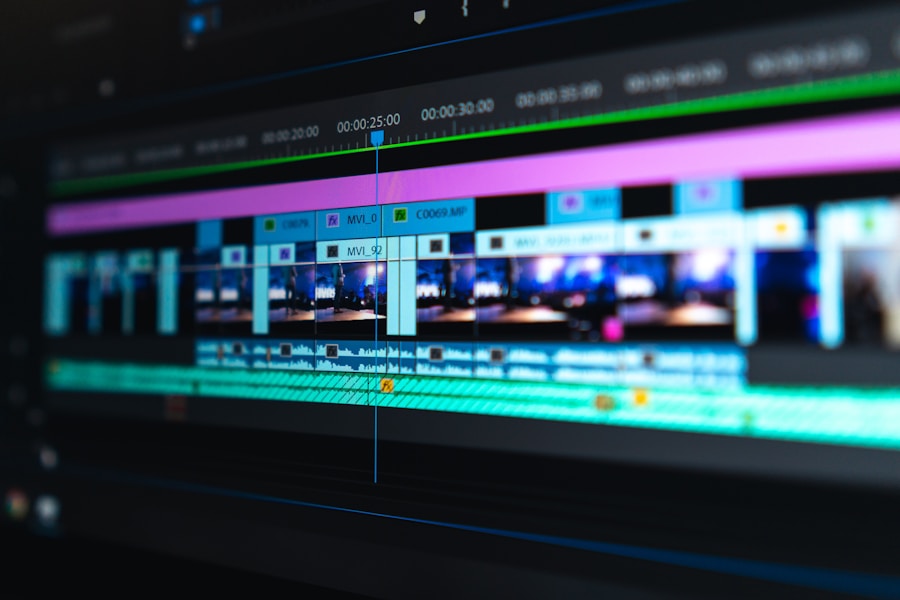
Understanding how professionals actually use Final Cut Pro in their daily work provides context for your training. This practical perspective helps prioritize learning and understand industry expectations.
YouTube Creator Workflows
YouTube editors typically handle high-volume content with quick turnaround. They need efficient workflows for regular uploads, thumbnail creation, and audience retention techniques. Understanding these needs helps you serve this growing market.
Wedding Production
Wedding videographers balance storytelling with client expectations. These projects involve capturing multiple events, organizing hours of footage, and creating highlight reels that satisfy diverse family members. Technical skill combined with emotional storytelling defines success.
Corporate Production
Corporate video editors handle diverse content from marketing videos to training materials. Understanding brand guidelines, maintaining consistent style, and delivering on client expectations matters more than creative flair in this sector.
Technical Considerations for Editors
Professional video editing requires understanding various technical considerations that affect workflow, quality, and delivery. These aspects go beyond software knowledge.
Codecs and Formats
Understanding video codecs, compression, and file formats affects everything from import to export. Learning when to use ProRes, H.264, HEVC, and other codecs optimizes quality and compatibility.
Color Workflows
Color management ensures consistent color throughout production. Understanding color spaces, HDR workflows, and broadcast specifications prevents technical issues that invalidate professional work.
Storage and Backup
Video files are large and vulnerable. Professional editors implement robust backup strategies including local storage, cloud backup, and redundancy. Protecting client work from data loss is professional responsibility.
The Future of Video Editing
Video editing continues evolving alongside technology and audience expectations. Understanding emerging trends helps you anticipate where the field is heading and prepare accordingly.
AI-Powered Editing
AI tools are beginning assisting editing workflows—automated transcription, intelligent scene detection, and automated color suggestions. While not replacing human creativity, these tools handle increasingly complex routine tasks.
Cloud-Based Collaboration
Cloud workflows enable remote collaboration like never before. Teams can work on projects simultaneously, clients can review work easily, and editors can work from anywhere. Final Cut Pro's library sharing enables some cloud workflows.
The video editing industry offers exciting possibilities for those with proper training and dedication. By choosing quality education and committing to ongoing development, you position yourself for success in this dynamic creative field.
Keyboard Shortcuts Mastery

Mastering keyboard shortcuts dramatically improves editing efficiency. Professional editors use shortcuts constantly, reducing time spent on repetitive tasks and maintaining creative flow.
Essential Timeline Shortcuts
The blade tool (B), selection tool (A), and hand tool (H) form the foundation of efficient editing. Learning to switch between these tools instantly, trim clips with keyboard shortcuts, and navigate the timeline without touching the mouse transforms editing speed.
Custom Keyboard Layouts
Final Cut Pro allows full customization of keyboard shortcuts. Many editors create personalized layouts optimized for their workflow. Courses should introduce this customization capability and encourage developing your own efficient setup.
Professional Audio Editing

Audio quality often distinguishes professional from amateur content. Final Cut Pro includes comprehensive audio tools that, when mastered, create polished, immersive soundtracks.
Audio Inspector Deep Dive
The audio inspector provides control over volume, pan, and audio effects. Understanding how to use these controls precisely, create fade ins and outs, and adjust audio for dialogue clarity forms essential professional skill.
Noise Reduction and Enhancement
Final Cut Pro includes audio noise reduction and vocal enhancement effects. Knowing when and how to apply these tools salvages less-than-perfect recordings and enhances already-good audio to professional standards.
Music and Sound Design
Selecting and timing background music, creating audio ducking for voiceovers, and building sound design layers adds production value. These skills transform simple edits into engaging, professional productions.
Export and Delivery Mastery
Creating the final product requires understanding export settings and delivery requirements. Different platforms and clients demand different formats, and professionals must deliver appropriately every time.
Understanding Export Settings
Final Cut Pro's export menu offers numerous settings. Learning when to use H.264 for web, ProRes for broadcast, and HEVC for efficient storage ensures optimal quality for each use case. Exporting with wrong settings wastes file size or compromises quality.
Platform-Specific Delivery
YouTube, Vimeo, broadcast television, and social media each have specific requirements. Understanding these requirements and configuring exports accordingly prevents technical issues that could delay or ruin client delivery.
Batch Exporting
When projects require multiple outputs—different lengths, resolutions, or formats—batch exporting saves enormous time. Compressor, Apple's separate encoding application, extends Final Cut Pro's batch capabilities for complex delivery needs.
Building Your Editing Business
Many Final Cut Pro professionals build successful businesses as freelancers or agency owners. Understanding business fundamentals helps turn editing skills into sustainable career.
Pricing Your Services
Determining rates involves considering market rates, experience level, project complexity, and client type. Some editors charge hourly, others per project. Understanding your value and communicating it professionally affects income and client perception.
Client Acquisition
Finding clients involves networking, portfolio showcases, online presence, and reputation building. Many editors find work through referrals, while others use platforms like Upwork or directly approach production companies.
Project Management
Successful freelance editors handle more than editing. Client communication, scope management, invoicing, and delivery require organizational systems. Professional workflows in these areas build reputation and enable growth.
Your Final Cut Pro journey extends far beyond learning the software. The skills you develop—technical mastery, creative vision, business acumen—combine to build a rewarding career in video editing. Embrace the learning process, stay curious, and enjoy the journey of continuous improvement that makes this profession so fulfilling.
Share this article:

← Back to Top
More useful paths
Use these paths to continue with the closest practical topic, service, or decision guide.
Pro Pixel Agency
Want this done for you? Try our video editing free.
Send a sample, get the finished result back, and only then decide. Clear prices, no commitment.