

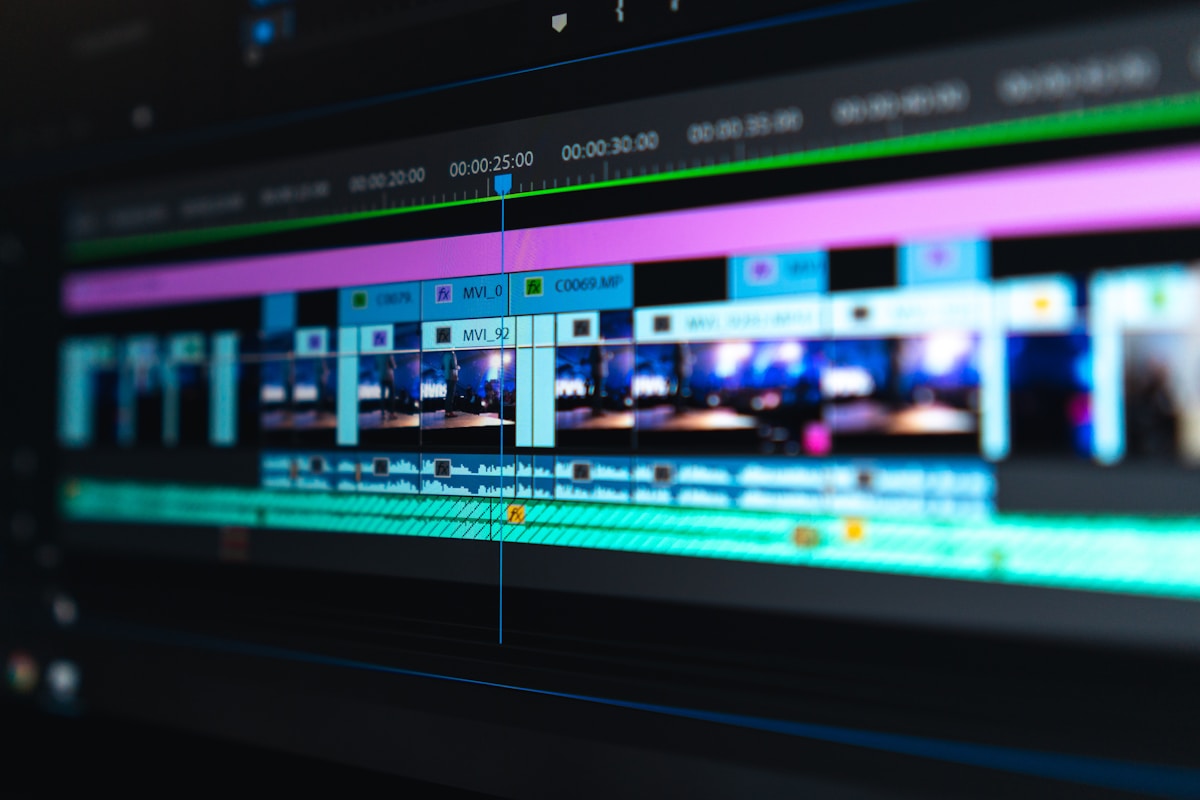
Unlock the full potential of professional video editing with CapCut Pro. Discover AI-powered tools, advanced effects, and premium features that transform your content creation workflow.
Explore Features
Free vs Pro
Getting Started
The Power of Professional Editing
CapCut has rapidly emerged as one of the most popular video editing applications, particularly among content creators on platforms like TikTok, Instagram Reels, and YouTube Shorts. While the free version offers impressive capabilities, CapCut Pro unlocks a comprehensive suite of professional-grade features that rival desktop editing software. This guide explores everything Pro users can access, from AI-powered editing tools to advanced effects and export options.
The Pro subscription removes watermarks, provides access to premium effects and filters, enables higher export resolutions, and includes exclusive AI features that dramatically speed up the editing workflow. For serious content creators, influencers, and small businesses, the investment in CapCut Pro can significantly enhance production quality while maintaining the app's intuitive, mobile-first approach to video editing.
Whether you're a beginner looking to elevate your content or an experienced editor seeking a powerful mobile solution, CapCut Pro offers features that cater to every skill level. This comprehensive guide will walk you through all the Pro features, helping you understand how to leverage them to create stunning, professional-quality videos that stand out in today's competitive content landscape.
"CapCut Pro transforms your smartphone into a professional editing studio, putting Hollywood-level effects and AI-powered tools at your fingertips."
Intelligent Tools
AI-Powered Editing Features
Artificial Intelligence at Your Service
CapCut Pro harnesses the power of artificial intelligence to automate complex editing tasks that would traditionally require hours of manual work. The AI background remover automatically detects and removes backgrounds from videos, allowing you to replace them with custom images, solid colors, or other video clips. This feature is particularly valuable for creating green screen effects without the need for physical green screens or complex lighting setups.
The AI text-to-speech feature converts written text into natural-sounding voiceovers in multiple languages and voices. This is incredibly useful for creators who prefer not to record their own voice or need narration in languages they don't speak. The AI analyzes the text and applies appropriate intonation and pacing, making the generated speech sound remarkably human-like.
Another powerful AI feature is the auto-caption generator, which automatically creates subtitles from your video's audio. This saves countless hours of manual transcription and makes your content more accessible to viewers who watch without sound or have hearing impairments. The AI recognizes speech patterns and accurately transcribes dialogue, with options to edit and style the captions for maximum readability.
Background Remover
Automatically remove and replace video backgrounds with AI precision, perfect for green screen effects without physical equipment.
Text-to-Speech
Convert written text into natural-sounding voiceovers in multiple languages with AI-generated speech that sounds remarkably human.
Auto Captions
Automatically generate accurate subtitles from your video's audio, saving hours of manual transcription work.
Visual Enhancement
Advanced Effects and Filters
Professional-Grade Visual Effects
CapCut Pro provides access to an extensive library of premium effects and filters that can transform the look and feel of your videos. The effects library includes everything from subtle color grading presets to dramatic visual effects like glitch, neon, and cinematic overlays. These effects are designed by professional editors and can be applied with a single tap, with full control over intensity and duration.
The color correction tools in CapCut Pro rival those found in desktop editing software. You can adjust brightness, contrast, saturation, hue, and temperature with precision sliders. The Pro version also includes advanced color grading features like curves, color wheels, and split toning, allowing you to achieve cinematic color looks that match your brand or creative vision.
For creators who want to add dynamic movement to their videos, CapCut Pro offers keyframe animation capabilities. This allows you to animate properties like position, scale, rotation, and opacity over time, creating smooth, professional-looking motion graphics. Whether you want to zoom in on a specific detail, create a parallax effect, or animate text elements, keyframes give you complete control over the timing and smoothness of your animations.
Sound Design
Professional Audio Editing
CapCut Pro's audio editing capabilities transform your smartphone into a professional audio workstation.
Multi-Track Audio
Layer multiple audio tracks including music, sound effects, and voiceovers. Adjust individual track volumes and apply effects to each track independently.
Audio Effects
Apply professional audio effects like reverb, echo, distortion, and equalization. Remove background noise and enhance voice clarity with AI-powered audio cleanup.
Music Library
Access a vast library of royalty-free music and sound effects. Filter by mood, genre, and tempo to find the perfect audio for your content.
Typography
Text and Typography Features
Creative Text Tools
CapCut Pro offers an extensive collection of text templates and typography options that help you create eye-catching titles, captions, and overlays. The text library includes animated text templates that you can customize with your own content, featuring professional animations that would be time-consuming to create from scratch. These templates cover various styles from elegant and minimal to bold and energetic.
For creators who want complete control over their text, CapCut Pro provides advanced typography tools including custom fonts, text shadows, outlines, gradients, and blending modes. You can also animate text manually using keyframes, creating unique text animations that match your creative vision. The text tracking and kerning controls ensure your text looks perfectly spaced and professional.
The Pro version also includes access to premium sticker and emoji libraries, allowing you to add visual elements that enhance your storytelling. These elements can be animated and layered just like text, giving you endless creative possibilities for combining text and graphics in your videos.
Motion Graphics
Transitions and Animations
Smooth transitions and dynamic animations bring your videos to life with professional polish.
Transition Library
Access hundreds of premium transitions including fades, wipes, zooms, and 3D effects. Customize duration and timing for seamless scene changes.
Keyframe Animation
Create custom animations for any element using keyframes. Animate position, scale, rotation, opacity, and more with precise control over timing.
Motion Templates
Use pre-made motion templates for quick professional results. Customize colors, text, and timing to match your content and brand.
Output Options
Export and Sharing Features
Professional Export Options
CapCut Pro removes the watermark that appears on videos exported with the free version, allowing you to publish professional-looking content without branding. More importantly, Pro users can export videos in higher resolutions up to 4K at 60 frames per second, ensuring your content looks crisp and professional on any platform or screen size.
The export settings in CapCut Pro provide granular control over video quality, bitrate, and format. You can choose from various presets optimized for different platforms like TikTok, Instagram, YouTube, and more, or create custom export settings for specific requirements. The smart export feature automatically selects the optimal settings based on your target platform.
Direct sharing to social media platforms is streamlined in CapCut Pro, with one-tap publishing to TikTok, Instagram, YouTube, and other popular platforms. The app maintains the highest quality during the upload process and can even automatically add captions and optimize aspect ratios for each platform's requirements.
Teamwork
Cloud Collaboration Features
Work seamlessly with team members across devices with CapCut Pro's cloud collaboration tools.
Cloud Storage
Save your projects to the cloud and access them from any device. Never lose your work again with automatic cloud backups and version history.
Team Collaboration
Share projects with team members for collaborative editing. Set permissions, track changes, and work together in real-time on the same project.
Cross-Device Sync
Start editing on your phone and finish on your tablet or computer. Your projects, settings, and assets sync seamlessly across all your devices.
Value Comparison
Free vs Pro Comparison
Free Version
- ✗ Watermark on exported videos
- ✗ Limited export resolution (720p)
- ✗ Basic effects and filters only
- ✗ No AI background remover
- ✗ Limited audio tracks
- ✗ No cloud storage
Pro Version
- ✓ No watermark on exports
- ✓ 4K export at 60fps
- ✓ Premium effects and filters library
- ✓ AI background remover
- ✓ Unlimited audio tracks
- ✓ Cloud storage and collaboration
Multi-Platform
Device Compatibility
Edit Anywhere, Anytime
CapCut Pro is available across multiple platforms, ensuring you can edit content regardless of your preferred device. The mobile app works seamlessly on both iOS and Android devices, with optimized performance for a wide range of smartphones and tablets. The touch interface is intuitive and responsive, making it easy to perform precise edits even on smaller screens.
For users who prefer desktop editing, CapCut Pro offers a web-based version that runs in any modern browser. This version provides the same powerful features as the mobile app, with the added convenience of a larger screen and mouse/keyboard input. The web version is particularly useful for more complex projects that benefit from additional screen real estate.
The desktop application for Windows and Mac provides the most comprehensive CapCut Pro experience, with additional features like keyboard shortcuts, more precise timeline controls, and enhanced performance for large projects. All versions of CapCut Pro sync through the cloud, so you can start a project on one device and continue on another without missing a beat.
Expert Advice
Tips for Content Creators
Maximize your CapCut Pro experience with these professional tips and best practices.
Organize Your Media
Create folders for different projects and keep your media library organized. This saves time when searching for clips and keeps your workflow efficient.
Use Keyboard Shortcuts
Learn keyboard shortcuts on desktop to dramatically speed up your editing. Common actions like split, delete, and undo become second nature with practice.
Save Custom Presets
Create and save custom effect and filter presets that match your brand. Apply them consistently across videos for a cohesive visual identity.
Leverage AI Features
Use AI tools like auto-captions and background remover to save hours of manual work. Focus your creative energy on storytelling instead.
Master Keyframes
Learn keyframe animation to create custom motion graphics. This skill separates basic editors from professionals and adds polish to your content.
Export in Batches
When creating multiple similar videos, use templates and batch export to maintain consistency while maximizing your production efficiency.
Subscription Options
Pricing and Plans
Flexible Subscription Options
CapCut Pro offers flexible subscription plans to suit different needs and budgets. The monthly subscription provides flexibility for users who want to try Pro without a long-term commitment, while the annual subscription offers significant savings for committed users. Pricing varies by region, making the service accessible to creators worldwide regardless of their location.
For teams and businesses, CapCut Pro offers team plans that allow multiple users to share a subscription with centralized billing and management. This is ideal for marketing teams, content agencies, and businesses that need multiple team members to have access to Pro features. Team plans include all the same features as individual subscriptions, with the added benefit of collaborative tools and centralized account management.
CapCut also frequently offers promotional discounts and free trial periods, allowing new users to experience Pro features before committing to a subscription. These promotions are an excellent opportunity to explore the full capabilities of CapCut Pro and determine if it's the right fit for your content creation needs.
Ready-Made Designs
Template Library
CapCut Pro's extensive template library helps you create professional videos in minutes.
Social Media Templates
Pre-designed templates optimized for TikTok, Instagram Reels, YouTube Shorts, and more. Perfect aspect ratios and trending styles included.
Business Templates
Professional templates for marketing, product showcases, corporate presentations, and brand announcements. Maintain consistency across all content.
Creative Templates
Artistic templates for vlogs, travel videos, lifestyle content, and creative storytelling. Unique styles that stand out from the crowd.
Efficiency
Performance and Speed
Optimized for Speed
CapCut Pro is engineered for performance, ensuring smooth editing even on modest hardware. The app uses hardware acceleration and optimized rendering to provide real-time preview of effects and transitions, eliminating the lag that plagues many mobile editing applications. This means you can see exactly how your edits will look as you make them, without waiting for rendering.
The smart caching system stores frequently used assets and effects, reducing load times and improving overall responsiveness. Large projects with multiple layers and effects remain manageable thanks to efficient memory management and background processing. The app intelligently prioritizes resources based on what you're actively editing, ensuring the smoothest possible experience.
Export speeds in CapCut Pro are impressive, with hardware-accelerated encoding that can render 4K video in a fraction of the time required by other mobile editors. The app also supports background exporting, allowing you to continue working on other projects while your video renders in the background.
Workflow Integration
Integration with Other Apps
CapCut Pro integrates seamlessly with popular platforms and tools for a streamlined workflow.
Social Media Platforms
Direct integration with TikTok, Instagram, YouTube, and more. Export in optimal formats and share with one tap to your favorite platforms.
Cloud Storage
Connect to Google Drive, Dropbox, and other cloud services. Import media directly and save projects to your preferred cloud storage.
Stock Media Libraries
Access integrated stock footage, music, and sound effects. Browse and import premium assets without leaving the editing interface.
Precision Editing
Advanced Timeline Features
Professional Timeline Control
CapCut Pro's timeline provides the precision and control needed for professional editing. Multi-track editing allows you to layer video, audio, text, and effects on separate tracks, giving you complete control over the composition of your project. Each track can be independently edited, with options to lock, hide, or solo tracks for focused editing.
The magnetic timeline feature automatically snaps clips to nearby edit points, ensuring perfect alignment without manual precision. Ripple editing automatically adjusts the timeline when you make cuts or deletions, maintaining the flow of your project without leaving gaps. These features combine to make complex edits faster and more accurate.
For precise control, CapCut Pro offers frame-accurate editing with zoom controls that let you see individual frames. The timeline can be zoomed in for micro-edits or zoomed out for an overview of your entire project. Markers and in-out points help you organize your edits and quickly navigate to specific sections of your project.
Cinematic Look
Advanced Color Grading
Transform your footage with professional color grading tools that rival desktop editing software.
Color Wheels
Professional three-way color wheels for shadows, midtones, and highlights. Adjust hue, saturation, and luminance independently for precise color control.
Curves and Levels
Fine-tune contrast and brightness with curves and levels controls. Create custom looks with precise control over the tonal range of your footage.
LUT Support
Import and apply custom LUTs (Look-Up Tables) for consistent color grading across projects. Match the look of professional films and create your own signature style.
Visual Elements
Sticker and Emoji Library
Expressive Visual Elements
CapCut Pro includes an extensive library of stickers and emojis that add personality and visual interest to your videos. The sticker library features thousands of animated and static stickers covering every theme imaginable, from cute animals and food items to professional icons and decorative elements. These stickers can be resized, rotated, and animated to fit perfectly into your video composition.
The emoji collection goes beyond standard emojis, offering animated versions and custom designs that bring your content to life. These elements are particularly popular in social media content, where they can emphasize reactions, add humor, or simply make videos more engaging and shareable. Pro users have access to exclusive sticker packs that aren't available in the free version.
All stickers and emojis can be layered with other elements, combined with text, and animated using keyframes. This flexibility allows you to create unique visual combinations that match your brand or creative vision. The library is regularly updated with new content, ensuring you always have fresh elements to work with.
Format Options
Aspect Ratio and Format Support
CapCut Pro supports all major aspect ratios and formats for seamless content creation across platforms.
9:16 Vertical
Perfect for TikTok, Instagram Reels, and YouTube Shorts. Optimized for mobile-first viewing and vertical social media platforms.
16:9 Horizontal
Standard widescreen format for YouTube, Facebook, and television. Ideal for traditional video content and desktop viewing.
1:1 Square
Classic square format for Instagram posts and Facebook. Versatile format that works well across multiple platforms.
4:5 Portrait
Instagram portrait format for maximum screen real estate. Optimized for Instagram feed and portrait-oriented content.
Custom Ratios
Create custom aspect ratios for specific needs. Perfect for unique formats, advertisements, or platform-specific requirements.
Cinematic Formats
Support for 21:9 ultrawide and other cinematic formats. Create movie-style content with professional aspect ratios.
Data Protection
Auto-Save and Backup Features
Never Lose Your Work
CapCut Pro includes robust auto-save functionality that automatically saves your progress at regular intervals. This means you never have to worry about losing your work due to unexpected app closures, battery drain, or other interruptions. The auto-save feature works silently in the background, saving your edits without disrupting your workflow.
For Pro users, cloud backup provides an additional layer of protection. Your projects are automatically backed up to the cloud, ensuring your work is safe even if your device is lost, damaged, or replaced. Cloud backups also enable version history, allowing you to revert to previous versions of your project if needed.
The backup system is intelligent, only uploading changes rather than entire projects, which saves bandwidth and storage space. You can manually trigger backups at any time and choose which projects to back up based on their importance. This combination of auto-save and cloud backup gives you peace of mind while editing, knowing your work is always protected.
Support Network
Community and Resources
Join a vibrant community of creators and access extensive learning resources.
Tutorial Library
Access hundreds of video tutorials covering every feature from basic editing to advanced techniques. Learn at your own pace with step-by-step guides.
Community Forum
Connect with other creators, share tips, and get help from the community. Ask questions, share your work, and learn from experienced editors.
Template Marketplace
Browse and download community-created templates. Find inspiration and save time by starting with professionally designed templates from other creators.
Common Questions
Frequently Asked Questions
Is CapCut Pro worth it?
For serious content creators, yes. The removal of watermarks, 4K export, AI features, and premium effects provide significant value that justifies the subscription cost.
Can I use CapCut Pro on multiple devices?
Yes, with cloud sync, your Pro subscription works across mobile, web, and desktop. Projects sync automatically between devices for seamless editing.
What's the difference between free and Pro?
Pro removes watermarks, enables 4K export, unlocks AI features, provides premium effects, and includes cloud storage and collaboration tools.
Can I cancel my subscription anytime?
Yes, you can cancel your CapCut Pro subscription at any time. You'll retain Pro features until the end of your current billing period.
Does CapCut Pro work offline?
Yes, you can edit offline with downloaded assets. Cloud features require internet, but basic editing works without a connection.
Is there a free trial available?
CapCut frequently offers free trials and promotional discounts. Check the app or website for current trial offers in your region.
Chroma Key
Green Screen Effects
Professional Chroma Key
CapCut Pro's green screen (chroma key) feature allows you to replace any solid color background with custom images, videos, or colors. This is perfect for creating professional-looking content without expensive equipment. The AI-powered background remover mentioned earlier works in conjunction with chroma key, giving you multiple options for background replacement.
The chroma key tool includes precise color selection, tolerance adjustment, and edge feathering for seamless integration. You can fine-tune the key to handle imperfect lighting or uneven backgrounds, ensuring your subject blends naturally with the new background. This feature is invaluable for creating weather reports, product showcases, travel videos, and any content where you want to place subjects in different environments.
Beyond traditional green screen, CapCut Pro supports blue screen and any custom color keying. This flexibility means you can use whatever color background works best for your shooting conditions. The feature also works with the AI background remover, giving you the option to let AI detect the background automatically or manually select the color to key out.
Time Effects
Speed Control and Time Manipulation
Control time and speed with professional tools for dramatic slow motion, fast forward, and reverse effects.
Variable Speed
Adjust playback speed from 0.1x to 16x. Create smooth slow motion for dramatic effect or speed up for comedic or time-lapse results.
Reverse Playback
Play clips in reverse for creative effects. Combine with speed changes for unique visual storytelling and attention-grabbing moments.
Speed Ramping
Create smooth speed transitions within a single clip. Gradually accelerate or decelerate for professional cinematic speed ramps.
Time Freeze
Freeze specific frames within your video. Create dramatic pauses or highlight important moments with frame-perfect precision.
Repeat and Loop
Loop sections of your video for emphasis or create repetitive patterns. Perfect for dance videos, tutorials, and comedic effects.
Curve Speed Control
Use bezier curves for complex speed changes. Create custom speed profiles with precise control over acceleration and deceleration.
Composition
Split Screen and Picture-in-Picture
Advanced Composition Tools
CapCut Pro includes powerful composition tools that allow you to combine multiple video sources in creative ways. Split screen effects let you display two or more videos simultaneously, perfect for comparisons, interviews, reactions, or showing multiple perspectives. The split screen tool offers various layouts including side-by-side, top-bottom, and custom grid arrangements.
Picture-in-picture (PiP) enables you to overlay a smaller video on top of your main footage. This is ideal for showing reaction videos, adding commentary, displaying product details, or creating picture-in-picture interviews. The PiP tool includes controls for position, size, and border styling, allowing you to customize the appearance to match your content's aesthetic.
Both split screen and PiP effects can be animated using keyframes, allowing you to dynamically change the composition over time. You can transition between different layouts, move PiP windows around the screen, or resize elements during playback. These dynamic composition tools add professional polish and visual interest to your videos.
Layer Effects
Masking and Blending Modes
Create complex visual effects with professional masking and blending capabilities.
Shape Masks
Use circles, rectangles, and custom shapes to mask video layers. Reveal or hide portions of clips with animated mask transitions for creative effects.
Linear Masks
Create gradient masks for smooth reveals and transitions. Animate mask position and feathering for professional wipe effects.
Blending Modes
Apply blending modes like screen, multiply, overlay, and more. Combine layers in creative ways for unique visual effects and composites.
Organization
Project Management
Stay Organized and Efficient
CapCut Pro includes robust project management features that help you stay organized, especially when working on multiple projects simultaneously. The project library displays all your projects with thumbnails, creation dates, and file sizes, making it easy to find and manage your work. You can create folders to organize projects by client, campaign, or content type.
Project duplication allows you to create copies of existing projects, which is invaluable for creating variations of the same video or starting new projects from a template. You can also export project files to share with other CapCut users or backup locally. The project search function helps you quickly locate specific projects by name or content.
For Pro users, project history maintains versions of your edits, allowing you to revert to earlier states if needed. The media library within each project can be organized with folders and favorites, making it easy to find specific clips, audio files, or assets within large projects. These organizational tools ensure that even complex projects remain manageable.
Final Thoughts
Elevate Your Content Creation
CapCut Pro represents a significant leap forward in mobile video editing, bringing professional-grade features to a platform that remains accessible to creators of all skill levels. The combination of AI-powered tools, extensive effect libraries, and intuitive interface makes it possible to create studio-quality content entirely on a smartphone or tablet.
For content creators who are serious about growing their audience and producing high-quality content consistently, the investment in CapCut Pro pays dividends in time saved, creative possibilities unlocked, and the professional polish that sets your content apart. The removal of watermarks alone makes the subscription worthwhile for anyone publishing content publicly.
As video continues to dominate social media and digital communication, having powerful editing tools at your fingertips is more important than ever. CapCut Pro puts those tools in your pocket, empowering you to create content that competes with professionally produced videos while maintaining the flexibility and spontaneity that makes mobile content creation so compelling.
Explore Features
Visit CapCutMore useful paths
Use these paths to continue with the closest practical topic, service, or decision guide.
Pro Pixel Agency
Want this done for you? Try our video editing free.
Send a sample, get the finished result back, and only then decide. Clear prices, no commitment.

