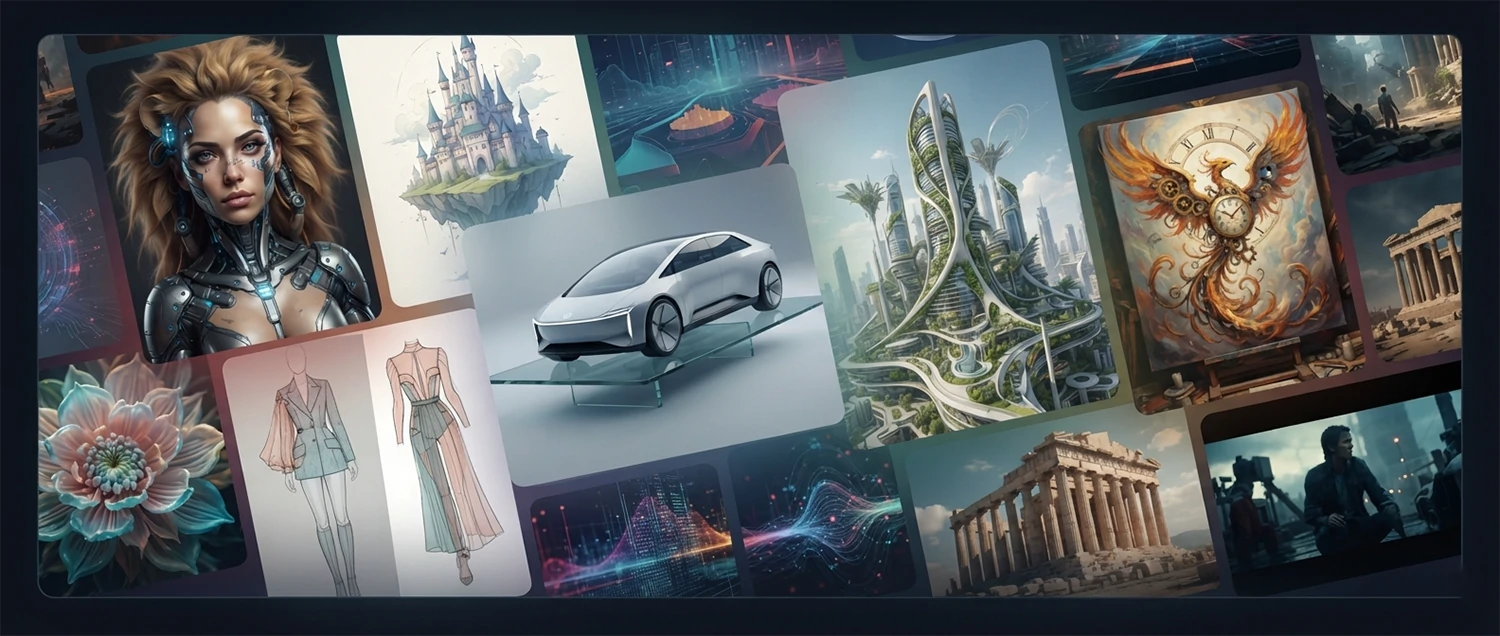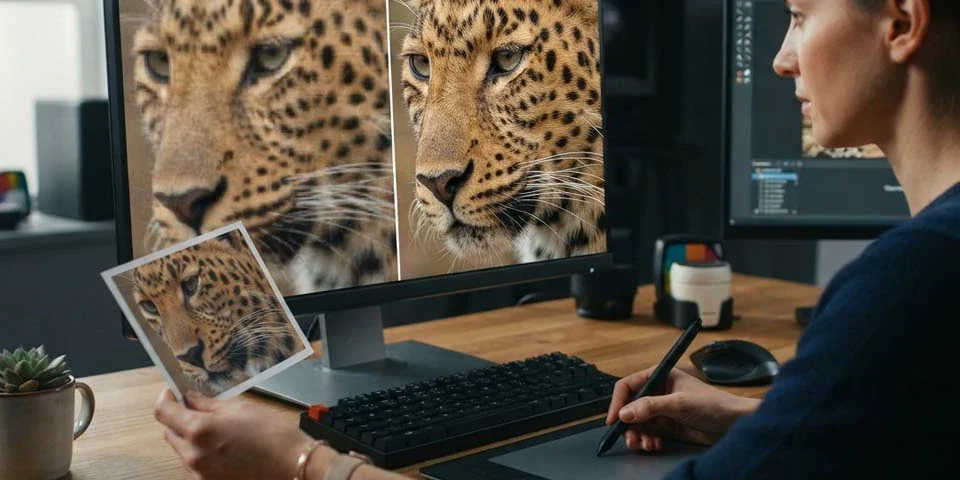
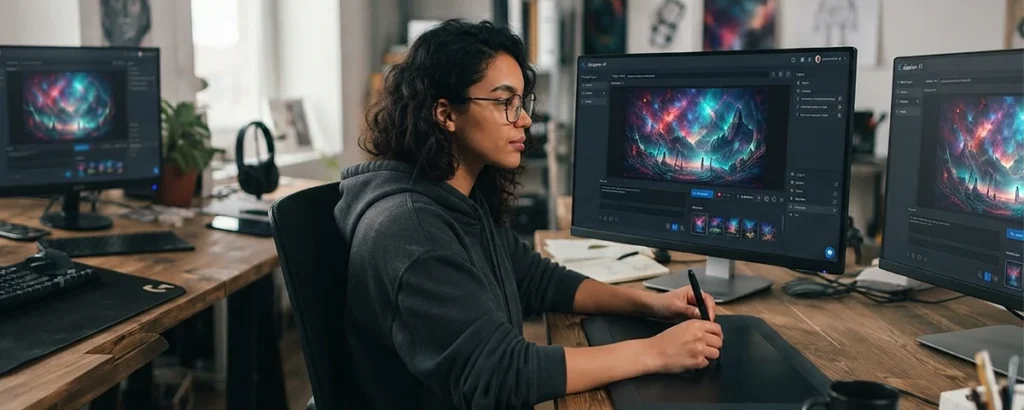
Over 200 prompts and techniques for generating stunning AI-powered images from text descriptions. From photorealistic portraits and landscapes to creative illustrations, product designs, and architectural visualizations, discover how to harness the full potential of AI image generation technology.
What Are AI Picture Generators
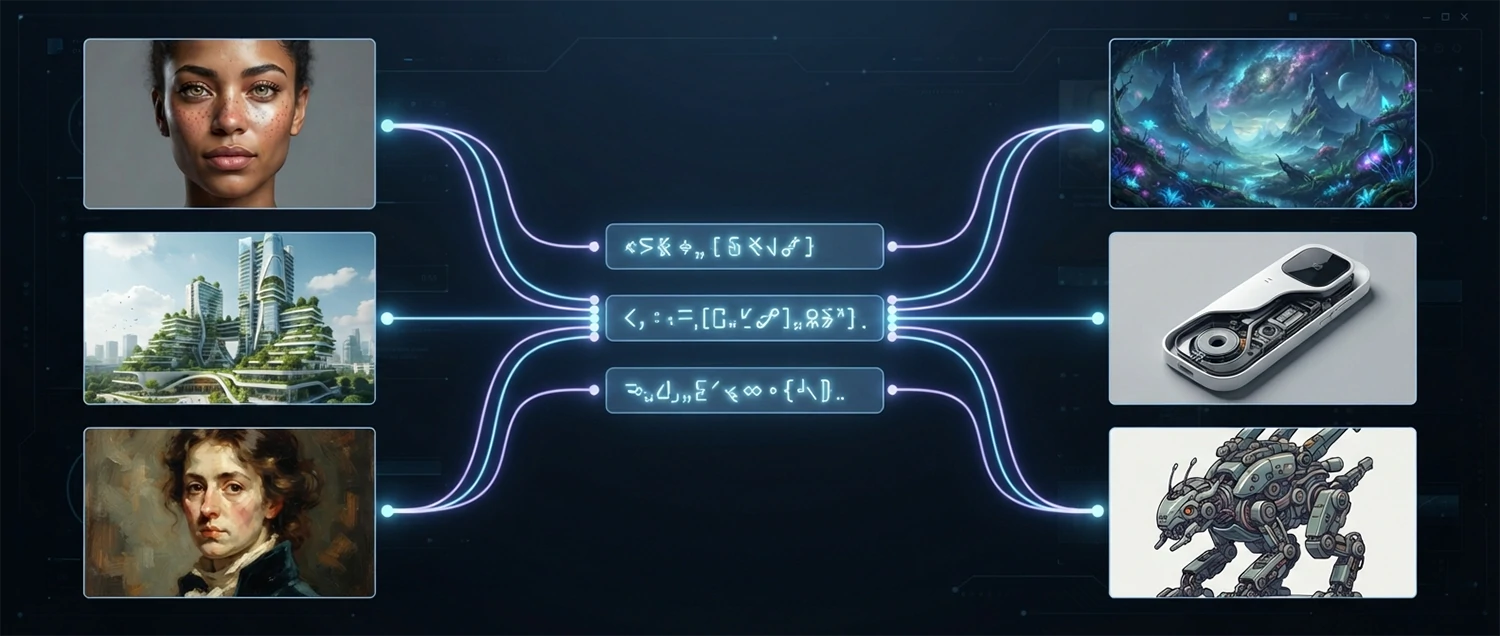
AI picture generators are revolutionary artificial intelligence systems that can create original images from text descriptions, reference images, or a combination of both. Unlike traditional digital art tools that require manual drawing, painting, or compositing skills, AI image generators understand natural language descriptions and translate them into detailed visual content with remarkable accuracy and creativity. These tools represent one of the most transformative developments in creative technology, making professional-quality image creation accessible to anyone who can describe what they want to see.
The technology behind AI picture generators has evolved rapidly, with models like Stable Diffusion, DALL-E, Midjourney, and Adobe Firefly leading the field. These systems are trained on vast datasets of images and their text descriptions, learning the relationships between words and visual concepts. When you provide a text prompt, the AI uses its training to generate a new image that matches your description, combining elements, styles, and compositions in ways that often surpass what many human artists can produce in terms of speed and variety.
The applications of AI image generation span virtually every industry and creative field. Marketers create custom visuals for campaigns without photoshoots. Product designers iterate on concepts rapidly. Architects visualize buildings before construction. Authors illustrate their books. Game developers generate concept art. Small business owners create professional branding materials. Educators develop custom teaching resources. And artists explore new creative territories that were previously impossible to reach with traditional tools alone.
This comprehensive guide contains over 200 prompts, techniques, and strategies organized by use case category, each designed to help you get the most out of AI picture generation tools. Whether you are a complete beginner making your first AI image or an experienced creator looking to refine your prompt engineering skills, you will find practical, actionable guidance for generating stunning visuals that achieve your creative, commercial, or communication goals. For a broader overview, see our complete AI photo generator guide and our roundup of free AI image generators.
How AI Picture Generation Technology Works
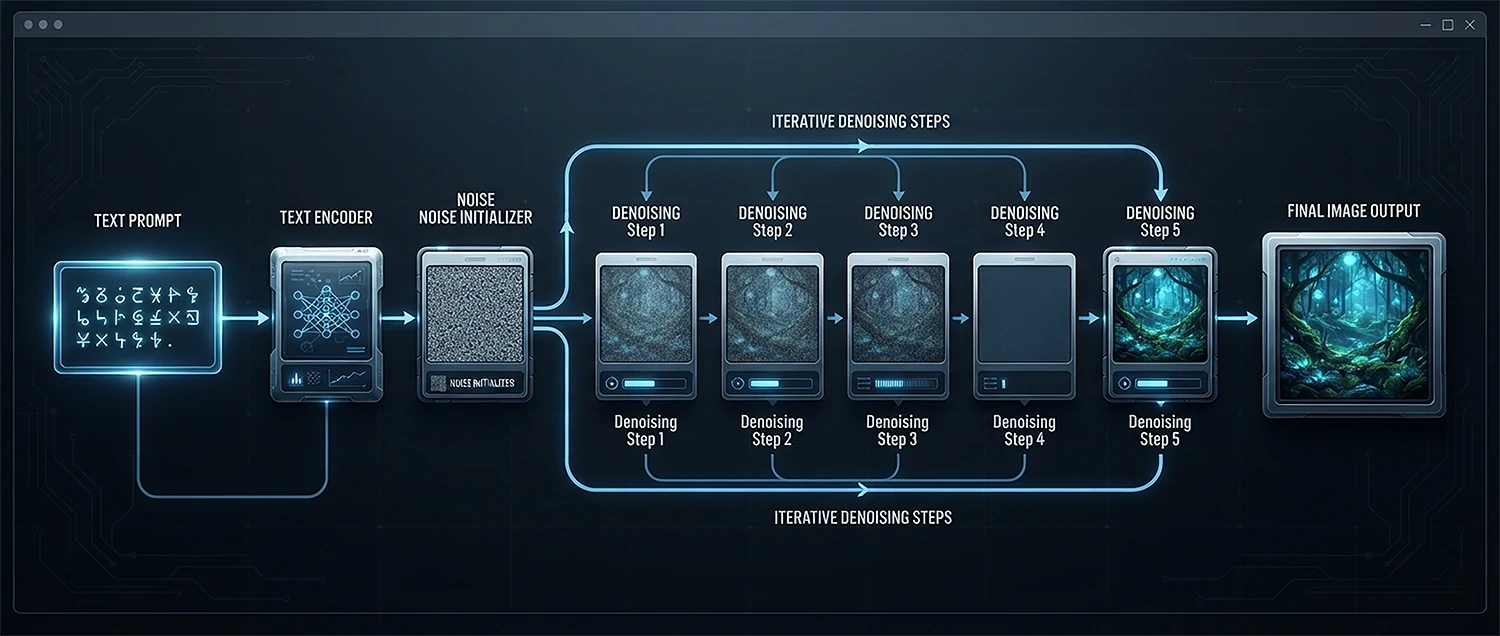
Understanding the technology behind AI image generation helps you use these tools more effectively and appreciate both their capabilities and limitations. At the core of modern AI picture generators are diffusion models, which work by starting with random noise and gradually refining it into a coherent image that matches your text description. This process is guided by a neural network that has been trained on millions or billions of image-text pairs, learning the statistical relationships between words and visual features. To go deeper on model choices, read our Stable Diffusion models guide.
The generation process begins when you enter a text prompt. The AI encodes your text into a mathematical representation called an embedding, which captures the meaning and context of your words. It then starts with a frame of pure random noise and iteratively denoises it, at each step referring to your text embedding to guide the image toward matching your description. After many refinement steps, typically 20 to 100 depending on the model and settings, the noise has been shaped into a clear image that represents your prompt. This process is why the same prompt can produce different results each time the random starting noise is different.
Key technical concepts include sampling methods that determine how the denoising process progresses, classifier-free guidance that controls how strongly the image adheres to your prompt versus allowing creative freedom, seed values that enable reproducible results, and resolution scales that determine output quality. Advanced features like inpainting allow you to regenerate specific parts of an image, outpainting extends images beyond their original borders, and ControlNet techniques give precise control over composition, pose, and depth by providing reference inputs alongside text prompts.
Technical Understanding Prompt: Explain how [specific model like Stable Diffusion, DALL-E 3, or Midjourney] works under the hood. Describe the model architecture, training process, inference pipeline, and key parameters that affect output quality. Compare how different models approach text-to-image generation and what makes each unique. What are the current limitations in terms of resolution, coherence, anatomical accuracy, and text rendering? What research breakthroughs are driving the next generation of improvements? Provide a technical yet accessible explanation suitable for someone with basic AI knowledge who wants to understand how their images are actually created.
Top AI Picture Generator Platforms
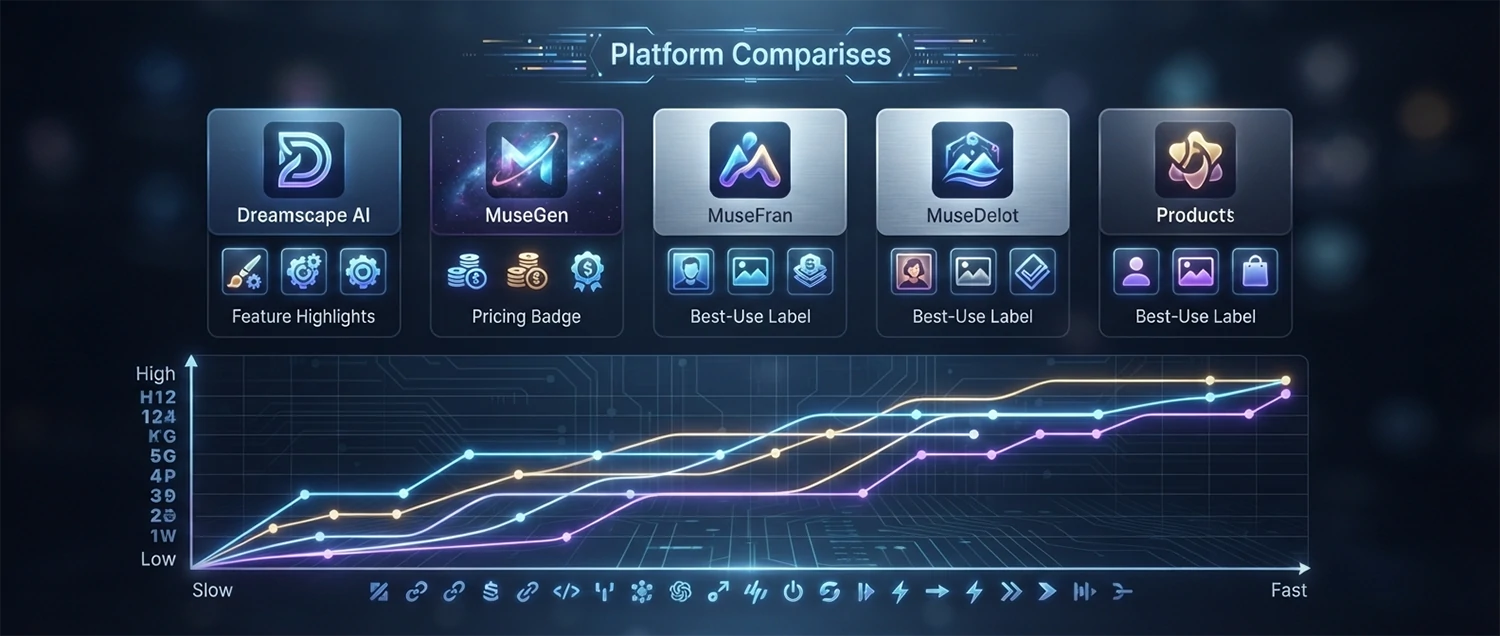
The AI image generation landscape features several major platforms, each with unique strengths, styles, and capabilities. Choosing the right platform for your specific needs can significantly impact the quality and suitability of your generated images. Understanding the differences between platforms helps you make informed decisions and get the best results for each project.
Platform Comparison and Selection: Compare the leading AI picture generation platforms available in 2026 including [Midjourney, DALL-E 3, Stable Diffusion, Adobe Firefly, Leonardo AI, Ideogram, and Clipdrop]. For each platform, describe its core technology, typical output style, resolution capabilities, pricing structure, learning curve, unique features such as inpainting, outpainting, or style consistency, and best use cases. Provide a comparison table of key specifications and recommend which platform is best for different scenarios including photorealistic portraits, creative illustrations, product design, branding, and rapid prototyping.
Getting Started with Each Platform: For someone new to AI image generation, provide step-by-step setup guides for the three most accessible platforms. For each platform, cover account creation, understanding the interface, writing your first prompt, adjusting basic parameters, generating and saving your first image, and understanding the community or gallery features. Include tips for platform-specific prompt syntax, parameter adjustments, and common beginner pitfalls. Highlight how the same prompt can produce dramatically different results across platforms due to differences in training data and model architecture.
Free vs Premium Tier Analysis: Analyze the differences between free and paid tiers of major AI image platforms. Identify which features are available at no cost including generation limits per day, resolution caps, commercial usage rights, access to advanced features like inpainting or ControlNet, and community gallery access. Compare the value proposition of different paid plans and recommend the most cost-effective option for different usage levels from casual experimentation to professional production. Include strategies for maximizing free tier usage while evaluating which premium platform best suits your long-term creative needs.
Local vs Cloud-Based Generation: Compare the advantages and disadvantages of cloud-based AI image generation services versus running models locally on your own hardware. Cloud services offer convenience, access to the latest models, and no hardware requirements but require subscriptions and internet connectivity. Local generation offers unlimited usage, privacy, and offline capability but requires powerful GPUs and technical setup knowledge. Provide guidance on which approach is better for different use cases and recommend specific local setup options like Automatic1111, ComfyUI, or Fooocus for users who want to run models locally.
Text-to-Image Prompt Engineering
Prompt engineering is the art and science of crafting text descriptions that reliably produce the images you envision. A well-written prompt is the difference between a generic, disappointing result and a stunning image that exceeds your expectations. Mastering prompt engineering is the single most important skill for getting great results from AI image generators.
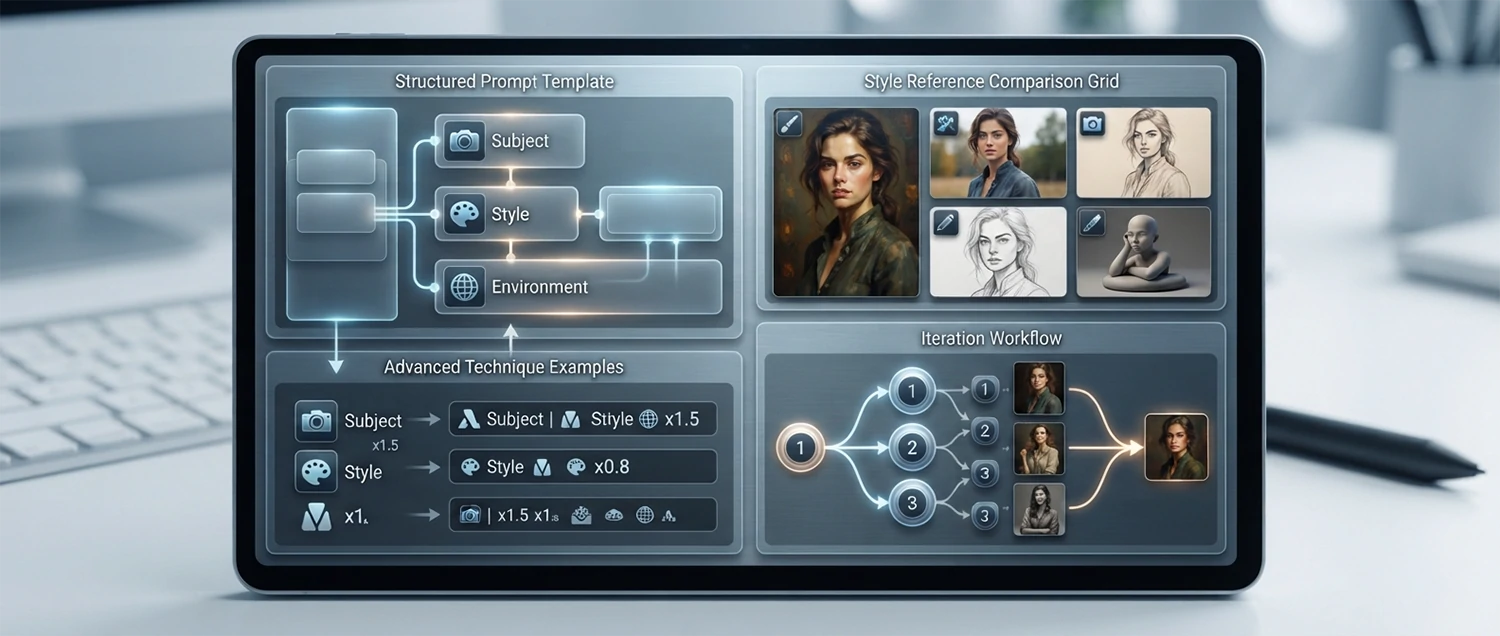
Prompt Structure Fundamentals: Teach me the fundamental structure of an effective AI image prompt. Break down the key components including the subject description with specific details about appearance, action, and expression, the setting or environment with mood and lighting, the artistic style and medium, the composition and framing, the color palette and tone, and the technical quality indicators. Provide a template for constructing prompts and show how the same subject can be dramatically transformed by changing each component. Include examples of weak, good, and excellent prompts for the same concept with explanations of what makes each level more effective.
Advanced Prompt Techniques: Teach me advanced prompt engineering techniques that professionals use to achieve precise, consistent results. Cover techniques including weighting words with parentheses and numbers to emphasize specific elements, using negative prompts to exclude unwanted features, chaining prompts to build complex scenes step by step, using image prompts or reference images to guide style and composition, remixing and blending prompts from different sources, and using platform-specific syntax like Midjourney parameters or Stable Diffusion embeddings. Provide practical examples of each technique with before and after comparisons demonstrating the impact.
Style and Artist Reference Prompting: I want to generate images in the style of specific artists, art movements, or visual aesthetics. Provide a comprehensive guide to style prompting including how to reference specific artists by name, combine multiple artistic influences, reference art movements and periods, specify illustration styles and techniques, and describe photographic styles and camera specifications. Include a reference list of effective style keywords for common aesthetics including cinematic, minimalist, surrealist, retro, cyberpunk, watercolor, oil painting, sketch, vector art, and isometric. Explain ethical considerations around style mimicry and artist attribution.
Prompt Iteration and Refinement Workflow: Design a systematic workflow for iterating on prompts to achieve your desired result. Start with a broad concept prompt to explore the range of possibilities, then identify which aspects of the results are working and which need improvement. Describe how to refine specific elements through targeted keyword adjustments, parameter changes, and seed selection. Explain when to make small incremental changes versus when to start fresh with a completely different approach. Provide a decision framework for knowing when a prompt is worth refining versus when the concept itself needs rethinking based on the platform capabilities.
Style Control and Artistic Direction
One of the most powerful capabilities of AI image generators is the ability to control the artistic style of your output with precision. Whether you want photorealistic images, specific illustration styles, painterly effects, or completely unique aesthetic directions, understanding style control techniques gives you the creative freedom to produce images that match your artistic vision exactly.
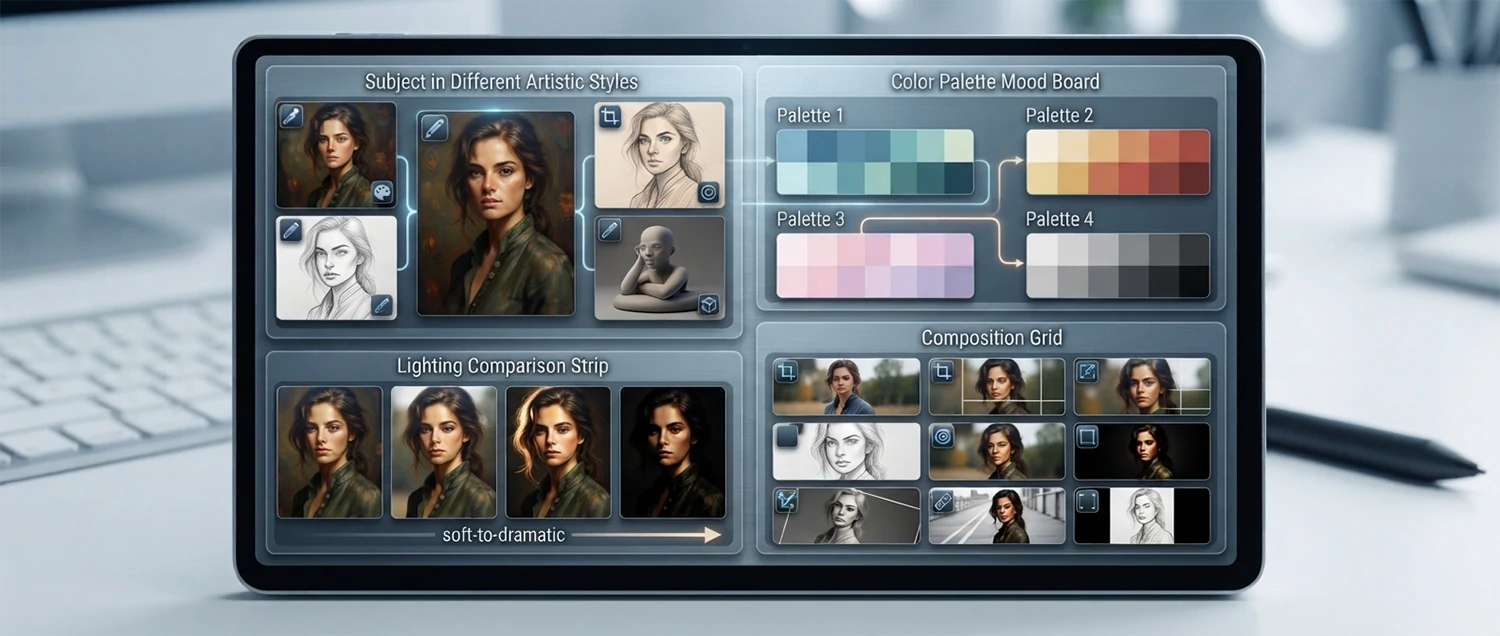
Artistic Style Selection and Combination: Generate an image of [describe subject] in the style of [specific style or combination of styles]. Describe how to specify and combine different artistic styles in your prompts including techniques for blending multiple styles, controlling the influence of each style, and avoiding stylistic contradictions that confuse the AI. Provide a reference library of effective style keywords organized by category including painting styles, illustration techniques, photography genres, 3D rendering styles, and graphic design aesthetics. Include examples of successful style combinations and explain why they work well together.
Color Palette and Mood Control: I want to generate an image with a specific color palette and mood. Describe techniques for controlling the colors in your AI-generated images including specifying dominant colors and color harmonies in your prompt, using color temperature and saturation keywords, referencing specific color palettes from popular culture or design systems, and using negative prompts to exclude unwanted colors. Explain how color choices directly influence the emotional impact and mood of generated images and provide specific color-to-mood mappings that help you achieve desired emotional responses from viewers.
Lighting and Atmosphere Techniques: Master the art of describing lighting in AI image prompts to create dramatic, moody, bright, or atmospheric images. Cover lighting keywords including natural golden hour light, dramatic studio lighting, cinematic Rembrandt lighting, soft diffused light, harsh directional light, neon and artificial lighting, backlighting and silhouettes, and volumetric lighting with god rays. For each lighting type, provide specific prompt language and explain how it affects the mood, depth, and visual impact of the generated image. Include examples of the same subject rendered under different lighting conditions.
Composition and Framing Control: Generate an image with specific compositional qualities including [close-up portrait, wide establishing shot, macro detail, bird's eye view, Dutch angle, symmetrical composition, rule of thirds, or dynamic diagonal composition]. Describe the prompt keywords and techniques for controlling camera perspective, framing, focal length, depth of field, and compositional balance in AI-generated images. Explain how composition guides the viewer's eye and emotional response and provide a compositional vocabulary that translates traditional photography and cinematography principles into effective AI prompts.
Photorealistic Image Generation
Creating images that are indistinguishable from photographs is one of the most demanding and impressive applications of AI image generation. Photorealistic generation requires careful attention to lighting, texture, proportion, detail, and the subtle imperfections that make real photographs feel authentic rather than generated. Mastering these techniques opens up applications in product visualization, architectural rendering, portrait creation, and marketing content that rivals traditional photography.
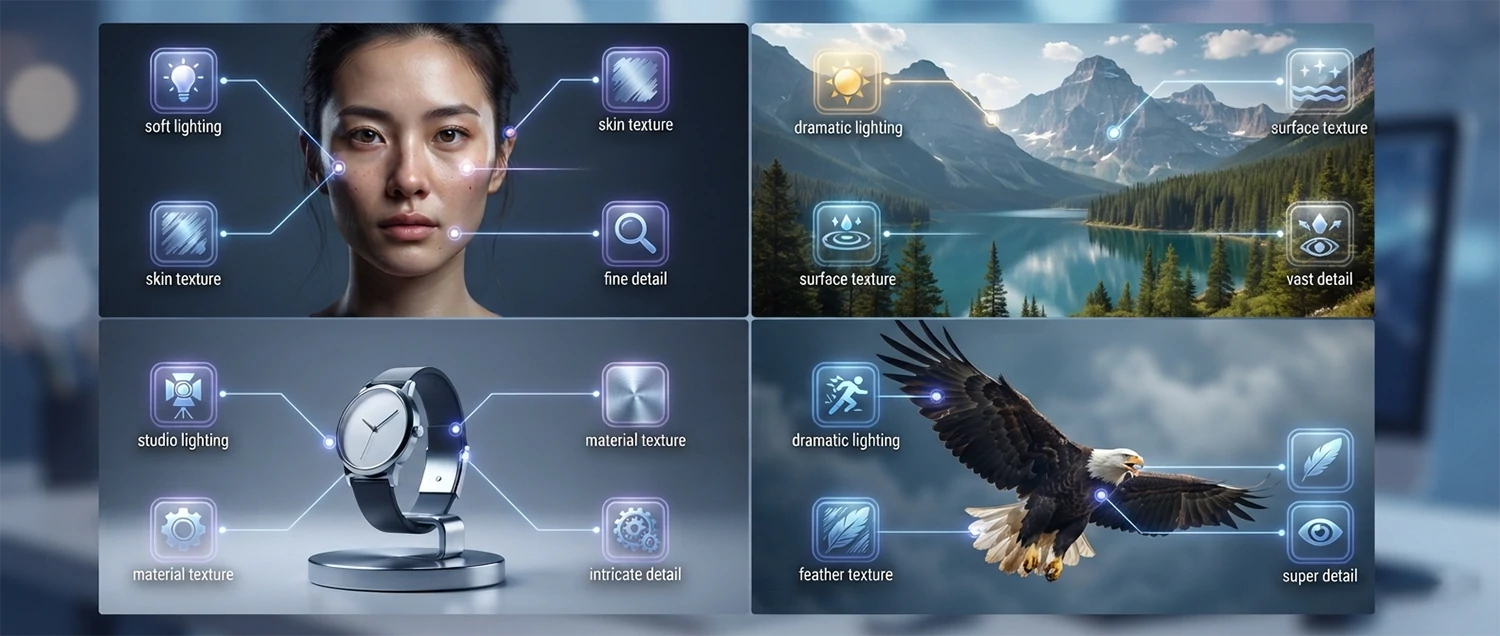
Photorealistic Portrait Generation: Generate a photorealistic portrait of [describe subject including age, appearance, expression, clothing, and setting] that looks like it was captured with a professional camera. Describe the specific prompt language needed to achieve photorealism including camera specifications like lens type, aperture, and focal length, lighting setup descriptions, skin texture and detail keywords, and post-processing references. Explain the common artifacts that make AI portraits look fake including overly smooth skin, unnatural eye reflections, inconsistent teeth, and strange hair details, and provide techniques for avoiding each issue. Include tips for generating consistent characters across multiple images.
Landscape and Nature Photorealism: Generate a photorealistic landscape image of [describe scene like mountain range at sunset, tropical beach, forest path, or desert canyon] that captures the detail, atmosphere, and lighting of a real photograph. Describe the prompt techniques for achieving landscape photorealism including specifying time of day, weather conditions, atmospheric perspective, vegetation detail, water and reflection quality, and sky and cloud realism. Explain how to use reference to specific photographers, geographic locations, and National Geographic style keywords to guide the AI toward photographic authenticity.
Product and Still Life Photorealism: Generate a photorealistic product or still life image suitable for commercial use. Describe prompt techniques for creating images that look like professional studio product photography including lighting setup keywords, surface texture and reflection control, background and environment styling, depth of field for product focus, and post-processing references. Explain how to generate images with accurate materials including glass, metal, fabric, wood, plastic, and liquids, and provide specific prompts for common product photography scenarios including food, electronics, jewelry, and packaged goods.
Photorealistic Animal and Wildlife Generation: Generate a photorealistic image of [specific animal species] in its natural habitat. Describe the challenges of generating realistic animals including anatomical accuracy, fur and feather detail, eye realism, natural poses, and environmental integration. Provide specific prompt techniques for different animal types including mammals with fur, birds with feathers, reptiles with scales, aquatic animals, and insects. Explain how to avoid common issues like extra limbs, unnatural coloring, and habitat inconsistencies, and how to use reference species names and wildlife photography styles for authenticity.
Creative and Artistic Image Generation
AI image generators have opened extraordinary new frontiers for creative and artistic expression. Artists, illustrators, designers, and creators are using these tools not just to generate finished artwork, but as creative partners that help explore ideas, overcome creative blocks, and produce visuals that would be difficult or impossible to create through traditional means. Understanding the creative applications of AI image generation helps you use these tools as genuine artistic instruments rather than simple image factories.
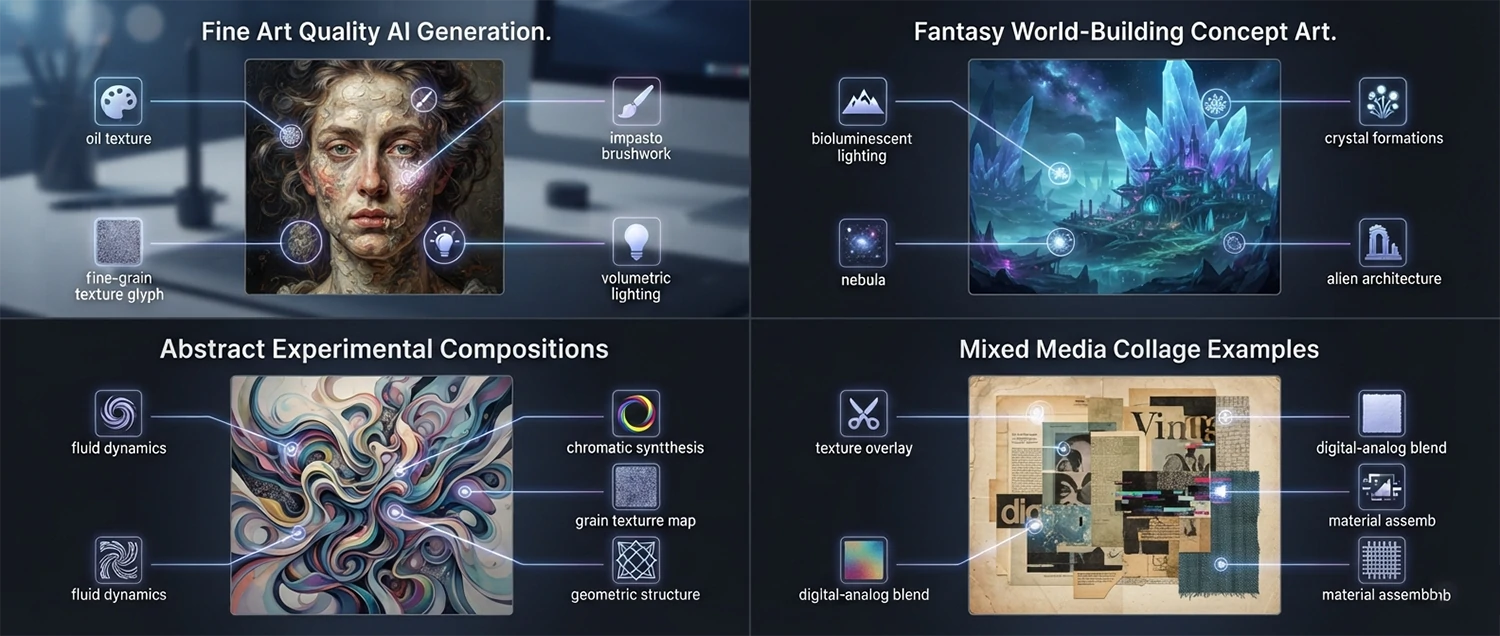
Fine Art and Gallery-Quality Generation: Generate an image suitable for display as fine art in a gallery or exhibition context. Describe prompt techniques for creating images with artistic depth, conceptual meaning, emotional resonance, and visual sophistication that transcend simple illustration. Cover approaches including surrealist compositions that blend reality and imagination, abstract visual poetry, contemporary digital art aesthetics, classical painting techniques reimagined through AI, and conceptual art that communicates ideas through visual metaphor. Explain how to use AI as a collaborative tool that augments your artistic vision rather than replacing it, and discuss the growing recognition of AI-assisted art in the fine art world.
Fantasy and Sci-Fi World Building: Create a detailed fantasy or science fiction scene for a creative project including [describe project like book cover, game concept, or personal artwork]. Describe prompt techniques for building immersive fictional worlds including creating consistent architectural styles, designing alien or fantasy creatures with biological plausibility, generating atmospheric environments that convey the mood of your fictional setting, and developing visual narratives that hint at larger stories. Explain how to use AI to iterate on world-building concepts rapidly, explore variations of the same setting in different seasons or lighting, and maintain visual consistency across multiple images for the same fictional universe.
Abstract and Experimental Art: Generate abstract or experimental art that pushes the boundaries of conventional visual aesthetics. Describe techniques for creating non-representational art including fluid organic forms, geometric abstraction, color field experiments, glitch and generative aesthetics, mixed media simulations, and algorithmic art styles. Explain how to use negative prompts, high guidance scales, and unusual style combinations to create unexpected and novel visual results. Discuss the role of randomness and controlled chaos in AI art creation and how to balance intentional direction with serendipitous discovery in your creative process.
Mixed Media and Collage Creation: Generate images that simulate mixed media artwork combining multiple artistic techniques and materials. Describe prompt keywords for creating images that blend [watercolor with ink linework, oil paint with collage elements, digital art with traditional texture, photography with hand-drawn overlays, or 3D rendering with painterly effects]. Explain how combining media references in prompts creates unique hybrid aesthetics that feel fresh and innovative. Provide techniques for creating layered visual depth, texture variation, and material contrast that make AI-generated mixed media art feel tactile and handcrafted.
Marketing and Brand Visual Creation
Marketing professionals and business owners are increasingly turning to AI image generation to create custom visuals for campaigns, social media, websites, and advertising materials. AI-generated imagery offers the ability to produce unique, on-brand visuals quickly and cost-effectively, without the logistical challenges and expense of traditional photoshoots or custom illustration.
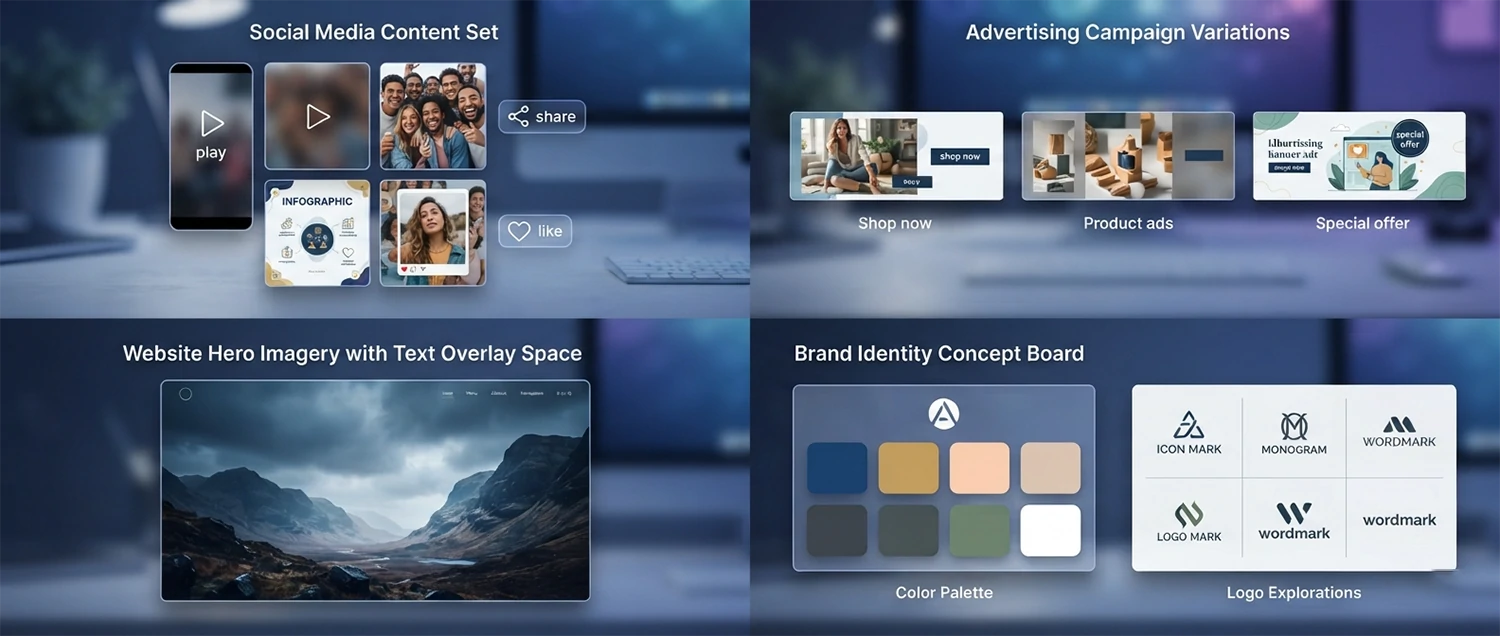
Social Media Visual Content: Generate a set of social media visuals for [platform like Instagram, Facebook, LinkedIn, or Pinterest] on the topic of [describe campaign or theme]. Create images that are optimized for each platform dimensions, style preferences, and audience expectations. Describe how to maintain visual consistency across a series of social media posts, how to incorporate brand colors and elements into AI-generated images, and how to create visuals that stop the scroll with compelling composition, color contrast, and subject matter. Provide prompt strategies for different content types including quote graphics, product showcases, lifestyle imagery, and informational content.
Advertising and Campaign Visuals: Create advertising visuals for [describe campaign, product, or service] that are designed to drive conversions and brand awareness. Describe prompt techniques for creating images that support specific advertising goals including attention-grabbing display ads, emotional storytelling visuals for video thumbnails, product-focused images for e-commerce ads, lifestyle imagery that shows the product in use, and before-and-after comparison visuals. Explain how to design images that leave space for text overlays, call-to-action buttons, and branding elements while maintaining visual impact. Include tips for generating multiple ad variations for A/B testing.
Website and Blog Imagery: Generate custom images for my website or blog about [topic] that are unique, on-brand, and more engaging than generic stock photography. Describe prompt strategies for creating hero images, feature illustrations, background textures, icon sets, and section dividers that work together as a cohesive visual system. Explain how to generate images with consistent negative space for text overlay, appropriate aspect ratios for web layouts, and visual styles that match your brand identity. Provide techniques for creating image series with consistent characters, environments, or aesthetic treatments across multiple pages.
Brand Identity and Logo Visualization: Generate visual concepts for a brand identity or logo for [describe business or brand]. Describe how to use AI image generation in the brand development process including creating mood boards that explore different visual directions, generating logo concept sketches and variations, producing brand element illustrations, and visualizing brand applications on products and materials. Explain the limitations of AI for precise logo design and how to use AI-generated concepts as inspiration for professional logo designers. Provide prompt strategies for generating brand-consistent visual language including color palette exploration, typography pairing visualization, and brand pattern creation.
Product Design and Concept Visualization
AI image generation is transforming product design and development by enabling rapid visualization of concepts, materials, colors, and forms before physical prototyping begins. Designers can explore dozens of variations in minutes, gather feedback on visual concepts, and make informed decisions about design direction with minimal time and resource investment.
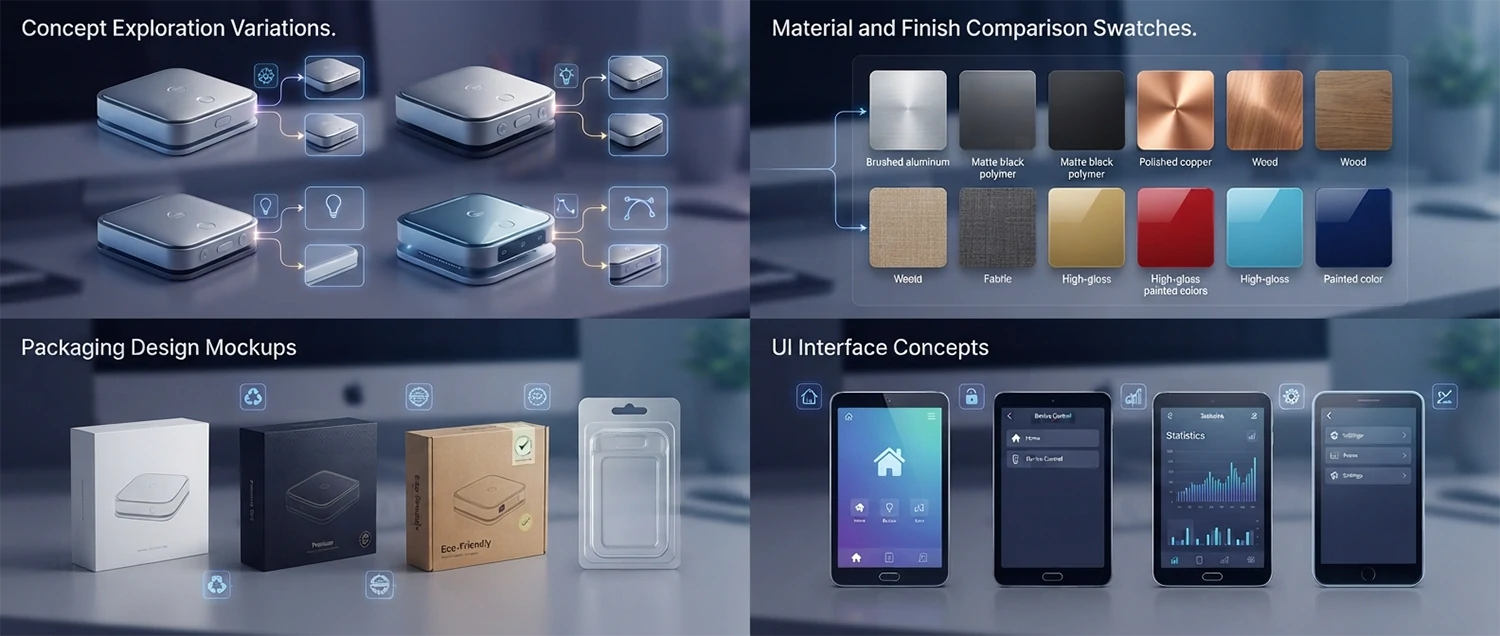
Product Concept Exploration: I am designing a [describe product type like water bottle, chair, smartphone case, or sneaker]. Generate visual concepts exploring different design directions including variations in form, material, color, texture, and detail elements. Describe prompt techniques for creating product concept images that clearly communicate design intent including specifying viewing angles, material finish keywords, color options, scale context, and lighting that reveals form. Explain how to use AI to iterate rapidly through design alternatives, combine elements from different concepts, and develop a visual design language that guides the physical prototyping phase.
Material and Finish Visualization: Generate images showing [describe product] in different material and finish options including
Packaging and Label Design: Generate packaging design concepts for [describe product] that will stand out on retail shelves or in e-commerce listings. Describe prompt techniques for creating package visualization including box or container shape, label placement and graphics, color scheme and brand integration, material and finish of the packaging itself, and lifestyle context showing the package in use or on display. Explain how to generate packaging concepts that follow structural design principles, communicate product benefits visually, and appeal to the target demographic. Include strategies for creating e-commerce packaging that photographs well and unboxing experiences that generate social media sharing.
User Experience and Interface Design: Generate UI or app interface design concepts for [describe app or digital product type]. Describe prompt techniques for creating realistic interface mockups including screen layout, color scheme, typography style, iconography, content placement, and device context showing the interface on a phone, tablet, or computer screen. Explain how to use AI to explore different design systems, visual hierarchies, and interaction patterns before moving to detailed design tools. Provide guidance on the limitations of AI for precise UI design and how to use generated concepts as inspiration and direction rather than production-ready designs.
Architectural and Interior Visualization
AI image generation is revolutionizing architectural and interior design visualization by enabling architects, designers, and real estate professionals to create stunning visualizations of buildings, interiors, and spaces from simple text descriptions. These tools dramatically reduce the time and cost of traditional 3D rendering while offering unprecedented flexibility for exploring design alternatives.
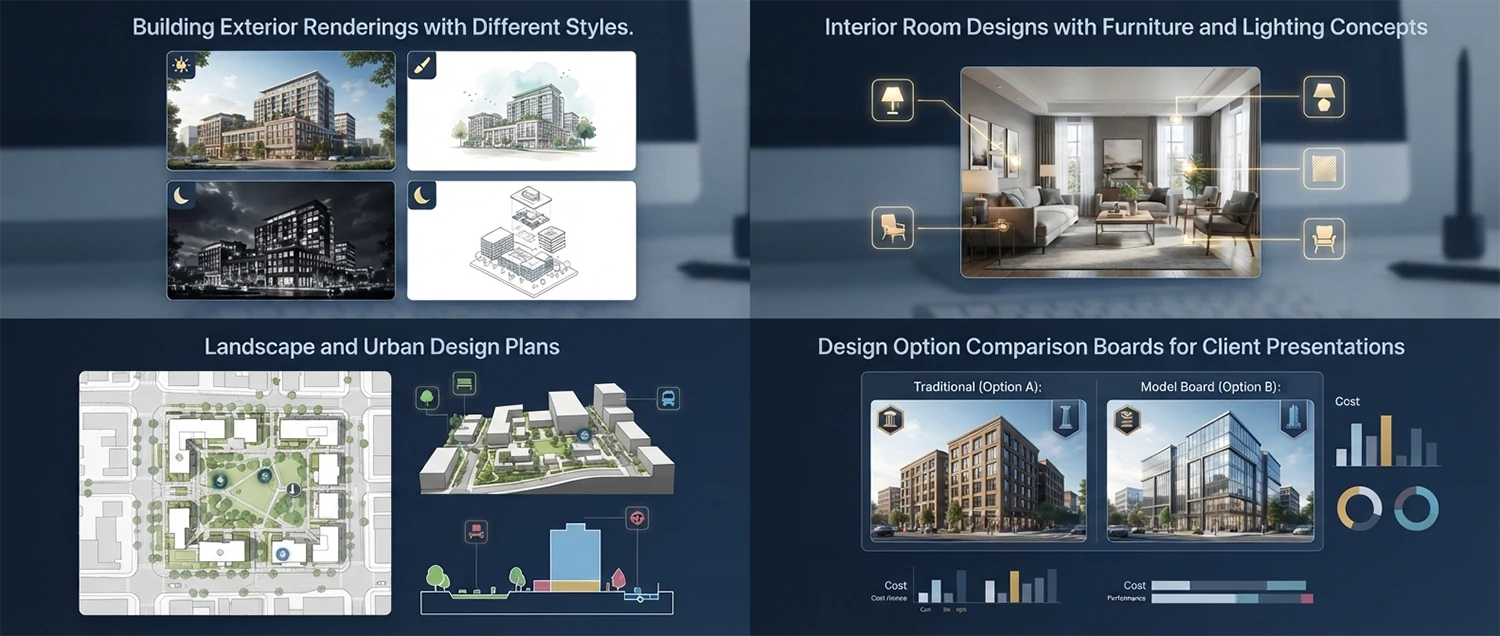
Building Exterior and Facade Design: Generate architectural visualization of a [describe building type like modern home, office building, retail space, or cultural center] in [describe architectural style and setting]. Describe prompt techniques for creating compelling building exterior images including specifying architectural style elements, material and finish details, landscape and context integration, lighting and time of day for mood, and camera angle that best showcases the design. Explain how to generate views that communicate the building relationship to its site, the massing and proportion, and the key architectural features that define the design concept.
Interior Space and Room Design: Generate an interior visualization of a [describe room type like living room, kitchen, bedroom, or office] in [describe design style like modern minimalist, industrial loft, Scandinavian, or bohemian]. Describe prompt techniques for creating inviting interior spaces including specifying furniture style and placement, color palette and material palette, lighting design with natural and artificial sources, spatial proportions and layout, decorative elements and styling, and the overall atmosphere and mood. Explain how to generate interiors that feel lived-in and realistic while showcasing design concepts effectively for client presentations.
Landscape and Urban Design Visualization: Generate a visualization of a [landscape design, urban plaza, park, or streetscape] that communicates the design intent and user experience. Describe prompt techniques for creating outdoor space visualizations including specifying planting and vegetation, hardscape materials, furniture and amenities, lighting design for evening scenes, people and activities that show the space in use, and seasonal and weather conditions. Explain how to generate images that help clients and stakeholders understand how outdoor spaces will function, feel, and be experienced by users throughout the day and across seasons.
Design Option Comparison and Presentation: Generate multiple design options for the same [architectural or interior project] to compare different approaches to style, material, color, and spatial organization. Describe how to create a structured comparison series that maintains consistent perspective, lighting, and context across all options while varying the design elements being explored. Explain how to use AI-generated visualizations in client presentations including creating before-and-after renovations, material option boards, color scheme alternatives, and furniture layout options. Provide guidance on combining AI visualizations with mood boards, material samples, and technical drawings for comprehensive design presentations.
Character Design and Illustration
Character design is one of the most exciting and challenging applications of AI image generation. Whether you are creating characters for games, animation, books, branding, or personal projects, AI tools can help you explore design possibilities, refine concepts, and generate consistent character visuals that capture personality, mood, and narrative potential.
Original Character Creation: Design an original character for [describe project type like video game, children book, brand mascot, or comic series] with the following characteristics [describe appearance, personality, role, and setting]. Describe prompt techniques for creating compelling character designs including specifying body type and proportions, facial features and expression, clothing and accessories that communicate role and personality, color palette that supports character identity, and pose that conveys attitude and intention. Explain how to iterate on character designs, explore different visual interpretations of the same character concept, and develop a design that is distinctive, memorable, and appropriate for the intended medium.
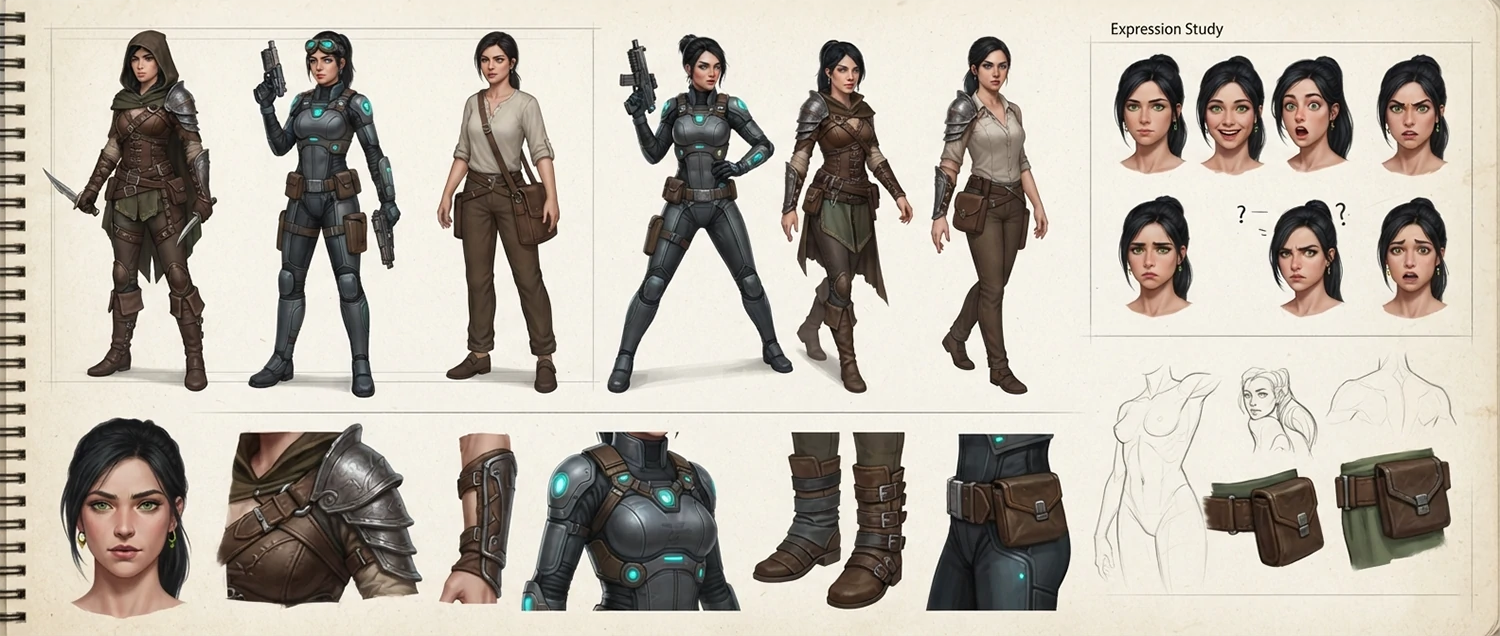
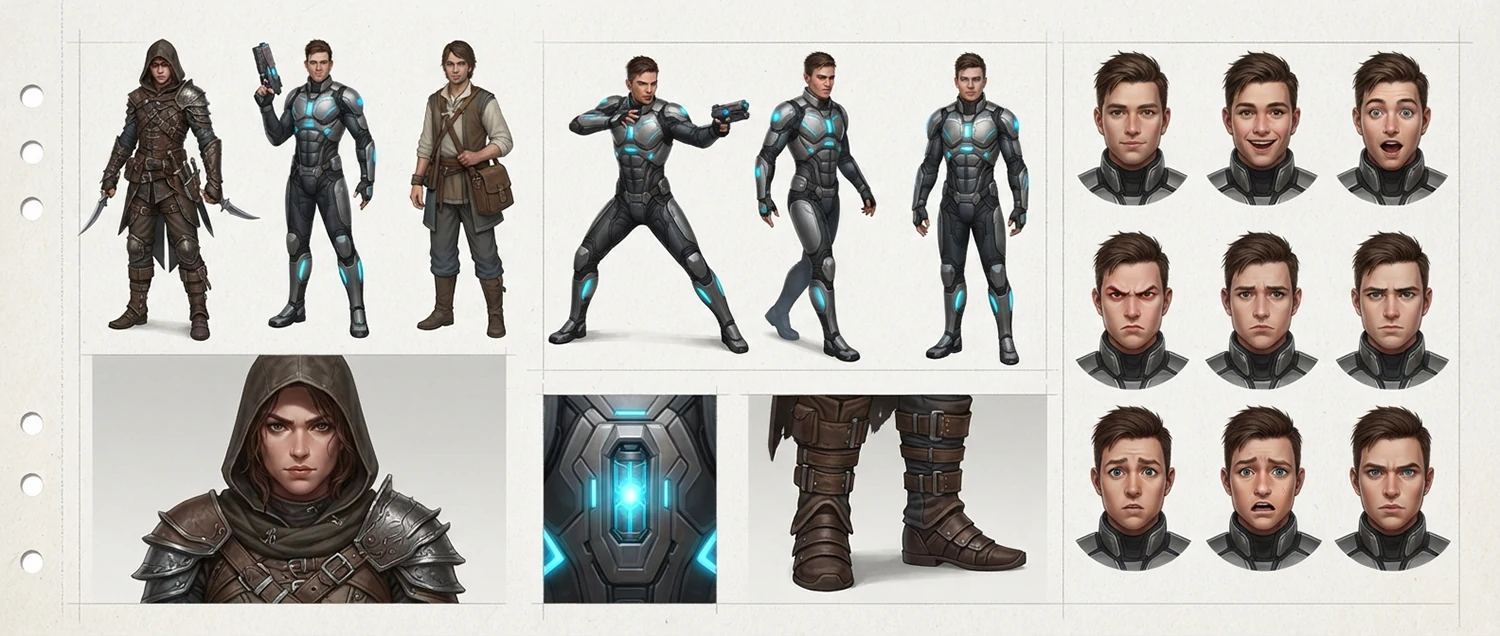
Character Consistency Across Images: I need to generate multiple images of the same character in different poses, expressions, outfits, and settings while maintaining consistent appearance. Describe techniques for achieving character consistency including using reference images, establishing detailed character description sheets with specific features, leveraging platform-specific features like Midjourney character references or Stable Diffusion embeddings, maintaining consistent lighting and style parameters, and using seed values for reproducibility. Provide a workflow for creating a character reference sheet that includes front view, side view, expression studies, and action poses with consistent facial features, body proportions, and color palette.
Fantasy and Sci-Fi Character Design: Design a character for a [fantasy or science fiction] setting with unique species, technology, or magical elements. Describe prompt techniques for creating genre-specific characters including designing non-human anatomy that is believable and visually interesting, incorporating fantasy or sci-fi armor, weapons, and technology that fits the world setting, using color and lighting to suggest character alignment and power level, and creating visual storytelling elements that hint at the character backstory and role in the narrative. Provide examples of effective prompts for different fantasy archetypes like elves, dwarves, robots, aliens, and mythical creatures with anatomical and cultural consistency.
Portrait and Expression Studies: Generate a series of portrait studies of the same character showing different emotional expressions and moods including [happiness, sadness, anger, surprise, fear, determination, and contemplation]. Describe prompt techniques for achieving recognizable emotional expressions through facial muscle positioning, eye shape and gaze, mouth curvature, head tilt, and overall body language. Explain how lighting, color temperature, and composition can amplify or modify the emotional impact of a portrait. Provide a reference guide for describing facial expressions in prompts with specific anatomical language that reliably produces the intended emotion.
AI Image Editing and Enhancement
Beyond generating new images from scratch, AI image tools offer powerful capabilities for editing, enhancing, and transforming existing images. From removing unwanted objects and changing backgrounds to completely restyling images and adding realistic elements, AI-powered editing is changing how photographers, designers, and content creators approach image post-processing and manipulation.
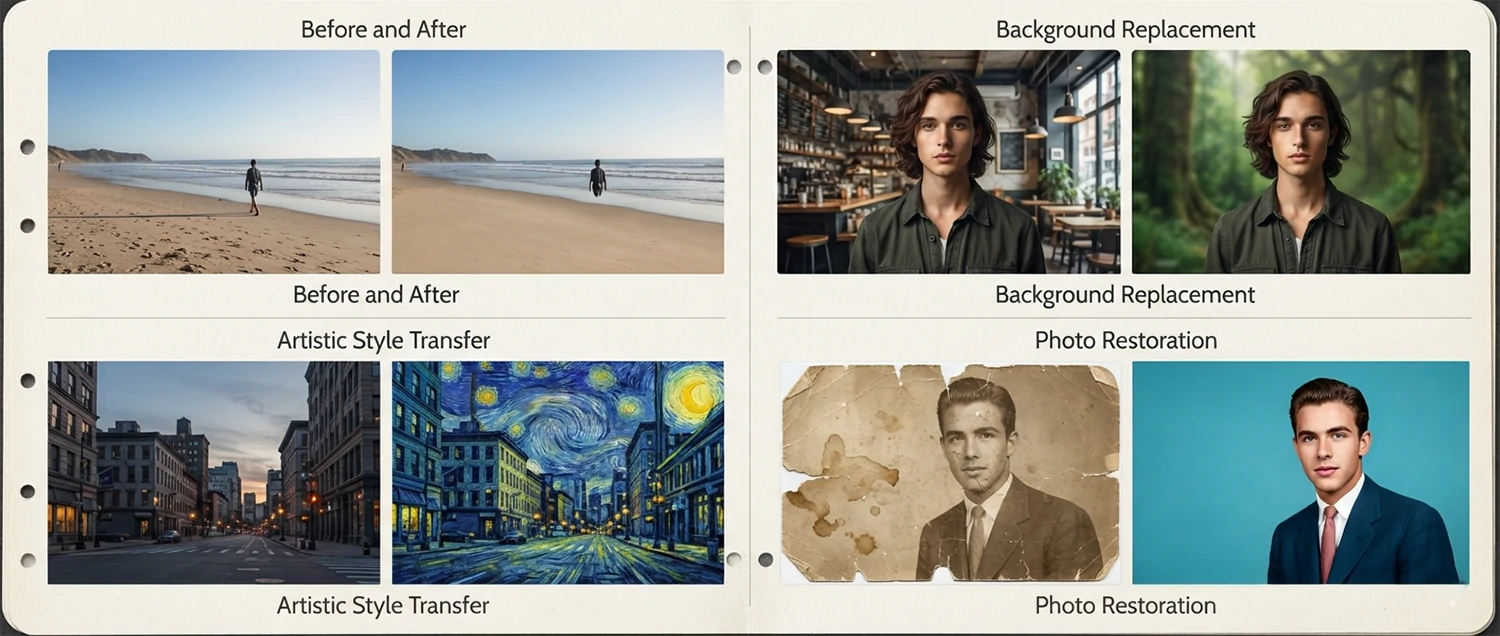
Inpainting and Object Removal: I have an image with [describe unwanted element like a person, object, blemish, or text] that I want to remove or replace. Describe how to use AI inpainting to seamlessly remove unwanted elements and fill the area with appropriate background content. Explain the process of masking the area to be edited, writing a prompt that describes what should appear in the filled area, adjusting parameters for best blending with the surrounding image, and iterating on results until the edit is undetectable. Provide specific techniques for different removal scenarios including power lines in landscapes, tourists in travel photos, logos on products, and blemishes on skin.
Background Replacement and Extension: Replace the background of my image of [subject] with a new background that [describe desired background style or scene]. Describe the workflow for AI background replacement including techniques for clean subject isolation, generating a new background that matches the original lighting and perspective, blending the subject naturally with the new environment, and adjusting colors and shadows for realism. Also cover outpainting techniques for extending images beyond their original borders to change aspect ratios or add context to a scene. Provide examples of professional applications including product photography background swaps and portrait environmental enhancements.
Style Transfer and Image Restyling: Transform my existing image into a different artistic style including [oil painting, watercolor, sketch, cyberpunk, vintage photograph, anime, or specific artist style]. Describe the techniques for AI-powered style transfer that apply a new visual style while preserving the content and composition of the original image. Explain the difference between full image restyling and selective style transfer that affects only certain elements. Provide parameters for controlling the intensity of the style application, preserving important details, and avoiding artifacts that can occur with aggressive style transfer. Include examples of before and after restyling for different image types.
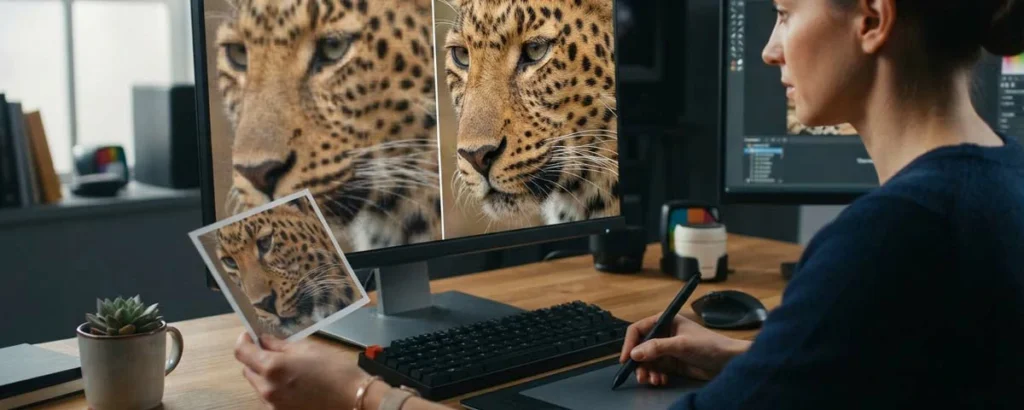
Image Restoration and Enhancement: I have an old, damaged, or low-quality photo that I want to restore and enhance. Describe AI techniques for photo restoration including removing scratches, dust, and cracks, reconstructing missing or damaged areas, reducing noise and grain, improving sharpness and detail, correcting faded colors and incorrect white balance, and upscaling resolution while adding detail. Provide a step-by-step restoration workflow using current AI tools, explaining which techniques to apply at each stage for best results. Include realistic expectations for what can be restored from different levels of damage and how to handle challenging cases like severely damaged faces or large missing areas.
AI Image Upscaling and Resolution Enhancement
AI-powered upscaling technology has advanced dramatically, enabling the enhancement of low-resolution images to high-resolution versions with remarkable detail and quality. Whether you are working with old family photos, low-resolution web images, or AI-generated images that need higher resolution for print, understanding AI upscaling techniques helps you achieve professional-quality results.
AI Upscaling Fundamentals: Explain how AI image upscaling differs from traditional interpolation methods. Traditional upscaling simply stretches pixels, resulting in blurry or pixelated images. AI upscaling uses trained neural networks to intelligently add new detail that matches the image content, effectively guessing what additional pixels would look like based on training from millions of high-resolution images. Describe the different AI upscaling approaches including real-time upscalers optimized for speed, generative upscalers that add creative detail, and model-specific upscalers trained for particular image types like faces, anime, or landscapes.
Best Practices for AI Upscaling: I have a [describe source image including resolution and content type] that I want to upscale to [target resolution] for [intended use like print, large display, or professional presentation]. Guide me through the optimal upscaling workflow including choosing the right upscaling tool or model for my image type, preparing the image by correcting obvious issues before upscaling, selecting appropriate upscaling factors and settings, handling common issues like noise amplification or artifact enhancement, and comparing results from different upscalers to select the best output. Provide specific tool recommendations for different upscaling scenarios and budgets.
Face and Portrait-Specific Upscaling: I need to upscale a portrait or image containing faces. Describe specialized AI upscaling techniques for faces that preserve and enhance facial details including eyes, skin texture, hair, and expressions. Explain how face-specific upscalers and restoration models work differently from general upscalers, why faces are particularly challenging for standard upscaling, and how to achieve natural-looking facial detail enhancement without the wax or plastic appearance that some AI upscalers produce. Provide recommended workflows for portrait upscaling including pre-processing steps, model selection, and post-processing refinement.
Print-Ready Resolution Workflow: Design a complete workflow for taking an AI-generated image from standard output resolution to print-ready quality. Cover the entire pipeline including generating the highest quality initial image possible, using AI upscaling to increase resolution by 2x to 4x, applying detail enhancement or sharpening appropriate for print, converting color space from RGB to CMYK if needed for professional printing, and exporting at the correct resolution and file format for the specific print method. Provide resolution requirements for common print sizes and formats, and explain how to test print quality before committing to large-format production runs.
Ethical Considerations and Best Practices
As AI image generation becomes more powerful and widespread, understanding and following ethical practices is essential for responsible use. These considerations cover copyright, attribution, representation, transparency, and the broader societal impact of AI-generated imagery, helping you use these tools in ways that are legal, ethical, and respectful of artists and audiences alike.
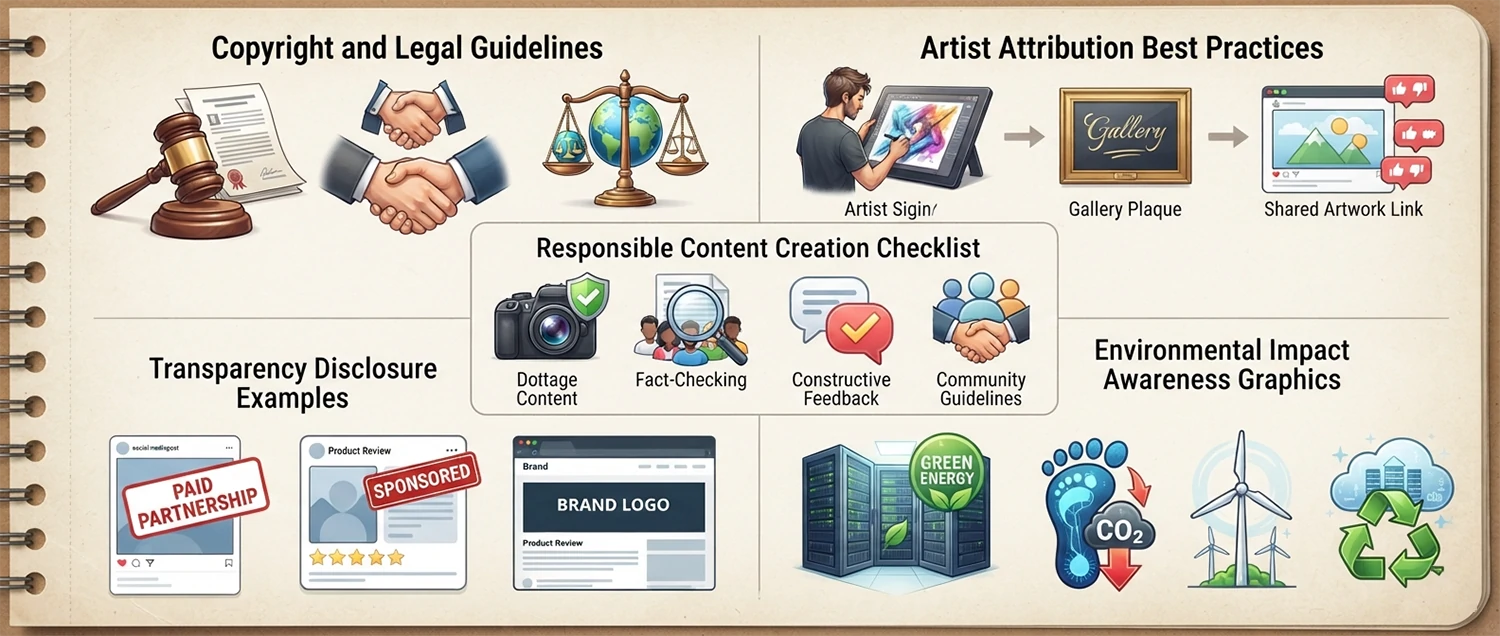
Copyright and Legal Considerations: Explain the current legal landscape around AI-generated images as of 2026. Cover key topics including copyright ownership of AI-generated works, the legal status of training data and its implications for generated images, platform terms of service regarding commercial usage rights, the difference between using AI for inspiration versus direct copying of existing styles, and recent court cases and regulatory developments that affect how AI images can be used commercially. Provide practical guidance for protecting yourself legally including documenting your creative process, understanding platform licenses, avoiding prompts that reference specific copyrighted characters or styles, and consulting legal professionals for high-stakes commercial use.
Artist Attribution and Style Respect: Discuss the ethical considerations around using artist names and specific style references in AI prompts. Explain the difference between being inspired by an artistic style and directly replicating a living artist distinctive work, the importance of supporting human artists alongside using AI tools, and best practices for attribution when AI-generated work is influenced by specific artistic traditions. Provide guidelines for ethically navigating style references including using broad movement and period references, avoiding living artist names, creating transformative rather than derivative works, and being transparent about AI involvement in your creative process.
Responsible Content Creation: Develop a personal ethical framework for creating AI-generated images responsibly. Address key considerations including avoiding the generation of misleading or deceptive imagery including deepfakes and fake news content, respecting privacy by not generating images of real people without consent, avoiding harmful stereotypes and biased representations, being transparent with audiences about AI-generated content through labeling and disclosure, and considering the potential impact of your generated images on viewers and society. Provide a checklist of ethical questions to ask before generating and publishing any AI image.
Environmental and Social Impact: Discuss the broader environmental and social implications of AI image generation. Cover the energy consumption and carbon footprint of training and running large AI models, the impact on professional artists, illustrators, and photographers livelihoods, the democratization of visual creation that AI enables for people without traditional art skills, and the potential for both positive and negative societal changes as the technology matures. Provide perspective on how individual users can make responsible choices including supporting human creators, using efficient models and platforms, and advocating for ethical AI development practices within the industry.
Common Mistakes and How to Avoid Them
Even experienced AI image creators encounter common pitfalls that lead to disappointing results. Understanding these mistakes and how to avoid them will save you time, credits, and frustration while helping you produce consistently better images. These insights come from extensive hands-on experience across multiple platforms and image types.
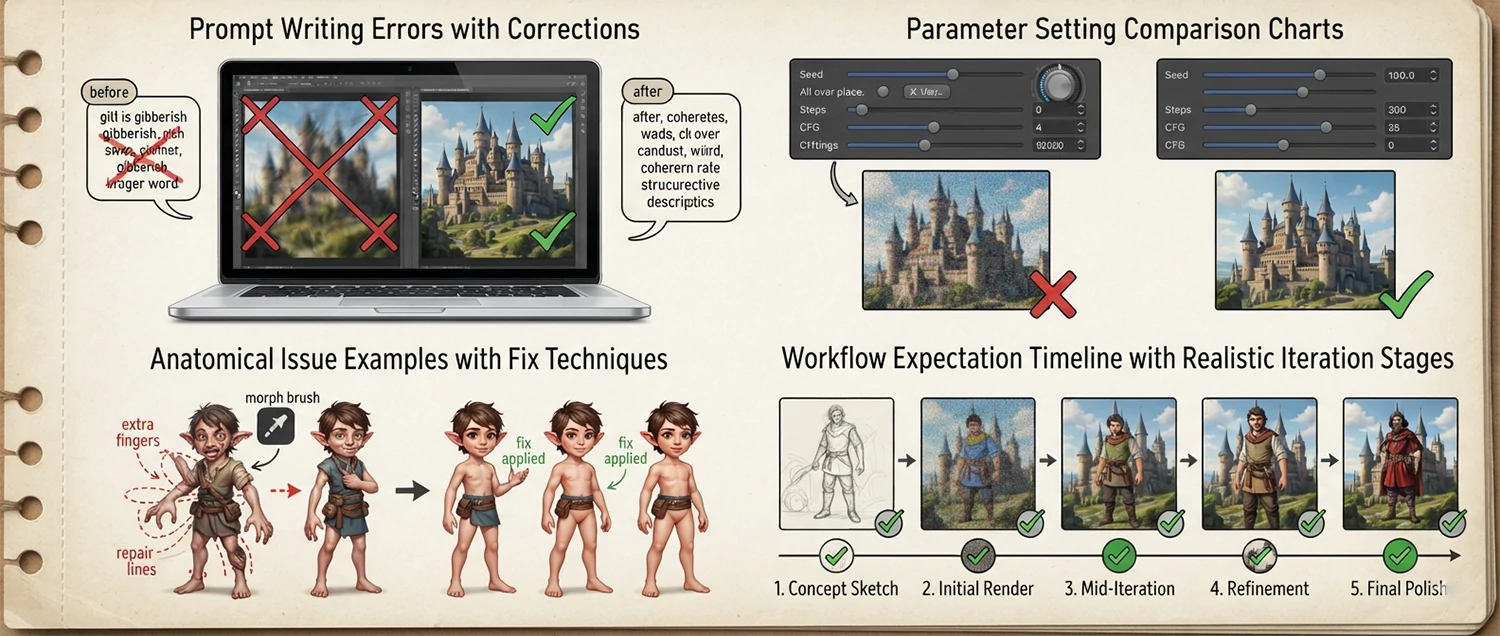
Prompt Writing Mistakes: Identify the most common prompt writing mistakes that lead to poor AI image results. These include being too vague about the subject, overloading the prompt with contradictory descriptors, neglecting to specify style and medium, using abstract concepts without concrete visual references, forgetting to specify lighting and mood, and failing to use negative prompts to exclude unwanted elements. For each mistake provide a clear example of the wrong approach, explain why it fails, and show the corrected prompt with an explanation of what makes it more effective. Include a prompt quality checklist that you can use before hitting generate.
Parameter and Setting Mistakes: Analyze common parameter and setting errors including using incorrect aspect ratios for the intended use, setting guidance scale too high resulting in oversaturated or distorted images, using too few sampling steps for detailed images, using inappropriate samplers for the desired style, neglecting to adjust CFG scale for creative versus literal interpretations, and misunderstanding seed values and their effect on reproducibility. For each setting mistake explain the optimal range or value, the reasoning behind the recommendation, and how different image types and styles require different parameter configurations.
Anatomy and Realism Mistakes: Discuss common issues with AI-generated anatomy including extra fingers and hands, unnatural eye shapes and positions, inconsistent limb proportions, distorted facial features, and unrealistic body mechanics. Explain why these issues occur related to how AI models understand human anatomy and provide specific prompt techniques for reducing anatomical errors including using body part descriptors carefully, specifying hand and finger counts, using negative prompts to exclude common artifacts, and choosing models and settings that are optimized for anatomical accuracy. Include guidance on post-generation correction techniques for fixing anatomical issues.
Workflow and Expectation Mistakes: Discuss common workflow mistakes including expecting perfect results on the first attempt, not iterating on prompts based on results, using the wrong platform for the desired image style, neglecting to build a library of successful prompts, failing to document settings that produced great results, not experimenting with different models and versions, and giving up too early on a concept that needs refinement. Provide a realistic expectation framework for the AI image creation process including typical iteration counts, time investments per image, and success rates for different complexity levels of image generation.
Future of AI Image Generation Technology
AI image generation is evolving at an extraordinary pace, with new capabilities emerging regularly. Understanding where the technology is headed helps you make informed decisions about which tools to invest in, what skills to develop, and how to position yourself for the future of AI-powered visual creation.
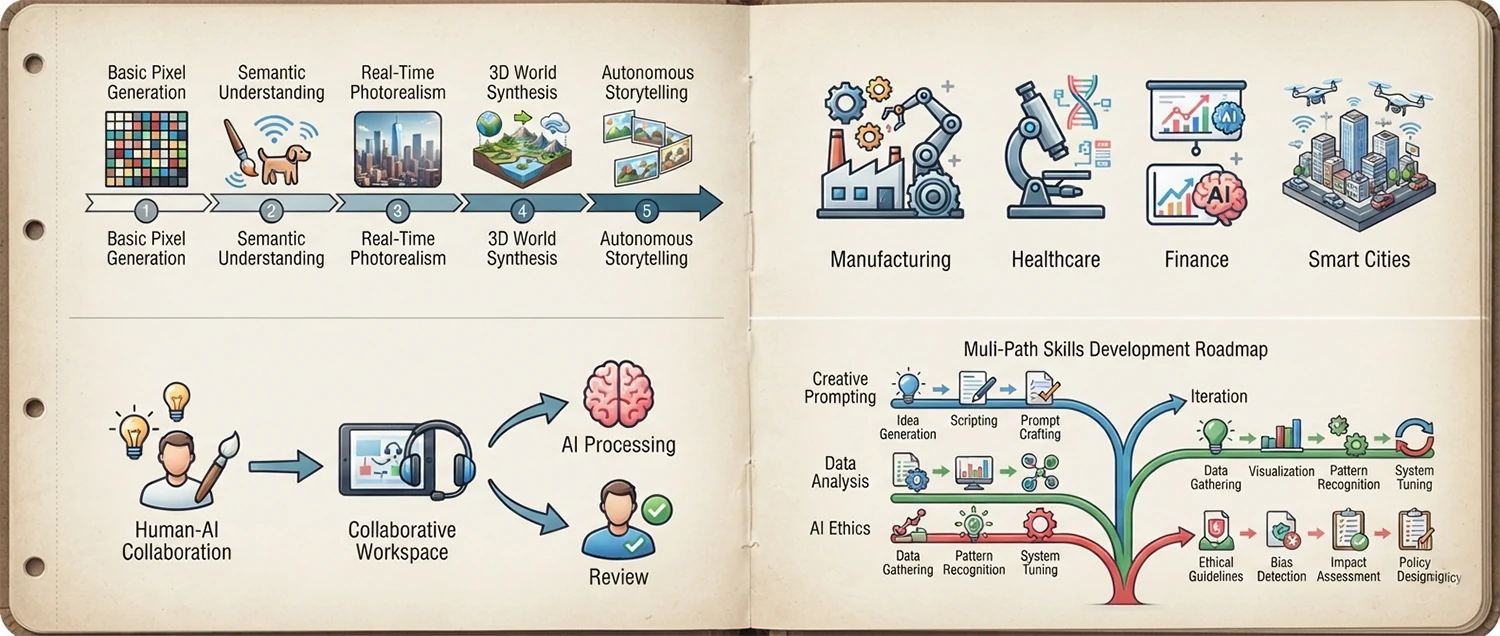
Emerging Capabilities and Trends: Analyze the emerging trends and upcoming capabilities in AI image generation over the next 1, 3, and 5 years. Cover developments including resolution improvements beyond 4K native generation, real-time generation for interactive applications, improved text rendering within images, better anatomical accuracy and consistency, video generation from single images, multi-modal generation combining text, image, audio, and 3D inputs, personalized models that learn individual user styles, and integration with augmented and virtual reality platforms. Explain how each advancement will expand the practical applications and creative possibilities of AI image generation.
Industry Transformation Predictions: Predict how AI image generation will transform different industries over the next decade. Analyze the expected impact on advertising and marketing, publishing and media, game development, film and animation, fashion and apparel, interior design, architecture, education, scientific visualization, and e-commerce. For each industry describe the current adoption level, expected trajectory, roles most likely to be affected, new opportunities that will emerge, and the skills that will become most valuable. Provide a realistic assessment of both transformative potential and limitations that will persist.
Human-AI Creative Collaboration: Discuss how the future of AI image generation is not about AI replacing human creativity but about new forms of human-AI creative collaboration. Explore emerging workflows where humans provide creative direction, artistic vision, and critical judgment while AI handles technical execution, variation generation, and exploration of creative possibilities. Describe how the role of the artist is evolving from hands-on creator to creative director and curator who guides AI tools to produce work that expresses their unique vision. Provide examples of successful human-AI collaborative projects and the lessons they offer for future creative practice.
Skills for the AI Image Era: What skills will be most valuable for creators, designers, and visual professionals as AI image generation technology matures? Beyond learning to use specific AI tools, focus on enduring skills including visual literacy and aesthetics, prompt engineering and AI communication, creative direction and conceptual thinking, curation and critical evaluation of AI output, understanding of design principles and composition, storytelling and narrative development, ethical reasoning and responsible AI use, and the ability to integrate multiple AI and traditional tools in creative workflows. Provide a learning roadmap for developing these skills.
Gaming and Entertainment Visuals
The gaming and entertainment industries have embraced AI image generation for concept art, asset creation, marketing materials, and player-generated content. AI tools enable game developers, indie creators, and entertainment professionals to rapidly visualize characters, environments, props, and promotional artwork that would traditionally require large teams of artists working for weeks or months.
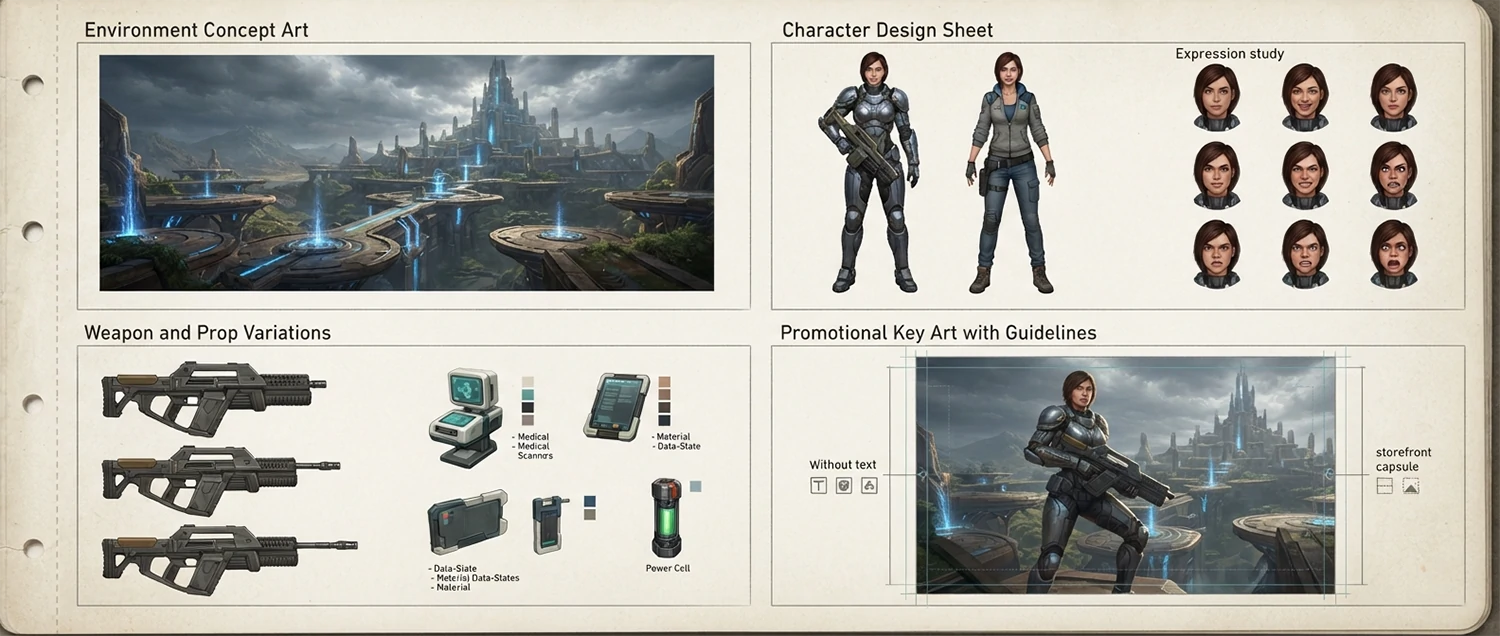
Game Concept Art and Environment Design: Generate concept art for a [game genre like RPG, platformer, horror, or strategy] game featuring [describe scene, setting, or location]. Describe prompt techniques for creating game-ready concept art including establishing the mood and atmosphere appropriate for the game genre, designing environments that suggest gameplay mechanics and player paths, incorporating lore and storytelling elements into the visual design, and maintaining a consistent art style across multiple concept pieces. Explain how AI-generated concept art accelerates the pre-production phase by allowing rapid exploration of visual directions before committing to expensive 3D production.
Character Design for Games: Design a player character or NPC for a [game genre] game with the following role and characteristics [describe role, abilities, personality, and setting]. Describe prompt techniques for creating game characters that are visually distinctive, communicate their role and abilities through design, fit within the game art style, and read clearly at different scales from character select screens to in-game gameplay. Explain how to generate character turnaround sheets, expression studies, action poses, and equipment variations that provide comprehensive reference for 3D modelers and animators.
Game Asset and Prop Design: Generate design concepts for in-game assets and props for [game type] including [weapons, vehicles, collectibles, building interiors, or environmental props]. Describe prompt techniques for creating props that fit the game setting, suggest their function through visual design, maintain consistent quality and style across all assets, and include material and texture references that guide 3D artists. Explain how to use AI to create variations of the same prop type, explore different visual directions for gear and equipment, and build comprehensive asset libraries that support efficient game development.
Game Marketing and Promotional Artwork: Create key art, promotional images, and social media visuals for a game launch or update for [describe game]. Describe prompt techniques for creating compelling game marketing visuals that capture the games core appeal, feature recognizable characters and environments, work effectively at different sizes from thumbnails to billboards, and generate excitement among the target audience. Explain how to create capsule art for Steam and other storefronts, social media announcement graphics, banner advertisements, and press kit assets that maintain visual consistency with the game art style.
Fashion and Apparel Design Visualization
AI image generation is transforming fashion and apparel design by enabling designers to visualize garments, accessories, and collections quickly without physical samples or photoshoots. From initial concept sketches and fabric exploration to model presentations and e-commerce imagery, AI tools are becoming essential throughout the fashion design and merchandising workflow.
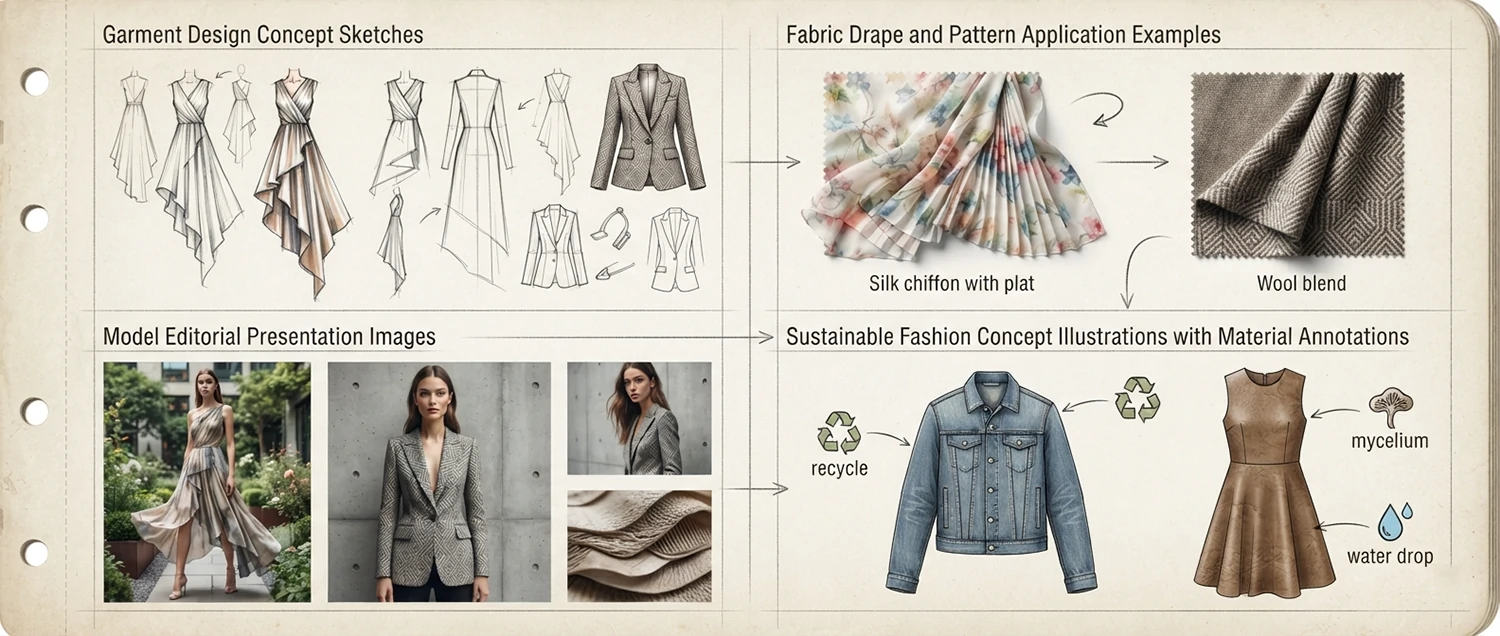
Garment and Collection Design: Design a garment or fashion collection for [season, target market, and brand aesthetic] featuring [describe clothing items, colors, and style direction]. Describe prompt techniques for creating fashion design concepts that clearly communicate silhouette, construction details, fabric drape and texture, color and pattern placement, and styling with accessories and layering. Explain how to generate design variations that explore different necklines, sleeve lengths, hem treatments, and closure details, and how to build a cohesive collection where individual pieces work together as outfits while standing alone as distinct designs.
Fabric and Pattern Visualization: Generate visualizations of [specific fabric types like silk, denim, leather, knit, or technical fabric] showing how they drape, fold, catch light, and move on a garment. Describe prompt techniques for accurately representing fabric qualities including weight, stiffness, sheen, stretch, and texture. Explain how to generate custom pattern designs for textiles including printed patterns, woven textures, embroidered details, and surface treatments, and how to visualize those patterns applied to specific garment shapes. Provide a fabric description vocabulary that reliably produces accurate material rendering in AI-generated fashion images.
Model Presentation and Editorial Imagery: Create fashion editorial or presentation images showing [garment collection] on models in [setting like studio, urban location, or natural environment]. Describe prompt techniques for generating professional fashion photography including model diversity and representation, posing that showcases garment details and movement, lighting that flatters both model and clothing, and styling with appropriate accessories, hair, and makeup. Explain how to create lookbook images, campaign visuals, and editorial content that maintains brand aesthetic while showing garments in the most appealing and informative way for both wholesale buyers and consumers.
Sustainable and Technical Fashion Concepts: Generate design concepts for sustainable or technical fashion that incorporates [eco-friendly materials, innovative construction techniques, smart textiles, or adaptive design features]. Describe prompt techniques for visualizing conceptual fashion ideas that may not yet exist physically including speculative design, wearable technology integration, zero-waste pattern cutting, and biomaterial applications. Explain how AI enables designers to explore radical sustainability concepts and innovative technical solutions without the expense of physical prototyping, accelerating the development of more sustainable and functional fashion.
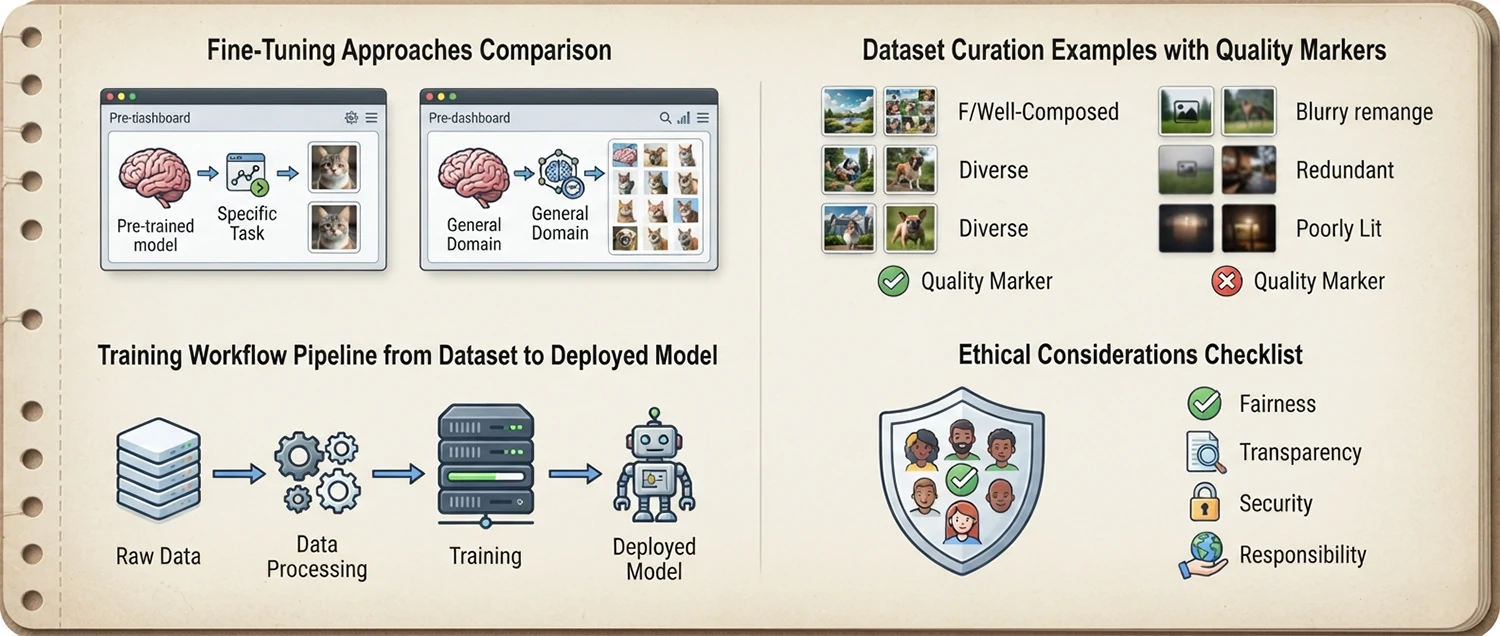
Custom Model Training and Fine-Tuning
For advanced users who need consistent, specialized image generation beyond what general models can provide, custom model training and fine-tuning offers the ultimate level of control. By training a model on your own dataset of images, you can teach the AI to generate images in a specific style, of particular subjects, or with consistent characters and environments that standard models cannot reliably reproduce.
Fine-Tuning Fundamentals: Explain the process of fine-tuning an AI image generation model for a specific style, subject, or use case. Describe the key concepts including base model selection, dataset preparation and curation, training parameters and hyperparameters, compute requirements, and evaluation methods. Compare different fine-tuning approaches including DreamBooth for subject-specific training, LoRA for lightweight style adaptation, textual inversion for new concept embedding, and full model fine-tuning for comprehensive customization. For each approach describe the use cases, data requirements, training time, and output quality to help users choose the right method for their project.
Dataset Creation and Curation: I want to train a custom model on [specific subject, style, or concept]. Guide me through creating and preparing an effective training dataset. Cover the number of images needed for different training approaches, image quality and resolution requirements, diversity and variation requirements for robust learning, captioning and tagging strategies that teach the model what to learn, cleaning and preprocessing steps to remove poor-quality or inconsistent images, and dataset organization best practices. Explain how dataset quality directly impacts model performance and provide quality checklists for each stage of dataset preparation.
Training Workflow and Best Practices: Design a complete workflow for training a custom AI image model from dataset preparation through model evaluation and deployment. Cover the training environment setup including cloud GPU services or local hardware requirements, training configuration including learning rate, batch size, and steps, monitoring training progress and avoiding overfitting, evaluating model quality through test prompts, iterating on training based on results, and exporting and using the trained model in your preferred generation platform. Provide troubleshooting guidance for common training issues including mode collapse, catastrophic forgetting, and inadequate generalization.
Ethical and Legal Considerations for Custom Models: Discuss the important ethical and legal considerations when training custom AI models. Address copyright concerns about training on images you do not own, the importance of using only images you have rights to or that are properly licensed, privacy considerations when training on images containing people, the potential for misuse of custom models to replicate copyrighted styles or generate misleading content, and best practices for transparently documenting what your custom model was trained on. Provide a responsible training framework that helps you navigate these complex issues while respecting creators and complying with relevant laws.
Advanced Control Techniques and ControlNet
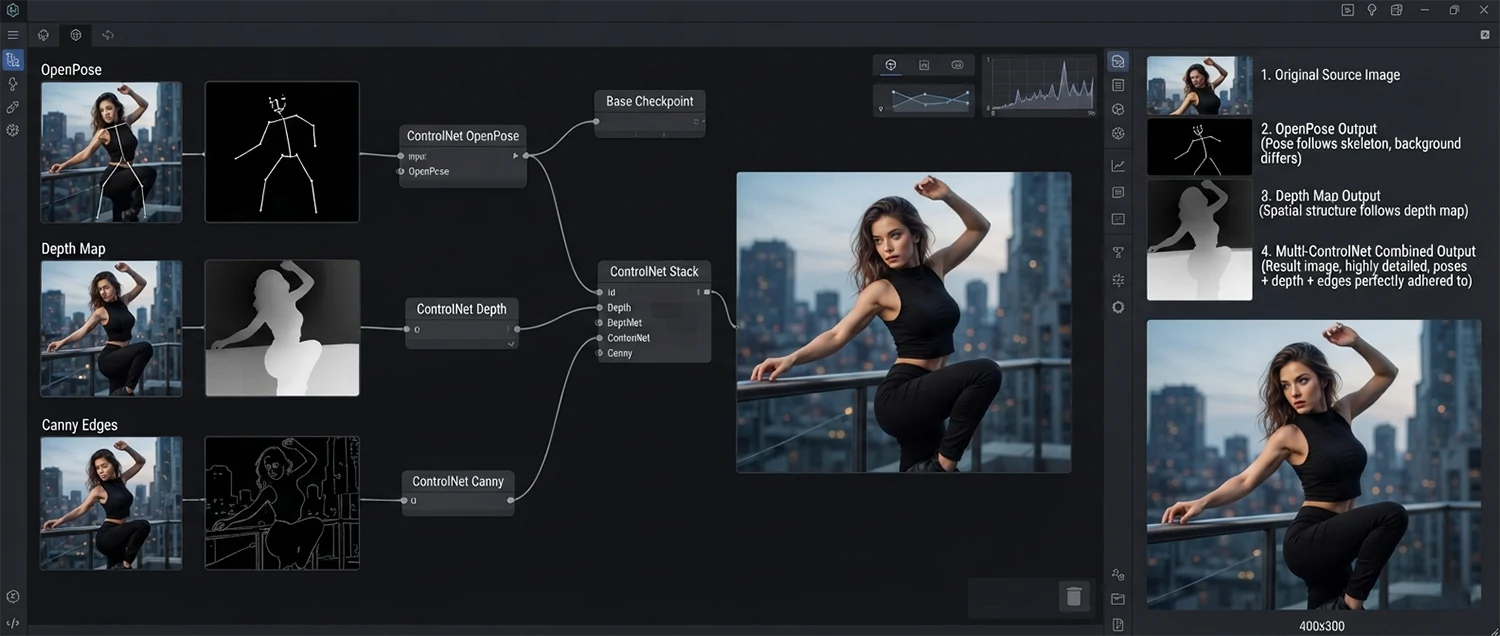
For users who need precise control over the composition, pose, depth, and structure of their AI-generated images, advanced control techniques like ControlNet offer transformative capabilities. These tools allow you to provide reference inputs such as pose skeletons, depth maps, edge detection, or segmentation maps that guide the AI to generate images with specific spatial arrangements and structural characteristics.
ControlNet Fundamentals and Setup: Explain what ControlNet is and how it works to provide spatial and structural control over AI image generation. Describe the different control types available including Canny edge detection for preserving outlines, depth maps for controlling spatial relationships, OpenPose skeletons for pose and gesture control, segmentation maps for region-based control, and normal maps for surface detail guidance. For each control type explain the use cases, how to generate the control input from reference images, and the settings for controlling the influence strength. Provide setup instructions for using ControlNet with popular interfaces like Automatic1111, ComfyUI, and Forge.
Pose and Composition Control: I have a reference image with a specific pose or composition that I want to replicate in my AI-generated image while changing the subject, style, or setting. Describe the workflow for using OpenPose ControlNet to extract a pose skeleton from a reference image and apply it to generate a new image with the same body positioning but different appearance. Explain how to combine pose control with text prompts for fine control, adjust the control strength to allow creative variation while maintaining the essential pose, and handle challenges like multi-person poses, unusual angles, and partial body visibility.
Depth and Spatial Control: Use depth map ControlNet to generate an image that preserves the spatial layout and depth relationships of a reference image while changing the style, lighting, or subject details. Describe the process of generating a depth map from an existing image, using it as a ControlNet input to guide image generation, and adjusting the influence level to balance structural preservation with creative freedom. Explain advanced techniques including using AI-generated depth maps from single images, combining depth control with other ControlNet types for multi-dimensional control, and creating depth maps from 3D scenes or generated environments.
Multi-ControlNet and Advanced Workflows: Design an advanced workflow using multiple ControlNet inputs simultaneously for maximum creative control. Describe how to combine [pose skeleton with depth map for character in environment, Canny edge with segmentation for complex scenes, or normal map with depth for detailed surface rendering]. Explain the strategy for weighting each control input appropriately, resolving conflicts between different control signals, and iterating on control configurations to achieve the desired balance between guidance and creative freedom. Provide real-world workflow examples for character concept art, architectural visualization, and product design applications.
Frequently Asked Questions
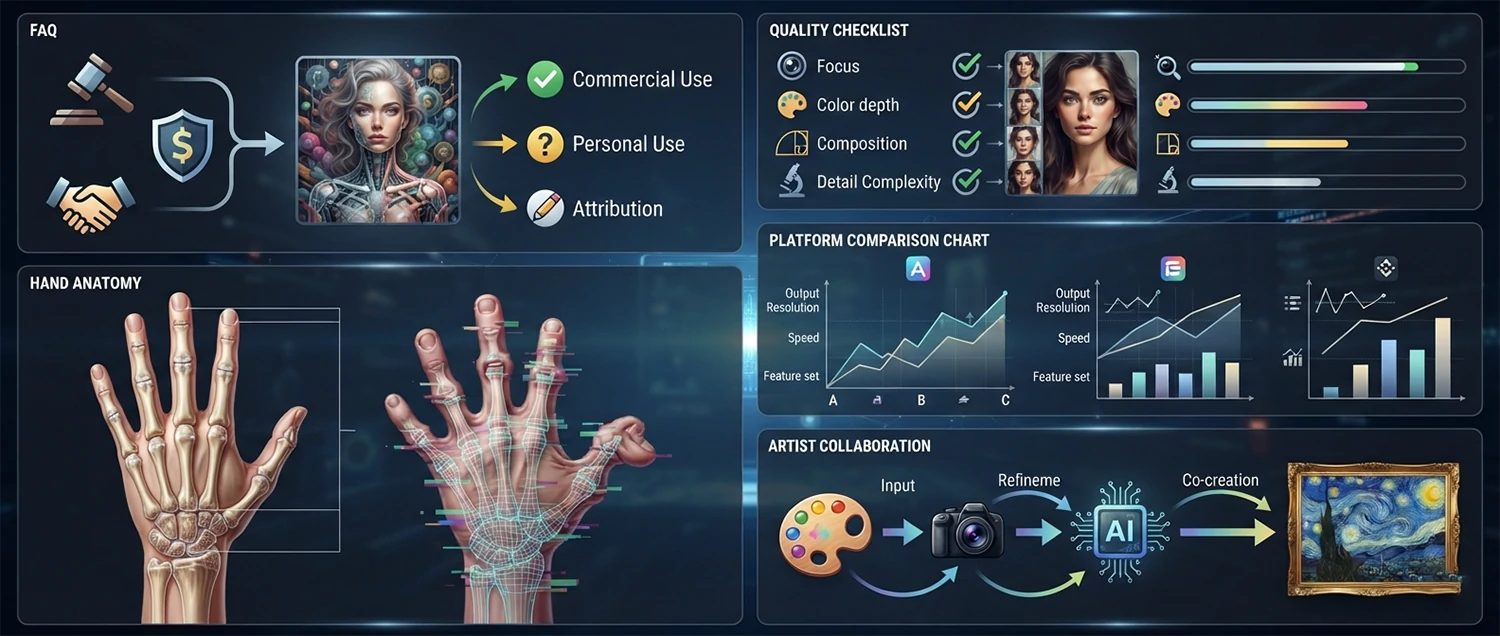
Do I own the copyright to AI-generated images? Copyright ownership of AI-generated images is a complex and evolving legal area. Generally, most platforms grant you ownership of the images you generate on their paid plans, but the specific terms vary. The US Copyright Office currently requires human authorship for copyright protection, meaning AI-generated works may have limited copyright protection. Always review your platform terms of service and consult legal counsel for commercial applications.
Can I use AI-generated images for commercial purposes? Most paid AI image platforms allow commercial use of generated images, but free tiers often have restrictions. Commercial use typically includes marketing materials, product packaging, website content, social media, and merchandise. However, you should avoid generating images that copy specific copyrighted characters, logos, or distinctive artistic styles belonging to others. Always check the specific license terms of your platform.
How do I get the best quality AI images? The best quality comes from using high-quality models, writing detailed and specific prompts, using appropriate settings for your image type, starting with the highest resolution your platform supports, iterating through multiple generations to refine results, and using upscaling tools for final enhancement. Combining good prompt engineering with platform expertise consistently produces the best results.
Why do AI images sometimes have weird hands and fingers? AI models historically struggle with hands because hands are small, complex, highly articulated, and often partially obscured in training images. The model has difficulty learning the precise structure and positioning of fingers. Using specific prompt language like five fingers, open hand, or detailed hand, and avoiding prompts that hide or obscure hands can help. Newer models have significantly improved hand rendering.
What is the difference between Midjourney, DALL-E, and Stable Diffusion? Midjourney excels at artistic and stylized images with a distinctive aesthetic, DALL-E is strongest at understanding complex prompts and rendering text, and Stable Diffusion offers the most flexibility with open-source models and local installation. Each has unique strengths and the best choice depends on your specific needs, style preferences, and technical comfort level.
Is AI image generation going to replace human artists? AI is transforming but not replacing human artists. AI tools excel at generating variations, exploring concepts, and producing finished images quickly, but they lack genuine creativity, intentionality, cultural understanding, and emotional depth. The most successful creators are those who combine AI capabilities with human artistic vision, using AI as a powerful tool within a human-led creative process rather than a replacement for it.
Conclusion: Master AI Image Generation
AI picture generation technology represents one of the most transformative creative tools ever developed. The ability to bring any visual concept to life by simply describing it in words has fundamentally changed what is possible for creators, businesses, educators, and artists. This guide has provided over 200 prompts, techniques, and strategies across every major application area, from photorealistic portraits and architectural visualizations to creative illustrations, product designs, and ethical best practices.
The key to success with AI image generation lies in developing your prompt engineering skills, understanding the capabilities and limitations of different platforms, and building efficient workflows that allow you to iterate quickly toward your creative vision. The best results come from a combination of technical knowledge about how AI models work, artistic understanding of composition, color, and style, and the willingness to experiment, learn from failures, and continuously refine your approach.
As the technology continues to advance at a rapid pace, the gap between what you can imagine and what you can create will continue to narrow. New models will offer higher quality, better control, and more capabilities. By building your skills and understanding now, you position yourself to take full advantage of these advances as they arrive. The creators who thrive in this new era will be those who combine AI capabilities with their own creative vision, critical judgment, and understanding of what makes images truly effective and meaningful.
Start with one concept and one technique from this guide. Generate your first AI image today, learn from the result, and build from there. Every expert started with their first prompt, and every stunning AI image started as a simple text description. Your journey into the world of AI-powered image creation begins now, and the only limit is your imagination. Next, animate your creations with our image to video AI guide.