
Master the art of winter product photo retouching with our comprehensive guide. Learn proven techniques that transform ordinary product images into high-converting visual assets.
Introduction to Winter Product Photo Retouching
The winter season represents one of the most lucrative periods for online retailers and product-based businesses worldwide. From Black Friday and Cyber Monday to Christmas, New Year sales, and Valentine's Day promotions, the winter months generate billions of dollars in consumer spending. Yet, despite the massive opportunity that winter presents, many businesses fail to capitalize on it fully because their product photography lacks the professional polish that drives conversions.
Winter product photo retouching is far more than simple image editing. It is a specialized discipline that requires an understanding of seasonal color palettes, winter lighting dynamics, consumer psychology during the cold months, and the technical expertise to transform raw photographs into compelling sales assets. When done correctly, winter retouching can increase click-through rates by 30-50% and boost overall conversions by as much as 100% or more.
At WinterRetouchPro, we have spent years perfecting the art and science of winter product photo retouching. Our team of professional retouchers understands that every product tells a story, and during winter, that story needs to evoke warmth, comfort, urgency, and desire. Whether you are selling winter clothing, electronics, home goods, beauty products, or luxury items, the way your product images look during the winter season can make or break your sales performance.
This comprehensive guide covers everything you need to know about winter product photo retouching services. We will walk you through the fundamental principles, advanced techniques, industry-specific applications, and practical tips that will help you create product images that not only look stunning but also drive measurable sales results. By the end of this guide, you will have a complete understanding of how professional winter retouching can transform your product catalog and significantly increase your revenue during the most important selling season of the year.
The importance of winter product retouching cannot be overstated in today's competitive online marketplace. With millions of products vying for consumer attention during the holiday season, your product images are often the first and sometimes the only impression a potential customer has of your offering. A poorly retouched image can signal low quality, lack of professionalism, and diminished value, while a beautifully retouched winter product image communicates premium quality, attention to detail, and brand credibility. The difference between a product that sells and one that gets overlooked often comes down to the quality of its visual presentation.
Furthermore, winter product photo retouching plays a crucial role in building long-term brand equity. Consistent, high-quality product imagery across all your winter campaigns creates a cohesive brand identity that customers recognize and trust. When shoppers see that your product images are consistently professional, well-lit, and beautifully retouched, they develop confidence in your brand that extends beyond any single purchase. This brand trust translates into repeat customers, higher lifetime value, and positive word-of-mouth marketing that drives organic growth throughout the year, not just during the winter season.
Winter product photo retouching is a strategic investment, not just an aesthetic choice. Professional retouching during the winter season directly impacts your bottom line by creating images that resonate with seasonal shoppers and drive higher conversion rates across all sales channels.

Why Winter Retouching Matters for Sales
Consumer behavior shifts dramatically during the winter months. Shoppers are more emotionally driven, more willing to spend on gifts and self-care items, and more visually influenced by product imagery that captures the spirit of the season. Research consistently shows that product images are the single most important factor in online purchasing decisions, accounting for approximately 93% of consumer buying behavior. During winter, this influence becomes even more pronounced because shoppers are competing for limited-time deals and need visual confirmation that a product is worth their investment.
Professional winter retouching creates a visual narrative that connects with seasonal shoppers on an emotional level. A well-retouched winter product image conveys quality, attention to detail, and brand professionalism. It tells the shopper that the business cares about presentation, which subconsciously translates to caring about product quality and customer satisfaction. This emotional connection is what separates a browsing visitor from a paying customer.
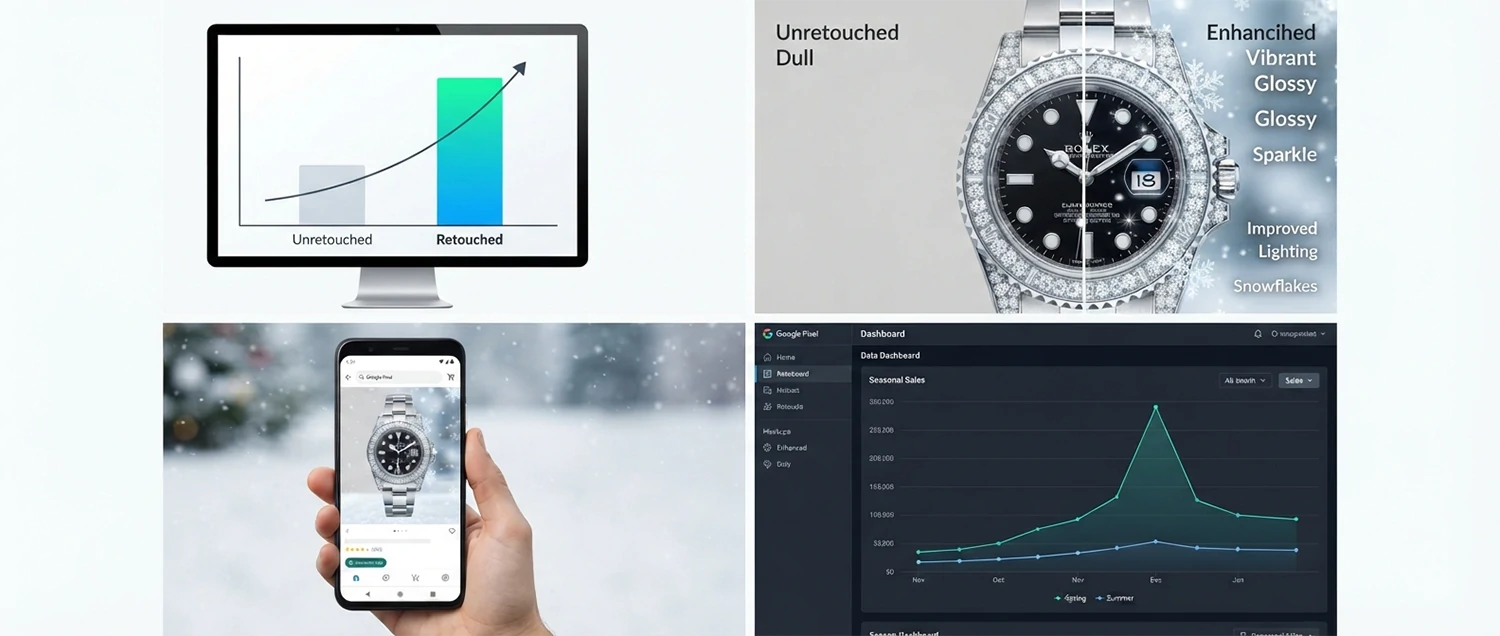
The statistics speak for themselves. E-commerce businesses that invest in professional product photo retouching during the winter season report an average increase of 40-60% in conversion rates compared to businesses that use unedited or poorly edited images. Furthermore, retouched product images reduce return rates by approximately 25% because customers receive products that more closely match their expectations set by the enhanced imagery.
Search engine algorithms also favor high-quality, well-optimized product images. During the winter season, when competition for online visibility is at its peak, having professionally retouched images gives you a significant advantage in search rankings, social media engagement, and paid advertising performance. Platforms like Google Shopping, Amazon, and Instagram prioritize visually compelling product images in their algorithms, meaning better images lead to more exposure and more sales.
Another critical factor is mobile shopping. During winter, mobile commerce accounts for over 60% of all online transactions. Small screens demand crisp, vibrant, and perfectly retouched images that look professional at every resolution. Poorly edited images that might look acceptable on a large monitor can appear blurry, washed out, or unprofessional on a smartphone screen, causing potential customers to abandon their purchase and move to a competitor.
The psychology of winter purchasing also plays a significant role in why retouching matters. During the cold months, consumers seek products that promise warmth, comfort, and joy. Your product images need to tap into these desires by presenting products in a way that evokes these feelings. Professional retouchers know how to adjust color temperatures, enhance textures, and create atmospheric effects that make products look irresistibly cozy and desirable. This emotional appeal is what drives impulse purchases and gift-buying decisions during the holiday season.
Winter Retouching Impact by the Numbers
Winter Color Correction Techniques
Color correction is the foundation of all winter product photo retouching. Winter light is fundamentally different from summer light. The sun sits lower in the sky, creating cooler color temperatures that cast a blue-gray tint over photographs. Snow and ice reflect light in unique ways that can wash out product colors or introduce unwanted color casts. Indoor winter lighting, whether from incandescent bulbs or overhead fluorescents, creates its own set of color challenges that must be carefully addressed during the retouching process.
The first step in professional winter color correction is establishing the correct white balance. During winter shooting, the white balance can shift significantly depending on whether the photo was taken outdoors in natural light, indoors with artificial lighting, or in a mixed-lighting environment. Professional retouchers use histogram analysis and color sampling tools to identify the true white point in an image and adjust the color temperature accordingly. This ensures that whites appear truly white rather than blue-tinted, and that all other colors in the image remain accurate and true to life.
Beyond white balance, winter color correction involves several specialized techniques. Selective color adjustment allows retouchers to target specific color ranges without affecting the overall image. For example, if a red winter coat appears slightly orange due to warm indoor lighting, a retoucher can selectively adjust the red channel to restore the coat's true color while leaving the background untouched. This level of precision is what separates amateur editing from professional winter retouching.
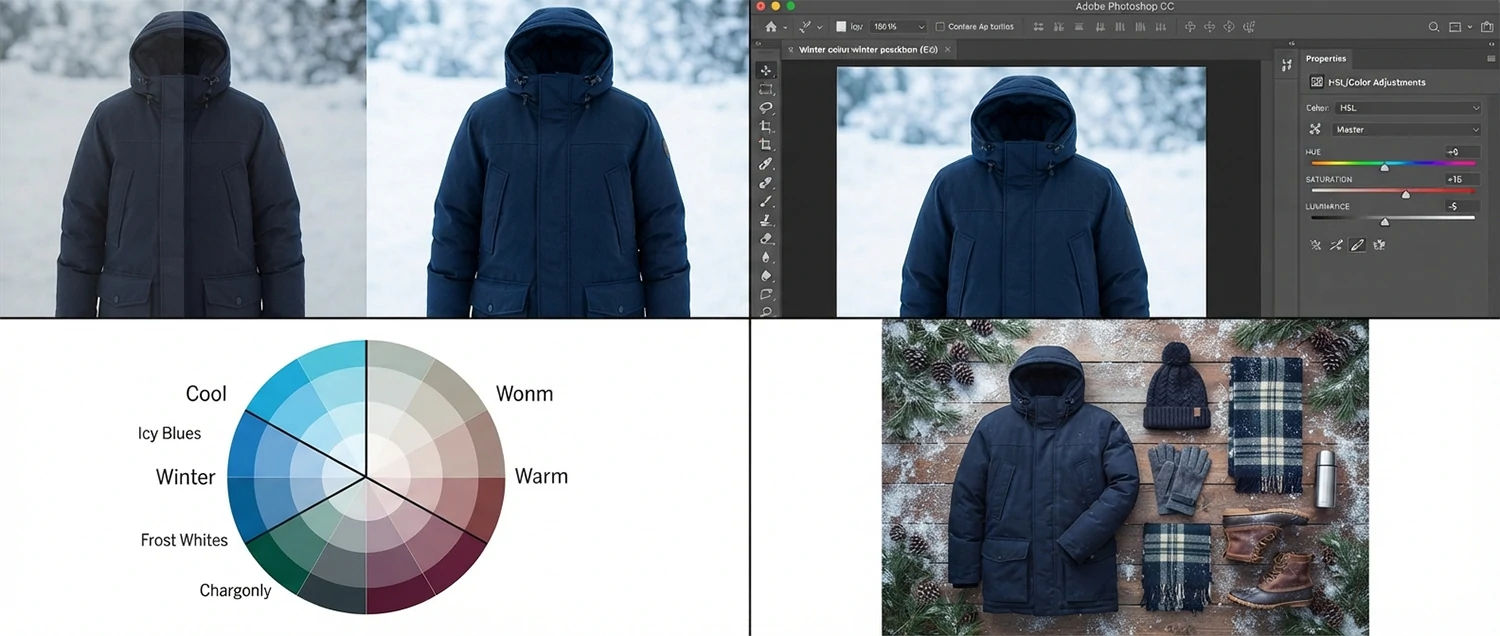
HSL (Hue, Saturation, Luminance) adjustments are particularly important in winter product retouching. Winter products often feature deep, rich colors like burgundy, forest green, navy blue, and charcoal that need to appear vibrant but not oversaturated. Professional retouchers use HSL sliders to fine-tune each color channel independently, ensuring that the product colors are both accurate and visually appealing. This technique is especially important for fashion and apparel products where color accuracy directly impacts customer satisfaction and return rates.
Color grading is the final artistic step in winter color correction. While color correction ensures accuracy, color grading adds mood and atmosphere. Winter color grading typically involves adding subtle cool tones to shadows, warming up highlights slightly, and adjusting the overall tonal curve to create a cohesive winter aesthetic. The goal is to make the product feel like it belongs in a winter setting while still maintaining color accuracy for the product itself. This delicate balance is what makes professional winter retouching so valuable.
Color harmonization across your entire winter catalog is another crucial aspect of color correction. When customers browse your product offerings, they should experience a visual consistency that reinforces your brand identity and creates a sense of cohesion. Professional retouchers establish color profiles and standards that are applied uniformly across all product images, ensuring that whether a customer is looking at a winter coat, a pair of boots, or a set of candles, the visual presentation feels unified and intentional. This harmonization extends to background tones, shadow colors, and highlight characteristics that tie the entire catalog together.
Seasonal color palette adaptation is a nuanced skill that experienced winter retouchers have mastered. Each year brings new trending colors and palettes that influence consumer preferences. Staying current with these trends and incorporating them into your product retouching can give your brand a contemporary edge that appeals to fashion-forward shoppers. Whether it is the Pantone Color of the Year influencing accent choices or emerging social media aesthetics shaping overall mood, professional retouchers keep your winter imagery fresh and relevant.
Winter Color Palette Guide
Winter Lighting Enhancement
Lighting is perhaps the most challenging aspect of winter product photography. During the winter months, natural light is scarce, weak, and inconsistent. Overcast skies dominate many regions, creating flat, diffused lighting that lacks the depth and dimension needed to showcase products effectively. Indoor lighting presents its own challenges, with warm tungsten bulbs and cool fluorescent tubes often creating mixed color temperatures within a single frame.
Professional winter lighting enhancement during retouching involves several key techniques. The first is exposure correction. Winter photographs frequently suffer from either overexposure (especially in snowy environments where the camera's light meter is fooled by the bright white surroundings) or underexposure (common in indoor winter settings with limited natural light). Skilled retouchers use exposure blending, highlight recovery, and shadow lifting to create a perfectly balanced exposure that showcases the product in its best light.
Dodge and burn techniques are essential for adding dimension and visual interest to winter product images. During the retouching process, retouchers selectively lighten (dodge) and darken (burn) specific areas of the image to guide the viewer's eye toward the product and create a sense of depth. This technique is particularly effective for winter products with complex textures like knitwear, leather goods, or jewelry, where the interplay of light and shadow reveals the product's quality and craftsmanship.
Specular highlight management is another critical aspect of winter lighting enhancement. Winter products often feature reflective surfaces like metal, glass, or polished leather that create bright specular highlights. While some highlights add visual interest and suggest quality, excessive or poorly placed highlights can distract from the product or create an unprofessional appearance. Professional retouchers carefully manage these highlights, enhancing the ones that add value while reducing or eliminating those that detract from the overall composition.
Ambient light simulation is an advanced winter lighting technique that involves adding subtle environmental lighting effects during post-processing. For example, if a product was shot in a neutral studio environment but needs to appear as if it is in a cozy winter setting, a retoucher can add warm glow effects, simulated window light, or soft backlit haze to create the desired atmosphere. This technique requires a deep understanding of how light behaves in different environments and is one of the most valuable skills in a winter retoucher's toolkit.
Light source consistency is paramount in winter product retouching. When combining multiple light sources or adding artificial lighting effects, the retoucher must ensure that all light sources appear to originate from the same direction, have consistent color temperatures, and create coherent shadow patterns. Inconsistencies in lighting direction or quality immediately signal to the viewer that the image has been manipulated, breaking the illusion of realism. Professional winter retouchers maintain meticulous attention to light source consistency throughout every stage of the editing process.
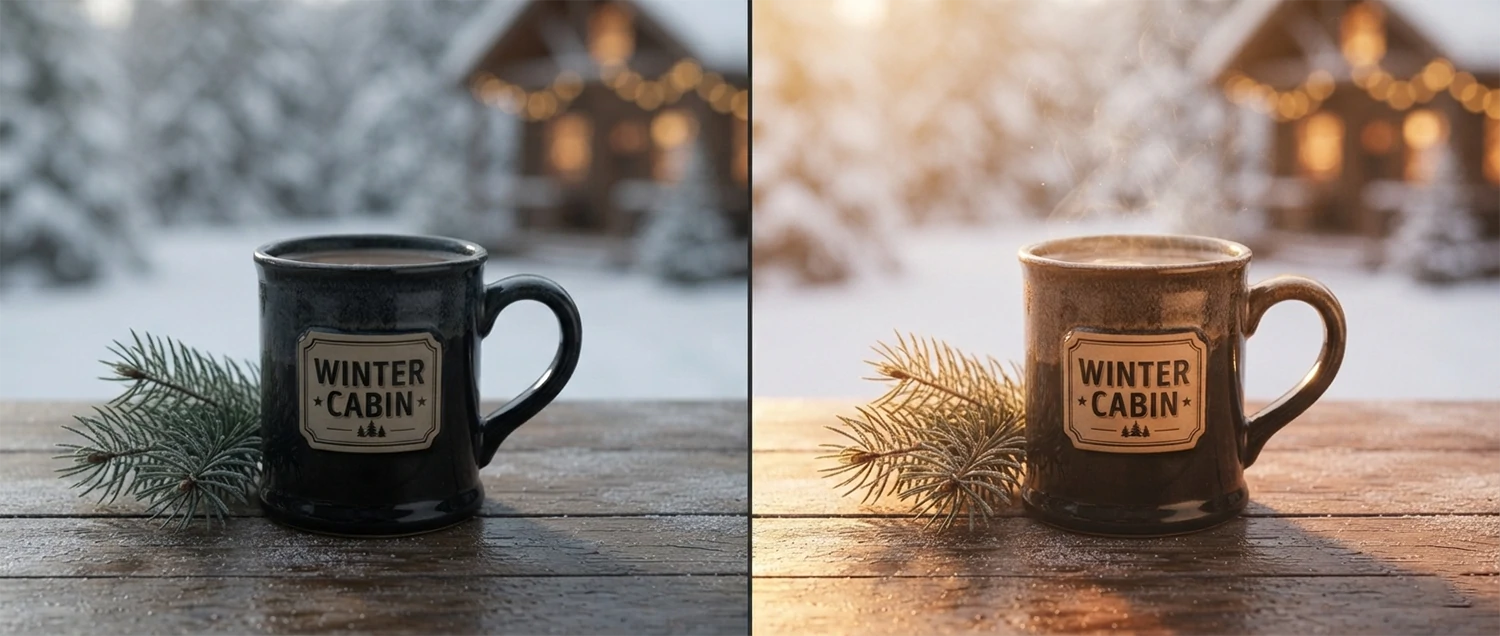
Winter Background Optimization
The background of a product image plays a crucial role in setting the mood and context for the product. During the winter season, background optimization becomes especially important because the background needs to evoke the feeling of winter without distracting from the product itself. A poorly chosen or poorly retouched background can make a product look out of place, cheap, or unprofessional, while a well-optimized background can elevate the product and create a compelling visual story that drives conversions.
White and light gray backgrounds remain the standard for e-commerce product photography, but during the winter season, subtle modifications can make a significant difference. Adding a very slight cool tone to a white background can create a winter feel without making the image look unnatural. Some retouchers add extremely subtle texture to white backgrounds to simulate the appearance of fresh snow or frost, adding visual interest while maintaining the clean, professional look that e-commerce platforms require.
Contextual backgrounds are increasingly popular for social media and marketing materials. These backgrounds place the product in a winter environment, such as a cozy living room with a fireplace, a snowy mountain landscape, or an elegant holiday table setting. Professional retouching of contextual backgrounds involves careful color matching between the product and the background, realistic shadow creation, depth of field management, and atmospheric effects like snow particles or warm bokeh lights.
Background removal and replacement is one of the most common winter retouching tasks. Many product photos are shot on plain backgrounds that need to be replaced with winter-themed alternatives for seasonal marketing campaigns. Professional background removal requires precise masking, especially around complex edges like fur trim on a winter jacket, delicate jewelry chains, or transparent glassware. The replacement background must be perspective-correct, properly lit to match the product, and blended seamlessly to create a natural-looking composite.
Gradient backgrounds are another popular choice for winter product imagery. Subtle gradients that transition from deep navy at the top to soft silver at the bottom, or from warm amber to cool blue, can add sophistication and seasonal atmosphere to product images. These gradients must be carefully crafted to complement the product colors without competing with them, and they must maintain enough contrast to ensure the product remains the focal point of the image.
Environmental compositing is an advanced background technique that combines product photography with carefully selected or created winter environments. This goes beyond simple background replacement to include elements like falling snow, reflections on icy surfaces, and atmospheric perspective that adds depth and realism to the composite image. The key to successful environmental compositing is seamless integration between the product and the background, with consistent lighting, color temperature, and shadow direction throughout the entire scene.
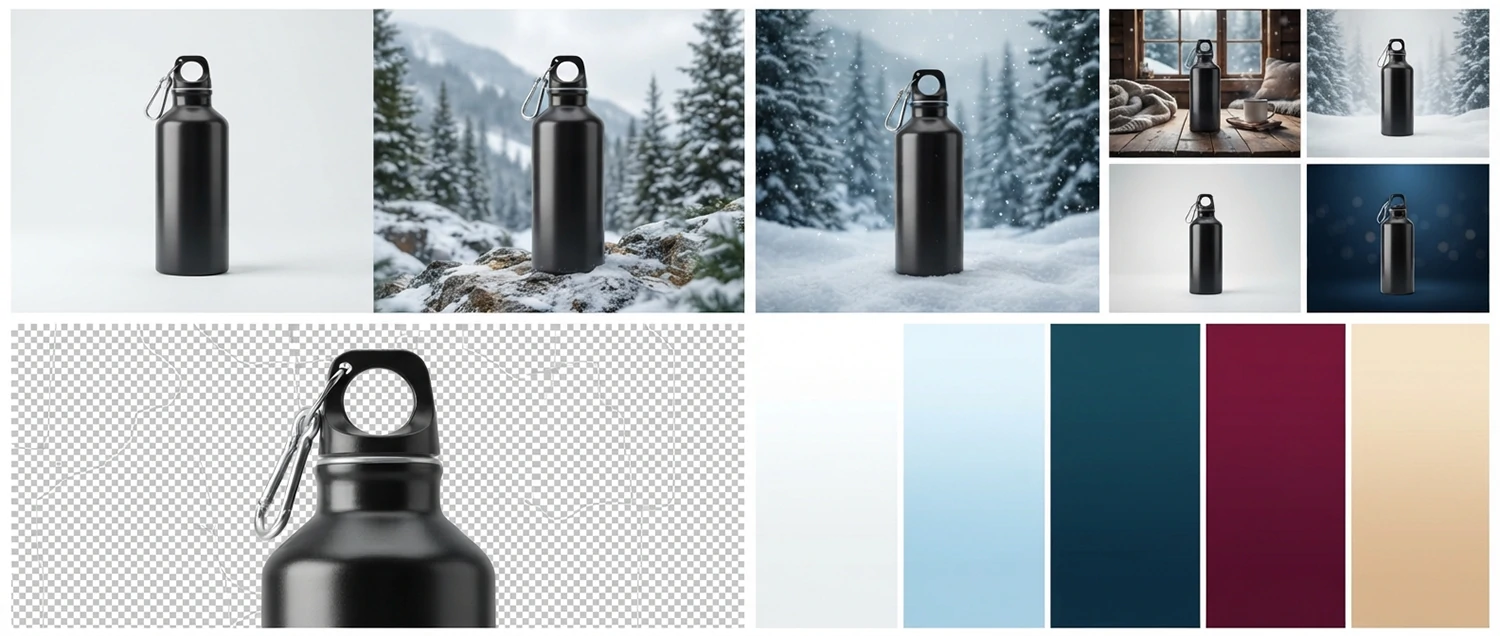
Winter Product Styling Tips
Product styling is the art of arranging and presenting a product in the most visually appealing way possible. During the winter season, styling takes on additional significance because the way a product is presented can evoke powerful seasonal emotions that drive purchasing decisions. Professional winter product styling involves careful consideration of props, arrangements, textures, and visual storytelling elements that connect with the target audience on an emotional level.
Winter props are essential elements of seasonal product styling. Common winter props include pine branches, cinnamon sticks, dried oranges, evergreen sprigs, pinecones, candles, wool blankets, hot beverage mugs, and decorative snowflakes. The key to effective winter prop styling is restraint. Props should enhance the product, not overwhelm it. A single well-placed pine sprig next to a candle product can create a beautiful winter scene, while a cluttered arrangement of multiple props can distract from the product and make the image feel chaotic.
Texture layering is a powerful winter styling technique. Winter is a season of textures, from the softness of cashmere to the roughness of natural wood, the smoothness of polished metal to the plushness of velvet. By incorporating multiple textures into a product arrangement, retouchers and stylists can create visual depth and tactile interest that makes the viewer want to reach out and touch the product. This sensory engagement is a powerful driver of online purchasing behavior.
Color coordination between the product and styling elements is critical. Winter styling typically follows one of two approaches: monochromatic, where all elements share a similar color family (such as varying shades of blue and silver), or complementary, where the styling elements provide a warm contrast to the product (such as warm golden props against a cool-toned product). Both approaches can be effective, but the choice depends on the product, the brand identity, and the target audience's preferences.
Seasonal packaging integration is another important aspect of winter product styling. During the holiday season, many products are purchased as gifts, and showing the product in or near its gift packaging can significantly increase appeal. Professional retouchers can enhance packaging elements, add subtle festive touches, and ensure that the packaging looks as premium as the product itself. This attention to detail communicates quality and thoughtfulness, both of which are powerful purchase motivators during the gift-giving season.
Negative space management is a critical yet often overlooked aspect of winter product styling. The empty space around and between styling elements gives the product room to breathe and ensures that the viewer's attention remains focused on what matters most. Professional stylists understand that what you leave out of a composition is just as important as what you include. Strategic use of negative space creates elegant, sophisticated winter imagery that communicates premium quality and thoughtful curation.

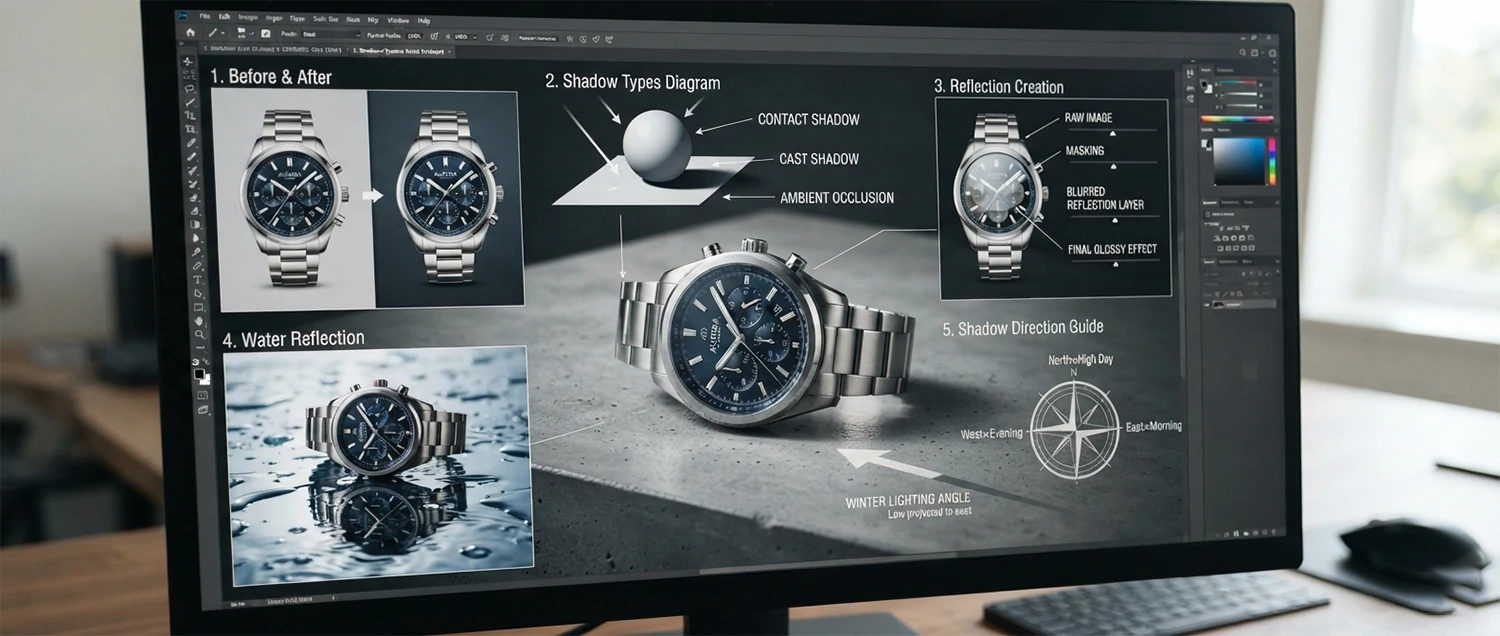
Winter Shadow and Reflection Management
Shadows and reflections are among the most technically demanding aspects of winter product photo retouching. During the winter season, lighting conditions create unique shadow and reflection patterns that differ significantly from other times of the year. Low-angle winter sunlight produces long, dramatic shadows, while overcast skies create soft, diffused shadows. Indoor winter lighting from multiple sources can create complex, overlapping shadow patterns that must be carefully managed during post-processing.
Contact shadows, also known as ambient occlusion shadows, are the subtle dark areas where a product touches or nearly touches a surface. These shadows are essential for creating a sense of realism and grounding the product in its environment. During winter retouching, contact shadows must be carefully crafted to match the lighting direction, intensity, and color temperature of the scene. A product without proper contact shadows appears to float unnaturally, while overly dark or poorly placed shadows can make the product look pasted onto the background.
Cast shadows are the shadows that a product projects onto surrounding surfaces. In winter photography, cast shadows can be particularly challenging because of the low sun angle, which creates elongated shadows that may extend beyond the frame or overlap with other elements in the scene. Professional retouchers use a combination of manual painting, gradient fills, and blur effects to create natural-looking cast shadows that accurately reflect the lighting conditions of the winter environment.
Reflection management is critical for products with glossy, metallic, or transparent surfaces. Winter environments create unique reflection patterns due to snow, ice, and holiday lights. A chrome product photographed outdoors in winter will reflect the surrounding snow and sky, while the same product photographed indoors may reflect warm holiday decorations. Professional retouchers must manage these reflections to ensure they enhance rather than distract from the product, while maintaining a natural and believable appearance.
Mirror and water reflections are increasingly popular in winter product photography. These effects add elegance and visual interest to product images, creating a sense of luxury and sophistication. However, creating realistic reflections during post-production requires precise geometric transformation, gradient fading, and opacity management. The reflection must appear as a natural mirror of the product, with appropriate distortion, fading, and color shifts that accurately simulate how reflections behave in the real world.
Shadow color matching is a subtle but important detail in winter retouching. Shadows are rarely pure gray or black in the real world. They take on the color of the ambient light in the environment. In a winter setting, shadows often have a slight blue or purple cast from the sky, while in a warmly lit indoor setting, shadows may have a warm amber undertone. Professional retouchers match shadow colors to the environment, creating a level of realism that elevates the overall quality of the product image.
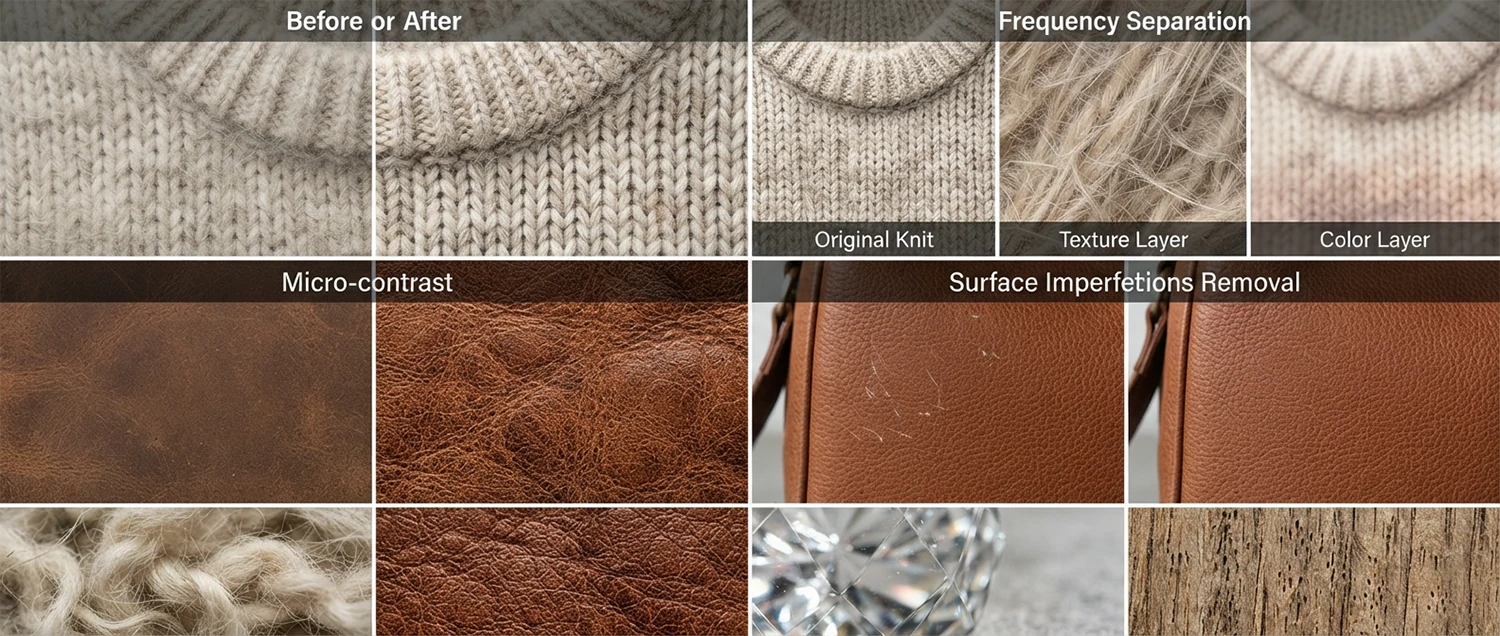
Winter Texture Enhancement
Texture is what makes a product feel real, tangible, and desirable in a digital environment. When a customer cannot physically touch a product before purchasing, the product image must convey texture so effectively that the viewer can almost feel it through the screen. During the winter season, texture enhancement becomes even more important because many winter products derive their appeal from their tactile qualities. The softness of a cashmere sweater, the grain of a leather boot, the sparkle of a crystal ornament, the warmth of a wool blanket, these textures must be rendered with exceptional clarity and detail.
Frequency separation is a professional retouching technique that allows retouchers to work on texture and color independently. This technique is invaluable for winter product retouching because it enables the enhancement of surface texture without affecting the product's color or tone. For example, a retoucher can enhance the knit pattern of a winter sweater without changing its color, or bring out the grain of a leather handbag without altering its hue. This level of control is essential for creating winter product images that are both visually stunning and color-accurate.
Micro-contrast enhancement, also known as clarity or structure adjustment, is a powerful tool for emphasizing winter product textures. By increasing the contrast between adjacent pixels at a fine scale, retouchers can make textures appear sharper, more defined, and more tactile. This technique is particularly effective for products like knitwear, denim, wood, stone, and woven fabrics where the texture is a key selling point. However, it must be applied with care, as excessive micro-contrast enhancement can create an artificial, over-sharpened appearance that looks unprofessional.
Surface imperfection removal is a standard part of product retouching, but during winter, certain imperfections become more noticeable due to the close-up, high-detail photography style commonly used for seasonal products. Dust particles, fabric pills, scratches, and minor blemishes that might go unnoticed in other contexts become glaringly obvious in winter product images that are zoomed in to show texture detail. Professional retouchers use a combination of clone stamp, healing brush, and content-aware fill tools to remove these imperfections while preserving the natural texture of the product.
Embossing and dimension effects can be added during post-production to enhance the three-dimensional appearance of product textures. By subtly enhancing the highlights and shadows along the edges of textured surfaces, retouchers can create a sense of depth and dimensionality that makes the product appear more realistic and appealing. This technique is especially effective for products with raised patterns, embossed logos, quilted surfaces, or woven designs that benefit from enhanced visual depth.
Material-specific texture enhancement requires knowledge of how different materials interact with winter light. Leather develops a particular sheen in cold weather, wool becomes more textured in dry winter air, metal surfaces reflect the cool blue tones of winter skies, and glass captures the sparkle of holiday lights. Professional retouchers understand these material-light interactions and adjust their texture enhancement techniques accordingly, ensuring that each product appears as it naturally would in a winter environment.
Winter E-commerce Standards
Each major e-commerce platform has specific image requirements that products must meet for listing approval and optimal display. During the winter season, when competition for visibility is at its highest, meeting and exceeding these standards becomes critical for success. Professional winter retouching ensures that your product images not only meet the technical requirements of each platform but also stand out from the competition with superior visual quality.
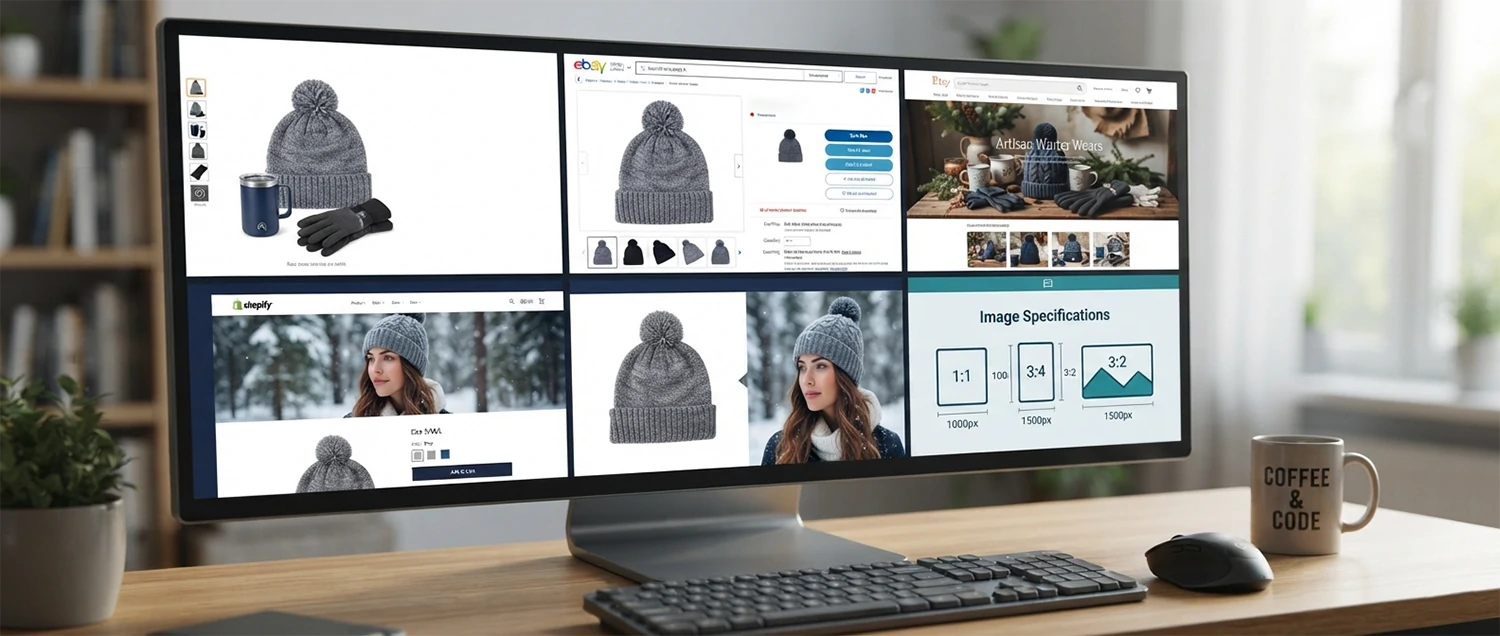
Amazon, the world's largest e-commerce platform, requires product images to be on a pure white background (RGB 255, 255, 255), at least 1000 pixels on the longest side for zoom capability, and free of additional text, graphics, or watermarks. During winter, many sellers want to add seasonal elements to their images, but doing so on the main listing image violates Amazon's policies. Professional retouchers know how to create compliant main images while preparing additional lifestyle images that incorporate winter themes and seasonal styling.
Shopify stores have more flexibility in image presentation, but this flexibility comes with its own challenges. Without the standardized requirements of a marketplace, Shopify merchants must create images that are visually consistent across their entire catalog while still standing out in a crowded market. Winter retouching for Shopify involves creating a cohesive visual style that incorporates seasonal elements throughout the product catalog, maintaining brand consistency while signaling to customers that the store is ready for winter shopping.
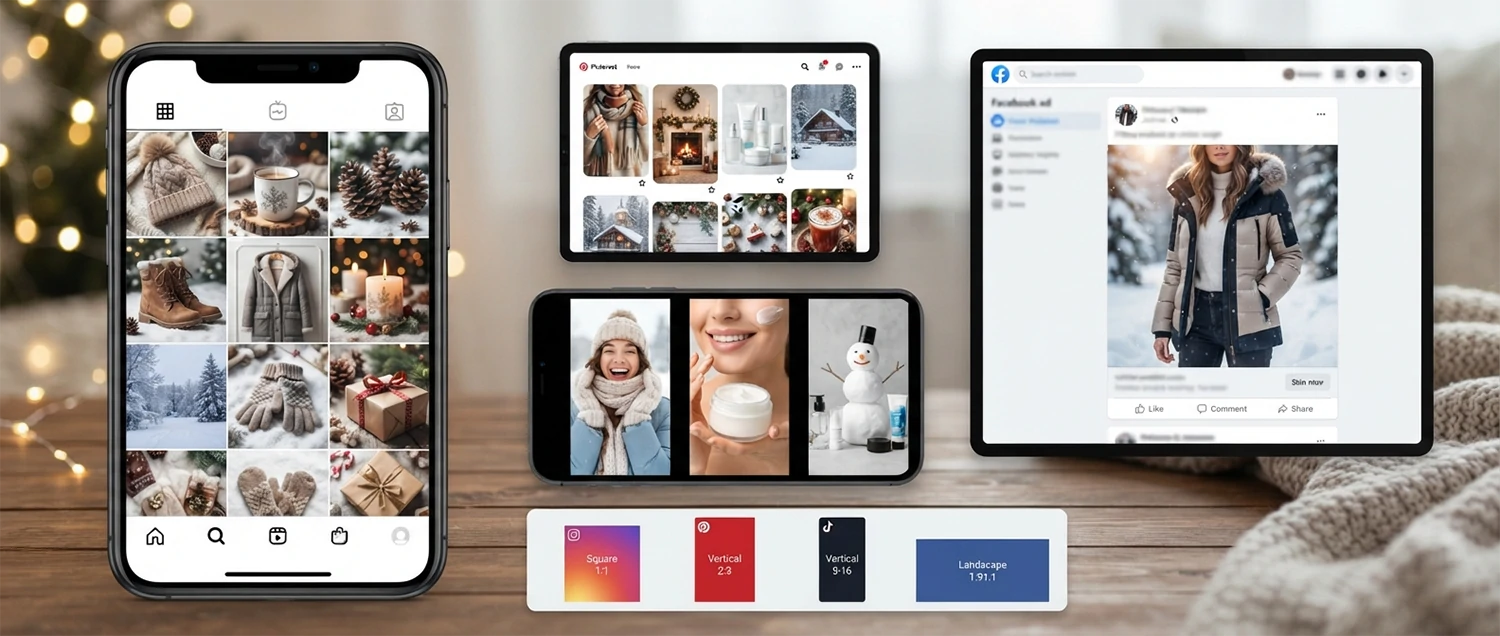
Instagram and social commerce platforms require images that are optimized for mobile viewing, attention-grabbing in a fast-scrolling feed, and visually consistent with the brand's aesthetic. Winter retouching for social commerce involves creating images that are vibrant enough to stand out on a small screen, properly sized for each platform's specifications, and designed to stop the scroll with compelling winter visuals. The square and vertical formats common on social media require different composition considerations than traditional landscape-oriented product images.
Google Shopping and Google Merchant Center have strict image quality guidelines that directly impact product visibility and ad performance. Low-quality images can result in product disapprovals, reduced impressions, and higher cost-per-click in Google Shopping campaigns. During the winter season, when Google Shopping competition is fierce, having professionally retouched images that meet Google's quality standards gives you a significant advantage in ad auctions and organic visibility.
Etsy, eBay, and other niche marketplaces each have their own image standards and customer expectations. Etsy buyers expect artisan-quality product imagery that tells a story and evokes handmade warmth. eBay buyers prioritize clarity and accuracy to make informed purchasing decisions. Understanding these platform-specific nuances and tailoring your winter retouching accordingly can significantly improve your performance on each marketplace, driving more traffic, higher engagement, and increased sales during the critical winter selling season.

Winter Social Media Retouching
Social media has become the primary discovery channel for winter products. Platforms like Instagram, TikTok, Pinterest, and Facebook are where consumers find inspiration, discover new brands, and make purchasing decisions. The visual nature of these platforms means that the quality of your product images directly impacts your social media performance, from engagement rates and follower growth to click-through rates and conversions.
Instagram retouching for winter products focuses on creating images that are scroll-stopping, aesthetically cohesive, and optimized for the platform's visual standards. The ideal Instagram product image during winter combines professional product photography with seasonal atmosphere, warm color grading, and a lifestyle context that resonates with the target audience. Retouchers must ensure that images look sharp and vibrant on both the grid view and in full-screen mode.
Pinterest is a powerful platform for winter product discovery, particularly for home decor, fashion, food, and gift items. Pinterest images have a vertical orientation preference (2:3 aspect ratio) and need to be visually compelling enough to earn saves and shares. Winter retouching for Pinterest involves creating images that are rich in seasonal detail, warm in tone, and formatted for optimal display in the Pinterest feed.
TikTok product imagery relies on thumbnail images and cover frames that serve as the first visual impression. These images must be bold, colorful, and immediately communicate what the product is and why it matters. Winter retouching for TikTok thumbnails involves high-contrast editing, vibrant color grading, and clear product presentation that stands out in a feed dominated by motion and energy.
Facebook advertising images have their own set of requirements and best practices. During the winter season, Facebook ad images must create enough visual impact to earn clicks in a competitive advertising environment. Professional winter retouching for Facebook ads focuses on creating images that are clear, compelling, and optimized for the multiple placements and sizes where Facebook ads appear.
Cross-platform consistency is essential for building a recognizable brand presence on social media during the winter season. While each platform has different technical requirements, your visual identity should remain consistent across all channels. Professional retouchers create adaptable winter product images that maintain brand consistency while being optimized for each platform's unique specifications, ensuring that your brand looks cohesive and professional regardless of where customers encounter your products.
Winter Print Material Retouching
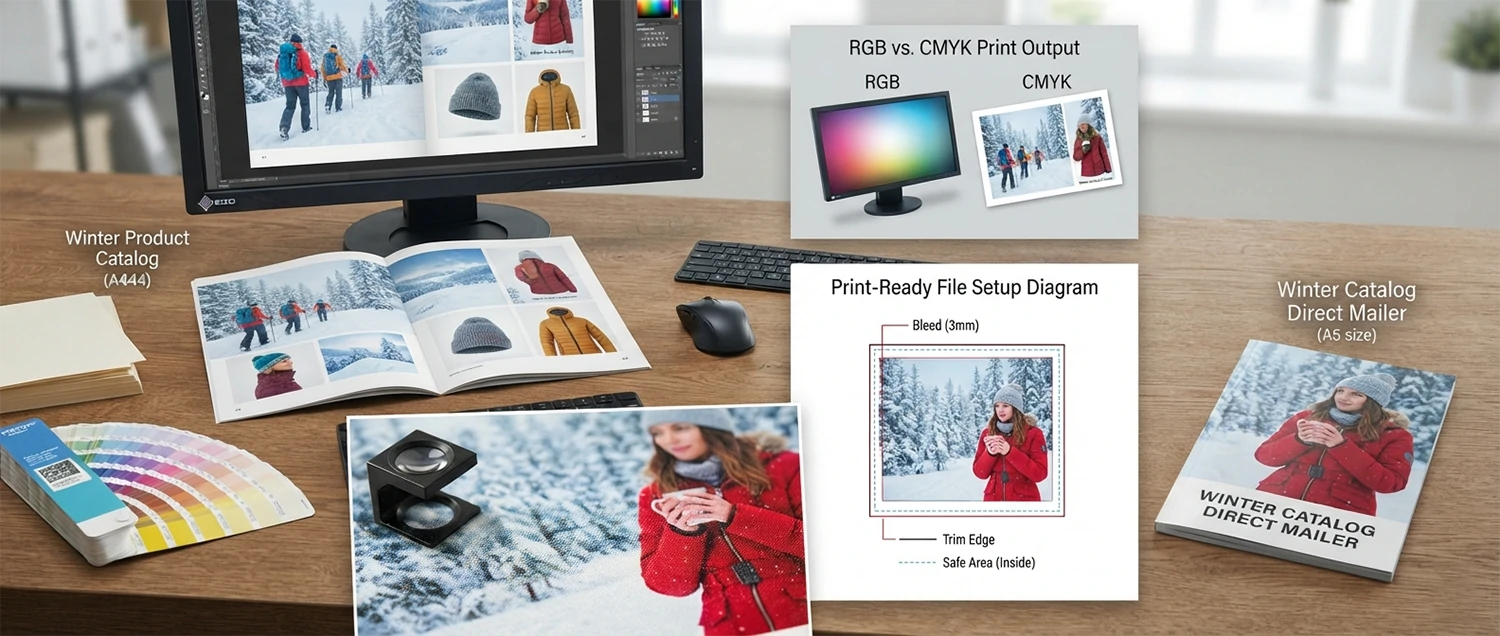
While digital channels dominate modern marketing, print materials remain an important part of many businesses' winter marketing strategies. Catalogs, brochures, in-store displays, direct mailers, packaging inserts, and billboard advertisements all require product images that are retouched specifically for print reproduction. Print retouching differs significantly from digital retouching because the final output medium interacts with color, contrast, and detail in ways that screens do not.
Color management is the most critical aspect of print retouching. Screens display color using the RGB additive color model, while print uses CMYK subtractive color model. This fundamental difference means that colors which look perfect on screen can appear significantly different when printed. Professional print retouchers work in CMYK color space and use ICC color profiles specific to the printing process and paper type to ensure that the final printed product matches the intended appearance as closely as possible.
Resolution requirements for print are substantially higher than for digital. While a 72 DPI image may look perfectly sharp on a screen, print typically requires 300 DPI or higher for crisp reproduction. This means that winter product images intended for print must be captured at high resolution and retouched with careful attention to detail that will hold up under close inspection.
Rich blacks and shadow detail management are particularly important in winter print materials. Winter imagery often features dark, moody tones that need to reproduce beautifully in print. Achieving rich, deep blacks without losing shadow detail requires careful ink density management, black point adjustment, and understanding of the specific printing press capabilities.
Paper selection significantly affects how retouched winter images will appear in print. Glossy paper enhances color vibrancy and contrast, making it ideal for holiday catalogs and premium marketing materials. Matte paper provides a softer, more elegant appearance that works well for luxury brands and editorial content. Uncoated paper absorbs more ink, requiring adjustments to color saturation and contrast during the retouching process. Professional print retouchers understand these paper-ink interactions and optimize their retouching accordingly.
Common Winter Retouching Mistakes
Even experienced retouchers can make mistakes when working with winter product images. The unique challenges of winter photography, combined with the pressure of tight seasonal deadlines, can lead to errors that reduce image quality, misrepresent products, and ultimately hurt sales. Understanding these common mistakes is the first step toward avoiding them.
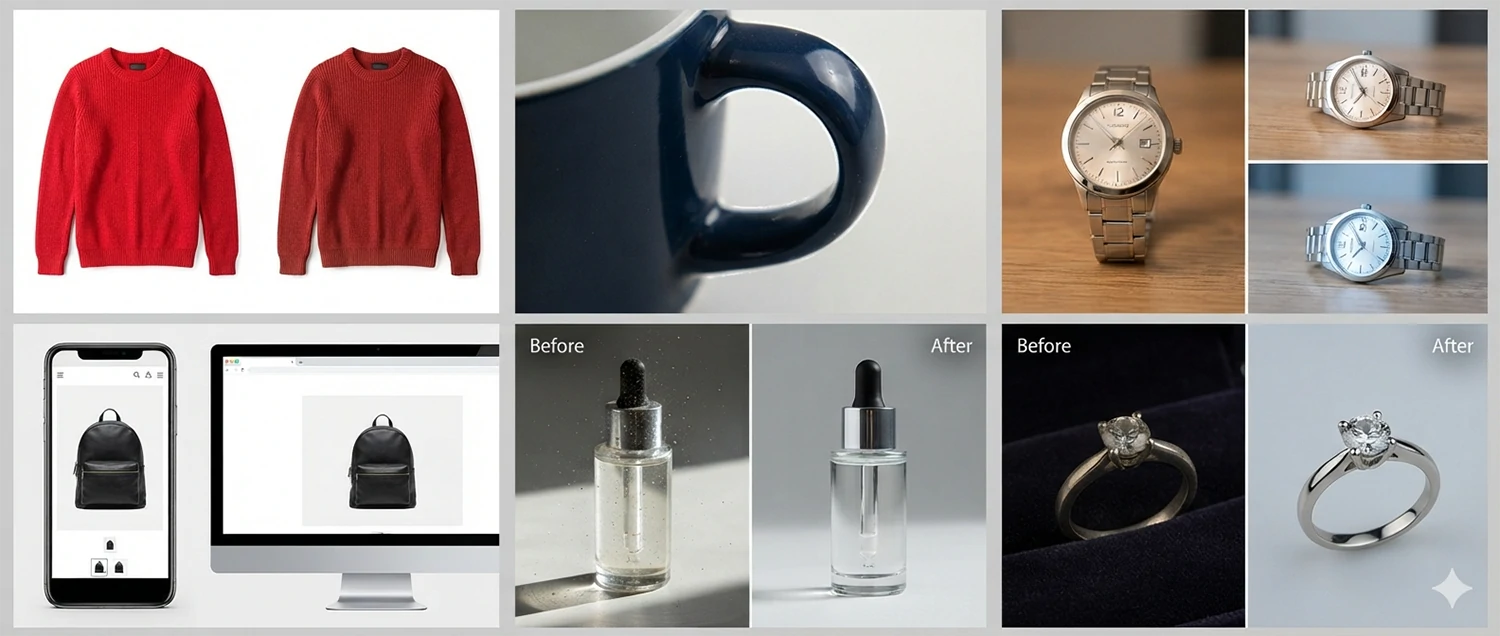
Over-saturation is one of the most prevalent winter retouching mistakes. In an attempt to make winter products look vibrant and appealing, retouchers often push color saturation too far, resulting in unnatural, cartoonish-looking images. This is particularly problematic for fashion products where accurate color representation is essential for customer satisfaction.
Excessive sharpening is another common pitfall. Winter product images often feature fine textures and intricate details that benefit from sharpening, but over-sharpening creates harsh halos, jagged edges, and an overall artificial appearance. The key is to apply sharpening intelligently, targeting edges and textures while avoiding flat areas and smooth surfaces.
Ignoring color accuracy is a mistake that can have serious business consequences. During winter retouching, it is tempting to apply dramatic color grades that create a moody, atmospheric look. However, if the color grading alters the product's actual color, customers may receive items that do not match their expectations, leading to returns and negative reviews.
Inconsistent editing across a product catalog is a mistake that undermines brand professionalism. When different products in the same catalog have noticeably different color temperatures, exposure levels, or editing styles, it creates a disjointed, amateurish impression that erodes customer trust.
Neglecting mobile optimization is a costly mistake in today's mobile-first world. Many retouchers create images that look stunning on large desktop monitors but fail to translate well to small smartphone screens. Always preview and optimize winter product images at mobile viewing sizes to ensure they look their best where the majority of customers will see them.
Over-retouching product appearance is perhaps the most damaging mistake of all. When retouching makes a product look significantly different from what the customer will receive, it creates a gap between expectation and reality that leads to disappointment, returns, and negative word-of-mouth. Professional retouching should enhance a product's natural beauty, not transform it into something it is not. The goal is to present the product in its best possible light while maintaining honest and accurate representation.
Winter Retouching for Different Product Types
Every product category has unique visual characteristics that demand specialized retouching approaches during the winter season. Understanding how different product types interact with winter lighting, color palettes, and seasonal aesthetics is essential for creating images that drive conversions. A one-size-fits-all approach to winter retouching simply does not work because the technical and artistic requirements vary dramatically from one product category to another.
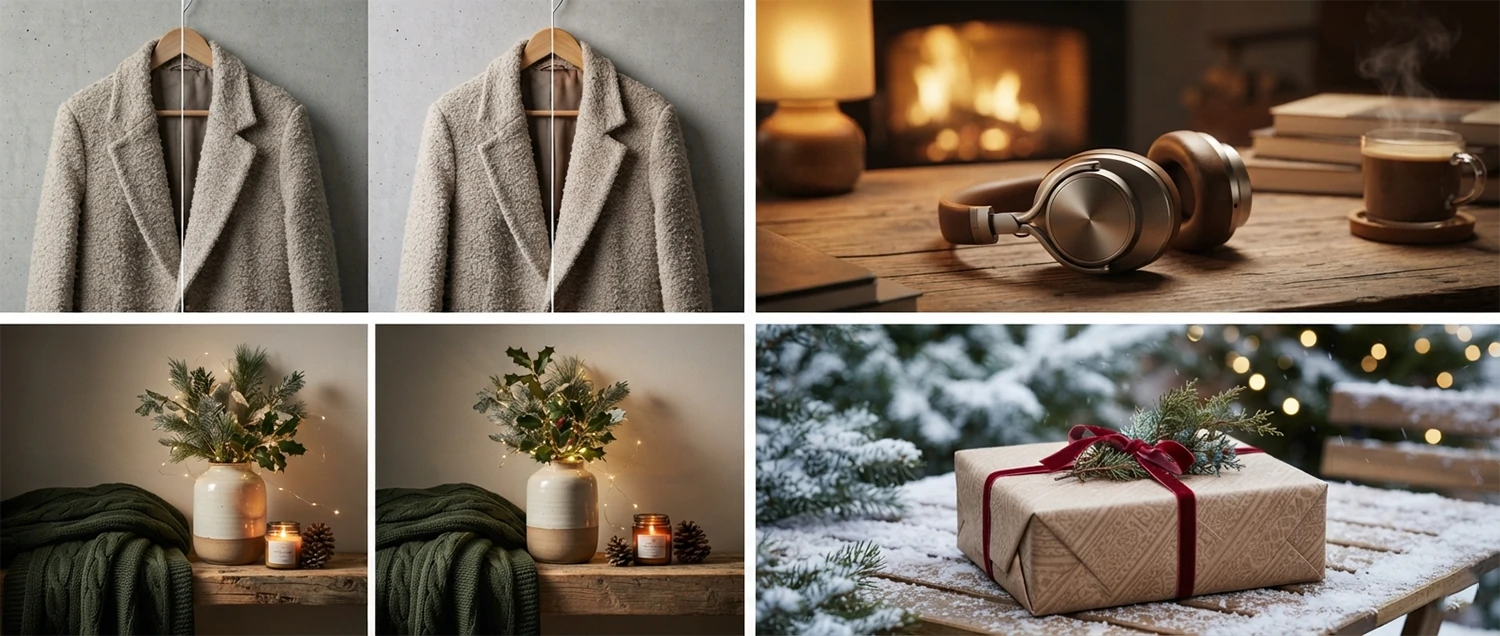
Fashion winter product retouching is among the most complex and demanding categories. Winter fashion encompasses a wide range of materials and textures, from heavy wool coats and down-filled parkas to delicate cashmere scarves and leather boots. Each material interacts with winter light differently and requires specific retouching techniques. Wool and knitwear need texture enhancement that preserves the natural softness while removing pills and fuzz. Leather requires careful highlight and shadow management to showcase its quality and grain. Down jackets need volume and loft preservation while ensuring that stitch details remain sharp and defined. The color palette for winter fashion typically includes deep, rich tones like burgundy, forest green, navy, charcoal, and camel, all of which must be accurately represented to match customer expectations.
Electronics winter product retouching requires a more technical and precise approach. Tech products like smartphones, laptops, headphones, and gaming consoles feature sleek metallic surfaces, glossy screens, and intricate design details that must be rendered with absolute clarity. Winter electronics retouching focuses on screen content simulation, where the device display must show crisp, vibrant imagery that accurately represents the user interface. Metallic surface management involves controlling reflections and highlights to emphasize the product's premium build quality without creating distracting glare. Shadow creation for electronics must be precise and clean, reinforcing the product's sleek design language. During the holiday season, electronics images often benefit from subtle warm ambient effects that make cold technology products feel more approachable and giftable.
Home decor winter product retouching focuses on creating warm, inviting atmospheres that make viewers want to recreate the scenes in their own homes. Winter home decor products include candles, throws, pillows, tableware, decorative objects, and seasonal ornaments. Retouching for these products emphasizes texture and material quality, from the flicker of a candle flame to the plush softness of a throw blanket. Color grading for home decor typically leans toward warm, cozy tones that evoke fireplace warmth and holiday comfort. Atmospheric effects like soft bokeh lights, gentle shadows, and ambient glow can transform a simple product shot into an aspirational lifestyle image that drives emotional purchasing decisions.
Gift and holiday product retouching represents a unique intersection of multiple product categories. During the winter gift-giving season, products across all categories need to communicate desirability, premium quality, and gift-worthiness. Gift-oriented retouching often involves enhanced packaging presentation, festive styling elements, and a visual treatment that emphasizes the product as a thoughtful present. The retoucher must balance the product's individual visual appeal with the broader narrative of gift-giving, creating images that make the viewer imagine the joy of giving or receiving the product. This emotional dimension adds a layer of complexity to the retouching process that goes beyond standard product photography enhancement.
Winter Retouching for Different Industries
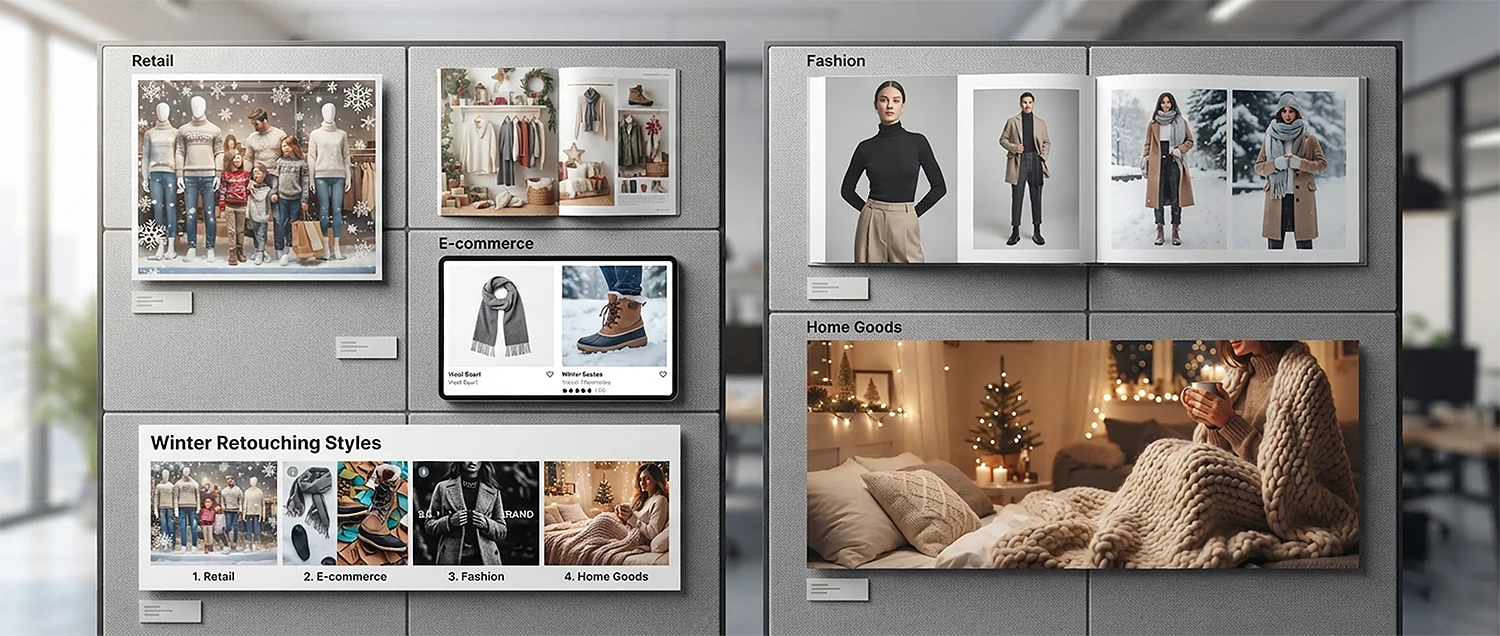
Different industries operate with distinct visual standards, customer expectations, and marketing objectives. Winter product retouching must be tailored to these industry-specific requirements to deliver maximum impact. What constitutes an effective winter product image in the retail sector differs significantly from what works in e-commerce, fashion, or home goods industries. Professional retouchers who understand these industry nuances create images that resonate deeply with each sector's target audience.
Retail winter retouching services encompass a broad spectrum of visual needs that brick-and-mortar and omnichannel retailers face during the holiday season. Retailers need product images for in-store displays, window presentations, printed catalogs, direct mailers, and digital signage alongside their online listings. Each of these applications has different technical requirements and visual standards. In-store display images need to be large-format capable with exceptional detail and color accuracy. Window display imagery requires high-contrast, attention-grabbing compositions that can attract foot traffic from a distance. Direct mailer images need to be optimized for CMYK print reproduction. Professional retail retouching for winter must address all these requirements while maintaining a cohesive visual identity across every customer touchpoint.
E-commerce winter retouching needs are driven by the technical requirements of online marketplaces and the competitive dynamics of digital retail. During the winter season, e-commerce competition intensifies dramatically, with millions of products fighting for consumer attention. Product images must meet strict platform specifications while standing out from the competition. E-commerce winter retouching requires expertise in platform-specific requirements, including Amazon's pure white background mandate, Shopify's flexible but demanding visual standards, and Google Shopping's quality guidelines. Beyond compliance, e-commerce images must be optimized for mobile viewing, quick loading, and instant visual impact because online shoppers make split-second decisions as they scroll through product feeds.
Fashion brand winter retouching demands the highest level of sophistication and artistic vision. Fashion brands invest heavily in their visual identity, and winter campaigns represent some of the most important and visible marketing moments of the year. Fashion retouching for winter involves not just product enhancement but also atmospheric storytelling, trend alignment, and brand-specific aesthetic development. Luxury fashion brands require retouching that communicates exclusivity and premium quality, while fast-fashion brands need images that feel trendy, accessible, and aspirational. The retoucher must understand the brand's positioning, target demographic, and competitive landscape to create winter imagery that strengthens brand identity and drives sales.
Home goods winter retouching creates images that evoke the warmth, comfort, and togetherness associated with winter living. Home goods encompass furniture, bedding, kitchenware, decorative accessories, and seasonal items that transform living spaces for the cold months. Retouching for home goods focuses on creating aspirational lifestyle contexts that help customers envision products in their own homes. Warm lighting, cozy textures, and inviting color palettes are essential elements of home goods winter retouching. The goal is to create images that make viewers feel the comfort and beauty that the product would bring to their living space, driving emotional purchasing decisions that go beyond functional need.
Winter Retouching for Different Markets
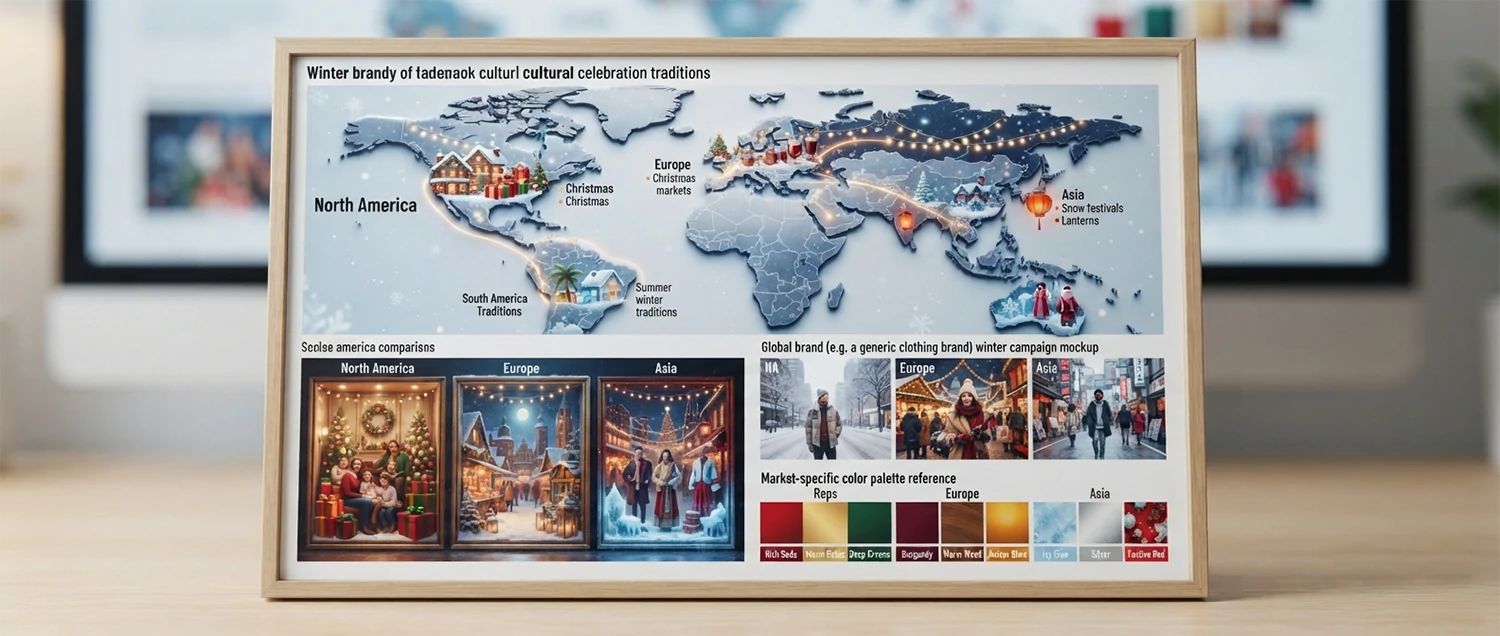
Winter means different things in different parts of the world, and product retouching must reflect these regional differences to resonate with local consumers. The way a product is visually presented during winter should align with the cultural expectations, climate conditions, and seasonal traditions of the target market. A winter retouching strategy that works perfectly for North American consumers may fall flat with European or Asian audiences. Understanding these market-specific nuances is essential for brands selling globally during the winter season.
The North American winter market is characterized by its scale, diversity, and intense competition. The holiday shopping season in the United States and Canada spans from Black Friday through New Year's, generating hundreds of billions of dollars in consumer spending. North American winter retouching must cater to a diverse population with varied cultural traditions and aesthetic preferences. The visual language tends to be bold, vibrant, and aspirational, with strong emphasis on lifestyle imagery that connects products to holiday traditions and winter activities. Black Friday and Cyber Monday imagery requires high-energy, deal-focused compositions, while Christmas and holiday gift imagery demands warmth, tradition, and emotional appeal. New Year's products benefit from sophisticated, celebratory visual treatments.
The European winter market presents a more varied landscape due to the continent's diverse cultures, climates, and traditions. Northern European markets like Scandinavia embrace winter with cozy hygge-inspired aesthetics featuring soft lighting, warm textures, and minimalist compositions. Central European markets around Germany and Austria favor traditional Christmas market imagery with rich, classic holiday themes. Southern European markets may emphasize winter as a time for indoor gatherings and family celebrations, requiring warmer, more intimate visual approaches. British winter markets blend traditional and contemporary aesthetics, with a strong emphasis on premium quality and understated elegance. European winter retouching must be culturally sensitive and regionally appropriate to succeed across this diverse continent.
The Asian winter market encompasses rapidly growing e-commerce economies with distinct visual preferences and cultural traditions. Chinese winter markets are driven by both Western holiday traditions and important local events, with clean, bright product imagery that emphasizes quality and value. Japanese winter markets demand meticulous attention to detail, elegant compositions, and a visual aesthetic that balances modernity with seasonal tradition. South Korean winter markets favor trendy, youthful, and visually dynamic imagery that aligns with the country's influential beauty and fashion trends. Southeast Asian markets, while experiencing milder winters, still participate in year-end shopping events and require winter-themed imagery that resonates with tropical and subtropical audiences.
Global winter market opportunities require retouching strategies that transcend individual markets while respecting local preferences. International brands need visual systems that work across multiple regions, maintaining brand consistency while adapting to local expectations. This often means creating modular retouching templates with culturally adaptable elements, color variations, and styling options. Professional retouchers who specialize in global winter campaigns understand how to create imagery that communicates universally while allowing for regional customization. The ability to navigate these complex global requirements while maintaining visual excellence is a distinguishing characteristic of top-tier winter retouching services.
Winter Retouching for Different Platforms
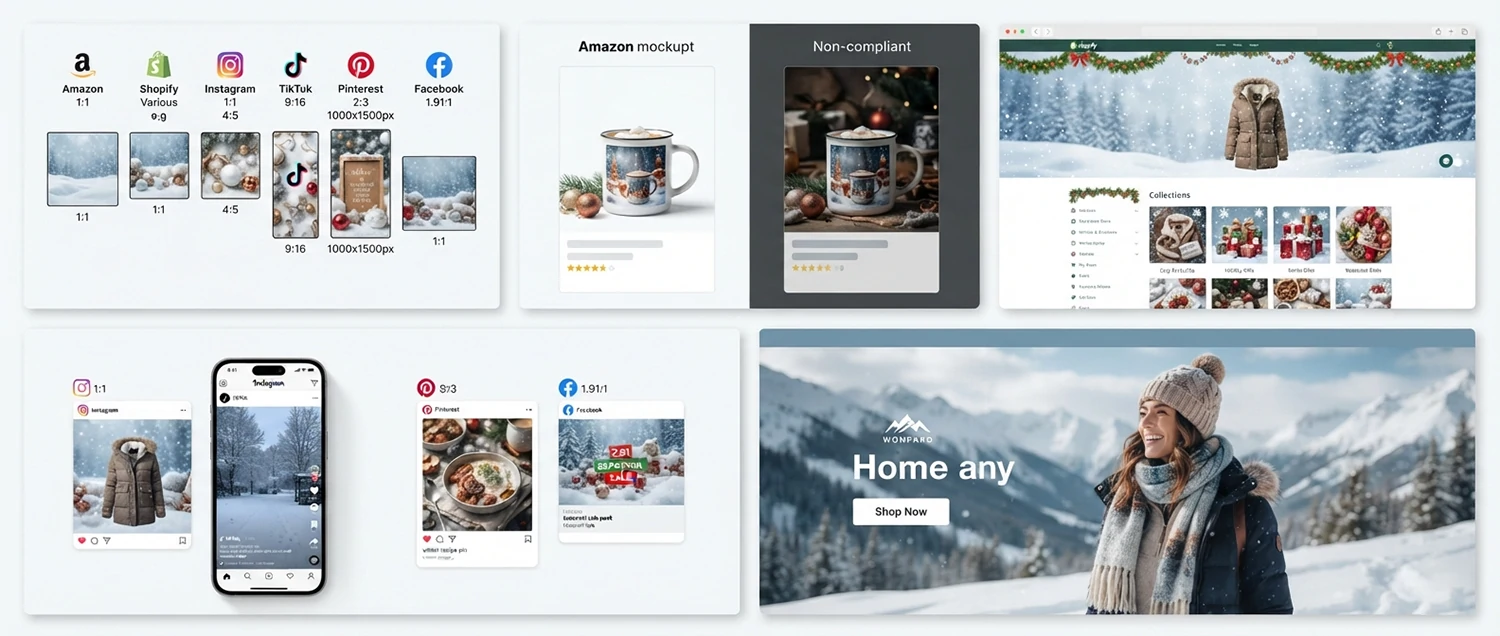
Each digital platform has its own technical specifications, visual culture, and audience expectations that directly influence how winter product images should be retouched. A product image optimized for Amazon will not perform as well on Instagram, and a Shopify store image requires different treatment than a Google Shopping listing. Professional winter retouching must account for these platform-specific requirements to ensure that product images perform optimally wherever they appear. Understanding the technical and creative demands of each platform is what separates effective winter retouching from generic image editing.
Amazon winter listing optimization requires strict adherence to the platform's image guidelines while creating visual impact that stands out in search results. Amazon's main product image must be on a pure white background (RGB 255, 255, 255), at least 1000 pixels on the longest side for zoom capability, and free of text, logos, watermarks, or promotional badges. During winter, many sellers want to add seasonal elements to their listings, but main images must remain compliant. Professional winter retouching for Amazon focuses on perfecting the main image with flawless color correction, precise background cleanup, and professional lighting that makes the product look its best on white. Additional listing images can incorporate winter themes, lifestyle contexts, and informational graphics that help convert browsers into buyers.
Shopify winter store photography benefits from the platform's flexibility in image presentation. Unlike marketplace platforms with strict standardization requirements, Shopify merchants have complete control over how their products are displayed. This freedom requires a strategic approach to winter retouching that creates a cohesive visual experience across the entire store. Shopify winter retouching involves establishing a consistent visual style guide that incorporates seasonal elements, color grading, and atmospheric effects throughout the product catalog. The goal is to create a unified winter shopping experience that reinforces brand identity and makes customers feel immersed in the brand's winter world from the moment they land on the store.
Social media winter content requires retouching that is optimized for the fast-scrolling, attention-deficient nature of social feeds. Instagram, TikTok, Pinterest, and Facebook each have different image specifications, audience behaviors, and visual cultures. Winter product content for social media must be immediately eye-catching, emotionally engaging, and formatted for each platform's optimal display dimensions. Instagram retouching for winter focuses on creating aesthetically cohesive images that complement the grid layout while being vibrant enough to stand out in the feed. TikTok thumbnail images need bold, high-contrast compositions that communicate product value instantly. Pinterest requires vertical-format images with rich seasonal detail that earn saves and shares. Facebook advertising images must work across multiple placements and sizes while maintaining visual impact.
Website winter banner images serve as the digital storefront during the holiday season, greeting every visitor with seasonal atmosphere and promotional messaging. Banner images must be visually compelling enough to capture attention within seconds, yet structured enough to support text overlays and call-to-action buttons. Winter banner retouching involves creating atmospheric backgrounds, lifestyle imagery, or product compositions that can accommodate promotional text while maintaining visual quality at various banner sizes. These images often serve as the first impression of a brand's winter offerings, making their quality and visual impact critical for setting the tone of the entire customer experience.
Winter Retouching Business Benefits
Investing in professional winter product photo retouching delivers measurable business results that extend far beyond aesthetic improvements. The benefits of high-quality winter retouching impact every stage of the customer journey, from initial discovery through final purchase and post-purchase satisfaction. Understanding these business benefits helps decision-makers justify the investment in professional retouching and quantify the return on that investment during the critical winter selling season.
Increased holiday sales impact is the most direct and measurable benefit of professional winter retouching. Products with professionally retouched images consistently outperform those with amateur or unedited photography. Studies show that professionally retouched product images can increase conversion rates by 40-60% compared to unedited images. During the winter holiday season, when consumer spending peaks and competition for attention is fiercest, this conversion lift translates directly into significant revenue increases. For a business generating $100,000 in winter sales, a 40% improvement in conversion rates through professional retouching could represent an additional $40,000 in revenue, far exceeding the cost of the retouching investment.
Customer engagement improvements are another significant benefit of professional winter retouching. Retouched product images generate higher click-through rates, longer page dwell times, and more social media shares. These engagement metrics signal to platform algorithms that the content is valuable, leading to increased organic reach and visibility. Higher engagement also creates a positive feedback loop where increased visibility leads to more traffic, which generates more engagement, which drives even more visibility. During the winter season, when every impression matters, the engagement boost provided by professional retouching can significantly amplify a brand's reach and influence.
Brand perception enhancement is a less tangible but equally valuable benefit of winter retouching. Consistent, high-quality product imagery communicates professionalism, attention to detail, and premium value. When customers encounter a brand with beautifully retouched winter product images, they form positive associations that extend beyond any single product. This enhanced brand perception builds trust, loyalty, and willingness to pay premium prices. Over time, the cumulative effect of professional visual presentation creates a brand image that attracts higher-value customers, generates positive word-of-mouth, and reduces price sensitivity.
Competitive advantage creation is perhaps the most strategically important benefit of professional winter retouching. In crowded product categories where multiple brands offer similar products, visual quality becomes the key differentiator that influences purchasing decisions. During the winter season, when new product listings flood every marketplace, having professionally retouched images creates a visible quality advantage that helps products stand out from the competition. This competitive edge can be the difference between capturing market share and being overlooked. Brands that consistently invest in professional winter retouching build a visual reputation that becomes a sustainable competitive advantage over time.
Business Impact Summary

Winter Retouching Client Success
The true measure of any professional service is the success it delivers for its clients. Winter product photo retouching is no exception. Real-world case studies, measurable return on investment, authentic client testimonials, and trackable success metrics provide concrete evidence of the value that professional winter retouching creates. Examining these success stories helps potential clients understand what they can expect from investing in professional retouching for their winter campaigns.
Case study examples demonstrate the transformative impact of professional winter retouching across different industries and business sizes. A mid-size fashion retailer specializing in winter outerwear saw a 78% increase in online sales after implementing professional retouching across their entire winter collection. The retouching focused on enhancing fabric textures, correcting color accuracy, and creating consistent winter color grading that unified their catalog visually. An electronics manufacturer launching a holiday gift guide experienced a 45% improvement in click-through rates on their Amazon listings after professional retouching improved their product images with precise lighting, clean backgrounds, and premium shadow effects. A home decor startup saw their Instagram engagement triple during the winter season after investing in professional retouching that created cohesive, atmospheric product images aligned with their brand aesthetic.
ROI measurement methods are essential for evaluating the effectiveness of winter retouching investments. The most reliable approach involves tracking key performance indicators before and after implementing professional retouching. Conversion rate tracking measures the percentage of visitors who make a purchase after viewing retouched images compared to the previous unedited versions. Revenue per impression analysis calculates the average revenue generated by each product view, providing insight into how retouching impacts purchasing behavior at the individual impression level. Customer acquisition cost comparison measures whether professional images reduce the cost of acquiring new customers by improving organic visibility and reducing reliance on paid advertising. Return rate tracking determines whether more accurate, better-retouched images lead to fewer product returns and associated costs.
Client testimonials integration provides authentic social proof that resonates with potential clients considering winter retouching services. The most impactful testimonials combine specific metrics with qualitative observations about the retouching experience. Clients consistently report that professional winter retouching not only improved their immediate sales performance but also elevated their overall brand perception and team confidence in their visual marketing. Many clients note that the retouching investment paid for itself within the first week of deploying the new images. Others highlight the time savings from outsourcing retouching to professionals, allowing their internal teams to focus on strategy and growth rather than image editing. These testimonials, when presented alongside quantitative results, create a compelling case for professional winter retouching.
Success metric tracking ensures that the impact of winter retouching is continuously monitored and optimized throughout the season. Key metrics to track include conversion rate changes, average order value shifts, page view duration improvements, bounce rate reductions, social media engagement increases, and email click-through rate improvements for campaigns featuring retouched images. By establishing clear benchmarks before the winter season begins and tracking performance continuously, businesses can quantify the exact impact of their retouching investment and make data-driven decisions about future retouching budgets and strategies. This continuous measurement approach transforms retouching from a cost center into a measurable growth driver with clear, demonstrable returns.
Success Metrics to Track

Winter Retouching Best Practices
Achieving exceptional winter product images requires adherence to established best practices that have been refined through years of professional retouching experience. These best practices encompass every aspect of the retouching process, from initial image assessment through final output delivery. Understanding and implementing these guidelines will ensure that your winter product images consistently meet the highest standards of quality, accuracy, and visual impact across all platforms and marketing channels.
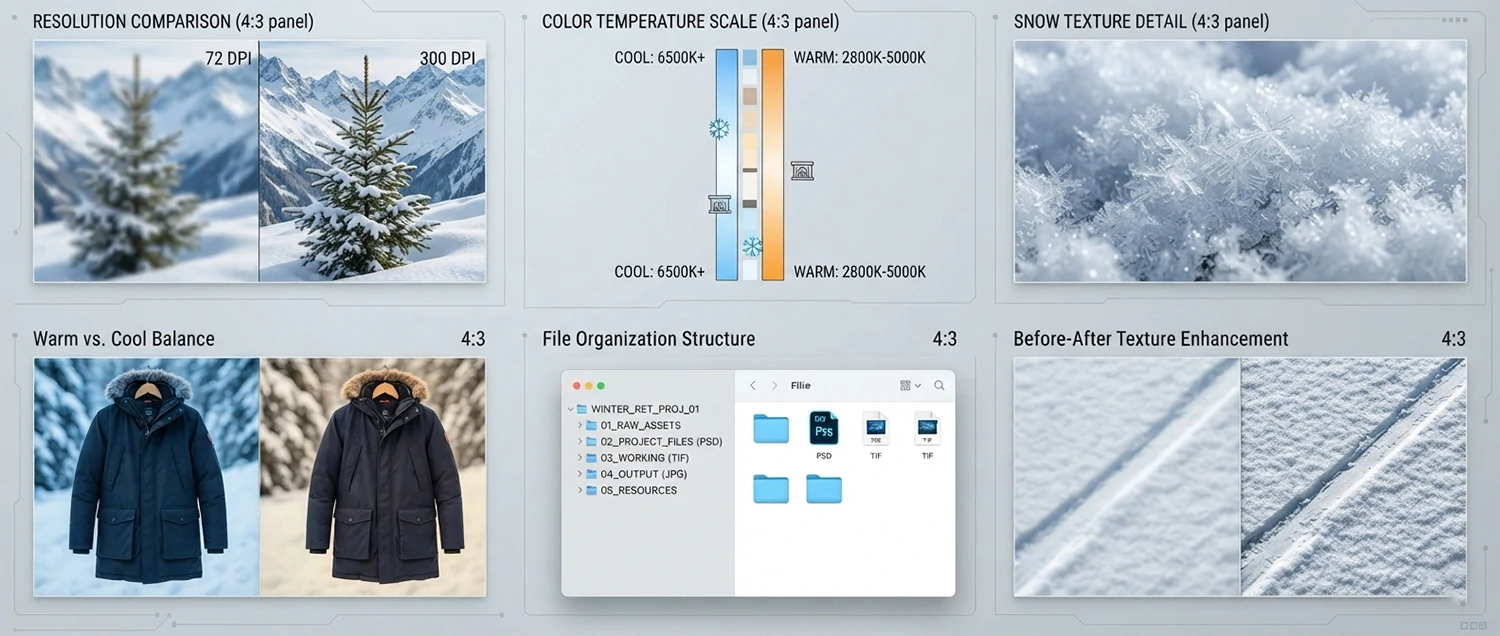
Image resolution and quality guidelines form the foundation of professional winter retouching. For print materials, minimum resolution should be 300 DPI at the final output size, while web-optimized images should be 72 DPI but saved at dimensions at least 2x the display size to ensure crisp rendering on high-density Retina displays. The ideal working resolution for winter product images is between 3000 and 6000 pixels on the longest edge, providing sufficient detail for both web and print applications. Always shoot and edit in 16-bit color depth to preserve maximum tonal information, especially in the subtle highlight and shadow areas that are critical in winter imagery. The file format for working files should always be TIFF or PSD to maintain lossless quality, while final output files should be exported as high-quality JPEG at 90-95% quality for web use or as TIFF files for print applications.
Color temperature adjustment techniques require particular attention during winter retouching because the cold season produces unique lighting conditions that can dramatically affect how products appear in photographs. Winter daylight typically ranges from 6500K to 8000K on the Kelvin scale, which is significantly cooler than the 5500K daylight standard used for neutral color balance. Professional retouchers should establish a custom white balance for each shooting session by photographing a gray card or color checker under the actual shooting conditions. This reference image provides a reliable baseline for color correction throughout the entire editing workflow. When adjusting color temperature, always work in small increments of 100-200K and constantly compare the result against the reference image to ensure accuracy. Use the eyedropper tool on neutral surfaces within the image to set the white point, then fine-tune the temperature and tint sliders until the colors appear natural and true to life.
Snow and ice texture enhancement is one of the most specialized aspects of winter retouching that separates amateur editing from professional work. Snow is not simply white; it contains a complex range of subtle color variations, shadow tones, and reflective highlights that give it depth and realism. When enhancing snow textures, avoid over-brightening, which destroys the delicate tonal gradations that make snow look natural. Instead, use targeted adjustment layers with luminosity masks to selectively enhance the highlights while preserving the subtle blue and purple tones that appear in snow shadows. For ice crystal effects, increase clarity and texture selectively on the ice surfaces while keeping the surrounding areas soft. Use the clarity slider with caution, as excessive clarity can create harsh, unnatural-looking artifacts. A range of +15 to +30 on the clarity slider typically provides the best balance between texture enhancement and natural appearance.
Warm versus cool tone balance is perhaps the most critical creative decision in winter product retouching. The interplay between warm and cool tones creates the emotional atmosphere of the image and directly influences how viewers perceive the product. A winter image that is too cool can feel cold, uninviting, and sterile, while an image that is too warm may not convey the seasonal feeling at all. The optimal approach is to maintain cool tones in the shadows and midtones while adding subtle warmth to the highlights, particularly on the product itself. This creates a sense of the product being warm and inviting against a cool winter backdrop. Use split toning or color grading tools to add a subtle blue or cyan tint to the shadows at an intensity of 5-15%, and a complementary warm orange or yellow tint to the highlights at an intensity of 5-10%. Always evaluate the balance by viewing the image at full screen and stepping away briefly before making final adjustments, as this helps you assess the overall impression with fresh eyes.
Consistent file naming and organization is another essential best practice that significantly impacts workflow efficiency when handling large volumes of winter product images. Develop a standardized naming convention that includes the product identifier, shooting date, and retouching stage. For example, a file named WB-COAT-20260115-V3-FINAL.jpg clearly communicates the product, date, version number, and completion status. Maintain a structured folder hierarchy that separates raw files, working files, and final output files. This organization becomes especially important during the winter season when retouching volumes increase dramatically and multiple team members may be working on the same project simultaneously.
Winter Retouching for E-commerce Platforms
Each e-commerce platform has its own specific requirements and best practices for product imagery, and these requirements become even more critical during the winter season when competition for customer attention is at its highest. Understanding and optimizing your winter product images for each platform ensures maximum visibility, compliance with listing standards, and the highest possible conversion rates. Professional winter retouching must take these platform-specific requirements into account from the very beginning of the editing process to avoid costly rework and ensure that your images perform optimally wherever they appear.
Amazon winter product listing requirements are among the most stringent in the e-commerce world and demand careful attention during the retouching process. Amazon requires that the main product image be shot on a pure white background (RGB 255, 255, 255), fill at least 85% of the image frame, and contain no text, logos, badges, or watermarks. The image must be at least 1000 pixels on the longest side to enable the zoom feature, and Amazon recommends 2000 pixels for optimal quality. For winter products specifically, ensure that the white background remains truly white without any cool blue cast from winter lighting. The product itself should display accurate winter colors without oversaturation. Additional lifestyle images can show the product in winter settings, but these must still maintain Amazon's quality standards and should feature the product prominently without excessive props or distractions that might confuse the customer about what is actually being sold.
eBay winter photo standards offer more flexibility than Amazon but still require professional-quality imagery for optimal results. eBay allows background images and lifestyle shots for the main listing photo, which provides an opportunity to create compelling winter-themed images that stand out in search results. However, the product should still occupy at least 85% of the image area. eBay recommends a minimum image size of 1600 pixels on the longest side for the zoom feature. For winter products on eBay, consider creating a series of images that tell a complete story: a clean product shot on a neutral background for clarity, a winter lifestyle shot for emotional appeal, and detail close-ups that showcase winter-specific features like insulation quality, waterproofing, or thermal properties. This multi-image approach helps eBay buyers make informed purchasing decisions and reduces the likelihood of returns.
Etsy winter craft photography requires a unique approach that balances professional quality with the handmade, artisanal aesthetic that Etsy buyers expect. Etsy shoppers are drawn to images that feel authentic, warm, and personal, which means overly polished, clinical product photography can actually hurt your performance on the platform. For winter products on Etsy, focus on creating images that evoke coziness, craftsmanship, and seasonal charm. Use natural light whenever possible, incorporate seasonal props like pine branches, cinnamon sticks, or woolen textiles, and consider using slightly warmer color temperatures to create an inviting atmosphere. However, maintain sufficient image quality and clarity so that customers can accurately assess the product details. Etsy recommends images at least 2000 pixels wide, and the first image in the listing should clearly show the product against a simple background for search visibility.
Shopify winter store optimization focuses on creating a cohesive visual experience across your entire product catalog. Shopify stores benefit from consistent image styling that reinforces your brand identity, and this consistency becomes especially important during the winter season when you may be featuring seasonal collections and limited-time promotions. For Shopify stores, establish a standardized winter retouching template that includes consistent background treatment, color grading, and compositional guidelines. Product images should be optimized for fast loading without sacrificing quality, as page load speed directly impacts conversion rates. Use WebP format where supported and implement lazy loading for image-heavy pages. Consider creating winter-specific collection banners and promotional graphics that match the retouching style of your product images, creating a seamless visual experience from landing page to checkout. Shopify recommends product images at 2048 by 2048 pixels for square crops, with consistent aspect ratios throughout the catalog for a clean, professional appearance.
Cross-platform consistency is a challenge that many retailers face during the winter season. When the same product is listed on multiple platforms, the retouching must be adapted for each platform's requirements while maintaining a consistent brand appearance. Create a master retouching workflow that starts with a high-resolution master file and generates platform-specific outputs from that single source. This approach ensures color accuracy and visual consistency across all channels while meeting each platform's technical specifications. Document your platform-specific requirements in a reference guide that your retouching team can consult for every project, and use batch processing techniques to generate multiple outputs efficiently without compromising quality.
Winter Retouching for Social Media
Social media platforms have become essential sales channels during the winter season, with consumers spending more time browsing feeds and discovering products through visually compelling content. Each social media platform has unique image specifications, audience expectations, and content consumption patterns that must inform your winter retouching strategy. Professional winter retouching for social media goes beyond simply resizing images; it requires understanding the platform's visual culture, optimizing for mobile viewing, and creating images that stop the scroll and drive engagement in fast-moving social feeds.
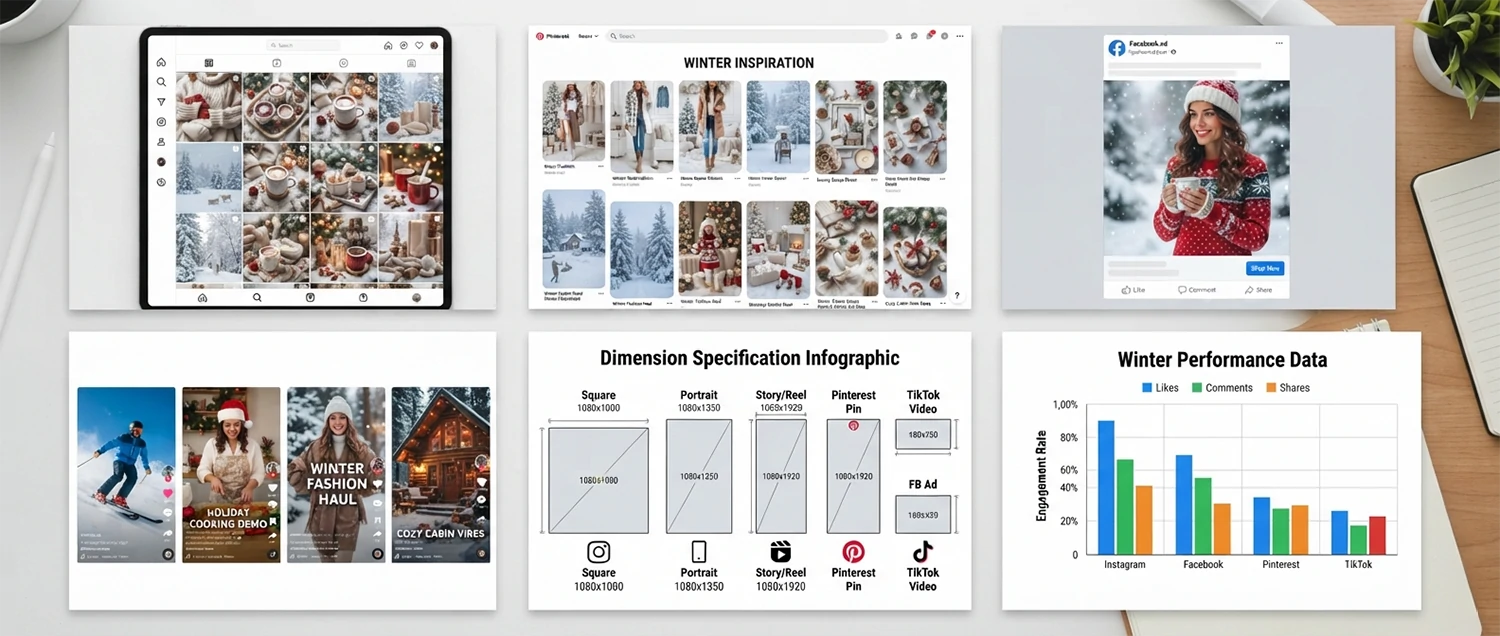
Instagram winter content creation demands images that are visually striking, emotionally resonant, and optimized for the platform's square and vertical formats. Instagram's algorithm favors high-engagement content, which means your winter product images need to make an immediate impact. For feed posts, the ideal dimensions are 1080 by 1080 pixels for square format or 1080 by 1350 pixels for portrait format, which takes up more screen real estate and typically generates higher engagement. Winter products on Instagram benefit from rich, saturated colors that stand out against the predominantly white and gray winter aesthetic. Enhance product colors slightly beyond natural accuracy to create eye-catching images, but avoid oversaturation that looks artificial. Instagram Stories and Reels require 1080 by 1920 pixel vertical images, and winter-themed overlays, stickers, and text elements can add seasonal appeal. Create a consistent winter color palette for your Instagram feed that includes your brand colors along with seasonal accent tones like deep reds, forest greens, and icy blues to create a cohesive, attractive grid that encourages followers to explore your winter collection.
Pinterest winter board strategy leverages the platform's visual search capabilities and long content lifespan to drive sustained traffic to your winter product listings. Pinterest is inherently visual and operates as a search engine for images, making image quality and optimization critical for visibility. The ideal Pinterest image dimensions are 1000 by 1500 pixels (2:3 aspect ratio), and vertical images consistently outperform horizontal ones on the platform. For winter products, create lifestyle-oriented images that show the product in aspirational winter settings rather than plain product shots. Pinterest users are planning and dreaming, so images that evoke winter experiences and emotions perform exceptionally well. Include subtle text overlays that describe the product or its benefits, using clean, readable fonts that complement the winter aesthetic. Optimize your pin descriptions with relevant winter keywords to improve search visibility, and create dedicated winter boards that group related products together. Pinterest content has an exceptionally long lifespan compared to other platforms, so a well-retouched winter pin can continue driving traffic for months or even years after posting.
Facebook winter advertising requires images that perform well in both the news feed and the right-column ad placements, which have different optimal dimensions and visual requirements. For news feed ads, use 1200 by 628 pixels, while carousel ads benefit from 1080 by 1080 pixel square images. Facebook's advertising platform is highly competitive during the winter season, and your product images need to stand out in a crowded feed. Create bold, high-contrast winter images that communicate the product's value proposition quickly, as Facebook users typically scroll through content rapidly. Include clear, readable text overlays that highlight winter promotions, discounts, or key product features, but keep text coverage below 20% of the image area to comply with Facebook's ad guidelines. A/B test different winter retouching styles to determine which approaches generate the highest click-through rates and conversions for your specific product category. Monitor performance metrics closely during the winter season and adjust your visual strategy based on real data to maximize return on ad spend.
TikTok winter video thumbnails are critical for driving views and engagement on the platform's rapidly growing e-commerce features. While TikTok is primarily a video platform, product thumbnails and cover images play an essential role in attracting viewers to your content. The recommended thumbnail dimensions are 1080 by 1920 pixels, matching TikTok's vertical video format. Winter product thumbnails should be bold, vibrant, and immediately communicate what the video content is about. Use close-up product shots with enhanced colors and contrast to create thumbnails that stand out in the fast-scrolling For You Page. Add text overlays with compelling hooks like "Winter Must-Have" or "Cold Weather Essential" to increase click-through rates. Since TikTok's audience skews younger, consider a more energetic, dynamic visual style with bright colors and playful compositions. The thumbnail should accurately represent the video content to maintain viewer trust and encourage repeat engagement with your brand's winter content.
Winter Retouching for Different Product Categories
Different product categories require specialized retouching approaches during the winter season because each product type has unique visual characteristics, customer expectations, and technical requirements. A one-size-fits-all approach to winter retouching rarely produces optimal results. Professional retouchers must understand the specific demands of each product category and tailor their techniques accordingly to create images that accurately represent the product while evoking the desired seasonal response from potential customers.
Winter clothing retouching is perhaps the most nuanced category because fashion photography demands both technical accuracy and emotional appeal. Wool coats, cashmere sweaters, leather boots, and down jackets each require different retouching approaches. For wool and knitwear products, the primary focus is on texture enhancement that reveals the quality and softness of the material without creating harsh, over-sharpened appearances. Use the texture slider at moderate levels and apply selective sharpening only to the knit patterns and weave details. For leather products, enhance the natural sheen and grain while maintaining color accuracy, as customers are particularly sensitive to leather color representation. Down jackets require attention to loft and volume, using dodge and burn techniques to emphasize the puffy, insulated appearance that communicates warmth. Always photograph and retouch winter clothing with consistent lighting to ensure that color swatches match the actual product, as discrepancies in clothing color are the number one reason for returns in fashion e-commerce.
Winter accessories retouching encompasses a wide range of products including scarves, gloves, hats, earmuffs, and thermal undergarments. These products often feature intricate patterns, mixed materials, and fine details that require careful attention during the retouching process. Knitted accessories benefit from texture enhancement that highlights the stitch pattern and yarn quality without making the fibers appear stiff or unnatural. Leather gloves require careful highlight management to show the supple quality of the material while maintaining accurate color representation. Fur-trimmed accessories demand special attention to fur texture, using specialized brush techniques to enhance individual hairs while maintaining the overall softness and flow of the fur. For accessories that feature metallic elements like zippers, buckles, or decorative hardware, manage specular highlights carefully to convey quality without creating distracting bright spots that draw attention away from the product itself.
Home decor winter items present unique retouching challenges because they must be shown in context to be effective. Products like candles, throw blankets, decorative pillows, holiday ornaments, and tableware need lifestyle imagery that demonstrates how they look in an actual home setting. The retouching approach for home decor focuses on creating a warm, inviting atmosphere that helps customers visualize the products in their own homes. Use warm color grading with subtle golden highlights and soft shadows to create a cozy ambiance. Pay particular attention to ambient light effects, as home decor products are often shown in settings with candles, fireplaces, or string lights that create complex lighting conditions. Maintain color accuracy for the product itself while allowing the surrounding environment to carry the atmospheric warmth. For tableware and kitchen items, ensure that reflections and specular highlights are clean and well-managed, as these products often feature reflective surfaces that can either enhance or detract from the overall image quality.
Electronics winter products require a technical retouching approach that emphasizes precision, clarity, and modern aesthetics. Winter electronics often include items like portable heaters, heated blankets, smart home devices, and winter-tech gadgets that combine functionality with seasonal appeal. The retouching focus for electronics is on achieving pristine surface quality, accurate screen representations, and clean, modern compositions. Remove all dust, fingerprints, and surface imperfections that are particularly visible on dark electronic surfaces. Ensure that any illuminated screens or LED indicators are properly exposed and color-accurate. For products shown in winter lifestyle settings, balance the cold, technical nature of electronics with warm environmental elements to create images that feel both modern and inviting. Use controlled reflections and subtle highlight enhancements to convey build quality and premium materials without creating distracting glare on glossy or metallic surfaces.
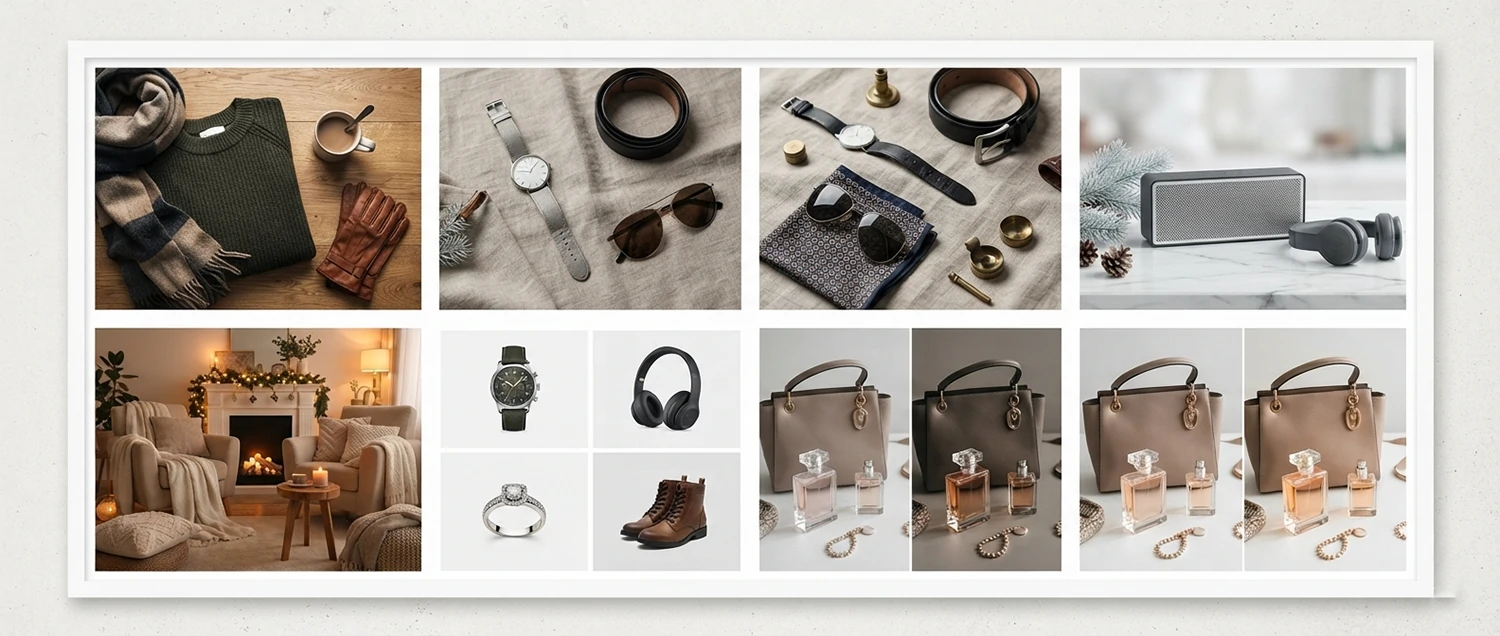
Winter Retouching Technical Standards
Technical standards in winter product retouching ensure consistency, compatibility, and optimal performance across all delivery platforms. Adhering to established technical specifications prevents common issues like color shifts between devices, pixelation on high-resolution displays, slow page loading times, and print quality problems. These standards serve as the technical foundation upon which all creative retouching decisions are built, ensuring that the final images not only look stunning but also function perfectly in their intended applications.
Resolution requirements for different platforms vary significantly, and using the wrong resolution can result in either unnecessarily large files that slow down page loading or insufficient resolution that appears blurry or pixelated. For web-based e-commerce platforms, the standard resolution is 72 DPI, but the pixel dimensions should be at least 2000 pixels on the longest side to support zoom functionality and Retina displays. Amazon requires a minimum of 1000 pixels, but 2000 pixels is recommended for optimal quality. For social media, Instagram requires 1080 pixels on the shortest side, while Facebook recommends 1200 pixels for feed images. For print applications such as catalogs, flyers, and packaging, the minimum resolution is 300 DPI at the final output size, with 3000 to 6000 pixels being the optimal range for most print products. Always create your master retouching files at the highest resolution possible and generate platform-specific outputs as needed, rather than starting with low-resolution files that cannot be upscaled without quality loss.
Color space management for winter images is critical because winter products often feature subtle color variations that can be easily lost or distorted when converting between color spaces. The three primary color spaces for digital imaging are sRGB, Adobe RGB, and ProPhoto RGB. For web delivery, always convert to sRGB, which is the standard color space for web browsers and ensures consistent color reproduction across different devices and monitors. For professional print applications, Adobe RGB provides a wider color gamut that can reproduce more saturated colors, particularly in the blue and green ranges that are common in winter imagery. ProPhoto RGB offers the widest gamut and is ideal for the editing phase when you want to preserve maximum color information, but files must be converted to sRGB or Adobe RGB before final output. Winter images are particularly susceptible to color space issues because the cool blue tones and subtle gradients in snow and ice scenes can shift dramatically between color spaces. Always soft-proof your winter images in the target color space before exporting to ensure accurate color reproduction.
File format optimization for winter products requires balancing image quality with file size to achieve the best possible user experience. JPEG remains the most widely supported format for web use and should be saved at 85-95% quality for winter product images. The higher quality setting is recommended for winter images because the subtle gradients in snow and ice scenes are more susceptible to JPEG compression artifacts. WebP format offers 25-35% smaller file sizes than JPEG with comparable quality and is supported by all modern browsers, making it an excellent choice for winter product images on e-commerce platforms. PNG format should be used for images that require transparency or for graphics with sharp text and lines, but it is generally not recommended for photographic winter product images due to larger file sizes. For working files, always maintain PSD or TIFF files with layers intact to allow for future edits and variations. Establish a naming convention that clearly identifies the file format and version, such as PRODUCT-WINTER-v1.jpg and PRODUCT-WINTER-v1.webp, to avoid confusion during asset management.
Batch processing winter retouching workflows dramatically improve efficiency when handling large volumes of winter product images. Adobe Photoshop actions, Lightroom presets, and Capture One styles can automate repetitive tasks like color correction, exposure adjustment, sharpening, and export formatting. Create winter-specific presets that incorporate the cool color temperature adjustments, subtle blue tone enhancements, and texture sharpening that are characteristic of winter product imagery. Develop a multi-step batch workflow that applies global adjustments first, followed by platform-specific optimizations, and finally format-specific export settings. Use file naming conventions and folder structures that support automated processing, with consistent naming patterns that allow batch processing scripts to identify and process files correctly. Quality control checkpoints should be built into the batch workflow to catch any files that require manual intervention, ensuring that automated processing does not compromise the quality of your winter product images.
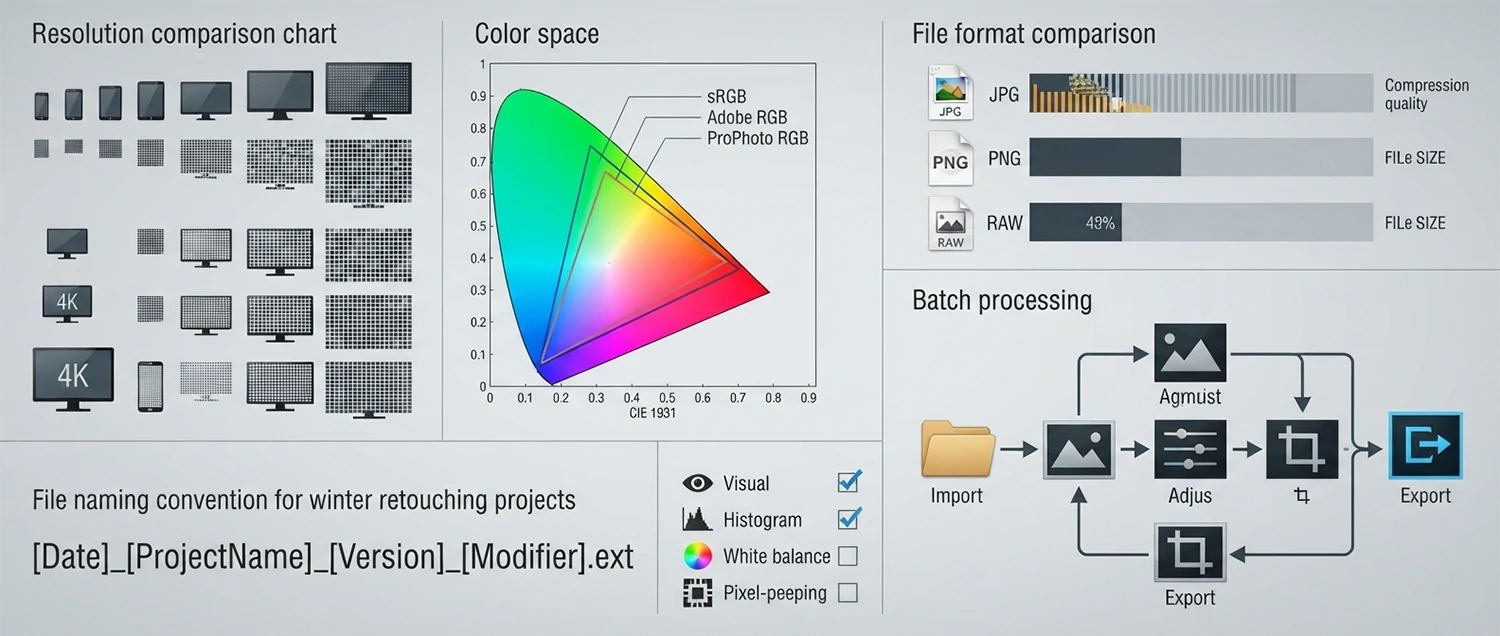
Winter Retouching Advanced Techniques
Advanced winter retouching techniques elevate product images from competent to exceptional, creating visual effects that captivate viewers and differentiate your brand from competitors. These techniques require a deep understanding of Photoshop, sophisticated compositing skills, and an artistic eye for seasonal aesthetics. When applied skillfully, advanced winter effects can transform ordinary product photos into atmospheric, emotionally compelling images that drive engagement and conversions. However, these techniques must be used judiciously and with restraint, as over-application can make images look artificial and reduce rather than enhance product appeal.
Snow overlay effects add a magical winter atmosphere to product images when applied with precision and subtlety. There are several approaches to creating realistic snow overlays. The simplest method involves layering a pre-captured or generated snow particle image over the product photo and adjusting the blend mode to Screen or Lighten, which makes the dark areas of the overlay transparent while preserving the white snow particles. For more realistic results, create snow overlays from actual snow photography, which provides natural particle sizes, motion blur, and density variations that generated snow often lacks. Apply Gaussian blur to snow particles that are meant to appear closer to the camera to simulate depth of field, and use sharpening on particles that appear farther away to create a sense of distance. Adjust the opacity of the snow overlay between 30-70% depending on the desired intensity, and use layer masks to remove snow particles from the product itself, keeping the product clear and visible while the surrounding atmosphere carries the snow effect. For falling snow, consider using motion blur in the direction of the snowfall to create a sense of movement and realism.
Ice crystal enhancement creates visually stunning effects on products that feature frost, ice, or crystalline elements. This technique involves selectively sharpening and brightening ice formations to make them sparkle and glisten. Use a combination of the Unsharp Mask filter with settings of Amount 150%, Radius 1.0, and Threshold 3 to bring out the fine detail in ice crystals without creating harsh edges. Follow this with a Curves adjustment layer to boost the highlights specifically on the ice formations, creating a sparkling effect that mimics how ice catches and reflects light. For products that need ice effects added artificially, composite ice crystal images using the Screen blend mode and carefully mask them to follow the natural contours and surfaces of the product. Add subtle blue color tints to ice crystal shadows using a Hue/Saturation adjustment layer set to Colorize, with the hue set to approximately 210 degrees and saturation at 15-25% for a natural ice-blue appearance.
Warm glow effects for winter products create the inviting, cozy atmosphere that drives seasonal purchasing decisions. The warm glow technique involves adding a subtle, diffused warm light to specific areas of the image, typically around the product or emanating from implied light sources like candles, fireplaces, or string lights. Create warm glow effects using a new layer filled with a warm orange or amber color (approximately hex code #FF9933 or #FFCC66), set the blend mode to Soft Light or Screen, and reduce opacity to 10-25%. Use a large, soft brush to paint the warm glow in targeted areas, focusing on the edges of the product where light would naturally fall. For a more sophisticated warm glow, use the Lens Flare filter on a separate black layer, set the blend mode to Screen, and position the flare to simulate a natural light source. This creates realistic light bloom and lens artifacts that add depth and atmosphere to winter product images. Combine warm glow effects with cool shadow tones using split toning to create a rich, dimensional color palette that enhances the winter mood while keeping the product as the focal point.
Frosted glass and window effects are ideal for products that benefit from a soft, diffused aesthetic or for creating atmospheric overlays that add winter character to any product image. To create a frosted glass effect, duplicate the product layer, apply a Gaussian Blur with a radius of 15-25 pixels, then add a Noise layer with 3-5% monochromatic Gaussian noise. Apply a layer mask and paint with a soft black brush to reveal the sharp product details through the frost in key areas. For a window frost effect, use custom brush shapes that mimic the branching patterns of real frost formation, and apply them in white or very light blue on a new layer with reduced opacity. These effects work particularly well for beauty products, candles, and luxury items where a dreamy, ethereal quality enhances the product's appeal. Always ensure that the core product remains clearly visible and recognizable through any frost effects, as the purpose is to enhance atmosphere, not obscure the product. Use these effects sparingly and purposefully, reserving them for specific marketing contexts where the frosted aesthetic genuinely adds value to the product presentation.
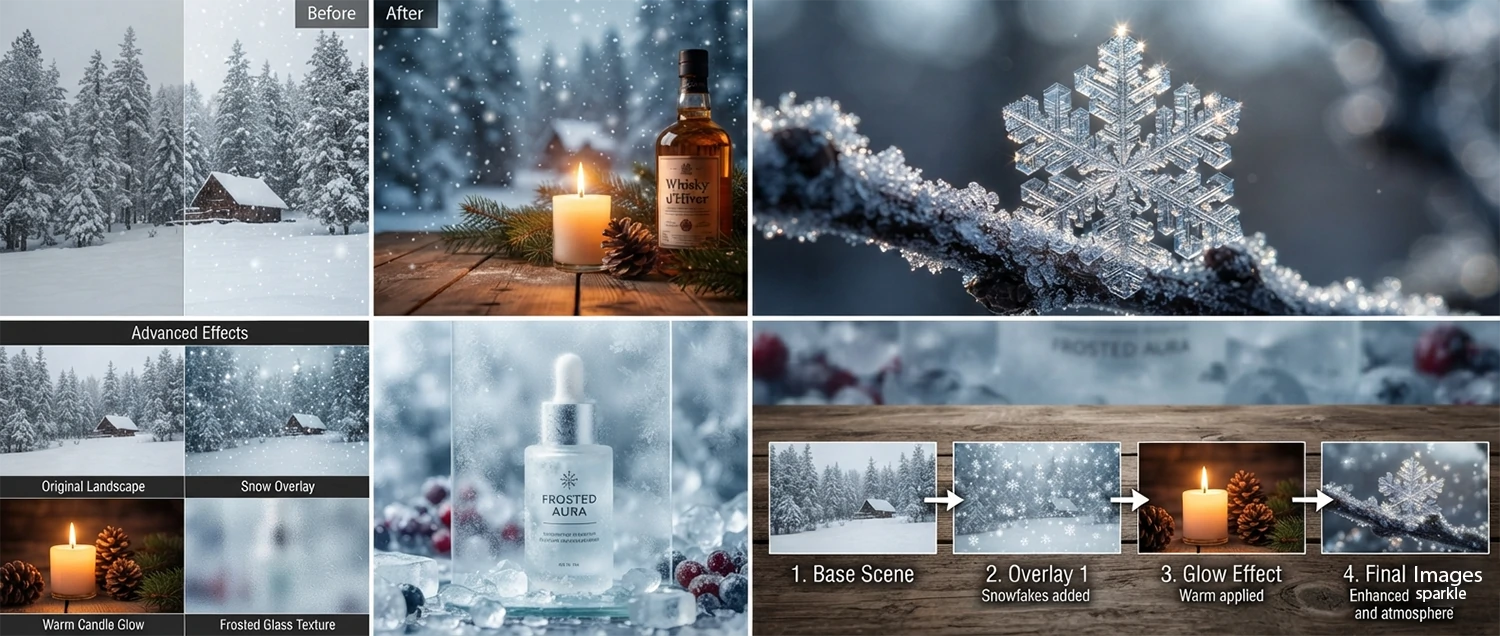
Frequently Asked Questions
How long does winter product photo retouching take?
Standard winter retouching projects are typically completed within 24-48 hours, depending on the complexity of the edits and the number of images. Basic color correction and background cleanup can often be turned around in 12-24 hours. More complex projects involving background replacement, composite creation, or extensive texture work may require 48-72 hours. Rush services are available for urgent deadlines, and bulk orders for large catalogs benefit from streamlined workflows that reduce per-image turnaround times.
What file formats do you deliver retouched winter images in?
We deliver retouched images in all standard formats to ensure compatibility with your specific needs. For e-commerce listings, we provide optimized JPEG files at the required resolution and quality settings for each platform. For print materials, we deliver high-resolution TIFF files in CMYK color space with appropriate ICC profiles. For social media, we provide platform-optimized files at the correct dimensions and aspect ratios. We also deliver layered PSD files with all editing layers intact.
Can you match our existing brand style for winter retouching?
Absolutely. Brand consistency is one of our top priorities. We work closely with each client to understand their existing brand guidelines, color standards, editing preferences, and visual identity. Before beginning any winter retouching project, we create a detailed style guide that captures your brand's unique visual language. Once established, this style guide is applied consistently across all your winter product images, ensuring a cohesive and professional appearance throughout your entire seasonal catalog.
What is the pricing structure for winter product retouching?
Our pricing is structured to be transparent, competitive, and scalable for businesses of all sizes. Basic winter retouching starts at an affordable per-image rate. Advanced retouching, which includes background replacement, shadow creation, and detailed texture work, is priced based on complexity. Bulk pricing discounts are available for orders of 50+ images, and monthly retainer packages offer the best value for businesses with ongoing retouching needs. Every project begins with a free consultation and quote.
How does winter retouching differ from standard product retouching?
Winter retouching requires specialized knowledge and techniques that go beyond standard product photo editing. The primary differences include color temperature management to handle cool winter light, seasonal color grading that evokes winter atmosphere, winter-specific background treatments, texture enhancement suited to winter materials, and emotional storytelling through visual elements. Winter retouching also requires understanding of seasonal consumer psychology, knowing what visual cues trigger purchasing behavior during the cold months.