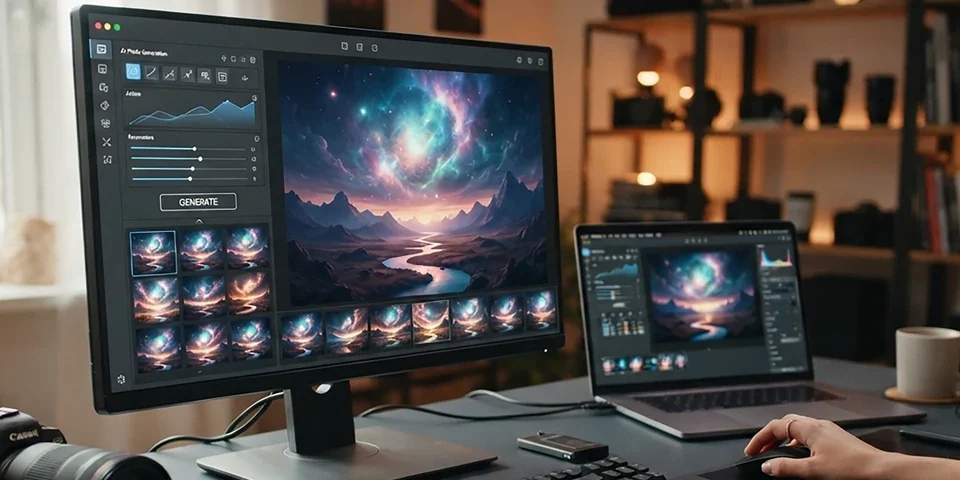
The complete guide to generating magical Studio Ghibli-inspired artwork using AI tools — from crafting the perfect prompts in ChatGPT and Midjourney to refining compositions, mastering color palettes, and building a portfolio of enchanting Ghibli-style creations.
Knowledge-Based
Creator-Centric
Human Written
Chapter 01
What Are Ghibli-Style Images?
Ghibli-style images are visual artworks created in the distinctive animation style of Studio Ghibli, the legendary Japanese animation studio founded by Hayao Miyazaki, Isao Takahata, and Toshio Suzuki. Known for masterpieces like Spirited Away, My Neighbor Totoro, Howl's Moving Castle, and Princess Mononoke, Studio Ghibli has cultivated a visual aesthetic that is instantly recognizable and deeply beloved by audiences worldwide.
The Ghibli art style is characterized by several hallmarks — lush, hand-painted backgrounds that feel alive with detail, soft and warm color palettes that evoke nostalgia and wonder, meticulously crafted natural environments where every leaf and blade of grass receives attention, characters with expressive round eyes and gentle features, and a pervasive sense of magic woven into everyday life. Films like Kiki's Delivery Service show ordinary towns infused with whimsy, while My Neighbor Totoro transforms rural Japan into a realm of childhood enchantment.
With the rise of AI image generation tools like ChatGPT, Midjourney, DALL-E 3, Stable Diffusion, and Leonardo AI, creators can now generate original images that capture the essence of the Ghibli aesthetic. The ability to create Ghibli images with AI has exploded in popularity, with millions of users experimenting with prompts that evoke the studio's magical visual language. Whether you are an artist looking for inspiration, a content creator building a visual brand, or simply a fan of Ghibli's work, AI tools make it possible to create enchanting Ghibli-style images without years of traditional animation training.
This guide covers everything you need to know about creating Ghibli-style images with AI — from understanding the core artistic principles of Studio Ghibli's visual language to mastering prompt engineering across different AI platforms, refining your results through post-processing, and using your creations ethically and effectively in personal and professional projects.
Image suggestion: a split composition showing two Ghibli-style AI images side by side — one depicting a whimsical countryside scene with a cozy cottage and floating spirits, the other a lush forest with dappled sunlight streaming through canopy — representing the magical world of Ghibli-inspired AI art.
Chapter 02
Understanding the Ghibli Art Style
Before you can create convincing Ghibli-style images with AI, it is essential to understand what makes the Ghibli aesthetic so distinctive and beloved. Studio Ghibli's visual language is not simply a set of surface-level stylistic choices — it reflects a deep artistic philosophy rooted in observation of nature, celebration of everyday life, and belief in the magic that exists alongside the mundane.
Hand-Painted Backgrounds. One of the most iconic elements of Ghibli films is the background art. Unlike many animation studios that prioritize efficiency, Ghibli backgrounds are often incredibly detailed, hand-painted watercolor and gouache works of art. They feature rich textures, soft edges, and atmospheric depth that make each setting feel like a lived-in world. The backgrounds are not just backdrops — they are integral to storytelling, conveying mood, season, and time of day with remarkable sensitivity.
Nature and Environment. Nature is a central character in Ghibli films. Moss-covered stones, wind-swept fields, intricate forest undergrowth, and expansive skies are rendered with extraordinary care. The studio's animators famously spent months observing and sketching real-world locations to capture authentic natural details. When creating Ghibli-style AI images, emphasizing lush vegetation, organic forms, and natural light is essential to capturing this spirit.
Character Design. Ghibli characters typically have soft, rounded features, large expressive eyes, and natural, unexaggerated proportions. Unlike many anime styles that feature angular designs and exaggerated expressions, Ghibli characters feel like real people with genuine emotions. Their design simplicity belies careful attention to expression, posture, and movement that brings them to life.
Color Philosophy. Ghibli's color palette is built around warm, earthy tones — soft greens, warm browns, gentle blues, and muted pastels. Colors are never harsh or oversaturated. Even magical elements like the No-Face spirit or the glowing forest spirits in Princess Mononoke are rendered with restrained, harmonious color choices that feel natural rather than artificial.
Lighting and Atmosphere. Ghibli lighting is renowned for its beauty and emotional resonance. Golden hour sunlight streaming through windows, soft diffused light filtering through forest canopies, warm lantern glow in evening scenes — each lighting choice serves the narrative and emotional tone. Mastering atmospheric lighting in your prompts is key to creating authentic Ghibli-style AI images.
Image suggestion: a visual breakdown of Ghibli style elements showing four annotated panels — hand-painted background detail, lush nature environment, soft character design, and warm atmospheric lighting — with callouts explaining each characteristic of the Ghibli aesthetic.
Chapter 03
AI Tools for Creating Ghibli Images
Several AI image generation tools can produce stunning Ghibli-style images, each with unique strengths, limitations, and approaches to interpreting your prompts. Understanding the landscape of available tools helps you choose the right platform for your specific creative goals and workflow preferences.
ChatGPT with DALL-E Integration. OpenAIs ChatGPT now includes built-in image generation powered by DALL-E technology. This integration allows you to describe a Ghibli-style scene in natural language conversation and receive generated images directly within the chat interface. ChatGPT excels at understanding nuanced style descriptions and can iteratively refine images based on your feedback, making it one of the most accessible tools for beginners exploring how to create Ghibli images.
Midjourney. Midjourney is widely regarded as producing some of the most aesthetically pleasing AI-generated images. Its interpretation of Ghibli-style prompts tends to be highly artistic, with excellent color harmony, composition, and atmospheric quality. Midjourney offers fine-grained control through parameters like aspect ratio, stylization level, and chaos values, allowing experienced users to dial in their desired Ghibli aesthetic with precision.
DALL-E 3. DALL-E 3, available through OpenAI's platform and ChatGPT Plus, excels at accurately interpreting complex prompts with multiple elements. It handles detailed scene descriptions well — specific settings, character actions, lighting conditions, and style references. DALL-E 3 is particularly strong at rendering text within images and following compositional instructions with high fidelity.
Stable Diffusion. For users who want maximum control and customization, Stable Diffusion offers open-source image generation that can be run locally or through cloud services. With models fine-tuned specifically for the Ghibli aesthetic, LoRA adapters, and extensive parameter control, Stable Diffusion provides the most flexibility for advanced users. However, it requires more technical knowledge to set up and operate effectively.
Leonardo AI. Leonardo AI offers a user-friendly web interface with pre-trained models optimized for different art styles, including anime and Ghibli-inspired aesthetics. Its real-time generation mode and canvas editor make it easy to iterate quickly and refine compositions. Leonardo AI is an excellent middle ground between the simplicity of ChatGPT and the technical depth of Stable Diffusion.
Image suggestion: a five-panel tool comparison grid showing sample Ghibli-style images generated by ChatGPT, Midjourney, DALL-E 3, Stable Diffusion, and Leonardo AI — with brief notes on each platform's strengths for Ghibli-style generation.
Chapter 04
Creating Ghibli Images with ChatGPT
ChatGPT has become one of the most popular tools for creating Ghibli-style images due to its conversational interface and built-in image generation capabilities. The ability to describe your creative vision in natural language, receive an image, and then refine it through dialogue makes the creative process intuitive and iterative.
Crafting Your Initial Request. When asking ChatGPT to create a Ghibli image, be specific about scene elements, mood, and composition. Instead of a vague request like make a Ghibli-style image, provide detailed context. Describe the setting — a cozy village at golden hour with cobblestone streets and climbing vines. Describe the lighting — warm sunlight, soft shadows, gentle atmosphere. Describe the mood — peaceful, nostalgic, magical. The more descriptive context you provide, the more accurately ChatGPT translates your vision into an image.
Iterative Refinement. ChatGPT's conversational interface allows for natural back-and-forth refinement. After receiving an initial image, you can ask for specific adjustments — can you make the colors warmer, add more trees in the background, change the lighting to sunset, include a small cat-like spirit character. Each iteration builds on the previous result, converging toward your creative vision through dialogue.
Style References. ChatGPT understands references to specific Ghibli films and visual elements. Referencing the lush rural landscapes of My Neighbor Totoro, the magical townscapes of Spirited Away, or the flying sequences of Kiki's Delivery Service helps the AI understand the specific Ghibli sub-style you are targeting. Combining multiple references produces unique hybrid compositions.
Limitations to Know. ChatGPT's image generation has resolution limits and may struggle with very complex scenes containing many characters or intricate details. It handles landscape and atmospheric scenes best. Character close-ups with specific expression requirements may need multiple refinement rounds. Understanding these limitations helps you set realistic expectations and work effectively within the tool's capabilities.
Example Workflow. A typical ChatGPT Ghibli creation session might start with a request for a magical forest scene with glowing spirits. After reviewing the result, you ask for warmer tones and added dappled sunlight. Then request a small character in Ghibli style sitting on a mossy rock. Then ask to adjust the composition to a landscape orientation. Each turn brings the image closer to your vision while maintaining the Ghibli aesthetic throughout.
Image suggestion: a ChatGPT workflow sequence showing three iterative refinements — initial Ghibli prompt result, second version with warmer colors, and final version with added characters and adjusted composition — demonstrating the conversational refinement process.
Chapter 05
Midjourney Prompts for Ghibli Images
Midjourney is renowned for producing exceptionally beautiful AI-generated images, and its ability to render Ghibli-style artwork is extraordinary. The key to getting outstanding results lies in understanding how to structure prompts that guide Midjourney toward the specific visual qualities that define the Ghibli aesthetic.
Core Prompt Structure. An effective Midjourney prompt for Ghibli images includes several components — subject description, environment or setting, lighting and atmosphere, art style reference, quality modifiers, and aspect ratio. A well-structured prompt might read: a cozy bookshop interior with warm lantern light, shelves of colorful books, a small cat sleeping on a windowsill, afternoon sunlight streaming through leaded glass windows, in the style of Studio Ghibli, hand-painted animation background, watercolor textures, soft pastel colors, magical atmosphere, highly detailed, 8k, cinematic lighting, aspect ratio 16:9.
Style Parameters. Midjourney offers parameters that significantly affect the Ghibli aesthetic. The stylize parameter controls how strongly Midjourney applies its artistic interpretation — lower values produce more literal renderings while higher values create more artistic, painterly results. The chaos parameter controls variation between generated images, useful for exploring different interpretations of the same prompt.
Reference Images. Midjourney's image prompt feature allows you to include reference images that influence the style, composition, or color palette of generated results. Providing an actual Ghibli film frame or hand-painted background as a reference can dramatically improve the stylistic accuracy of your results. Combine image references with text prompts for the most precise control.
Remix Mode. Midjourney's remix mode allows you to modify an existing generation by changing elements of the prompt while preserving the overall composition and style. This is extremely useful for Ghibli-style work — you can generate a beautiful landscape scene, then use remix mode to change the lighting from daytime to sunset, add characters, or adjust the season while maintaining the visual foundation.
The most successful Midjourney Ghibli creations come from experimentation. Try different prompt phrasings, parameter combinations, and reference images to discover what produces results that resonate with your creative vision. Maintain a prompt library of successful formulations for future use.
Image suggestion: a Midjourney prompt anatomy diagram breaking down a sample Ghibli prompt into labeled components — subject, environment, lighting, style reference, quality modifiers, and parameters — with the resulting image shown alongside the annotated prompt structure.
Chapter 06
DALL-E 3 for Ghibli Creations
DALL-E 3 represents a significant advancement in AI image generation, offering remarkable prompt adherence and the ability to handle complex, multi-element descriptions. For creating Ghibli-style images, DALL-E 3's strength lies in its capacity to understand and render detailed scene compositions with accurate spatial relationships and consistent style application.
Detailed Scene Descriptions. DALL-E 3 excels at interpreting richly detailed prompts. Describe every element of your Ghibli scene — the foreground with specific flowers and grass types, the midground with buildings or trees, the background with sky and atmospheric effects. Include details about the materials, textures, lighting sources, and color temperature. The more specific your description, the more DALL-E 3 can translate your vision into a coherent image.
Ghibli-Specific Keywords. Certain keywords consistently produce stronger Ghibli results in DALL-E 3. Terms like hand-painted animation background, watercolor texture, soft pastel color palette, whimsical atmosphere, warm golden lighting, lush greenery, and magical realism help guide the AI toward the Ghibli aesthetic. Combining these style keywords with your scene description creates powerful prompts for creating Ghibli images that truly capture the studio's visual language.
Composition Control. DALL-E 3 provides good control over composition through prompt phrasing. Specify camera angle — bird's eye view of a village, eye-level view of a forest path, close-up of a magical creature. Specify framing — a character framed by an archway, a landscape with leading lines of a winding path, a symmetrical composition of a garden. Compositional guidance helps DALL-E 3 produce results that feel intentional and visually compelling.
Iteration with DALL-E 3. While DALL-E 3 does not offer the same conversational iteration as ChatGPT, you can refine results by generating multiple variations of the same prompt, then adjusting the prompt based on what worked and what did not. Pay attention to how specific phrasing changes affect the output and build a vocabulary of effective descriptors.
Image suggestion: a DALL-E 3 Ghibli creation showcase with three example images generated from detailed prompts — a magical forest scene, a cozy village street, and an interior of a whimsical shop — each annotated with the prompt keywords that guided the result.
Chapter 07
Prompt Engineering for Ghibli Images
Prompt engineering is the craft of writing precise, effective descriptions that guide AI image generators toward your desired output. Creating exceptional Ghibli-style images requires a prompt vocabulary that communicates the specific visual qualities, emotional tone, and artistic references that define the Ghibli aesthetic.
Essential Ghibli Keywords. Build your prompt vocabulary around terms that reliably trigger Ghibli-like qualities. Style keywords include Studio Ghibli animation style, Hayao Miyazaki film aesthetic, hand-painted watercolor background, Japanese animation cel shading, and whimsical fantasy art. Atmosphere keywords include magical realism, nostalgic warmth, gentle wonder, peaceful countryside, and enchanted forest. Texture keywords include soft brush strokes, watercolor wash, pastel tones, and layered transparency.
Negative Prompts. Many AI tools support negative prompts — instructions about what to avoid in the generated image. For Ghibli-style work, useful negative prompts include photorealistic, 3D render, hyperrealistic, oil painting, dark and gritty, horror, heavy shadows, and high contrast. Negative prompts help prevent the AI from drifting into visual styles that conflict with the soft, warm Ghibli aesthetic.
Scene Templates. Develop reusable prompt templates for different types of Ghibli scenes. A landscape template might focus on environment, season, weather, lighting, and atmospheric effects. A character template might focus on age, expression, clothing, pose, and interaction with environment. An interior template might focus on architecture, materials, lighting sources, and decorative details. Templates accelerate your workflow and produce more consistent results.
Testing and Iteration. Effective prompt engineering is an experimental process. Change one variable at a time to understand its impact on the generated image. Keep a prompt journal documenting what works, what doesn't, and how different phrasings affect results. Over time, you develop an intuitive sense of how to phrase prompts for different AI tools and different Ghibli sub-styles.
Image suggestion: a prompt engineering toolkit graphic showing curated keyword lists for style, atmosphere, and texture categories — alongside example positive and negative prompts — providing a practical reference for crafting effective Ghibli image prompts.
Chapter 08
Character Design in Ghibli Style
Character design is one of the most challenging and rewarding aspects of creating Ghibli-style AI images. Ghibli characters have a distinctive look that balances simplicity with emotional depth. Capturing this balance in AI-generated images requires careful prompt crafting and often multiple refinement rounds.
Facial Features. Ghibli characters are known for their large, expressive eyes with soft reflections, small noses, and gentle mouths. Their faces are rounded and youthful, even for adult characters. When describing characters in prompts, use terms like soft facial features, large expressive eyes, gentle expression, rounded face, and natural proportions. Avoid terms like sharp features, angular face, or exaggerated anime eyes that may pull the design toward different animation styles.
Clothing and Costume. Ghibli character clothing is typically practical, natural, and unpretentious — everyday clothes that feel lived-in and comfortable. Describe clothing with terms like simple cotton dress, cozy knit sweater, practical travel cloak, soft earthy colors, comfortable worn-in clothing. For magical or historical elements, specify the type of costume but maintain the understated, natural aesthetic that defines Ghibli character design.
Expressions and Emotion. Ghibli characters express emotion through subtle facial cues and body language rather than exaggerated reactions. Describe expressions with terms like gentle smile, curious gaze, thoughtful expression, peaceful contentment, wide-eyed wonder, and quiet determination. These emotional descriptors help the AI imbue characters with the authentic feeling that makes Ghibli characters so beloved.
Character Interactions. Ghibli films are known for quiet, meaningful character interactions — a shared meal, a moment of contemplation together, a protective embrace, or children playing in nature. When creating images with multiple characters, describe their interaction and relationship. Two friends sitting on a hill watching clouds, a parent and child walking through a market, a young witch reading a letter from home. These narrative moments make Ghibli-style images feel alive.
Image suggestion: a character design study showing AI-generated Ghibli-style characters with different ages, expressions, clothing styles, and interaction scenarios — each annotated with the key prompt descriptors used to achieve the result.
Chapter 09
Landscapes and Environments
Ghibli landscapes are arguably the most iconic aspect of the studio's visual identity. The lush, meticulously detailed environments are not just settings — they are emotional landscapes that reflect the mood and themes of each story. Creating Ghibli-style landscape images with AI requires understanding what makes Ghibli environments so special and how to translate those qualities into effective prompts.
Rural and Countryside Scenes. Ghibli's most famous landscapes draw from the Japanese countryside — rolling green hills, terraced rice paddies, winding dirt roads, weathered farmhouses, and ancient forests. These scenes feel timeless and deeply connected to the natural world. Describe landscapes with terms like lush rolling hills, misty morning valley, wildflower meadow, ancient forest with moss-covered stones, traditional farmhouse with thatched roof, and winding path through countryside.
Seaside and Coastal Environments. Films like Kiki's Delivery Service and Ponyo feature beautiful seaside settings. Describe coastal scenes with terms like charming harbor town, colorful fishing boats, seaside cliffs with wild grass, lighthouse on rocky shore, gentle waves at golden hour, and coastal path with wildflowers. The combination of water, sky, and land creates expansive, beautiful compositions.
Urban and Village Settings. Ghibli townscapes blend European and Japanese architectural influences — cobblestone streets, tiled roofs, wrought-iron balconies, hanging flower baskets, and cozy storefronts. Describe with terms like charming European-style village, narrow cobblestone alley, flowers spilling from windowsills, warm glowing street lamps, bakery with steam rising from chimney, and marketplace with colorful awnings.
Magical and Fantasy Environments. For more fantastical Ghibli scenes, draw from films like Spirited Away and Howl's Moving Castle. Describe with terms like spirit world bathhouse, floating castle with mechanical wings, enchanted forest with glowing spirits, hidden valley with ancient ruins, and magical garden with impossible plants. These scenes allow for more creative freedom while maintaining the Ghibli aesthetic of wonder and beauty.
Seasonal Variations. Ghibli films celebrate all seasons with equal beauty. Spring prompts feature cherry blossoms, fresh green leaves, and soft rain. Summer prompts evoke lush greenery, golden sunlight, and warm evenings. Autumn prompts include vibrant foliage, golden light, and misty mornings. Winter prompts capture quiet snow-covered landscapes, warm indoor scenes, and bare trees against soft skies.
Image suggestion: a four-panel seasonal landscape grid showing the same Ghibli-style countryside scene rendered in spring, summer, autumn, and winter — demonstrating how seasonal changes affect color palette, lighting, and atmosphere in Ghibli-inspired AI art.
Chapter 10
Color Palettes and Atmosphere
Color is fundamental to the Ghibli aesthetic. The studio's distinctive color palettes — soft, warm, and harmonious — create the emotional atmosphere that makes Ghibli films so immersive. When creating Ghibli-style AI images, understanding and controlling color is essential for achieving authentic results.
Ghibli Color Characteristics. Ghibli color palettes are built on warm earth tones — soft greens, warm browns, gentle ochres, muted blues, and cream whites. Colors are never harsh or oversaturated. Even bright accents like the red of a character's bow or the blue of the sky are carefully balanced within a restrained, naturalistic range. Describe desired colors with terms like soft muted greens, warm golden yellows, gentle sky blues, earthy browns, cream and beige tones, and soft pastels throughout.
Warm vs. Cool Tones. The balance between warm and cool tones defines the mood of a Ghibli image. Warm tones — golden sunlight, amber interiors, autumn leaves — create cozy, nostalgic, inviting atmospheres. Cool tones — soft blue skies, green forests, misty mornings — create calm, peaceful, expansive moods. Many Ghibli scenes masterfully combine both, with warm foreground elements against cool backgrounds for visual depth and emotional complexity.
Lighting Color Temperature. Lighting color temperature profoundly affects the Ghibli feel. Golden hour sunlight with warm orange tones is a Ghibli signature. Soft overcast light with cool blue tones creates a different but equally Ghibli atmosphere. Warm candlelight or lantern light against cool evening exteriors creates beautiful color contrast. Specify lighting color temperature in your prompts — warm golden hour light, soft blue morning light, warm amber lantern glow, cool misty forest light.
Color Palette Modifiers. Many AI tools accept color palette modifiers that guide the overall color scheme. Terms like pastel color palette, earth tone palette, warm vintage palette, soft watercolor palette, and gentle natural colors help the AI stay within an appropriate Ghibli-adjacent color space. For more specific control, list the key colors you want to appear in the scene.
Image suggestion: a color palette reference card showing warm earth tones, soft pastels, and gentle natural colors characteristic of the Ghibli aesthetic — with sample swatches and example images demonstrating each palette's visual effect.
Chapter 11
Refinement and Post-Processing
While AI tools can produce impressive Ghibli-style images directly, post-processing and refinement can elevate your results from good to extraordinary. Applying manual adjustments and enhancement techniques helps your images achieve the polished, professional quality that makes Ghibli-style work truly stand out.
Color Correction. Use photo editing software to fine-tune the color balance of your generated images. Warm up the overall tone slightly, reduce saturation if colors feel too intense, and add a gentle softness to the highlights. Ghibli colors should feel natural and restrained — if your AI image feels too vibrant or artificial, subtle color correction brings it back into the Ghibli range.
Texture Overlay. Adding subtle texture overlays can dramatically enhance the hand-painted feel of AI-generated Ghibli images. Apply very faint watercolor paper texture, canvas grain, or soft noise at low opacity. This simulates the physical media feel of traditional Ghibli backgrounds and reduces the overly smooth digital quality that can make AI images feel artificial.
Atmospheric Effects. Enhance atmospheric depth by adding or adjusting fog, light rays, and soft glow effects. Ghibli scenes often feature beautiful light rays filtering through trees, soft mist settling in valleys, and warm halos around light sources. These atmospheric elements add emotional resonance and visual richness that AI may not fully capture in initial generation.
Composition Adjustment. AI-generated images sometimes benefit from recomposition. Crop to improve framing, adjust the rule of thirds, or create panoramic crops for landscape scenes. You can also use content-aware fill or generative expand tools to extend backgrounds or adjust aspect ratios while maintaining visual consistency.
Upscaling for Quality. AI-generated images may have resolution limitations. Use AI upscaling tools to increase resolution while preserving or enhancing detail. This is especially important if you plan to print your Ghibli-style images or use them in high-resolution digital formats. Quality upscaling can transform a good AI output into a portfolio-ready piece.
Image suggestion: a before-and-after refinement comparison showing the original AI-generated Ghibli image alongside the post-processed version with color correction, texture overlay, atmospheric effects, and composition adjustment — with callouts highlighting each improvement.
Chapter 12
Ethics and Attribution
Creating Ghibli-style images with AI raises important ethical considerations that every creator should understand and respect. Studio Ghibli's visual style is the result of decades of artistic craftsmanship by real artists, animators, and directors. Using AI to emulate this style carries responsibilities around attribution, respect for original creators, and appropriate use of generated content.
Respect for Original Artistry. Studio Ghibli's art style was developed by exceptionally talented artists over more than three decades. Hayao Miyazaki himself has expressed strong reservations about AI-generated animation. When creating Ghibli-style AI images, acknowledge and respect the artistic tradition that inspires your work. Never present AI-generated Ghibli-style images as original Ghibli production art or claim them as your own original style without acknowledging the AI tools used and the Ghibli inspiration.
Attribution Best Practices. When sharing Ghibli-style AI images publicly, clearly label them as AI-generated and note the Studio Ghibli inspiration. Use disclaimers like AI-generated image in the style of Studio Ghibli, created with Midjourney based on Ghibli-inspired prompts, or AI art interpretation of Ghibli aesthetic. Transparent attribution respects both the Ghibli legacy and the AI tools that enabled your creation.
Commercial Use Considerations. Using Ghibli-style AI images for commercial purposes — merchandise, branding, marketing — raises complex legal and ethical questions. The Studio Ghibli style is a distinctive artistic identity associated with a trademarked studio. While the general art style may not be copyrightable, specific character designs, film scenes, and trademarked elements are protected. Consult legal guidance before using Ghibli-style AI images in commercial contexts.
Positive Engagement. The most ethical approach is to use Ghibli-style AI creation as a gateway to deeper appreciation of the studio's actual work. Let your AI experiments inspire you to watch Ghibli films, study the craftsmanship behind them, and support the studio through official releases and merchandise. AI emulation can celebrate and honor artistic traditions when done with respect and transparency.
Image suggestion: an ethics and attribution guide graphic showing best practices for labeling AI-generated Ghibli-style images, sample attribution text, commercial use guidelines, and recommendations for engaging positively with the original Ghibli artistic tradition.
Chapter 13
Using Ghibli Images in Creative Projects
Ghibli-style AI images can enhance a wide range of creative projects — from personal art collections and social media content to professional presentations and commercial applications. Understanding appropriate use cases and best practices for each context helps you maximize the value of your creations while maintaining ethical standards.
Social Media Content. Ghibli-style images perform exceptionally well on social media platforms. Use them as featured images for posts about creativity, travel, nature, and nostalgia. Create themed series — a week of Ghibli-inspired landscapes, character design studies, or seasonal scenes. Always include transparent attribution in your captions and engage with followers who appreciate your work.
Personal Websites and Portfolios. If you are a digital artist, designer, or content creator, Ghibli-style AI images can enrich your portfolio when presented with proper context. Showcase your prompt engineering skills alongside the generated results. Explain your creative process — how you developed the prompt, what tools you used, and how you refined the output. This demonstrates technical skill and creative thinking.
Print and Merchandise. High-quality Ghibli-style AI images can be used for personal prints, posters, and custom merchandise for personal use. Creating art prints for your own home, custom phone cases, or personalized gifts are appropriate personal applications. Commercial printing and resale require careful legal consideration regarding both AI usage rights and Ghibli style imitation.
Creative Inspiration Boards. Use Ghibli-style AI images as visual references for creative projects — interior design mood boards, game concept art, storyboard references, or branding inspiration. The Ghibli aesthetic translates beautifully into these applied contexts, providing a rich visual language for communicating creative direction.
Image suggestion: a project application showcase showing Ghibli-style AI images used in different contexts — social media post, portfolio website, framed print, and mood board collage — demonstrating the versatility of Ghibli-inspired AI art across creative projects.
Chapter 14
Tips and Best Practices
After extensive experimentation with creating Ghibli-style images across multiple AI platforms, experienced creators develop a set of best practices that consistently produce better results. These tips will help you avoid common pitfalls and accelerate your journey toward creating beautiful Ghibli-inspired AI art.
Start Simple, Build Complexity. Begin with simple scene descriptions and progressively add elements. A basic prompt like a peaceful meadow at golden hour, Ghibli style establishes the foundation. Then add specific elements — a small cottage, wildflowers, a winding stream, distant mountains. Building complexity gradually helps you isolate what works and gives the AI a clear base composition to enhance.
Study Actual Ghibli Art. The best prompts come from genuine understanding. Watch Ghibli films with an analytical eye — pause beautiful frames, study the color composition, note how light behaves, observe how nature is depicted. Translate these observations into your prompt vocabulary. The more you understand the original art, the more effectively you can guide AI to recreate its essence.
Maintain a Prompt Library. Save your successful prompts in an organized system — by scene type, by tool, by mood or season. When you discover a phrasing that produces excellent results, document it immediately. Over time, your prompt library becomes an invaluable creative resource that accelerates every new project and helps you maintain consistent quality.
Embrace Imperfection. AI-generated Ghibli images will never perfectly replicate the hand-crafted quality of actual Ghibli animation. That is okay. The value of AI Ghibli art lies not in perfect imitation but in creative interpretation. Embrace the unique qualities that emerge from AI interpretation — unexpected color combinations, dreamlike distortions, novel compositions. These accidental beauties are part of what makes AI art exciting.
Experiment Across Tools. Different AI tools interpret Ghibli prompts differently. A prompt that produces mediocre results in one tool may create stunning images in another. Experiment across platforms and develop an understanding of each tool's strengths for different types of Ghibli scenes. Use the right tool for your specific creative goal.
Image suggestion: a best practices summary graphic showing five key tips — start simple, study Ghibli films, maintain a prompt library, embrace imperfection, and experiment across tools — with visual examples illustrating each practice.
Chapter 15
Troubleshooting Common Issues
Creating Ghibli-style AI images is not always straightforward. Even experienced creators encounter issues where results fall short of expectations. Understanding common problems and their solutions helps you troubleshoot effectively and maintain creative momentum.
Results Too Photorealistic. If your images look photorealistic rather than hand-painted and Ghibli-like, increase the emphasis on artistic style keywords. Add terms like hand-painted, watercolor texture, 2D animation style, cel shaded, soft illustration, and reduce terms related to realism. Lower the realism or photorealistic parameters if your tool supports them. Add negative prompts excluding photorealistic and 3D render.
Wrong Animation Style. Sometimes AI produces images in a generic anime style rather than the specific Ghibli aesthetic. Differentiate by specifying Studio Ghibli style, not anime style. Describe specific Ghibli characteristics — soft rounded faces, expressive gentle eyes, hand-painted watercolor backgrounds, warm natural color palettes. Reference specific films like in the style of My Neighbor Totoro or Spirited Away background art.
Inconsistent Character Features. AI often struggles with consistent character features across multiple generations. To maintain consistency, use very detailed character descriptions including age, hair style and color, clothing, and distinctive accessories. Some tools support seed values that produce more consistent results with the same prompt. For critical character work, consider generating multiple variations and selecting the best.
Unnatural Colors. If colors feel too harsh, saturated, or artificial, add color modifiers to your prompt. Use terms like soft muted color palette, gentle pastel tones, warm earth tones, reduced saturation, natural color harmony. Reduce or remove any terms that might encourage vibrant or neon colors. Post-process with color correction to bring colors into the Ghibli range.
Cluttered Compositions. If scenes feel chaotic or poorly organized, simplify your prompt. Focus on one or two main elements rather than trying to include everything. Use compositional guidance terms like simple balanced composition, clear foreground subject, negative space, focal point centered on main subject. A clean composition with clear visual hierarchy is more effective than a busy scene with scattered elements.
Image suggestion: a troubleshooting reference grid showing five common issues — photorealistic results, wrong animation style, inconsistent characters, unnatural colors, and cluttered compositions — with before-and-after examples and solution annotations for each problem.
Chapter 16
Other Animation Styles to Explore
While Studio Ghibli is one of the most beloved animation styles to recreate with AI, it is far from the only option. Expanding your creative horizons to explore other animation and art styles can enrich your AI image generation practice and help you develop a more versatile creative vocabulary.
Makoto Shinkai Style. The director of Your Name and Weathering With You has a distinct visual style characterized by hyper-realistic backgrounds, dramatic lighting, and vivid skies. Shinkai's aesthetic combines photographic realism with anime elements — stunning cloud formations, lens flares, and cinematic lighting that differ significantly from Ghibli's softer, more painterly approach.
Disney and Pixar Style. Western animation styles offer entirely different visual languages — from Disney's classic hand-drawn aesthetic to Pixar's distinctive 3D-rendered look with stylized characters and rich environments. These styles require different prompt vocabularies focused on 3D rendering, stylized proportions, and Western animation traditions.
Ukiyo-e and Traditional Japanese Art. For a connection to classical Japanese aesthetics, explore prompts inspired by ukiyo-e woodblock prints — the art of artists like Hokusai and Hiroshige. This style features bold line work, flat color planes, and distinctive compositions that connect modern anime aesthetics to Japan's rich artistic heritage.
Studio Ghibli Sub-Styles. Even within the Ghibli aesthetic, different directors and films have distinct visual identities. Compare the soft, rural warmth of My Neighbor Totoro with the ornate, detailed fantasy of Spirited Away or the epic, natural grandeur of Princess Mononoke. Exploring these sub-styles deepens your understanding of the Ghibli visual language and expands your creative range.
Image suggestion: a four-panel style comparison showing AI-generated images in Makoto Shinkai style, Disney style, ukiyo-e style, and a Studio Ghibli sub-style comparison — demonstrating the range of visual aesthetics accessible through AI image generation.
Chapter 17
Building a Portfolio of Ghibli Images
If you are a digital artist, content creator, or AI art enthusiast, building a curated collection of your best Ghibli-style images can open creative opportunities, attract followers, and document your artistic growth. A thoughtfully organized portfolio demonstrates your skills and creative vision more effectively than scattered individual posts.
Themed Collections. Organize your portfolio into themed collections that tell a visual story — A Year in Ghibli Seasons, Enchanted Landscapes, Ghibli-inspired Character Studies, or Magical Interiors. Themed collections demonstrate creative range while maintaining cohesive visual identity. Each collection should have a clear concept that connects the individual pieces.
Quality Over Quantity. A portfolio of fifteen exceptional images is more impressive than fifty mediocre ones. Be ruthless in your selection process. Choose images that demonstrate technical skill, creative composition, emotional resonance, and authentic Ghibli spirit. Each piece in your portfolio should represent your best work and contribute to your overall creative narrative.
Process Documentation. Include process information alongside your portfolio pieces. Share your prompt, the tool used, and the refinement steps. This transparency adds educational value and demonstrates your technical expertise. Many viewers are as interested in how you created the image as in the image itself, especially in the AI art community.
Platform Selection. Choose platforms that align with your goals. Behance and ArtStation are ideal for professional portfolios. Instagram and TikTok reach wider audiences through visual content. Twitter and Reddit communities offer engaged discussions. LinkedIn can showcase your skills to professional networks. Each platform serves a different purpose in your overall portfolio strategy.
Image suggestion: a portfolio layout mockup showing themed collections, curated image selection with process notes, and platform icons — demonstrating how to present a curated collection of Ghibli-style AI images effectively.
Chapter 18
Community and Sharing Your Work
The AI art community is vibrant, supportive, and full of creators passionate about exploring new visual aesthetics. Sharing your Ghibli-style creations connects you with like-minded artists, provides valuable feedback, and contributes to the evolving conversation around AI-assisted creativity.
Where to Share. Reddit communities like r/aiArt, r/StableDiffusion, and r/midjourney actively share and discuss AI-generated images including Ghibli-style work. Twitter and Instagram are excellent for building a following around your specific aesthetic. Discord servers dedicated to AI art tools offer real-time feedback, collaboration, and learning opportunities with creators at all skill levels.
Engaging with Feedback. When sharing your work, invite constructive criticism and be open to suggestions. Ask specific questions — does the lighting feel right, how could the composition be improved, does the color palette capture the Ghibli feel. Engaging thoughtfully with feedback accelerates your growth and builds meaningful connections within the community.
Collaborative Projects. Consider participating in community challenges, themed prompt competitions, and collaborative projects. These structured activities push you to create work outside your comfort zone and expose you to different creative approaches. Many community challenges focus on specific styles or themes that align perfectly with Ghibli-style exploration.
Teaching and Sharing Knowledge. As you develop expertise in creating Ghibli-style images, share what you have learned through tutorials, prompt collections, and guides. Teaching others reinforces your own understanding and establishes you as a valuable community contributor. Your shared knowledge helps elevate the entire community's work quality.
Image suggestion: a community engagement graphic showing platform icons, feedback exchange illustration, collaborative challenge examples, and tutorial content creation — representing the vibrant ecosystem of AI art communities for Ghibli-style creators.
Chapter 19
The Future of AI Art Styles
The capability to create Ghibli-style images with AI represents just the beginning of a transformative shift in how we create, consume, and think about visual art. As AI image generation technology continues advancing at a rapid pace, the possibilities for style emulation, creative expression, and artistic innovation are expanding exponentially.
Improved Style Fidelity. Future AI models will achieve even greater accuracy in emulating specific art styles. Fine-tuned models trained specifically on Ghibli backgrounds, character design principles, and color palettes will produce results increasingly indistinguishable from hand-crafted animation art. The line between AI emulation and original creation will continue to blur.
Video and Animation. Current AI tools primarily generate still images, but video generation technology is advancing rapidly. Future tools will likely enable the creation of Ghibli-style animated sequences — short films, looping animations, and interactive experiences rendered in the beloved aesthetic. This transition from static to moving images will unlock entirely new creative possibilities.
Personalized Style Creation. Future AI tools will allow creators to develop and refine their own unique artistic styles by blending influences from multiple sources. Imagine combining Ghibli's environmental richness with your own compositional preferences and color sensibilities to create a genuinely original visual language. AI becomes a creative collaborator rather than simply a style emulator.
Ethical and Legal Evolution. The legal and ethical frameworks around AI-generated art styles are still developing. Future regulations, platform policies, and industry standards will shape how style emulation is practiced and shared. Staying informed about these developments and participating in conversations about responsible AI art creation ensures you remain an ethical contributor to this evolving field.
The ability to create Ghibli-style images with AI is not just a technological novelty — it is a new form of creative expression that democratizes artistic visualisation. As tools improve and understanding deepens, the community of creators exploring these possibilities will continue to grow, bringing new perspectives, styles, and innovations to the world of AI-generated art.
Image suggestion: a future-forward graphic showing evolving technology stages — from current still image generation to future video animation, personalized style creation, and ethical framework development — representing the exciting trajectory of AI art style creation.
Chapter 20
Advanced Prompt Techniques for Ghibli Images
Once you have mastered basic Ghibli-style prompting, advanced techniques allow you to push the boundaries of what AI can create. These sophisticated approaches give you finer control over the output and enable you to achieve results that stand out from standard generations.
Multi-Part Prompting. Break complex scenes into sequential prompt components. Start with an environment-only prompt — a Ghibli-style meadow at golden hour with wildflowers. Generate and refine the background. Then add a character in a second generation pass. Finally, refine lighting and atmosphere. This layer-by-layer approach gives you control over each element rather than relying on the AI to balance everything simultaneously.
Weighted Keywords. Many AI tools support keyword weighting to emphasize or de-emphasize specific elements. In Midjourney, double colons followed by a number assign weight values — lush forest::2, cozy cottage::1.5, magical atmosphere::3. Heavier weighted terms receive more influence in the generation. This technique lets you prioritize the most important aspects of your Ghibli scene.
Style Blending. Combine multiple artistic influences in a single prompt to create unique hybrid aesthetics. Blend Ghibli with other styles — Ghibli meets Monet's water lilies, Ghibli meets Japanese woodblock print, Ghibli meets studio Ghibli concept art. Style blending produces fresh, unexpected visual results that feel original while rooted in the Ghibli tradition.
Iterative Prompt Evolution. Rather than discarding imperfect results, use them as starting points for prompt evolution. Take an image that is close to your vision but has flaws, and describe what needs to change — make the lighting warmer, add more trees to the left, soften the character's expression, shift the color palette toward autumn. Each generation builds upon the last, converging on your ideal image through successive refinement.
Seed Control. Some AI tools allow you to specify a seed number that controls the random initialization of the generation. Using the same seed with similar prompts produces consistent character appearances, scene layouts, and compositional structures. Seed control is essential for creating series of related images — consistent character designs across multiple scenes, or a recurring location shown in different seasons or lighting conditions.
Image suggestion: a visual guide to advanced prompting techniques showing multi-part prompting sequence, weighted keyword examples, style blending comparison, iterative evolution process, and seed control consistency — with sample Ghibli-style images demonstrating each technique.
Chapter 21
Lighting and Atmosphere Mastery
Lighting is the single most impactful element in creating convincing Ghibli-style images. The way light behaves in a scene determines its emotional tone, visual depth, and authenticity to the Ghibli aesthetic. Mastering lighting descriptions in your prompts elevates your AI-generated images from flat compositions to immersive atmospheric experiences.
Golden Hour Lighting. The golden hour — just after sunrise or before sunset — is a signature Ghibli lighting condition. The warm, angled light creates long soft shadows, adds golden halos to objects, and bathes scenes in a nostalgic glow. Describe it as golden hour sunlight, warm amber light, long soft shadows, sun rays filtering through trees, and warm glow on surfaces. This lighting instantly evokes the Ghibli feel and adds emotional warmth to any scene.
Soft Overcast Light. Many Ghibli scenes use soft, diffused light from overcast skies. This lighting eliminates harsh shadows and creates even illumination that reveals detail across the entire scene. Describe as soft overcast light, gentle diffused daylight, even illumination, muted shadows, and atmospheric haze. Overcast lighting is particularly effective for forest scenes, misty mornings, and contemplative moments in Ghibli films.
Interior Warmth. Ghibli interior scenes glow with warm, comfortable light from windows, lanterns, and fireplaces. The contrast between warm interior light and cooler exterior views creates beautiful color tension. Describe as warm interior lighting, candlelight glow, lantern light, soft warm illumination, golden window light, and cozy atmosphere. These lighting descriptions transform ordinary rooms into inviting Ghibli-style spaces.
Magical and Fantasy Lighting. For supernatural scenes, Ghibli uses ethereal lighting — floating spirit lights, bioluminescent glows, magical auras, and shimmering reflections. Describe as soft magical glow floating lights in the air, bioluminescent blue light, ethereal golden sparkles, mystical atmosphere, and otherworldly illumination. These lighting effects create the sense of wonder and magic that defines Ghibli's fantasy elements.
Night and Twilight Scenes. Ghibli night scenes balance darkness with warm artificial light sources — lit windows, street lamps, moonlight, and firelight. Describe as twilight blue hour, warm glowing windows in the dusk, moonlight filtering through clouds, starry sky, lantern-lit path, and deep blue night sky. Night scenes in Ghibli style feel cozy and mysterious rather than dark and foreboding.
Image suggestion: a lighting comparison grid showing the same Ghibli-style cottage scene rendered in five different lighting conditions — golden hour, soft overcast, warm interior, magical fantasy glow, and twilight — demonstrating how lighting transforms atmosphere and emotional impact.
Chapter 22
Creating Magical Creatures
Magical creatures are central to the Ghibli universe — Totoro and the Catbus, the soot sprites, the forest spirit, No-Face, and the Kodama tree spirits are as iconic as any human character. Creating Ghibli-style magical creatures with AI requires understanding the design principles that make these beings feel both fantastical and believable.
Soft and Approachable Design. Ghibli creatures, even when large or powerful, have soft, approachable features. They combine animal characteristics with human-like expressiveness in their eyes and faces. Describe with terms like large gentle eyes, soft round body, fluffy fur, gentle expression, cute friendly face, and warm inviting presence. Avoid sharp angles, aggressive features, or menacing designs that clash with the Ghibli spirit.
Nature-Connected Spirits. Many Ghibli creatures are nature spirits — embodiments of forests, rivers, wind, and growth. Design creatures that incorporate natural elements — leaf-like ears, mossy fur, flower patterns, branch-like antlers, translucent bodies reminiscent of water or light. Describe as forest spirit, nature elemental, creature made of leaves and moss, translucent spirit being, and glowing with natural light.
Tiny and Whimsical Beings. Ghibli is famous for small, hidden creatures — the Kodama in Princess Mononoke, the soot sprites in Spirited Away and My Neighbor Totoro. These tiny beings add wonder to everyday settings. Describe as tiny glowing forest spirits, small round soot-like creatures with bright eyes, miniature nature beings, hidden magical creatures, and whimsical tiny friends.
Creature Behavior and Context. A magical creature becomes more convincing when shown in a natural context. Describe the creature's behavior and environment — a large fluffy creature sleeping under a tree at night, tiny spirits peeking from behind mushrooms, a cat-like creature riding a bicycle through the countryside, a gentle giant helping children cross a stream. Context and behavior make creatures feel like part of a living world rather than isolated subjects.
The best Ghibli-style magical creatures feel like they could exist just out of sight in our own world. They embody the Ghibli philosophy that magic and wonder are hidden within everyday life, waiting to be noticed by those who look carefully enough.
Image suggestion: a creature design showcase featuring AI-generated Ghibli-style magical beings — a large fluffy forest spirit, tiny glowing tree spirits, a nature elemental creature, and a whimsical animal-like companion — with prompt annotations for each design.
Chapter 23
Sharing and Monetizing Your Ghibli Art
For many creators, sharing Ghibli-style AI images with the world and potentially generating income from their work is a natural next step. However, this territory requires careful navigation of platform policies, copyright considerations, and ethical practices to ensure your creative success is built on a responsible foundation.
Platform Policies for AI Art. Different social and portfolio platforms have varying policies regarding AI-generated content. Some require explicit labeling as AI art, some restrict AI content from certain categories, and others have no specific restrictions. Research each platform's current AI art policy before posting. Being transparent about your creative process builds trust with your audience and keeps you compliant with platform rules.
Building an Audience. Share your creative journey, not just finished images. Post progress shots, prompt experiments, and behind-the-scenes content. Explain your prompt engineering process and the creative decisions behind each image. Audiences connect with creators who share their learning process openly. Regular posting, engagement with comments, and participation in community challenges help grow your following organically.
Monetization Options. Several legitimate monetization paths exist for AI art creators. Sell digital downloads of your best Ghibli-style images as wallpapers or printable art. Offer custom prompt engineering services for clients who want specific Ghibli-style imagery. Create and sell prompt packs or digital resource collections. Teach workshops or create tutorial content about Ghibli-style AI generation. Each path requires clear communication about the AI-assisted nature of your work.
Legal Considerations. Before monetizing any AI-generated Ghibli-style images, review both the AI tool's terms of service regarding commercial use and the legal implications of emulating a distinctive artistic style. The general Ghibli aesthetic is not copyrightable, but trademarked elements, specific character designs, and film titles are protected. Consult legal guidance if you plan significant commercial use, and always maintain transparent attribution practices.
The most successful AI art creators combine technical skill with business awareness and ethical practice. Building a sustainable creative practice around Ghibli-style AI images requires balancing artistic passion with responsible sharing and monetization strategies that respect both the AI tools and the artistic traditions that inspire your work.
Image suggestion: a monetization and sharing roadmap graphic showing platform policy guidelines, audience building strategies, monetization path options, and legal considerations — providing a practical guide for creators ready to share and monetize their Ghibli-style AI art responsibly.
Chapter 24
Frequently Asked Questions
What is the best AI tool for creating Ghibli-style images?
The best tool depends on your needs. Midjourney produces the most aesthetically refined results with excellent color and composition. ChatGPT offers the most intuitive conversational workflow for iterative refinement. DALL-E 3 excels at complex scene descriptions. Stable Diffusion offers maximum control for advanced users. Experiment with multiple tools to find what works best for your creative style.
Can I use Ghibli-style AI images commercially?
Using Ghibli-style AI images commercially involves complex legal and ethical considerations. The general Ghibli art style is not copyrightable, but specific character designs, trademarked elements, and film scenes are protected. AI tool terms of service also vary regarding commercial usage rights. Consult legal guidance before any commercial use and always provide transparent attribution.
What prompts work best for Ghibli-style images?
Effective Ghibli prompts combine scene description, lighting, mood, and style references. Key terms include Studio Ghibli style, hand-painted watercolor background, soft warm lighting, lush natural environment, and magical atmosphere. Be specific about your scene elements and use negative prompts to avoid photorealistic or non-Ghibli results.
How do I make my Ghibli images look less like generic anime?
Differentiate from generic anime by specifying Studio Ghibli style specifically rather than anime style. Use Ghibli-specific descriptors — hand-painted backgrounds, soft watercolor textures, warm earth tones, natural lighting, expressive gentle eyes, rounded facial features. Reference specific Ghibli film aesthetics and avoid anime keywords that may produce different animation styles.
Do I need artistic skills to create Ghibli-style images with AI?
No traditional artistic skills are required, but creative thinking and prompt engineering ability greatly improve results. Understanding composition, color theory, and the Ghibli aesthetic helps you craft better prompts and refine outputs more effectively. The most successful creators combine AI tool proficiency with genuine artistic sensitivity and knowledge of the Ghibli visual language.
Is it disrespectful to create Ghibli-style images with AI?
This is a debated question in both the AI art and animation communities. The most respectful approach involves transparent attribution, acknowledging the Ghibli artistic tradition, never presenting AI work as original Ghibli production art, and using your AI experiments to deepen appreciation for the studio's actual craft. Engaging ethically and respectfully with the source of your inspiration is essential.
Final Thoughts
The ability to create Ghibli-style images with AI tools represents a remarkable convergence of artistic tradition and technological innovation. Studio Ghibli's timeless visual language — rooted in deep observation of nature, celebration of everyday wonder, and masterful artistic craftsmanship — continues to inspire creators around the world, now augmented by the creative possibilities of artificial intelligence.
Whether you are a digital artist exploring new creative frontiers, a Ghibli fan bringing your imagination to life, or a content creator building an enchanted visual brand, the tools and techniques covered in this guide provide a foundation for creating beautiful, evocative Ghibli-style images. The journey from crafting your first prompt to building a portfolio of enchanting creations is one of discovery, experimentation, and joy.
Remember that the true magic of Ghibli-inspired art lies not in perfect technical imitation but in capturing the spirit of wonder, warmth, and connection to nature that makes Studio Ghibli's work so beloved. Let that spirit guide your creative choices, and your AI-generated Ghibli images will resonate with the same emotional depth that has touched audiences for generations.
Create Ghibli Images Guide
Your complete resource for creating enchanting Studio Ghibli-style AI images — from prompt engineering and tool selection to post-processing, portfolio building, and ethical creation.
Start Creating Ghibli Magic Today
Whether you are crafting enchanted forests, cozy village scenes, magical characters, or breathtaking landscapes — the power to create Studio Ghibli-inspired AI art is at your fingertips. Begin your creative journey with the tools, prompts, and techniques in this guide.
Studio Ghibli is a registered trademark of Tokuma Shoten and Studio Ghibli. This guide is an independent informational resource for creators and is not affiliated with or endorsed by Studio Ghibli, Hayao Miyazaki, or Tokuma Shoten. AI tools and capabilities mentioned are subject to change.
More useful paths
Use these paths to continue with the closest practical topic, service, or decision guide.
Pro Pixel Agency
Want this done for you? Try our image editing free.
Send a sample, get the finished result back, and only then decide. Clear prices, no commitment.