The definitive reference for every term, synonym, and antonym related to clipping path in the image editing industry
Design
Photography
Terminology
Photoshop
Understanding the language of clipping paths is essential for clear communication with design teams, clients, and service providers. This guide covers every synonym, antonym, and related term you will encounter in professional image editing.
Introduction to Clipping Path Terminology
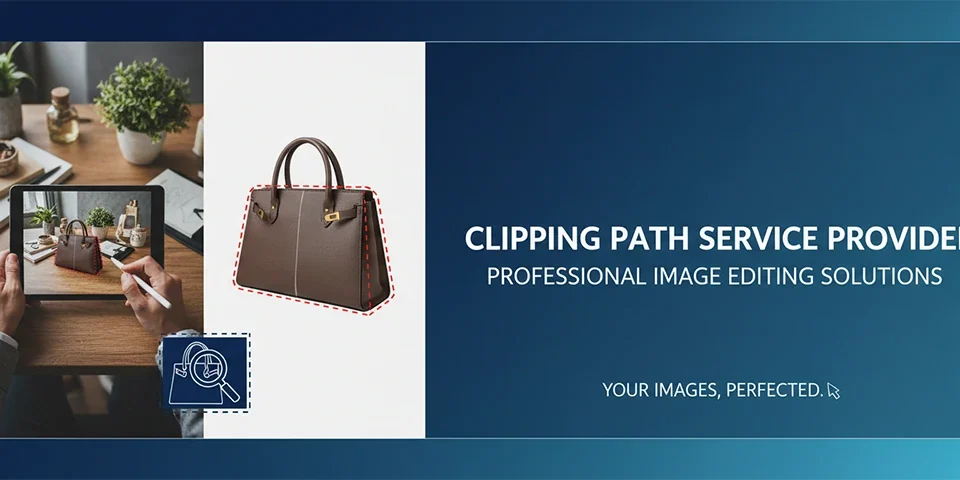
Clipping path terminology forms the foundation of how professionals communicate about image isolation, background removal, and object extraction in the graphic design and photo editing industries. Whether you are a freelance designer, a studio manager, an e-commerce business owner, or a retouching specialist, mastering clipping path synonyms and antonyms helps you articulate requirements precisely and understand project briefs without ambiguity. The term clipping path itself refers to a closed vector shape created with the Pen Tool in software like Adobe Photoshop or Illustrator that defines a selection boundary for isolating an object from its background. However, the industry has evolved a rich vocabulary of alternative terms, related concepts, and opposite techniques that every professional should understand. This complete guide explores every synonym, related term, and antonym you will encounter in real-world design and photo editing contexts.
Pro Tip
Bookmark this guide as a quick reference. When you encounter an unfamiliar term in a client brief or design discussion, refer to the synonym and antonym sections to decode the exact requirement.
Primary Clipping Path Synonyms
The most common synonyms for clipping path fall into several categories based on the tool, technique, or industry context. The direct synonyms include terms such as closed path, vector path, Pen Tool path, and bezier path. In the photo editing industry, many professionals use the terms deep etch, outline cutout, and image isolation interchangeably with clipping path. Designers often refer to a clipping path as a vector mask when the path is used as a mask in the Layers panel. In printing and prepress workflows, the term clipping path is synonymous with image clipping path, cutline, and print path. E-commerce professionals frequently use the terms product clipping path and background removal path when referring to paths created specifically for product photography. Professional retouching studios may use the acronym CP or refer to the process simply as pathing. Understanding these synonyms is crucial when reviewing service menus from photo editing companies, as different providers use different terminology for the same service.
Pro Tip
When searching for clipping path services online, try all major synonyms including deep etch, image isolation, and product path to find the widest range of providers and pricing options.
Deep Etch and Clipping Path
Deep etch is one of the most widely used synonyms for clipping path in the professional photo editing and printing industries. The term deep etch originated in the printing industry where highly detailed cutouts with fine hair, fur, or complex edges were described as deep etched. While clipping path can refer to simple geometric paths, deep etch specifically implies a more detailed and intricate path with many anchor points. A standard clipping path for a simple product box may use 20 to 50 anchor points. A deep etch path for a model with flowing hair may require 500 to 2000 anchor points. The deep etch process demands more skill, more time, and consequently higher service pricing. Some service providers differentiate between simple clipping paths and deep etching as separate service tiers with different pricing structures. When a client requests deep etching, they expect meticulous attention to complex edges, soft details, and translucent elements.
Pro Tip
Use deep etch when discussing complex paths with hair, fur, or intricate details. Use clipping path for simple geometric shapes and product outlines. This distinction helps set accurate expectations with clients.
Image Isolation and Cutout
Image isolation and cutout are functional synonyms for clipping path that describe the outcome rather than the technique. Image isolation refers to the process of separating a subject from its background so it can be placed independently on any new background. The term cutout describes the result of a clipping path operation where the subject appears cut out from its original background. These terms are commonly used in e-commerce catalog production where thousands of product images need isolation for consistent presentation. Image isolation can be achieved through multiple techniques including clipping paths, layer masks, and background removal tools. However, clipping path remains the preferred method for image isolation when precision is required, especially for hard-edged products like electronics, bottles, jewelry, and automotive parts. The term cutout is frequently used in creative briefs and design specifications to describe the desired final state of the image.
Pro Tip
In e-commerce workflows, specify image isolation or cutout rather than clipping path when communicating with non-technical team members. These terms are more universally understood across departments.
Vector Mask and Path Mask
Vector mask and path mask are technical synonyms for clipping path that describe the mechanism within Adobe Photoshop specifically. When you save a clipping path and convert it to a mask in the Layers panel, it becomes a vector mask. Vector masks offer the advantage of being resolution-independent, meaning they remain sharp at any zoom level or print size. The vector mask is stored alongside the layer and can be toggled on and off, enabling or disabling the clipping effect without deleting the path data. Path mask is a less common term but refers to the same concept of using a stored path as a mask. Vector masks can be refined by editing the path anchor points with the Direct Selection Tool, which gives them a significant flexibility advantage over pixel-based layer masks. Understanding the vector mask terminology is important when working with layered Photoshop files that need to be shared across teams or used in template systems.
Pro Tip
Always save your clipping paths as vector masks in the final Photoshop file. This preserves the path data and makes future edits possible without redrawing the entire path from scratch.
Clipping Path Antonyms
Understanding the antonyms and opposite concepts of clipping paths is equally valuable for precise communication. The direct antonym of clipping path is its inverse selection. While a clipping path isolates the object, the inverse selection represents everything outside the path. In practical terms, the antonym of clipping path can also be described as background area or transparent area. When you remove the background using a clipping path, the removed portion becomes the background layer or transparency. Another antonym concept is the layer mask in its inverted form. While a clipping path shows the object, an inverted layer mask hides the object. The terms visible area and hidden area form another antonym pair. The visible area is the object inside the clipping path, while the hidden area is everything outside it. In printing workflows, the image area versus non-image area serves as an antonym pair where the clipping path defines the image area you want to print.
Pro Tip
When explaining clipping paths to beginners, present the antonym concept by showing what is inside versus outside the path. This visual contrast makes the clipping path function immediately clear.
Related Terminology in the Image Editing Industry
The image editing industry uses a constellation of related terms that professionals often encounter alongside clipping path terminology. Background removal is the most common related term and describes the overall goal of the clipping path process. Photo masking is a broader category that includes clipping paths as one method among many. Silhouette is a term used in photography and design to describe the outline shape of an object, which is what a clipping path creates. Knockout is a printing industry term that describes the removal of background from an image for placement on a colored background. Fringing, haloing, and aliasing describe edge artifacts that can occur when clipping paths are not created with sufficient precision. Soft edge refers to paths that include partial transparency along edges, often used for shadows and soft objects. Understanding these related terms helps you diagnose issues, communicate specifications, and select the appropriate technique for each image editing task.
Pro Tip
Build your image editing vocabulary systematically. Start with clipping path synonyms, then learn the related terms, and finally master the antonyms. This layered approach helps you communicate like a seasoned professional.
Compound Terms and Industry Jargon
The image editing industry has developed numerous compound terms and jargon expressions that combine clipping path with other concepts. Multi-path clipping describes projects that require multiple clipping paths within a single image, such as isolating each product in a group shot. Compound path refers to a clipping path that has multiple sub-paths, such as a product with holes or handles that require interior paths to show through. Path-based selection describes the process of creating selections from clipping paths rather than using direct selection tools. Path refinement refers to the process of adjusting anchor points and curves to improve clipping path accuracy. Path intricacy is a term used to describe the complexity level of a clipping path, ranging from low intricacy for simple shapes to high intricacy for detailed subjects. Professional retouching studios often classify clipping paths into categories such as basic, medium, complex, and super complex based on the number of anchor points and edge difficulty.
Pro Tip
When requesting quotes from clipping path service providers, use the standard complexity classification: basic for simple shapes, medium for products with curves, complex for jewelry or multiple items, and super complex for hair and fur.
Software-Specific Terminology
Different software applications use different terminology for the clipping path concept. Adobe Photoshop uses the terms Pen Tool path, work path, saved path, and vector mask. Adobe Illustrator refers to clipping masks and compound paths. CorelDRAW uses the terms PowerClip and bezier curves for similar functionality. GIMP, the open-source alternative, uses the terms path and selection from path. Affinity Photo uses the Pen Tool and vector mask terminology. Understanding these software-specific terms is particularly important when working with teams that use different software tools. A clipping path created in Photoshop exports cleanly to InDesign for print layout, but the terminology in each application context differs. When hiring freelance designers, knowing their software terminology helps you provide instructions that match their workflow. Cross-platform terminology knowledge also helps when migrating workflows between different software environments or training team members on new tools.
Pro Tip
When sending files to a team member who uses different software, include a note about the clipping path terminology differences. This prevents confusion and ensures the path data is correctly interpreted.
Print Industry Terminology
The printing industry has its own specialized vocabulary related to clipping paths that every designer should understand. In print production, a clipping path is often called a cutline or die line when used for creating cutting dies for packaging. The term knockout refers to a clipping path that removes background so the image can be printed directly on a colored substrate. Trapping is a related concept where the clipping path is slightly expanded to prevent white gaps between adjacent colored areas during printing. Overprint and underprint describe how the clipped image interacts with background colors on a printing press. Spot color paths are clipping paths that isolate areas for spot color ink application. The print industry also uses the term clipping path for color separations where each color channel may require its own path. Understanding print terminology is essential for designers who prepare files for commercial printing, as incorrect terminology can lead to expensive print errors.
Pro Tip
When preparing files for print, always confirm with your print provider whether they use the term knockout, die line, or clipping path. Using the wrong term can result in misunderstood instructions and wasted materials.
E-Commerce and Product Photography Terminology
The e-commerce industry has driven the demand for clipping paths and developed its own specific terminology. Product path is a term used specifically for clipping paths created for e-commerce product images. Ghost mannequin path is a specialized clipping path used in fashion photography where multiple paths are created to remove the mannequin from clothing images. Shadow path is a separate clipping path created specifically for the shadow of a product so the shadow can be placed on a new background independently. Reflection and mirror effect paths are additional paths that isolate reflection areas in product presentations. The terms primary path, secondary path, and sub-path are used in e-commerce when multiple objects or elements within the same image need individual isolation. E-commerce platforms like Amazon, Shopify, and Magento all have specific image requirements that depend on accurate clipping path terminology for proper implementation.
Pro Tip
When ordering ghost mannequin or shadow paths, clearly specify the number of paths required per image. Ghost mannequin typically needs at least three paths: one for the front, one for the back, and one for the mannequin removal.
Path Complexity Categories and Their Synonyms
Professional clipping path services categorize paths by complexity, and each category has its own set of synonyms and related terms. Basic clipping paths, also called simple paths or standard paths, are used for geometric objects with straight edges such as boxes, books, and simple product shapes. Medium complexity paths, also called intermediate paths or moderate paths, are used for products with curves, rounded edges, and basic contours such as bottles, shoes, and bags. Complex clipping paths, also called intricate paths or advanced paths, are used for products with irregular shapes, multiple curves, and some fine details such as jewelry, watches, and home decor items. Super complex paths, also called deep etch, high-end paths, or premium paths, are used for subjects with extremely fine details including hair, fur, lace, and translucent objects. Understanding these categories and their synonyms helps you select the appropriate service level and budget for each project.
Pro Tip
Request a sample from your clipping path provider for each complexity level before placing bulk orders. This ensures you and the provider have the same understanding of what each category means.
International Terminology Variations
The terminology for clipping paths varies significantly across different regions and languages. In the United Kingdom and European design markets, the term deep etch is more commonly used than clipping path, especially in high-end retouching studios. In South Asia, particularly in countries like Bangladesh and India where many outsourcing photo editing companies are based, the terms clipping path and image masking are used interchangeably. In the Middle East, the term cutout path is frequently used in Arabic and English design briefs. In East Asian markets including Japan and South Korea, the terminology often blends local language terms with English borrowing. European design firms may use the French term trac de decoupage or the German term Freisteller when communicating in their native languages. International designers working with global teams benefit from understanding these regional differences to avoid miscommunication and ensure project requirements are accurately understood across cultural boundaries.
Pro Tip
When outsourcing clipping path work internationally, confirm the terminology your provider uses before placing orders. Create a glossary of terms for your project to ensure both parties use the same vocabulary.
Synonyms for Specific Use Cases
Different use cases have developed their own preferred synonyms for clipping paths based on industry conventions. In fashion photography, the terms figure isolation, model cutout, and garment path are commonly used when referring to isolating clothing and models from studio backgrounds. In automotive photography, vehicle isolation and car path are the preferred terms. In jewelry photography, the terms item isolation, product silhouette, and detail path are used to describe paths around small, detailed objects. In food photography, ingredient isolation and dish cutout describe paths around food items. In medical and scientific imaging, specimen isolation and object extraction are the appropriate terms. In real estate photography, property outline and building silhouette describe the isolation of architectural subjects. Using the correct synonym for your specific industry demonstrates professionalism and ensures your instructions are immediately understood by service providers specialized in your field.
Pro Tip
When requesting clipping path services, always mention your specific industry along with the preferred term. For example, fashion cutout instead of general clipping path helps providers assign the most experienced retoucher.
Antonyms in Practical Workflows
The antonym concepts of clipping path play practical roles in real-world workflows. The saved selection antonym is commonly used when converting a clipping path to a selection and then inverting it to edit the background area. The removed area antonym becomes important when creating natural shadows on new backgrounds. Designers often create a clipping path for the product and then use the antonym inverse selection to add a drop shadow on the new background. The hidden pixels antonym concept applies when a clipping path is used to hide parts of an image, which is the opposite of using it to reveal parts. In compositing workflows, understanding the antonym relationship helps designers blend cutout subjects with new backgrounds naturally. The foreground versus background antonym pair is the most fundamental concept in clipping path work. Mastering both the synonym and antonym perspectives gives you complete control over every aspect of image isolation and compositing.
Pro Tip
In complex composites, create a separate path for the antonym area outside your subject. This allows you to apply different background effects without affecting the subject path.
How Synonyms Affect Service Pricing
The terminology used when requesting clipping path services directly affects the pricing you receive from service providers. When you request a clipping path for a simple product, you receive a basic service rate. When you request deep etching for the same product, providers may quote a higher rate because they associate the term with higher complexity and precision requirements. The term image isolation often falls between basic clipping path and deep etch in pricing tiers. Understanding these pricing implications helps you choose terminology that accurately represents your needs without paying for unnecessary complexity. If you need a simple product cutout on a white background, use the terms simple clipping path or basic image isolation. If you need meticulous detail around complex edges, use the term deep etch. This terminology awareness helps you communicate requirements precisely and avoid overpaying for services that exceed your actual needs.
Pro Tip
Request pricing for multiple terminology categories when comparing service providers. A clipping path quote and a deep etch quote for the same image can differ significantly, revealing which provider offers the best value.
Technical Synonyms for Advanced Users
Advanced users and technical professionals use specialized synonyms that reflect deeper understanding of the clipping path mechanism. Bezier path refers to the mathematical curves that form the clipping path, named after Pierre Bezier who developed the curve algorithm. Anchor point path emphasizes the role of individual points in defining the path shape. Sub-path and compound path describe path structures with multiple components. Nested path describes a clipping path that contains another clipping path within it. These technical terms are used in scripting and automation contexts where clipping paths are manipulated programmatically. Photoshop actions and scripts that use clipping paths reference them using these technical terms in the scripting language. Understanding technical synonyms is essential for developers creating automation tools, plugin developers, and power users who write actions to streamline repetitive clipping path workflows.
Pro Tip
When writing Photoshop actions that use clipping paths, use the scripting name for the path as it appears in the Paths panel. This ensures your actions run consistently across different files and projects.
Clipping Path vs Image Masking: Terminology Differences
Understanding the distinction between clipping path and image masking terminology is essential for precise communication in the photo editing industry. Clipping path refers specifically to vector-based isolation using the Pen Tool, creating mathematically defined curves and anchor points. Image masking is a broader category that encompasses multiple techniques including layer masks, channel masks, and alpha channel masking. The clipping path synonym set includes terms like vector path and bezier curve that emphasize the vector nature. The image masking synonym set includes pixel mask, transparency mask, and soft mask that emphasize pixel-level manipulation. Professionals who confuse these terms may request a clipping path for a subject with soft edges when image masking would be more appropriate. Correct terminology usage ensures that the right technique is applied to each image. For hard-edged products like bottles and boxes, use clipping path terminology. For soft-edged subjects like hair and fur, use image masking terminology.
Pro Tip
Use a simple test to decide which term to use. If the subject edge is clearly visible with no softness, use clipping path terminology. If the edge has hair or soft transitions, use masking terminology.
Building Your Clipping Path Terminology Reference
Creating a personalized terminology reference for your team or studio standardizes communication and reduces errors in project workflows. Start with a master list of all clipping path synonyms organized alphabetically with definitions and usage contexts. Add a section for antonyms that clarifies what each term does not mean. Include industry-specific terms for your particular market such as fashion cutout, automotive path, or product isolation. Create visual examples for each term showing the technique or result associated with the terminology. Document pricing implications of different terminology choices so team members understand the cost impact of their language. Include international terminology variations if your team works with global clients. Distribute this reference to all team members and include it in client onboarding materials. A well-crafted terminology reference ensures that everyone in your workflow speaks the same language, reducing rework and improving client satisfaction.
Pro Tip
Create your terminology reference as a shared document that team members can update as they encounter new terms from clients or industry developments. This keeps the reference current and valuable.
Common Misused Clipping Path Terms
Several terms related to clipping paths are frequently misused in the industry, leading to confusion and miscommunication. The term clipping mask is often confused with clipping path. A clipping mask uses one layer to mask others in the Layers panel, while a clipping path is a stored vector path in the Paths panel. The term deep etch is sometimes overused for simple paths that do not warrant the complexity label. Image cutout is sometimes used interchangeably with clipping path even when no path was involved in the isolation process. The term background removal is a result description, not a technique name, but is often used as a synonym for clipping path. Vector mask and clipping path are closely related but not identical. A clipping path becomes a vector mask only when applied through the Layers panel. Understanding these common misuses helps you communicate more accurately and identify when clients or team members may be using terms incorrectly. Correcting terminology early prevents costly misunderstandings in project execution.
Pro Tip
When you hear a potentially misused term in a client meeting, clarify the meaning before the discussion continues. Ask the client to describe the desired result rather than assuming their terminology matches yours.
Terminology for Client Communication
Choosing the right terminology when communicating with clients about clipping paths can significantly impact project clarity and client satisfaction. When speaking to design-savvy clients, using technical terms like vector path or bezier curve demonstrates professional expertise and builds confidence. When communicating with non-technical clients, use functional terms like background removal or cutout that describe the visible result rather than the method. Always define any technical terminology in your first conversation with a new client to establish a shared vocabulary. Include terminology explanations in your service proposals and contracts to prevent scope disputes. When clients use incorrect terminology, gently correct them by offering the standard term while acknowledging their intended meaning. Creating a simple client-facing glossary of terms you use in your services helps bridge the terminology gap. Effective client communication through proper terminology usage reduces revision requests, builds trust, and positions you as a knowledgeable professional who cares about clear communication.
Pro Tip
Create a one-page visual glossary of clipping path terms with before and after image examples. Send this to every new client before your first project discussion to align terminology expectations.
How Terminology Evolves in the Industry
The terminology surrounding clipping paths continues to evolve as technology advances and new tools emerge. The rise of AI-powered background removal tools has introduced new terms such as automatic cutout, AI masking, and smart isolation. While these AI tools use fundamentally different technology than manual Pen Tool paths, the terminology often overlaps with traditional clipping path vocabulary. Industry professionals must stay current with evolving terminology to communicate effectively about both traditional and emerging techniques. The term composite path has gained popularity in recent years to describe clipping paths used in complex multi-element composites. Path automation and batch pathing are newer terms that describe processes where multiple clipping paths are created through automated scripts or actions. As virtual and augmented reality applications grow, new terminology for 3D object pathing and volumetric isolation is emerging. Staying informed about terminology evolution helps you remain relevant, adopt new techniques appropriately, and communicate effectively in a changing industry landscape.
Pro Tip
Subscribe to industry publications and follow leading photo editing blogs to track terminology changes. New terms often appear in trade publications before they become standard in everyday client communication.
Frequently Asked Questions
What is the most common synonym for clipping path? Deep etch is the most widely used synonym in the professional photo editing industry, particularly for complex paths with fine details. What is the antonym of a clipping path? The antonym is the inverse selection or the area outside the clipping path boundary. Also referred to as the removed background area or hidden pixels. Is there a difference between clipping path and deep etch? Yes, deep etch implies a more detailed and complex path with more anchor points, typically used for hair, fur, and intricate edges. What does vector mask mean in relation to clipping path? A vector mask is the technical term for a clipping path when it is applied as a mask in the Photoshop Layers panel. What is a ghost mannequin path? A ghost mannequin path is a specialized clipping path used in fashion photography to remove the mannequin from clothing images while preserving the garment shape. Are clipping path and image masking the same thing? No, clipping path uses vector paths for hard-edged subjects while image masking uses pixel-based techniques for soft-edged subjects like hair and fur. What is a compound path in clipping path terminology? A compound path is a single clipping path that contains multiple sub-paths, such as the exterior and interior areas of a product with handles or holes. Which industries use clipping path terminology the most? E-commerce, fashion photography, printing and packaging, advertising, and product photography industries use clipping path terminology most frequently. Can I use clipping path and cutout interchangeably? Yes, cutout is an acceptable synonym for clipping path, though cutout describes the result while clipping path describes the technique. What is the German term for clipping path? The German term for clipping path is Freisteller, which translates to image isolator and is commonly used in German-speaking design markets.
The Bottom Line
Mastering the language of clipping paths is just as important as mastering the technique itself. The right terminology ensures clear communication, accurate pricing, and successful project outcomes every single time.
— Industry Standards, Image Editing Professional
Clipping Path Synonyms & Antonyms: Complete Terminology Guide — A comprehensive reference for professionals and beginners in the image editing industry. Updated with the latest industry terminology and best practices.
Was this article helpful?
Pro Pixel Agency
Want this done for you? Try our image editing free.
Send a sample, get the finished result back, and only then decide. Clear prices, no commitment.