What Is a Clipping Path?
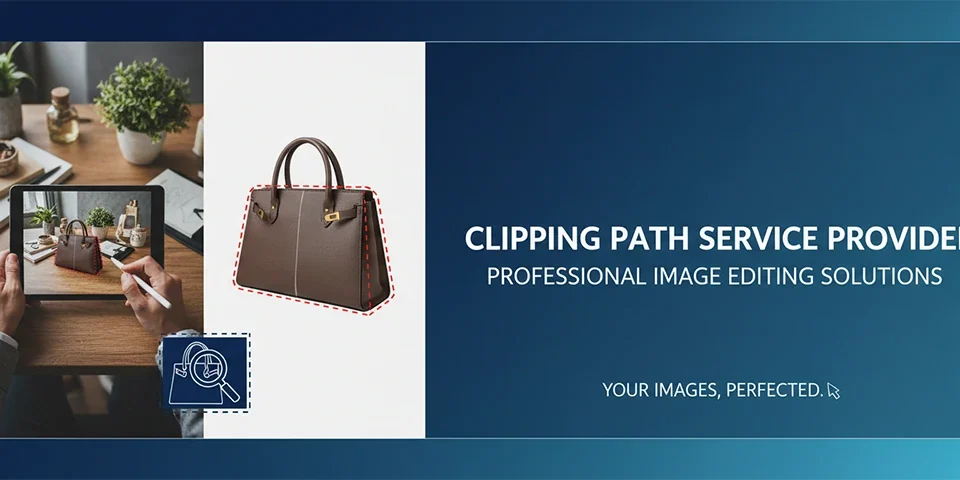
A clipping path is a closed vector shape or outline used in image editing to isolate and separate an object from its background. Think of it as digital scissors — it cuts around the edges of a subject, allowing you to remove, replace, or modify the background while preserving the subject perfectly.
Clipping paths are created using the Pen Tool in Photoshop or similar vector-based tools in other editing software. The path defines which parts of an image are visible (inside the path) and which are hidden (outside the path), creating clean, precise edges that look natural and professional.
"A perfect clipping path is invisible — you never notice the cutout, only the seamless result that makes the subject look like it was always meant to be there."
Unlike automated selection tools that often produce jagged or imprecise edges, manually created clipping paths deliver pixel-perfect accuracy that meets professional standards. This precision is essential for e-commerce, advertising, and any application where image quality directly impacts perception and sales.
Key Takeaway
Clipping paths are vector outlines that precisely separate subjects from backgrounds, providing clean, professional results that automated tools cannot match for complex edges and detailed subjects.
Types of Clipping Paths
Different subjects require different clipping path approaches. Understanding these types helps you choose the right technique for each image and achieve optimal results.
Simple Clipping Path
Used for objects with smooth, simple edges — boxes, electronics, books, furniture. Simple paths require fewer anchor points and faster creation. They're ideal for straightforward product photography where edges are clean and well-defined.
Complex Clipping Path
Required for subjects with intricate edges — jewelry, clothing with folds, models with flowing hair, products with detailed textures. Complex paths demand more anchor points, careful edge refinement, and significant time investment to achieve clean results.
Multi-Path Clipping
Creates separate paths for different elements within a single image — useful for products with multiple parts, group shots, or images requiring selective editing of specific areas. Each path can be manipulated independently for maximum flexibility.
Soft Edge Clipping
Incorporates feathering along path edges to create softer, more natural transitions. Essential for subjects with fuzzy or soft edges — fur, feathers, fabric, hair. Soft edges prevent the harsh, cutout appearance that ruins natural-looking composites.
| Path Type | Complexity | Best For |
|---|---|---|
| Simple | Low | Electronics, boxes, furniture |
| Complex | High | Jewelry, clothing, models |
| Multi-Path | Medium-High | Group shots, multi-part products |
| Soft Edge | Medium | Hair, fur, fabric, feathers |
A visual comparison showing four different clipping path types applied to various subjects — simple (box), complex (jewelry), multi-path (group), and soft edge (model with hair) — with visible path outlines.
1200 x 800 px
Image Manipulation Techniques
Beyond basic background removal, clipping paths enable numerous advanced image manipulation techniques that transform ordinary images into compelling visual content.
Background Replacement
Once a subject is isolated with a clipping path, the background can be replaced with any image — solid colors, gradients, studio backdrops, lifestyle scenes, or abstract designs. This technique is essential for e-commerce, advertising, and creative projects where context and atmosphere matter.
Professional background replacement requires careful attention to lighting direction, color temperature, and shadow creation to ensure the subject appears naturally integrated with the new environment.
Shadow and Reflection Creation
After background removal, shadows and reflections must be recreated to maintain realism. Drop shadows, contact shadows, and reflection effects ground subjects and prevent the floating appearance that signals artificial manipulation.
Different shadow types serve different purposes: drop shadows suggest overhead lighting, contact shadows anchor subjects to surfaces, and reflection effects create polished, high-end presentations common in product photography.
Color Correction and Enhancement
Clipping paths enable selective color correction — adjusting specific areas without affecting the entire image. Correct product colors independently from backgrounds, enhance skin tones without changing clothing, or adjust individual elements within complex compositions.
This selective editing capability is invaluable for professional retouching, where precise control over different image elements produces natural-looking, polished results.
Compositing and Montage
Multiple clipped images can be combined into seamless composites — placing products in different environments, creating group shots from individual portraits, or building complex visual narratives from separate elements. Compositing is the foundation of advertising photography and creative visual design.
Successful compositing requires consistent lighting, perspective, and scale across all elements. Professional compositors spend significant time matching these elements to create believable, cohesive final images.
Image Restoration and Repair
Clipping paths facilitate precise restoration work — isolating damaged areas for repair, separating foreground elements for enhancement, or creating clean plates for reconstruction. This technique is essential for restoring old photographs, repairing damaged images, and creating clean versions of imperfect source material.
Ghost Mannequin Effect
The ghost mannequin technique uses clipping paths to create the illusion of invisible mannequins for clothing photography. By combining front and back views and removing the mannequin, this technique creates dimensional product presentations that showcase fit and form without visible support structures.
This technique requires multiple shots and precise clipping path work to create seamless, natural-looking results. It's become standard for fashion e-commerce, providing clean, professional product presentations that help customers visualize how clothing will look when worn.
Shadow Creation Techniques
Professional shadow creation enhances isolated subjects with realistic depth and dimension. Different shadow types serve specific purposes: drop shadows suggest overhead lighting, contact shadows anchor subjects to surfaces, and reflection effects create polished, high-end presentations.
Shadow direction, density, and softness must match the intended environment. Inconsistent shadows immediately signal artificial manipulation, undermining the professional quality of the final image.
Color Isolation and Splash Effects
Clipping paths enable creative color manipulation — isolating specific colors while converting the rest to black and white, or applying color adjustments to individual elements within complex images. These effects create visual emphasis and artistic impact that draws viewer attention.
Color isolation is popular in advertising, editorial photography, and creative projects where selective emphasis enhances visual storytelling and brand messaging.
Professional Clipping Path Workflow
A systematic approach ensures consistent, high-quality clipping path results. Follow this professional workflow for efficient, accurate image isolation.
1
Image Assessment
Evaluate image complexity, edge quality, and subject characteristics. Identify challenging areas — hair, transparency, soft edges — that require special attention. Plan your approach based on these observations.
2
Path Creation
Using the Pen Tool, create anchor points along the subject's edges. Start with major shapes, then refine details. Zoom to 200-400% for precision. Place anchor points strategically — more points for complex curves, fewer for straight edges.
3
Edge Refinement
Refine path edges for precision. Smooth curves, adjust anchor point handles, and ensure consistent edge quality throughout. Pay special attention to transition areas where subject meets background.
4
Soft Edge Treatment
Apply appropriate feathering or edge refinement for soft-edged subjects. Hair, fur, and fabric require special techniques like channel masking or Select and Mask to preserve natural-looking edges.
5
Path Conversion
Convert the completed path to a selection, then create a layer mask or copy the isolated subject to a new layer. This non-destructive approach preserves the original image while enabling flexible editing.
6
Quality Verification
Check the isolated subject against different backgrounds to verify edge quality. Look for halos, jagged edges, or missing details. Refine as needed until the result appears natural on any background.
Software Tools for Clipping Paths
Several software options support clipping path creation, each with different strengths and learning curves. Understanding your options helps you choose the right tool for your needs.
| Software | Best For | Price |
|---|---|---|
| Adobe Photoshop | Professional clipping, industry standard | $22.99/month |
| Adobe Illustrator | Vector paths, clean outlines | $22.99/month |
| GIMP | Free alternative, basic paths | Free |
| Photopea | Browser-based, Photoshop-like | Free / $5/month |
| Affinity Photo | Affordable, one-time purchase | $69.99 one-time |
| CorelDRAW | Vector editing, precision paths | $249/year |
Photoshop Pen Tool Mastery
The Photoshop Pen Tool remains the gold standard for clipping path creation. Its bezier curve controls provide unmatched precision for complex edges. Mastering the Pen Tool requires practice but delivers results that automated tools cannot match.
Key Pen Tool skills include: creating smooth curves, adjusting anchor point handles, converting between corner and smooth points, and working with keyboard shortcuts for efficiency. These fundamentals apply across all vector-based editing tools.
Automated vs Manual Approaches
While automated tools like Select Subject, Magic Wand, and AI-powered selection have improved significantly, they still struggle with complex edges, similar colors between subject and background, and detailed textures. Manual clipping paths remain essential for professional-quality results.
The best approach often combines automation with manual refinement — use AI selection as a starting point, then refine edges manually with the Pen Tool for precision that meets professional standards.
Industry Applications
Clipping paths serve critical roles across numerous industries, each with specific requirements and standards.
E-Commerce
E-commerce platforms require pure white backgrounds (RGB 255,255,255) for product images. Clipping paths enable precise background removal that meets these strict requirements while preserving product detail. This clean presentation ensures products are the sole focus, meeting platform standards and building buyer confidence.
Amazon, eBay, Google Shopping, and other platforms reject images that don't meet background specifications. Professional clipping path services ensure compliance and prevent listing rejections that delay sales.
Advertising and Marketing
Advertising photography relies heavily on clipping paths for compositing, background replacement, and creative manipulation. Product ads, lifestyle compositions, and promotional materials all require precise image isolation for professional results.
The precision of clipping paths enables seamless integration of products into aspirational environments — placing watches on yacht decks, cosmetics in luxury bathrooms, or electronics in modern living rooms — creating compelling visual narratives that drive sales.
Real Estate
Real estate photography uses clipping paths for sky replacements, virtual staging, and property enhancement. Removing distracting elements, replacing overcast skies with blue alternatives, and adding virtual furniture all require precise image isolation.
Virtual staging — adding furniture to empty rooms through photo manipulation — has become essential for marketing properties. Clipping paths enable the precise editing required for realistic, appealing results.
Fashion and Apparel
Fashion photography demands exceptional clipping path quality due to complex edges — flowing fabric, model hair, intricate jewelry. These subjects require advanced techniques and significant time investment to achieve natural-looking results.
Ghost mannequin effects, flat lays, and on-model photography all rely on clipping paths for clean backgrounds and consistent presentation across product catalogs.
Automotive Industry
Automotive photography uses clipping paths for vehicle isolation, color changes, and background replacement. Car dealerships and manufacturers require clean, consistent product images that showcase vehicles against studio backgrounds or aspirational environments.
Clipping paths enable precise isolation of vehicles with complex reflections, chrome details, and transparent windows — challenging subjects that require expert technique for natural-looking results.
Product Photography Studios
Professional photography studios rely on clipping paths for post-production efficiency. Creating clean, consistent backgrounds across diverse product types requires systematic clipping path work that maintains quality while handling high volumes.
Studio photographers often develop relationships with clipping path services that handle post-production, allowing them to focus on shooting while ensuring consistent, professional results across all client deliverables.
Social Media Content
Social media content creation increasingly uses clipping paths for creative compositions, product placement, and branded visual content. Isolated products can be placed in any context, creating engaging, scroll-stopping content that drives engagement and sales.
Consistent use of clipping paths in social media creates professional, cohesive brand presentation that stands out in crowded feeds and builds recognition among followers and potential customers.
Our Professional Clipping Path Services
At Pro Pixel Agency, we provide expert clipping path and image manipulation services that transform your images into professional, sales-driving visual assets.
Web Design
Websites featuring professionally edited product images with clean backgrounds and consistent visual presentation.
Video Editing
Video content with professional image integration, compositing, and visual effects that enhance storytelling.
Image Editing
Expert clipping paths, background removal, image manipulation, and retouching with pixel-perfect precision.
Audio Editing
Professional audio services for multimedia projects combining manipulated images with compelling sound design.
3D Design & Rendering
3D product visualization as an alternative to traditional clipping paths for complex products and custom angles.
SEO Services
Image optimization including clean, properly formatted product images that improve search visibility and conversions.
Frequently Asked Questions About Clipping Paths
What's the difference between a clipping path and a layer mask?
A clipping path is a vector outline that defines visible and hidden areas. A layer mask is a raster-based grayscale image that controls transparency. Clipping paths offer resolution independence and clean edges for simple shapes. Layer masks provide more flexibility for soft edges and complex selections. Many workflows use both techniques together.
When should I use a clipping path instead of automated selection?
Use clipping paths when: edges must be pixel-perfect, subjects have complex outlines, professional standards are required, or automated tools produce poor results. Automated selection works for quick, casual edits but lacks the precision needed for e-commerce, advertising, and professional applications.
How long does it take to create a clipping path?
Simple products take 5-10 minutes. Complex subjects with intricate edges — jewelry, clothing, hair — can take 30-60 minutes or more. Time depends on image complexity, edge quality, and required precision. Professional editors develop efficiency through practice and technique refinement.
Can clipping paths handle transparent objects?
Transparent objects require specialized techniques beyond basic clipping paths. Glass, plastic, and other transparent materials need careful masking that preserves transparency while removing backgrounds. This typically combines clipping paths with channel masking or advanced Photoshop techniques.
What file formats support clipping paths?
EPS, TIFF, and PSD formats support embedded clipping paths. JPEG doesn't support paths. For e-commerce, deliver isolated images as PNG (transparent background) or JPEG (white background). Maintain original files with paths for future editing flexibility.
How do I check clipping path quality?
View isolated images against contrasting backgrounds — red, blue, or patterned backgrounds reveal halos, jagged edges, or missed spots. Zoom to 200-400% and inspect edges carefully. Check hair, fur, and fabric details. Test on both light and dark backgrounds to ensure versatility.
Should I outsource clipping path work?
Outsourcing makes sense when: volume exceeds in-house capacity, specialized expertise is needed, time constraints are tight, or cost efficiency is important. Professional clipping path services offer bulk pricing, consistent quality, and quick turnaround that's difficult to match in-house.
Was this article helpful?
Pro Pixel Agency
Want this done for you? Try our image editing free.
Send a sample, get the finished result back, and only then decide. Clear prices, no commitment.