
Discover powerful free photo editing software that rivals Adobe Photoshop. Complete comparison guide with features, pros, cons, and recommendations.
Explore Options
View Comparison
100% Free
All options listed are completely free with no hidden costs or trials.
Legal & Safe
All software is legitimate, safe to download, and virus-free.
Feature Rich
Powerful tools for layers, masks, filters, and professional editing.
Cross Platform
Works on Windows, Mac, and Linux operating systems.
GIMP - The Most Powerful Free Option
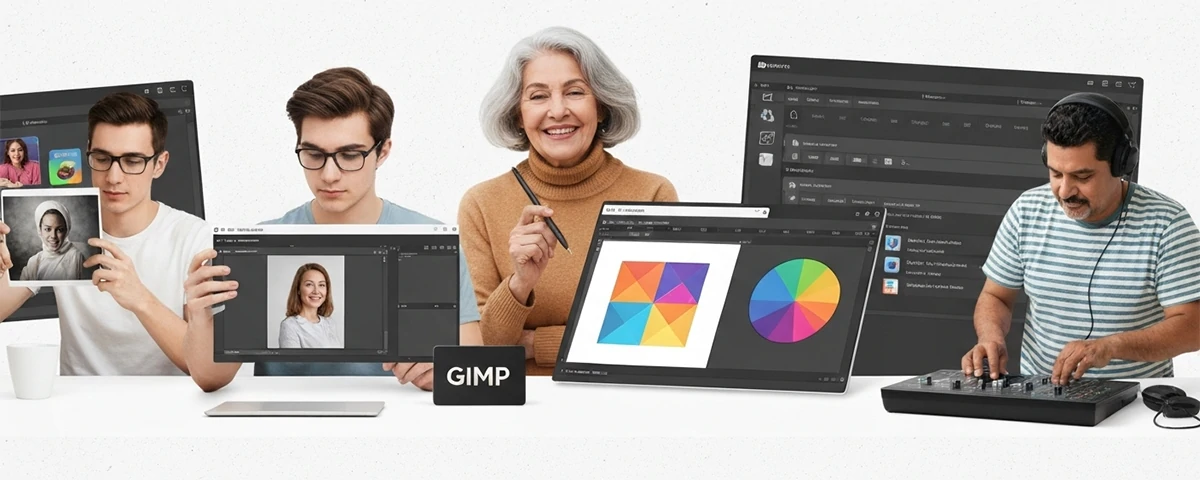
GIMP (GNU Image Manipulation Program) stands as the most capable free alternative to Adobe Photoshop. Developed by a community of volunteer developers, GIMP offers a comprehensive set of tools that can handle almost anything Photoshop can do, from basic photo retouching to advanced graphic design projects.
Originally released in 1998, GIMP has evolved into a mature, stable application used by professional photographers, web designers, and digital artists worldwide. The software is open-source, meaning its source code is freely available, and it's developed and maintained by a dedicated community of volunteers who are passionate about creating a powerful free alternative to commercial photo editing software.
Completely Free
GIMP is free forever with no paid versions, trials, or premium features. Download and use without any cost.
Advanced Layers
Full support for layers, layer masks, layer groups, and blend modes comparable to Photoshop.
Customizable Interface
Highly customizable workspace with dockable panels, keyboard shortcuts, and scripting support.
GIMP Features Deep Dive
What makes GIMP the top choice for professionals
GIMP offers an impressive array of features that make it suitable for both beginners and advanced users. Let's explore the key capabilities that make this free software a viable alternative to Photoshop.
Selection Tools
Advanced selection tools including fuzzy select, by color select, intelligent scissors, and path tools for precise selections.
Excellent
Transform Tools
Comprehensive transformation tools including rotate, scale, shear, perspective, and flip operations.
Excellent
Filters & Effects
Extensive library of filters for blur, sharpen, enhance, distort, and artistic effects.
Very Good
Photopea - Best Browser-Based Option
For those who need Photoshop-like functionality without installing anything, Photopea offers an impressive browser-based solution that runs directly in your web browser.
No Installation
Works directly in browser
PSD Support
Opens Photoshop files
Free Version
Generous free tier
Familiar UI
Similar to Photoshop
More Excellent Alternatives
Other great free options worth considering
Beyond GIMP and Photopea, there are several other quality free photo editing options that might better suit your specific needs. Let's explore these alternatives in detail.
Pixlr
Web and mobile editor with AI features, great for quick edits and social media content.
Krita
Excellent for digital painting and illustration, with professional-grade brushes.
Darktable
Powerful RAW processor for photographers, excellent for batch editing and workflows.
Paint.NET
Windows-only option with intuitive interface, great for beginners and basic edits.
Comparing Features Across Alternatives
Understanding how each alternative compares helps you make an informed decision for your specific needs.
Layer Support
GIMP, Photopea, and Krita all offer full layer support similar to Photoshop. Paint.NET has basic layer support, while Darktable focuses on non-destructive editing.
RAW Processing
Darktable leads for RAW processing with professional-grade tools. GIMP handles RAW through plugins, while others have limited RAW support.
Ease of Use
Paint.NET offers the gentlest learning curve. Photopea feels familiar if you've used Photoshop. GIMP has a steeper but rewarding learning curve.
Platform Support
GIMP and Krita run on Windows, Mac, and Linux. Photopea works in any browser. Paint.NET is Windows-only. Darktable runs on Windows and Linux.
File Format Support
Photopea excels at opening PSD files. GIMP supports most formats. Krita specializes in open formats. Each handles the basics well.
Updates & Development
GIMP and Krita have active open-source development. Photopea updates frequently. Darktable has regular releases. Paint.NET updates less often.
Making the Right Choice
How to select the best alternative for your needs
Choosing the right photo editing software depends on your specific requirements, technical background, and intended use. Here's a detailed guide to help you make the best decision for your situation.
For Photographers
If you work with RAW files and need professional-grade editing, Darktable offers the most comprehensive free solution. Its non-destructive workflow and batch processing capabilities rival paid software.
For Designers
Graphic designers should consider GIMP for its extensive feature set and customization options. The learning curve pays off with professional results.
For Beginners
Those new to photo editing should start with Paint.NET for Windows users or Photopea for anyone. Both offer intuitive interfaces without overwhelming options.
Frequently Asked Questions
Common questions about free Photoshop alternatives
Can free alternatives match Photoshop's quality?
For most tasks, yes. GIMP particularly offers professional-grade tools that can achieve results comparable to Photoshop. Some specialized features may differ, but the core editing capabilities are there.
Are these completely free to use?
Yes, all options listed are genuinely free. GIMP, Krita, Darktable, and Paint.NET are open-source and free forever. Photopea has a generous free tier with optional premium features.
Can I open Photoshop files in these programs?
Photopea handles PSD files best. GIMP can open PSDs with some limitations. Other programs have varying levels of Photoshop file support. Always save backups in standard formats too.
Which is best for professional work?
GIMP is the most versatile for general professional work. Darktable excels for photography workflows. Krita is ideal for digital illustration. All can produce professional results with skill.
Do these have mobile versions?
Pixlr offers excellent mobile apps. GIMP has limited mobile options. Photopea works in mobile browsers. Most other alternatives focus on desktop experiences.
Getting Started Guide
How to begin your free photo editing journey
Starting with free photo editing software is straightforward. Here's how to get started with the best options available.
1. Choose Your Software
Based on your needs
Start by selecting one option based on the comparison above. You can always try others later, but committing to learning one tool thoroughly yields better results.
2. Download & Install
Visit official websites
Always download from official sources to avoid malware. Links are provided in this guide for each software's official website.
3. Learn the Basics
Start with simple edits
Begin with basic adjustments like cropping, color correction, and simple retouching before moving to advanced features.
4. Join Communities
Learn from others
Each software has active communities with tutorials, forums, and resources to help you improve your skills.
The Future of Free Photo Editing
The landscape of free photo editing software continues to evolve, with exciting developments on the horizon that promise even better tools for everyone.
Artificial intelligence and machine learning are increasingly being integrated into free photo editing tools, bringing capabilities that were previously only available in expensive professional software. GIMP has been adding AI-powered features, while Photopea continuously improves its automatic enhancement tools. These advances mean that free alternatives are becoming more powerful every year, narrowing the gap with commercial options even further.
AI Integration
Machine learning features are being added to free tools, bringing automatic subject selection, intelligent color matching, and smart enhancement capabilities.
Cloud-Based Editing
Browser-based options like Photopea are improving rapidly, offering more features without requiring software installation.
Community Growth
Open-source projects continue to grow with more developers contributing, ensuring ongoing improvements and new features.
Format Support
New camera formats and standards are increasingly supported as development communities stay current with industry changes.
This guide provides information about legitimate, free photo editing software alternatives. All options listed are legal, safe, and maintained by their respective communities.
More useful paths
Use these paths to continue with the closest practical topic, service, or decision guide.
Pro Pixel Agency
Want this done for you? Try our image editing free.
Send a sample, get the finished result back, and only then decide. Clear prices, no commitment.