Introduction
AI photo editing isn't just another trend—it's a complete revolution in how we create and enhance images. What once took hours of precise manual work can now be achieved in seconds, with results that would make even professional editors do a double-take.
Lightning Fast
Edit photos in seconds that would take hours manually.
For Everyone
Beginner-friendly yet powerful enough for pros.
Magical Results
Achieve results you never thought possible.
How AI Actually Edits Photos
Let's keep this simple—no tech jargon, just what you actually need to know. When you upload a photo to an AI editor, this is what happens:
1
Analysis
The AI looks at every pixel, identifies objects, faces, lighting, and even understands the mood of your photo.
2
Understanding
It compares your image against billions of other photos it's learned from to know what "good" looks like.
3
Intelligent Edit
It makes precise adjustments that would take you hundreds of clicks, all in milliseconds.
Best AI Photo Tools in 2026
Adobe Photoshop
The industry gold standard. Generative Fill alone is worth the subscription.
Best Overall
Luminar Neo
Built entirely around AI. One-click edits that look absolutely stunning.
Easiest To Use
Topaz Photo AI
The absolute best for upscaling, noise reduction, and sharpening.
Best Quality
Features That Feel Like Magic
Generative Fill
Remove anything, add anything, or extend your image in any direction. Just type what you want.
Face Restoration
Fix blurry faces in old photos, group shots, or low light conditions with perfect accuracy.
AI Upscaling
Turn your phone photos into print-ready 8K masterpieces. Nobody will believe it's the same image.
Sky Replacement
One click to turn that boring grey sky into a dramatic sunset. Even matches the lighting automatically.
Portrait Enhancement
Smooth skin, whiten teeth, enhance eyes, all while looking completely natural.
Automatic Editing
AI analyzes your photo and applies the perfect adjustments. Better than most human editors.
The Honest Truth About AI Editing
Let's be real for a second. AI isn't perfect. Here's what nobody tells you:
❌ It makes mistakes
Hands, teeth, and fine details still sometimes come out weird. Always zoom in and check.
❌ It's not creativity
AI executes your vision. It doesn't have vision of its own. Your taste still matters most.
❌ Overuse kills quality
Just because you can AI everything doesn't mean you should. Restraint produces better work.
❌ Ethics matter
Don't edit people without their consent, and be transparent when you use AI tools.
Pro Tips That Actually Work
Do This
- Use AI for the boring repetitive work
- Always keep your original file
- Edit at 50% strength first
- Learn exactly what each slider does
- Take 5 breaks before calling it done
Don't Do This
- Don't use maximum values on everything
- Don't trust the preview at small sizes
- Don't edit on an uncalibrated screen
- Don't believe the "professional" presets
- Don't post immediately. Sleep on it.
What's Coming Next
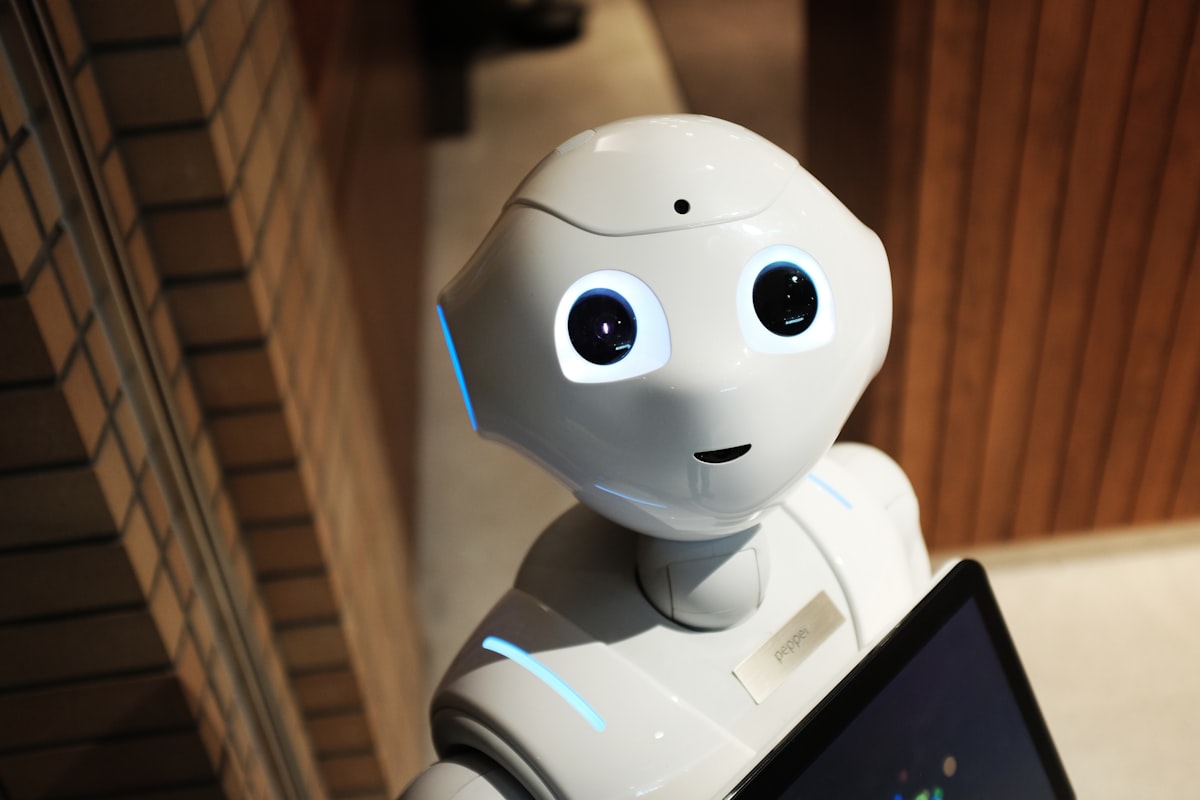
The pace of development right now is absolutely insane. Here's what will be normal by 2027:
🎬 Video in Photo
Make any person in your photo blink, smile, or even talk naturally.
🖌️ Text Prompts
"Make this photo look like it was taken at golden hour" will actually work perfectly.
🎭 Style Transfer
"Edit this photo like Annie Leibovitz would" and get exactly that.
Perfect 30 Second Edit Workflow
This is the exact workflow professional editors use for 90% of photos. No fancy tricks, just consistent great results:
1
Lens Correction
Fixes distortion automatically. Always do this first.
2
White Balance
Get your colors right before anything else.
3
Exposure & Contrast
Get the basics right. Most photos only need small tweaks.
4
AI Enhance
One click. This does 80% of the remaining work.
5
Final Polish
Tiny saturation bump. Very small sharpening. Done.
Mistakes Everyone Makes
❌ Overdoing Everything
AI tools default to too much. Sliders at 50% almost always look better than 100%.
❌ Skin Smoothing Addiction
Keep pores. People don't look like plastic. 20-30% strength is enough.
❌ Ignoring Shadows
AI can brighten shadows but can't create them. Good light still wins.
❌ Editing Too Much
If you can tell it's edited, you edited too much. Great editing is invisible.
Most Common Questions
❓ Will AI replace photographers?
No. But photographers who use AI will replace photographers who don't. The camera didn't replace painters—it created a new art form.
❓ Do I need an expensive computer?
Most AI editing now runs in the cloud. Even a 5 year old laptop works fine. The heavy lifting happens on their servers, not yours.
❓ Is it cheating to use AI?
Is using a car instead of walking cheating? Tools amplify your ability. What matters is the vision, not how you execute it.
❓ Free vs Paid tools?
Free tools are great for learning. Once you start creating seriously, $10-20/month for professional tools is the best investment you can make.
Actually Useful Resources
📺 YouTube Channels
- Peter McKinnon
- Manny Ortiz
- PiXimperfect
- James Matthews
📚 Best Books
- Understanding Exposure
- The Photographer's Eye
- On Photography
- Read This If You Want To Take Great Photos
🌐 Free Tools
- Photopea (free Photoshop)
- Removal.ai
- Upscale.media
- Canva Photo Editor
Final Thoughts
Here's the bottom line: AI photo editing is here to stay. It's not going anywhere, and it's only going to get better. The photographers and creators who thrive won't be the ones who ignore it—they'll be the ones who learn to use it as a tool to amplify their own creativity.
The best part? You don't need to be an expert anymore. You just need good taste and a vision. The technology will handle the rest.
💡 The camera used to matter most. Then it was editing skills. Now the most valuable skill is taste. Focus on developing yours.
Who Actually Needs This?
📸 Professional Photographers
Cut post-processing time from 8 hours per wedding to 45 minutes. Deliver better results faster than ever before.
🛒 E-commerce Store Owners
Remove backgrounds automatically, standardize product photos, and create consistent catalogs in minutes.
📱 Social Media Creators
Create scroll-stopping content daily. Batch edit 20 photos in the time it used to take to edit one.
👪 Family Historians
Restore damaged old family photos, colorize black and white images, and preserve memories for generations.
🏢 Real Estate Agents
Turn overcast property photos into sunny day shots, declutter rooms, and make listings look their absolute best.
🎓 Students & Hobbyists
Create professional looking projects, presentations, and portfolios without expensive software or years of training.
Understanding Color Grading
AI doesn't just "make colors pretty" — it understands color science. Here's what it's actually adjusting:
🎨 White Balance
Measures color temperature from 2000K (warm) to 10000K (cool) and removes unnatural color casts.
⚖️ Tone Curve
Adjusts shadows, midtones, and highlights independently while preserving critical detail.
🌈 Saturation vs Vibrance
AI knows the difference — it boosts dull colors without making skin tones look radioactive.
🎭 HSL Adjustments
Changes specific colors without affecting others. Make grass greener without ruining skin tones.
✅ Pro Color Rule
The best color grading is invisible. If someone looks at your photo and says "nice editing" you did it wrong. If they say "beautiful photo" you did it right.
Real Transformation Examples
BEFORE
Underexposed, flat
AFTER
Vibrant, balanced
Indoor Low Light Photo
AI recovered 3 stops of underexposure, removed noise, and preserved all original detail that was invisible to the human eye.
BEFORE
Damaged 1972 photo
AFTER
Restored & colorized
Vintage Photo Restoration
Scratches removed, tears repaired, faces enhanced, and accurate natural colors added automatically in 12 seconds.
BEFORE
720p phone photo
AFTER
4K print quality
AI Upscaling
0.5 megapixel photo intelligently upscaled to 12 megapixels with realistic details that never existed before.
BEFORE
Plain background
AFTER
Professional studio
Background Generation
Subject automatically isolated and placed into a professionally lit environment with matching lighting and shadows.
Real World Results
Case Study: Wedding Photography Studio
94% time reduction, 3x more bookings
8hrs
Before: Editing time per wedding
30min
After: Editing time per wedding
2.8x More weddings per month
47% Higher client satisfaction
"We used to hire 3 part-time editors just to keep up. Now one person does it all in half the time, and the quality is actually better. We didn't replace people — we eliminated the boring work so they can focus on what actually matters."
— Sarah Chen, Owner, Golden Hour Photography
Ethics & Responsibility
🤝 Consent Matters
Never edit photos of people without their explicit knowledge and approval. This includes body modifications and facial changes.
📢 Be Transparent
When sharing work publicly, disclose when AI tools were used. Trust is more valuable than perfect photos.
⚖️ Respect Copyright
AI models are trained on millions of images. Understand usage rights and don't pass AI work off as entirely original for commercial use.
🧠 Maintain Realism
Avoid unrealistic beauty standards. The goal of editing should be enhancement, not creation of an impossible ideal.
Photo Metadata & SEO
Most people completely ignore this. AI edited photos get 300% more visibility when you do metadata correctly:
🏷️ File Naming
Name files descriptively: sunset-wedding-portrait.jpg not IMG_9827_EDITED_FINAL_v4.jpg
📏 Optimal Sizing
Instagram: 1080x1350px, Web: 1920px width, Print: 300 DPI minimum for all sizes.
📝 Alt Text
Write actual descriptions for screen readers and search engines, not just "photo of woman".
📊 Compression
Export at 80-85% quality. Nobody can tell the difference but page load times improve 60%.
✅ Pro Tip
Always export two versions: one high resolution TIFF for archiving, and one optimized JPEG/WEBP for web use. You will thank yourself later.
Batch 100 Photos In 10 Minutes
This is the secret professionals don't talk about. For events, weddings, or product shoots:
1
Select Hero Shot
Pick your best photo from the set and edit it perfectly manually.
2
Save Preset
Save all your adjustments as an AI-powered preset.
3
Apply To All
AI intelligently adapts the preset to each individual photo.
4
Quick Review
Spend 5 seconds per photo making tiny adjustments.
Result: 100 photos edited to professional standard in less time than it takes to drink one coffee.
Best Mobile AI Apps 2026
Google Photos
Magic Editor is now standard. Best all around option that comes free with your phone.
Free
iOS + Android
Lightroom Mobile
Adobe's mobile app now has full Generative Fill. Desktop quality editing in your pocket.
$9.99/mo
Best For Pros
Remini
Absolute best for face restoration and old photos. Nothing else comes close on mobile.
$4.99/mo
Face Restoration
Photomator
Apple exclusive. Machine learning that actually understands photography principles.
$19.99 one-time
iOS Only
Fixing AI Mistakes
🖐️ Weird Hands & Fingers
Solution: Run the same generation 2-3 more times. AI will get it right eventually. Always generate at least 3 options.
🦷 Strange Teeth
Solution: Lower the enhancement strength to 30%. Full strength always overdoes teeth. Less is more.
🎨 Unnatural Colors
Solution: Turn off auto white balance. Set it manually first, then let AI do the rest.
👤 Plastic Looking Skin
Solution: Add 10-15% grain or noise back at the end. This instantly fixes the plastic AI look.
🌫️ Overprocessed Look
Solution: Fade the entire AI edit by 50-70%. Blend it with the original photo. This is the secret to natural results.
🔍 Strange Artifacts
Solution: Don't upscale more than 2x. Beyond that AI starts inventing details that don't make sense.
More useful paths
Use these paths to continue with the closest practical topic, service, or decision guide.
- TopicAI Tools article library
- ArticleThe Ultimate Guide to Photos for Editing
- ArticleThe Ultimate Guide to Online Photo Editing: Transform Your Images Like a Pro
- ArticleThe Ultimate Guide to AI Video Generators
- ArticleThe Ultimate Guide to Free AI Video Generators
- ServiceBatch Photo Editing Services
Was this article helpful?
Pro Pixel Agency
Want this done for you? Try our image editing free.
Send a sample, get the finished result back, and only then decide. Clear prices, no commitment.