Human-AI Collaboration in Photo Editing
How the Powerful Synergy Between Human Creativity and Artificial Intelligence Is Reshaping the Professional Image Editing Industry
 Pro Pixel Agency
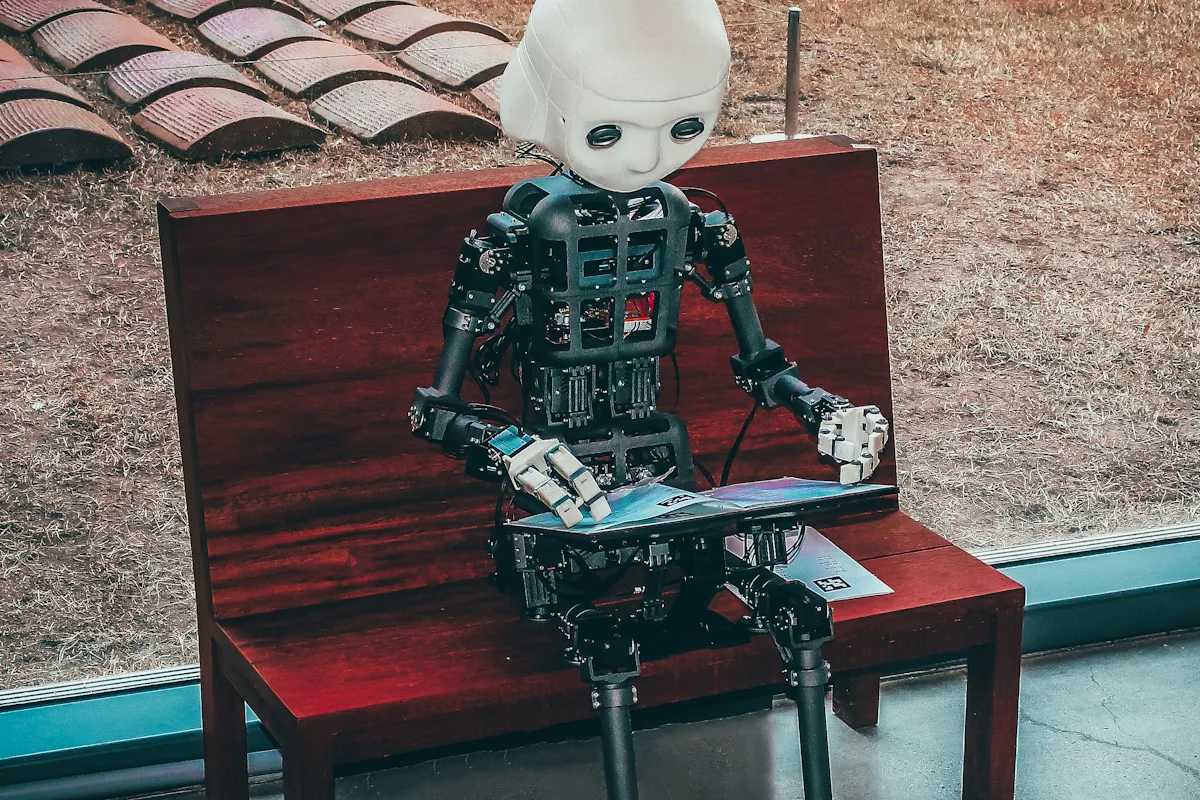
How the Powerful Synergy Between Human Creativity and Artificial Intelligence Is Reshaping the Professional Image Editing Industry
🤖 AI & Technology
📖 Key Takeaways
Human-AI collaboration is not about replacing editors but augmenting their capabilities. AI excels at speed, consistency, and repetitive tasks while humans bring creativity, context, quality judgment, and artistic vision. The most successful photo editing workflows in 2026 combine AI-powered automation for routine work with human expertise for complex decisions, creative direction, and quality assurance. This comprehensive guide explores how this partnership works, the tools driving the transformation, real-world applications across industries, and practical strategies for integrating AI into your editing workflow without sacrificing quality or artistic integrity.
💡 Introduction: A New Era in Photo Editing
The photo editing industry is undergoing a profound transformation. For decades, professional image editing relied entirely on human skill, patience, and artistic judgment. Editors spent countless hours meticulously tracing paths with the Pen Tool, adjusting curves pixel by pixel, and applying painstaking retouching techniques to achieve flawless results. The process was labor-intensive, time-consuming, and expensive, but it produced the highest quality images that brands and consumers expected. Then came artificial intelligence. In just a few short years, AI-powered tools have demonstrated an astonishing ability to automate many of the most time-consuming aspects of photo editing. Background removal that once took an experienced editor fifteen minutes can now be accomplished in seconds. Color correction that required careful manual adjustment can be applied automatically with impressive accuracy. Subject selection, sky replacement, skin retouching, and even creative effects can now be generated by AI with a single click. This rapid advancement has sparked both excitement and anxiety throughout the industry. Will AI replace human editors? Will the demand for professional photo editing services disappear? Will the art of image editing be reduced to pressing a button and letting algorithms do the rest?
The reality, as this comprehensive guide will demonstrate, is far more nuanced and ultimately more optimistic. Human-AI collaboration is not a zero-sum game where one wins and the other loses. Instead, it represents a powerful synergy where the unique strengths of both humans and machines are combined to achieve results that neither could accomplish alone. AI brings speed, consistency, scalability, and the ability to process vast amounts of data. Humans bring creativity, context, emotional intelligence, ethical judgment, and the artistic vision that gives images their soul and purpose. When these forces work together in a well-designed workflow, the results are faster turnaround times, lower costs, higher quality, and new creative possibilities that were previously unimaginable. This guide explores the current state of human-AI collaboration in photo editing, the tools and technologies driving the transformation, the real-world applications across different industries, the challenges that remain, and the exciting future that lies ahead. Whether you are a professional photo editor wondering how AI will affect your career, a business owner looking to optimize your image production workflow, or simply someone fascinated by the intersection of technology and creativity, this comprehensive exploration will provide valuable insights into the most important trend shaping the photo editing industry today.
A futuristic split-screen illustration showing two sides of a professional photo editing workspace. The left side shows a human editor working with a stylus on a tablet displaying a Photoshop interface, with warm, natural lighting and organic elements. The right side shows an AI interface with glowing blue data streams, neural network visualization, and automated processing indicators. Between the two sides, a glowing bridge or handshake symbolizes the collaboration between human and machine. The overall design uses a professional, high-tech aesthetic with clean lines, gradient lighting, and a color palette that transitions from warm amber on the human side to cool electric blue on the AI side, visually representing the complementary strengths of each. A title overlay reads: "Human + AI: Better Together." The image should convey partnership, not competition, with both sides contributing equally to the creative process.
📈 The Evolution of Photo Editing: From Darkroom to AI
To understand where human-AI collaboration is heading, it helps to look at where photo editing has been. The journey from chemical darkrooms to AI-powered digital workflows is one of the most remarkable technological transformations in the creative industry. Each phase of this evolution has changed not just how images are edited, but who can edit them, what is possible, and how the industry operates. Understanding this history provides essential context for the AI revolution that is reshaping the field today.
The darkroom era, which dominated photography from its invention in the 19th century through the late 20th century, was a purely manual, chemical process. Photographers used dodging and burning techniques, exposure manipulation, chemical toning, and hand retouching to control the final appearance of their prints. These techniques required exceptional skill, patience, and an intuitive understanding of how chemicals would interact with different papers and exposures. The best darkroom artists could produce stunning results, but the process was slow, inconsistent, and limited by the photographer's technical skill and the physical constraints of chemical photography. Every image was a unique handcrafted artifact, and the quality depended entirely on the skill of the person in the darkroom. The digital revolution of the 1990s and early 2000s, led by Adobe Photoshop and similar software, transformed photo editing from a chemical process into a digital one. Suddenly, editors had unlimited undo, layers, precise selection tools, and a vast array of filters and effects that could be applied with unprecedented control and repeatability. The digital era democratized photo editing to some degree, making it accessible to anyone with a computer and a copy of Photoshop. But it remained fundamentally a manual process. Every path, every mask, every adjustment required human input. The quality of the result still depended entirely on the editor's skill, experience, and artistic judgment.
The automation era, beginning in the 2010s, introduced tools like Photoshop Actions, batch processing, and scripts that could automate repetitive tasks. These tools increased efficiency but were rigid and limited. An action could apply the same set of adjustments to a hundred images, but it could not adapt to the specific characteristics of each image. It could not make creative decisions. It could only execute predefined steps. True intelligence in photo editing remained the exclusive domain of humans. The AI revolution, which began accelerating around 2020 and has continued at a breathtaking pace, represents a fundamentally different kind of change. AI tools do not simply execute predefined steps. They learn from millions of examples, adapt to the specific content of each image, and make decisions based on patterns and probabilities. They can identify objects, understand context, predict what an editor would want, and generate results that previously required human-level visual intelligence. This is not just faster automation. It is a new kind of capability that changes the relationship between the editor and the tool. The AI becomes a collaborative partner rather than a passive instrument.
A timeline infographic titled "The Evolution of Photo Editing" organized as a horizontal timeline spanning four distinct eras. Era 1 "Darkroom Era 1840s-1990s" shows a vintage photograph, chemical bottles, an enlarger, and tongs in developing trays. Callout: "Manual chemical processes. Dodging, burning, hand retouching. Entirely dependent on human skill. Slow, inconsistent, but deeply artisanal." Era 2 "Digital Revolution 1990s-2010s" shows a computer running early Photoshop software with layers, tools, and a digital tablet. Callout: "Photoshop, digital tools, unlimited undo. Manual processes with powerful software. Quality still depends on editor skill. The rise of professional digital editing services." Era 3 "Automation Era 2010s-2020" shows Photoshop Actions interface, batch processing icons, and scripts. Callout: "Actions, batch processing, scripts. Repetitive tasks automated. Rigid and limited. Cannot adapt to individual image characteristics." Era 4 "AI Revolution 2020-Present" shows neural network visualization, glowing AI icons, automated background removal, and a human editor working with AI assistance. Callout: "Machine learning, neural networks, generative AI. Adaptive, intelligent tools. AI understands context and predicts intent. Human-AI collaboration becomes the standard." The timeline uses a gradient color scheme progressing from sepia tones through blue to a vibrant purple and electric blue for the AI era, visually representing the accelerating pace of technological change. Each era includes a key statistic or milestone that marks the transition to the next phase.
🧠 How AI Is Transforming Photo Editing Today
Artificial intelligence is already transforming photo editing in profound and practical ways that affect every stage of the image processing workflow. Understanding these transformations is essential for editors who want to leverage AI effectively and for businesses that want to optimize their image production operations. The most visible and widely adopted AI application in photo editing is automated background removal and subject selection. Adobe Photoshop's Select Subject feature, powered by Adobe Sensei AI, can automatically detect and select the main subject of an image with remarkable accuracy. For simple subjects on clean backgrounds, the selection is often perfect on the first try. For more complex subjects with intricate edges, the AI produces a selection that is close to perfect, requiring only minor manual refinement. This capability alone has transformed the workflow for clipping path services, background removal, and subject isolation. What once took ten to thirty minutes of careful Pen Tool work can now be accomplished in seconds, with the editor spending their time on refinement rather than creation. The result is dramatically faster turnaround times and lower costs for basic clipping path work, while allowing editors to focus their expertise on the complex cases where AI still struggles.
AI-powered color correction and enhancement tools have similarly transformed the color grading workflow. Tools like Lightroom's Auto Tone, Photoshop's Auto Color, and specialized AI color grading plugins analyze the content of an image and apply intelligent adjustments to exposure, contrast, white balance, saturation, and color grading. These tools are not applying fixed presets. They are analyzing the specific content of each image, identifying the subject, the lighting conditions, the color palette, and applying adjustments that are optimized for that particular photograph. For a landscape photo, the AI might enhance the blue of the sky and the green of the foliage. For a portrait, it might warm the skin tones and soften the contrast. For a product photo, it might ensure accurate color reproduction and clean white balance. The AI understands context, and this contextual understanding produces results that are significantly better than the one-size-fits-all presets of previous automation tools. Skin retouching and portrait enhancement have been revolutionized by AI-powered tools that can automatically detect faces, identify individual facial features, and apply targeted retouching. Tools like PortraitPro, Luminar AI, and Photoshop's Neural Filters can smooth skin, enhance eyes, whiten teeth, adjust facial symmetry, and even change facial expressions with a remarkable level of sophistication. These tools analyze the face at a pixel level, understanding the difference between a blemish and a natural skin texture, between an expression line and a wrinkle that should be preserved. The AI does not simply blur the skin. It selectively retouches while preserving the natural texture and character of the subject. This allows portrait retouching that would take a skilled editor thirty to sixty minutes to be accomplished in minutes, with the editor focusing on creative decisions rather than repetitive pixel pushing.
Generative AI has introduced capabilities that were science fiction just a few years ago. Photoshop's Generative Fill, introduced in 2023 and rapidly improved since, allows editors to select an area of an image and have AI generate realistic content to fill that area based on natural language prompts. Need to extend a background? Remove a distracting element and replace it with matching context? Add an object that was never in the original photo? Generative AI can do all of this, producing results that are often indistinguishable from reality. This capability has enormous implications for product photography, real estate photography, creative compositing, and image restoration. A product shot on a plain background can be placed in a realistic lifestyle setting. A real estate photo with an overcast sky can be given a beautiful sunset. An old damaged photograph can have missing areas reconstructed with astonishing accuracy. The creative possibilities are expanding rapidly, and new use cases are being discovered every day. Image upscaling and enhancement has been transformed by AI-powered super-resolution tools that can increase the resolution of an image while adding realistic detail. Traditional upscaling methods simply stretched the existing pixels, resulting in blurry, pixelated images. AI super-resolution analyzes the low-resolution image, predicts what detail should exist at higher resolution based on patterns learned from millions of high-resolution images, and generates realistic detail that was not present in the original. This technology is invaluable for restoring old photos, preparing images for large-format print, and improving the quality of images captured with smartphone cameras or older equipment.
A four-panel capabilities infographic titled "AI in Photo Editing Today" organized as a grid showing the four key AI applications. Panel 1 "Automated Background Removal" shows a split comparison of a product image with the original background on the left and the AI-selected subject with a transparent background on the right. Callout: "AI subject selection + background removal in seconds. Human refinement for complex edges." Panel 2 "AI Color Correction" shows a split of an image with poor white balance and exposure on the left and the same image after AI-powered auto color correction with accurate colors, proper exposure, and balanced contrast. Callout: "Context-aware color grading. AI understands subject, lighting, and scene. One-click correction with professional results." Panel 3 "Portrait Retouching" shows a before-and-after portrait with the before image having visible blemishes, uneven skin tone, and dark circles and the after image showing naturally retouched skin, brightened eyes, and enhanced features while maintaining natural texture. Callout: "AI face detection + targeted retouching. Preserves natural texture while removing imperfections. Dramatic time savings for portrait editors." Panel 4 "Generative Fill & Extension" shows a product photo with the original plain background on one side and the same product placed in a realistic outdoor lifestyle setting generated by AI, with natural lighting matching the product's original lighting. Callout: "Generate realistic content with text prompts. Extend backgrounds, remove objects, create lifestyle settings. Creative possibilities are expanding daily." Each panel uses consistent styling with a colored accent bar matching the overall design theme and a clean, professional layout that clearly demonstrates the capability and value of each AI application.
🎨 The Human Element: What AI Cannot Replace
For all its impressive capabilities, artificial intelligence has fundamental limitations that make human expertise irreplaceable in professional photo editing. Understanding these limitations is essential for developing effective human-AI collaboration workflows that leverage the strengths of both. The most important limitation of AI is its lack of true understanding and context. AI models can recognize patterns, predict probabilities, and generate convincing results, but they do not understand what they are doing in any meaningful sense. An AI that removes a background does not understand what a product is, why the background needs to be removed, or how the final image will be used. It simply applies patterns learned from training data. This lack of understanding leads to errors that a human editor would never make. The AI might remove part of the product that it mistakes for background. It might generate a reflection that is physically impossible. It might color correct an image in a way that is technically accurate but creatively wrong. Only a human editor can understand the context, the intent, and the creative vision that guides the editing process.
Quality judgment is another area where humans remain essential. AI can produce results quickly, but it cannot reliably judge the quality of its own output. An AI background removal that is ninety-five percent accurate may still have critical errors around fine details like hair, fur, or transparent objects. The AI does not know that these errors are unacceptable for a premium product catalog. It does not know the difference between a quality level that is acceptable for social media and one that is required for a luxury brand's print campaign. Human editors bring the quality judgment that determines whether a result is good enough, needs refinement, or must be done over completely. This quality discernment is one of the most valuable skills that human editors bring to the collaboration. Creative direction and artistic vision remain firmly in the human domain. AI can generate options, but it cannot conceive of the creative vision that guides the project. It cannot understand the brand's identity, the emotional response the image is intended to evoke, or the subtle creative choices that distinguish a good image from a great one. The human editor provides the creative direction, making decisions about style, mood, and artistic expression that AI cannot meaningfully contribute to. The AI becomes a powerful tool for executing the creative vision, but the vision itself comes from the human.
Ethical judgment and responsibility are critical human contributions that cannot be delegated to AI. Photo editing involves important ethical considerations around authenticity, representation, and manipulation. When is retouching enhancement and when is it deception? When does background replacement cross the line from creative compositing to misleading representation? How should skin retouching balance aesthetic improvement with natural representation? These are ethical questions that require human judgment, cultural awareness, and a nuanced understanding of the context and audience. AI has no capacity for ethical reasoning and cannot be trusted to make these decisions independently. Complex edge cases, the images that fall outside the AI's training data or present unusual challenges, will always require human expertise. An AI trained primarily on Western products might struggle with products featuring intricate traditional patterns from other cultures. An AI trained on standard portrait photography might fail on images with unusual lighting, extreme angles, or subjects with heavy makeup or prosthetics. Human editors bring the adaptability and problem-solving skills to handle these edge cases. When the AI fails, the human steps in, applying their expertise to achieve the required result. The ability to handle the unexpected, the unusual, and the unprecedented is a fundamentally human capability that no AI has yet matched. Quality assurance and client communication are inherently human functions in the editing workflow. A client's satisfaction depends not just on the technical quality of the edit but on the communication, understanding, and relationship between the client and the editor. Human editors can understand a client's feedback, interpret subjective comments, and adjust their work accordingly. They can build relationships, understand preferences, and develop the intuitive sense of what a particular client wants that comes from ongoing collaboration. AI can execute edits, but it cannot manage client relationships.
A comparison infographic titled "What AI Can and Cannot Do" organized as a balanced scale or T-chart design. On the left side labeled "AI Excels At" with a green checkmark icon, the following capabilities are listed with icons: "Speed & Volume Processes thousands of images in minutes," "Consistency Applies uniform quality across batches," "Repetitive Tasks Automates background removal, color correction," "Pattern Recognition Identifies objects, faces, text," "Data Processing Analyzes millions of pixels instantly," and "Scale Handles unlimited volume without fatigue." On the right side labeled "Humans Excel At" with a gold star icon, the following capabilities are listed: "Creative Vision Conceives artistic direction and style," "Contextual Understanding Knows the purpose and audience of each image," "Quality Judgment Discerns good enough from exceptional," "Ethical Decisions Navigates authenticity and representation," "Client Relationships Understands preferences and builds trust," and "Edge Cases Handles unusual, complex, and unprecedented challenges." The center of the infographic features a Venn diagram overlap labeled "Collaboration Zone" where the best results are achieved when AI handles the volume and humans handle the judgment. The overall design uses a balanced, professional aesthetic with clear visual distinction between the two columns and a compelling message that collaboration, not competition, produces the best results.
🤝 The Synergy: Best of Both Worlds
The most successful photo editing operations in 2026 have moved beyond the question of AI versus humans and embraced a collaborative model that leverages the unique strengths of both. This synergy produces results that are faster, more consistent, more cost-effective, and often more creative than either humans or AI could achieve alone. Understanding how this collaboration works in practice is essential for editors and businesses that want to remain competitive in the evolving landscape of professional image editing. In a well-designed human-AI collaboration workflow, AI handles the heavy lifting of repetitive, time-consuming tasks while humans focus on the work that requires judgment, creativity, and context. The AI might process all images in a batch through automated background removal, generating preliminary selections that are ninety to ninety-five percent accurate. The human editor then reviews each image, refining the AI's work on the complex edges, correcting errors, and ensuring that the final result meets the required quality standards. This workflow is dramatically faster than fully manual editing, but it still benefits from the quality assurance and expertise of the human editor. The AI does not replace the editor. It amplifies the editor's productivity, allowing them to handle much larger volumes without sacrificing quality.
The same principle applies across the entire editing workflow. AI can handle initial color correction, with the human editor fine-tuning the result to match the creative direction. AI can generate multiple creative options for a composite image, with the human editor selecting and refining the best option. AI can upscale and enhance images, with the human editor checking for artifacts and making manual corrections where needed. In every case, the AI handles the routine, the repetitive, and the predictable, while the human handles the creative, the contextual, and the critical. This division of labor is not a compromise. It is an optimization that produces better results than either approach alone. Quality control takes on a new dimension in human-AI collaboration workflows. Rather than manually editing every image from scratch, the editor becomes a quality assurance specialist who reviews AI output, identifies errors, and makes targeted corrections. This shift from creator to curator requires a different skill set. Editors need to be able to quickly identify AI errors, understand the limitations of the tools they are using, and make efficient corrections that maintain the overall workflow speed. The best editors in the AI era are not those who can trace the most precise path with the Pen Tool, but those who can most effectively collaborate with AI tools, knowing when to trust the AI, when to override it, and how to refine its output to achieve the required quality.
Pro Pixel Agency has been at the forefront of implementing human-AI collaboration in professional photo editing services. By integrating AI-powered tools into their workflow for initial processing, background removal, and color correction, they have significantly reduced turnaround times and costs for their clients while maintaining the exceptional quality standards that have built their reputation. Their experienced editors review and refine every AI-processed image, ensuring that the final result meets the specific requirements of each client and application. This hybrid approach allows them to offer competitive pricing, faster delivery, and consistent quality across high-volume orders. The key insight that drives successful human-AI collaboration is that AI should be used to augment human capabilities, not to replace them. The goal is not to eliminate the human editor but to free them from repetitive work so they can focus on the aspects of editing that require their unique human skills. When implemented with this philosophy, AI becomes a powerful tool that makes human editors more valuable, not less. The editors who embrace AI and learn to collaborate effectively with it will be the most successful in the evolving industry. Those who resist or ignore AI will find themselves increasingly unable to compete with the speed, cost, and consistency that AI-assisted workflows enable.
A workflow diagram infographic titled "The Human-AI Collaboration Workflow" organized as a horizontal process flow showing how images move through a hybrid editing pipeline. Stage 1 "Image Intake" shows images being uploaded to a central processing system with a human editor reviewing the batch and setting quality parameters. Stage 2 "AI Initial Processing" shows the AI working on multiple images simultaneously, performing background removal, color correction, and enhancement. Stage 3 "AI Quality Check" shows the AI flagging images that meet quality thresholds with a green checkmark and images needing review with a yellow warning icon. Stage 4 "Human Review & Refinement" shows a human editor reviewing the AI output at a workstation with a stylus, making targeted corrections on complex edges and creative adjustments. Stage 5 "Final Quality Assurance" shows a senior editor performing a final quality check on the completed images, with approved images receiving a gold certification badge. Stage 6 "Delivery" shows the final images being delivered to the client with a satisfaction guarantee. Each stage includes time and efficiency metrics showing how the hybrid workflow compares to traditional fully manual editing. The diagram uses a clean, professional design with clear stage transitions, appropriate icons for each step, and color coding that distinguishes AI tasks in blue and human tasks in amber, with the collaboration stages shown in a blend of both colors. The overall message is that this workflow is faster, more consistent, and more scalable than traditional approaches while maintaining the quality that only human expertise can provide.
💼 Real-World Applications Across Industries
Human-AI collaboration in photo editing is not a theoretical concept. It is being implemented today across a wide range of industries, each with its own specific requirements, challenges, and quality standards. Understanding how different sectors are leveraging this collaboration provides valuable insights into the practical applications and benefits of the hybrid approach. In e-commerce product photography, human-AI collaboration has become the standard for high-volume image processing. AI handles the initial background removal for thousands of product images, creating clean white-background presentations that meet marketplace requirements. Human editors review and refine the AI output, particularly for complex products like jewelry, transparent items, and products with fine details. The AI might also handle initial color correction and shadow creation, with humans making creative decisions about the final look and ensuring brand consistency across the entire catalog. The result is faster turnaround times, lower costs, and the ability to handle peak seasonal volumes without sacrificing quality.
Fashion and apparel photo editing has been transformed by AI-powered ghost mannequin workflows. AI can automate the initial steps of separating the garment from the mannequin, creating the front and back selections that are the foundation of the ghost mannequin effect. Human editors then refine these selections, create the seamless neck joint, and composite the final image with the natural drape and fit that customers expect. The AI handles the repetitive selection work, while the human focuses on the precision work that determines the quality of the final result. This collaboration has made ghost mannequin editing faster and more affordable, allowing smaller fashion brands to use this premium presentation style. Real estate photo editing has embraced AI for tasks like sky replacement, HDR blending, and perspective correction. AI can automatically detect windows in interior photos and balance the exposure to show the view outside while maintaining the interior lighting. It can replace a gray, overcast sky with a blue sky and clouds that match the lighting of the property. It can correct converging vertical lines that result from wide-angle photography. Human editors review these AI enhancements, ensuring that the results look natural and that the property is represented accurately. The AI speeds up the editing process dramatically, allowing real estate photographers to deliver edited images faster and at lower cost.
Portrait and wedding photography has been enhanced by AI-powered skin retouching, color grading, and creative effects. AI can process hundreds of wedding photos, applying consistent skin retouching and color grading across the entire album. The photographer or editor then reviews the results, making individual adjustments to the most important images and ensuring that the creative vision is maintained throughout. This collaboration allows wedding photographers to deliver the consistent, high-quality results their clients expect without spending weeks on post-production. The time saved on repetitive editing can be invested in client relationship building, marketing, and growing their business. Photo restoration services have been revolutionized by AI-powered damage repair, colorization, and upscaling. AI can automatically detect and repair scratches, tears, and fading in old photographs. It can colorize black and white images with remarkably accurate results based on the content of the image. It can upscale low-resolution scans to high-resolution prints. Human restoration experts review the AI's work, making manual corrections where the AI has misinterpreted damaged areas or made inaccurate color choices. This collaboration has made professional photo restoration more accessible and affordable, allowing more people to preserve their family history through restored photographs.
A four-panel industry applications infographic titled "Human-AI Collaboration Across Industries" organized as a grid with each panel representing a different industry. Panel 1 "E-Commerce Product Photography" shows a product image workflow with AI performing initial background removal on multiple product images simultaneously and a human editor refining complex edges on a jewelry product. Callout: "AI handles high-volume background removal. Humans ensure precision on complex products like jewelry and transparent items. 300% faster turnaround." Panel 2 "Fashion & Apparel" shows the ghost mannequin workflow with AI separating the garment from the mannequin and a human editor creating the seamless neck joint composite. Callout: "AI automates initial garment separation. Human expertise creates the seamless ghost mannequin effect. Premium quality at affordable prices." Panel 3 "Real Estate Photography" shows a property interior with AI performing HDR blending and sky replacement and a human editor ensuring natural-looking results. Callout: "AI balances exposures and replaces skies instantly. Human editors ensure natural, accurate property representation. Dramatic time savings for photographers." Panel 4 "Photo Restoration" shows a damaged old photograph being repaired with AI detecting and fixing scratches and tears and a human restoration expert colorizing the image with historical accuracy. Callout: "AI repairs damage and upscales resolution. Human experts provide historical accuracy and creative restoration. Preserving memories for future generations." Each panel includes before-and-after visual comparisons and key metrics demonstrating the impact of human-AI collaboration on speed, quality, and cost in each industry sector.
⚠️ Challenges and Limitations of Human-AI Collaboration
While the benefits of human-AI collaboration are substantial, the approach also presents significant challenges that organizations must address to implement it successfully. Understanding these challenges is essential for developing realistic expectations and effective implementation strategies. The most significant challenge is the learning curve associated with AI tools. Many professional editors have spent years or decades developing their manual editing skills, and adapting to AI-assisted workflows requires learning new tools, new techniques, and a new mindset. Editors who are resistant to change may struggle to integrate AI into their workflow effectively. Organizations need to invest in training and support to help their editors develop the skills needed for successful AI collaboration. This includes not just technical training on the AI tools themselves but also training on the quality control processes, workflow changes, and communication practices that effective human-AI collaboration requires.
AI reliability and consistency remain significant concerns. While AI tools have improved dramatically, they are not infallible. An AI background removal that works perfectly on ninety-five percent of images may fail catastrophically on the remaining five percent. An AI color correction that produces beautiful results on most images may produce unnatural colors on images with unusual lighting or subject matter. Organizations that rely too heavily on AI without adequate human quality assurance risk delivering inconsistent or poor-quality results to their clients. The challenge is finding the right balance between trusting the AI and verifying its output. Over-reliance on AI leads to quality problems. Under-utilization of AI negates the efficiency benefits. The right balance depends on the specific application, quality requirements, and risk tolerance of each organization. Data privacy and security concerns are amplified in AI-assisted workflows. AI tools often require images to be processed on cloud servers, raising concerns about the security and confidentiality of client images. For businesses that handle sensitive or proprietary product images, this can be a significant concern. Organizations need to carefully evaluate the data handling practices of their AI tools, ensure compliance with relevant privacy regulations, and implement appropriate security measures. Some organizations may choose to use locally running AI models that do not require cloud processing, trading some capability for complete data control.
Cost considerations are another important factor. While AI tools can reduce labor costs, they also require investment in software licenses, hardware, training, and workflow integration. For small operations, the upfront investment may be difficult to justify, particularly if their volume does not require the scalability that AI provides. The cost-benefit analysis of AI adoption depends on the specific volume, quality requirements, and pricing structure of each operation. Organizations need to carefully evaluate their return on investment and choose AI tools that align with their business model and budget. Ethical and aesthetic concerns about AI-generated content are increasingly important as AI capabilities expand. Questions about authenticity, authorship, and the value of human craftsmanship arise as AI plays a larger role in the creative process. Some clients may prefer the assurance of fully human-edited images, particularly for high-end or sensitive applications. Organizations need to be transparent with their clients about the role of AI in their workflow and offer options that match different client preferences. The ethical framework for AI-assisted photo editing is still evolving, and organizations that navigate these issues thoughtfully will be better positioned for long-term success.
A challenges infographic titled "Overcoming Human-AI Collaboration Challenges" organized as a problem-solution grid with four key challenge areas. Challenge 1 "Learning Curve" shows an editor at a computer with multiple software interfaces open and a confused expression. Solution: "Invest in structured training programs. Provide hands-on workshops and ongoing support. Create clear documentation and workflow guides. Start with simple AI tasks and gradually increase complexity." Challenge 2 "AI Reliability" shows an AI-generated selection with obvious errors around fine details with a red X mark. Solution: "Implement multi-stage quality control. Define clear quality thresholds for AI acceptance. Train editors to quickly identify and correct AI errors. Use AI as a first pass, not a final solution." Challenge 3 "Data Privacy" shows a cloud server with question marks and a lock icon with a warning. Solution: "Evaluate AI tool data handling practices. Use local AI models for sensitive images. Implement secure file transfer protocols. Sign NDAs with AI service providers. Maintain client confidentiality." Challenge 4 "Cost of Adoption" shows a balance scale with software costs on one side and efficiency savings on the other. Solution: "Calculate ROI based on volume and time savings. Start with free or low-cost AI tools. Scale investment as benefits are realized. Consider hybrid models that combine AI efficiency with human quality." Each challenge panel uses a clear problem-solution format with visual icons and practical, actionable recommendations that organizations can implement to overcome the common obstacles to successful human-AI collaboration adoption. The overall design uses a professional, consulting-style layout with clean typography and a balanced color palette.
🔮 The Future of Human-AI Collaboration in Photo Editing
The future of human-AI collaboration in photo editing is not a distant possibility. It is unfolding now, and the pace of change is accelerating. Understanding the trends that will shape this future is essential for editors, businesses, and anyone who wants to stay ahead of the curve in the rapidly evolving image editing industry. The most significant trend is the continued improvement of AI capabilities. AI models are becoming more accurate, more reliable, and more capable with each generation. The gap between AI and human performance on specific tasks continues to narrow. Tasks that require human intervention today may be handled autonomously by AI tomorrow. This does not mean that humans will become obsolete, but it does mean that the nature of human work in photo editing will continue to evolve. The human role will shift increasingly toward creative direction, quality assurance, complex problem-solving, and client relationship management, while AI handles an ever-expanding range of routine and semi-routine tasks.
Specialized AI models trained for specific editing tasks will become more common and more effective. Rather than using general-purpose AI tools for all editing tasks, the industry will move toward specialized models optimized for specific applications. A model trained specifically for jewelry photo editing will understand the unique challenges of capturing reflections, sparkle, and fine detail. A model trained for apparel editing will understand fabric drape, ghost mannequin techniques, and texture preservation. A model trained for food photography will understand color enhancement, appetizing presentation, and natural-looking results. These specialized models will produce better results for their specific applications, further enhancing the efficiency and quality of human-AI collaboration. The integration of AI directly into editing software and hardware will become more seamless and intuitive. Rather than using separate AI tools that require manual file transfer and workflow management, AI capabilities will be built directly into the editing applications and devices that editors use every day. Photoshop, Lightroom, Capture One, and other professional editing tools already include AI features, and this integration will deepen with each new version. Editors will interact with AI through natural language commands, gesture controls, and intelligent automation that anticipates their needs. The AI will become an invisible but indispensable partner in the editing workflow.
The business models of photo editing services will evolve to reflect the new capabilities that AI provides. The per-image pricing model that has dominated the industry may give way to value-based pricing that reflects the complexity and creative input required for each job. Simple background removal that AI can handle almost entirely will be priced much lower, while complex creative work that requires significant human expertise will command premium pricing. This stratification of the market will create opportunities for editors at every skill level while making professional editing more accessible for basic applications. The most successful photo editing professionals will be those who embrace lifelong learning and continuous adaptation. The tools and techniques that define best practices today will be different in two years and radically different in five years. Editors who commit to ongoing education, experimentation, and skill development will thrive in this environment of rapid change. Those who become complacent or resistant to change will find their skills becoming less valuable over time. The future belongs not to those who resist AI but to those who learn to collaborate with it effectively.
A future-forward infographic titled "The Future of Photo Editing 2026-2030" organized as a roadmap or projection chart showing the anticipated evolution of human-AI collaboration over the next five years. The timeline is divided into three phases. Phase 1 "2026-2027 Current State" shows AI handling 60% of routine editing tasks, humans handling 100% of creative direction, and the collaboration workflow being standard practice. Key milestones: "AI background removal reaches 97% accuracy. Specialized AI models emerge for jewelry, apparel, food. First AI integrated directly into camera hardware." Phase 2 "2027-2029 Evolution" shows AI handling 80% of routine tasks, AI beginning to contribute to creative decisions with human oversight, and new job categories emerging for AI editing specialists. Key milestones: "AI understands brand style guides and applies them automatically. Real-time AI editing during photoshoots becomes common. Entry-level editing jobs transform into AI supervision roles." Phase 3 "2029-2030 Horizon" shows AI handling 90%+ of routine tasks, humans focusing entirely on creative direction and complex problem-solving, and the distinction between AI and human work becoming increasingly blurred. Key milestones: "AI generates complete lifestyle composites from single product shots. Human editors become creative directors and AI workflow architects. The most valuable skill is knowing how to collaborate with AI." The roadmap uses a futuristic design with gradient color transitions, milestone markers, and a clear visual progression that communicates both the exciting potential and the practical realities of the evolving human-AI partnership in professional photo editing.
💡 Practical Tips for Embracing Human-AI Collaboration
For editors and businesses that want to embrace human-AI collaboration effectively, the following practical tips provide a roadmap for successful implementation. These recommendations are based on the experiences of leading photo editing operations that have successfully integrated AI into their workflows. Start with a clear understanding of your specific needs and goals. Before investing in AI tools, take the time to analyze your current workflow, identify the bottlenecks and inefficiencies, and determine which tasks would benefit most from AI assistance. Not all AI tools are equally valuable for every operation. A high-volume product photo editing service will have different priorities than a boutique portrait retouching studio. Choose AI tools that address your specific challenges and align with your business model. Starting with a focused, targeted implementation is more likely to succeed than trying to adopt AI across your entire operation at once. Invest in training and skill development for your team. AI tools are only as effective as the people using them. Provide comprehensive training not just on how to use the AI tools but on how to integrate them into the editing workflow effectively. Train your editors on the limitations and failure modes of the AI tools so they know when to trust the AI and when to intervene. Develop clear quality standards and quality control processes for AI-assisted work. The goal is not to eliminate human quality assurance but to make it more targeted and efficient.
Start with pilot projects before rolling out AI across your entire operation. Choose a specific type of work, a particular client, or a defined set of images to test your AI implementation. Measure the results carefully, comparing speed, quality, cost, and client satisfaction before and after the AI implementation. Use these pilot results to refine your approach, address any issues, and build confidence in the technology before expanding its use. The lessons learned from pilot projects are invaluable for scaling AI adoption successfully. Develop clear communication with your clients about the role of AI in your workflow. Some clients will embrace AI enthusiastically, particularly if it results in lower costs or faster turnaround. Other clients may have concerns about AI quality or prefer the assurance of fully human-edited images. Be transparent about your use of AI, explain the quality control processes you have in place, and offer options that match different client preferences. Building trust through transparency is essential for maintaining strong client relationships in the AI era. Stay informed about the rapid evolution of AI technology. The AI landscape is changing at an astonishing pace, with new tools, capabilities, and best practices emerging regularly. Subscribe to industry publications, attend conferences and webinars, participate in professional communities, and continuously evaluate new AI tools that could benefit your operation. The organizations that stay at the forefront of AI adoption will have a significant competitive advantage in the years ahead.
A practical guide infographic titled "5 Steps to Embrace Human-AI Collaboration" organized as a vertical process flow with five numbered steps. Step 1 "Analyze Your Workflow" shows a magnifying glass over a workflow diagram with bottlenecks highlighted. Action items: "Identify time-consuming repetitive tasks. Measure current processing times. Prioritize tasks with highest automation potential. Document your current quality standards." Step 2 "Choose the Right Tools" shows a selection of AI tool icons with a checklist. Action items: "Research AI tools for your specific needs. Compare features, pricing, and integration requirements. Test tools with your actual image types. Select tools that align with your quality standards." Step 3 "Train Your Team" shows an editor in a training session with an instructor. Action items: "Provide hands-on AI tool training. Teach AI limitations and failure modes. Develop AI collaboration best practices. Create clear quality control guidelines." Step 4 "Run Pilot Projects" shows a small batch of images being processed through a test workflow with measurement metrics. Action items: "Select a representative test batch. Measure speed, quality, and cost carefully. Gather team feedback on the workflow. Refine approach based on pilot results." Step 5 "Scale and Optimize" shows an expanding workflow with growth arrows and optimization icons. Action items: "Roll out successful AI workflows gradually. Continuously measure and improve. Stay current with new AI capabilities. Share success stories with your team and clients." Each step includes a clear visual icon, practical action items, and a progress indicator that shows the implementation journey from analysis through optimization. The overall design uses a clean, instructional layout that serves as both an inspirational guide and a practical implementation roadmap.
🏁 Conclusion: Embracing the Future Together
Human-AI collaboration in photo editing is not a trend that will pass. It is the fundamental reality of the industry's present and future. The question is no longer whether AI will play a role in professional photo editing but how we will choose to collaborate with it. The most successful editors, businesses, and organizations will be those that embrace this collaboration thoughtfully, strategically, and ethically. They will leverage AI to handle the tasks that AI does well, freeing human creativity and expertise for the work that only humans can do. They will invest in the training, tools, and workflows that make collaboration effective. They will maintain the quality standards, ethical practices, and client relationships that are the foundation of professional image editing. The fear that AI will replace human editors is understandable but unfounded. AI will replace some tasks, some jobs, and some approaches to editing. But it will not replace the human creativity, judgment, and connection that are at the heart of professional image editing. Instead, it will transform the role of the editor, elevating it from a technician who executes repetitive tasks to a creative director who guides the entire image production process. The editors who embrace this transformation will find their work becoming more creative, more valuable, and more rewarding than ever before.
The future of photo editing is not human versus AI. It is human and AI, working together to achieve results that neither could accomplish alone. This collaboration is already delivering faster turnaround times, lower costs, higher quality, and new creative possibilities across every sector of the image editing industry. The potential for what we can achieve together is limited only by our imagination and our willingness to embrace change. The tools are here. The technology is ready. The future is now. The question is not whether you will collaborate with AI but how well you will do it. The editors who answer this question thoughtfully and proactively will be the ones who shape the future of the industry. They will be the ones who prove that the best results come not from choosing between human and machine but from bringing them together in a partnership that amplifies the strengths of both. The future of photo editing is collaborative. And it is already here.
💻 Key AI Tools for Photo Editing: A Practical Comparison
The landscape of AI tools for photo editing has expanded rapidly, offering editors and businesses an unprecedented range of capabilities. Understanding the strengths, limitations, and ideal use cases of the most popular AI tools is essential for building an effective human-AI collaboration workflow. Not all AI tools are created equal, and choosing the right combination of tools for your specific needs can dramatically impact your productivity, quality, and bottom line. The following comparison covers the most widely adopted AI tools in professional photo editing, helping you make informed decisions about which tools to integrate into your workflow.
1 Adobe Photoshop Neural Filters
Adobe's integrated Neural Filters represent the most comprehensive AI toolkit available directly within a professional editing environment. These filters use machine learning models trained on millions of images to perform sophisticated editing tasks with a single click. Key filters include Skin Smoothing, which intelligently retouches skin while preserving texture; Smart Portrait, which can adjust facial features, expression, age, and lighting direction; Colorize, which adds realistic color to black and white photos; Super Zoom, which upscales images with AI-generated detail; and Landscape Mixer, which can change seasons, weather, and lighting in outdoor scenes. The deep integration with Photoshop means editors can apply Neural Filters as part of their existing workflow without switching between applications. The filters continue to improve with each Photoshop update, and Adobe has committed to expanding the Neural Filter library with new capabilities regularly.
Best for: Portrait retouching, creative effects, image restoration, and quick enhancements. Pricing: Included with Adobe Creative Cloud subscription.
2 Adobe Photoshop Generative Fill
Introduced in 2023 and significantly improved since, Generative Fill uses Adobe's Firefly AI model to generate realistic image content based on natural language prompts. Select an area of an image, describe what you want to generate, and the AI creates multiple options that match your description while seamlessly blending with the surrounding image. This capability has transformed everything from background extension and object removal to creative compositing and conceptual design. A product photographer can place a simple studio shot into a generated outdoor lifestyle setting. A real estate editor can replace a gray sky with a dramatic sunset that matches the property's lighting. A creative designer can add elements to a composition that would have required hours of manual work or a complete reshoot. The quality and realism of Generative Fill output continues to improve, and the tool has become an essential part of the modern photo editing workflow.
Best for: Creative compositing, background replacement, object removal, and conceptual design. Pricing: Included with Adobe Creative Cloud subscription with usage limits.
3 Topaz Labs Suite
Topaz Labs offers a suite of specialized AI tools that have become industry standards for specific editing tasks. Topaz Denoise AI uses deep learning to remove noise from images while preserving detail, making it invaluable for low-light photography and high-ISO shots. Topaz Sharpen AI corrects blur caused by camera shake, motion, or focus issues, recovering detail that would otherwise be lost. Topaz Gigapixel AI upscales images up to 600% while adding realistic detail, making it the gold standard for enlarging images for large-format print. Topaz Photo AI combines all of these capabilities into a single integrated tool that analyzes each image and applies the optimal combination of denoising, sharpening, and upscaling. The tools work as standalone applications or as plugins for Photoshop and Lightroom, and they support batch processing for efficient high-volume workflows.
Best for: Image restoration, noise reduction, sharpening, and upscaling. Pricing: Individual tools $99-$199, bundles available.
4 Luminar Neo by Skylum
Luminar Neo positions itself as an AI-first photo editor, with AI capabilities integrated throughout the entire editing workflow. Its AI-powered features include automated sky replacement that realistically matches the lighting and reflection of the new sky, portrait background removal that separates subjects from backgrounds with sophisticated edge detection, and AI-driven color grading that analyzes image content and applies professional-quality color treatments. Luminar's unique strength is its accessibility, offering powerful AI tools in a user-friendly interface that is approachable for both professionals and enthusiasts. The software also includes AI-powered masking, subject selection, and enhancement tools that compete with Photoshop's capabilities while offering a different workflow philosophy that some editors find more intuitive.
Best for: All-in-one AI editing, sky replacement, portrait enhancement, and creative color grading. Pricing: Starting at $79 for a perpetual license.
5 Remove.bg and Background Removal APIs
Specialized AI background removal tools like Remove.bg, Adobe's automatic background removal, and various API-based solutions have become essential infrastructure for high-volume e-commerce image processing. These tools use deep learning models trained on millions of images with diverse subjects, backgrounds, and edge conditions to produce accurate subject-background separation in seconds. The best tools handle complex edges including hair, fur, and transparent objects with remarkable accuracy. API-based solutions allow businesses to integrate AI background removal directly into their production workflow, processing thousands of images per hour with minimal human intervention. While the initial AI output may require human refinement for the highest quality applications, these tools have dramatically reduced the time and cost of basic background removal, making professional-quality subject isolation accessible for businesses of all sizes.
Best for: High-volume background removal, e-commerce product photos, and subject isolation. Pricing: Free tier available, paid plans from $9/month for API access.
A comparative infographic titled "AI Tools for Photo Editing at a Glance" organized as a feature comparison table with five rows representing each major AI tool and columns for key evaluation criteria. The rows are labeled "Adobe Neural Filters," "Generative Fill," "Topaz Labs Suite," "Luminar Neo," and "Remove.bg / APIs." The columns include "Primary Use Case" with icons for portrait, creative, restoration, all-in-one, and background removal respectively, "Integration" showing whether the tool works as a plugin, standalone, or API with compatibility badges for Photoshop and Lightroom, "Learning Curve" rated from beginner-friendly to advanced using a bar indicator system, "Best For" summarizing the ideal application of each tool with industry icons, "Pricing" showing the cost range with a dollar sign indicator, and "AI Quality Rating" using a star rating from one to five stars based on industry reviews and professional user feedback. Each row uses consistent color coding with the tool's brand colors and includes a brief one-line summary of the tool's standout feature. The bottom of the infographic includes a recommendation section titled "Recommended Combinations" showing how different tools can be used together in a comprehensive workflow, such as "Topaz Denoise + Photoshop Neural Filters + Generative Fill" for portrait retouching or "Remove.bg API + Photoshop Actions + Luminar Color Grading" for e-commerce product processing. The overall design uses a clean, data-rich layout that serves as a practical reference guide for editors and businesses evaluating AI tools for their specific needs.
🏆 Real-World Case Studies: Human-AI Collaboration in Action
Theory and general principles are valuable, but nothing demonstrates the power of human-AI collaboration more effectively than real-world examples. The following case studies illustrate how organizations across different sectors have implemented human-AI collaboration workflows to achieve measurable improvements in speed, quality, cost, and customer satisfaction. These examples provide practical insights that can guide your own AI integration strategy.
🏪 Case Study 1: E-Commerce Fashion Retailer Scales Product Photography 5x
A mid-size fashion e-commerce retailer selling approximately 500 new products per month was struggling with the cost and turnaround time of their product photo editing. Each product required multiple images including front, back, side, and detail shots on a white background, plus ghost mannequin images for their top-selling items. Their manual editing workflow required a team of eight editors working full-time, with an average turnaround of five business days. The cost per image was high, and the slow turnaround was delaying product launches and reducing the number of products they could feature in seasonal campaigns.
The retailer implemented a human-AI collaboration workflow that transformed their operation. AI-powered background removal tools handled the initial subject isolation for all product images, processing a batch of 200 images in approximately three minutes. Human editors then reviewed each AI-processed image, spending an average of thirty seconds per image to refine edges, correct any errors, and ensure the quality met their brand standards. For ghost mannequin images, the AI handled the initial garment-mannequin separation, and experienced editors focused their expertise on creating the seamless neck joint composites that require the highest precision. AI color correction tools applied consistent white balance and exposure adjustments across all images, with human editors fine-tuning the results for brand accuracy.
Results: The retailer reduced their editing team from eight to three editors while increasing their monthly product output from 500 to 2,500 products. Turnaround time dropped from five business days to same-day delivery for standard images and 24 hours for ghost mannequin work. The per-image cost was reduced by 60 percent. Quality scores actually improved because human editors could focus their attention on the critical quality checkpoints rather than spending time on repetitive path creation. The faster turnaround allowed the retailer to launch seasonal campaigns earlier, feature more products per season, and respond more quickly to trending items. The AI-assisted workflow paid for itself within the first three months of implementation.
🏠 Case Study 2: Real Estate Photography Studio Doubles Volume
A real estate photography studio serving luxury property listings in a competitive metropolitan market was facing a common challenge. Their clients expected stunning, magazine-quality images delivered within 24 hours of the photoshoot, but the studio's editing team was struggling to keep up with growing demand. Each property required HDR blending of multiple exposures, vertical perspective correction, sky replacement for outdoor shots, color temperature adjustments, and removal of personal items and distractions from interior spaces. The manual editing process for a standard twenty-photo property package took approximately four hours of editor time.
The studio adopted an AI-assisted workflow that automated the most time-consuming aspects of their editing process. AI HDR blending tools combined multiple exposures into a single balanced image in seconds, eliminating the manual layer blending that had consumed the most editor time. AI sky replacement automatically detected the sky in exterior shots and replaced overcast or plain skies with natural-looking blue skies with realistic clouds. AI-powered content-aware removal tools handled the initial pass of removing personal items, utility boxes, and other distractions from interior photos. Perspective correction was automated based on AI detection of vertical lines and architectural features. Human editors then reviewed every AI-processed image, making creative adjustments to color temperature, ensuring the HDR blending looked natural, verifying that sky replacements matched the lighting of the property, and performing final quality control. The human role shifted from pixel-level editing to creative direction and quality assurance.
Results: The studio doubled their daily output without adding any editors, going from eight to sixteen properties per day with the same team of four editors. Turnaround time was reduced to same-day delivery for standard packages, giving the studio a significant competitive advantage in their market. Client satisfaction scores improved because images were delivered faster and with more consistent quality. The studio was able to offer a premium package with advanced AI-enhanced images including virtual staging and twilight conversions, creating a new revenue stream that increased average order value by 35 percent. The AI tools paid for themselves within six weeks, and the studio has since expanded into commercial real estate photography and architectural photography using the same AI-assisted workflow.
📜 Case Study 3: Photo Restoration Service Expands Market Reach
A specialized photo restoration service that had built its reputation on painstaking manual restoration of historic photographs was facing a strategic challenge. Their manual process produced exceptional results, but the high cost and long turnaround times limited their market to premium clients who could afford to pay several hundred dollars per restoration. The service wanted to expand their market reach by offering more affordable restoration options without compromising their quality standards for premium clients.
The restoration service implemented a tiered human-AI collaboration model that transformed their business. Their basic restoration tier uses AI-powered tools for the entire restoration process. AI damage detection identifies scratches, tears, fading, and stains. AI repair tools automatically fill in damaged areas with realistic detail based on the surrounding image content. AI colorization adds natural-looking color to black and white photos. AI upscaling increases resolution for print-ready output. Human editors review each AI-restored image, making corrections only where the AI has misinterpreted damaged areas or made inaccurate color choices. This tier is priced at a fraction of the premium service and delivered in one to three days. The premium restoration tier uses the same AI tools for initial processing, but human restoration experts then spend two to four hours per image making detailed manual corrections, using specialized techniques to reconstruct severely damaged areas, and applying creative restoration decisions that require historical knowledge and artistic judgment. This tier commands the same premium pricing as their original service but benefits from the AI pre-processing that reduces the manual work required.
Results: The restoration service expanded its addressable market by approximately 400 percent by offering the affordable AI-assisted tier alongside their premium hand-restored tier. The basic tier attracted customers who had previously been priced out of professional restoration, including families wanting to preserve heritage photographs, historical societies digitizing archives, and small museums restoring collection items. The premium tier maintained its high price point while becoming more profitable because the AI pre-processing reduced the manual labor hours per restoration. Overall revenue increased by 180 percent within the first year of implementing the tiered model, and the service has since expanded their team and facilities to handle the increased volume. The founder noted that AI did not make their expert restorers less valuable. It made them more valuable by allowing them to focus their expertise where it mattered most while AI handled the routine work.
A case study summary infographic titled "Human-AI Collaboration: Real Results" organized as three side-by-side case study panels with consistent formatting. Panel 1 "Fashion E-Commerce" shows a split comparison of a garment product image with the AI initial output on the left showing a good but imperfect selection and the final human-refined result on the right showing perfect edges. Key metrics displayed: "5x Production Volume Increase, 60% Cost Reduction, 3 Editors vs 8 Previously, Same-Day Turnaround." Panel 2 "Real Estate Photography" shows a property interior with AI HDR blending on one side and the final human-refined image on the other with balanced lighting and natural appearance. Key metrics: "2x Daily Output, Same-Day Delivery, 35% Higher Average Order Value, 6-Week ROI Payback." Panel 3 "Photo Restoration" shows an old damaged photograph with AI initial repair on one side and the final human-refined restoration on the other with historical accuracy. Key metrics: "400% Market Expansion, 180% Revenue Growth, Tiered Pricing Model, Premium Quality Maintained." Each panel includes a before-and-after visual, the key metrics in a consistent badge format, and a one-paragraph summary of the approach and results. The bottom of the infographic includes a cross-case insight section highlighting common success factors: "Clear division of AI and human tasks, Investment in training and workflow design, Measurable quality standards, Client communication about AI's role." The overall design uses a professional consulting-style layout with clean data visualization and compelling results that make the business case for human-AI collaboration.
❓ Frequently Asked Questions
Will AI replace human photo editors?
No, AI will not replace human photo editors entirely. Instead, AI will transform the role of editors, automating routine tasks and allowing humans to focus on creative direction, quality assurance, and complex problem-solving. The most successful editors are those who learn to collaborate with AI effectively, leveraging its strengths while bringing their own unique human skills to the partnership. The demand for human expertise in creative direction, quality judgment, client relationships, and handling complex edge cases will remain strong.
What AI tools are best for photo editing?
Adobe Photoshop's built-in AI features including Select Subject, Neural Filters, and Generative Fill are essential tools. Lightroom's AI-powered masking and auto color correction are widely used. Specialized tools like Luminar AI, PortraitPro, and Topaz Labs offer advanced AI capabilities for specific applications. The best tools depend on your specific needs, workflow, and quality requirements. Most professional editors use a combination of AI tools integrated into their existing software ecosystem for optimal results.
How does AI affect the cost of photo editing services?
AI has reduced the cost of routine editing tasks like basic background removal and color correction, making professional editing more affordable for basic applications. However, complex creative work that requires significant human expertise has maintained or increased its value. The market is becoming stratified, with AI-handled basic work at lower price points and premium human expertise commanding higher rates for complex, creative, or high-stakes projects.
Is AI-edited image quality as good as human-edited?
For routine tasks on standard images, AI can match or exceed human quality in terms of technical accuracy. However, for complex images, creative work, and projects requiring nuanced judgment, human-edited results remain superior. The best quality comes from human-AI collaboration, where AI handles the routine work with speed and consistency while humans provide the creative direction, quality judgment, and refinement that elevate the final result.
What skills do photo editors need in the AI era?
Photo editors in the AI era need a combination of traditional editing skills and new AI collaboration skills. Traditional skills like color theory, composition, and creative vision remain essential. New skills include proficiency with AI tools, understanding AI limitations, quality assurance of AI output, workflow optimization, and client communication about AI's role in the editing process. The ability to adapt and learn continuously is the most important skill of all.
Can AI handle complex clipping path work?
AI can handle basic to moderate clipping path work effectively, producing good selections for subjects with clear edges and good contrast with the background. However, complex clipping path work involving fine details like hair, fur, transparent objects, and intricate jewelry still requires human expertise. The most efficient approach uses AI for the initial selection and human editors for refinement and quality assurance on complex edges.
How does Pro Pixel Agency use AI in their workflow?
Pro Pixel Agency has integrated AI tools into their professional editing workflow for initial processing, background removal, and color correction. Their experienced editors review and refine every AI-processed image, ensuring that the final result meets their exacting quality standards. This hybrid approach allows them to offer faster turnaround times and competitive pricing while maintaining the exceptional quality that their clients expect from professional photo editing services.
What are the ethical concerns with AI in photo editing?
Key ethical concerns include authenticity and representation, particularly regarding body image manipulation in portrait and fashion photography. There are concerns about misleading consumers with AI-generated lifestyle images that do not accurately represent products. Copyright and ownership questions arise when AI generates content based on training data. Transparency about AI's role in the editing process is essential for maintaining trust with clients and consumers.
How do I start using AI in my photo editing workflow?
Start by identifying the most time-consuming repetitive tasks in your current workflow. Research AI tools that address these specific tasks. Begin with free trials or low-cost tools to test their effectiveness with your actual image types. Start with a pilot project on a small batch of images to evaluate quality and efficiency. Measure the results carefully and refine your approach before scaling up. Invest in training to ensure you and your team can use the tools effectively.
Will AI eliminate entry-level editing jobs?
AI is transforming entry-level editing jobs rather than eliminating them. The routine tasks that once defined entry-level positions are increasingly automated, but new roles are emerging in AI supervision, quality assurance of AI output, and workflow optimization. Entry-level editors today need to develop skills in AI collaboration, quality control, and client communication alongside their traditional editing skills. The nature of entry-level work is changing, but opportunities remain for those who adapt.
🏭 Related Services
📷 Professional Photo Editing
AI-assisted professional photo editing services with human quality assurance for flawless results
✂️ Background Removal
AI-powered background removal refined by expert editors for clean, professional product presentation
🎨 Image Color Correction
AI-assisted color grading with human creative direction for accurate, beautiful color reproduction
✨ Clipping Path Services
Hybrid AI-human clipping path workflow for precision subject isolation at competitive prices
Where to go next
Spotted something wrong? Report an error on this page. We correct on the page and say what changed.