
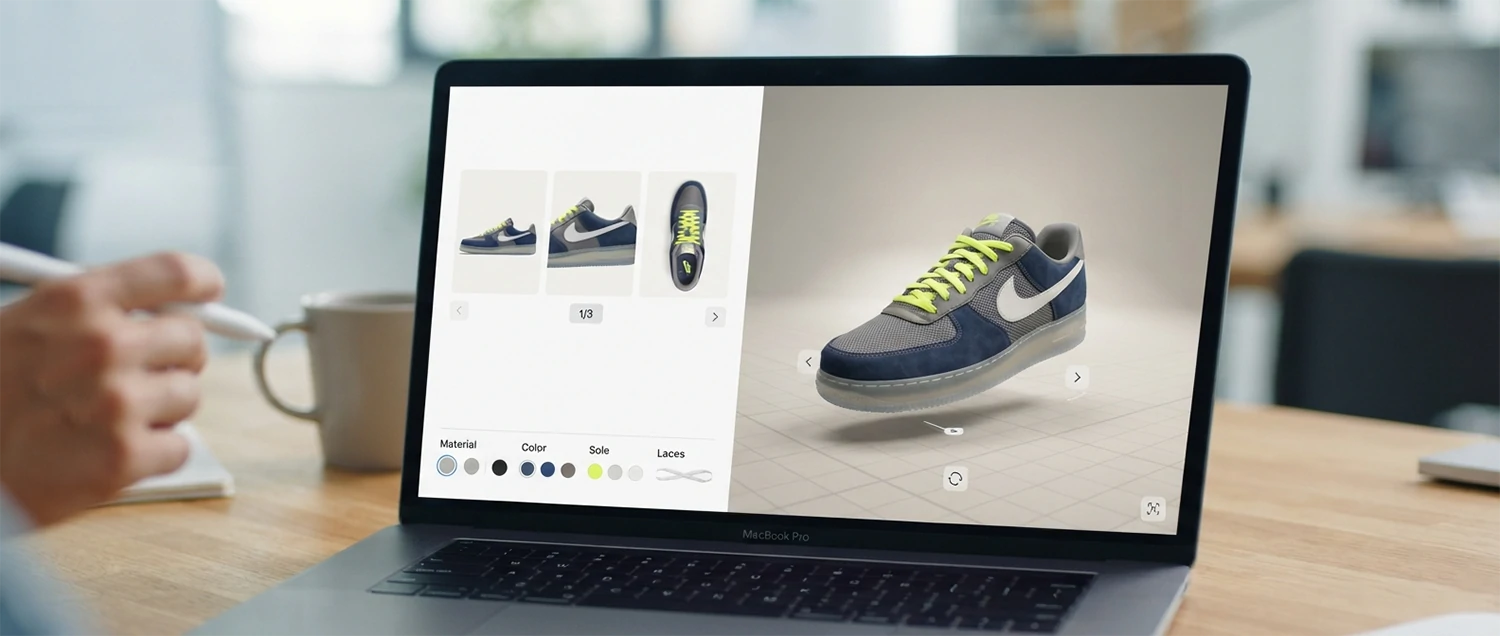
Help visitors see exactly what they are about to buy—their color, their material, their configuration—before they commit, and turn hesitation into a confident, accurate order.
Quick Answer
What is a 3D product configurator, and when is it worth building?
A 3D product configurator is an interactive tool that lets a visitor customize a product—color, material, size, parts, engraving, layout—and see a live 3D model update instantly to match every choice. Instead of scrolling through a fixed set of photographs, the customer builds the exact variant they are considering and views it from any angle before deciding.
It is worth building when customers face real uncertainty about how a customized product will look, fit, or feel, and when that uncertainty currently blocks a purchase or generates returns and support questions. High-consideration, customizable, or expensive products—furniture, vehicles, jewelry, apparel, industrial equipment, packaging—benefit most. Simple, low-variation products often do not, because a configurator adds cost and load time without changing the decision.
The rest of this guide is a practical, visitor-centered path: how configurators work, a framework for deciding whether you need one, how to prepare 3D assets and design the experience, how to handle performance and accessibility, how to connect it to price and manufacturing, and how to measure whether it genuinely helps people buy with confidence.
Follow the guide from concept to measurable result
Table of contents
- What is a 3D product configurator, and when is it worth building?
- Follow the guide from concept to measurable result
- A configurator is a decision tool, not a gallery
- How a 3D configurator actually works
- What configurators do for visitors and businesses
- A framework for deciding whether you need one
- Where configurators earn their place
- Step 1: Prepare accurate, optimized 3D assets
- Step 2: Design the experience around the decision
- Step 3: Match visual fidelity to the real question
- Step 4: Treat performance as a design requirement
- Step 5: Plan mobile and augmented reality deliberately
- Step 6: Connect price, rules, and manufacturing
- Step 7: Make the experience accessible and inclusive
- Step 8: Choose between building and buying a platform
- Step 9: Keep the page discoverable and indexable
- Step 10: Measure outcomes, not just engagement
- Common mistakes to avoid
- Where configurators are heading
- A focused rollout plan
- 3D product configurator checklist
- Practical answers about 3D product configurators
- Build for confidence, not for spectacle
- Learn the underlying standards and techniques
- Who builds and maintains a configurator
- Understanding the true cost and return
- Handle configuration data responsibly
- Test the configurator before and after launch

A configurator is a decision tool, not a gallery
A traditional product gallery shows a fixed set of photographs someone captured in advance. It works well when a product has few variations and the customer can find the exact one they want. But when a product can be built in dozens, hundreds, or thousands of combinations, photography cannot keep up. Nobody can shoot every sofa in every fabric, every watch with every strap, or every machine in every configuration.
A 3D product configurator solves this by generating the view on demand. It holds one accurate 3D model and a library of options—materials, colors, components—then renders whatever the customer selects. The result is a view of a variant that may never have existed as a photograph, produced in real time, viewable from any angle. Because it is driven by a model rather than a photo library, it can also enforce rules: it can refuse impossible combinations, adjust price as choices change, and show only what the factory can actually make.
That last point is what makes it a decision tool. A gallery answers "what does this look like?" A configurator answers "what does my version look like, can it be built, and what will it cost?" It closes the gap between imagination and reality at the exact moment the customer is trying to commit.

How a 3D configurator actually works
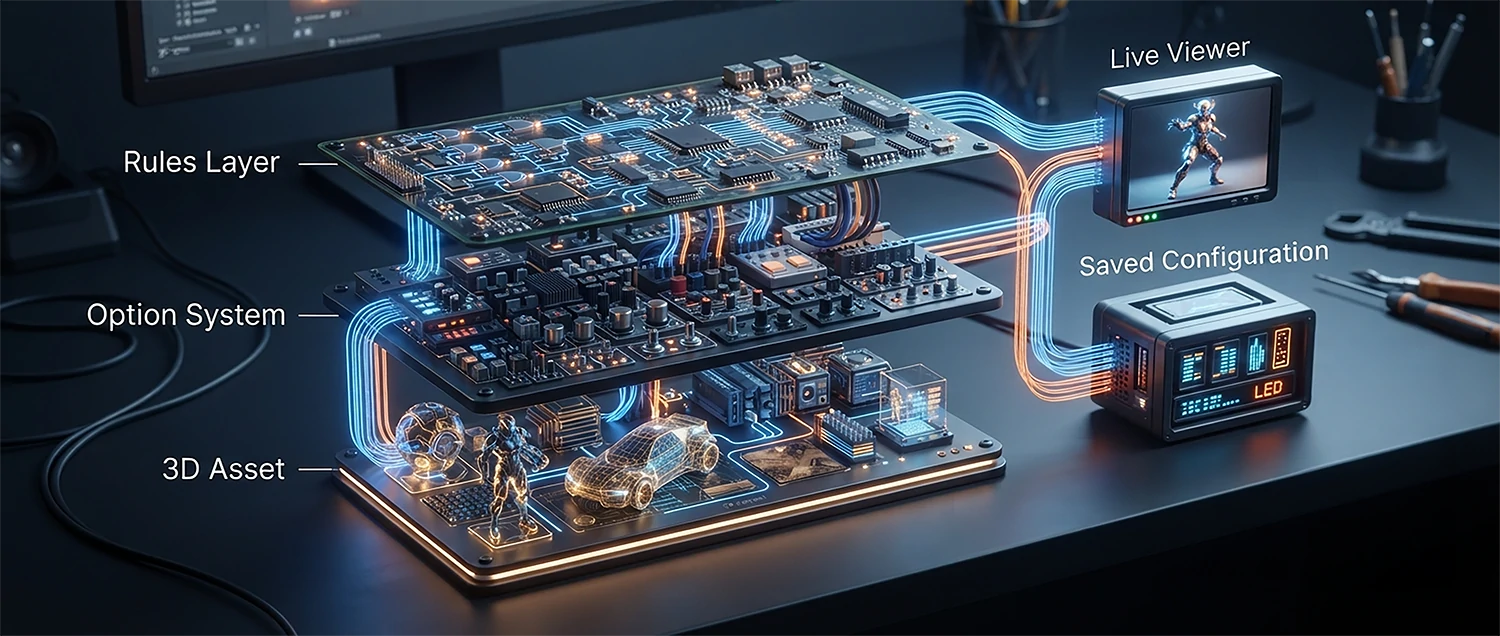
At its core, a configurator has three layers. The first is the 3D asset: an optimized model with clean geometry, correct scale, and materials that respond to light realistically. The second is the option system: the set of choices a visitor can make, such as swapping a material, hiding or showing a part, or changing a dimension. The third is the rules and data layer: the logic that decides which combinations are valid, how price changes, and what happens when a choice is made.
When a visitor picks an option, the viewer updates the relevant part of the model—applying a new texture, showing a different component, or adjusting geometry—and re-renders the scene in the browser, often many times per second. Modern viewers use the graphics hardware already present in phones and laptops, so this happens smoothly without sending images back and forth to a server for every click.
Behind the scene, the configuration is usually stored as a compact list of selected options rather than an image. That list is what gets added to the cart, sent to sales as a quote, or passed to manufacturing. The picture the customer sees and the data the business acts on come from the same source of truth, which is exactly why configured orders are more accurate than orders described in words.
What configurators do for visitors and businesses
Reduce uncertainty
People see their exact choice, so fewer buy the wrong variant.
Fewer returns
Accurate expectations mean fewer "not what I pictured" refunds.
Cleaner orders
A configuration is unambiguous data, not a vague email.
Less support load
Visitors answer their own "what does it look like?" questions.
Higher engagement
Building a product invites exploration and ownership.
Content that scales
One model replaces thousands of impossible photo shoots.
These benefits are real but conditional. They appear only when the configurator addresses a genuine question the customer has. A tool that lets someone recolor a product they were never unsure about produces engagement metrics without producing better decisions. Keep the visitor's actual uncertainty at the center of every claim you make about value.

A framework for deciding whether you need one
Before investing, answer a few honest questions. Does your product genuinely vary in ways customers care about and cannot easily picture? Do people currently hesitate, ask "can I see it in X?", or return items because the real thing did not match their expectation? Is the purchase considered enough that a few extra seconds of interaction is welcome rather than friction?
If the answer to most of these is yes, a configurator is likely to earn its cost. If your product has one or two variants, or customers already buy confidently from photographs, the money is better spent elsewhere—better photography, clearer specifications, or faster pages. A configurator is a powerful tool for a specific problem, not a universal upgrade.
Also weigh capability. A configurator needs accurate 3D models, someone to maintain the option rules as products change, and integration with pricing and fulfillment. If those cannot be sustained, a beautiful launch will slowly drift out of sync with reality, which is worse than no configurator at all. Decide with both the customer need and your maintenance capacity in view.

Where configurators earn their place
| Industry | Typical choices | Uncertainty it removes |
|---|---|---|
| Furniture | Fabric, wood, size, modules | How the finish looks in a real room |
| Automotive | Paint, wheels, trim, packages | How the exact build looks together |
| Jewelry | Metal, stone, setting, engraving | How a personalized piece will appear |
| Apparel & footwear | Color blocks, materials, initials | Whether a custom design works visually |
| Industrial equipment | Parts, capacity, mounts, options | Whether a valid, buildable spec results |
| Packaging & print | Dimensions, finish, artwork area | How the final printed piece will look |
The common thread is not the industry; it is the presence of meaningful, visible variation combined with a customer who would otherwise be guessing. Wherever that pattern appears, a configurator tends to pay for itself.

Step 1: Prepare accurate, optimized 3D assets
The asset is where most of the effort—and most of the quality—lives. A configurator is only as trustworthy as its model. Start from accurate references: real dimensions, physical material samples, and the actual parts the product is made from. If the on-screen fabric looks warmer than the fabric that ships, the configurator has created the very disappointment it was meant to prevent.
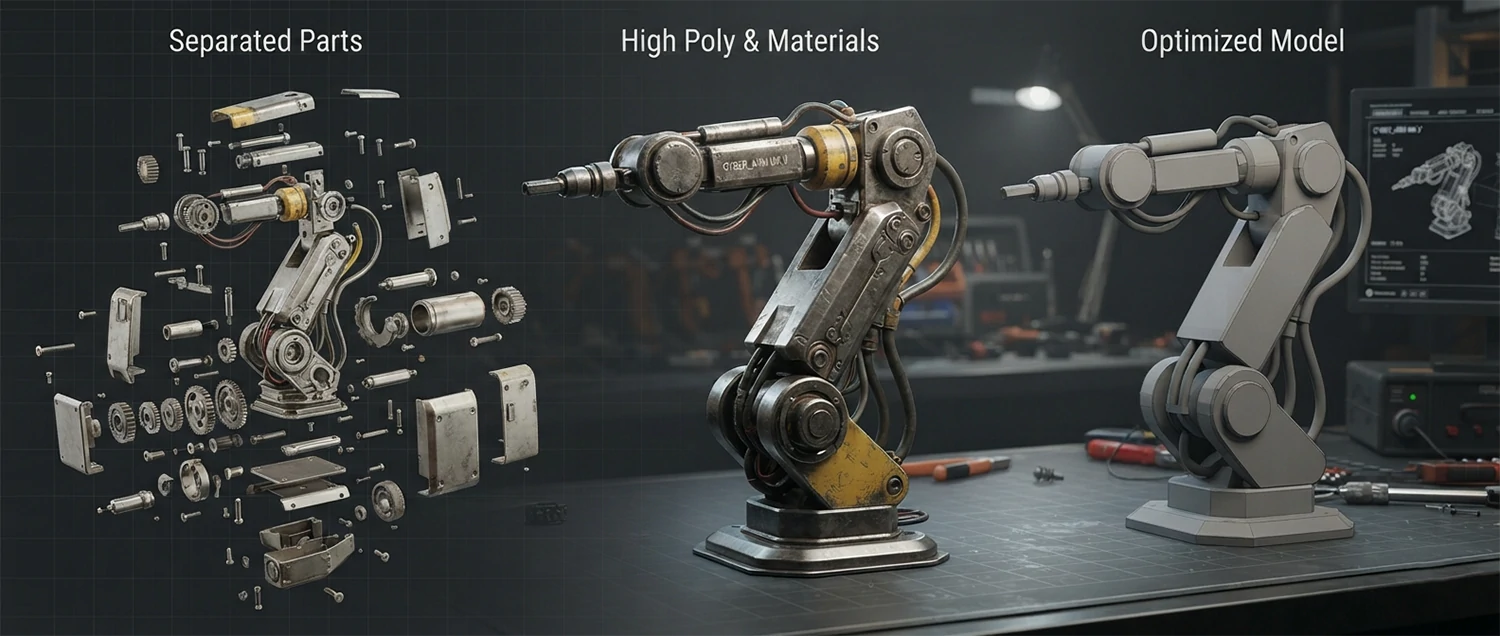
Model with the configurator in mind. Separate the geometry into the parts that will change—seat cushion, strap, panel—so each can be swapped or recolored independently. Use physically based materials so surfaces respond correctly to light. Then optimize: reduce polygon counts where detail is invisible, compress textures, and bake in detail that does not need to be computed live. The goal is a model that looks honest and loads fast on a mid-range phone.
Plan for change. Products get new colors, new components, and new sizes. Build the asset and its option library so a new material is a small addition, not a rebuild. A pipeline that makes updates cheap is what keeps a configurator accurate for years rather than months.
Step 2: Design the experience around the decision
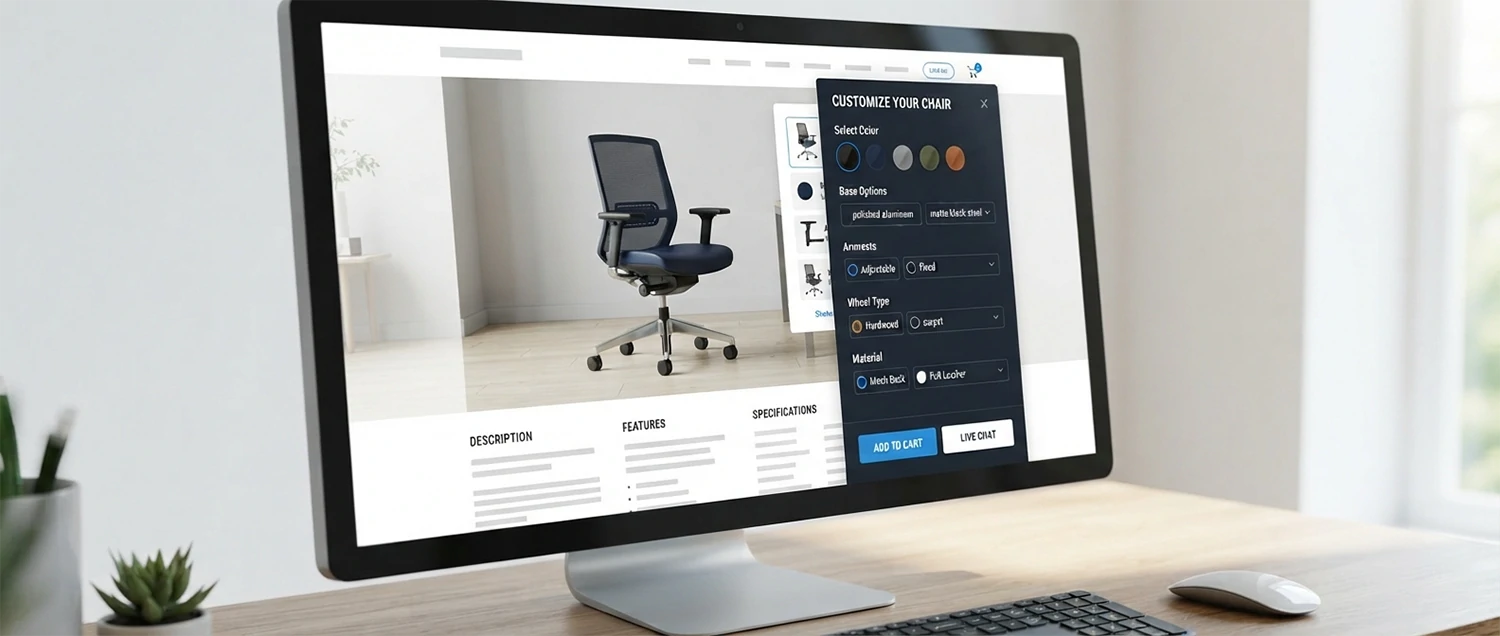
A configurator's interface should make the next choice obvious and the current result clear. Group options the way a customer thinks—by material, then color, then size—rather than by how the model is built. Show the price and any lead-time changes as choices are made, so there are no surprises at checkout. Let people rotate and zoom, but give sensible default views so they are not lost in empty space.
Reduce cognitive load. Offer curated presets alongside full customization, because many visitors want a good starting point more than a blank canvas. Highlight popular or recommended combinations. When a choice is unavailable, explain why in plain language instead of silently disabling it. Every moment of confusion is a moment the customer might leave.
Respect the whole journey. Make it easy to save, share, and return to a configuration; a considered purchase often involves a partner, a colleague, or a night to think. Carry the exact configuration into the cart or quote so nothing is lost. The best configurator feels less like a toy and more like a knowledgeable assistant guiding a real decision.

Step 3: Match visual fidelity to the real question
Photoreal rendering is impressive, but it is not always necessary. The right level of fidelity depends on the decision the customer is making. If they are choosing a fabric, a finish, or a stone, the color and texture must be accurate enough that expectations match the shipped product—so photoreal accuracy matters. If they are choosing a layout, a size, or which modules to include, a clear and fast stylized view may serve them better than a heavy photoreal scene.
Chasing maximum realism everywhere can quietly harm the experience by slowing load times and distracting from the choice. Decide, option by option, what the customer actually needs to judge. Invest fidelity where it changes a decision and spend performance budget where it changes speed. Honest, fast, and accurate beats dazzling but slow almost every time.

Step 4: Treat performance as a design requirement
A slow configurator is a broken configurator. If the model takes ten seconds to appear, most visitors will never see it. Build performance in from the start: compress geometry, use efficient texture formats, and load the 3D experience lazily behind a clear trigger so the page itself stays fast. Show a lightweight, high-quality fallback image immediately, then upgrade to the interactive model when the visitor engages.
Test on the devices your customers actually use—mid-range phones on ordinary networks, not just a powerful workstation. Measure how long it takes to first interaction, how smoothly the model rotates, and how the experience degrades on weaker hardware. A configurator that dazzles on a laptop but stutters on a phone will lose exactly the mobile shoppers who often decide the purchase later on a bigger screen.

Step 5: Plan mobile and augmented reality deliberately
Many customers configure on a phone, so mobile is not an afterthought. Simplify controls for touch, enlarge tap targets, and reduce model complexity where a smaller screen hides the difference. Progressive loading matters even more on mobile networks. A configurator that assumes a mouse and a fast connection will frustrate a large share of its real audience.
Augmented reality can extend the value when the question is "how will this look in my space?" Placing a configured sofa in a living room or a fixture on a real wall answers a question no on-screen view can. But AR is a feature to add where it genuinely helps, not a checkbox. Offer it when spatial fit is part of the decision, and keep the core configurator excellent on its own for everyone else.

Step 6: Connect price, rules, and manufacturing
A configurator that looks right but produces unbuildable or mispriced orders creates more work than it saves. Encode the real constraints: which materials fit which parts, which combinations the factory can make, which options require longer lead times, and how each choice affects price. When the customer sees only valid, honestly priced configurations, the order that reaches operations is one they can actually fulfill.
This is where a configurator meets "configure, price, quote" processes and manufacturing systems. The saved configuration should flow into the cart, the quote, or the production file as structured data, not a screenshot. Done well, this shortens sales cycles, removes back-and-forth clarification, and reduces costly errors. The visual experience and the operational truth are two views of the same underlying rules.

Step 7: Make the experience accessible and inclusive
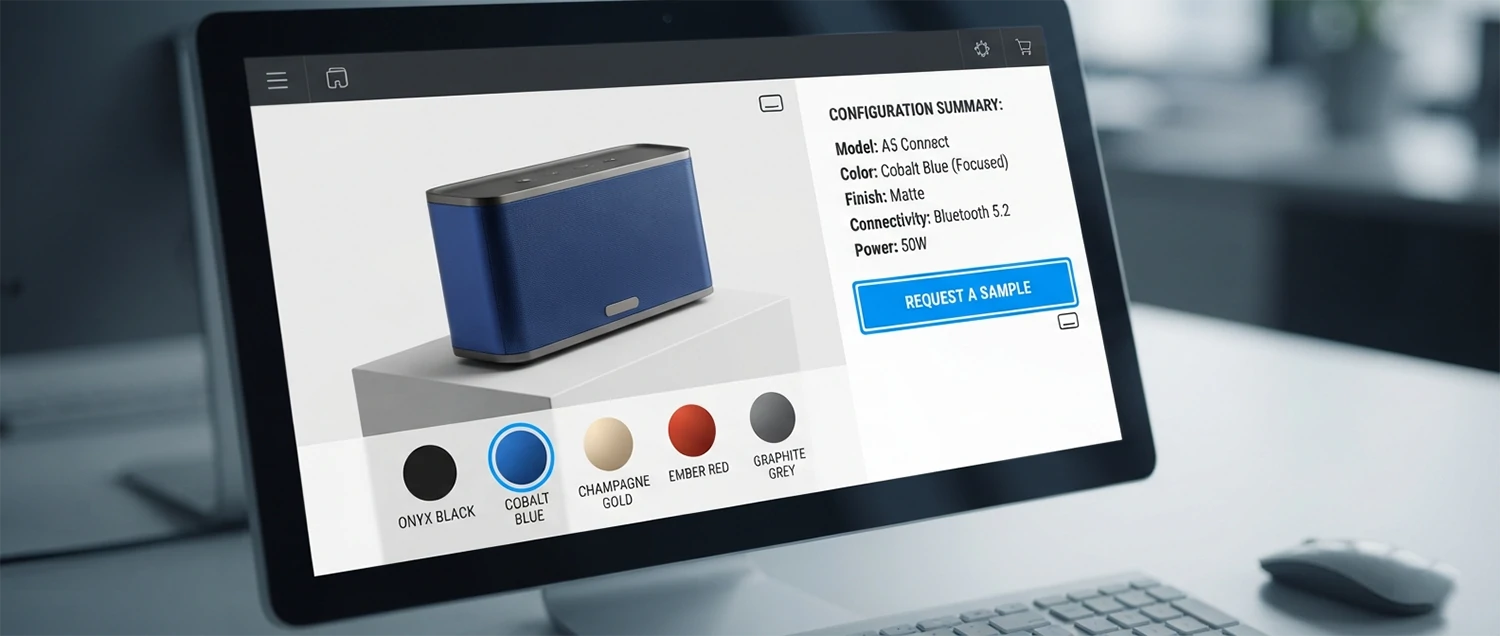
A 3D experience must not lock out people who rely on assistive technology or who cannot use a pointer precisely. Provide keyboard-reachable controls, clear text labels for every option, and a readable summary of the current configuration that does not depend on seeing the model. Ensure color choices are named, not only shown, so a customer choosing a shade is not guessing from a swatch alone.
Accessibility also means honesty about color and material. Screens vary, so pair the visual with descriptive language, material names, and where possible a way to request a physical sample for critical decisions. An inclusive configurator serves more customers, reduces returns caused by mismatched expectations, and usually reads more clearly for everyone.
Step 8: Choose between building and buying a platform
You rarely need to build a 3D viewer from scratch. Many mature platforms provide the rendering engine, option system, and integrations, letting your team focus on assets and rules. A platform gets you to market faster and handles hard problems like cross-device rendering, but it brings ongoing fees and some limits on customization.
Building custom gives full control and can be cost-effective at large scale or for unusual requirements, but it demands specialized engineering and long-term maintenance. Decide based on your catalog size, how unique your needs are, your team's capabilities, and total cost over several years rather than the launch alone. For most businesses, a proven platform is the pragmatic starting point, with custom work reserved for the parts that truly differentiate the experience.

Step 9: Keep the page discoverable and indexable
An interactive 3D experience should not hide your product from search. Keep meaningful, crawlable text on the page: the product description, specifications, materials, and answers to common questions. Provide a static representative image so the page is useful before the interactive model loads and so it can appear in image results and previews.
Treat the configurator as an enhancement layered on a solid, indexable product page, not a replacement for content. Ensure the fallback image and key details are present in the initial HTML, use descriptive alternative text, and make sure the page communicates its value even to a visitor or crawler that never triggers the 3D experience. Discoverability and interactivity are not in conflict when the foundation is built correctly.
Step 10: Measure outcomes, not just engagement
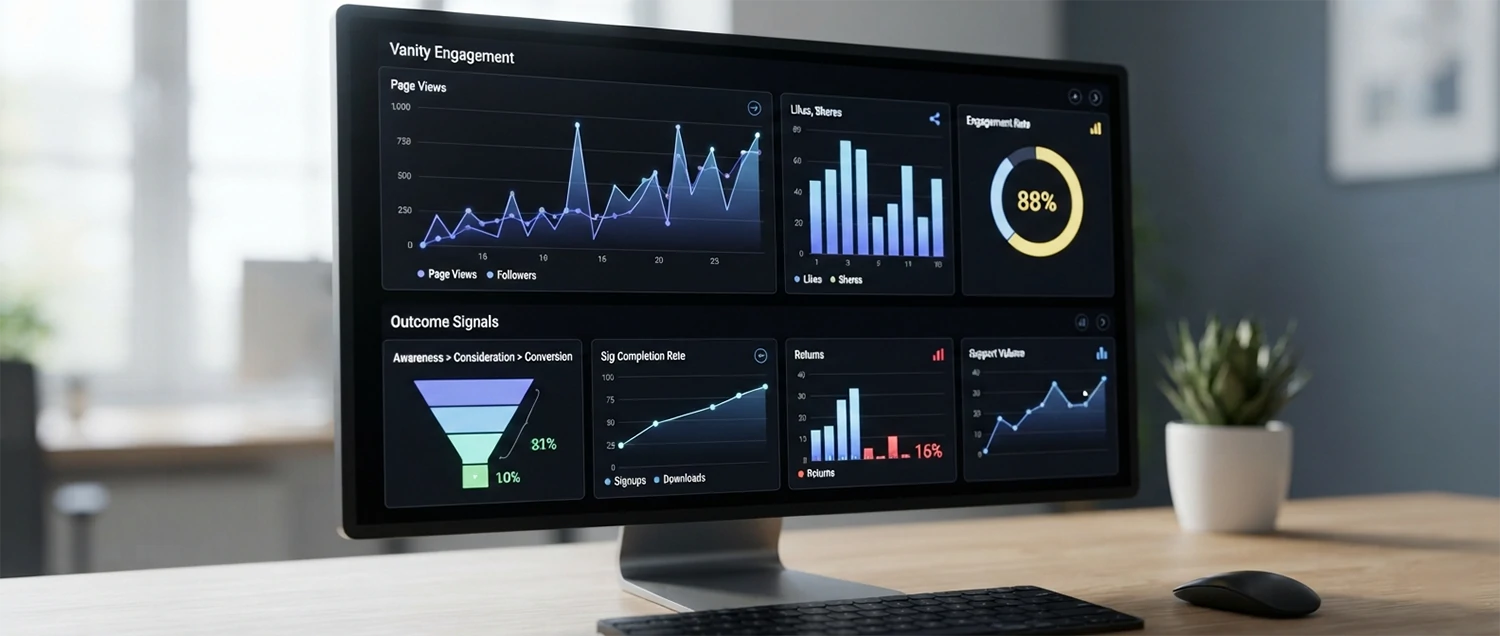
It is easy to celebrate rotations and clicks, but those are activity, not success. Measure whether the configurator helps people reach confident, accurate decisions. Track configuration completion, add-to-cart or quote rates for configured items, and the revenue those configurations assist. Then watch the quality signals: return and complaint rates for customized orders, and support questions about appearance or fit.
Compare configured versus non-configured journeys where you can, and interview real customers about whether the tool reduced their uncertainty. A configurator that raises engagement but not conversion may be entertaining rather than useful. A configurator that lowers returns and support load while lifting confident purchases is doing its job—even if the click counts look modest.
Common mistakes to avoid
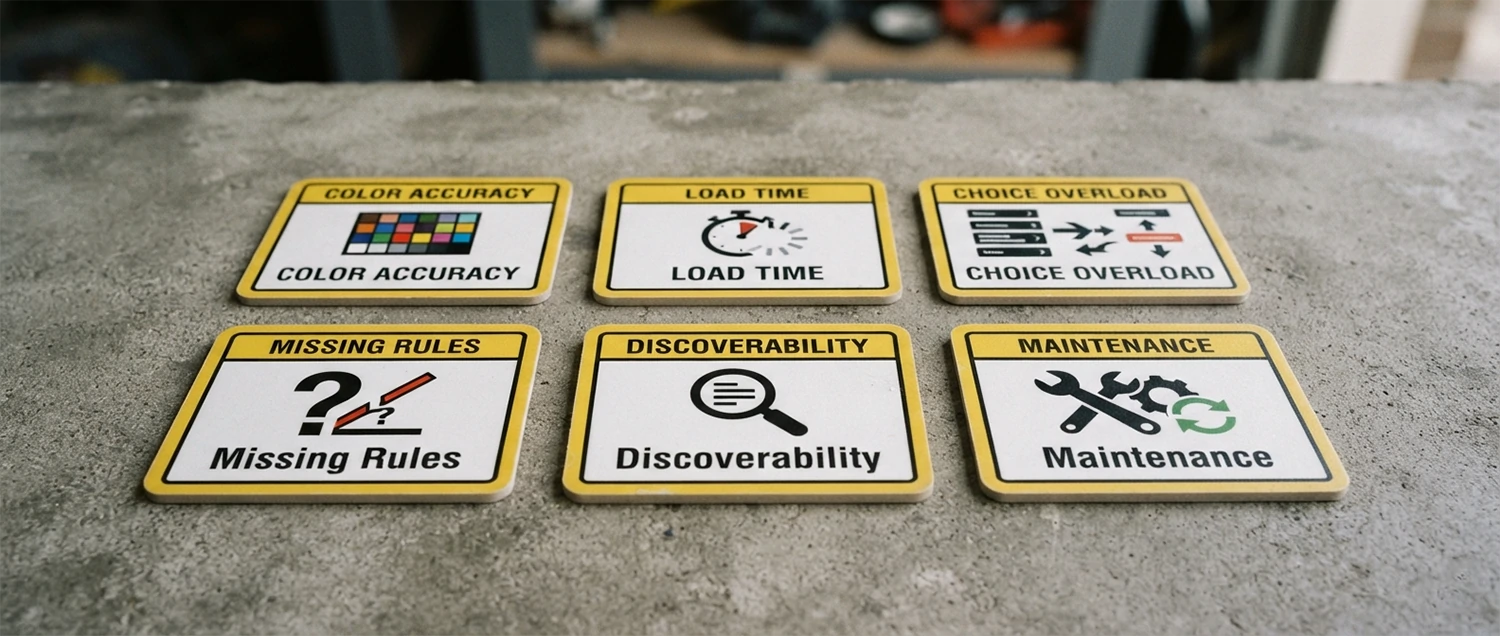
Inaccurate color
Screen ≠ shipped product
Mismatched color creates the returns you meant to prevent.
Heavy load
Slow models lose buyers
Unoptimized assets never get seen on real devices.
Too many options
Choice overload
Endless toggles without presets paralyze visitors.
No rules
Unbuildable orders
Missing constraints let customers configure the impossible.
Hidden from search
Empty product page
A 3D-only page with no text disappears from results.
Launch and forget
Drift from reality
Unmaintained options fall out of sync with the catalog.
Most failures trace back to two roots: assets that do not match reality and experiences that ignore how people actually decide. Guard against both and the rest of the project becomes far easier.
Where configurators are heading
Several shifts are making configurators easier to build and more useful. AI-assisted tools are speeding up the creation of 3D assets from photographs and existing models, lowering the biggest cost in the pipeline. Rendering in browsers keeps improving, so richer materials and lighting run smoothly on ordinary devices. Augmented reality is becoming a routine expectation for spatial products rather than a novelty.
The strategic direction is consistent: configurators are moving from marketing showpieces toward operational infrastructure that links a customer's exact intent to accurate pricing and fulfillment. The businesses that benefit most will treat the configurator not as a one-time build but as a maintained system—kept accurate, fast, and honest as products and expectations evolve.

A focused rollout plan
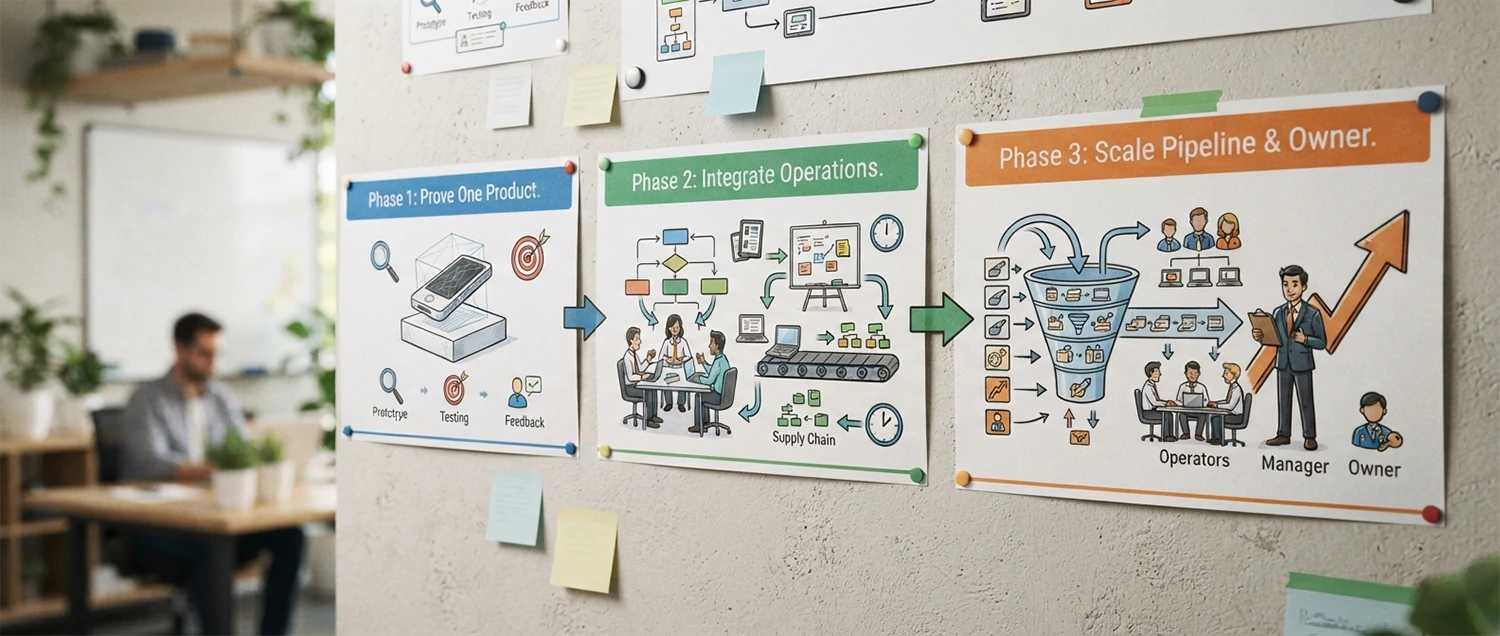
Phase 1
Prove it on one product
Pick a high-variation, high-uncertainty product. Build one accurate model and a tight option set, then measure against the old page.
Phase 2
Integrate the operations
Connect pricing, rules, cart, and quoting so configured orders flow cleanly into fulfillment as structured data.
Phase 3
Scale and maintain
Extend to more products with a repeatable asset pipeline, and assign an owner to keep options accurate over time.
Start narrow and prove value before scaling. A single product done well teaches you more, and risks less, than a catalog-wide launch that outruns your asset pipeline.
3D product configurator checklist
✅ The product genuinely varies in ways customers care about
✅ Models are built from accurate real-world references
✅ Geometry is separated into swappable parts
✅ Colors and materials match the shipped product
✅ Assets are optimized for mid-range phones
✅ Options are grouped the way customers think
✅ Presets exist alongside full customization
✅ Price and lead time update as choices change
✅ Invalid combinations are prevented with clear reasons
✅ Configurations save, share, and carry into the cart
✅ The experience is keyboard and screen-reader friendly
✅ A static image and crawlable text back the 3D layer
✅ Configurations flow into pricing and fulfillment as data
✅ Success is measured by outcomes, not just engagement
✅ An owner keeps options accurate as products change
Work through this checklist before launch and again at each review. A configurator is ready when it is accurate, fast, honest, and connected to the systems that fulfill what the customer configured.

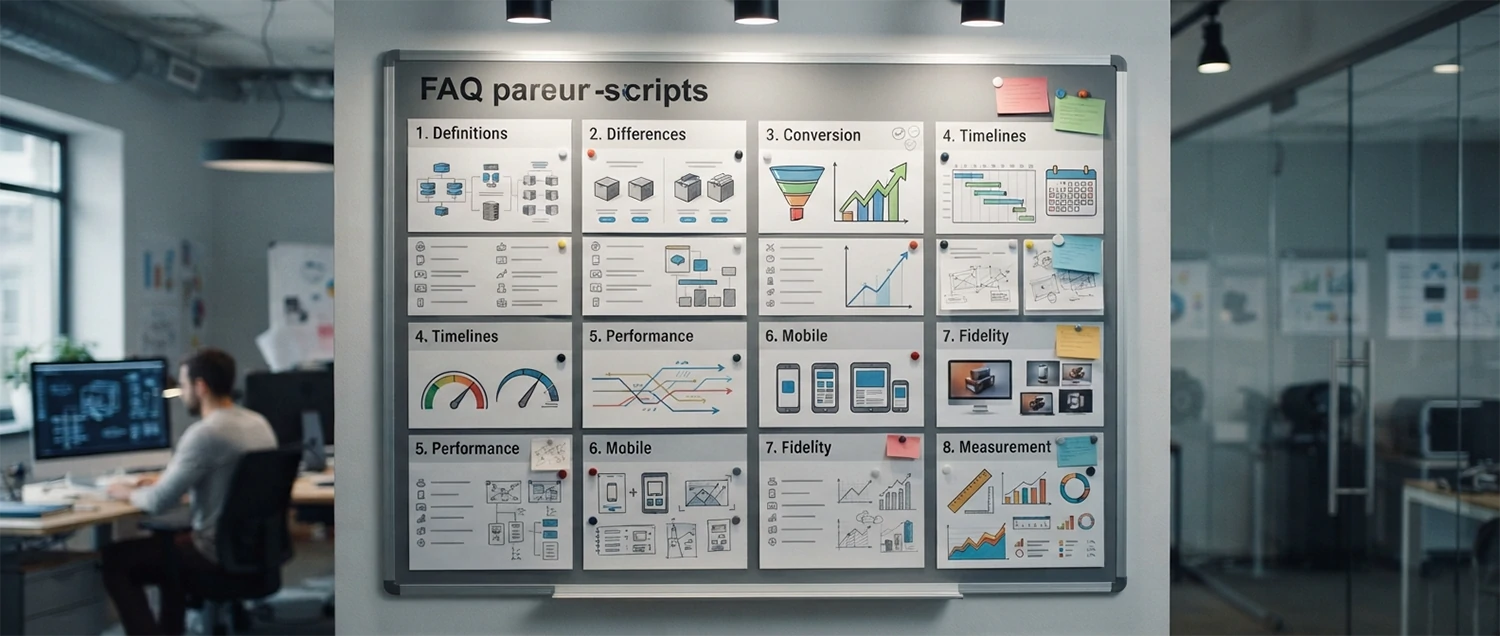
Frequently Asked Questions
Practical answers about 3D product configurators
Build for confidence, not for spectacle
The best 3D product configurator is not the flashiest one; it is the one that helps a real person see their exact choice, trust that it matches reality, and buy without second-guessing. Start from the customer's uncertainty, build accurate and optimized assets, design the experience around the decision, and keep the whole thing fast, honest, and accessible.
Then connect it to the systems that price and fulfill what was configured, and measure whether it genuinely reduces returns and raises confident purchases. Treat the configurator as a maintained service rather than a one-time launch, and it becomes a durable bridge between what a customer imagines and what your business can deliver.

Learn the underlying standards and techniques
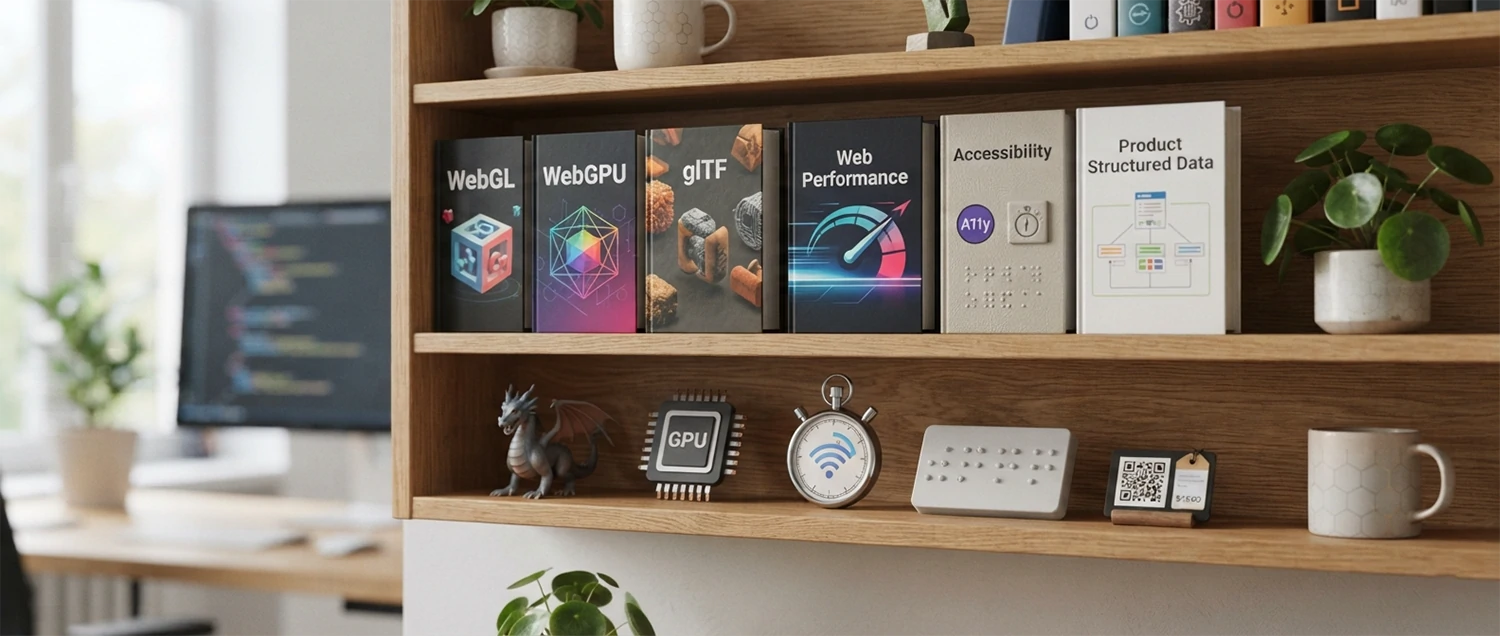
3D on the web rests on open standards and well-documented techniques. Confirm current capabilities and best practices in primary sources before committing to an approach.
Who builds and maintains a configurator
A configurator is a cross-functional product, not a one-person project. A 3D artist prepares accurate, optimized models and materials. A developer wires up the viewer, the option system, and the integrations. A product or UX designer shapes how choices are grouped and presented so the experience guides a real decision. Someone from operations or manufacturing owns the rules that decide what can actually be built and how price and lead time respond.
The role that quietly makes or breaks the long-term result is the owner of accuracy. Products gain new colors, retire components, and change dimensions constantly. Without a named person responsible for keeping the option library and rules in sync with the real catalog, even an excellent launch drifts out of date within months. Treat that ownership as a permanent responsibility, not a project task that ends at go-live.
For smaller teams, these roles overlap, and a good platform absorbs much of the engineering. What cannot be outsourced is the discipline of accuracy and the habit of judging the tool by whether it helps customers decide. Decide early who holds each responsibility so the configurator has clear ownership before, during, and long after launch.

Understanding the true cost and return
The visible cost of a configurator is the build, but the real cost is spread across the whole lifecycle. Budget for 3D asset creation—usually the largest line item—platform or engineering time, integration with pricing and fulfillment, and ongoing maintenance as products change. A configurator priced only on the initial build almost always disappoints, because the upkeep that keeps it accurate is what protects the value over time.
The return shows up in several places, and not all of them are on the product page. Higher confident-purchase rates and larger configured orders are the obvious gains. Less obvious but often larger are reduced returns on customized items, fewer support conversations about appearance, shorter sales cycles for quoted products, and savings from photography you no longer need to shoot. Add these together before judging whether the tool pays for itself.
Model the return honestly and conservatively. Estimate how many returns or clarifying conversations the configurator realistically prevents, attach a value, and compare it against the full lifecycle cost. A configurator that merely entertains will not clear that bar; one that removes genuine uncertainty usually clears it comfortably. Deciding with a full-lifecycle view keeps expectations grounded and the project defensible.

Handle configuration data responsibly
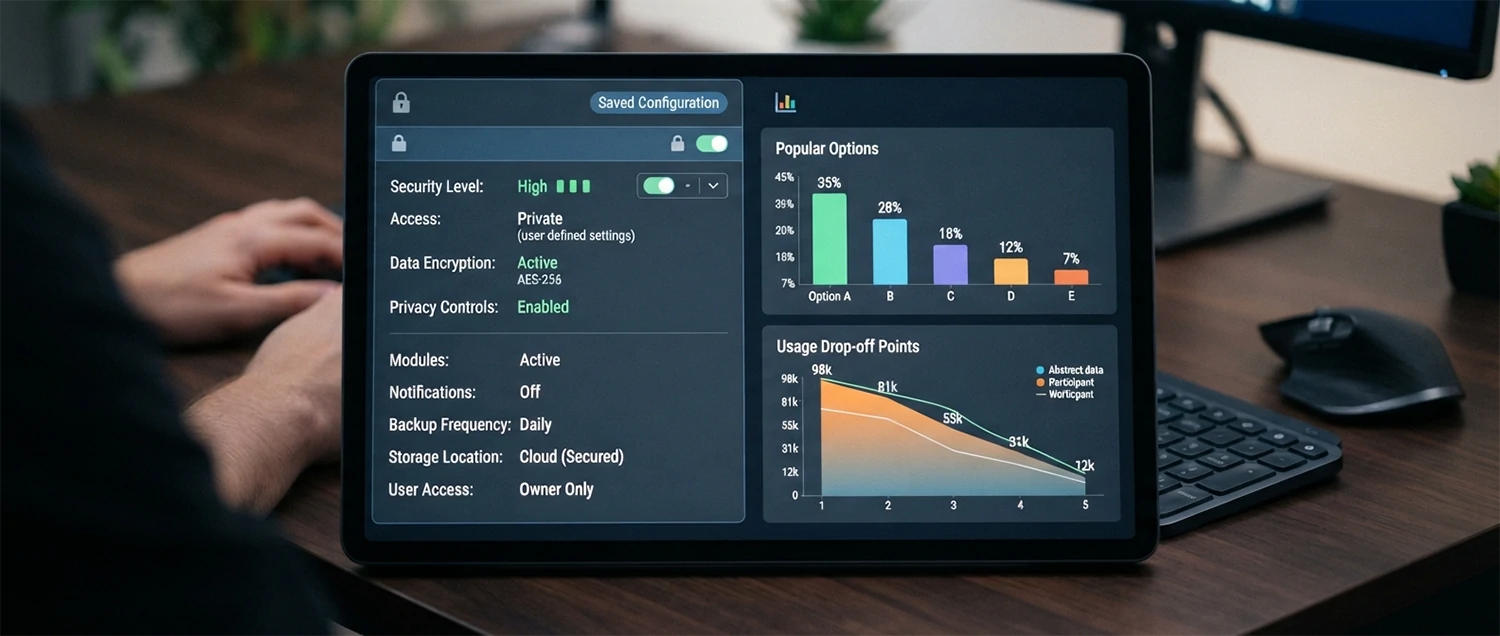
Every saved configuration is data about a customer's intent, and sometimes it is personal. An engraving carries a name. A saved build reveals a considered purchase. Treat this information with the same care as any other customer data: collect only what you need, be clear about how saved and shared configurations are stored, and avoid exposing one person's private design to others through guessable links or public galleries they did not opt into.
Configuration data is also a rich source of product insight when handled ethically. Aggregated, anonymized patterns show which options customers actually choose, which combinations they abandon, and where they hesitate—guidance for both the product line and the configurator itself. Use these patterns to improve defaults and remove friction, but keep individual configurations private and let people delete saved builds. Respecting the data builds the trust that a considered purchase depends on.
Test the configurator before and after launch
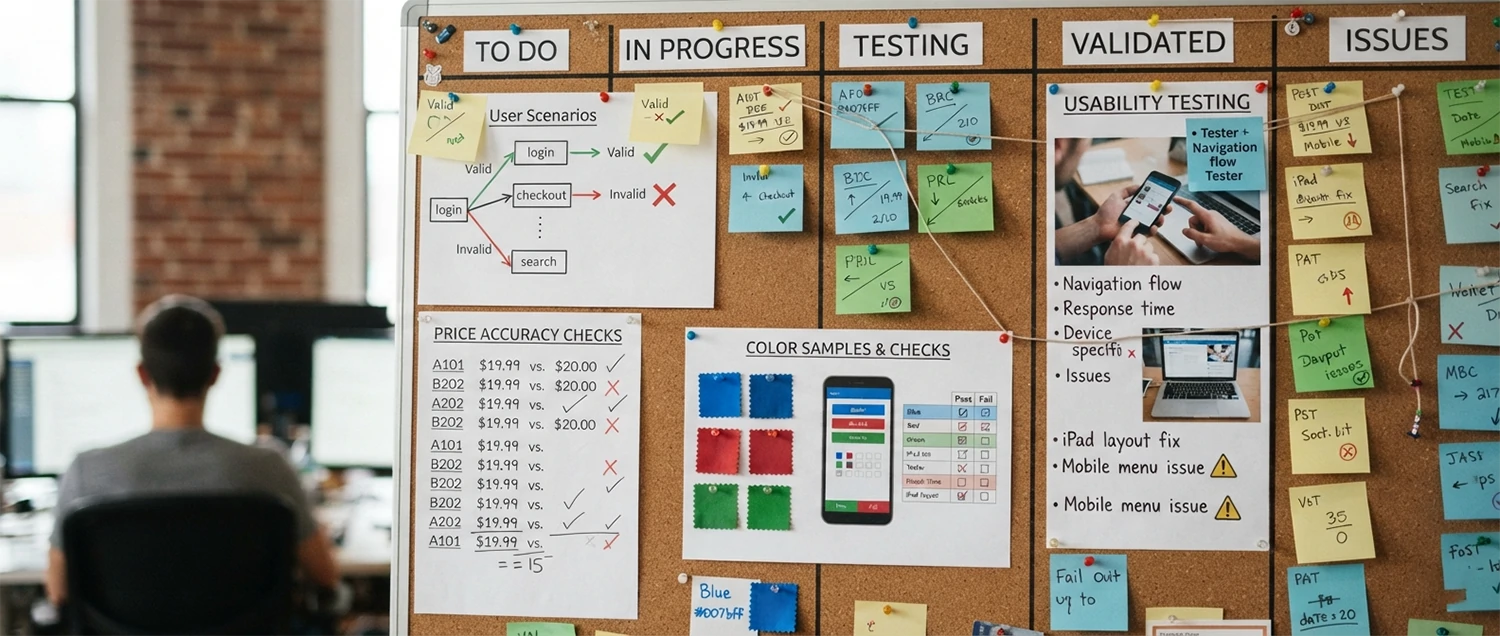
A configurator has more ways to fail than a static page, so it needs deliberate testing. Verify that every valid combination renders correctly and that invalid ones are blocked with a clear explanation. Confirm that price and lead time update accurately for each choice, that the saved configuration matches what the customer saw, and that it flows into the cart, quote, or production file without losing detail. Check color accuracy against physical samples under realistic lighting, not just on one calibrated screen.
Then test the human side. Watch real people configure a product and note where they hesitate, misread an option, or give up. Run the experience on mid-range phones and slower networks, with a keyboard, and with a screen reader. After launch, keep testing: as products and options change, re-check that the rules still match reality. A short, repeatable test plan is what keeps a configurator trustworthy long after the excitement of the first release fades.