Your comprehensive guide to everything happening in the world of video editing—from software releases to AI breakthroughs
Table of contents
- Key Headlines
- 1. Major Software Updates 2024
- 2. AI Revolution in Video Editing
- 3. Adobe Premiere Pro News
- 4. DaVinci Resolve Updates
- 5. Final Cut Pro Developments
- 6. Emerging Tools & Startups
- 7. Hardware & Performance News
- 8. Industry Trends & Predictions
- 9. Workflow & Collaboration Updates
- 10. The Future of Video Editing
- Frequently Asked Questions
The video editing landscape is evolving faster than ever before. Between artificial intelligence revolutionizing workflows, major software updates reshaping professional standards, and new players disrupting the market, staying current has become essential for anyone working with video content.
As someone who has covered video technology for over eight years and worked as a professional editor before transitioning to journalism, I've witnessed seismic shifts in our industry. The changes happening right now—particularly with AI integration—are the most significant I've ever seen. What took hours now takes minutes. What required expensive software is now accessible for free. And what seemed like science fiction is now shipping in mainstream applications.
This comprehensive guide covers the most important video editing news, developments, and trends shaping the industry in 2026 and beyond. Whether you're a professional editor, content creator, or simply interested in the technology powering modern video production, you'll find valuable insights into where the industry stands and where it's heading.
Key Headlines
- ● AI-powered editing features are now standard across all major NLEs, fundamentally changing editor workflows
- ● DaVinci Resolve 19 introduces revolutionary AI tools while maintaining its free tier
- ● Cloud-based editing and collaboration tools are maturing rapidly for professional use
- ● Apple Silicon continues to reshape hardware expectations for video editing performance
- ● Text-based editing and automated transcription are becoming industry standard features
1. Major Software Updates 2024
2024 has been a landmark year for video editing software. Every major application has received significant updates, with AI integration being the common thread running through all of them. Here's a comprehensive look at the most important releases.
2024 Release Timeline
Adobe Premiere Pro 24.2
Text-Based Editing improvements, Enhanced Speech to Text in 18 languages, new GPU acceleration features
DaVinci Resolve 19 Beta
IntelliTrack AI, AI-powered color grading, UltraNR noise reduction, major Fusion improvements
Final Cut Pro 10.8
Magnetic Mask improvements, enhanced Object Tracker, spatial video editing support
Premiere Pro 25.0 & DaVinci 19.1
Generative Extend in Premiere, Resolve 19 stable release with cloud collaboration features
The pace of updates has accelerated dramatically. Where major versions once released annually, we're now seeing meaningful feature additions quarterly or even monthly. This rapid iteration reflects both competitive pressure and the maturation of AI technology that enables faster development cycles.
2. AI Revolution in Video Editing
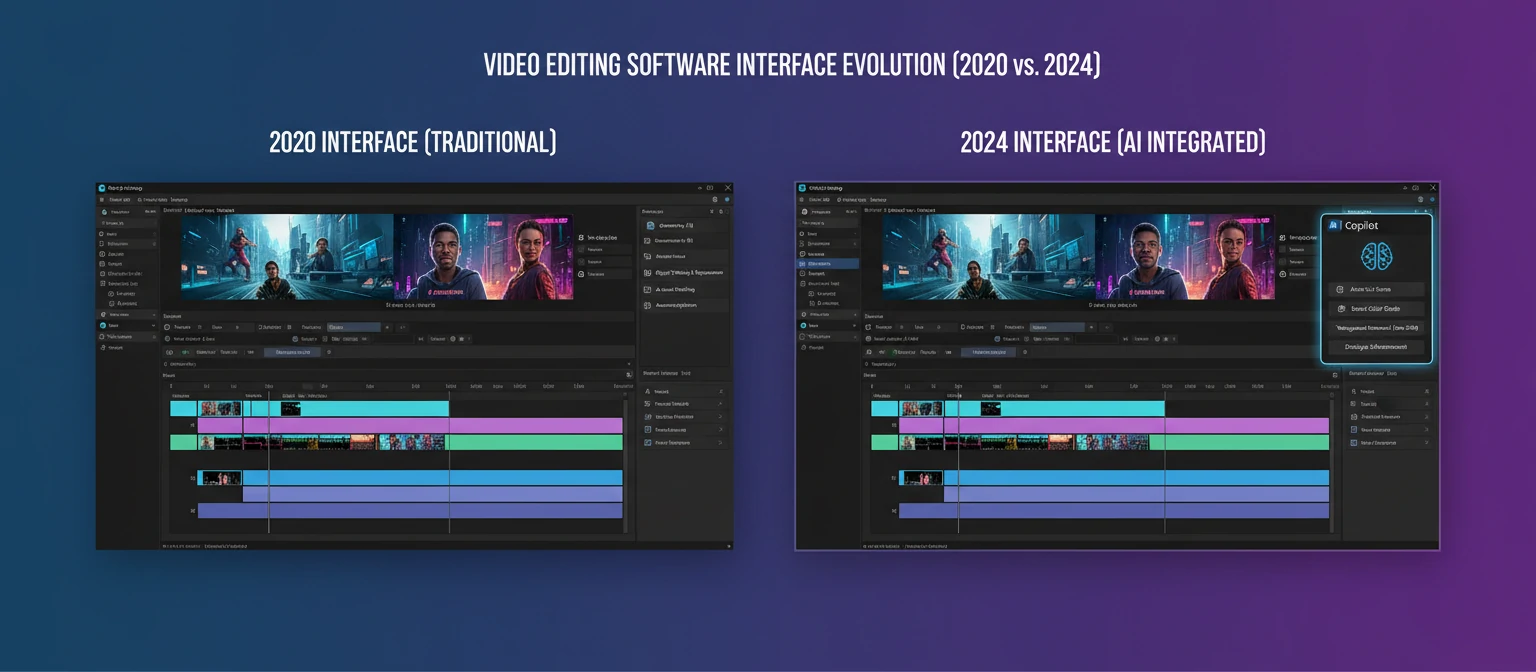
If there's one story dominating video editing news, it's artificial intelligence. What began as experimental features has rapidly become the defining technology of modern editing software. The integration is so deep now that it's reshaping how editors think about their work.
AI Features Now Standard in Major NLEs
Auto Transcription
Speech-to-text that enables text-based editing workflows
Object Tracking
AI-powered tracking for effects, masks, and graphics
Auto Color
One-click color matching and correction
Audio Enhancement
Noise removal and dialogue enhancement
Smart Reframe
Automatic aspect ratio conversion with subject tracking
Generative Fill
AI-powered content generation and extension
The Generative AI Breakthrough
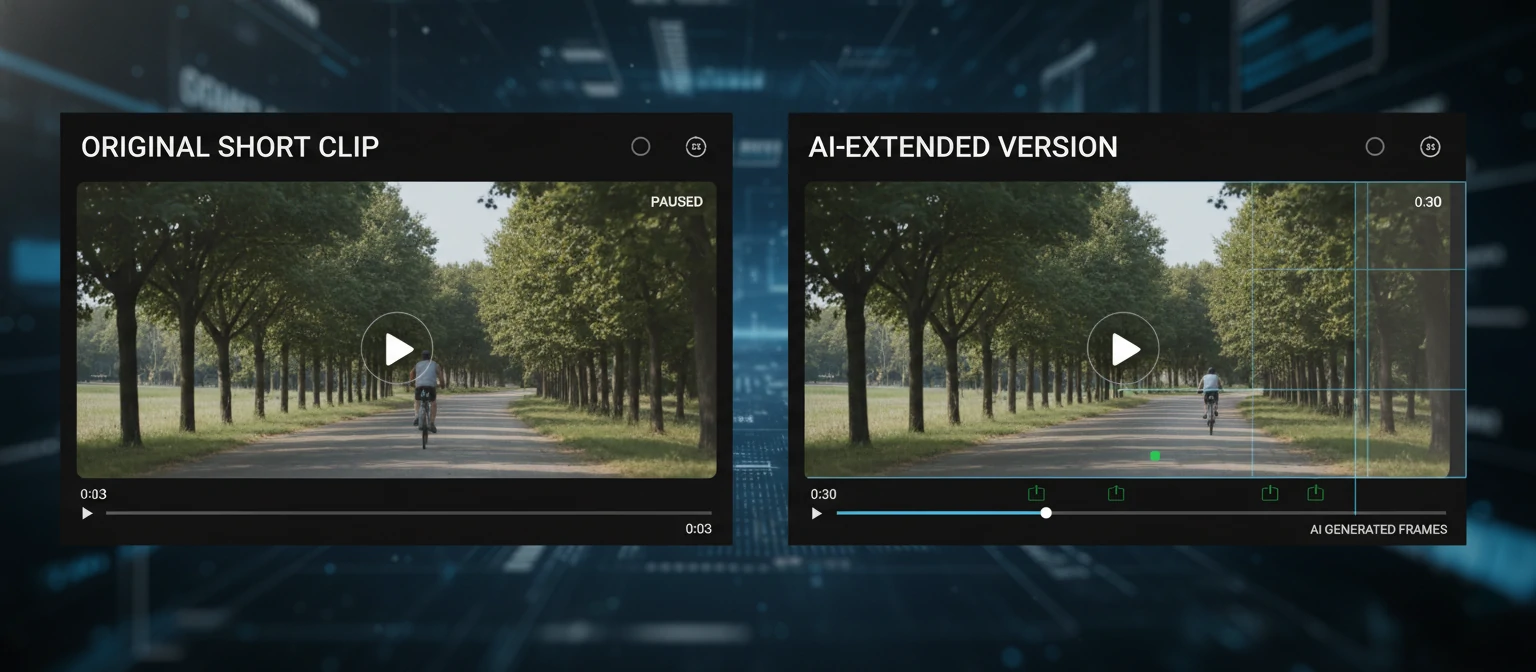
Adobe's "Generative Extend" feature in Premiere Pro marks a watershed moment. This tool can extend video clips by generating new frames that match the existing footage—solving the age-old problem of shots that are just slightly too short. While the technology isn't perfect for all scenarios, it's remarkably effective for many common use cases.
Runway's continued development of their AI video tools has also made waves, with their technology being licensed by various editing platforms. The ability to remove objects, change backgrounds, or generate entirely new footage is transitioning from novelty to practical tool.
Industry Reaction & Concerns
Not everyone celebrates these developments. Concerns about job displacement, creative authenticity, and the ethical implications of AI-generated content are actively debated in professional communities. The Motion Picture Editors Guild and other organizations are working to establish guidelines around AI use in professional productions.
3. Adobe Premiere Pro News
Adobe continues its aggressive development of Premiere Pro, responding to competitive pressure while leveraging its AI research division. The software that dominates professional broadcast and web content creation has seen significant evolution throughout 2024.
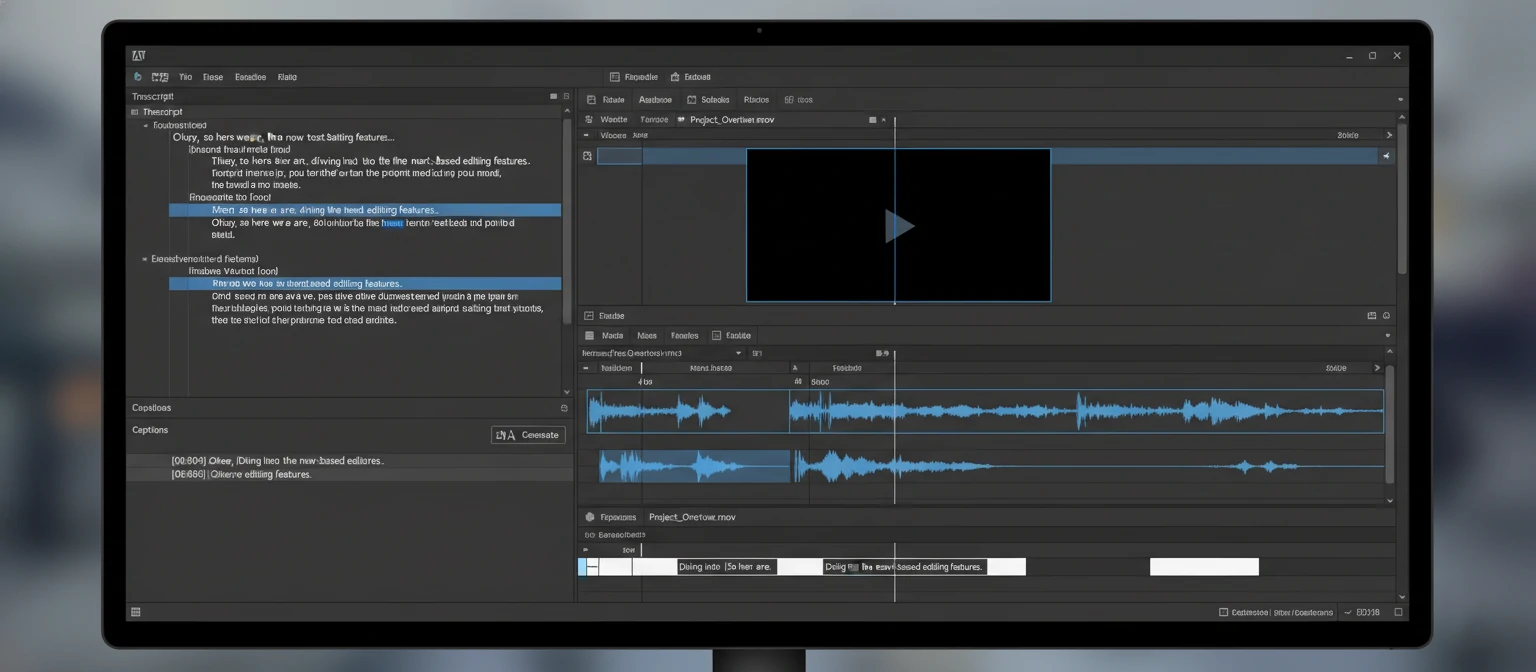
Text-Based Editing 2.0
Adobe's text-based editing has matured significantly. Editors can now navigate entire projects through transcripts, with improved accuracy in speaker identification and support for 18 languages. The ability to edit video by editing text has moved from gimmick to genuinely useful workflow.
Generative Extend
The headline AI feature of 2024 allows users to extend clips by generating new frames. While it won't replace proper coverage, it's invaluable for salvaging shots that are slightly too short or smoothing transitions.
Performance Improvements
Adobe has focused heavily on stability and performance, addressing long-standing criticism. GPU acceleration improvements show particularly strong results with AMD graphics cards, narrowing the traditional NVIDIA advantage.
Frame.io Integration
The acquisition of Frame.io continues paying dividends with deeper integration. Review and approval workflows are now seamlessly built into Premiere, though the full cloud-first vision remains in development.
Subscription Pricing Controversy
Adobe's pricing and terms continue to generate discussion. Recent changes to cancellation policies drew significant criticism, with some professionals exploring alternatives. The company has made some adjustments in response, but the subscription model remains a point of contention in the creative community.
4. DaVinci Resolve Updates
Blackmagic Design's DaVinci Resolve continues its remarkable trajectory. What began as a color grading tool has evolved into arguably the most complete post-production package available—and its free version offers more than many paid alternatives.
DaVinci Resolve 19: Major Highlights
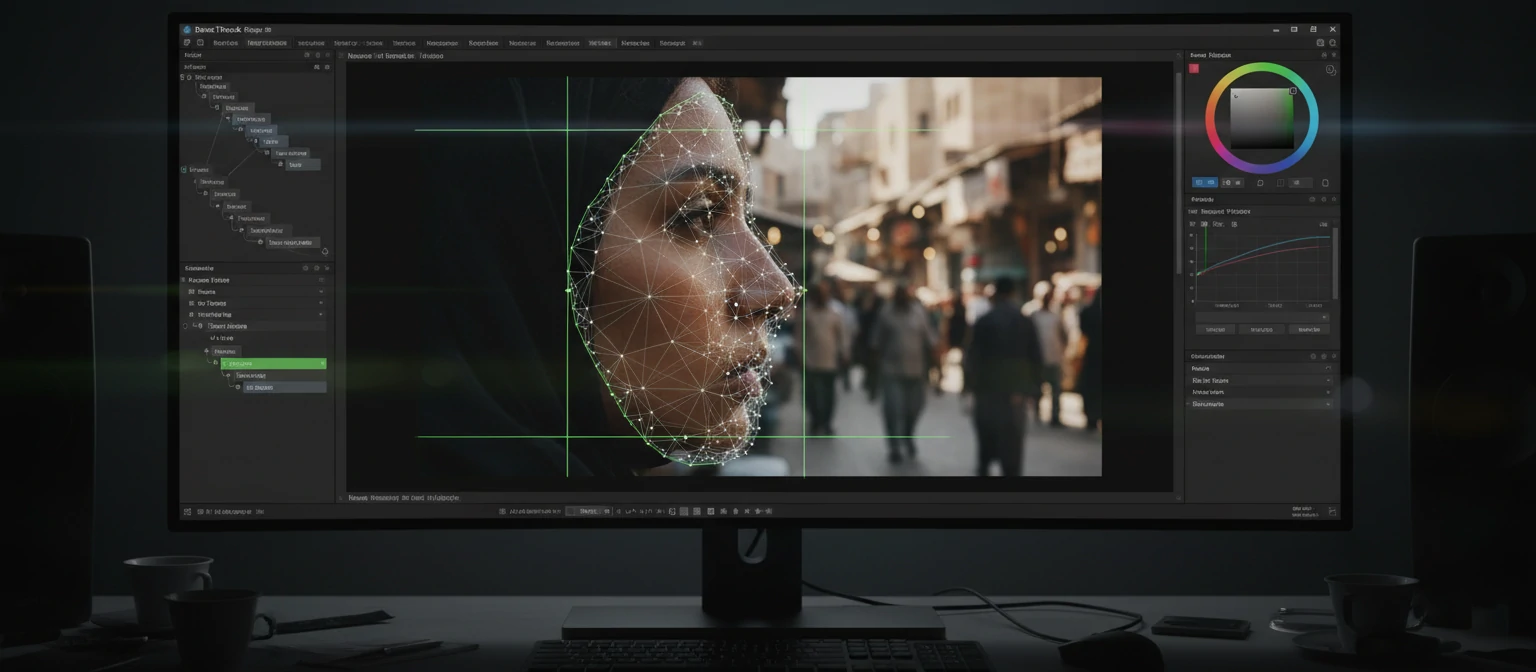
IntelliTrack AI
Revolutionary AI-powered tracking that works in the Color page. Track anything—faces, objects, vehicles—with remarkable accuracy. This single feature has transformed color grading workflows for many professionals.
UltraNR Noise Reduction
AI-based temporal and spatial noise reduction that rivals dedicated plugins costing hundreds of dollars. Particularly impressive with high-ISO footage and low-light scenarios.
Film Look Creator
AI-powered tool that analyzes and recreates the color characteristics of classic film stocks. Apply authentic film looks with technical accuracy rather than generic presets.
Cloud Collaboration
Blackmagic Cloud integration allows multiple editors and colorists to work on the same project simultaneously. A direct answer to Frame.io's collaboration features.
Free vs. Studio Debate
The free version of Resolve remains astonishingly capable, but version 19 has shifted more AI features to the paid Studio tier. At $295 for a perpetual license (still a one-time purchase), Studio remains excellent value, but the line between free and paid has become a more significant consideration.
Blackmagic's strategy of bundling Resolve Studio with their cameras and hardware continues to expand the user base. Many professionals now learn Resolve simply because it came with their camera, then find themselves preferring it.
5. Final Cut Pro Developments
Apple's Final Cut Pro has entered a new era with significant updates that leverage Apple Silicon's capabilities. After years of incremental updates, Apple has delivered features that remind the industry why Final Cut remains a serious professional tool.
Final Cut Pro 10.8 Key Features
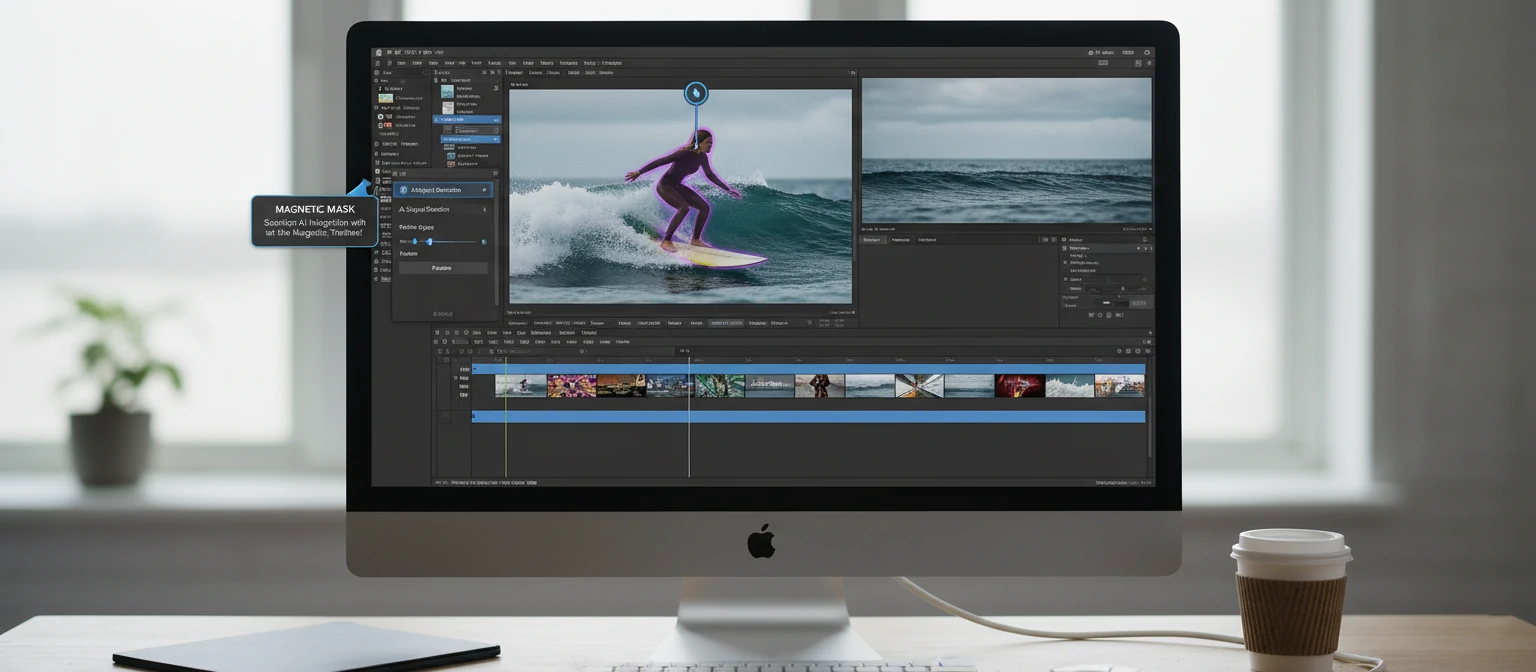
- Magnetic Mask: AI-powered subject isolation that's deeply integrated with the magnetic timeline
- Enhanced Object Tracker: Significantly improved tracking for motion graphics and effects
- Spatial Video Editing: Full support for Apple Vision Pro spatial video content
- Machine Learning Color Matching: AI-assisted shot matching for consistent grades
- Improved M3 Optimization: Specific optimizations for M3 Max and M3 Ultra chips
Final Cut Pro for iPad
The iPad version of Final Cut Pro continues evolving with regular updates. While it won't replace desktop editing for complex projects, it's proven surprisingly capable for certain workflows. Travel editing, quick social media cuts, and approval workflows have found a genuine home on iPad.
The Subscription Question
Apple's move to subscription pricing for Final Cut on iPad raised questions about whether the desktop version would follow. So far, Final Cut Pro remains a $299.99 one-time purchase—a significant value proposition that keeps it competitive with Resolve's free tier and contrasts sharply with Adobe's subscription model.
6. Emerging Tools & Startups
While the major NLEs dominate professional work, a wave of innovative startups is challenging assumptions about what video editing can be. These tools often focus on specific use cases or leverage AI in ways that larger companies haven't yet explored.
Descript
The text-based editing pioneer continues expanding. Their Overdub feature (AI voice cloning for corrections) has matured, and new Studio Sound 2.0 offers impressive audio enhancement. The company raised significant funding and remains a potential acquisition target.
Text-Based EditingRunway
Leading the charge in generative AI for video. Their Gen-2 and Gen-3 models can generate video from text prompts with improving quality. Professional users are finding practical applications in motion graphics and b-roll generation.
Generative AICapCut (ByteDance)
TikTok's parent company has created a surprisingly capable free editor. The desktop version offers features rivaling paid software, with particularly strong template and effects libraries. Its influence on the creator economy is undeniable.
Consumer/ProsumerKapwing
Browser-based editing continues improving. Kapwing's AI features for resizing, captioning, and editing are accessible to anyone with an internet connection. Particularly popular for marketing teams and quick social content.
Cloud-Based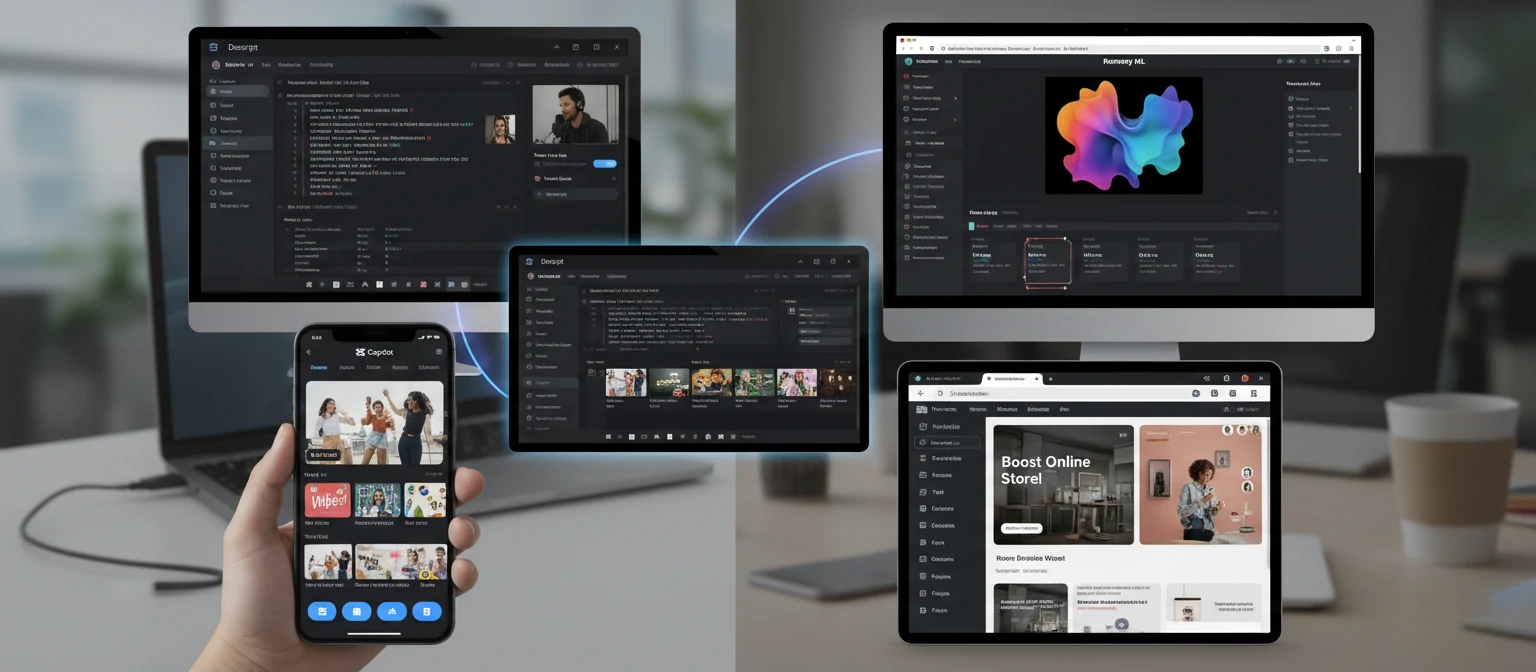
7. Hardware & Performance News
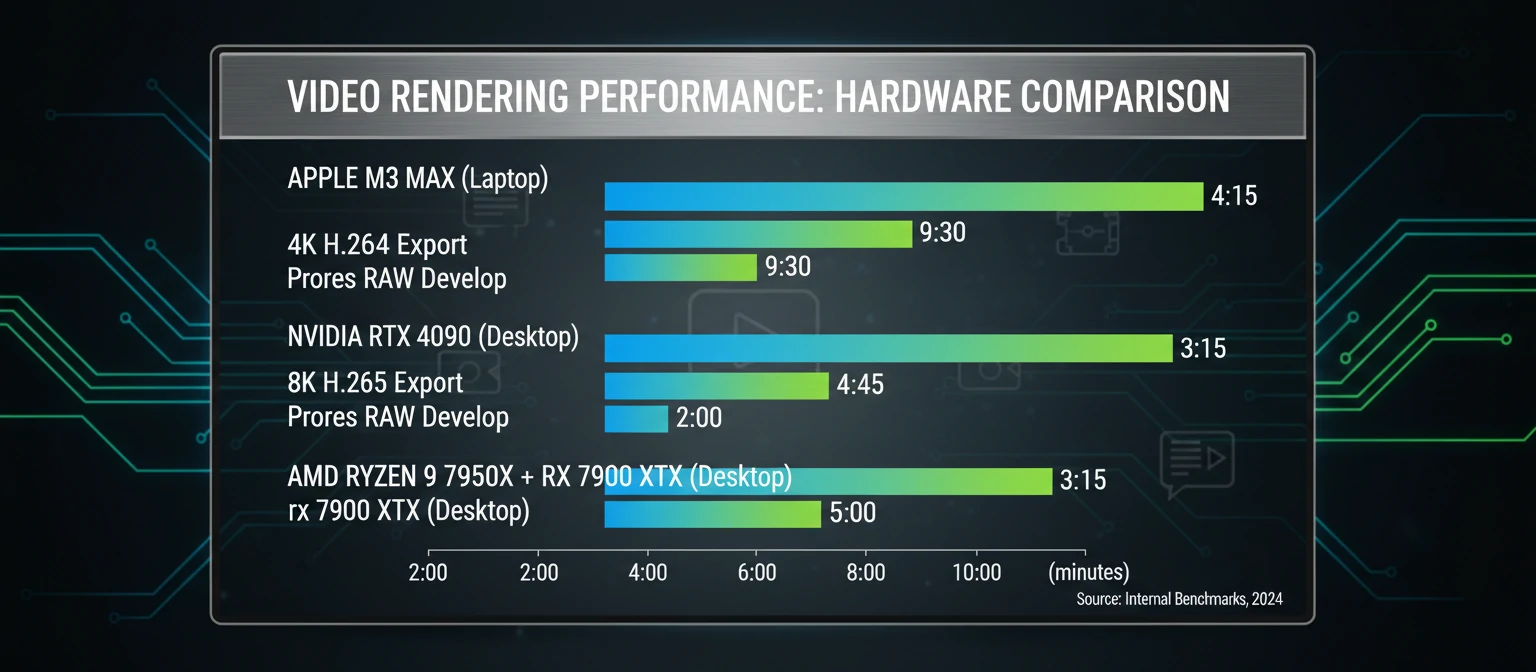
Hardware developments continue to shape what's possible in video editing. From Apple's processor innovations to GPU advances and new storage technologies, understanding hardware trends helps editors plan upgrades and workflow improvements.
2026 Hardware Headlines
| Development | Impact on Editing |
|---|---|
| Apple M3 Max/Ultra | Multiple 8K streams, faster renders, improved neural engine for AI |
| NVIDIA RTX 50-Series | Anticipated major GPU acceleration improvements, enhanced AI processing |
| AMD Ryzen 9000 Series | Competitive CPU performance narrows gap with Intel for encoding |
| PCIe 5.0 NVMe Drives | Up to 14GB/s read speeds for smoother multicam and 8K workflows |
| DDR5 Memory Maturation | 128GB+ configurations becoming practical for heavy timeline work |
Apple Silicon Dominance
Apple's M-series processors have fundamentally changed performance expectations for video editing laptops. A MacBook Pro M3 Max outperforms tower workstations from just a few years ago, with power efficiency that enables genuine all-day editing on battery. This has shifted the conversation from "Mac vs. PC" to "which Mac configuration?"
For Windows users, the equation is more complex. While high-end Intel/AMD/NVIDIA combinations still offer strong performance—often at better price points—the integrated design advantages of Apple Silicon are difficult to match. Software optimization varies significantly between platforms.
8. Industry Trends & Predictions
Beyond specific product updates, larger trends are reshaping how the video editing industry operates. Understanding these shifts helps professionals position themselves for success in a rapidly evolving landscape.
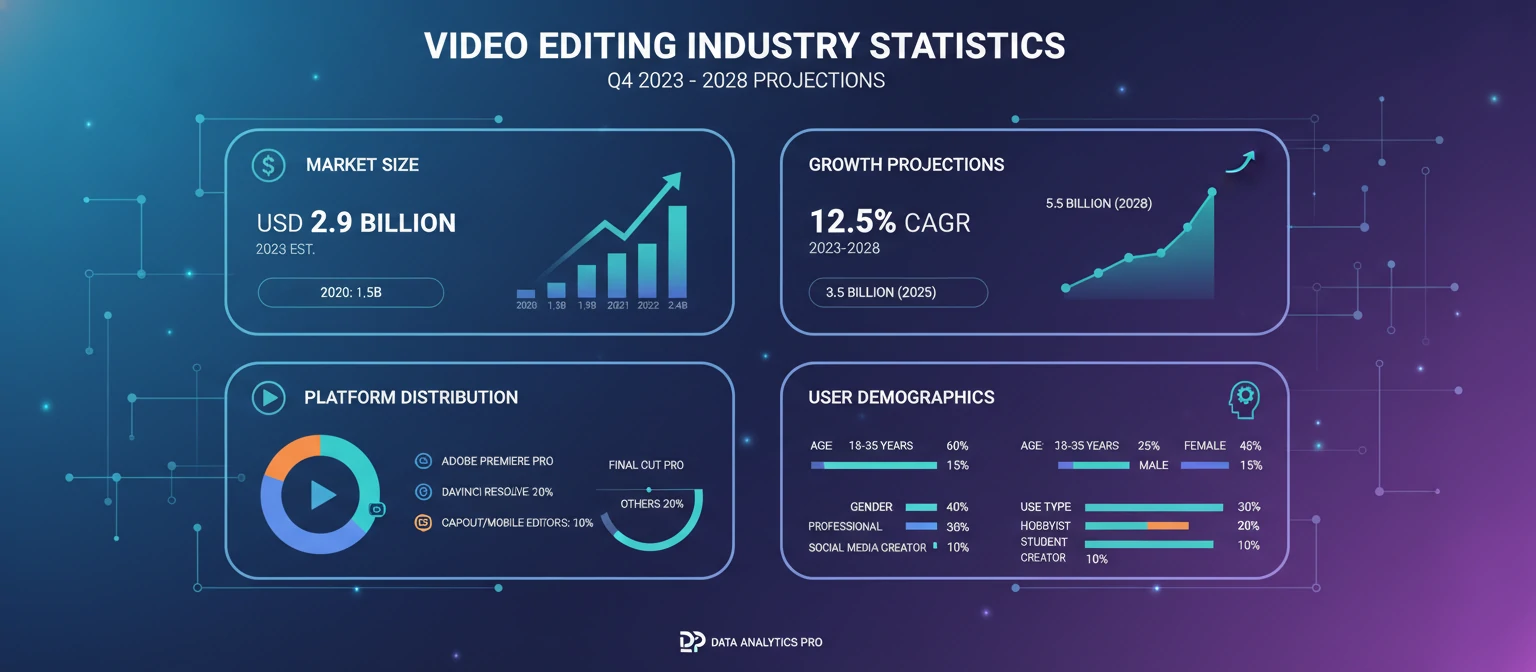
Creator Economy Growth
The creator economy continues expanding, driving demand for faster, simpler editing tools. Platforms like TikTok, YouTube Shorts, and Instagram Reels require high-volume, quick-turnaround editing that traditional NLEs weren't designed for.
Remote Collaboration
Post-pandemic remote work is now permanent for many productions. Cloud-based review, remote editing, and distributed teams require new tools and workflows that continue evolving.
AI Commoditization
Basic AI features are becoming table stakes. The competitive advantage is shifting from having AI to having better AI—or knowing how to use AI more creatively.
Format Proliferation
8K, spatial video, vertical formats, HDR, and high frame rates create complex delivery requirements. Editors must manage multiple outputs from single projects more than ever.
Expert Predictions for 2026
Industry analysts and veteran editors are making predictions about where things are heading:
- AI editing assistants become practical: Not replacing editors, but handling routine tasks like rough cuts, simple color matching, and format conversions
- Consolidation in the market: Expect acquisitions as larger companies buy innovative startups
- Real-time collaboration improves: Simultaneous multi-user editing in the same project becomes reliable
- Mobile editing matures: Tablet and phone editing crosses threshold into professional viability for certain workflows
- Subscription fatigue intensifies: Pushback against subscription models may drive some users to perpetual-license alternatives
9. Workflow & Collaboration Updates
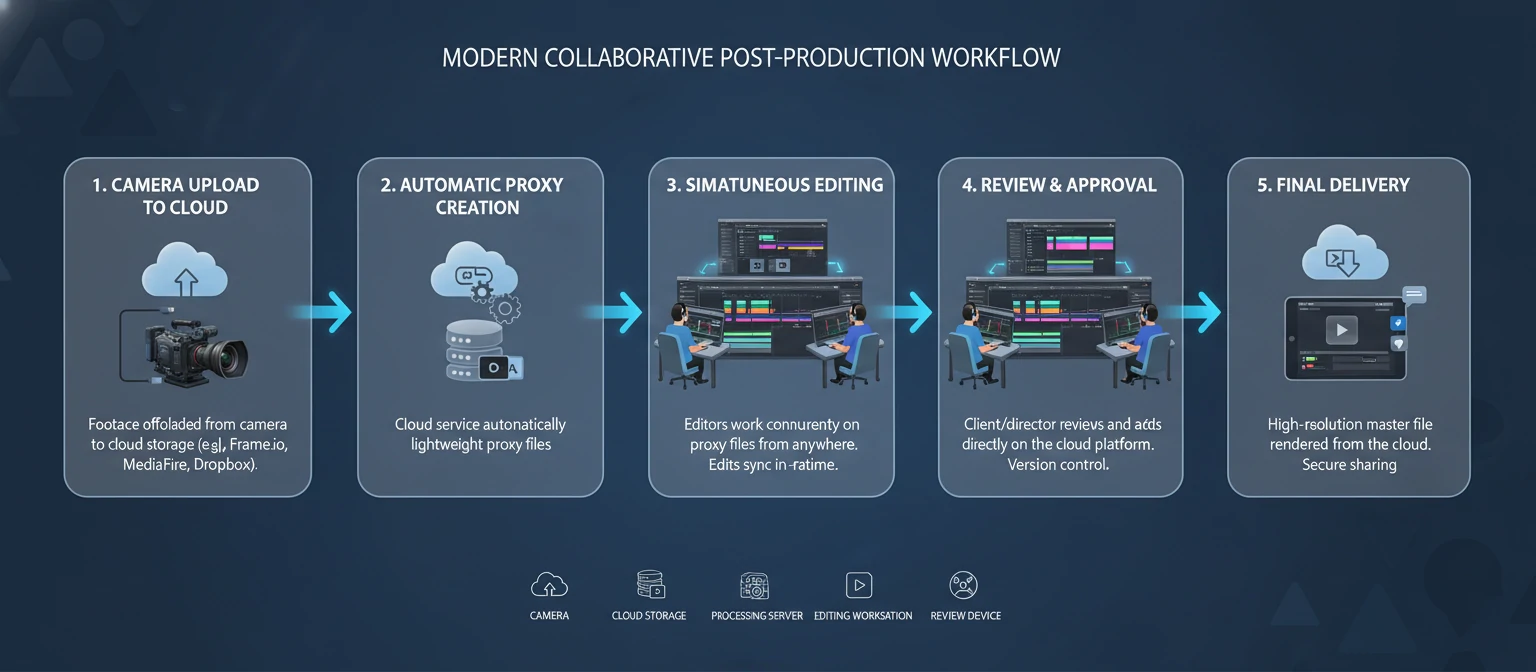
How editors work together is changing as rapidly as the tools themselves. Collaboration features, proxy workflows, and asset management have seen significant innovation throughout 2024.
Collaboration Tools Evolution
Camera-to-Cloud workflows now support more cameras. Direct upload from set to cloud storage with automatic proxy generation. Adobe integration deepens with new Premiere features.
Resolve's answer to cloud collaboration has matured significantly. Multiple users can now work on the same timeline with conflict resolution and version tracking.
Dropbox's video review tool has gained traction with its simplicity. Frame-accurate comments and version comparison without requiring expensive subscriptions.
Proxy Workflow Improvements
All major NLEs have improved their proxy handling. Automatic proxy generation, smarter relinking, and better performance with mixed proxy/full-res timelines make working with high-resolution footage more practical. The days of manual proxy creation are increasingly behind us.
Asset Management Integration
Integration between NLEs and digital asset management systems has improved. Productions can now search, tag, and organize footage across projects more efficiently. AI-powered metadata generation is becoming particularly valuable for large archives.
10. The Future of Video Editing
Looking beyond immediate updates, the trajectory of video editing technology points toward fundamental changes in how we create and consume video content. Here's what industry leaders and technologists envision for the coming years.
Emerging Technologies to Watch
Neural Rendering
AI that can generate new camera angles, change lighting, or modify scenes after shooting
Spatial Computing
Editing in 3D space with gestures and spatial interfaces beyond traditional timelines
Voice-Controlled Editing
Natural language commands for common editing tasks: "Trim the last clip by two seconds"
Real-Time Translation
AI dubbing with lip-sync matching for instant global content localization
The Role of Human Editors
As AI handles more technical tasks, the value of human editors shifts toward creative decision-making, storytelling judgment, and understanding client needs. The most successful editors will be those who leverage AI as a tool while bringing irreplaceable human perspective to their work.
Technical editing skills remain important—someone needs to understand the underlying craft to direct AI tools effectively. But the differentiator increasingly becomes creative taste, communication abilities, and the capacity to make judgment calls that AI cannot.
Final Thoughts
"The tools are changing faster than ever, but the fundamentals of good storytelling remain constant. Stay curious about new technology, but never lose sight of why we edit: to move audiences, communicate ideas, and create experiences that matter."

Frequently Asked Questions
Which video editing software is best in 2026?
There's no single "best" answer. Adobe Premiere Pro remains the industry standard for broadcast and web content. DaVinci Resolve offers the best value with its free tier. Final Cut Pro excels on Mac hardware. The right choice depends on your workflow, budget, and platform preference.
Will AI replace video editors?
AI is changing editing work but not replacing editors. Routine tasks are increasingly automated, but creative decision-making, storytelling judgment, and client communication remain human domains. Editors who embrace AI tools will be more productive; those who ignore them may fall behind.
Is DaVinci Resolve really free?
Yes, the free version of DaVinci Resolve is genuinely free with no watermarks or time limits. It includes professional-grade editing, color grading, audio, and visual effects. The paid Studio version ($295 perpetual) adds features like AI tools, noise reduction, and additional formats.
What computer specs do I need for 4K editing?
For smooth 4K editing: Apple M2/M3 Mac or equivalent PC (Intel 12th gen+ or Ryzen 5000+), 32GB RAM minimum (64GB recommended), dedicated GPU with 8GB+ VRAM for Windows, and fast SSD storage. Proxy workflows allow capable 4K editing on more modest hardware.
How do I stay updated on video editing news?
Follow industry publications like ProVideo Coalition, Frame.io Insider, and No Film School. Subscribe to manufacturer blogs from Adobe, Blackmagic, and Apple. YouTube channels like Gerald Undone and Premiere Gal provide timely coverage. Reddit's r/editors and r/VideoEditing communities discuss breaking news.
About Jordan Taylor
Jordan Taylor is a video technology journalist and former professional editor with over eight years covering the post-production industry. After a decade editing documentaries and commercial content, Jordan transitioned to journalism to share insights with the broader creative community. He contributes to major industry publications and speaks at NAB, IBC, and other professional conferences.