Your complete guide to Apple's free tool that lets businesses manage how they appear across Apple Maps, Siri, Wallet, and more.
Table of contents
- Understanding Apple Business Connect
- Why Apple Business Connect Matters for Your Business
- Key Features of Apple Business Connect
- How to Set Up Apple Business Connect
- Apple Business Connect vs. Google Business Profile
- Advanced Strategies for Apple Business Connect
- Managing Multiple Locations
- Common Problems and How to Solve Them
- The Future of Apple Business Connect
- The Value of Free: Understanding Apple's Approach
- Getting Started Today
- Ready to Claim Your Business?
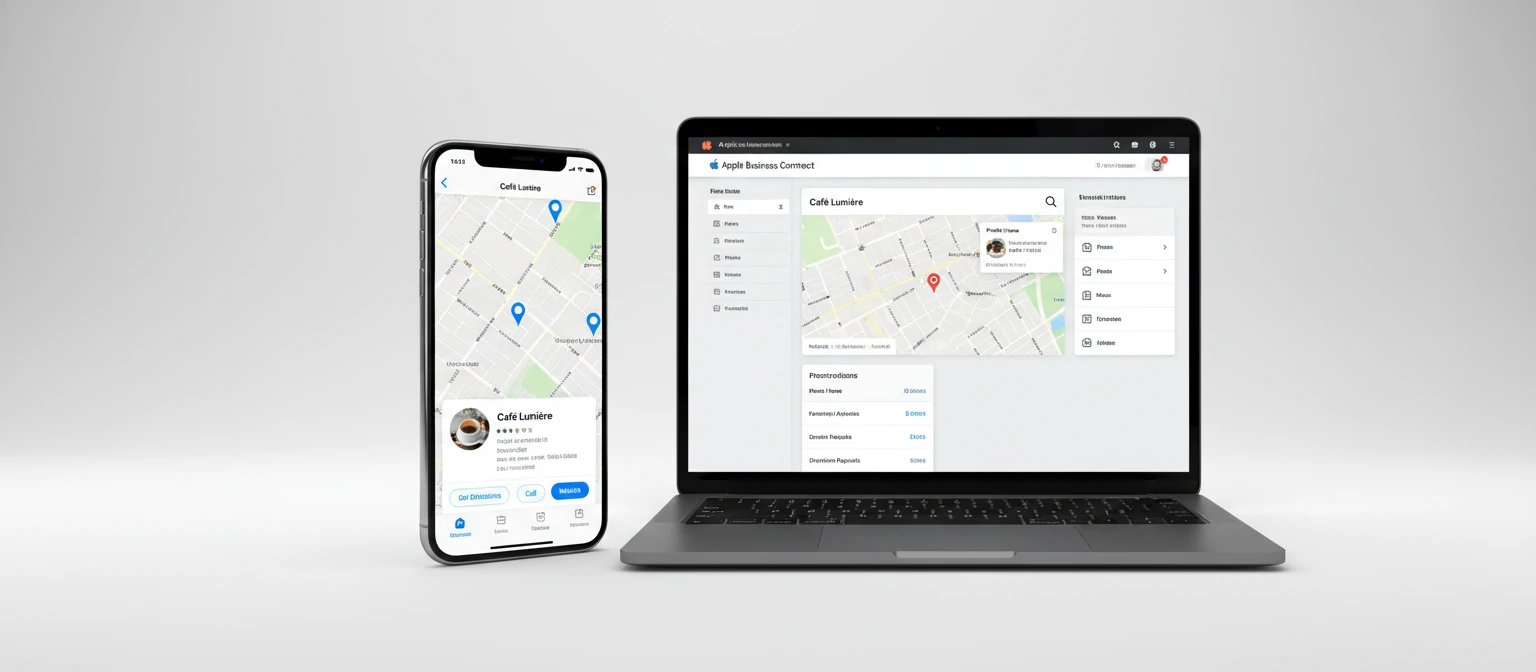
If you own a business with a physical location—or even a service-area business that visits customers—there's a powerful free tool from Apple that you might be overlooking. Apple Business Connect gives you direct control over how your business appears to the billion-plus people using Apple devices every day. And if you're not using it yet, you're leaving visibility on the table.
Think about how many times a day people ask Siri for directions to a nearby restaurant, search Apple Maps for a service they need, or check business hours before heading out. Every one of those moments is an opportunity for your business to appear—and Apple Business Connect determines whether you show up with accurate, compelling information or outdated details that send customers to competitors.
Apple launched Business Connect in early 2023, and since then it's evolved into a comprehensive platform for managing your business presence across Apple's entire ecosystem. This guide covers everything you need to know: what it is, why it matters, how to set it up, and advanced strategies for maximizing your visibility to Apple users.
Understanding Apple Business Connect
Apple Business Connect is a free tool that lets businesses claim and manage their presence across Apple services—primarily Apple Maps, but extending to Siri, Wallet, and other Apple applications. It's Apple's answer to Google Business Profile (formerly Google My Business), giving businesses direct control over their listings in the Apple ecosystem.
Before Business Connect existed, Apple Maps data came primarily from third-party providers like Yelp, Foursquare, and various data aggregators. Businesses had limited control over their information, and errors were frustratingly common. Incorrect hours, outdated phone numbers, wrong addresses—these problems drove customers away and there was little businesses could do about it.
Business Connect changed that dynamic. Now businesses can claim their listings and manage information directly, ensuring accuracy and taking advantage of features that weren't previously available—like action buttons, showcases, and custom imagery.
Where Your Business Appears
When you claim your business through Apple Business Connect, your information appears across:
Why Apple Business Connect Matters for Your Business
With over a billion active Apple devices worldwide, Apple's ecosystem represents a massive audience of potential customers. Apple users tend to be engaged, loyal, and have higher average household incomes—making them particularly valuable for many businesses. If you're not optimizing your presence in Apple's services, you're invisible to a significant portion of the market.
The Apple Maps Opportunity
Apple Maps comes pre-installed on every iPhone, iPad, Mac, and Apple Watch. It's the default mapping application that opens when users tap addresses in emails, texts, or websites. Even users who prefer Google Maps often encounter Apple Maps through these default behaviors.
Apple has invested heavily in Maps over the past several years, rebuilding it from the ground up with better data, more detailed imagery, and features like Look Around (Apple's street-level photography), detailed city experiences, and enhanced transit information. Usage has grown significantly, and Apple continues to expand Maps capabilities.
For local businesses, this means Apple Maps is a discovery platform you can't ignore. When someone searches "coffee shops near me" on their iPhone, Apple Maps is likely where that search happens. Your visibility and the quality of your listing directly impact whether that person becomes your customer.
Siri: The Voice Search Factor
Siri processes billions of requests per month, and a significant portion of those are local business queries. "Hey Siri, find me a pharmacy nearby." "What time does the hardware store close?" "Navigate to the nearest gas station." These voice searches pull information from Apple Business Connect listings.
Voice search is particularly important because there's often only one result—or at most a few. Unlike screen-based search where users can scroll through options, voice results need to be accurate and comprehensive. If your Business Connect listing is incomplete or inaccurate, Siri might not recommend you at all.
Key Features of Apple Business Connect
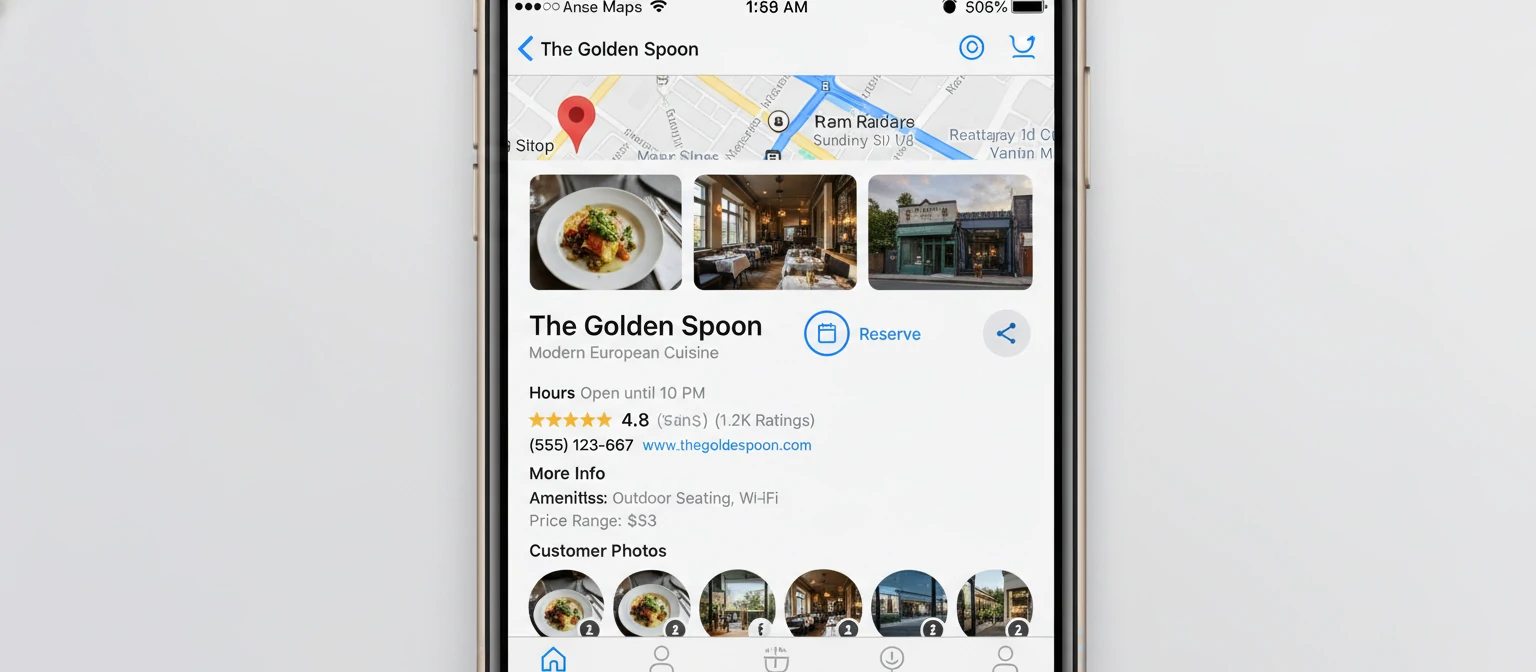
Apple Business Connect offers a range of features that let you customize and enhance your business presence. Understanding each feature helps you maximize the platform's potential.
Business Information Management
The foundation of Business Connect is managing your core business information: name, address, phone number, website, and hours of operation. This might seem basic, but accuracy matters enormously. Incorrect hours mean frustrated customers showing up to closed doors. Wrong phone numbers mean lost inquiries. Outdated addresses mean people getting lost.
Business Connect lets you update this information directly and ensures it propagates across Apple services quickly. You can also set special hours for holidays, temporary closures, or seasonal adjustments—features that prevent the common problem of outdated holiday hours.
Custom Imagery and Logo
You can upload your business logo and cover photos that appear on your Apple Maps place card. This visual customization helps your listing stand out and gives customers an immediate sense of your brand. A professional logo builds recognition; attractive photos of your location, products, or services entice people to visit.
Apple has specific guidelines for imagery—high resolution, appropriate aspect ratios, and content that represents your business accurately. Following these guidelines ensures your images display properly across all device sizes.
Action Buttons
Action buttons are one of Business Connect's most powerful features. These are prominent buttons on your place card that let customers take immediate action—placing an order, making a reservation, scheduling an appointment, or joining a waitlist. They connect directly to your existing service providers.
Apple has partnerships with numerous booking and ordering platforms. If you use services like Toast, OpenTable, Yelp Waitlist, Reserve with Google, Instacart, DoorDash, or many others, you can connect those services to display action buttons on your Apple Maps listing. This reduces friction dramatically—customers can order or book without ever leaving Apple Maps.
| Feature | What It Does | Best For |
|---|---|---|
| Business Info | Name, address, phone, hours, website | All businesses |
| Custom Photos | Logo, cover image, business photos | Retail, restaurants, services |
| Action Buttons | Order, reserve, book, join waitlist | Restaurants, appointments-based |
| Showcases | Highlight promotions, events, new items | Retail, seasonal businesses |
| Brandkit | Consistent branding across Apple services | Multi-location, franchise |
Showcases
Showcases let you highlight timely content on your place card—promotions, seasonal offerings, new products, or special events. Think of them as mini-advertisements that appear directly on your Apple Maps listing, catching attention and driving specific actions.
A bakery might showcase a new seasonal pastry. A retailer might promote a sale. A fitness studio might highlight a special membership offer. Showcases give you a way to communicate with potential customers at the moment they're discovering your business.
Insights and Analytics
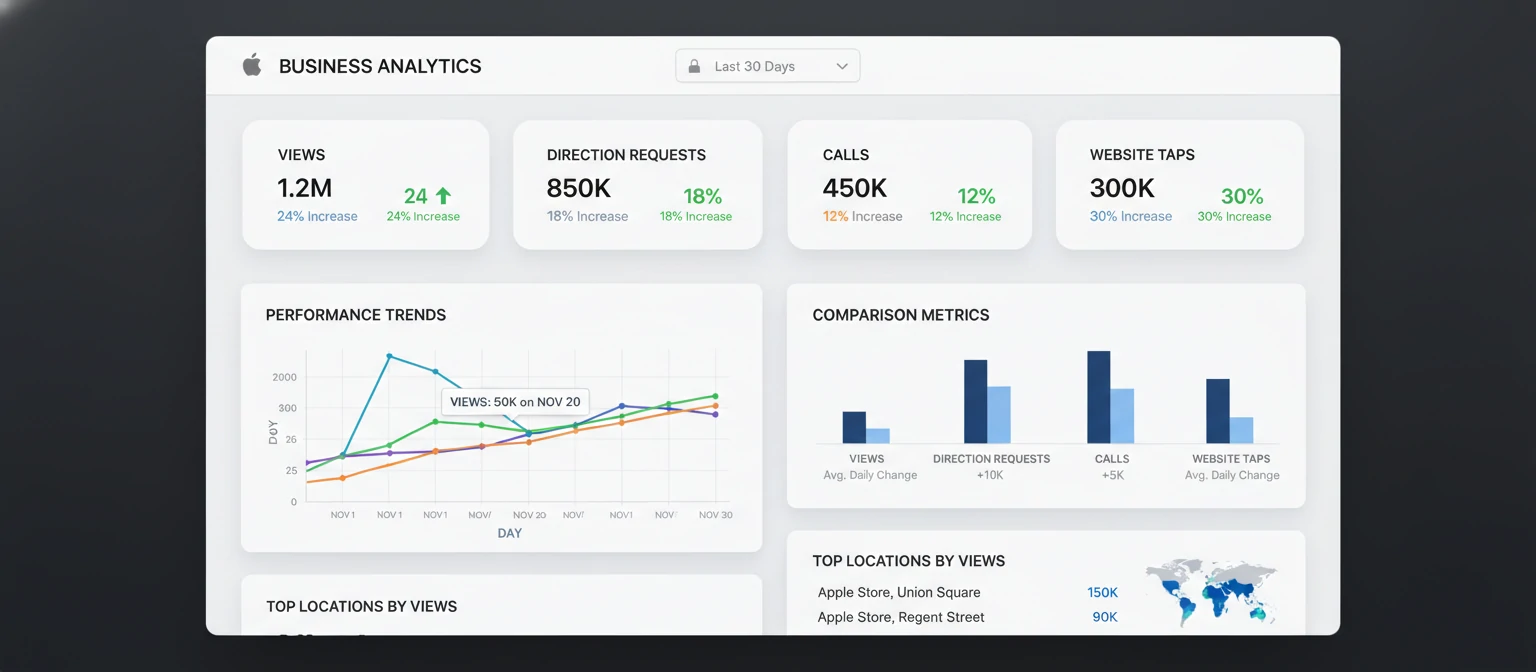
Business Connect provides analytics showing how customers interact with your listing. You can see how many people viewed your place card, tapped for directions, called your business, or visited your website. These insights help you understand your visibility and measure the impact of updates you make.
How to Set Up Apple Business Connect
Getting started with Apple Business Connect is straightforward, though verification can take some time. Here's a step-by-step walkthrough of the process.
Step 1: Access Business Connect
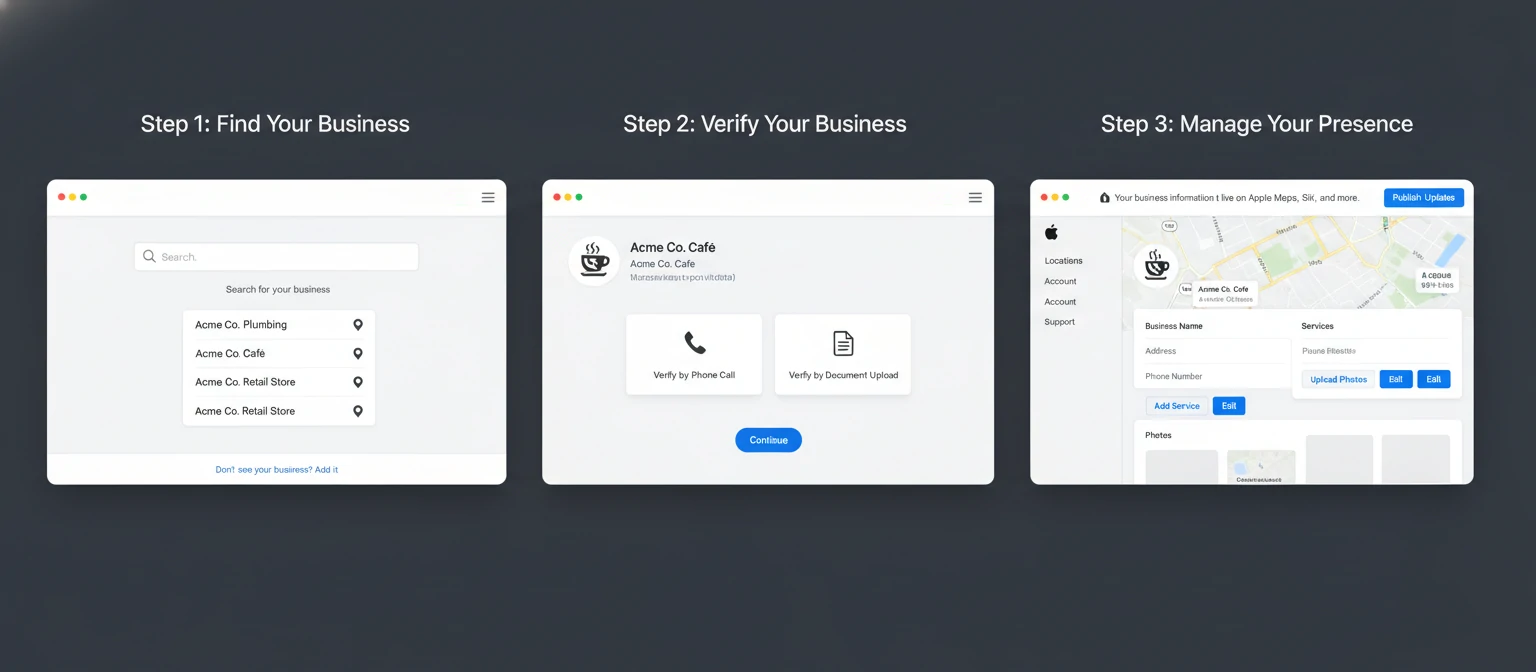
Navigate to businessconnect.apple.com in your web browser. You'll need an Apple ID to proceed—if you don't have one, you can create one during this process. For business purposes, consider creating a dedicated Apple ID rather than using a personal account, especially if multiple team members will need access.
Step 2: Search for Your Business
Once logged in, search for your business by name and location. Apple Maps already has listings for millions of businesses based on third-party data. You're likely searching for an existing listing to claim rather than creating one from scratch. If your business doesn't appear, you can add a new location.
Step 3: Verify Your Business
Verification proves you have the right to manage this business listing. Apple offers several verification methods: phone call to your business number, email to a domain-associated address, or document upload proving business ownership. The method available depends on your business type and the information Apple already has on file.
Verification typically takes a few days but can sometimes take longer. Be patient—Apple is protecting businesses from unauthorized changes, which ultimately protects you too.
Step 4: Complete Your Profile
Once verified, you can edit all aspects of your listing. Start with the basics: confirm your business name is correct, verify your address, update phone numbers, and set accurate hours. Then enhance with photos, connect action buttons if applicable, and add any relevant categories that describe your business.
Step 5: Connect Services for Action Buttons
If your business uses supported ordering, reservation, or booking platforms, connect them to enable action buttons. You'll typically need to authorize the connection through your service provider's platform. Once connected, customers can take action directly from your Apple Maps listing.
✓ Apple Business Connect Optimization Checklist
Apple Business Connect vs. Google Business Profile
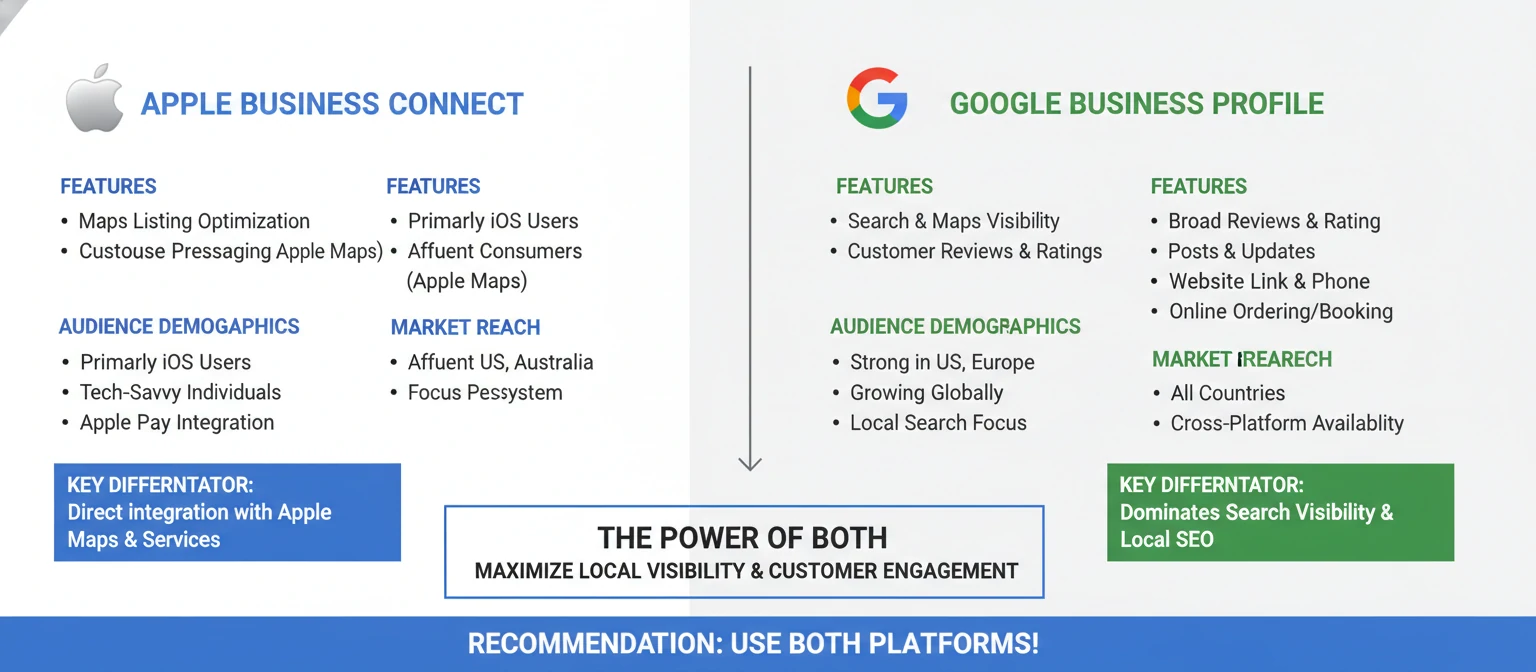
The inevitable comparison is with Google Business Profile, the dominant player in local business listings. Understanding how they differ—and why you need both—helps you allocate your optimization efforts.
Google Business Profile has a longer history and more features, including customer reviews and Q&A functionality. Google Search and Maps have higher overall market share, making GBP essential for most businesses. However, Apple Business Connect reaches an audience that Google doesn't—users deeply embedded in Apple's ecosystem who may rarely use Google Maps.
The Apple user demographic tends to skew higher income and more urban—valuable characteristics for many businesses. Apple users also tend to be loyal to Apple's native apps, meaning they're more likely to use Apple Maps than the average smartphone user. For businesses targeting premium customers or operating in areas with high iPhone penetration, Apple Business Connect becomes particularly important.
The recommendation isn't either/or—it's both. Claim and optimize your presence on both platforms. The effort to maintain both is minimal compared to the visibility you gain. And keep information consistent across platforms to avoid confusing customers who might find you through different services.
Advanced Strategies for Apple Business Connect
Beyond basic setup, several strategies can maximize your visibility and engagement on Apple's platform.
Leverage Showcases Strategically
Showcases are underutilized by most businesses. Treat them as a dynamic marketing channel. Update them regularly with seasonal promotions, limited-time offers, new menu items, or special events. A stale showcase is worse than no showcase—it signals that your business isn't actively engaged.
Create a calendar for showcase updates. Restaurants might update weekly with specials. Retailers might align with sales cycles. Service businesses might highlight seasonal offerings. Consistent, fresh content keeps your listing engaging.
Optimize for Siri Queries
Think about how people search by voice. They don't say "Italian restaurant 4.5 stars downtown"—they say "find me a good Italian place nearby" or "where can I get pasta around here." Your category selections and business description should align with natural language queries.
Ensure your categories are comprehensive. A restaurant that serves breakfast, lunch, and dinner should have categories reflecting all meal times. A store that offers services as well as products should categorize both. More relevant categories mean more opportunities to appear in searches.
Integrate with Apple Wallet
For businesses with loyalty programs or frequent customers, Apple Wallet integration creates ongoing touchpoints. Customers can store loyalty cards, tickets, or passes in their Wallet app. When they're near your location, Wallet can surface your pass on their lock screen—a powerful reminder to visit.
This requires additional technical implementation beyond Business Connect itself, but Business Connect ensures your branding and information are consistent across all Apple touchpoints, including Wallet.
Monitor and Respond to Changes
Apple allows users to suggest edits to business information. While you control your listing through Business Connect, user suggestions can still come through. Check your dashboard regularly to review any suggested changes and ensure your information remains accurate. This is especially important if your business has multiple locations that might get confused.
Managing Multiple Locations
Businesses with multiple locations face unique challenges—and opportunities—with Apple Business Connect. Apple offers tools specifically designed for multi-location management.
The Business Connect dashboard supports managing multiple locations from a single account. You can make bulk updates across all locations or customize individual listings. For franchises or chains, this enables brand consistency while allowing location-specific information like hours or showcases.
Apple also offers APIs for enterprise businesses that need to integrate Business Connect management into their existing systems. If you're managing hundreds or thousands of locations, programmatic access allows automation and integration with your location data management platforms.
For large organizations, consider working with Apple's enterprise team or certified partners who specialize in multi-location management. They can help ensure consistent implementation across your entire footprint.
Common Problems and How to Solve Them
Even with a straightforward platform, businesses encounter challenges. Here are the most common issues and their solutions.
🔴 Verification Taking Too Long
If verification is delayed, ensure your business phone number and address match public records. Try alternative verification methods if available. Contact Apple support through the Business Connect dashboard for persistent issues.
🔴 Duplicate Listings
Sometimes businesses have multiple listings due to data aggregation. Use the "Report an Issue" function to request merging duplicates. Claim the correct listing and ensure it has complete, accurate information.
🔴 Changes Not Appearing
Updates can take several days to propagate across all Apple services. If changes don't appear after a week, clear Apple Maps cache on your device and try again. Persistent issues may require support contact.
🔴 Incorrect Category Showing
Your primary category may differ from what you selected. Apple's system considers multiple factors. Ensure your categories accurately reflect your business and submit corrections through the dashboard.
The Future of Apple Business Connect
Apple continues investing heavily in Maps and local business features. Understanding where the platform is heading helps you prepare and potentially gain early-mover advantages as new features roll out.
Enhanced integration with Apple Intelligence is the most significant near-term development. As Apple expands its AI capabilities, local business information will play an increasingly important role in how Siri and other intelligent features make recommendations. Businesses with complete, accurate Business Connect profiles will be better positioned for AI-driven discovery.
Augmented reality features in Apple Maps are expanding. AR walking directions and exploration features could eventually incorporate business information in new ways—imagine pointing your phone at a street and seeing business information overlaid in real time. Rich Business Connect profiles will make these experiences better.
Apple Pay integration continues to deepen. Business Connect information already appears in Wallet for transactions. Future features might include loyalty program integration, receipt organization by merchant, and more sophisticated purchase tracking—all dependent on accurate business information.
Review and ratings features are notably absent from Apple Maps compared to Google. Apple may eventually add their own review system, which would make Business Connect profiles even more important. Establishing a strong presence now positions you well for potential future features.
The Value of Free: Understanding Apple's Approach
Unlike some business listing platforms that push paid upgrades, Apple Business Connect is completely free. There are no premium tiers, no paid features, no advertising upsells. Every business gets access to the same tools regardless of size or budget.
This approach aligns with Apple's broader business model. Apple makes money selling hardware and services to consumers—not by charging businesses for visibility. Improving Apple Maps and business information makes Apple devices more useful, which drives hardware sales and ecosystem loyalty. Businesses are partners in this goal, not customers to monetize.
For businesses, this means you can optimize your Apple presence without budget concerns. A small local shop has access to the same tools as a major chain. The playing field is level—success depends on providing accurate information and engaging content, not on advertising spend.
Getting Started Today
Apple Business Connect represents a significant opportunity for businesses of all sizes. With over a billion Apple devices in active use, the platform gives you access to a massive, valuable audience. And it's completely free.
If you haven't claimed your business yet, do it today. The verification process takes time, so starting now means you'll be ready to optimize sooner. If you've already claimed your listing, audit it for completeness. Are your hours accurate? Is your imagery compelling? Have you connected action buttons if applicable?
Building a strong Apple Business Connect presence doesn't require massive effort—but it does require attention. Treat it as an ongoing marketing channel, not a one-time setup task. Regular updates, fresh showcases, and accurate information keep your listing working hard for you.
In a world where customers increasingly discover businesses through digital means, Apple Business Connect ensures you're visible to the billion-plus people in Apple's ecosystem. That visibility is free, easy to claim, and increasingly important. The only question is whether you'll take advantage of it.