Imagine never worrying about per-video costs again. Unlimited video editing services are revolutionizing how creators and businesses produce content. Here's everything you need to know.
What Is Unlimited Video Editing?
Unlimited video editing is a subscription-based service model where you pay a fixed monthly fee and receive as many video editing requests as you need. Unlike traditional per-project pricing, the cost stays the same whether you submit 5 videos or 50.
Think of it like a gym membership for video editing. You pay one monthly price and "work out" (submit videos) as often as you want. The model is designed for creators and businesses with consistent, high-volume editing needs who want predictable costs and scalable output.
These services typically work through a task queue system. You submit editing requests, an assigned editor works on them one or two at a time, and completed videos cycle through until your queue is cleared. The "unlimited" aspect refers to total requests over time, not simultaneous editing capacity.
The Key Principle
Unlimited video editing services work because of throughput management. Editors work on 1-2 active requests at a time with 24-72 hour turnarounds. While you can submit unlimited requests, the queue system naturally limits how much is delivered in a given month—making the model sustainable for providers while still offering tremendous value for high-volume clients.
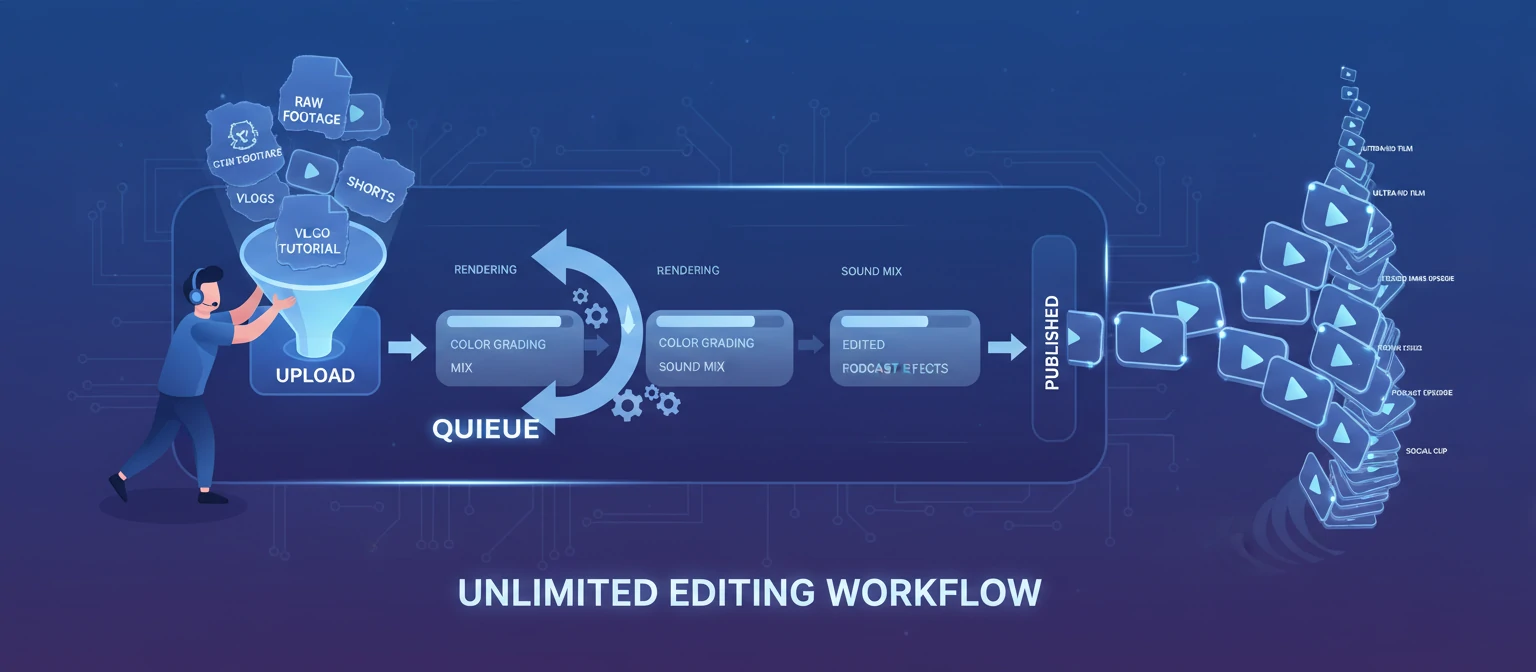
How Unlimited Video Editing Works
Subscribe to a Plan
Choose a monthly plan that fits your needs. Most services offer tiers based on turnaround speed, complexity level, or number of simultaneous active requests. Plans typically range from $1,500 to $5,000+ per month.
Subscribe to a Plan
Choose a monthly plan that fits your needs. Most services offer tiers based on turnaround speed, complexity level, or number of simultaneous active requests. Plans typically range from $1,500 to $5,000+ per month.
Submit Your First Request
Upload your raw footage to the service's platform (usually via cloud storage integration). Fill out a creative brief specifying the video style, length, music preferences, and any other requirements. The more detail, the better.
Editor Works on Your Video
A dedicated or assigned editor picks up your request and works on it. Most services promise 24-72 hour turnaround for the first draft, depending on video length and complexity.
Review & Request Revisions
You review the draft and provide feedback. Most unlimited services include unlimited revisions on each video, processed quickly. Once you approve, move to your next request.
Repeat Indefinitely
Submit your next video. And the next. There's no cap on total requests—just manage your active queue. The more efficiently you provide feedback, the more videos get completed each month.
Who Benefits Most from Unlimited Editing?
YouTube Creators
Publishing weekly or multiple times per week? Unlimited editing keeps your channel fed without the stress of per-video costs or bottlenecked workflows.
Social Media Managers
Managing multiple accounts that need daily or weekly video content? Unlimited editing scales with your clients without scaling your payroll.
Marketing Teams
Launching campaigns, running ads, producing internal content? Unlimited editing ensures no creative idea dies because of budget or resource constraints.
Podcasters
Recording weekly episodes that need video versions for YouTube? Unlimited editing handles the repetitive work so you can focus on content.
Pros & Cons of Unlimited Editing
✅ Advantages
- •Predictable Costs: Budget confidently with a fixed monthly fee.
- •Scalable Output: More content without proportionally more cost.
- •No Hiring Hassle: Skip recruiting, training, and managing employees.
- •Dedicated Editor: Many services assign the same editor for consistency.
- •Unlimited Revisions: Iterate until every video is perfect.
⚠️ Considerations
- •Queue Limitations: "Unlimited" doesn't mean instant; work is sequential.
- •Best for High Volume: Low-volume users may overpay compared to per-video.
- •Complexity Limits: Some services cap video length or advanced requests.
- •Learning Curve: Training the editor on your style takes time initially.
- •Commitment Required: Monthly subscription means ongoing cost whether you use it or not.
How to Choose an Unlimited Editing Service
1. Evaluate Portfolio & Niche Fit
Does the service specialize in your content type (YouTube, corporate, social)? Watch their sample work. A gaming YouTube editor may not suit a luxury brand.
2. Understand True Turnaround Times
Ask for average turnaround on first drafts AND revisions. A 48-hour first draft with 24-hour revisions means 3-5 days total per video minimum.
3. Check Active Request Limits
How many videos can be "in progress" simultaneously? One active slot means strictly sequential; two or three allows more parallel work.
4. Review What's Included
Does the plan include motion graphics, color grading, subtitles, thumbnails, and music licensing? Some services tier these features—know what you're getting.
5. Test with a Trial
Many services offer trial periods or money-back guarantees. Use this to test communication, quality, and workflow compatibility before committing long-term.
How Does Unlimited Compare?
*Actual math depends on video complexity and per-video pricing in your market.
Frequently Asked Questions
Is "unlimited" really unlimited?
Yes and no. You can submit unlimited total requests over your subscription period. However, work is processed sequentially (1-2 active at a time), so monthly output depends on turnaround speed and your feedback efficiency.
Can I pause my subscription?
Many unlimited services offer pause features for months when you don't need editing. Policies vary—some allow one pause per quarter, others are more flexible. Always check the terms.
What if I don't like the editor assigned to me?
Reputable services allow editor changes if the fit isn't right. Communication is key—provide clear feedback first. If the style mismatch persists, request a reassignment.
Are there content restrictions?
Most services have acceptable use policies. Excessively long videos (e.g., 2+ hour documentaries), complex VFX, or NSFW content may be excluded or require higher-tier plans. Review terms carefully.