You type a question, press Enter, and in a fraction of a second you get answers from across the web. This guide breaks down what happens behind the scenes—in plain English—so you can search smarter (and build content that search engines can understand).
Table of contents
- 1) What exactly is a search engine?
- 2) The core pipeline: crawl → index → rank
- 3) Crawling: how search engines discover pages
- 4) Indexing: how search engines understand and store pages
- 5) Ranking: why some results show up first
- 6) SERPs: what you’re really looking at
- 7) How to search better (practical tricks)
- 8) SEO basics for publishers (what actually matters)
- 9) Myths & misconceptions (quick cleanup)
- 10) FAQ: quick answers
- Wrap-up
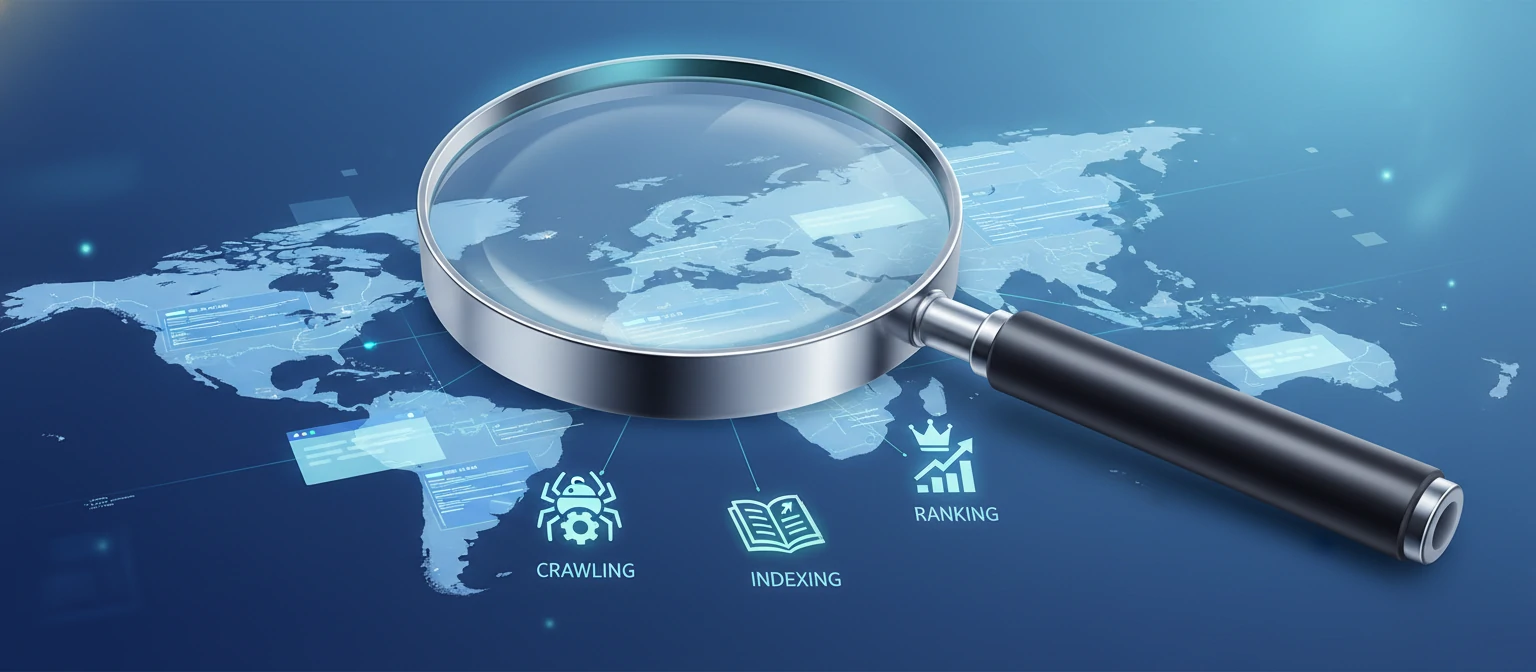
Search engines feel like magic because they hide the complexity. But underneath the search box is an engineering pipeline that’s surprisingly understandable when you break it into a few steps.
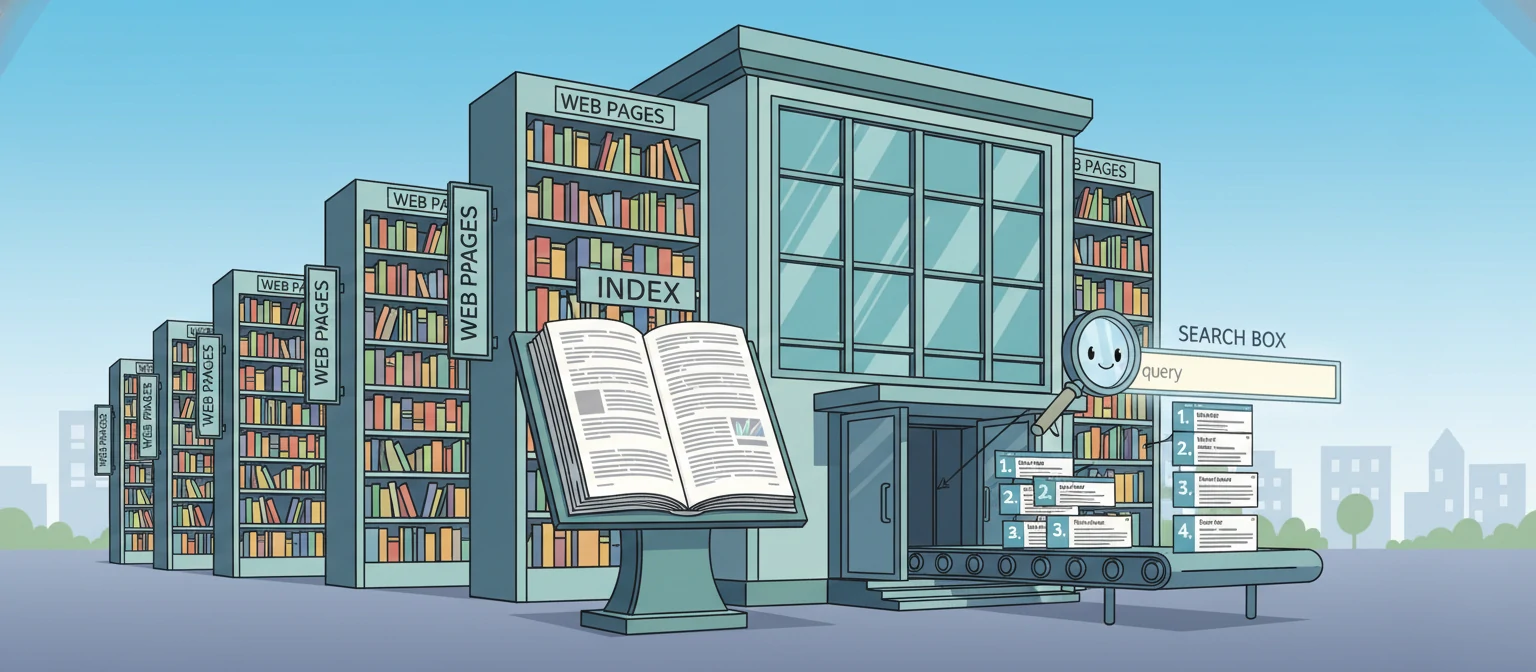
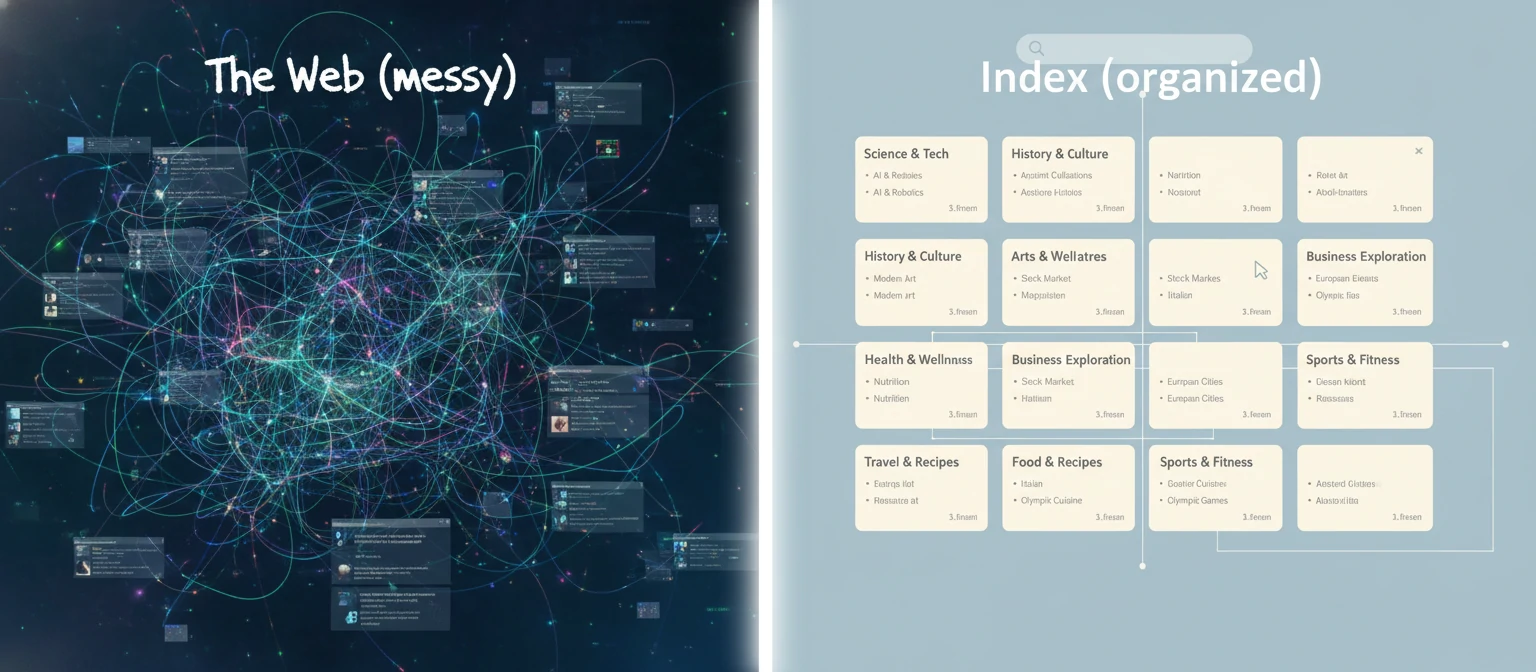
If you take one idea away from this article, make it this: when you search, you are not searching the live internet. You are searching a huge, constantly updated library catalog (an index) that search engines maintain. That difference explains a lot: why new pages sometimes take time to appear, why your changes don’t show up instantly, and why technical site issues can quietly block visibility.
We’ll cover the fundamentals (crawling, indexing, ranking), then zoom out to what a results page is actually showing you, how to search more effectively, and what to focus on if you publish content online.
1) What exactly is a search engine?
A search engine is software that helps people find information. It does that by collecting web pages (or other content), analyzing them, and storing what it learned so it can answer queries quickly.
A useful way to picture it: a search engine is a librarian + a catalog system + a recommendation engine. The librarian discovers new books (web pages), the catalog stores what’s inside them (the index), and the recommendation engine decides what to show first for a given question (ranking).
Important: Search engines don’t have perfect vision. They can’t “feel” your site like a human. They use rules, signals, and machine learning models to guess which pages will be most helpful. That’s why both content quality and technical clarity matter.
2) The core pipeline: crawl → index → rank
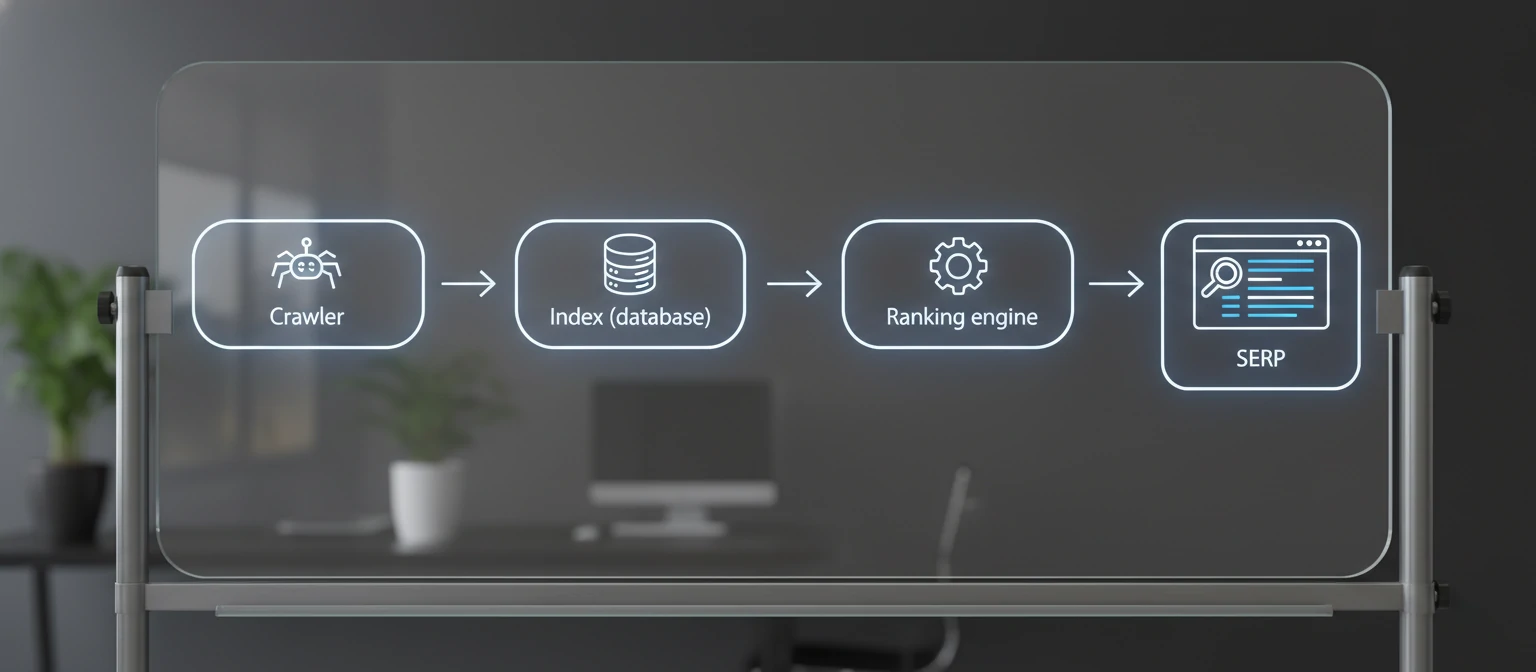
Nearly every search engine follows the same basic flow:
Crawling
Discover pages and fetch their content (like a browser would).
Indexing
Understand what the page is about and store it in a searchable database.
Ranking
For a query, choose which indexed pages best satisfy the intent and order them.
This is the high-level story. The details get complicated, but the mental model stays stable. If you ever feel lost in SEO advice, come back to this pipeline and ask: Is my issue discovery? understanding? or ranking?
3) Crawling: how search engines discover pages
Crawling is the discovery phase. Search engines run automated software (often called crawlers, bots, or spiders) that request web pages and read their contents. In practice, that means the crawler sends an HTTP request to your server, downloads HTML (and often other resources), and tries to render or interpret the page.
How does a crawler find a page in the first place? Mostly by following links. If your page has no links pointing to it (and it’s not in a sitemap), it can be hard to discover.
Common ways pages get discovered
- Links from other pages on your site (internal links).
- Links from other websites (backlinks).
- XML sitemaps.
- Previously known URLs (re-crawls).
- Manual submissions / tools (varies by engine).
Crawl budget (in normal words)
Search engines have limits. They can’t fetch every URL on the internet constantly. So they prioritize—and each site tends to get a certain amount of crawling attention over time.
If your site is fast, well-structured, and consistently publishing useful content, crawlers typically return more often. If your site is slow, returns errors, or generates endless near-duplicate URLs, crawlers may back off.

4) Indexing: how search engines understand and store pages
After crawling, the engine decides what the page is about and whether it should be added to the searchable index. Indexing is not guaranteed—a page can be crawled and still not be indexed.
At indexing time, search engines look at the page’s main content, its headings, its title, structured data (if present), internal links, and a lot of contextual clues. They’re trying to answer questions like: “What is this page about?” “Is it trustworthy?” “Is it duplicated elsewhere?” “Is it the canonical version?”
What typically helps indexing
- Clear page topic and structure (H1/H2/H3 that match the content).
- Unique, substantial content (not thin or copied).
- Clean canonical URLs (avoid duplicates).
- Good internal linking (pages are not isolated).
- Fast, stable rendering (especially on mobile).
Common reasons pages don’t get indexed
- “Noindex” directives or blocked crawling (robots rules).
- Duplicate content (engine picks a different canonical).
- Low-value/thin pages (engine decides it’s not worth indexing).
- Soft-404s (pages that look like error pages).
- Severe rendering issues (content not accessible to the crawler).
The index: why search is fast
The main reason search results arrive so quickly is that the work is done ahead of time. Search engines build data structures (think: giant, distributed catalogs) so that when you search, the engine doesn’t need to scan the open web. It consults the index and retrieves candidate pages instantly.
5) Ranking: why some results show up first
Ranking is the part everyone feels. It’s the difference between being on page one and being invisible. When you type a query, the engine pulls candidate pages from the index and orders them. The goal (at least in principle) is to satisfy the searcher’s intent as well as possible.
A practical way to think about ranking
Search engines ask: “If I show this result, will the user feel like they got what they came for?” The engine can’t measure satisfaction directly, so it uses signals (content relevance, authority, usability, freshness, location context, etc.) as proxies.
The big buckets of ranking factors
Relevance
Does the page clearly answer the query? Is it on-topic? Does it cover the sub-questions people usually have?
Authority & trust
Do other reputable pages reference it? Does the site have a history of quality? Is the author/topic credible?
Usability
Is it fast and readable on mobile? Does it load reliably? Does it feel spammy or hard to use?
Context & intent
Is the user looking to buy, learn, compare, or find a nearby place? Location and language matter a lot.

6) SERPs: what you’re really looking at
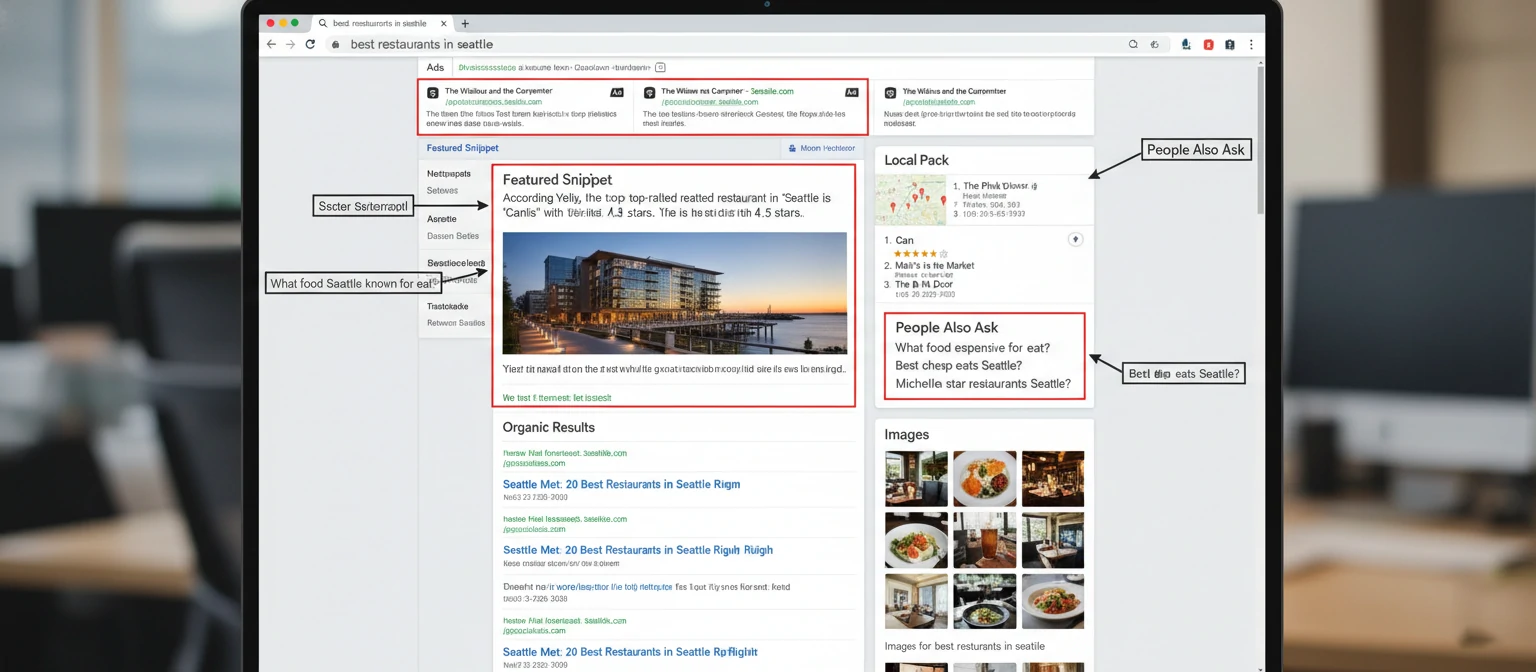
The search engine results page (SERP) is no longer just “ten blue links.” Depending on your query, you may see ads, local maps, featured snippets, image carousels, “People also ask” boxes, videos, shopping results, and more.
Organic results
Earned listings based on ranking signals. The goal is relevance and quality, not payment.
Paid results (ads)
Sponsored listings. These are separate from organic ranking.
Featured snippets
A direct answer pulled from a page (often above other results).
Local pack
Maps + nearby businesses for location-intent queries.
7) How to search better (practical tricks)
Most people search the same way they text: short, vague phrases. But search engines give you more power than that. Here are tactics that consistently save time.
Be specific
Swap “best laptop” for “best laptop for video editing under $1500 2026”.
Use quotes for exact phrases
"search engine basics" finds pages using the exact phrase (useful for lyrics, quotes, titles).
Exclude words with a minus
jaguar -car (animal results), python -snake (programming results)
Search within a site
site:wikipedia.org indexing (or site:yourdomain.com your topic)
A quick workflow for hard problems
- Start broad: define the problem in one sentence.
- Add constraints: location, year, budget, tool, file type, or audience.
- Cross-check: open 2–3 reputable sources and compare.
- Iterate: update the query based on what you learned.

8) SEO basics for publishers (what actually matters)
SEO can sound like a secret club. But if you stick to the crawl/index/rank model, the priorities become straightforward. Good SEO is mostly: make your content easy to discover, easy to understand, and clearly the best answer.
On-page SEO (content + structure)
- Write a clear title that matches the page topic.
- Use headings to organize the page (H1 once, then H2/H3).
- Answer the main question early, then go deeper.
- Use descriptive link text (avoid “click here”).
- Add helpful images with real alt text.
Technical SEO (access + performance)
- Pages must be crawlable (no accidental blocks).
- Use fast hosting and keep pages lightweight.
- Make the site mobile-friendly.
- Keep URLs clean and stable.
- Fix broken links and server errors.
Off-page SEO (reputation)
Backlinks matter because they’re a form of independent endorsement. The safest path is to earn them by publishing genuinely useful resources, tools, and research—then promoting them ethically.
Content strategy (the long game)
Pick topics where you can add something unique: clearer explanation, better examples, deeper detail, or fresher data. Then connect related articles together with internal links so both users and crawlers understand the structure.

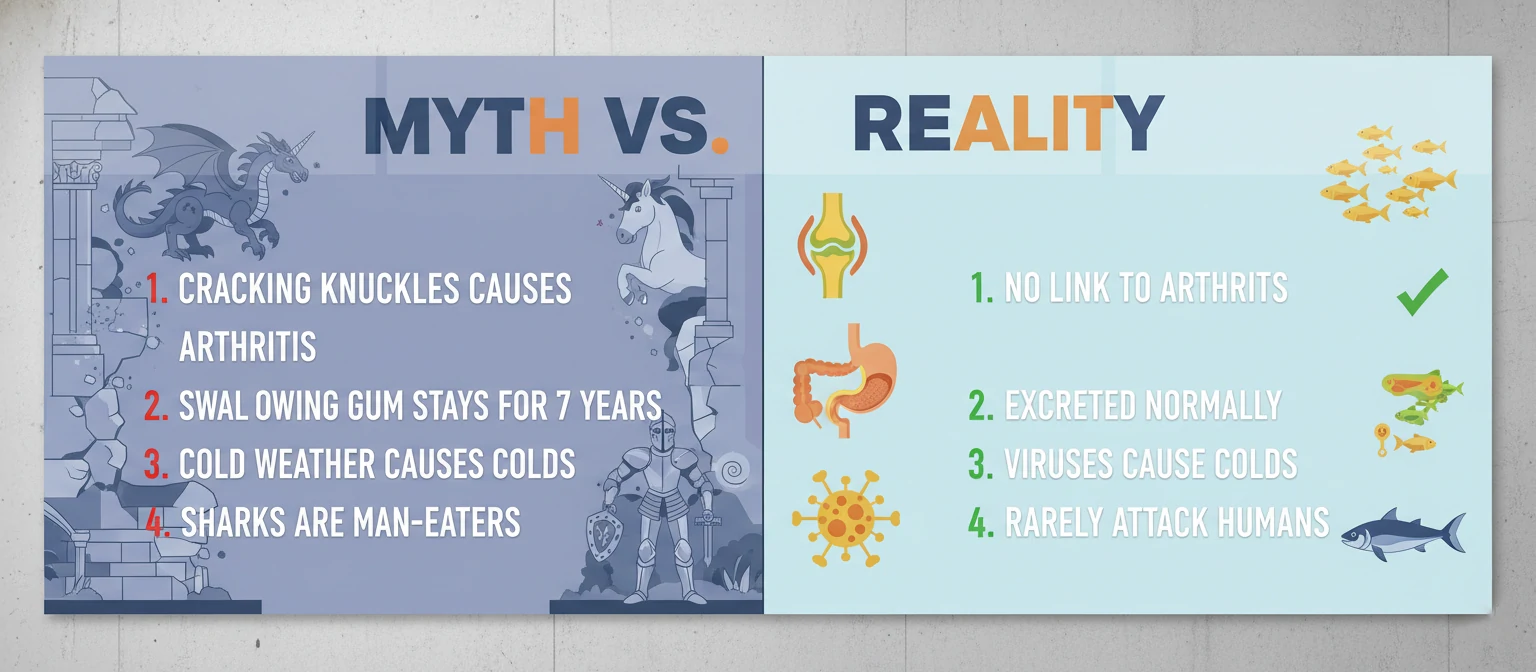
9) Myths & misconceptions (quick cleanup)
Myth: Paying for ads improves your organic ranking.
Reality: Ads and organic rankings are separate systems. Ads can buy placement; organic placement is earned.
Myth: If I publish a page, Google will index it immediately.
Reality: Discovery and indexing take time, and engines may skip low-value or duplicate pages.
Myth: The more keywords, the better.
Reality: Keyword stuffing usually hurts. Write naturally and cover the topic thoroughly.
Myth: Everyone sees the same search results.
Reality: Location, language, device, and context can change what you see.
10) FAQ: quick answers
How long does it take for a new page to show up in search?
It depends. For well-linked sites that publish regularly, it can be fast. For brand-new sites or isolated pages, it can take longer. The key is discoverability (links + sitemap) and whether the engine considers the page worth indexing.
What’s the difference between crawling and indexing?
Crawling is fetching/discovering a page. Indexing is analyzing it and storing it in the searchable database. You can be crawled without being indexed.
Does updating a page help it rank?
Updating can help if you make the content better: clearer explanations, more complete coverage, improved UX, fresher information. Small cosmetic edits won’t magically change rankings.
What’s the easiest way to improve my own search results?
Add constraints (year, location, budget), use site: for trusted sources, and scan the SERP features (snippets, FAQs, videos). Searching is a skill—small changes make a big difference.
Wrap-up
Search engines aren’t magic—they’re pipelines. They discover pages (crawl), understand and store them (index), then decide what best answers a question (rank). Once you see search through that lens, the web becomes easier to navigate and easier to build for.
If you want, tell me which site/brand these articles belong to and I can tailor the tone, add an author bio block, and create a consistent header/footer you can reuse across your other HTML pages.