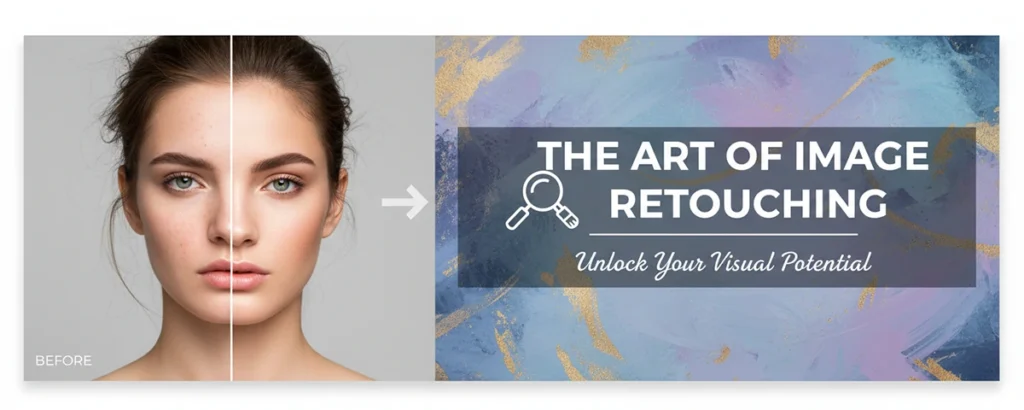
Master the art of transforming ordinary photos into extraordinary images with professional retouching techniques
Table of contents
- Key Takeaways
- 1. What Is Photo Retouching?
- 2. Types of Photo Retouching
- 3. Essential Retouching Techniques
- 4. Software and Tools
- 5. Portrait Retouching Deep Dive
- 6. Product Photo Retouching
- 7. Understanding Pricing
- 8. Hiring a Professional Retoucher
- 9. Ethics in Photo Retouching
- 10. The Future of Photo Retouching
- Frequently Asked Questions
Every photograph tells a story, but sometimes that story needs a little polishing to truly shine. Whether you're a professional photographer delivering client work, a business owner showcasing products, or someone who simply wants their personal photos to look their absolute best, understanding photo retouching opens up a world of creative possibilities.
I've spent over 12 years working as a professional retoucher, handling everything from high-end fashion campaigns to family portraits to e-commerce product catalogs. In that time, I've learned that great retouching isn't about creating fake perfection—it's about revealing the best version of what's already there while maintaining authenticity and natural beauty.
This comprehensive guide will walk you through everything you need to know about photo retouching, from basic concepts to advanced techniques, whether you're looking to learn the craft yourself or simply want to understand what to expect when hiring a professional retoucher.
Key Takeaways
- ✔ Photo retouching enhances images while maintaining natural authenticity—it's about improvement, not fabrication
- ✔ Different retouching types serve different purposes: portrait, product, fashion, real estate, and restoration
- ✔ Adobe Photoshop remains the industry standard, but alternatives like Capture One and Affinity Photo offer powerful options
- ✔ Professional retouching prices range from $5-500+ per image depending on complexity and usage
- ✔ AI tools are revolutionizing the industry but human expertise remains essential for high-end work
1. What Is Photo Retouching?
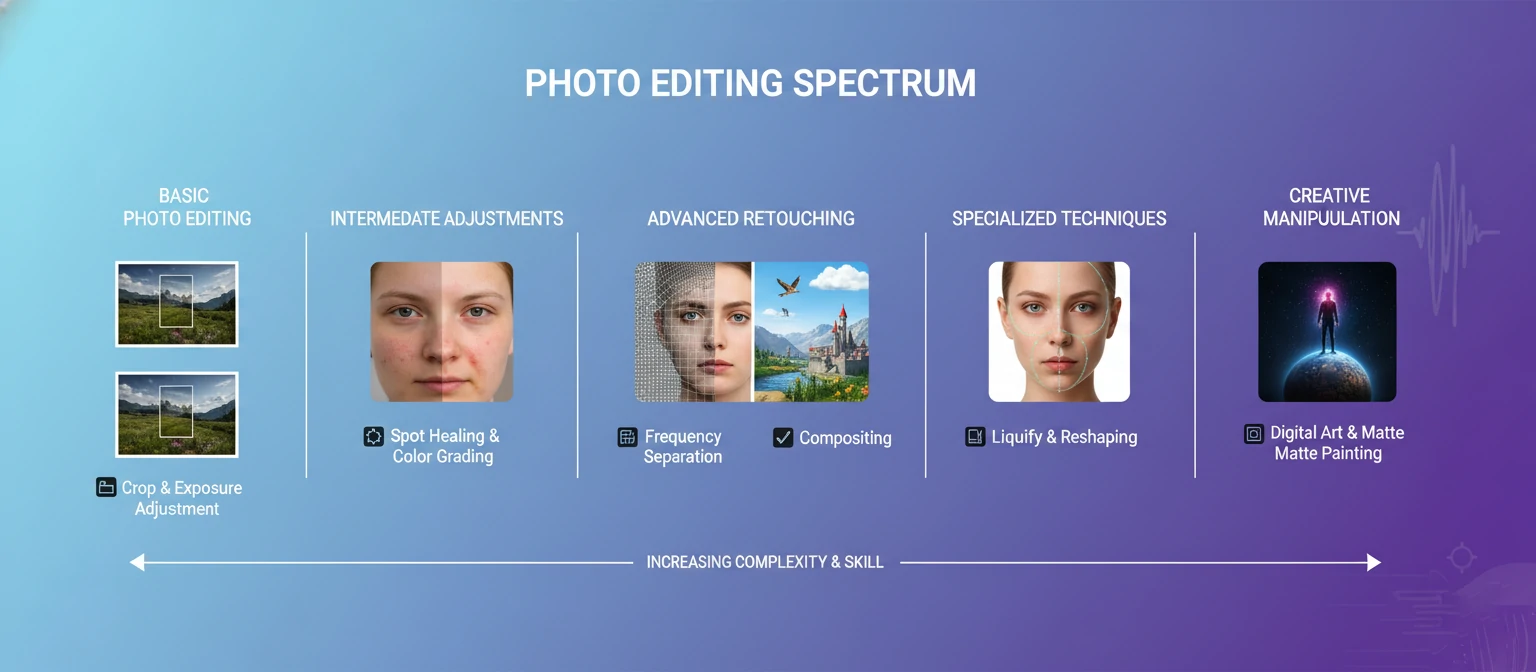
Photo retouching is the process of altering and enhancing images to improve their overall appearance, correct imperfections, and achieve a desired aesthetic. Unlike basic photo editing—which might include cropping, rotating, or adjusting exposure—retouching involves detailed, pixel-level work that transforms specific elements within an image.
Think of the difference between photo editing and retouching like the difference between cleaning your house and renovating it. Editing tidies things up; retouching fundamentally improves the details. When you see a magazine cover with flawless skin, a product photo with impossibly perfect reflections, or a real estate image where the grass looks perpetually green, you're seeing the results of professional retouching.
The Core Goals of Photo Retouching
Enhancement
Bringing out the best qualities already present in the image
Correction
Fixing technical issues like exposure, color casts, and lens distortion
Perfection
Removing distractions and imperfections that detract from the subject
Creativity
Achieving a specific artistic vision or brand aesthetic
The key distinction that separates skilled retouching from amateur work is invisibility. The best retouching is the kind you don't notice—where the image simply looks beautiful without any obvious signs of manipulation. When someone looks at a retouched photo and says "that person looks amazing" rather than "that photo is obviously retouched," the retoucher has succeeded.
2. Types of Photo Retouching
Photo retouching isn't a one-size-fits-all service. Different industries and applications require specialized approaches, techniques, and aesthetic sensibilities. Understanding these distinctions helps you choose the right type of retouching for your specific needs.
Major Retouching Categories
Portrait Retouching
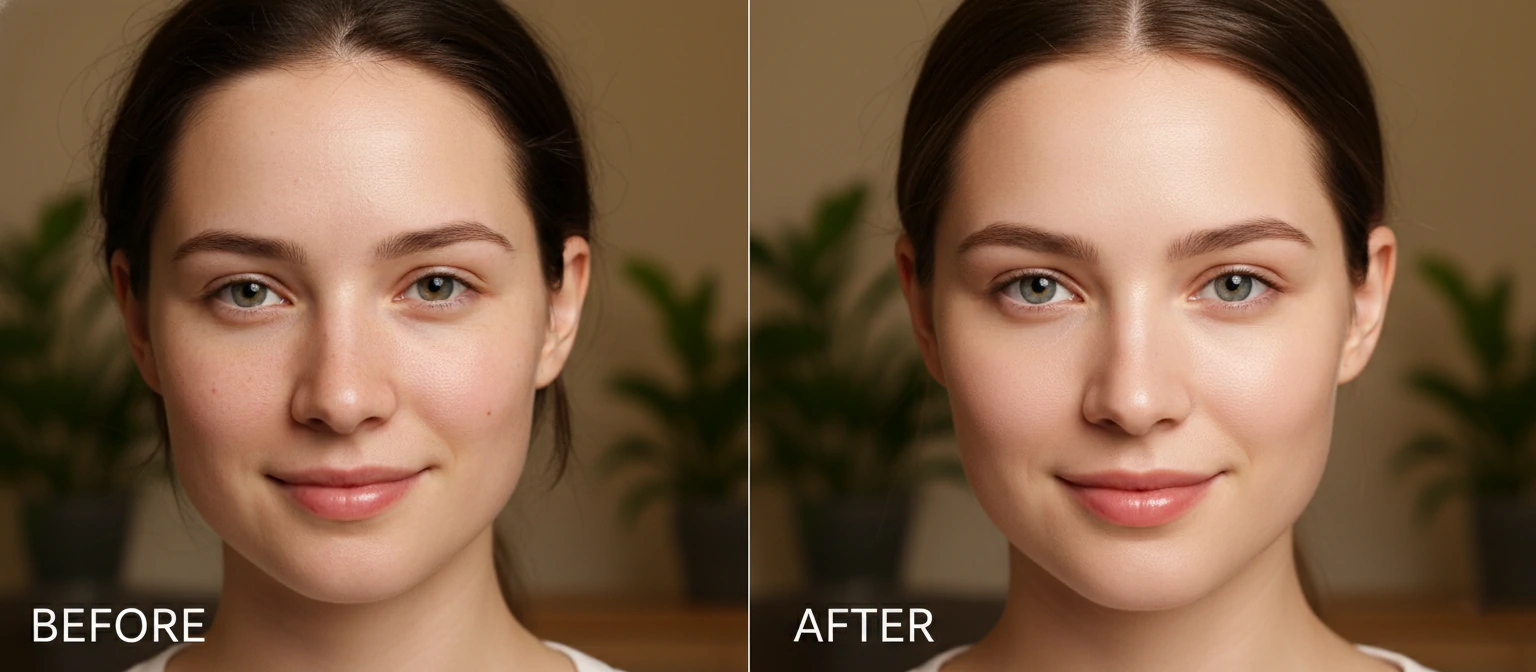
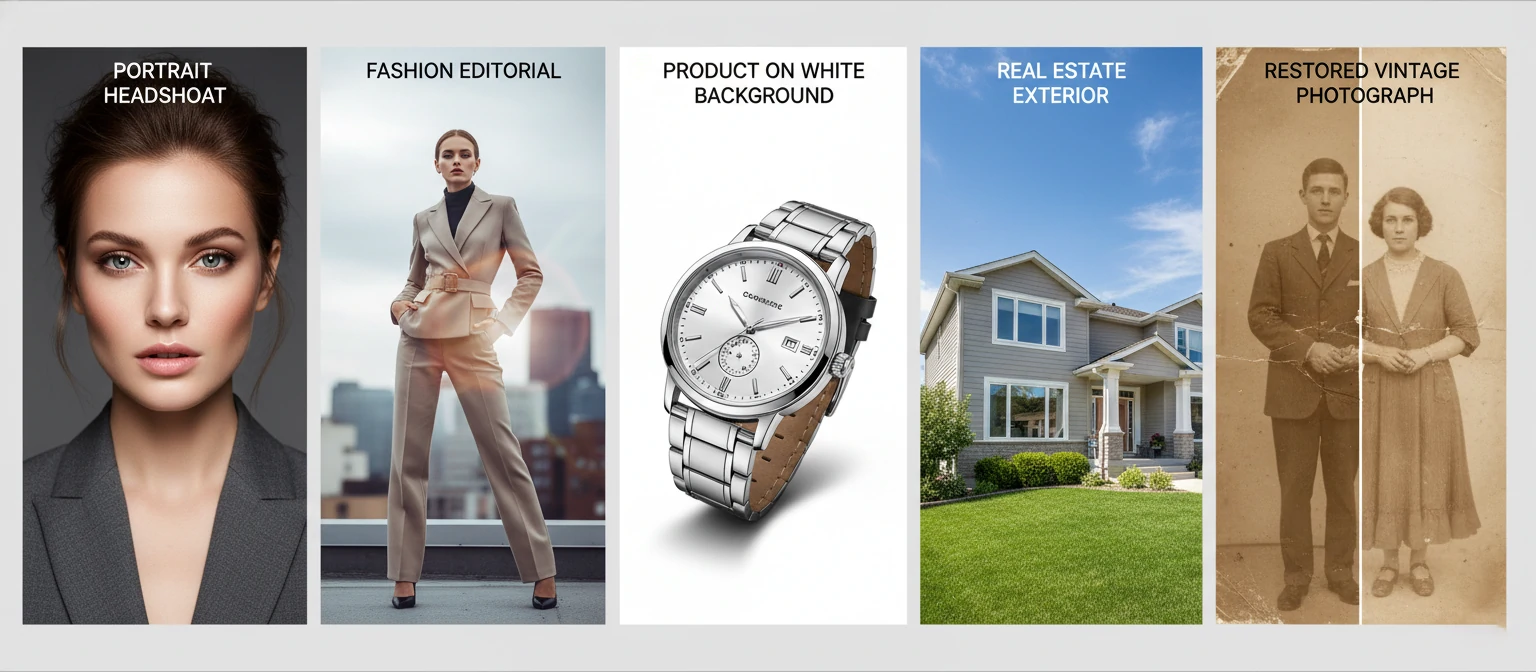
The most common form of retouching, focused on enhancing human subjects. This includes skin smoothing (while maintaining texture), blemish removal, under-eye correction, teeth whitening, stray hair removal, and subtle body reshaping. The goal is to make subjects look like their best selves on their best day—not like different people entirely.
Common Uses: Headshots, weddings, family portraits, senior photos, dating profiles
Beauty & Fashion Retouching
The most intensive form of portrait work, requiring advanced techniques like frequency separation, dodge and burn contouring, and precise color grading. Fashion retouching often involves extensive work on skin, makeup enhancement, hair refinement, clothing adjustments, and creating a polished editorial look.
Common Uses: Magazine editorials, advertising campaigns, lookbooks, beauty campaigns
Product Retouching
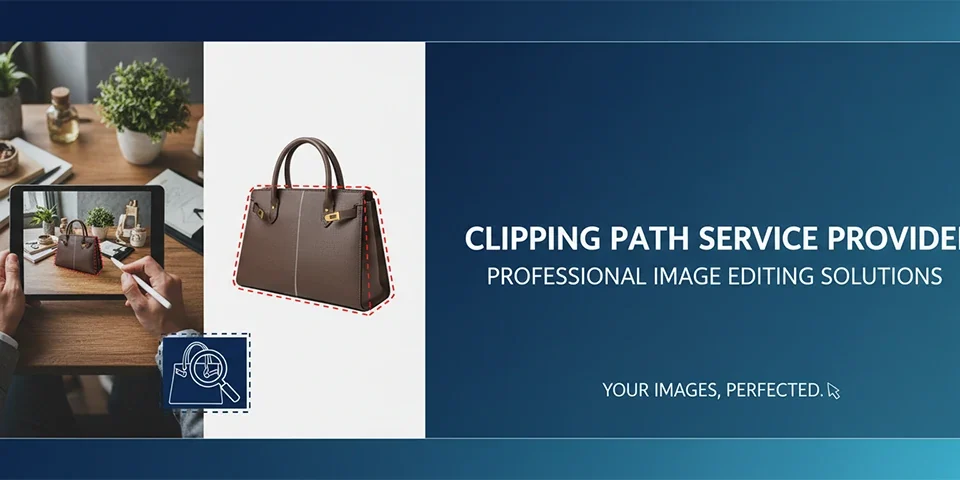
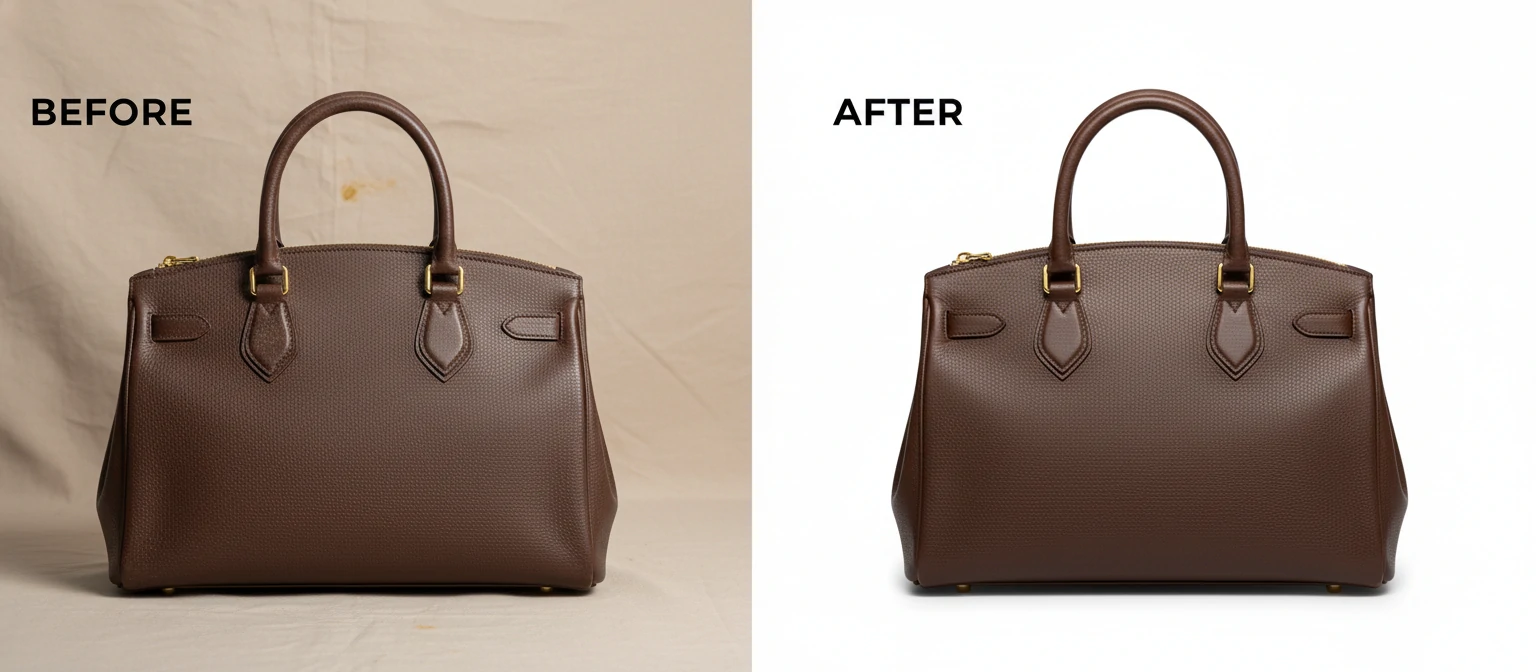
E-commerce and advertising depend on flawless product images. Product retouching involves background removal or replacement, reflection and shadow creation, color correction for accuracy, removing dust and scratches, and compositing multiple exposures for perfect lighting.
Common Uses: E-commerce listings, catalogs, advertising, packaging design
Real Estate Retouching
Property photos need to look inviting while remaining accurate. This includes sky replacement, lawn enhancement, window view improvement, virtual staging, perspective correction, and twilight conversions that make properties look their best while maintaining honest representation.
Common Uses: Property listings, architectural portfolios, interior design showcases
Photo Restoration
Bringing damaged, faded, or deteriorated photos back to life. This specialized work involves repairing tears and creases, removing stains and discoloration, reconstructing missing portions, colorizing black and white images, and preserving precious memories for future generations.
Common Uses: Family archives, historical preservation, memorial displays
3. Essential Retouching Techniques
Professional retouching relies on a toolkit of techniques that, when combined skillfully, create seamless results. Understanding these methods helps you appreciate the craft—or begin developing your own retouching skills.
Healing and Cloning
The foundation of all retouching work, healing and cloning tools allow you to remove unwanted elements by sampling nearby pixels. The Healing Brush intelligently blends sampled texture with surrounding colors, while the Clone Stamp copies pixels exactly. Knowing when to use each tool—and how to sample from appropriate areas—separates beginners from professionals.
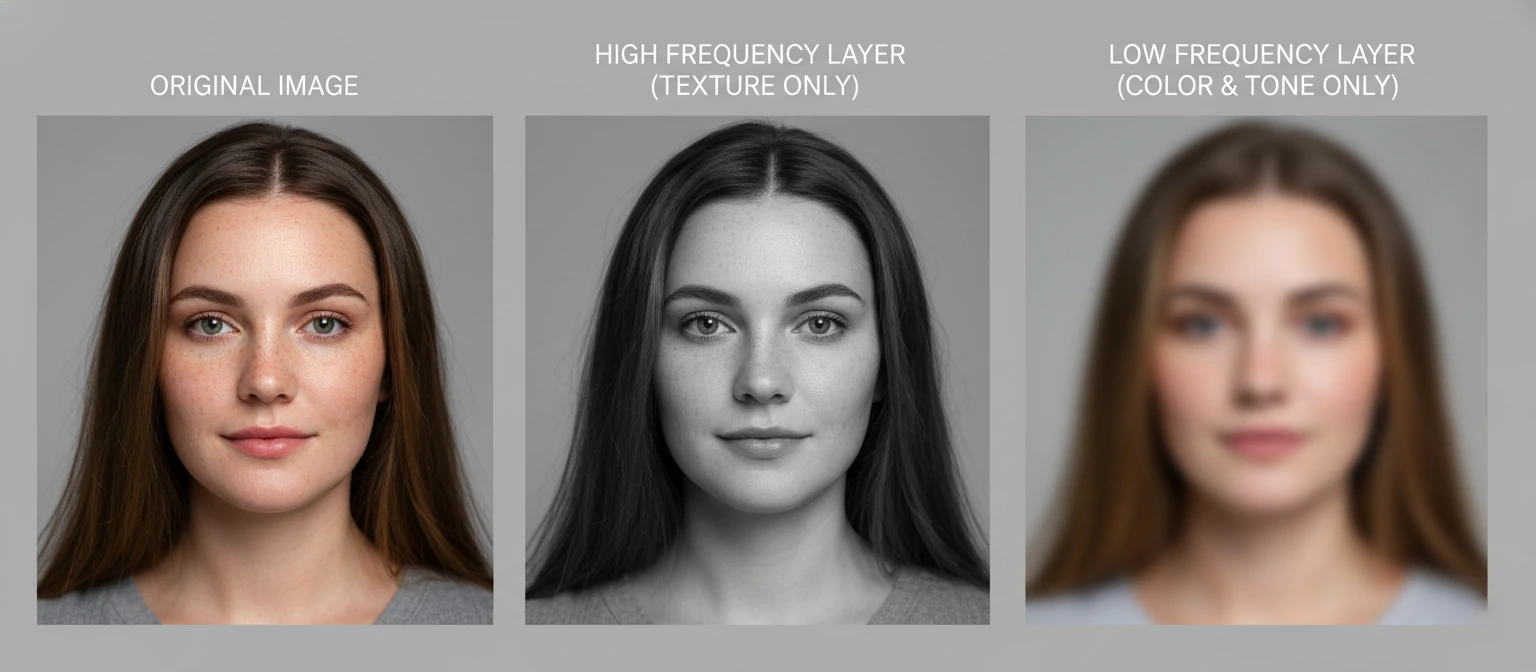
Frequency Separation
This advanced technique separates an image into texture (high frequency) and color/tone (low frequency) layers. By working on each layer independently, retouchers can smooth skin tones without destroying natural texture, or fix texture issues without affecting color. It's the secret behind that "flawless but still looks like real skin" look you see in high-end beauty photography.
Core Techniques Every Retoucher Should Master
| Technique | Purpose | Difficulty |
|---|---|---|
| Spot Healing | Quick blemish and dust removal | Beginner |
| Dodge & Burn | Sculpting light and shadow for dimension | Intermediate |
| Frequency Separation | Separate texture from color for skin work | Intermediate |
| Color Grading | Creating mood and visual consistency | Intermediate |
| Luminosity Masking | Precise selections based on brightness values | Advanced |
| Compositing | Combining multiple images seamlessly | Advanced |
Dodge and Burn
Dating back to the darkroom era, dodging (lightening) and burning (darkening) remain essential for professional retouching. Modern digital dodge and burn on neutral gray layers allows non-destructive sculpting of light and shadow. This technique can slim faces, add cheekbone definition, enhance muscle tone, create depth in flat lighting, and direct viewer attention—all while looking completely natural.
Masking and Selections
Precise selections determine where effects apply and where they don't. Layer masks, vector masks, and selections created through various methods (quick selection, pen tool, color range, luminosity masks) allow targeted adjustments. The quality of your masks directly impacts the quality of your retouching—sloppy edges are immediately noticeable.
4. Software and Tools
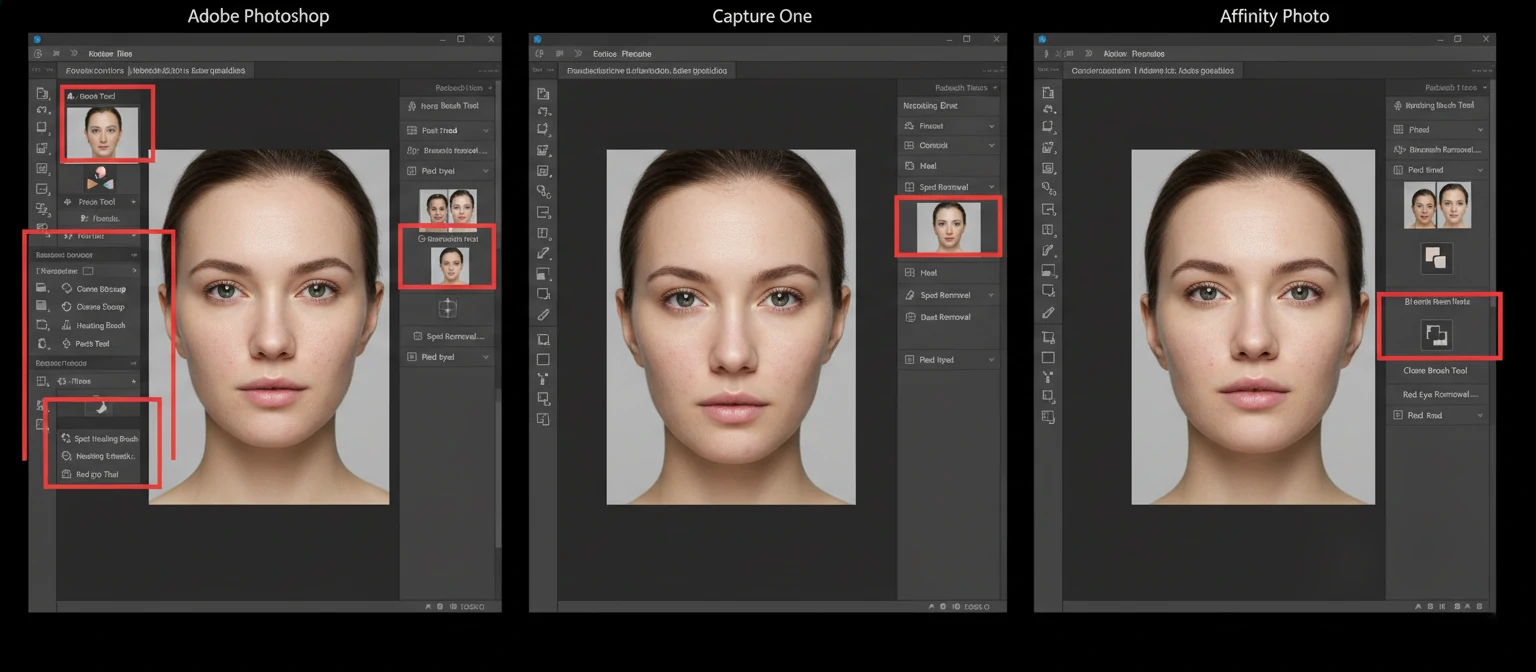
The right software can make the difference between struggling with basic tasks and working efficiently on complex retouching projects. Here's an honest look at what's available and who each option serves best.
Adobe Photoshop
The undisputed industry standard with the most powerful toolset, deepest feature set, and widest plugin ecosystem. Required for professional work.
Cost: $22.99/month (Photography Plan)
Capture One
Exceptional RAW processing with powerful local adjustment tools. Preferred by many fashion and commercial photographers for tethered shooting and color work.
Cost: $24.99/month or $299 perpetual
Affinity Photo
Excellent Photoshop alternative with one-time purchase. Nearly all pro features, great performance, and strong compatibility with PSD files.
Cost: $69.99 one-time
GIMP
Free, open-source option with surprising capability. Steeper learning curve and different workflow, but viable for those learning or on tight budgets.
Cost: Free
Essential Plugins and Extensions
While core software provides the foundation, plugins can dramatically speed up your workflow:
- Portraiture by Imagenomic: Automated skin smoothing that maintains texture when used subtly
- Nik Collection: Powerful color and effects tools, now available free from DxO
- Topaz Labs Suite: AI-powered tools for noise reduction, sharpening, and upscaling
- Retouch4me: AI panels that automate common portrait retouching tasks
- BeautyRetouch Panel: Streamlined workflow tools for portrait and beauty work
5. Portrait Retouching Deep Dive
Portrait retouching is where artistry and technique intersect most dramatically. The human eye is extraordinarily sensitive to faces—we evolved to read minute expressions and detect anything "off" about a face. This makes portrait retouching both the most demanding and most rewarding form of the craft.
The Golden Rule of Portrait Retouching
"Your subject should look like themselves on their very best day—not like someone else entirely. When a client's own mother wouldn't recognize them, you've gone too far."
Skin Retouching: The Foundation
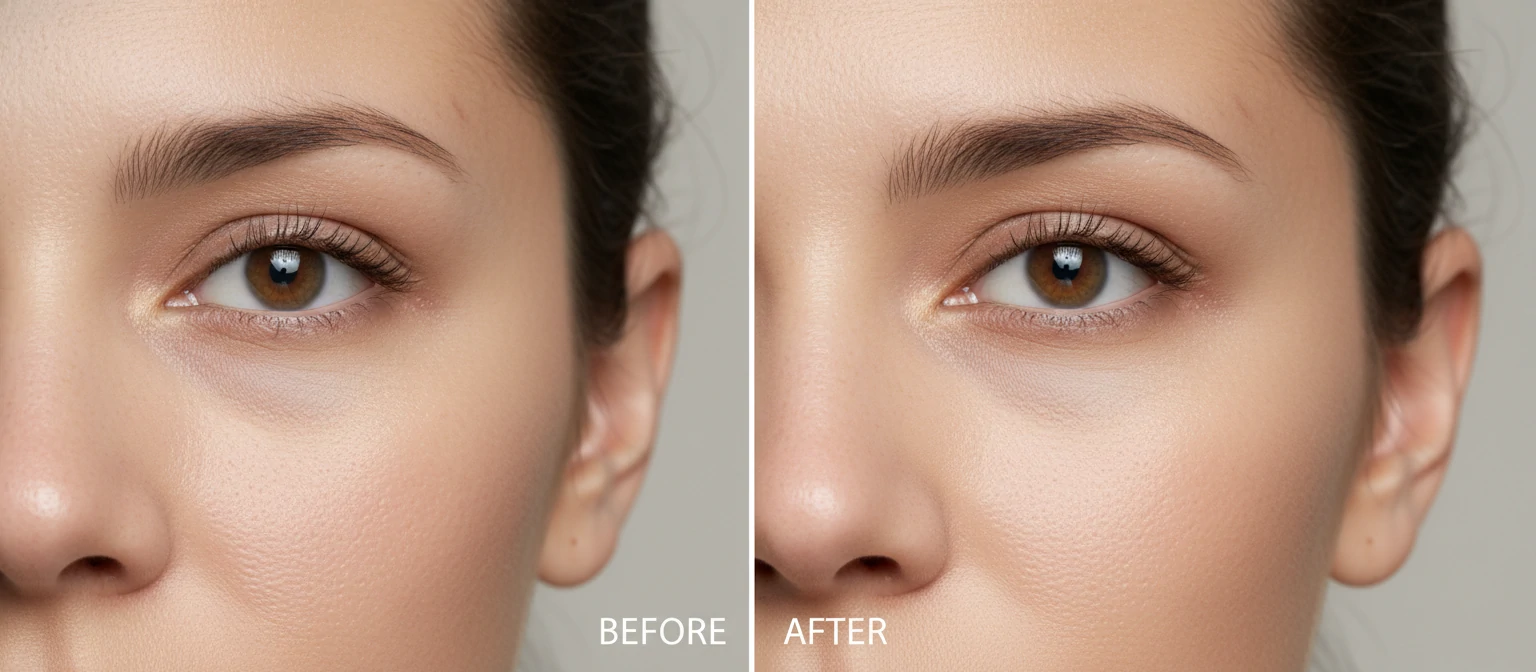
Natural-looking skin retouching is the hallmark of professional work. The goal is to address temporary imperfections (blemishes, redness, minor breakouts) while preserving permanent characteristics that make your subject unique. Freckles, beauty marks, and laugh lines tell a person's story—aggressive removal creates that uncanny "wax figure" look that immediately reads as over-retouched.
The professional approach involves multiple passes: first removing obvious blemishes with healing tools, then evening out skin tones with frequency separation or careful painting, and finally using dodge and burn to perfect the light and shadow. Each pass is subtle; the cumulative effect is significant.
Eye Enhancement
Eyes are the focal point of any portrait—they're literally where viewers look first. Subtle enhancement can make a dramatic difference: removing redness from the sclera (whites), brightening the iris slightly, enhancing catchlights, and darkening the limbal ring (the dark circle around the iris) all draw attention to the eyes without looking artificial. The key is restraint—overly bright eyes look otherworldly and disturbing.
Hair Refinement
Flyaway hairs, cowlicks, and messy strands can distract from an otherwise perfect portrait. Hair retouching involves carefully removing distracting flyaways (while leaving enough for natural texture), filling in thin areas if needed, enhancing shine through dodge and burn, and cleaning up the hairline. Complex masking skills are essential here—hair against detailed backgrounds is one of retouching's greatest challenges.
Portrait Retouching Workflow
Exposure, white balance, and overall color correction
Healing brush work on temporary imperfections
Frequency separation or similar technique for tone evening
Sculpting light for dimension and contouring
Eyes, hair, teeth, and fine details
Creative color treatment and final polish
6. Product Photo Retouching
In e-commerce, your product photos ARE your product—at least until it arrives at the customer's door. Product retouching bridges the gap between how items appear in real life and how they need to appear to sell. This isn't about deception; it's about presenting products in their ideal state, just as they'd appear in a perfect showroom with perfect lighting.
Background Treatment
Clean backgrounds are essential for e-commerce. Pure white backgrounds (RGB 255, 255, 255) are required by Amazon and many other platforms. This involves either shooting on white seamless paper with proper lighting, or cutting products out and placing them on digital white. Quality masking here is crucial—fuzzy edges or leftover fringing immediately looks amateur.
Beyond white, lifestyle product photography might require background compositing—placing products in aspirational settings. A watch might be composited onto a leather-bound desk with morning light streaming through windows. The technical challenge is matching lighting direction, color temperature, and perspective convincingly.
Color Accuracy
One of the biggest sources of e-commerce returns is color mismatch between what customers see online and what arrives. Professional product retouching involves careful color correction using calibrated monitors and reference targets to ensure products appear as accurate as possible. This is particularly critical for fashion, cosmetics, and home décor where color is a primary purchase factor.
Common Product Retouching Tasks
Background Removal
Shadow Creation
Dust Removal
Color Correction
Detail Enhancement
Reflection Adding
Ghost Mannequin Effect
For clothing photography, the "ghost mannequin" or "invisible mannequin" technique is standard. Multiple shots are taken—one on a mannequin showing the front, one showing the inside back of the collar/neckline—and composited together so the garment appears to float in 3D space without any visible mannequin. This requires precise masking and alignment skills.
7. Understanding Pricing
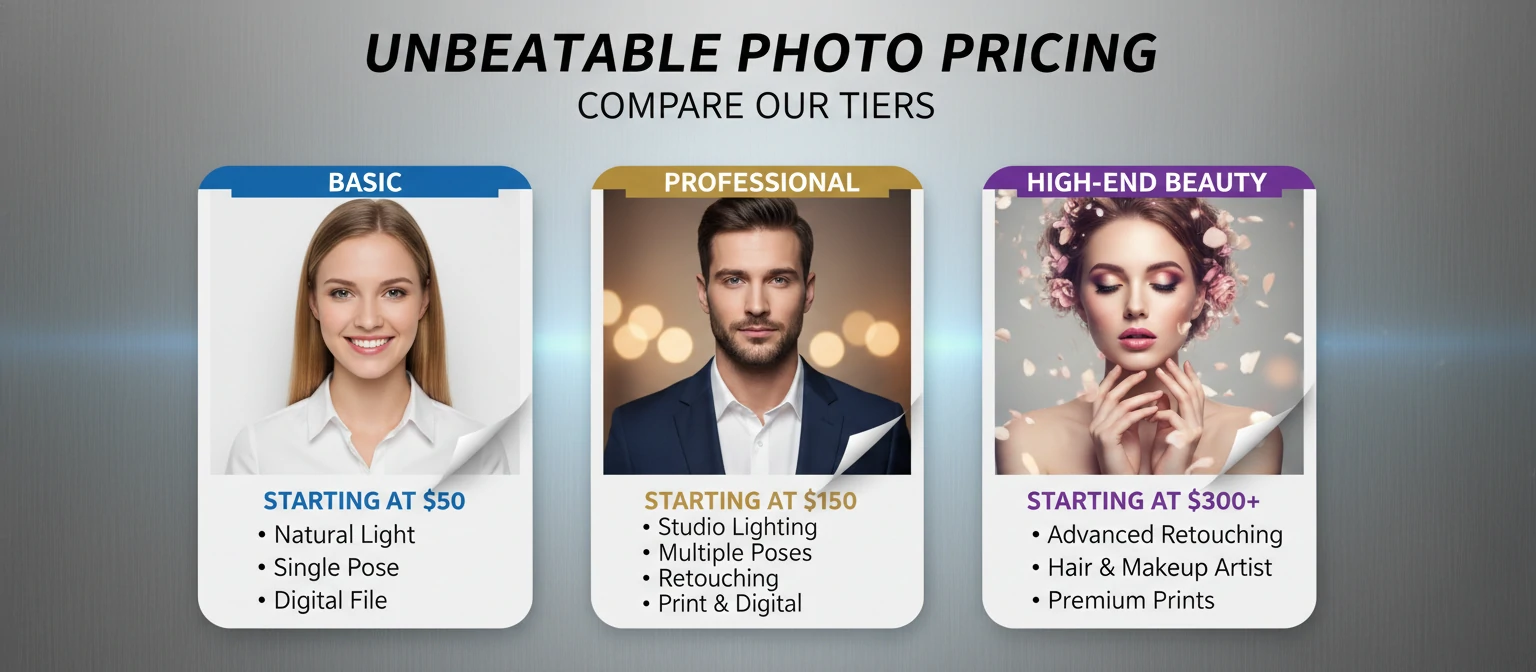
Photo retouching pricing varies dramatically based on complexity, turnaround time, usage rights, and the retoucher's experience level. Understanding these factors helps you budget appropriately and recognize fair pricing when you see it.
Basic Retouching
$2 - $15/image
- Basic blemish removal
- Simple background cleanup
- Exposure/color correction
- Minor cropping adjustments
Standard Retouching
$5 - $20/image
- Complete skin retouching
- Eye and teeth enhancement
- Hair cleanup
- Background replacement
High-End Retouching
$10 - $30+/image
- Beauty/fashion level work
- Advanced compositing
- Extensive body reshaping
- Complex masking/selections
Factors That Affect Pricing
Complexity: A simple headshot requires far less work than a full-body fashion shot with flowing fabric, intricate jewelry, and windblown hair. More complexity means more time, which means higher prices.
Turnaround Time: Rush jobs command premium rates. Standard turnaround (3-5 days) is typically base price; same-day or 24-hour service often adds 50-100% to the cost.
Usage Rights: Images for personal use cost less than those for commercial advertising campaigns that will reach millions. Some retouchers charge licensing fees based on intended use.
Volume: Bulk projects typically receive discounted per-image rates. A 500-image product catalog will have lower per-image costs than a single hero shot.
Revisions: Most pricing includes one or two rounds of revisions. Unlimited revisions or excessive back-and-forth will increase costs.
8. Hiring a Professional Retoucher
Finding the right retoucher for your project can mean the difference between images that elevate your brand and ones that undermine it. Here's how to navigate the hiring process effectively.
Where to Find Retouchers
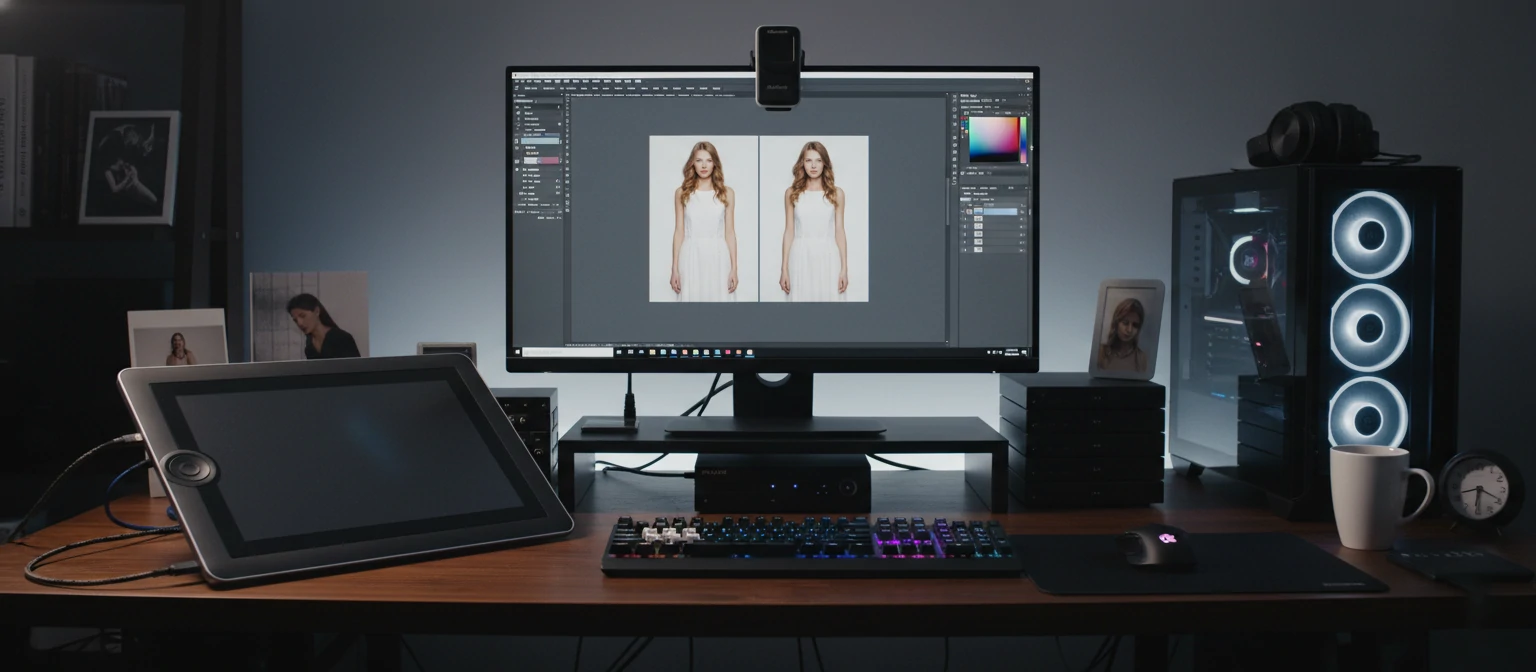
Professional retouchers can be found through various channels: specialized platforms like Retouchers Collective, freelance marketplaces like Upwork and Fiverr (with careful vetting), photography community referrals, agency partnerships, and dedicated retouching studios. Each option has trade-offs between cost, quality, and reliability.
Retoucher Evaluation Checklist
Red Flags to Watch For
- Prices significantly below market rate: Quality retouching takes time—if someone charges $2 for work that should cost $50, corners are being cut
- No contract or terms of service: Professional retouchers protect both parties with clear agreements
- Unable to provide references: Established retouchers have satisfied clients willing to vouch for them
- Portfolio inconsistency: If quality varies wildly, you might not get their best work
- Reluctance to do test edits: For large projects, reputable retouchers often provide paid test edits to ensure fit
9. Ethics in Photo Retouching
The retouching industry faces increasing scrutiny about its impact on body image, particularly in fashion and beauty advertising. As both consumers and creators become more aware of these issues, ethical considerations have moved from fringe discussions to mainstream concern.
The Body Image Debate
Studies consistently show that exposure to heavily retouched images correlates with negative body image, particularly among young women. The impossibly smooth skin, elongated limbs, and tiny waists common in fashion imagery set unrealistic standards that real human bodies simply cannot meet.
Industry Responses
Several countries have implemented or considered legislation requiring disclosure of digitally altered images. France requires disclaimers on retouched commercial images since 2017. Norway passed similar legislation in 2021. The UK's Advertising Standards Authority has banned specific ads for excessive retouching.
Meanwhile, some brands have embraced "no retouch" policies as both ethical stances and marketing strategies. CVS committed to labeling retouched beauty images. Dove's "Real Beauty" campaign explicitly rejected traditional beauty retouching. These approaches resonate with consumers increasingly skeptical of artificial perfection.
A Balanced Perspective
The ethics of retouching aren't black and white. There's a significant difference between removing a temporary blemish someone would prefer not immortalized and digitally removing 30 pounds to create an unrealistic body shape. Context matters: retouching a wedding photo to remove a visible band-aid is different from retouching a fashion ad to create impossible proportions.
Many professional retouchers have developed personal ethical guidelines: enhance but don't transform, maintain individual characteristics, refuse work that promotes harmful standards, and be transparent with clients about their approach. The key is intentionality—understanding why each edit is being made and what message the final image sends.
Journalistic and Documentary Contexts
In journalism and documentary work, manipulation ethics are particularly strict. News organizations typically allow only minimal adjustments (cropping, exposure correction) and explicitly prohibit removing or adding elements. The World Press Photo contest has disqualified winners for excessive processing. In these contexts, the photograph's role as truthful documentation outweighs aesthetic considerations.

10. The Future of Photo Retouching
Artificial intelligence is transforming photo retouching faster than any development since the transition from film to digital. Understanding where the technology is heading helps you make informed decisions about skills to develop and services to invest in.
AI-Powered Retouching Today
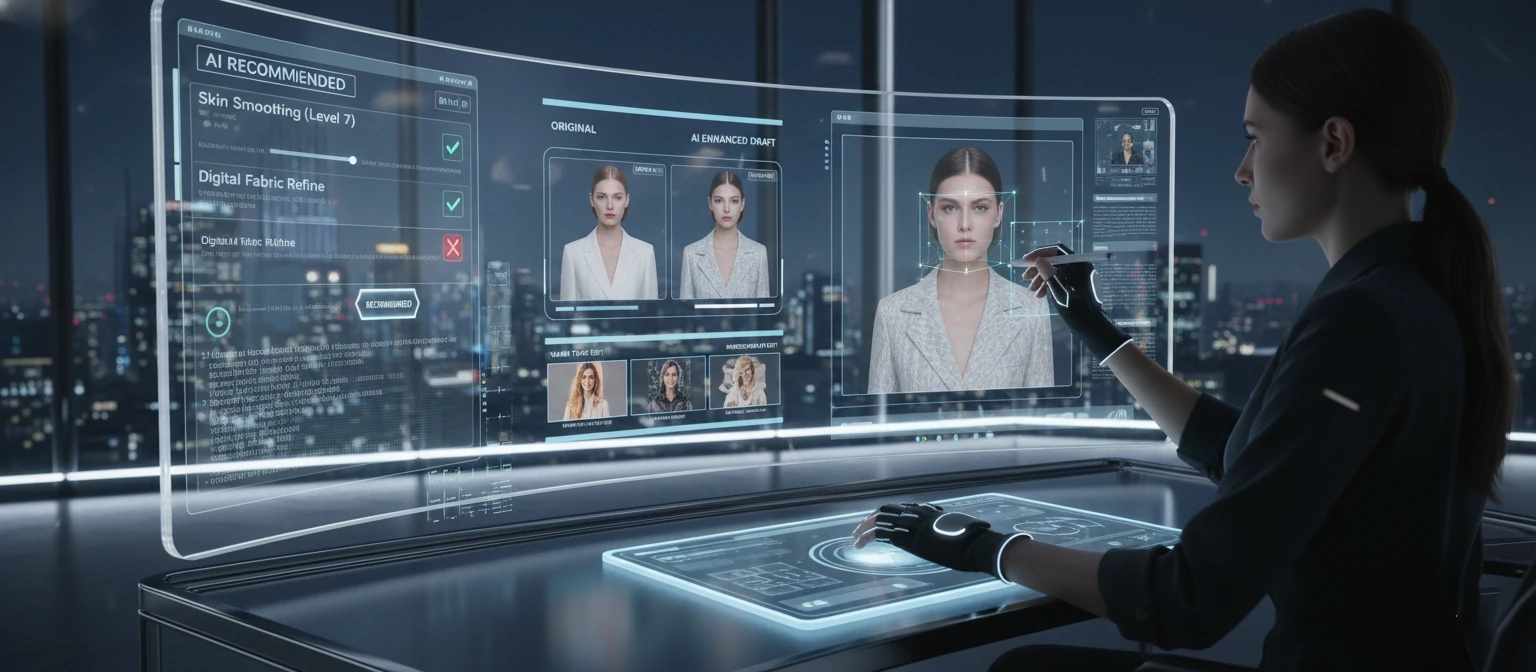
Current AI tools can perform tasks that once required hours of skilled work: automatic background removal (Remove.bg, Photoshop's Remove Background), one-click skin smoothing that maintains texture, intelligent object removal that fills convincingly, face-aware adjustments that enhance features automatically, and batch processing that applies consistent edits across thousands of images.
Tools like Luminar AI, Evoto, and Adobe's Neural Filters offer "portrait enhancement" with sliders for smoothness, eye enhancement, and facial restructuring. These achieve in seconds what once took 30-60 minutes of manual work.
AI Retouching: Current Capabilities vs. Limitations
✓ AI Excels At
- Background removal and replacement
- Basic skin smoothing
- Automatic exposure/color correction
- Object removal in simple contexts
- High-volume batch processing
✗ AI Struggles With
- Nuanced artistic decisions
- Complex compositing
- Maintaining individual character
- Creative color grading
- High-end beauty retouching
The Human Element Remains Essential
Despite AI advances, human retouchers aren't becoming obsolete—they're evolving. High-end fashion, advertising, and editorial work still requires human judgment for creative direction, understanding client vision, maintaining authentic character while enhancing beauty, and making the subtle decisions that separate competent work from exceptional work.
What's changing is the value proposition. Basic retouching that once supported entry-level careers is increasingly automated. Professional retouchers are moving upmarket, focusing on work that requires artistic vision, complex problem-solving, and client collaboration that AI cannot provide.
Emerging Trends to Watch
- Real-time video retouching: What's possible with photos is increasingly possible with video, opening new markets
- AI-assisted workflows: Rather than replacing humans, AI handles tedious tasks while humans focus on creative decisions
- Authentication technology: Blockchain and other systems to verify image authenticity and track manipulations
- Generative fill and expansion: AI that can extend images, add elements, or transform scenes
- Mobile-first retouching: Professional capabilities increasingly available on smartphones
Frequently Asked Questions
How long does professional photo retouching take?
Basic retouching takes 15-30 minutes per image. Standard portrait retouching runs 45-90 minutes. High-end beauty or fashion work can take 2-4+ hours per image. Turnaround time depends on the retoucher's workload—expect 2-5 business days for standard service, with rush options available at premium rates.
Can any photo be retouched, or does it need to be high quality?
While any photo can be improved, higher quality source files yield better results. Low-resolution, heavily compressed, or extremely blurry images limit what's achievable. Professional retouchers typically request RAW files or high-resolution JPEGs. That said, skilled retouchers can work wonders even with imperfect source material—they just can't create detail that doesn't exist.
What's the difference between photo editing and photo retouching?
Photo editing typically refers to global adjustments—exposure, contrast, color balance, cropping—that affect the entire image. Retouching involves detailed, localized work on specific elements: skin smoothing, blemish removal, eye enhancement, background cleanup. Most professional workflows involve both: editing establishes the overall look, while retouching perfects the details.
Should I learn retouching myself or hire a professional?
For occasional personal use, learning basic retouching is worthwhile and achievable with modern tools. For business or professional use, hiring experts typically provides better ROI—you get superior results faster while focusing on your core competencies. The middle ground: learn enough to understand what's possible and communicate effectively with professionals you hire.
How do I tell a retoucher what I want?
Reference images are the most effective communication tool. Collect examples showing the style, level of retouching, and specific effects you want. Be specific about concerns ("please smooth this area but maintain texture") rather than vague ("make it look good"). Good retouchers ask clarifying questions—embrace this dialogue rather than expecting mind-reading.
About Sophia Martinez
Sophia Martinez is a professional photo retoucher and photographer with over 12 years of experience in the industry. She has worked with major fashion brands, beauty companies, and advertising agencies worldwide. When not perfecting pixels, she teaches retouching workshops and advocates for ethical standards in image manipulation. Her work has appeared in Vogue, Harper's Bazaar, and numerous international campaigns.