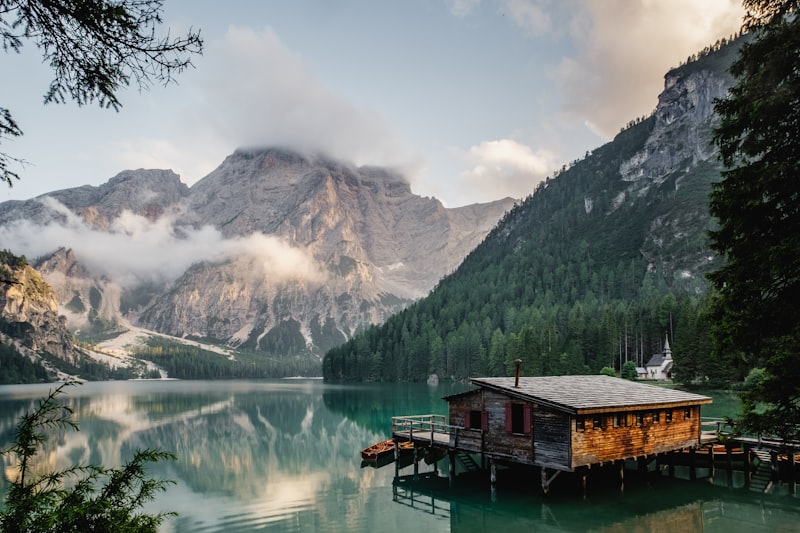
Separate a scene into layers, move them at different speeds, and flat images spring into three-dimensional life. The simplest way to create immersive depth without ever building in 3D.
Explore Techniques
Depth Through Motion
What Is Parallax Animation?
Parallax is the effect where objects closer to you appear to move faster than objects farther away. In animation, we split a scene into foreground, midground, and background layers, then move them at different speeds to create a convincing illusion of depth.
It's how a single flat photograph or illustration can feel like a living, dimensional world — captivating because our brains read the speed difference as real depth.
Why Use Parallax
The Power of Layered Motion
Creates Immersive Depth
Flat scenes gain a real sense of three dimensions.
Animates Still Photography
Brings life to photos and illustrations.
Cost-Effective Production
Depth without expensive 3D rendering.
Guides Viewer Focus
Layered motion directs the eye naturally.
Preserves Artistic Style
Keeps the original artwork's look intact.
Evokes Emotional Response
Gentle depth feels cinematic and moving.
Style Categories
Types of Parallax Animation
Vertical Scroll Parallax
Layers move as viewers scroll vertically.
Popular for storytelling sites and portfolios.
Built with CSS, JavaScript, or GSAP.
Video Parallax
Cinematic depth from photos and artwork.
The "Ken Burns effect" for documentaries.
Often paired with subtle zoom and pan.
Mouse-Driven Parallax
Layers shift with the cursor's position.
Interactive, playful, exploration-driven.
Maps to gyroscope tilt on mobile.
Game Parallax
Side-scrolling depth in 2D games.
A 16-bit classic still loved by indies.
Depth and scale without full 3D cost.
Animation Methods
Core Parallax Techniques
Layer Separation
Split a scene into depth planes.
Speed Differentiation
Move each layer at its own pace.
Scale Animation
Subtle growth adds dimension.
Blur Depth
Soften distant layers for realism.
Colour Atmosphere
Fade distant layers into haze.
Camera Movement
A virtual camera drives the parallax.
Easing Curves
Smooth, natural acceleration.
Looping Motion
Seamless loops for backgrounds.
Software Options
Tools for Creating Parallax
Adobe After Effects
Industry standard
Adobe Photoshop
Asset preparation
DaVinci Resolve
Free professional
GSAP (JavaScript)
Web development
Cinema 4D
3D environment
Unity / Godot
Game development
Step by Step
The Parallax Creation Workflow
01
Select Source Artwork
02
Plan Layer Structure
03
Separate Elements
04
Import to Animation
05
Position in Z-Space
06
Animate Camera
07
Refine Movement
08
Add Polish
Best Practices
Principles of Effective Parallax
Respect Physical Reality
Closer moves faster — keep it believable.
Plan for Edge Reveal
Extend art beyond the frame edges.
Keep Motion Purposeful
Subtle depth beats dizzy movement.
Consider Performance
Too many layers can slow playback.
Use Cases
Where Parallax Animation Shines
Documentary Storytelling
Website Hero Sections
Interactive Storytelling
Game Backgrounds
Advertising Content
Music Videos
In the Wild
Parallax in Action
Where layered depth turns flat into unforgettable.

Documentaries
Photos that breathe with depth.

Web Heroes
Scroll-driven landing pages.

Game Worlds
Side-scrolling depth and scale.

Ad Campaigns
Cinematic promos from stills.
Speak the Language
Parallax Glossary
The depth and motion terms worth knowing.
Z-Depth
A layer's position toward or away from the camera.
Edge Reveal
Gaps exposed behind moving foreground layers.
Ken Burns Effect
Pan-and-zoom motion across a still photo.
Depth of Field
Blur that separates near from far layers.
Camera Rig
A virtual camera that drives layer movement.
Atmospheric Perspective
Distant layers fade lighter and hazier.
Displacement Map
A grayscale map that fakes 3D from a 2D image.
Content-Aware Fill
Auto-painting the gaps behind separated layers.
Scroll Trigger
Code that ties animation to scroll position.
Quick Reference
Parallax Complexity Comparison
Pick the approach that matches your platform and skill.
Type
Platform
Skill
Time
Simple CSS Scroll
Websites
Beginner
1–2 hrs
JavaScript Scroll
Websites
Intermediate
4–8 hrs
Photo Animation
Video
Intermediate
2–4 hrs/shot
Mouse-Driven
Web / App
Intermediate
3–6 hrs
3D Camera Parallax
Video
Advanced
Days
Depth That Delivers
Why a little layered motion pays off.
2–3
Layers to sell the effect
+40%
Longer engagement on hero pages
0 3D rendering required
1 photo
Becomes a cinematic shot
Learn From Others
Common Mistakes to Avoid
The slip-ups that break the depth illusion — and how to dodge them.
Too Much Movement
Over-strong parallax feels dizzying, not immersive.
Visible Empty Gaps
Forgetting to fill behind layers reveals holes.
Wrong Speed Order
Background moving faster than foreground breaks reality.
No Edge Margin
Art too tight to the frame exposes its edges when it shifts.
Too Many Layers
Excess layers tank performance for little visible gain.
Ignoring Reduced Motion
Always honour users who prefer less on-screen movement.
How It's Built
Anatomy of a Parallax Scene
Every parallax shot is just a stack of layers, near to far.
Foreground
Closest layer — moves the most, often softly blurred.
Fastest
Midground / Subject
The hero layer — your focal point, in sharp focus.
Medium
Background
The distant scene — moves least, lighter and hazier.
Slowest
The Camera
A virtual camera glides across all layers to create the parallax shift.
Drives all
Pro Tips
Secrets to Believable Depth
The little touches that separate amateur from cinematic.
Add Atmospheric Haze
Fade distant layers lighter to mimic real depth cues.
Blur the Foreground
A soft near layer reads as a real camera lens.
Keep Movement Slow
Subtle drift feels premium; fast motion feels cheap.
Overshoot & Settle
A gentle ease-back at the end adds life and weight.
Animate Light & Shadow
Subtle moving highlights sell the dimensionality.
Loop Seamlessly
For backgrounds, make the motion cycle invisibly.
Frequently Asked
Questions
What is the Ken Burns effect?
It's the documentary technique of slowly panning and zooming across a still photo to add motion. Add separated layers moving at different speeds and you get full parallax depth from a single image.
How many layers do I need for parallax?
As few as two or three can sell the effect — a foreground, subject, and background. More layers create richer depth, but each one adds production time and can affect performance, so balance is key.
Do I need to recreate hidden parts of an image?
Yes — when you separate layers, gaps appear behind foreground elements as they move. You'll paint or extend the background and edges so nothing reveals an empty hole during the motion.
Is parallax bad for website performance?
It can be if overdone. Stick to transform and opacity, limit the layer count, and respect reduced-motion preferences, and modern browsers handle scroll parallax smoothly.
More useful paths
Use these paths to continue with the closest practical topic, service, or decision guide.
- TopicMotion Graphics & Animation article library
- ArticleBring Your Products to Life with 3D Animation
- ArticleBring Your Products to Life with 3D Animation
- ArticleAfter Effects Course London
- ArticleAnimated Explainer Video Company: The Complete Guide to Choosing the Right Partner
- ServiceDepth of Field (DOF) Services
Was this article helpful?
Pro Pixel Agency
Want this done for you? Try our 3D rendering free.
Send a sample, get the finished result back, and only then decide. Clear prices, no commitment.