

Master the art of invoice creation with our definitive guide. From essential components to advanced strategies, learn everything you need to get paid faster and look more professional.
Table of contents
- What Is an Invoice and Why Does It Matter?
- Essential Components Every Invoice Must Have
- How to Create an Invoice: Step-by-Step Guide
- Invoice Design Best Practices for 2026
- Free Invoice Templates for Different Industries
- Best Tools to Create Invoices in 2026
- Common Invoice Mistakes to Avoid
- Pro Tips for Getting Paid Faster
- Frequently Asked Questions About Creating Invoices
- What’s the difference between an invoice and a bill?
- Do I need to include my address on every invoice?
- Can I change an invoice after I’ve sent it?
- How long should I keep copies of invoices?
- What should I do if a client disputes an invoice?
- Should I charge sales tax on my invoices?
- Is it okay to invoice in advance for work not yet completed?
- How do I invoice international clients?
- Final Thoughts: Invoicing as a Business Skill

Creating a professional invoice might seem like a simple task, but the reality is that your invoice is often the last impression you leave with a client before they decide to pay you. A well-crafted invoice does more than request payment—it reinforces your professionalism, clarifies the value you’ve delivered, and can even strengthen your business relationship.
In this comprehensive guide, we’re going to walk through every aspect of creating invoices that not only look professional but actually get you paid faster. Whether you’re a freelancer sending your first invoice, a small business owner looking to streamline your billing, or an established company wanting to improve your payment cycles, this guide has something valuable for you.
By the end of this article, you’ll understand exactly what makes an invoice effective, how to create one step by step, and the modern tools and techniques that can transform your invoicing from a tedious chore into a smooth, automated process.
What Is an Invoice and Why Does It Matter?
An invoice is a formal document that a seller provides to a buyer, detailing the products or services rendered and requesting payment. But describing an invoice as merely a “payment request” is like describing a business card as just a piece of paper with contact information—it misses the bigger picture entirely.
Your invoice serves multiple critical functions in your business operations. First and foremost, it’s a legal document that establishes the terms of a transaction. In many jurisdictions, a properly formatted invoice is required for tax purposes, providing documentation of income for you and a deductible expense for your client. This legal standing means that the information on your invoice must be accurate and complete.
Beyond the legal aspects, your invoice is a communication tool. It reminds your client of the value you’ve provided, clearly states when and how they should pay, and reinforces your professional brand. A poorly designed or confusing invoice can delay payment, create misunderstandings, and damage the business relationship you’ve worked hard to build.
The Five Key Purposes of an Invoice
Creates a legally binding record of the transaction for both parties, essential for contracts and disputes.
Provides necessary documentation for income reporting, VAT/GST claims, and business expense deductions.
Formally requests payment with clear terms, due dates, and accepted payment methods.
Helps track revenue, outstanding payments, and business performance over time.
Reinforces your brand identity and professionalism at the critical moment of payment.
Invoice vs. Receipt vs. Quote: Understanding the Differences
Many people confuse invoices with receipts or quotes, but these documents serve distinct purposes in the business cycle. Understanding the differences helps you use each one appropriately.
A quote (or estimate) comes before any work begins. It outlines what you’ll provide and at what price, allowing the client to make an informed decision. A quote is not a request for payment—it’s a proposal that may or may not be accepted.
An invoice comes after the work is complete (or at agreed milestones during a project). It formally requests payment for goods or services that have been delivered. The invoice represents money that is owed to you.
A receipt comes after payment has been made. It confirms that money has changed hands and serves as proof of payment for the buyer. While some businesses combine invoices and receipts, they technically serve different purposes.

Essential Components Every Invoice Must Have
A professional invoice contains specific elements that serve both legal requirements and practical purposes. Missing any of these components can lead to payment delays, tax complications, or simple confusion. Let’s break down each essential element and explain why it matters.
The Word “INVOICE”
This might seem obvious, but clearly labeling your document as an “Invoice” at the top is essential. This distinguishes it from quotes, statements, or other business documents and ensures there’s no confusion about what the document represents.
Unique Invoice Number
Every invoice must have a unique identifier for tracking purposes. This could be sequential (INV-001, INV-002) or incorporate dates or client codes (2026-01-MC-001). The key is consistency—once you establish a numbering system, stick with it. This helps both you and your clients reference specific invoices easily.
Invoice Date and Due Date
Include both the date the invoice was created and the date payment is due. The invoice date establishes when the billing period ended, while the due date sets clear expectations for payment. Common terms include “Due on Receipt,” “Net 15,” “Net 30,” or specific calendar dates.
Your Business Information
Include your business name (or your name if freelancing), address, phone number, email, and website. If you have a business registration number, VAT/GST number, or other tax identifiers, include those as well. This information validates the invoice and provides multiple ways for clients to contact you.
Client Information
Include your client’s name, company name (if applicable), and billing address. For B2B invoices, you may also need their VAT number or purchase order number. Including complete client information ensures the invoice reaches the right person and can be properly processed.
Itemized List of Services/Products
This is the heart of your invoice. Each line item should include a clear description, quantity, unit price, and line total. Be specific enough that your client understands exactly what they’re paying for. Vague descriptions like “services rendered” invite questions and delays.
Subtotal, Taxes, and Total
Show the subtotal of all line items, any applicable taxes (VAT, GST, sales tax) as separate line items, and then the final total due. If you’re offering any discounts, show them here as well. The total should be prominently displayed—this is the number your client needs to pay.
Payment Methods and Instructions
Tell your client exactly how to pay you. Include bank account details for wire transfers, PayPal or payment processor information, or links to online payment portals. The easier you make it for clients to pay, the faster you’ll receive payment.
Optional But Recommended Elements
Beyond the essential components, several additional elements can enhance your invoices and improve your payment outcomes:
- Your logo and branding: Adds professionalism and brand recognition
- Project or PO reference: Helps larger organizations match invoices to budgets
- Late payment terms: States consequences for overdue payments
- Early payment discounts: Incentivizes faster payment
- Payment link or QR code: Makes digital payment effortless
- Thank you note: Adds a personal, appreciative touch
- Currency specification: Essential for international clients
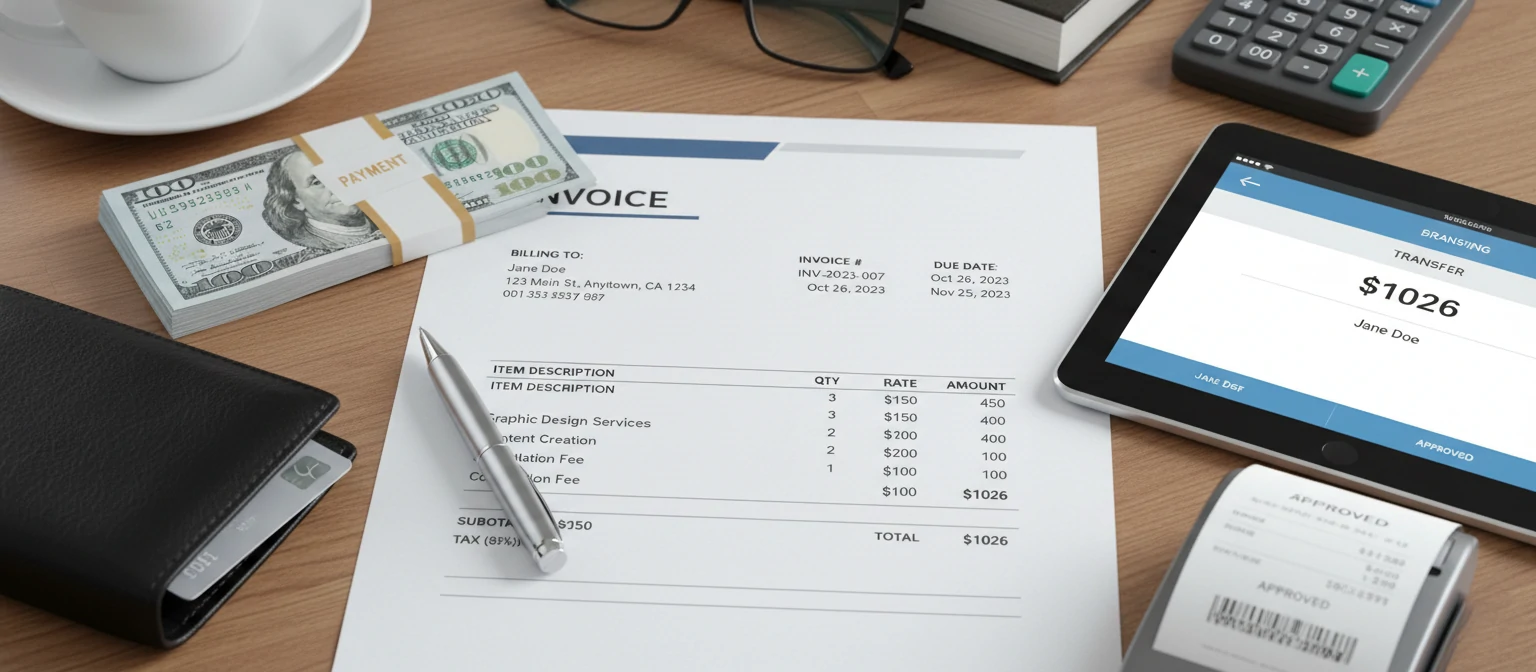
How to Create an Invoice: Step-by-Step Guide
Now that you understand what an invoice needs to contain, let’s walk through the actual process of creating one. We’ll cover multiple methods so you can choose what works best for your situation.
Gather All Necessary Information
Before you start filling in any template or software, collect everything you need. This includes your business details, your client’s billing information, the work or products you delivered, the agreed-upon rates or prices, and any relevant project references or purchase order numbers.
Having all this information at hand before you start creates a smoother process and reduces the chance of errors or omissions.
Choose Your Invoice Creation Method
You have several options for creating invoices, each with its own advantages:
- Word Processors (Word, Google Docs): Maximum customization, but requires manual work each time
- Spreadsheets (Excel, Google Sheets): Great for calculations, can create templates with formulas
- Invoice Templates: Pre-designed layouts you can fill in and customize
- Invoice Software/Apps: Automated features, client management, payment tracking
- Accounting Software: Full business financial management including invoicing
Add Your Business Branding
Start by adding your logo (if you have one) and business information at the top of the invoice. This typically includes your business name, address, phone number, email, and website. If you’re registered for VAT or have other tax identification numbers, include those as well.
Your branding should be consistent with other materials your clients see from you—same logo, colors, and fonts if possible.
Enter Client Details and Invoice Information
Add your client’s billing information, typically positioned below your details on the left side. Then add the invoice metadata: a unique invoice number, the invoice date (when you’re sending it), and the due date (when payment is expected).
If your client provided a purchase order number or project reference, include that prominently so their accounts department can easily match your invoice to their records.
List Your Products or Services
Create a clear table with columns for description, quantity, unit price, and line total. For each item:
- Write a clear, specific description that your client will understand
- Include quantities (hours, units, days, etc.) and unit prices
- Calculate and show the line total for each item
- Group related items together for easier reading
The more specific you are, the less likely your client will have questions that delay payment.
Calculate Totals and Add Taxes
Below your line items, show the subtotal (sum of all line items). Then add any applicable taxes as separate lines—this transparency is important for your client’s records and often legally required. If you’re offering any discounts, show those clearly before the final total.
The final “Total Due” should be prominent and unmistakable—this is the number that matters most.
Include Payment Information and Terms
Clearly state how your client can pay you. Include all relevant details for your accepted payment methods: bank account numbers for transfers, PayPal email addresses, payment links for credit card payments, or information about checks if you accept them.
Also state your payment terms, including any late payment fees or early payment discounts. For example: “Payment due within 30 days. A 2% monthly interest charge applies to overdue invoices.”
Review, Save, and Send
Before sending, double-check everything: Are the amounts correct? Is the client information accurate? Did you use the right invoice number? Small errors can delay payment or create confusion.
Save your invoice as a PDF for a professional, tamper-proof format. Send it via email with a clear subject line like “Invoice #INV-2026-001 from [Your Business Name] – Due [Date].” Keep a copy for your records.

Invoice Design Best Practices for 2026
A well-designed invoice isn’t just about aesthetics—it’s about clarity, professionalism, and making it easy for your client to understand and pay. Here’s how to design invoices that get results.
Visual Hierarchy Matters
The most important information on your invoice should be the most visible. Your client should be able to glance at the document and immediately identify three things: who it’s from, how much they owe, and when payment is due.
Use font sizes strategically—your business name and the total amount due should be the largest text on the page. Use bold or color to draw attention to the due date. The itemized list can be in smaller text since clients will read that more carefully.
✨ Keep It Clean
Use plenty of white space. Cluttered invoices are hard to read and look unprofessional. Give your content room to breathe.
🎨 Consistent Branding
Use your brand colors sparingly—perhaps for headers or accents. Stick to one or two fonts. Include your logo at the top.
📱 Mobile-Friendly
Many clients view invoices on phones. Ensure your design works well on small screens with readable text and tappable links.
🔲 Clear Sections
Use boxes, lines, or shading to separate different sections. This makes the invoice scannable and helps clients find specific information.
Color Psychology in Invoice Design
Colors influence perception and behavior, and this applies to invoices too. Blue conveys trust and professionalism—it’s the most popular color for business documents. Green suggests money and positivity, making it great for highlighting the amount due or payment received confirmations.
Red typically signals urgency or warning, so use it sparingly—perhaps only for overdue notices. Your brand colors can be used as accents, but the main document should remain easy to read with high contrast between text and background.
In 2026, we’re seeing a trend toward minimalist invoice designs with subtle color accents rather than heavily branded documents. This approach looks more professional and prints better when clients need physical copies.
Free Invoice Templates for Different Industries
Different industries have different invoicing needs. A freelance designer’s invoice will look quite different from a plumber’s service invoice or a consultant’s monthly retainer bill. Here are template considerations for various sectors.
Freelancer Invoice Template
PopularPerfect for independent contractors, writers, designers, developers, and consultants billing for time-based or project-based work.
Service Business Invoice
EssentialIdeal for plumbers, electricians, cleaners, landscapers, and other service providers billing for labor and materials.
Retail/Product Invoice
CommercialDesigned for businesses selling physical products, whether wholesale or direct to consumers.
Consulting Invoice
ProfessionalTailored for consultants billing for advisory services, strategy sessions, and professional expertise.
Creative Agency Invoice
AgencyBuilt for marketing agencies, design studios, and creative firms with complex project billing needs.
Best Tools to Create Invoices in 2026
The right invoicing tool can save you hours of work and help you get paid faster. Here’s a comprehensive look at the best options available in 2026, from free solutions to full-featured paid platforms.
Tool Deep Dives
Wave – Best Free Option
Wave offers genuinely free invoicing with no hidden limits on the number of invoices or clients. It includes customizable templates, automatic payment reminders, and integration with Wave’s free accounting software. The platform makes money through payment processing fees, so the core invoicing features are truly free to use forever.
FreshBooks – Best for Service Professionals
FreshBooks combines beautiful invoice design with powerful time-tracking and project management features. If you bill by the hour, FreshBooks makes it easy to track time and convert it directly into invoices. The platform also offers excellent expense tracking, proposals, and client portals.
QuickBooks – Best for Complete Business Management
If you need more than just invoicing—payroll, inventory, detailed financial reporting—QuickBooks is the industry standard. Its invoicing features are robust, and everything connects to a full accounting system that most accountants are familiar with.
🤖 AI-Powered Invoice Creation in 2026
2026 has brought exciting AI capabilities to invoice creation. Many platforms now offer intelligent features that make invoicing faster and smarter:
- Smart line item suggestions based on past invoices and project descriptions
- Automatic categorization of expenses and services for tax purposes
- AI-written descriptions that convert time entries into clear, professional descriptions
- Predictive analytics for payment timing and client behavior
- Voice-to-invoice creation from project summary descriptions
Common Invoice Mistakes to Avoid
Even experienced professionals make invoicing mistakes that delay payment or create problems. Here are the most common errors and how to avoid them.
❌ Vague Descriptions
Mistake: “Consulting services – $2,000” tells the client nothing specific.
Fix: “Strategic marketing consultation – 8 hours at $250/hr including brand positioning analysis and campaign strategy recommendations (Jan 5–12, 2026)”
❌ Missing or Unclear Payment Terms
Mistake: Not specifying when payment is due or how to pay.
Fix: Always include a specific due date (“Due by February 15, 2026”) and clear payment instructions with all accepted methods.
❌ Sending to the Wrong Contact
Mistake: Sending invoices to your project contact who has no payment authority.
Fix: Always confirm the accounts payable contact and process during project setup. Send to both the project contact and AP if appropriate.
❌ Mathematical Errors
Mistake: Line items that don’t add up correctly, or miscalculated taxes.
Fix: Use invoicing software that calculates automatically, or double-check every calculation before sending. Errors erode trust and delay payment.
❌ Delayed Invoicing
Mistake: Waiting weeks or months after completing work to send an invoice.
Fix: Send invoices immediately upon project completion or at regular intervals for ongoing work. The sooner you invoice, the sooner you get paid.
❌ Inconsistent Numbering
Mistake: Random invoice numbers that make tracking impossible.
Fix: Establish a logical numbering system and stick to it. Most invoicing software handles this automatically.
Pro Tips for Getting Paid Faster
Beyond creating a good invoice, there are strategies you can use to accelerate payment and improve your cash flow. These tips come from years of real-world experience and research into payment psychology.
💡 Offer Multiple Payment Methods
The more ways clients can pay, the faster they will. Include options for credit card, bank transfer, PayPal, and even cryptocurrency if your audience uses it. Every barrier to payment extends your waiting time.
💡 Add Payment Links Directly in Invoices
A clickable “Pay Now” button can increase payment speed dramatically. When clients can pay with one click instead of manually entering your bank details, friction disappears.
💡 Set Clear Expectations Upfront
Discuss payment terms before starting work, not after. Include payment schedules in contracts. When clients agree to terms in advance, they’re more likely to honor them.
💡 Use Strategic Due Dates
Research shows that due dates of “Due in 14 days” result in faster payment than “Net 30.” Specific dates (“Due January 25, 2026”) work better than terms (“Due in 30 days”). Consider your client’s payment cycles too.
💡 Offer Early Payment Discounts
“2% discount if paid within 10 days” can motivate faster payment, especially for larger invoices. The discount is often worth the improved cash flow—and many clients appreciate the opportunity to save.
💡 Automate Payment Reminders
Set up automatic reminders a few days before the due date and shortly after. Most invoicing software offers this feature. A friendly reminder often prompts action from clients who simply forgot.
💡 Invoice at the Right Time
Send invoices early in the week and early in the day. Invoices sent Monday–Wednesday get paid faster than those sent Thursday–Friday. Avoid sending invoices at month-end when clients are closing their books.
💡 Request Deposits for Large Projects
For significant projects, request 25–50% upfront before beginning work. This reduces your risk, demonstrates client commitment, and improves your cash flow throughout the project.
🧠 The Psychology of Invoice Language
Small language changes can impact payment behavior. Research and experience suggest:
- Using “Please pay” is more effective than demanding “Payment required”
- Adding “Thank you for your business” increases goodwill and payment likelihood
- Personalizing with the client’s name feels less automated and more important
- Stating consequences (“Late payments incur 2% monthly interest”) is more effective than leaving terms ambiguous
Frequently Asked Questions About Creating Invoices
What’s the difference between an invoice and a bill?
The terms are often used interchangeably, but technically an invoice is sent by the seller to the buyer, while a bill is what the buyer receives. So your invoice is your client’s bill. In practice, both documents contain the same information.
Do I need to include my address on every invoice?
In most jurisdictions, yes. Your business address is a legal requirement for valid invoices in many countries, and it’s needed for tax compliance. Even if not legally required where you operate, including it adds credibility and professionalism.
Can I change an invoice after I’ve sent it?
You shouldn’t modify an invoice that’s been sent. If you need to make corrections, issue a credit note for the original invoice and create a new corrected invoice with a new number. This maintains proper accounting records and audit trails.
How long should I keep copies of invoices?
Keep invoices for at least 7 years for tax purposes in most countries—some require longer. Digital storage makes this easy; use cloud-based invoicing software that automatically maintains your records, or save PDFs in organized folders with reliable backups.
What should I do if a client disputes an invoice?
Respond promptly and professionally. Review your records (emails, contracts, time logs) to verify the work performed. Be open to discussion—sometimes disputes arise from miscommunication rather than disagreement. If the dispute is valid, issue a corrected invoice. If not, provide documentation supporting your charges.
Should I charge sales tax on my invoices?
This depends on your location, your client’s location, and what you’re selling. Generally, physical products require sales tax collection where you have nexus. Services may or may not be taxable depending on jurisdiction. Consult with an accountant familiar with your business type and locations.
Is it okay to invoice in advance for work not yet completed?
Yes, but label it clearly as an advance invoice, deposit request, or retainer invoice. State that it’s for upcoming work and specify what it covers. This is common practice for deposits, retainers, and subscription-based services.
How do I invoice international clients?
Specify the currency clearly and consider exchange rate implications. Include international payment options like wire transfers or PayPal. Be aware of tax implications—you may not need to charge VAT for services to clients outside your country, but rules vary. Include your SWIFT/BIC code for bank transfers.
Final Thoughts: Invoicing as a Business Skill
Creating professional invoices is a fundamental business skill that directly impacts your cash flow and client relationships. The time you invest in setting up proper invoicing processes pays dividends in faster payments, fewer disputes, and a more professional image.
Remember that your invoice is often the last touchpoint in a project before payment. Make it count by ensuring it’s clear, professional, and easy to pay. Use the tools and templates available to streamline your process, but always review each invoice before sending to catch any errors.
As we progress through 2026, invoicing continues to evolve with new technologies making the process faster and smarter. AI-assisted invoice creation, instant payment options, and integrated accounting systems are reducing the friction between completing work and receiving payment.
Whatever tools you choose, the fundamentals remain the same: be clear about what you delivered, be specific about what you’re owed, and make it easy for your clients to pay you. Master these principles, and you’ll build a reputation as a professional who is easy to do business with—and that reputation is worth more than any single invoice.
Michael Chen
Financial Consultant & Business Writer
Michael has spent over 15 years helping small businesses and freelancers optimize their financial operations. He specializes in practical business advice that real people can implement, drawing on his experience as both a consultant and a small business owner himself.