The definitive guide to understanding, selecting, and maximizing photorealistic visualization for architecture, products, and beyond
Table of contents
- Key Takeaways
- Understanding 3D Rendering Fundamentals
- Types of 3D Rendering Services
- Industries Leveraging Visualization
- Technology Powering Modern Rendering
- The Rendering Workflow Explained
- Pricing Structures and Budgeting
- Selecting the Right Provider
- Maximizing Your Investment
- Emerging Trends and Future Outlook
- Getting Started: Practical Next Steps
- Frequently Asked Questions
The image looked so real that the client asked which photographer we'd hired. When I explained it was entirely computer-generated—created from architectural drawings that existed only in digital form—their expression shifted from admiration to amazement. "You mean the building doesn't exist yet?" That moment, now over a decade ago, marked the beginning of my fascination with 3D rendering services.
Today, photorealistic 3D rendering has evolved from a specialty service into an essential business tool across dozens of industries. Architects visualize buildings years before breaking ground. E-commerce companies photograph products that haven't been manufactured. Film studios create entire worlds that feel completely real. Medical device companies demonstrate instruments that would be impossible to capture with traditional cameras.
Yet despite this ubiquity, many professionals who could benefit from 3D rendering services don't fully understand what they're buying, how the process works, or what separates excellent visualization from mediocre output. This guide addresses that knowledge gap comprehensively. Whether you're commissioning your first render or your hundredth, you'll find insights that improve your understanding and outcomes.
I've written this from the perspective of someone who has worked on both sides—as a client commissioning visualization and as an advisor helping rendering studios improve their client relationships. Both perspectives inform a practical approach focused on what actually matters: getting results that serve your business objectives.
Understanding 3D Rendering Fundamentals
At its essence, 3D rendering is the process of generating two-dimensional images from three-dimensional digital models. Think of it as virtual photography—except instead of capturing light bouncing off physical objects, we're simulating that light behavior mathematically inside computers. The result, when done skillfully, produces images indistinguishable from photographs.
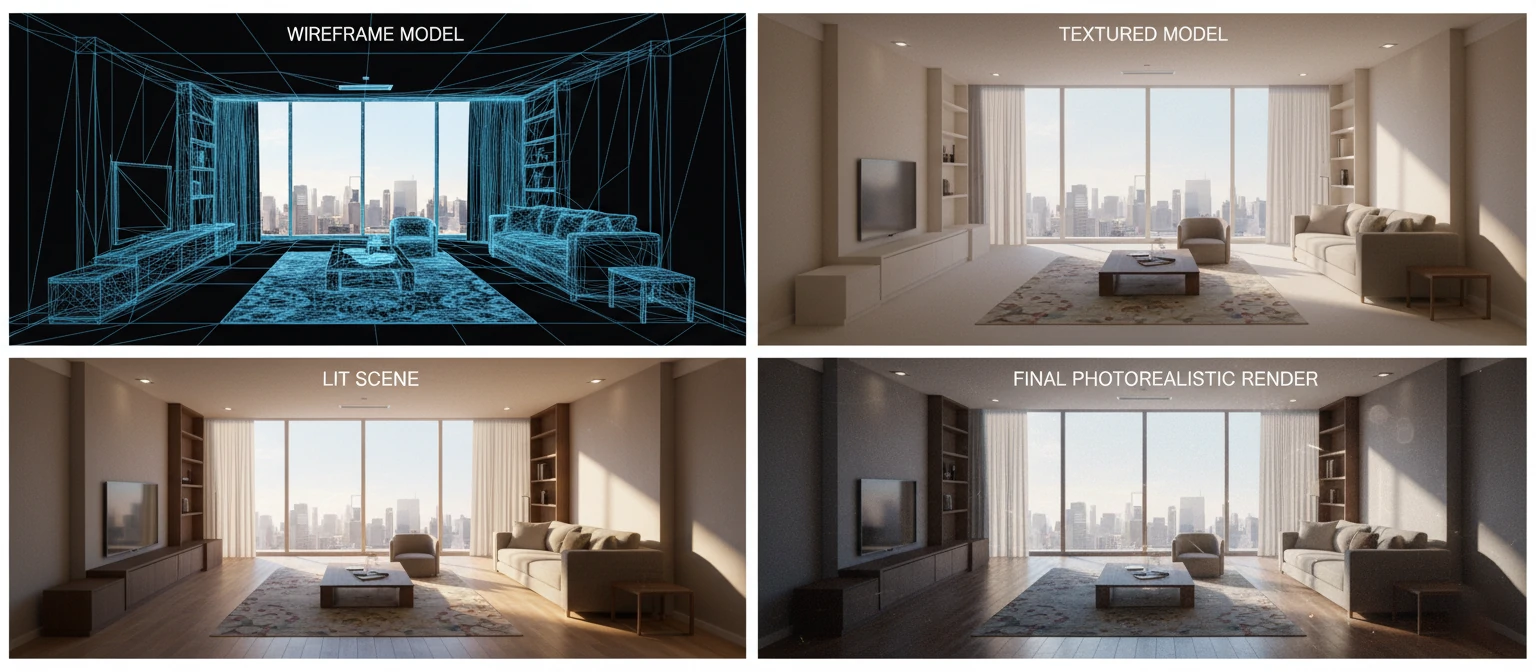
The rendering pipeline involves several distinct stages. Artists first create 3D models—digital sculptures built from polygons, curves, or mathematical surfaces. These models then receive materials and textures that define how surfaces appear (wood grain, brushed metal, woven fabric). Lighting is designed to illuminate scenes appropriately. Finally, rendering engines calculate pixel values based on how light interacts with all these elements.
What makes modern rendering remarkable is the physics simulation involved. Advanced rendering algorithms trace millions of individual light rays through scenes, calculating reflections, refractions, shadows, ambient occlusion, global illumination, and subtle phenomena like subsurface scattering (how light penetrates translucent materials like skin or marble). This physical accuracy is why contemporary renders achieve such convincing realism.
Modeling
Building 3D geometry from scratch or reference
Texturing
Applying surface materials and details
Lighting
Creating atmosphere and visual mood
Rendering
Computing final pixel values
The Quality Spectrum
Not all rendering is created equal. Quality exists on a spectrum from basic visualization (showing general form and layout) through presentation-quality imagery (polished enough for client meetings) to photorealistic marketing renders (indistinguishable from photography). Understanding where your needs fall on this spectrum helps you communicate with providers and budget appropriately. Higher quality requires more skilled artists, longer production times, and consequently higher costs.
Types of 3D Rendering Services
The term "3D rendering services" encompasses diverse offerings suited to different objectives, budgets, and use cases. Understanding these categories helps you identify what you actually need and communicate requirements clearly to providers.
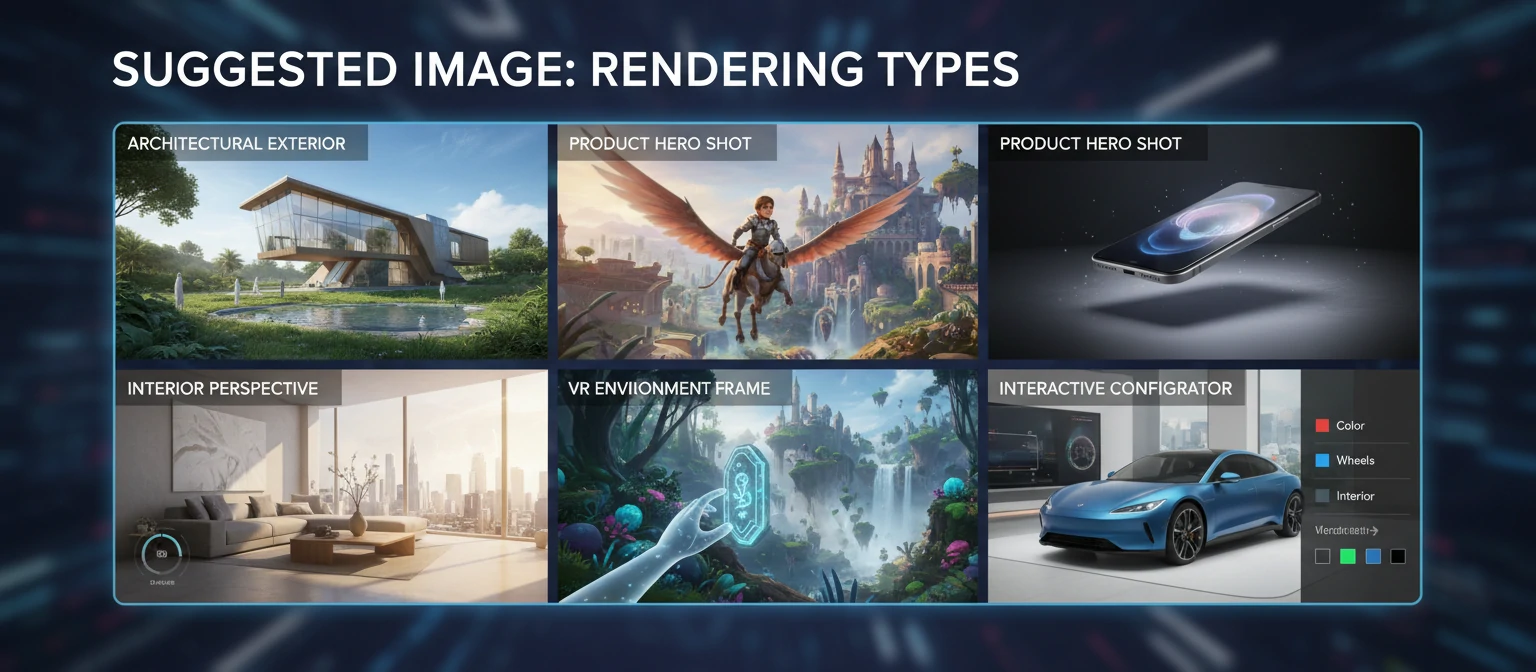
Still Image Rendering
Single photorealistic images for marketing, presentations, and documentation. The most common service type, ranging from simple product shots to complex environmental scenes with dozens of elements.
Price Range: $200 - $15,000+ per image
3D Animation
Moving image sequences showing products in action, architectural walkthroughs, or explanatory content. Requires rendering 24-60 frames per second, dramatically increasing production complexity and cost.
Price Range: $5,000 - $100,000+ per minute
360° Panoramas
Spherical renders allowing users to look in any direction. Used for virtual tours, website embeds, and VR headset viewing. Particularly popular for real estate and hospitality applications.
Price Range: $500 - $3,000 per panorama
Virtual Reality
Fully immersive experiences where users can move through and interact with 3D environments. Requires real-time rendering technology and specialized development beyond standard visualization.
Price Range: $10,000 - $200,000+
Interactive Configurators
Real-time applications letting users customize products—changing colors, materials, options—and see results instantly. Popular for automotive, furniture, and fashion applications.
Price Range: $15,000 - $300,000+
Augmented Reality
Overlaying 3D content onto real-world views through smartphones or AR glasses. Enables "try before you buy" experiences—seeing furniture in your room or products on your body.
Price Range: $5,000 - $100,000+
Most projects combine multiple service types. A real estate development might need hero still images for billboards, animation for their website, 360° panoramas for virtual tours, and VR experiences for sales centers. Providers who offer comprehensive services can maintain consistency across deliverables while potentially offering package pricing.
Industries Leveraging Visualization
3D rendering has moved far beyond its origins in architecture and entertainment. Today, virtually every industry that creates physical objects or spaces uses visualization technology in some capacity. The applications continue expanding as quality improves and costs decrease.
Architecture and Real Estate
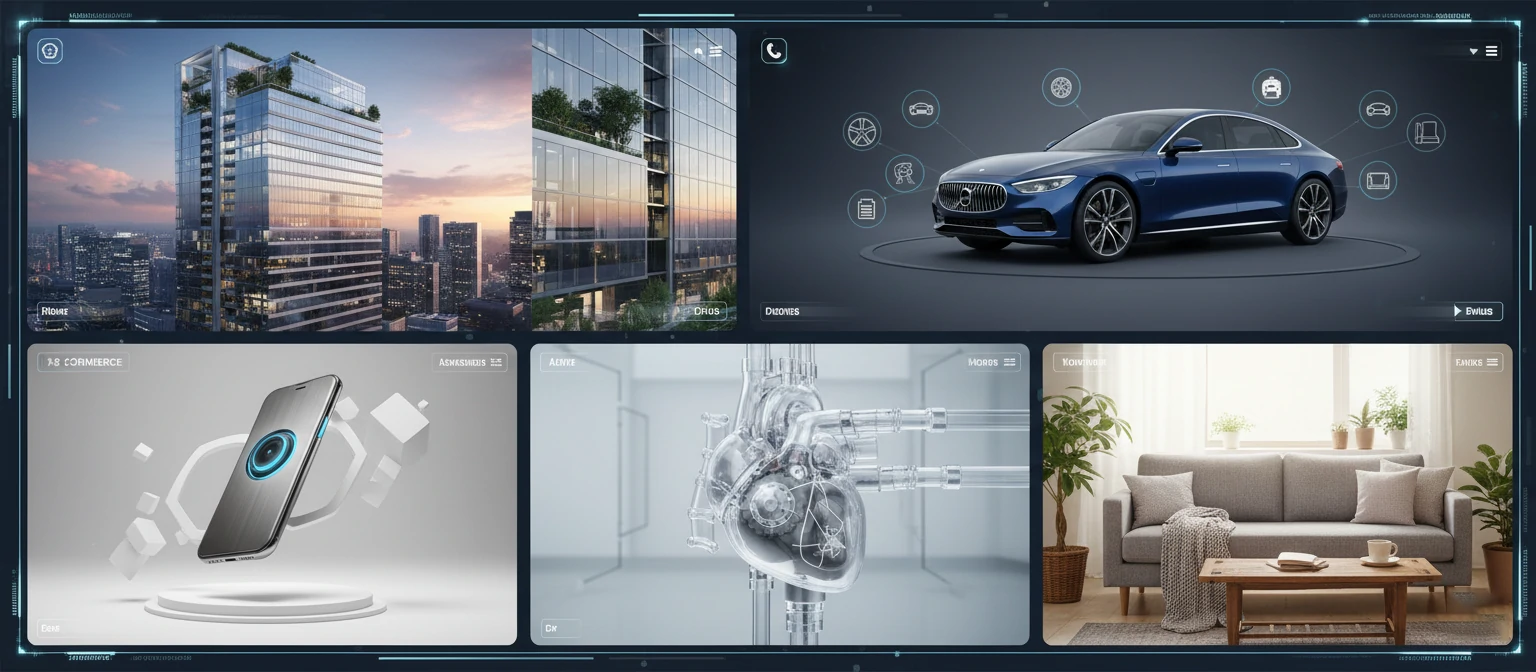
The largest market segment. Architectural visualization helps firms win competitions, developers pre-sell properties, and clients understand proposed designs before construction begins. From single-family homes to urban masterplans, rendering has become essential to architectural practice and real estate marketing.
E-Commerce and Product Marketing
Product visualization is revolutionizing e-commerce. Companies can create perfect product imagery without physical photography setups. Infinite variations (colors, configurations, contexts) become possible. Major retailers report that 3D content increases conversion rates by 40% or more compared to traditional photography.
| Industry | Primary Applications | Key Benefits |
|---|---|---|
| Architecture | Competitions, client presentations, marketing | Visualize unbuilt designs, win projects |
| Real Estate | Pre-sales, virtual tours, brochures | Sell before construction, reduce risk |
| Furniture | Catalogs, e-commerce, AR apps | Infinite configurations, no photography costs |
| Automotive | Configurators, advertising, design review | Show all variations, prototype virtually |
| Medical Devices | Training, sales, regulatory submissions | Show impossible views, explain mechanisms |
| Consumer Electronics | Launch campaigns, e-commerce, packaging | Perfect imagery before production |
Medical and Scientific Visualization
Medical device companies use rendering to visualize products that can't be traditionally photographed in use. Pharmaceutical companies illustrate drug mechanisms. Scientific publishers commission visualizations of molecular structures, biological processes, and astronomical phenomena. Accuracy combines with clarity in this demanding application.
Entertainment and Media
Film, television, and gaming remain major rendering consumers. Visual effects create impossible worlds, extinct creatures, and fantastic environments. Game developers build interactive universes. Advertising agencies produce commercials featuring products, characters, and scenarios that would be impractical or impossible to film.
Technology Powering Modern Rendering
Understanding the technology landscape helps you appreciate capabilities, limitations, and why certain requests cost more than others. You don't need deep technical knowledge, but familiarity with key concepts improves conversations with providers and helps set realistic expectations.
Rendering Engines
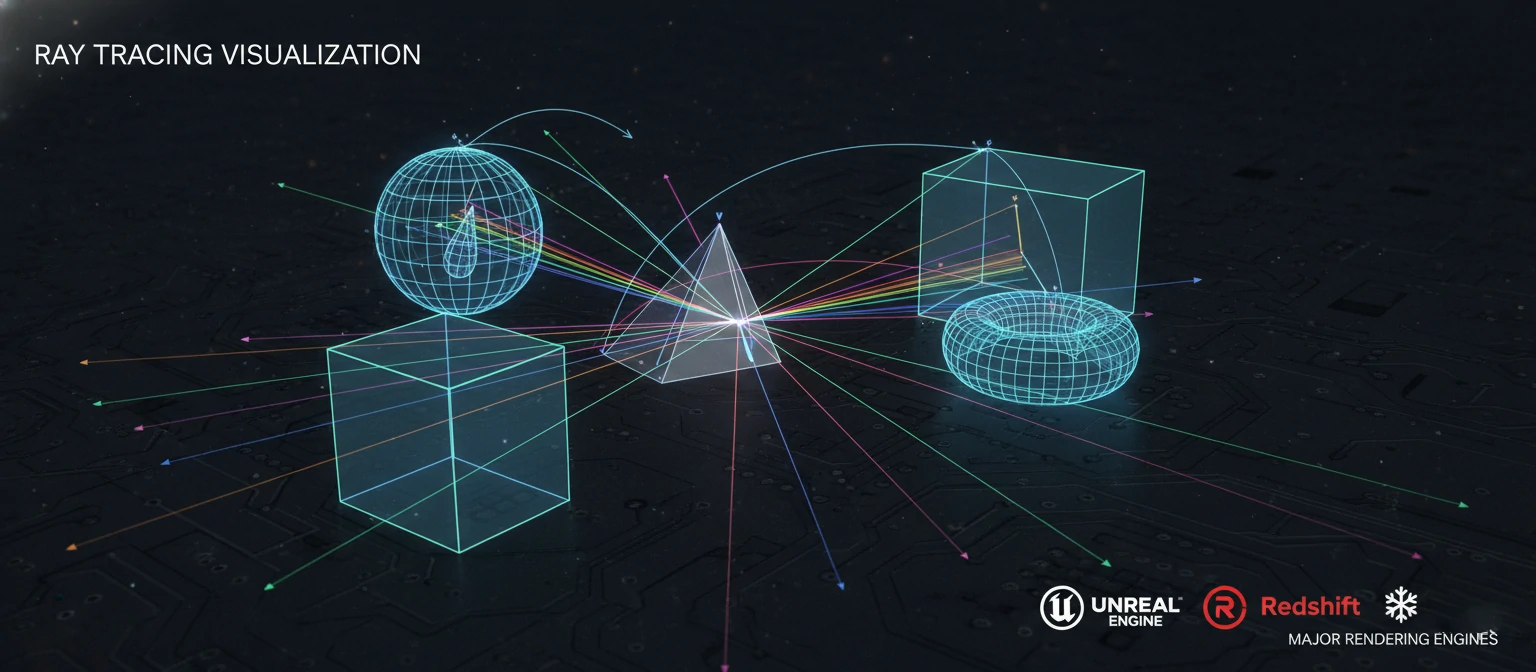
Rendering engines are the software calculating final images. Major players include V-Ray (industry standard for architecture), Corona (known for ease of use and natural lighting), Arnold (film industry preferred), Octane (GPU-based speed), and Redshift (optimized for motion graphics). Each has strengths—experienced studios choose appropriately for each project type.
CPU Rendering
- Uses processor cores for calculation
- Handles complex scenes reliably
- Unlimited memory access
- Slower but more flexible
GPU Rendering
- Uses graphics card power
- Much faster for many scenes
- Real-time preview capability
- VRAM limits scene complexity
Ray Tracing Explained
Ray tracing simulates light physics by tracing individual light rays through scenes. The algorithm calculates what happens when rays hit surfaces—bouncing for reflections, bending for refractions, scattering for diffuse illumination. This physical accuracy produces realistic shadows, reflections, and global illumination but requires significant computational resources.
Real-Time vs. Pre-Rendered
Traditional rendering calculates images offline—minutes to hours per frame. Real-time engines (Unreal Engine, Unity) render fast enough for interactive experiences—30-60 frames per second. Quality has converged dramatically; real-time now approaches pre-rendered quality for many applications, enabling new interactive possibilities.
Cloud Rendering
Cloud render farms distribute work across thousands of computers simultaneously. A job that would take days on local hardware completes in hours or minutes. This infrastructure democratizes access to massive compute power—studios of any size can access virtually unlimited rendering capacity on demand.
The Rendering Workflow Explained
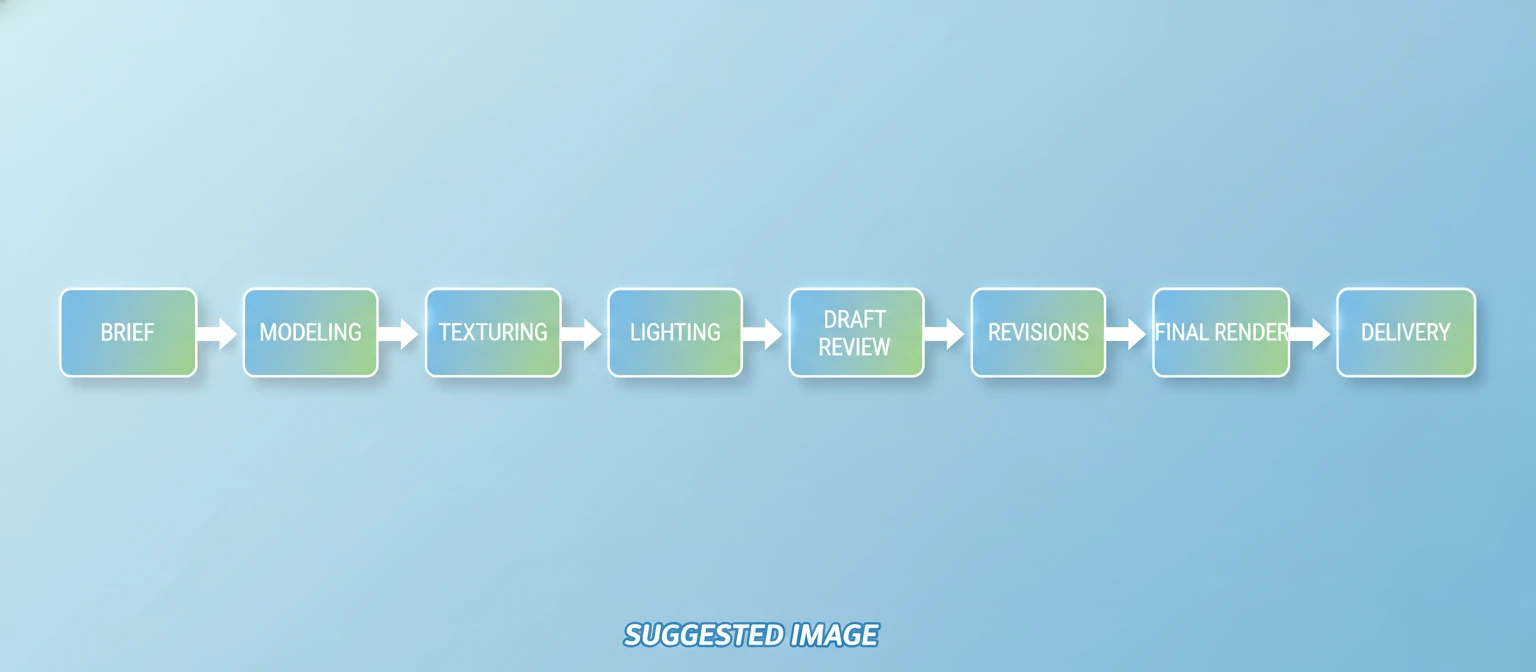
Understanding typical production workflows helps you prepare appropriate materials, participate effectively in reviews, and set realistic timeline expectations. While processes vary between providers, most follow similar patterns from brief to delivery.
Project Brief & Asset Collection
You provide reference materials: CAD files, architectural drawings, product specifications, brand guidelines, mood references. The more complete and organized your inputs, the faster production proceeds and the more accurately results match expectations.
3D Modeling & Scene Setup
Artists build or refine 3D models, construct scenes, and set up cameras. For architecture, this might involve importing BIM data and adding environmental detail. For products, it could mean modeling from scratch using reference photos.
Materials & Lighting
Surface materials are created—defining how every surface looks and behaves. Lighting is designed to illuminate scenes appropriately, establishing mood and directing visual attention. This stage has enormous aesthetic impact.
Draft Renders & Review
Initial renders are shared for feedback—typically at reduced resolution but showing overall direction. This is your opportunity to request changes while they're still inexpensive. Thorough review at this stage prevents costly late revisions.
Final Rendering & Delivery
Approved scenes are rendered at full resolution—a computationally intensive process. Post-production adds final polish: color grading, compositing, retouching. Final files are delivered in specified formats.
Timeline depends on project complexity. Simple product renders might complete in a week. Complex architectural visualizations often require three to six weeks. Animation projects span months. The biggest variable is often feedback timing—projects stall when client approvals take weeks instead of days.
Pricing Structures and Budgeting
Rendering pricing confuses many clients because costs vary dramatically. Understanding what drives pricing helps you budget realistically, compare quotes fairly, and identify potential red flags in proposals.
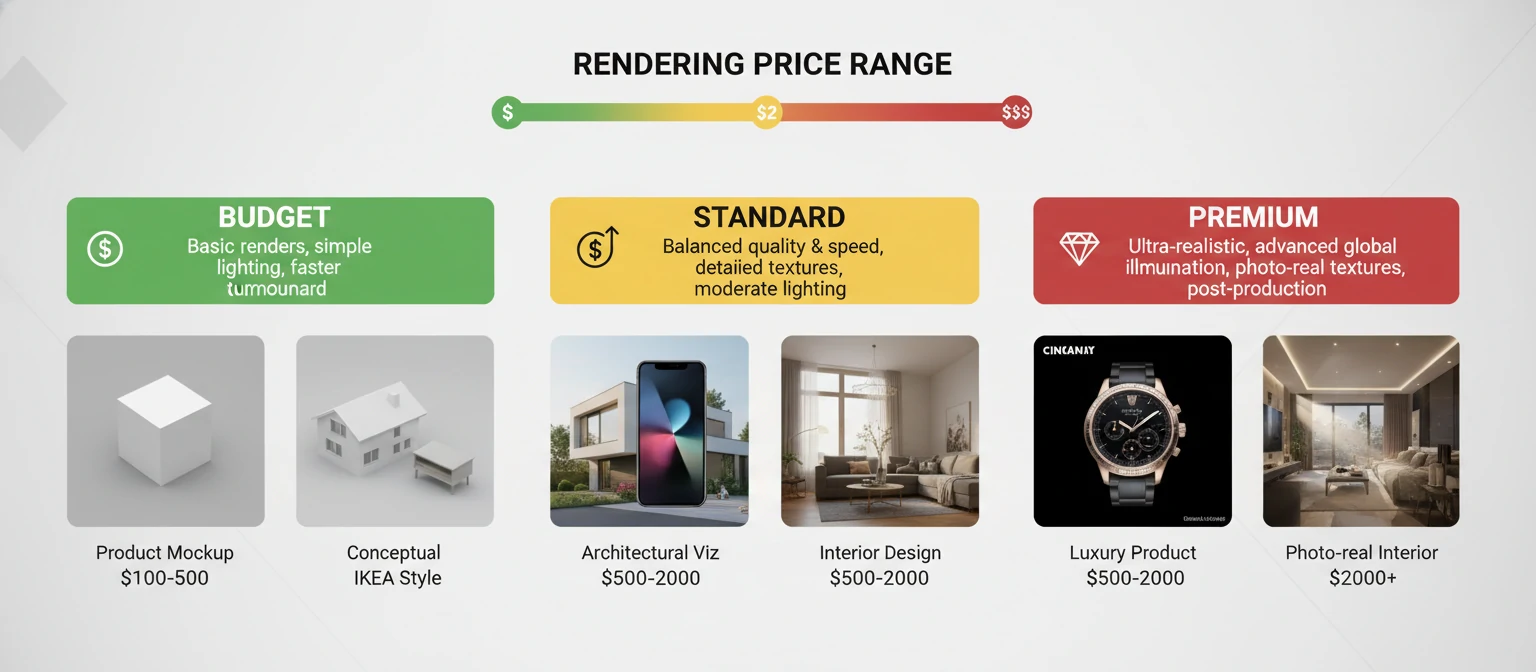
| Service Type | Budget Tier | Standard Tier | Premium Tier |
|---|---|---|---|
| Product Render (Simple) | $150 - $400 | $400 - $1,000 | $1,000 - $3,000 |
| Exterior Architecture | $500 - $1,500 | $1,500 - $4,000 | $4,000 - $15,000+ |
| Interior Visualization | $800 - $2,000 | $2,000 - $5,000 | $5,000 - $12,000+ |
| Animation (per minute) | $3,000 - $8,000 | $8,000 - $25,000 | $25,000 - $100,000+ |
| VR Experience | $8,000 - $20,000 | $20,000 - $60,000 | $60,000 - $200,000+ |
What Drives Cost Variation?
Scene Complexity
More objects, detailed geometry, and environmental elements require more modeling time and longer render durations.
Quality Level
Photorealistic imagery requires sophisticated lighting, materials, and post-production compared to conceptual visualizations.
Timeline Pressure
Rush projects command premiums of 25-100%. Planning ahead enables standard scheduling and pricing.
Provider Caliber
Top-tier studios with proven portfolios and experienced artists charge appropriately for their expertise.
When comparing quotes, ensure you're evaluating equivalent scope. A quote significantly below competitors likely covers less work—fewer revisions, lower resolution, less refined quality. Request detailed scope breakdowns to understand exactly what's included in each proposal.
Selecting the Right Provider
Choosing the right rendering partner significantly impacts both results and experience. The market includes diverse options—from individual freelancers to large international studios. Matching provider type to your needs and evaluating candidates systematically leads to successful partnerships.
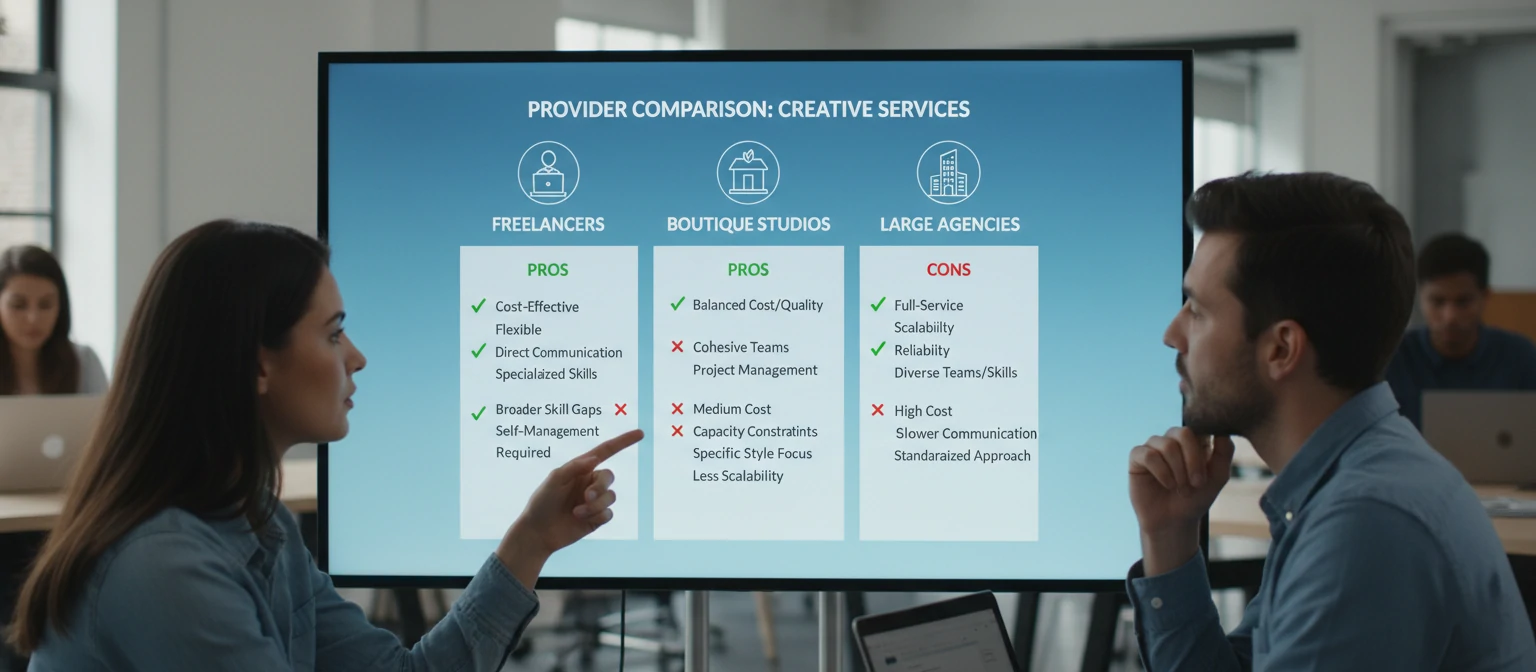
Evaluating Portfolios
Look beyond first impressions. Examine work at full resolution for quality indicators: natural lighting behavior, convincing materials, realistic scale, thoughtful composition. Assess consistency across the portfolio—any company can produce occasional excellent work. What matters is reliable baseline quality.
Relevance to Your Project
Prioritize providers with experience in your specific domain. Architectural specialists understand buildings differently than product visualization experts. Medical device rendering requires different sensibilities than fashion photography. Relevant experience accelerates production and improves results.
Provider Selection Checklist
Communication Assessment
How they communicate during the sales phase predicts how they'll communicate during production. Look for prompt responses, clear explanations, intelligent questions about your project, and genuine interest in understanding your needs. Technical skill matters little if communication breaks down.
Maximizing Your Investment
Finding a good rendering provider is just the beginning. How you collaborate determines actual outcomes. These practices consistently produce better results, smoother processes, and more value from your visualization investment.
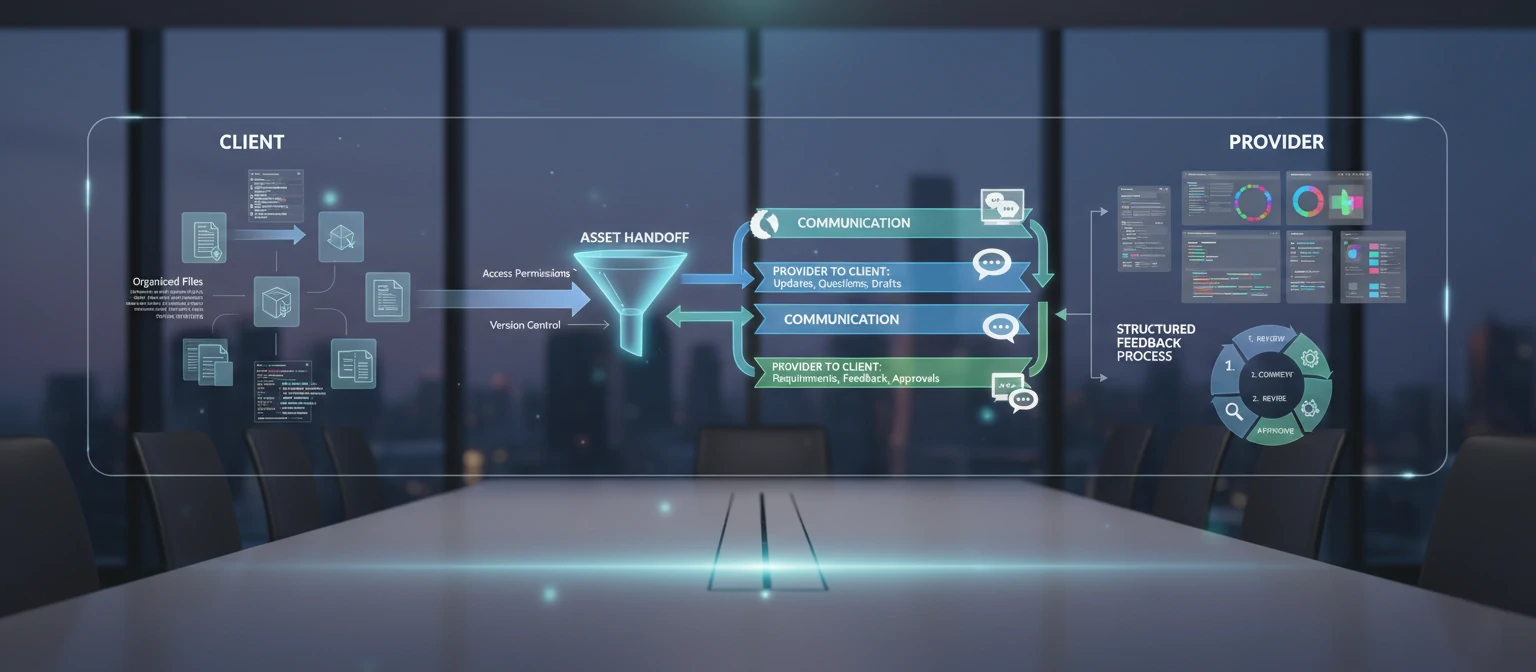
Prepare Comprehensive Briefs
Time invested in thorough project briefs pays dividends throughout production. Include not just technical materials but context: who's the audience? What decisions will these images support? What emotional response should they evoke? The better providers understand your goals, the better they can achieve them.
Organize Your Assets
Clean files, clear folder structures, and complete specifications accelerate production. Time artists spend deciphering messy data is time not spent creating beautiful imagery. Label files clearly, provide material specifications, include all relevant references.
Keys to Successful Collaboration
Clear Communication
Specific feedback with visual references when possible
Consolidated Feedback
Gather all stakeholder input before responding
Timely Responses
Quick approvals keep projects moving on schedule
Trust the Process
Allow experts to do their work without micromanaging
Consolidate Stakeholder Feedback
Nothing wastes revision rounds faster than fragmented or contradictory feedback from different team members. Collect input from all stakeholders before responding to drafts. Designate a single point of contact who synthesizes internal feedback into clear, unified direction.
Build long-term relationships with providers who deliver good results. They'll learn your preferences, anticipate your needs, and prioritize your work. The accumulated knowledge produces better results with less friction over time.
Emerging Trends and Future Outlook
The rendering industry evolves rapidly. Understanding current trends helps you make forward-looking decisions about visualization investments and partnerships. Several developments are reshaping what's possible and affordable.
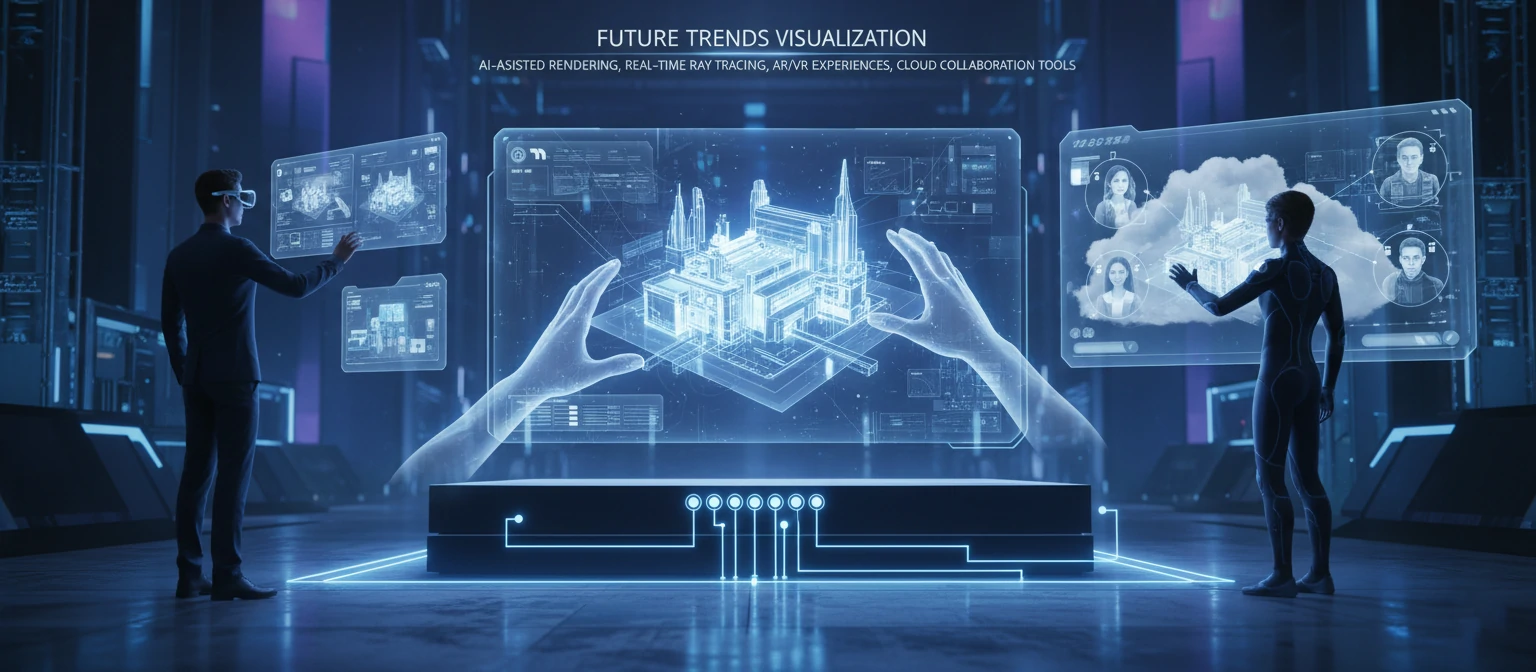
AI-Assisted Production
Artificial intelligence is transforming rendering workflows. AI denoisers clean renders in seconds rather than hours. AI upscaling increases resolution intelligently. AI-generated textures and environments accelerate scene creation. These tools augment rather than replace human artists, dramatically accelerating production while maintaining creative control.
Real-Time Quality Revolution
The gap between real-time and pre-rendered quality continues shrinking. Game engines now achieve results approaching traditional offline rendering at interactive frame rates. This enables new applications: live client reviews with real-time changes, interactive configurators with photorealistic quality, and seamless transitions between exploration and final output.
AI Integration
Machine learning accelerates production across every pipeline stage while enabling new creative possibilities.
Democratization
Professional-quality visualization becomes accessible to smaller organizations and individual creators.
Spatial Computing
AR and VR headsets create new contexts for experiencing rendered content in immersive ways.
Cloud Collaboration
Cloud-based tools enable real-time collaboration between geographically distributed teams. Clients can view and comment on renders in browsers. Artists can collaborate on shared scenes. Render processing scales elastically. These capabilities make working with global talent pools increasingly practical.
Getting Started: Practical Next Steps
Ready to commission 3D rendering services? Proper preparation maximizes results while minimizing frustration and unnecessary costs. Here's a practical roadmap for getting started with visualization projects.
Define Your Objectives
Before contacting providers, clarify what you're trying to achieve. What decisions will these images support? Who's the audience? Where will content be used? Understanding purpose guides every subsequent decision—from provider selection to style direction to budget allocation.
Gather Reference Materials
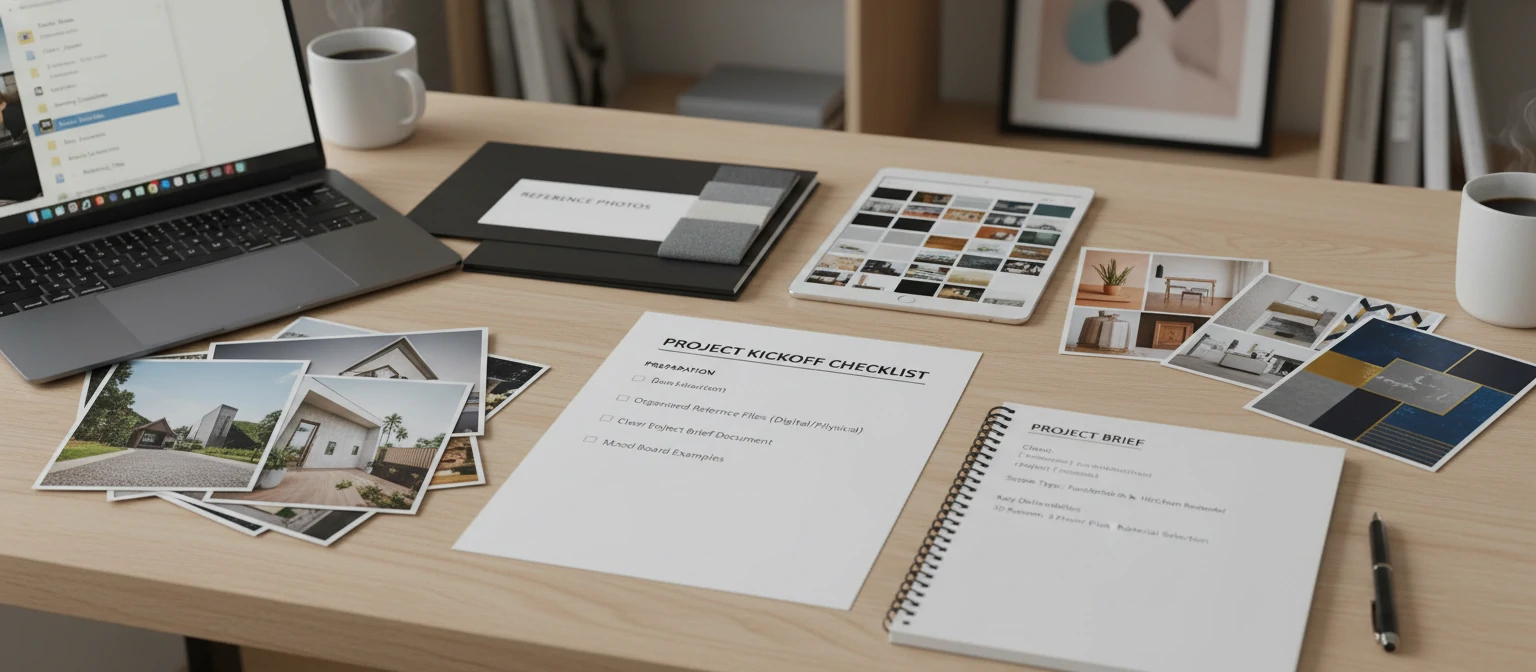
Collect everything providers will need: CAD files, architectural drawings, product specifications, brand guidelines, and reference images showing desired style. The more complete your package, the more accurate quotes and the smoother production.
Project Preparation Checklist
Request and Evaluate Proposals
Contact three to five providers with your brief. Quality providers will ask clarifying questions before quoting. Compare proposals on equivalent scope, not just price. Evaluate communication quality throughout the process.
Finally, approach your rendering partnership as a collaboration rather than a transaction. Share your goals openly, remain receptive to creative suggestions, and trust the process. The best results emerge when clients and providers work together toward shared objectives.
Frequently Asked Questions
How much do 3D rendering services typically cost?
Costs vary dramatically by type and quality. Simple product renders start around $200-500. Architectural exteriors range $500-15,000+. Interior renders run $800-12,000+. Animation costs $3,000-100,000+ per minute. Quality level, complexity, timeline, and provider tier all significantly impact pricing.
How long does a typical rendering project take?
Simple product renders can complete in one to two weeks. Architectural visualizations typically require two to six weeks. Animation projects span one to four months. Client feedback timing often determines actual duration more than production speed—plan for review cycles in your timeline.
What files should I provide to a rendering company?
Ideally provide 3D models (CAD, BIM, SketchUp, or similar), material specifications, and reference images for style direction. If 3D data isn't available, detailed technical drawings with dimensions help. Complete, organized inputs accelerate production and improve accuracy.
How many revisions are typically included?
Most providers include two to three revision rounds. Additional revisions typically cost extra. Use revisions strategically: consolidate stakeholder feedback, catch issues early when changes are inexpensive, and avoid scope creep. Clear initial briefs minimize the need for extensive revisions.
Can renders look as good as photographs?
Yes—high-quality renders from skilled providers are regularly mistaken for photographs. Modern rendering technology simulates light physics accurately enough to produce photorealistic results. Quality depends on artistic skill as much as technical capability. Premium providers achieve results indistinguishable from traditional photography.