Discover how AI-powered clipping tools are transforming content creation, saving hours of editing time, and helping creators produce professional videos effortlessly.
Table of contents
The video editing landscape has undergone a seismic shift in recent years, and at the center of this transformation stands a new breed of technology that’s changing everything we know about content creation. Clips AI, broadly referring to artificial intelligence-powered tools that automatically clip, trim, and edit video content, has emerged as one of the most exciting and practical applications of machine learning in the creative industry.
If you’ve ever spent hours scrubbing through footage to find the perfect moments, manually cutting out silent pauses, or struggling to identify which segments of a long video would make the best short-form content, then you already understand the problem that Clips AI solves. These intelligent systems can analyze video content in ways that were impossible just a few years ago, identifying key moments, detecting speech patterns, recognizing emotions, and making editing decisions that previously required skilled human judgment.
What Exactly Is Clips AI?
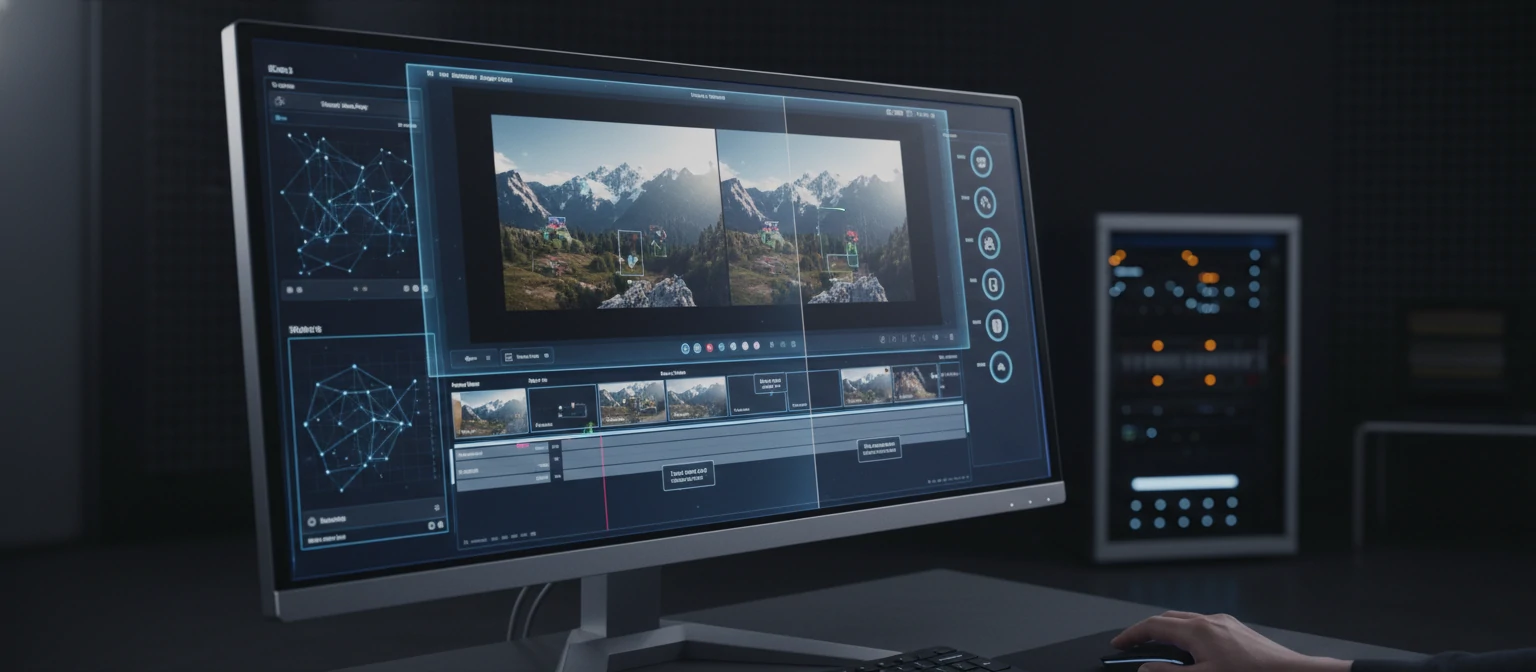
Clips AI encompasses a range of artificial intelligence technologies designed to automate and enhance the video clipping process. At its core, these tools use machine learning algorithms trained on vast amounts of video data to understand what makes content engaging, where natural cut points occur, and how to extract the most compelling segments from longer footage.
The technology draws from multiple AI disciplines. Natural language processing enables these systems to understand spoken content, transcribe it accurately, and identify key topics or statements worth highlighting. Computer vision allows the AI to recognize faces, detect scene changes, analyze visual composition, and identify moments of action or emotional significance. Machine learning models trained on engagement data help predict which clips are most likely to resonate with audiences.
Unlike traditional video editing software that provides tools for manual editing, Clips AI takes an active role in the creative process. You provide the raw footage, and the AI suggests or automatically creates clips based on your parameters. Some systems go even further, adding captions, transitions, and even music to create ready-to-publish content with minimal human intervention.
🧠 Core AI Technologies Behind Clips AI
Transcribes speech, understands context, identifies key quotes, and detects topic changes for intelligent content segmentation.
Detects faces, tracks movement, identifies scene changes, and analyzes visual composition for optimal framing.
Machine learning models trained on viral content to predict which moments will capture audience attention.
Analyzes facial expressions and vocal tones to identify emotional peaks and reactions worth highlighting.
The Evolution of AI in Video Editing
To truly appreciate where Clips AI stands today, it helps to understand how we got here. The journey from completely manual video editing to AI-assisted creation has been gradual but accelerating. Early attempts at automated editing were primitive, often relying on simple rules like detecting silence or sudden volume changes to suggest cut points.
The real breakthrough came with advances in deep learning around 2020. Suddenly, neural networks could be trained to recognize complex patterns in video content that previously required human perception. Companies began developing AI systems that could understand not just the technical aspects of video, like scene changes and audio levels, but also the semantic content, what was actually happening in the footage and why it might be interesting.
By 2024, Clips AI tools had become sophisticated enough to handle tasks that seemed impossible just years earlier. They could watch a two-hour podcast and identify the five most engaging moments. They could analyze a gaming stream and automatically clip the highlights. They could take raw interview footage and create polished, captioned clips ready for social media. And in 2026, these capabilities have only become more refined, more accessible, and more powerful.
📈 The Rise of Clips AI Technology
Deep Learning Breakthrough
Neural networks become capable of understanding video content semantically.
First Consumer AI Clipping Tools
Accessible AI editing tools begin reaching mainstream content creators.
Multimodal AI Integration
AI combines visual, audio, and text analysis for comprehensive understanding.
Real-Time AI Editing
Live streaming and instant clip generation become standard features.
Top Clips AI Tools in 2026
The market for AI-powered video clipping tools has exploded, with options ranging from simple mobile apps to sophisticated professional platforms. Understanding the strengths and use cases of each tool helps you choose the right solution for your specific needs. Let’s explore the leading platforms that are defining this space in 2026.
Opus Clip
Opus Clip has established itself as one of the most popular AI clipping solutions, particularly for repurposing long-form content into short-form videos. The platform excels at analyzing podcasts, interviews, and educational content to identify “golden moments” that would work well as standalone clips. Its AI considers multiple factors including speech patterns, topic relevance, and predicted engagement scores.
What sets Opus Clip apart is its virality scoring system. Each suggested clip receives a score predicting its potential engagement, helping creators prioritize which content to publish first. The platform also automatically generates captions, reframes video for vertical formats, and can even suggest optimal posting times based on your audience data.
Descript
Descript takes a unique approach by treating video editing like document editing. Upload your footage, and the AI transcribes everything. You can then edit the video by editing the text — deleting words or sentences from the transcript automatically removes them from the video. This paradigm shift makes video editing accessible to anyone who can use a word processor.
Beyond transcription-based editing, Descript’s AI can remove filler words automatically, generate realistic voice clones for corrections, and identify highlight moments worth clipping. The tool has become particularly popular among podcasters, educators, and anyone working with spoken content who wants the power of AI with fine-grained control over the output.
Runway ML
Runway has positioned itself at the cutting edge of AI video technology. While it offers clipping features, its real power lies in generative AI capabilities. Need to extend a clip? Runway’s AI can generate additional frames. Want to remove an object from your video? AI handles it seamlessly. The platform represents the next generation of what’s possible when machine learning meets creative tools.
For creators pushing creative boundaries, Runway offers features that feel almost magical. Its AI can change the style of your video, turning realistic footage into animation or applying artistic effects consistently across frames. While more complex than simple clipping tools, Runway demonstrates where the entire industry is heading.
Vidyo.ai
Vidyo.ai focuses specifically on converting long-form video into short-form content, making it a favorite among content creators managing multiple social media platforms. The AI analyzes your video, identifies engaging segments, and creates platform-optimized clips for TikTok, YouTube Shorts, Instagram Reels, and LinkedIn simultaneously.
What makes Vidyo.ai particularly useful is its understanding of platform-specific requirements. A clip optimized for TikTok differs from one designed for LinkedIn in pacing, captioning style, and content selection. The AI accounts for these differences, helping creators maintain a consistent presence across platforms without manually adapting each piece of content.
How Clips AI Actually Works
Understanding the technology behind Clips AI helps you use these tools more effectively and set realistic expectations for what they can achieve. While each platform has its proprietary approaches, the fundamental processes share common elements that are worth exploring.
The Ingestion Phase
When you upload a video to a Clips AI platform, the first step involves breaking down the content into analyzable components. The audio track is separated and processed through speech recognition models that transcribe every word while noting timestamps, speaker changes, and audio characteristics like volume and tone.
Simultaneously, computer vision models analyze the video frames. They identify faces, track their positions and expressions throughout the video, detect scene changes, and categorize visual content. This dual analysis creates a rich metadata layer that the AI uses for subsequent decision-making.
The Analysis Phase
With the raw data extracted, machine learning models begin the analysis. Natural language models examine the transcript for semantic meaning, identifying topics, key statements, questions, and answers. They look for patterns associated with engaging content, like surprising statements, emotional reveals, or clear explanations of complex concepts.
Engagement prediction models, trained on millions of videos and their performance metrics, evaluate each potential segment. They consider factors like pacing, topic relevance, emotional content, and visual interest. The result is a ranking of potential clips based on predicted performance, allowing the AI to suggest the most promising segments first.
🔄 The Clips AI Processing Pipeline
Practical Applications Across Industries
Clips AI isn’t just for social media influencers or YouTubers. The technology has found applications across diverse industries, each discovering unique ways to leverage automated video clipping for their specific needs.
Content Creators and Influencers
For individual content creators, Clips AI has become an indispensable productivity tool. A creator who previously spent hours finding and editing clips from their streams or long-form videos can now generate dozens of ready-to-post clips in minutes. This efficiency allows them to maintain active presences across multiple platforms without proportionally increasing their workload.
The democratization effect is significant. Smaller creators who couldn’t afford editing assistants now have access to AI tools that provide similar functionality. This has leveled the playing field somewhat, allowing talented creators to compete based on content quality rather than production resources.
Marketing and Brand Teams
Marketing departments have embraced Clips AI for repurposing webinars, product demos, and customer testimonials. A single one-hour webinar can yield dozens of clips perfect for social media promotion, email campaigns, and sales enablement. The AI’s ability to identify compelling moments helps marketing teams create content that resonates without requiring extensive manual review.
Brand consistency has also become easier to maintain. Many Clips AI tools allow teams to save presets for captioning styles, color treatments, and intro/outro sequences. This ensures that all automated clips maintain the brand’s visual identity while still benefiting from AI efficiency.
Education and Training
Educational institutions and corporate training departments use Clips AI to break down lengthy lectures and training sessions into digestible segments. A two-hour lecture becomes a library of focused clips, each addressing a specific concept. Students can review exactly the topics they need without scrubbing through hours of footage.
The technology also helps with accessibility. AI-generated transcripts and captions make content available to hearing-impaired learners, while automatic chapter generation helps all students navigate content more efficiently. Some platforms even suggest quiz questions based on the content, further enhancing the educational value.
Podcasters
Extract highlight clips from episodes for social promotion. AI identifies quotable moments and generates vertical clips with captions.
Streamers
Automatically clip gameplay highlights, funny moments, and clutch plays. AI detects action peaks and audience reactions.
News & Media
Quickly create clips from press conferences, interviews, and broadcasts. AI identifies newsworthy statements and sound bites.
Corporate
Transform town halls and training sessions into searchable clip libraries. AI organizes by topic and department relevance.

Getting the Best Results from Clips AI
While Clips AI tools are impressive, they’re not magic. The quality of output depends significantly on the quality of input and how you configure the AI to understand your needs. Here are strategies for maximizing the effectiveness of these tools.
Optimize Your Source Content
AI clipping tools perform best when working with clean source material. Good audio quality dramatically improves transcription accuracy, which in turn improves the AI’s ability to understand and segment your content. Investing in a decent microphone and recording in quiet environments pays dividends when using AI tools.
Visual consistency also matters. Clips AI systems using computer vision work better when there’s clear, well-lit footage with minimal visual noise. If your source video has frequent technical issues, the AI may struggle to identify optimal cut points or misinterpret visual content.
Guide the AI with Clear Parameters
Most Clips AI tools allow you to specify parameters that guide their selection process. Tell the AI what you’re looking for. Are you optimizing for TikTok where shorter, punchier clips work best? Or are you creating content for YouTube Shorts where slightly longer, more complete thoughts perform better? These specifications help the AI align its suggestions with your goals.
Some platforms let you provide keyword guidance. If your video covers multiple topics but you only want clips about a specific subject, providing relevant keywords helps the AI focus its search. Similarly, you can often exclude certain content types or topics that you know won’t be relevant to your audience.
✅ Best Practices for AI Clipping Success
- Record with AI in mind – Speak clearly, minimize background noise, ensure good lighting
- Start with quality source files – Higher resolution and bitrate give AI more data to work with
- Use descriptive titles – Many tools use file names to help understand content context
- Review and refine – AI suggestions are starting points, not final products
- Build a feedback loop – Note which AI clips perform best and adjust parameters accordingly
- Combine AI with human curation – Your creative judgment + AI efficiency = best results

The Limitations of Clips AI
For all their capabilities, Clips AI tools have real limitations that creators should understand. Maintaining realistic expectations helps you use these tools effectively while avoiding frustration when they fall short of perfect.
Context understanding remains a significant challenge. While AI can identify that someone is speaking passionately about a topic, it may not understand the nuances that make a statement controversial, ironic, or inappropriate for your audience. A clip that seems perfect to the AI might be completely wrong for your brand when considered in its full context.
Creative judgment is another area where AI struggles. The tools excel at identifying technically competent clips — moments with clear audio, good framing, and engaging content. But they may miss the subtle creative choices that give your content its unique voice. The slightly awkward moment that your audience finds endearing, or the quiet beat that builds tension, might get cut in favor of more obviously engaging content.
Originality is perhaps the biggest concern. AI tools are trained on existing successful content, which means they tend to suggest clips that fit established patterns. If you’re trying to innovate or establish a distinctive style, over-reliance on AI suggestions might push your content toward generic conventions.
⚠ Current AI Limitations to Consider
Context blindness: AI may not understand cultural references, inside jokes, or audience-specific nuances
Transcription errors: Accents, technical jargon, and overlapping speech can cause mistakes
Generic suggestions: AI tends toward safe, proven formats rather than innovative approaches
Brand sensitivity: May not recognize content that conflicts with your brand values
The Future of Clips AI
Looking ahead, the trajectory of Clips AI technology suggests even more transformative capabilities on the horizon. Several emerging trends point to where this technology is headed and how it will continue reshaping content creation.
Real-Time Processing
Current AI clipping tools typically work on recorded content, but the future points toward real-time analysis. Imagine a live stream where AI identifies highlight moments as they happen, automatically marking them for later export or even creating clips in real-time for instant sharing. Some platforms have begun experimenting with this capability, and it’s likely to become standard within the next few years.
Personalized AI Models
Generic AI models work well for general content, but the future lies in personalization. AI that learns your specific style, understands your audience’s preferences, and adapts its suggestions accordingly will produce far better results than one-size-fits-all approaches. Some platforms already offer learning features that improve suggestions over time based on which clips you select and how they perform.
Generative Enhancement
The line between clipping and generating is blurring. Advanced AI can now generate missing frames, extend clips, and even create B-roll footage to supplement your original content. As these generative capabilities improve, “clipping” may evolve into something more like “content expansion,” where AI doesn’t just find the best existing moments but helps create new ones that enhance your story.
🚀 What’s Coming Next
Emerging Clips AI capabilities on the horizon
Ethical Considerations
As with any powerful technology, Clips AI raises important ethical questions that responsible creators should consider. The ease of generating clips creates potential for misuse, from taking statements out of context to creating misleading content.
Authenticity is a core concern. When AI is making creative decisions about your content, are you still the authentic creator? Most creators resolve this by maintaining meaningful human involvement in the process — using AI as a tool rather than surrendering creative control entirely. Transparency with your audience about AI usage in your workflow also helps maintain trust.
Consider also the impact on employment. AI tools that automate editing work affect human editors, and the industry is still adapting to this shift. While AI creates new opportunities, it also displaces traditional roles. Being mindful of these dynamics and supporting ethical implementations of AI technology matters for the health of the creative industry.
Conclusion: Embracing the AI-Assisted Future
Clips AI represents one of the most practical and immediately useful applications of artificial intelligence for content creators. These tools have matured from experimental novelties into essential productivity enhancers that save hours of editing time while maintaining or even improving content quality.
The key to success with Clips AI lies in understanding both its capabilities and limitations. Use these tools to handle repetitive tasks, generate initial suggestions, and increase your output capacity. But maintain your creative vision, review AI suggestions critically, and never forget that you understand your audience better than any algorithm.
As we look to the future, the creators who thrive will be those who learn to work alongside AI effectively. Not replacing their creativity with automation, but amplifying it. Clips AI is not about letting machines make your content; it’s about freeing you to focus on what humans do best while AI handles the mechanical aspects of production. Embrace these tools thoughtfully, and they’ll help you create more, reach wider audiences, and spend more time on the creative work that matters most.
Ready to Transform Your Content Workflow?
Start exploring Clips AI tools today and discover how artificial intelligence can amplify your creative potential while saving you hours of editing time.