Your complete guide to accessing professional photo editing tools legally and safely
📋 Understanding Adobe Photoshop Free Access
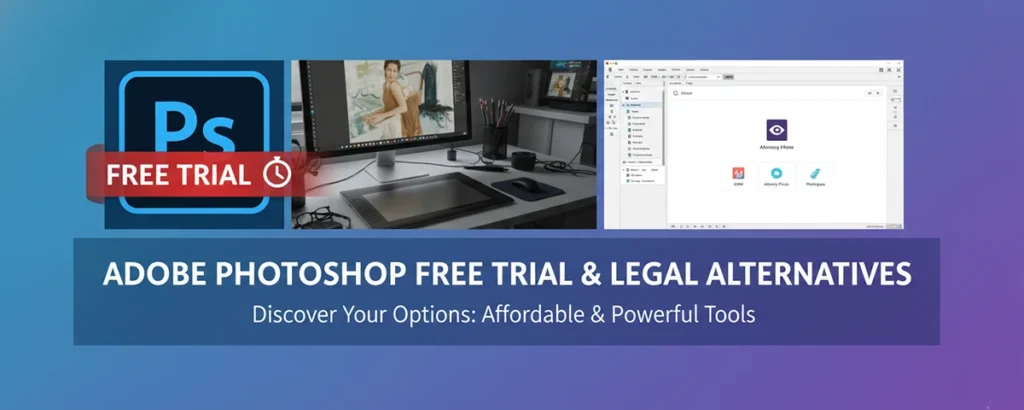
Adobe Photoshop is the industry-standard photo editing software used by professionals worldwide. While it's a premium product, Adobe offers several legitimate ways to access Photoshop for free or at reduced cost.
✅ What You'll Learn in This Guide
- How to get Adobe Photoshop's official 7-day free trial
- Student and teacher discounts (up to 60% off)
- Best free alternatives that rival Photoshop's capabilities
- Legal considerations and why to avoid pirated software
🚀 Getting Started with Adobe Photoshop Free Trial
Adobe's Official 7-Day Free Trial
Adobe offers a completely free 7-day trial of Photoshop with full functionality. Here's how to get it:
- Visit Adobe's official website (adobe.com)
- Navigate to "Products" → "Photoshop"
- Click "Start free trial"
- Create an Adobe ID (free account)
- Choose your plan (you can cancel before trial ends)
- Download and install Photoshop
- Start creating immediately with full access!
💡 Pro Tips for Your Free Trial
- Set a reminder: Mark your calendar 2 days before trial expires
- Explore tutorials: Adobe provides free learning resources
- Save your work: Export projects in common formats before trial ends
- Test key features: Focus on tools you'll use most
🎓 Student & Teacher Discounts
Students and educators can get up to 60% off Adobe Creative Cloud:
- Verify your student/teacher status on Adobe's education page
- Provide school email address or enrollment documentation
- Get access to full Creative Cloud suite for $19.99/month
- Includes Photoshop, Illustrator, InDesign, and more
🆓 Best Free Alternatives to Adobe Photoshop
If you need long-term free access to photo editing tools, these alternatives offer powerful features without the cost:
🖼️ GIMP
GNU Image Manipulation Program - closest free alternative to Photoshop with advanced features
Learn More🎨 Canva
User-friendly design tool perfect for social media graphics and basic photo editing
Learn More| Software | Price | Platform | Best For | PSD Support |
|---|---|---|---|---|
| Adobe Photoshop | $20.99/month | Windows, Mac | Professional editing | ✅ Native |
| GIMP | Free | Windows, Mac, Linux | Advanced editing | ✅ Yes |
| Photopea | Free (ads) | Web browser | Quick edits | ✅ Yes |
| Canva | Free/Premium | Web, mobile | Design templates | ❌ No |
| Paint.NET | Free | Windows only | Basic-intermediate | ⚠️ Limited |
⚡ Optimizing Your Photo Editing Experience
For Adobe Photoshop Trial Users:
- Learn keyboard shortcuts: Speed up your workflow significantly
- Use adjustment layers: Non-destructive editing preserves original image
- Organize with folders: Keep complex projects manageable
- Save incrementally: Use "Save As" to create version backups
For Free Alternative Users:
✅ Advantages
- No monthly subscription costs
- Often lighter on system resources
- Strong community support
- Regular updates and improvements
- No licensing restrictions
⚠️ Considerations
- Learning curve may differ from Photoshop
- Some advanced features may be missing
- Professional workflows might need adjustment
- File compatibility varies
- Less third-party plugin support
🔧 Common Challenges and Solutions
Challenge 1: "Free trial expired, what now?"
Solutions:
- Switch to a free alternative like GIMP or Photopea
- Consider Adobe's Photography Plan ($9.99/month for Photoshop + Lightroom)
- Look into student discounts if eligible
- Use Adobe Express for basic editing needs (free tier available)
Challenge 2: "Free alternatives feel too different"
Solutions:
- Try Photopea first - it has the most similar interface to Photoshop
- Watch YouTube tutorials specific to your chosen alternative
- Start with basic edits and gradually learn advanced features
- Join online communities for tips and support
Challenge 3: "Can't open PSD files"
Solutions:
- Use GIMP or Photopea - both support PSD files well
- Convert PSD to PNG/JPG in Photoshop trial before it expires
- Ask colleagues to export in universal formats
- Use online PSD viewers for quick previews
🎯 Ready to Start Your Photo Editing Journey?
Whether you choose Adobe Photoshop's free trial or explore powerful free alternatives, you now have all the information needed to make an informed decision.
💡 Next Steps: Bookmark this guide, try the free trial, and explore alternatives to find what works best for your needs and budget.