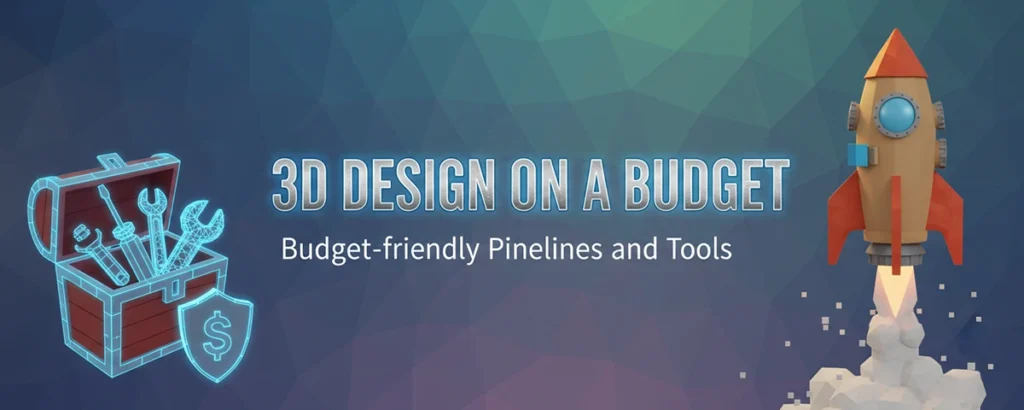
A Comprehensive 2026 Guide to Professional 3D Creation Without Breaking the Bank
Table of contents
- The Importance of Cost-Effective 3D Design
- Core Components of a Budget-Friendly 3D Design Pipeline
- Budget-Friendly Pipelines for Various 3D Design Applications
- Cost-Effective Strategies from Industry Experts
- Advanced Budget-Friendly Techniques
- Building a Sustainable Budget-Friendly Business
- Future-Proofing Your Budget-Friendly Pipeline
- Common Pitfalls and How to Avoid Them
- Conclusion: The Budget-Friendly 3D Revolution
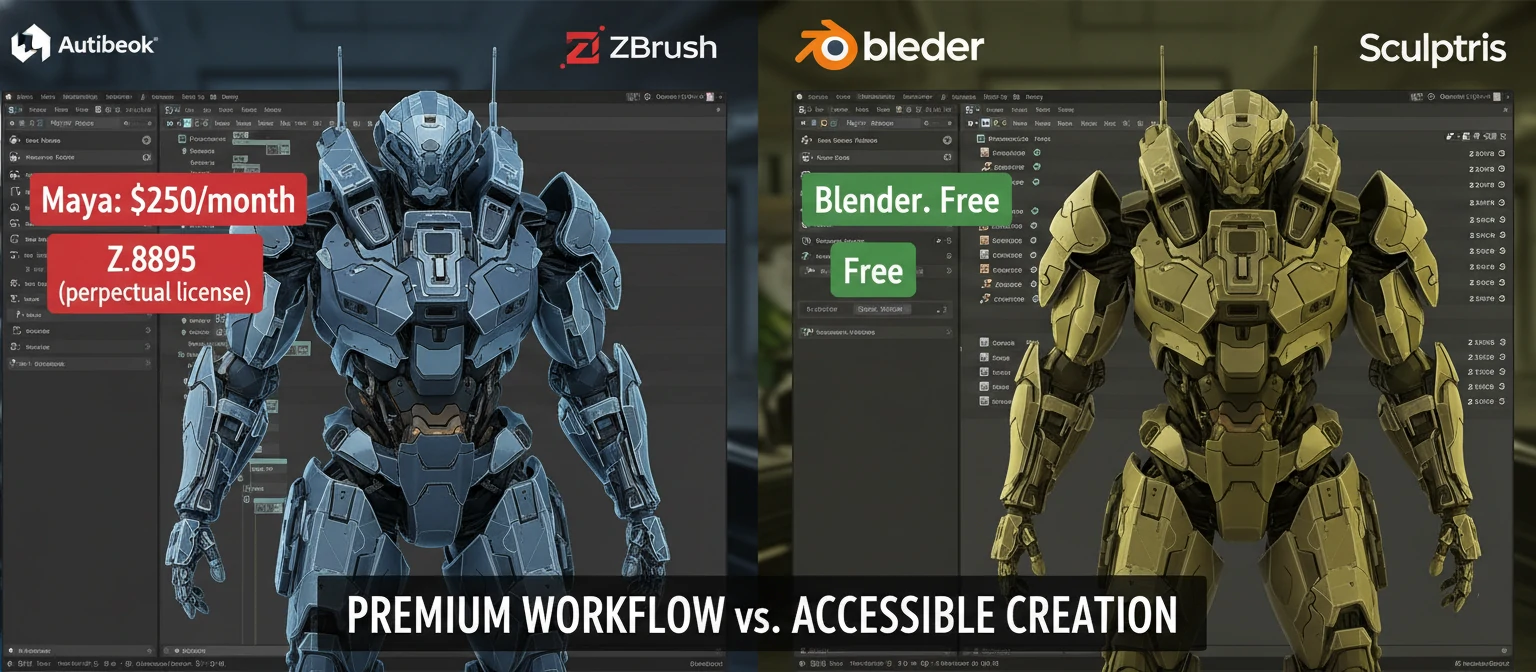
In today's digital age, 3D design has become an essential element across various industries such as architecture, product development, entertainment, and GIS visualization. However, the cost of high-end 3D rendering tools and pipelines often deters small studios and freelancers from fully realizing their creative visions. This comprehensive guide explores affordable strategies, budget-friendly pipelines, and accessible tools for creating stunning 3D visualizations without breaking the bank.
The Importance of Cost-Effective 3D Design
3D design encompasses a broad spectrum of work including 3D modeling, texturing, lighting in 3D, 3D rendering (including photorealistic rendering), 3D animation, and VR/AR rendering. These processes demand robust software and hardware resources. Cost-effective solutions enable 3D artists for hire, startups, and small firms to deliver quality output without exceeding budget constraints.
Industry Reality Check: The average cost of professional 3D software licenses can range from $1,500 to $7,000 per year per seat. For a small studio with 3-5 artists, this translates to $4,500-$35,000 annually just for software—before considering hardware, training, and rendering costs.
The democratization of 3D tools has created unprecedented opportunities for independent creators and small studios. What once required six-figure investments in software and hardware can now be achieved with free or low-cost alternatives that rival their expensive counterparts in capability and output quality.
Core Components of a Budget-Friendly 3D Design Pipeline
1. Selecting Affordable 3D Design Software
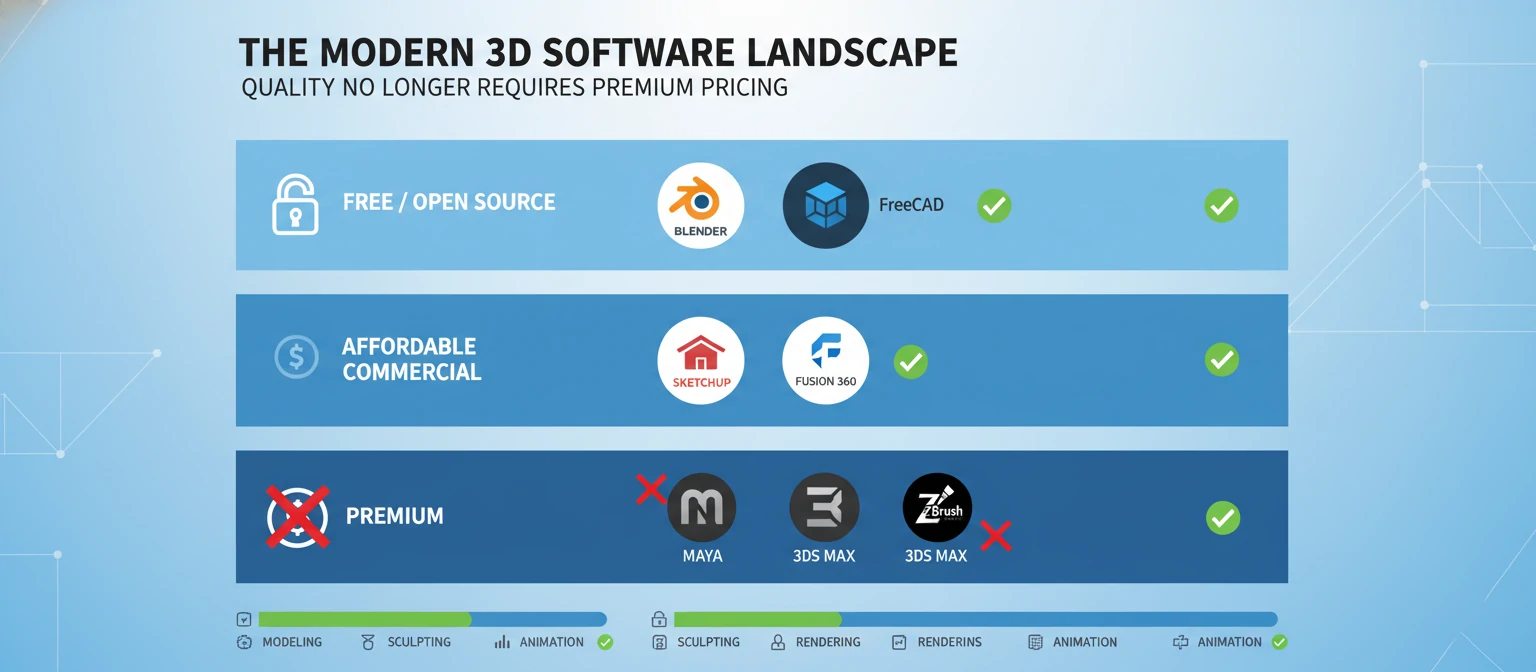
The foundation of cost-effective 3D design lies in choosing suitable software. The landscape has evolved dramatically, with powerful free and open-source tools now competing directly with commercial solutions.
Free and Open Source Tools
An all-in-one 3D creation suite supporting 3D modeling, texturing, lighting, rendering, and animation. Blender has evolved from a niche open-source project to an industry-standard tool used by major studios including Ubisoft, Epic Games, and even NASA.
Key Features:
- Cycles render engine for photorealistic ray tracing
- Eevee real-time rendering engine
- Comprehensive sculpting tools rivaling ZBrush
- Built-in video editing and compositing
- Active community with thousands of free tutorials
- Python scripting for automation and custom tools
Best For: General 3D work, animation, VFX, game asset creation, architectural visualization
Ideal for CAD to render workflows in architecture and engineering. FreeCAD is a parametric 3D modeler designed for creating real-world objects of any size, from mechanical parts to buildings.
Key Features:
- Parametric modeling with full edit history
- Modular architecture with specialized workbenches
- Technical drawing creation
- BIM (Building Information Modeling) support
- Robot simulation capabilities
Best For: Mechanical design, architectural projects, product design, engineering visualization
For mesh processing and editing. MeshLab excels at cleaning, repairing, and optimizing 3D scans and complex meshes.
Key Features:
- Advanced mesh cleaning and repair tools
- Decimation and remeshing algorithms
- Point cloud processing
- Texture mapping and UV unwrapping
- Measurement and analysis tools
Best For: 3D scanning workflows, mesh optimization, archaeological reconstruction, heritage preservation
Affordable Commercial Software
User-friendly and cost-effective for architectural visualization. SketchUp's intuitive interface makes it accessible to beginners while remaining powerful enough for professional work.
Key Features:
- Intuitive push-pull modeling interface
- Extensive 3D Warehouse with free models
- LayOut for professional documentation (Pro)
- Extension ecosystem for specialized tasks
- Direct integration with rendering engines
Best For: Architectural visualization, interior design, landscape architecture, quick conceptual modeling
Offers free options for hobbyists and startups. Fusion 360 combines CAD, CAM, and CAE in a single cloud-based platform.
Key Features:
- Parametric and direct modeling
- Integrated CAM for manufacturing
- Simulation and stress analysis
- Cloud collaboration features
- Generative design capabilities
Best For: Product design, mechanical engineering, prototyping, manufacturing workflows
Cost-efficient options for photorealistic rendering with high-end features like ray tracing. V-Ray has been an industry standard for architectural visualization for over two decades.
Key Features:
- Industry-leading photorealistic rendering
- Advanced material system with PBR support
- Distributed rendering across multiple machines
- Interactive rendering for real-time feedback
- Extensive material and lighting libraries
Best For: High-end architectural visualization, product rendering, professional presentations
2. Leveraging Cloud and Scalable 3D Rendering Services
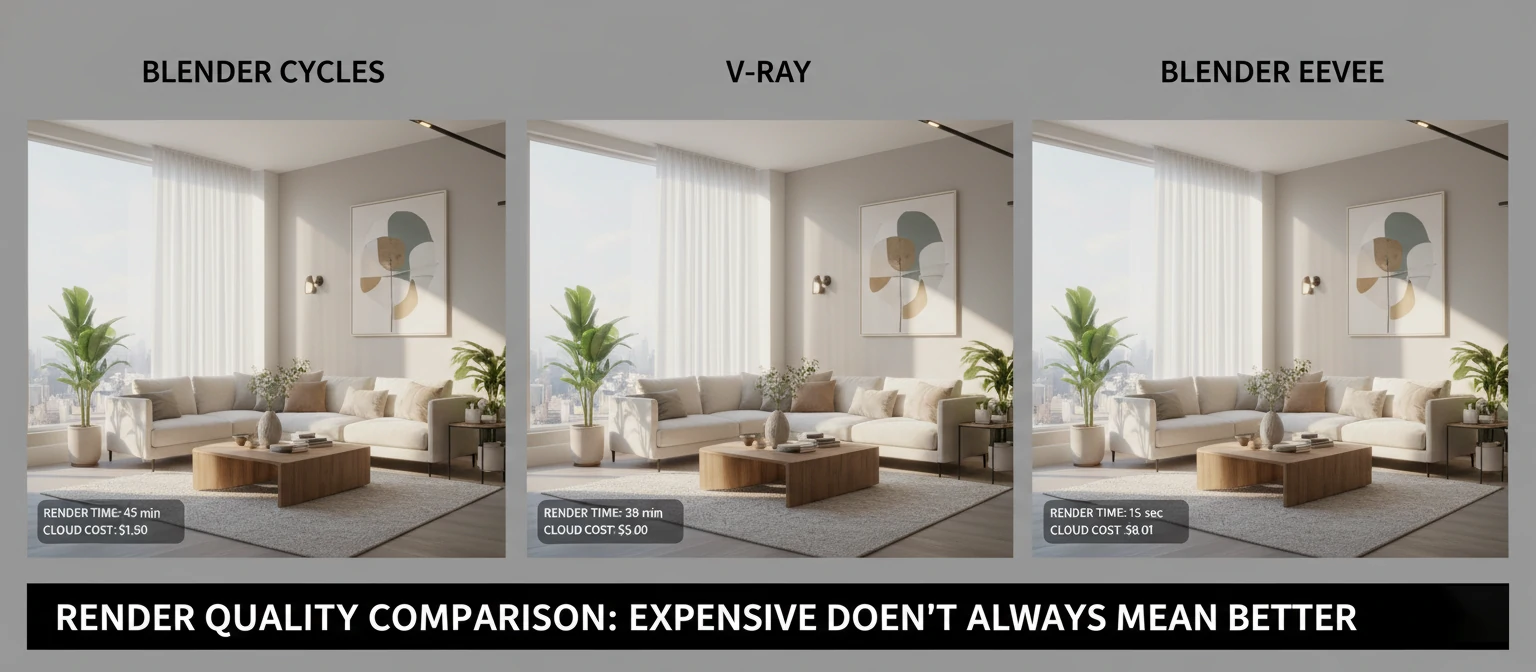
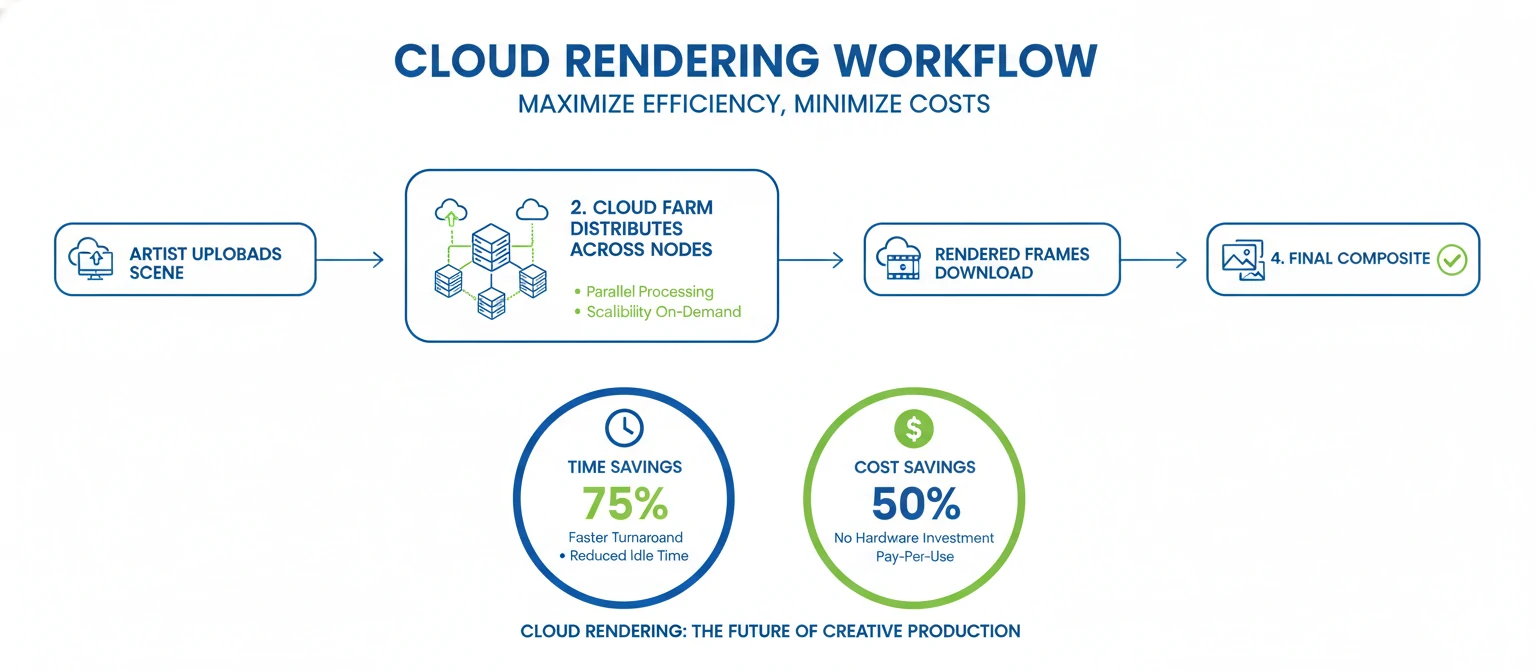
Rendering is often the most resource-intensive part of 3D workflows. A single high-quality architectural rendering can take 4-12 hours on a consumer workstation, while animations can require days or weeks of continuous rendering. Using cloud rendering platforms reduces hardware investment, offers scalable 3D rendering power, and provides access to 3D rendering services at a fraction of traditional costs.
💡 Cost Comparison: Building a dedicated render farm with 10 high-end workstations costs approximately $30,000-$50,000 upfront, plus electricity and maintenance. Cloud rendering services charge $0.01-$0.05 per GHz-hour, meaning a typical architectural rendering might cost $2-$10 instead of requiring a $5,000 machine.
Popular Inexpensive Cloud Rendering Options
Offers competitive rates for CG rendering with support for Blender, Cinema 4D, and other popular 3D applications.
Advantages:
- No subscription required—pay only for what you use
- 24/7 rendering without tying up local machines
- Automatic scene analysis and optimization
- Priority rendering options for urgent projects
- Free test renders to estimate costs
A free, crowdsourced render farm supporting Blender. Users contribute their idle computing power and earn points to render their own projects.
Advantages:
- Completely free for Blender users
- Community-driven with active support
- Earn points by rendering others' projects
- Great for students and hobbyists
- No credit card or payment required
Pay-as-you-go pricing for photorealistic rendering with support for major 3D applications and render engines.
Advantages:
- Supports 20+ different 3D applications
- Automatic cost estimation before rendering
- Free render credits for new users
- Technical support included
- Render management dashboard
3. Utilizing Real-Time Rendering for Faster Feedback
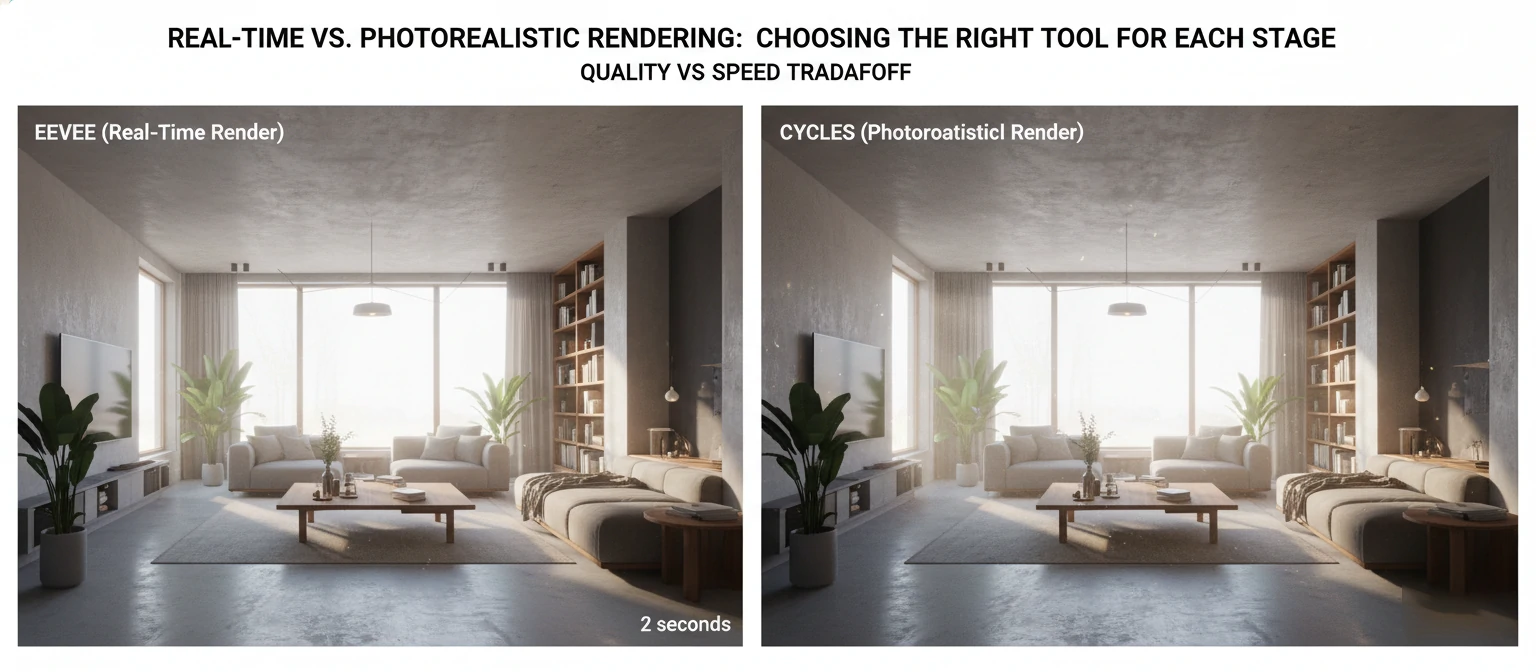
Real-time rendering has revolutionized 3D workflows by providing instant visual feedback. What once required hours of test renders can now be evaluated in seconds, dramatically accelerating the creative process and reducing iteration costs.
Fast, real-time rendering engine ideal for drafts and presentations. Eevee uses rasterization techniques similar to game engines to provide near-instant feedback.
Key Capabilities:
- Real-time viewport rendering at 30-60 FPS
- PBR materials with realistic lighting
- Screen-space reflections and refractions
- Volumetric lighting and fog effects
- Ambient occlusion and bloom effects
- Animation playback in real-time
Workflow Benefits: Use Eevee for initial scene setup, lighting tests, and client previews, then switch to Cycles for final photorealistic renders. This hybrid approach can reduce project time by 40-60%.
Free for many projects, supports VR/AR rendering, and produces photorealistic visuals. Originally a game engine, Unreal has become a powerhouse for architectural visualization and virtual production.
Key Capabilities:
- Real-time ray tracing with RTX support
- Lumen global illumination system
- Nanite virtualized geometry for billions of polygons
- MetaHuman Creator for realistic digital humans
- Blueprint visual scripting for interactivity
- Native VR/AR support
Workflow Benefits: Create interactive architectural walkthroughs, product configurators, and immersive presentations that clients can explore in real-time.
4. Incorporating PBR Materials and Scene Setup Mastery
Invest time in mastering scene setup techniques, including proper lighting in 3D and PBR (Physically Based Rendering) materials, which simulate real-world surface properties efficiently and affordably. Understanding these fundamentals can elevate your work more than expensive software ever could.
Understanding PBR Materials
PBR materials use physically accurate properties to simulate how light interacts with surfaces. Instead of artistic guesswork, PBR follows real-world physics, ensuring materials look correct under any lighting condition.
- Energy Conservation: Surfaces never reflect more light than they receive
- Fresnel Effect: Reflections increase at grazing angles
- Microsurface Detail: Roughness affects how light scatters
- Metallic Workflow: Clear distinction between metals and non-metals
Free PBR Material Resources
Over 1,000 high-quality PBR materials, HDRIs, and 3D models, all completely free with no attribution required.
Extensive library of PBR materials scanned from real-world surfaces, available in multiple resolutions.
Professional-grade scanned materials and assets, free when used with Unreal Engine.
Budget-Friendly Pipelines for Various 3D Design Applications
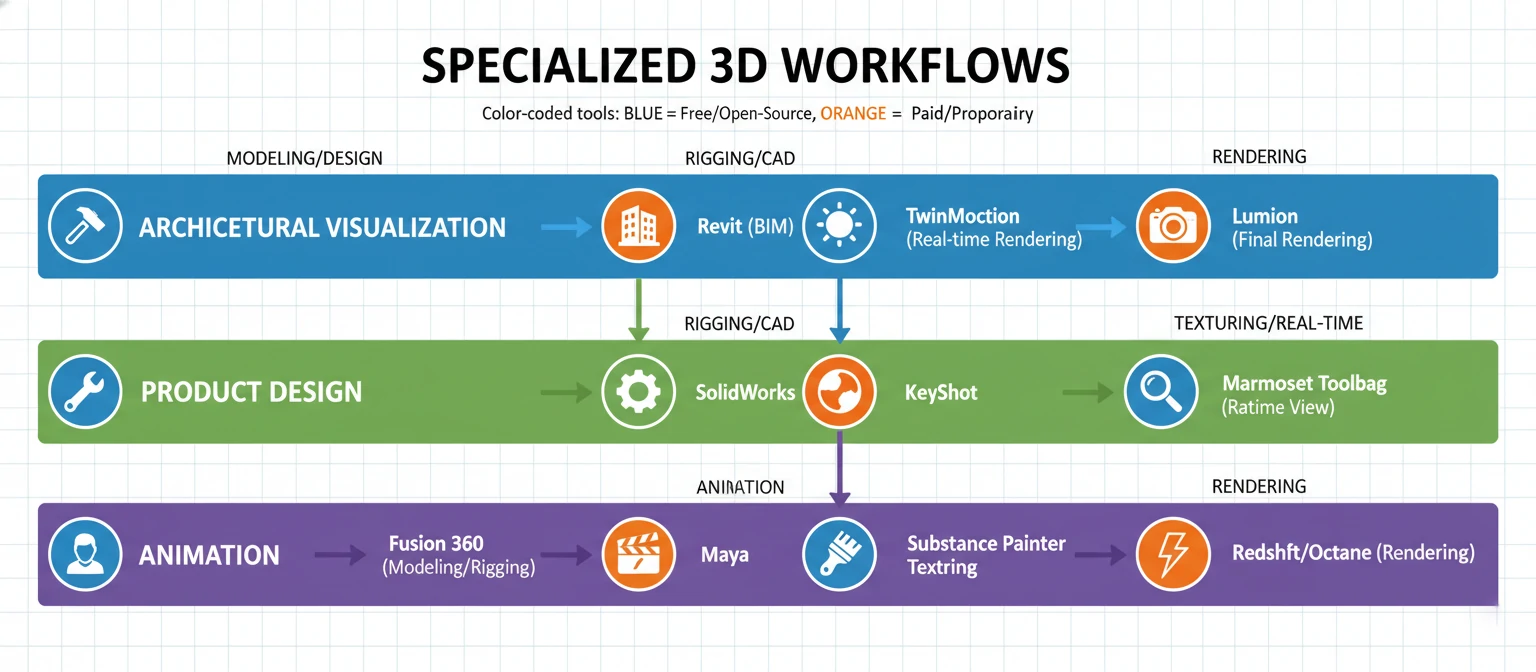
Architectural Visualization Pipeline
Architectural visualization demands photorealism, accurate scale, and the ability to iterate quickly based on client feedback. A budget-friendly pipeline can achieve professional results without expensive software licenses.
01. Initial Modeling
Use free CAD to render workflows with SketchUp Free or FreeCAD for base geometry. SketchUp's intuitive interface allows rapid blocking of spaces, while FreeCAD excels at precise technical modeling.
Time Investment: 2-8 hours depending on complexity
Cost: $0
02. Detailed Modeling and Asset Integration
Import base geometry into Blender for detailed modeling, adding architectural details, furniture, and decorative elements. Utilize free model libraries like SketchUp 3D Warehouse and Blender Market free assets.
Time Investment: 4-12 hours
Cost: $0
03. Materials and Texturing
Apply PBR materials from free resources (Poly Haven, ambientCG). Use Blender's shader nodes to create custom materials when needed. Focus on realistic wood, concrete, metal, and fabric materials.
Time Investment: 2-6 hours
Cost: $0
04. Lighting Setup
Implement three-point lighting or HDRI environment lighting. Use free HDRIs from Poly Haven for realistic outdoor lighting. Master sun angle, color temperature, and interior artificial lighting.
Time Investment: 1-3 hours
Cost: $0
05. Rendering
Achieve photorealistic rendering using PBR materials and ray tracing with Blender's Cycles or V-Ray. For faster turnaround, use Eevee for client previews and Cycles for final deliverables. Consider cloud rendering for complex scenes.
Time Investment: 30 minutes - 4 hours per image
Cost: $0-$10 per image (if using cloud rendering)
06. Post-Processing
Use GIMP (free Photoshop alternative) or Blender's built-in compositor for color correction, adding depth of field, and final touches. Professional results don't require expensive post-processing software.
Time Investment: 30 minutes - 2 hours
Cost: $0
07. GIS Integration (Optional)
Couple with GIS visualization tools and plugins for geographic data integration. Use QGIS (free) with Blender GIS plugin to create site context and terrain models from real geographic data.
Time Investment: 1-3 hours
Cost: $0
💡 Pro Tip: Create a material library of commonly used architectural materials (concrete, wood species, metals, glass types). This one-time investment of 4-6 hours will save countless hours on future projects and ensure consistency across your portfolio.
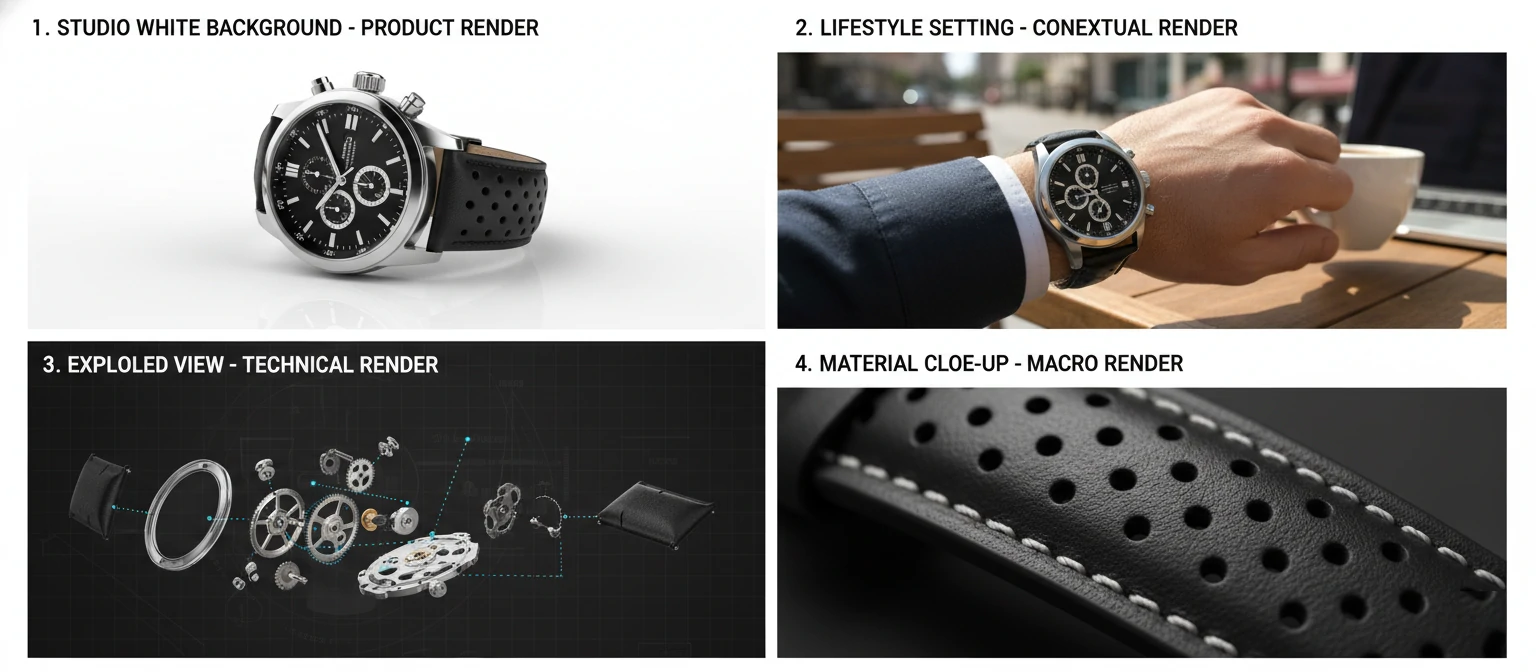
Product Visualization Pipeline
Product visualization requires attention to detail, accurate materials, and the ability to showcase products from multiple angles with various lighting scenarios.
01. CAD Import and Cleanup
Utilize MeshLab for initial mesh editing and cleanup of CAD imports. Many product designs start as engineering CAD files that need optimization for rendering.
Time Investment: 1-3 hours
Cost: $0
02. Modeling Refinement
Import into Blender for adding bevels, fillets, and details that make products look real. CAD models are often too perfect—adding subtle imperfections increases realism.
Time Investment: 2-6 hours
Cost: $0
03. UV Unwrapping and Texturing
Add textures using free tools like GIMP or Krita. Create custom labels, logos, and surface details. Use PBR materials for base surfaces (plastics, metals, fabrics).
Time Investment: 2-5 hours
Cost: $0
04. Studio Lighting Setup
Create professional studio lighting setups using area lights and HDRIs. Study product photography lighting techniques and replicate them in 3D.
Time Investment: 1-2 hours
Cost: $0
05. Rendering
Render with free or low-cost engines like Blender, employing ray tracing techniques to achieve photorealism. Set up camera angles that highlight product features and create turntable animations for 360° views.
Time Investment: 20 minutes - 2 hours per image
Cost: $0-$5 per image
3D Animation and VR/AR Rendering Pipeline
Animation and immersive experiences require efficient workflows to manage the exponentially higher computational demands of moving images and interactive environments.
01. Asset Creation and Optimization
Use Blender for modeling and rigging. Focus on efficient topology—animation models need clean edge flow for proper deformation. Create modular assets that can be reused across scenes.
Time Investment: 4-20 hours depending on complexity
Cost: $0
02. Animation
Leverage Blender's animation tools including keyframe animation, graph editor, and NLA (Non-Linear Animation) editor. Use free motion capture data from sources like Mixamo for character animation.
Time Investment: 8-40 hours depending on length and complexity
Cost: $0
03. Real-Time Preview
Use Eevee for real-time animation playback and timing adjustments. This allows you to iterate quickly without waiting for renders.
Time Investment: Ongoing throughout animation process
Cost: $0
04. VR/AR Development
Export to Unreal Engine for immersive environments and interactive experiences. Unreal's Blueprint system allows non-programmers to create complex interactions.
Time Investment: 10-40 hours for interactive setup
Cost: $0
05. Final Rendering
Take advantage of cloud rendering to handle resource-heavy VR rendering tasks and animation sequences. A 30-second animation at 30fps requires 900 frames—cloud rendering can reduce render time from weeks to hours.
Time Investment: 1-7 days (local) or 2-12 hours (cloud)
Cost: $20-$200 depending on complexity and cloud service
Animation Cost Reality: A professional 30-second product animation rendered locally on a $2,000 workstation might take 5-7 days of continuous rendering. The same animation on a cloud render farm costs $50-$150 and completes in 4-8 hours, freeing your workstation for other work.
Scene Setup and Texturing Best Practices
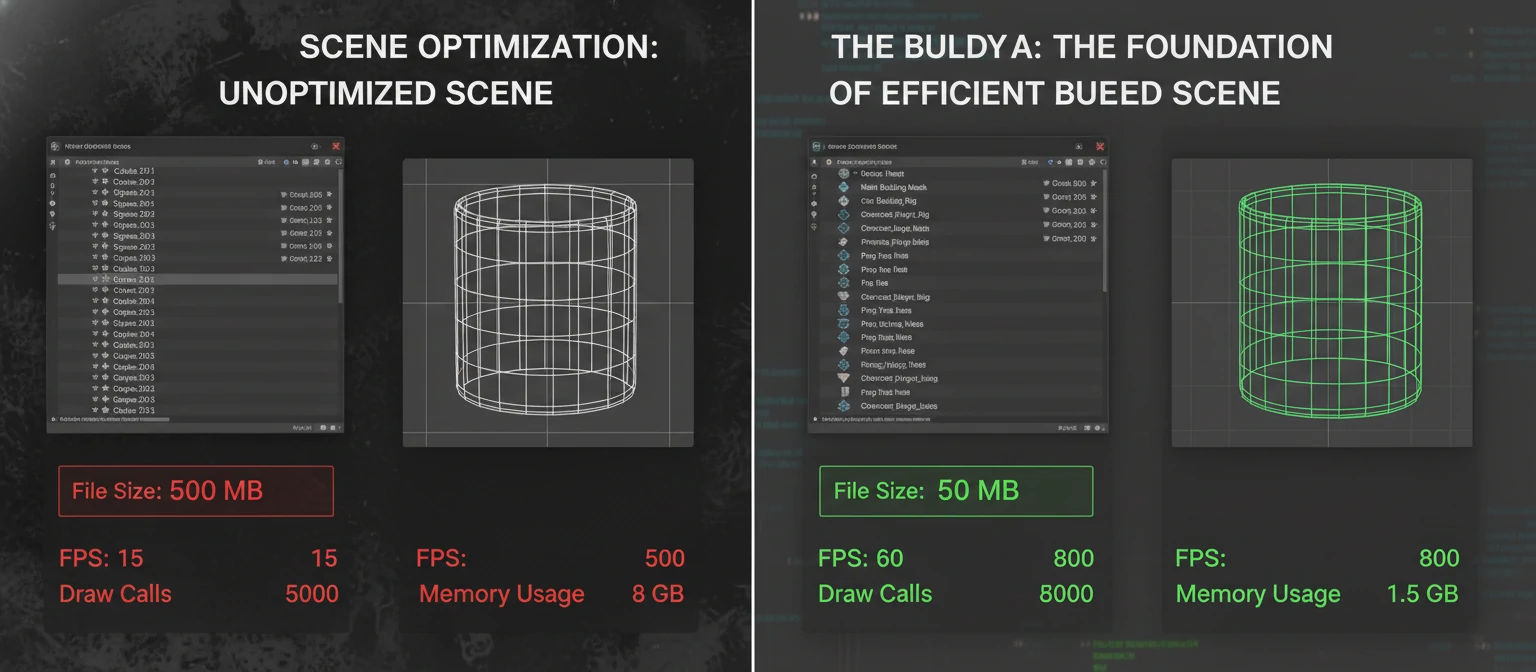
Efficient scene setup and texturing practices can dramatically reduce render times and improve workflow efficiency, directly impacting your bottom line.
Scene Organization
- Layer Management: Organize assets into logical collections/layers (foreground, midground, background, lighting, cameras)
- Naming Conventions: Use consistent, descriptive names for all objects, materials, and textures
- Proxy Objects: Use low-poly proxies during scene setup, swapping to high-poly for final renders
- Instancing: Use instances instead of duplicates for repeated objects (trees, furniture, people) to reduce memory usage
Geometry Optimization
- Polygon Count: Keep geometry as simple as possible while maintaining visual quality
- Subdivision Surfaces: Use subdivision surface modifiers instead of modeling high-poly geometry directly
- Level of Detail (LOD): Create multiple versions of assets at different detail levels for background vs. foreground placement
- Boolean Operations: Minimize boolean operations which create problematic geometry; model clean topology instead
Texturing Efficiency
- Texture Resolution: Use appropriate texture sizes—4K textures for hero objects, 2K for mid-ground, 1K for background
- Texture Atlasing: Combine multiple small textures into single larger textures to reduce material count
- PBR Workflow: Stick to PBR principles for consistent, predictable results across different lighting conditions
- Procedural Textures: Use procedural textures where possible to reduce file sizes and increase flexibility
Cost-Effective Strategies from Industry Experts
Learning from professionals who have successfully built careers using budget-friendly tools provides invaluable insights into practical workflows and business strategies.
Strategy 1: Invest Time, Not Money
"The biggest investment in 3D isn't software—it's learning. I spent six months mastering Blender's fundamentals before taking on paid work. That knowledge has generated over $200,000 in revenue using entirely free software." — Sarah Chen, Freelance Architectural Visualizer
The most successful budget-conscious 3D artists prioritize skill development over tool acquisition. Free resources for learning include:
- Blender Guru (YouTube): Comprehensive tutorials from beginner to advanced
- CG Cookie: Free and paid courses with strong fundamentals focus
- Grant Abbitt (YouTube): Excellent for learning modeling and sculpting
- Blender Artists Forum: Community support and feedback
- Official Blender Documentation: Surprisingly comprehensive and well-written
Strategy 2: Build a Specialized Niche
"Instead of trying to do everything, I specialized in product visualization for e-commerce. I created templates and workflows that let me deliver consistent results quickly. My 'limited' toolset became an advantage—I know Blender inside and out." — Marcus Rodriguez, Product Visualization Specialist
Specialization allows you to:
- Develop highly efficient workflows for specific project types
- Build reusable asset libraries and templates
- Command higher rates due to specialized expertise
- Reduce learning curve for new tools—master one toolset deeply
- Create predictable project timelines and pricing
Strategy 3: Leverage Community Resources
The 3D community is remarkably generous with knowledge, assets, and support. Successful budget-conscious artists actively participate in communities:
- Share Knowledge: Teaching others reinforces your own understanding
- Collaborate: Partner with other artists to tackle larger projects
- Asset Sharing: Contribute to and benefit from free asset libraries
- Feedback Loops: Regular critique helps improve faster than working in isolation
- Problem Solving: Community forums often have solutions to technical challenges
Strategy 4: Hybrid Workflows
"I use free tools for 90% of my work, but I maintain one commercial license for specialized tasks. SketchUp Pro costs $299/year, but it saves me 10+ hours per project in client collaboration. That's a 10x return on investment." — Jennifer Park, Architectural Designer
Strategic use of paid tools where they provide clear ROI, while using free alternatives for everything else, maximizes efficiency without unnecessary expense.
Strategy 5: Optimize Hardware Strategically
You don't need a $5,000 workstation to produce professional 3D work, but strategic hardware investments provide better returns than software licenses:
Component Budget Option Impact on Workflow GPU NVIDIA RTX 3060 ($300-400) Enables GPU rendering, 3-5x faster than CPU RAM 32GB ($80-120) Handles complex scenes without crashes Storage 1TB NVMe SSD ($80-100) Fast project loading and texture streaming Monitor 27" IPS 1440p ($250-350) Accurate colors and comfortable workspace Total $710-970 Professional-grade performance
💡 Hardware Priority: If you can only upgrade one component, choose GPU. Modern render engines like Cycles and V-Ray leverage GPU acceleration for 5-10x speed improvements over CPU rendering. A $400 GPU upgrade can save 20+ hours per week in render time.
Advanced Budget-Friendly Techniques
Render Optimization Strategies
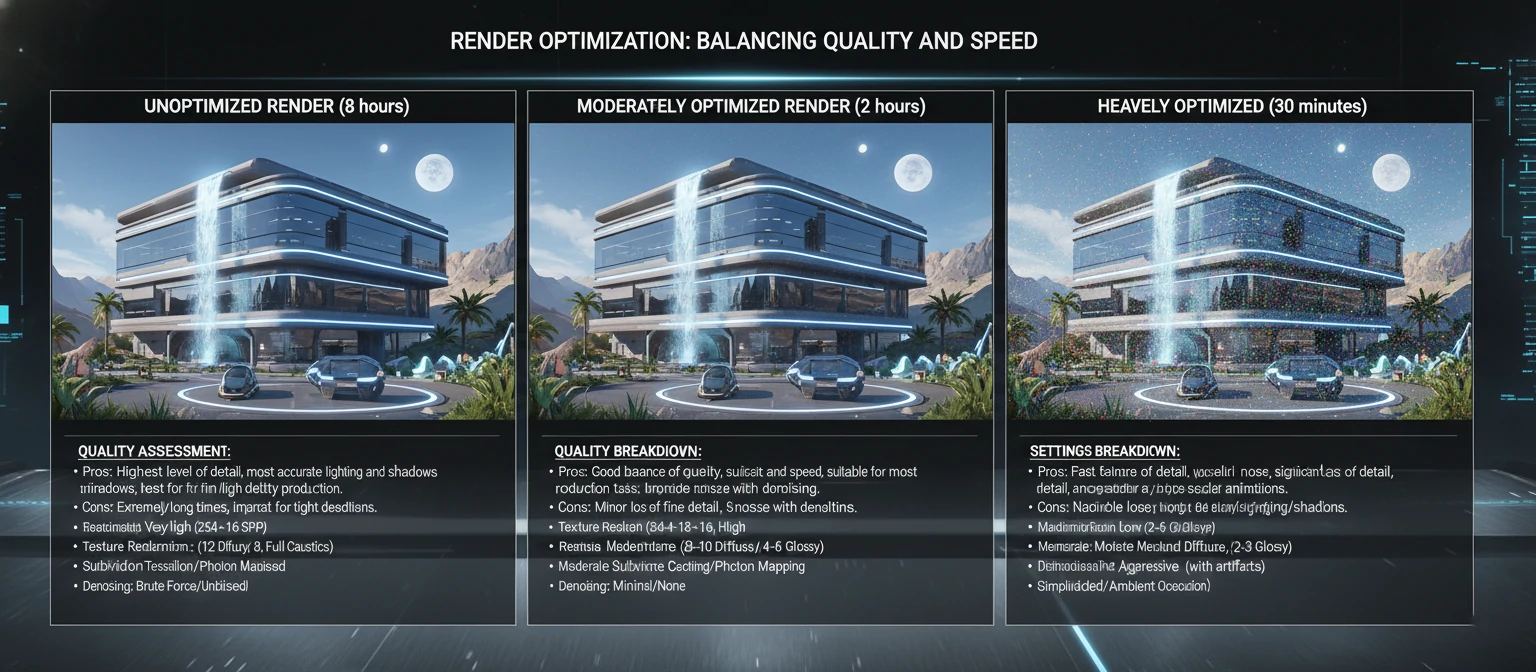
Reducing render times directly reduces costs, whether you're using local hardware or cloud services. Professional-level optimization can reduce render times by 50-80% without visible quality loss.
Sampling and Noise Reduction
- Adaptive Sampling: Let the render engine focus samples where needed (Blender Cycles, V-Ray)
- Denoising: Use AI denoisers (OptiX, OpenImageDenoise) to achieve clean results with fewer samples
- Sample Distribution: Allocate more samples to complex materials (glass, SSS) and fewer to simple diffuse surfaces
- Render Layers: Separate complex elements (reflections, refractions) into layers and composite them
Light Path Optimization
- Bounce Limits: Reduce maximum light bounces to minimum needed (often 4-6 instead of default 12)
- Caustics: Disable caustics unless specifically needed—they're expensive and rarely visible
- Light Portals: Use light portals for interior scenes with exterior lighting
- Clamping: Use firefly clamping to eliminate bright pixels without excessive sampling
Geometry and Texture Optimization
- Render Resolution: Render at lower resolution for tests, full resolution only for finals
- Texture Filtering: Use appropriate texture filtering to reduce memory usage
- Displacement: Use bump/normal maps instead of true displacement where possible
- Instancing: Leverage instancing for repeated geometry (particles, arrays)
Asset Management and Reusability
Building a personal asset library is one of the highest-ROI investments for budget-conscious 3D artists. Time spent creating reusable assets pays dividends across multiple projects.
Creating Your Asset Library
01. Identify Common Elements
Track which assets you recreate frequently across projects: furniture styles, vegetation, architectural details, materials, lighting setups.
02. Create Modular Assets
Build assets that can be easily modified and combined. For example, create parametric furniture that can be resized, or modular building components that snap together.
03. Organize Systematically
Use consistent folder structures and naming conventions. Tag assets with metadata for easy searching. Consider using asset management tools like Blender's Asset Browser.
04. Document Usage
Create preview renders and usage notes for each asset. Future-you will thank present-you for clear documentation.
Automation and Scripting
Even basic automation can save hours on repetitive tasks. Blender's Python API makes automation accessible even to non-programmers.
Simple Automation Examples
- Batch Rendering: Script to render multiple camera angles automatically
- Material Application: Apply material libraries to multiple objects at once
- File Management: Automated project setup with proper folder structures
- Export Pipelines: Batch export to multiple formats with consistent settings
- Naming Conventions: Automatically rename objects according to standards
💡 Learning Resources: Blender's Python API documentation includes beginner-friendly examples. Start with simple scripts that save you 10-15 minutes per project—these add up quickly. The Blender Artists forum has a scripting section where you can find and adapt existing scripts.
Building a Sustainable Budget-Friendly Business
Pricing Your Work
Using budget-friendly tools doesn't mean charging budget prices. Your value comes from skill, creativity, and results—not your software license costs.
Value-Based Pricing Strategies
- Focus on Client Outcomes: Price based on the value you deliver, not hours worked
- Package Services: Offer tiered packages (basic, standard, premium) with clear deliverables
- Efficiency Advantage: Your optimized workflows allow competitive pricing while maintaining healthy margins
- Specialization Premium: Niche expertise commands higher rates than generalist work
Service Type Budget Range Typical Deliverables Product Visualization $200-800 per product 3-5 high-res images, white background and lifestyle shots Architectural Rendering $500-2,000 per image Photorealistic exterior or interior view 3D Animation $1,000-5,000 per 30 seconds Product demo or architectural walkthrough VR Experience $3,000-15,000 Interactive architectural or product visualization
Marketing Your Budget-Friendly Approach
Your use of cost-effective tools can be a marketing advantage when positioned correctly:
- Efficiency Story: "Optimized workflows allow faster turnaround without compromising quality"
- Value Proposition: "Professional results at competitive prices through smart tool selection"
- Flexibility Advantage: "No expensive software overhead means more flexible project pricing"
- Innovation Focus: "Leveraging cutting-edge open-source technology"
"Clients don't care what software you use—they care about results, communication, and meeting deadlines. I've never lost a project because I use Blender instead of 3ds Max. I've won projects because my efficient workflow means faster delivery." — David Thompson, Product Visualization Studio Owner
Scaling Your Budget-Friendly Operation
Growing a 3D business without proportionally increasing software costs requires strategic planning:
Scaling Strategies
- Template Development: Create project templates that reduce setup time for common project types
- Training Investment: Train team members on efficient workflows rather than expensive software
- Cloud Rendering: Scale rendering capacity up or down based on project demands without hardware investment
- Collaboration Tools: Use free project management tools (Trello, Notion) and communication platforms (Discord, Slack free tier)
- Selective Tool Investment: Add paid tools only when they provide clear ROI for specific project types
Future-Proofing Your Budget-Friendly Pipeline
Emerging Technologies
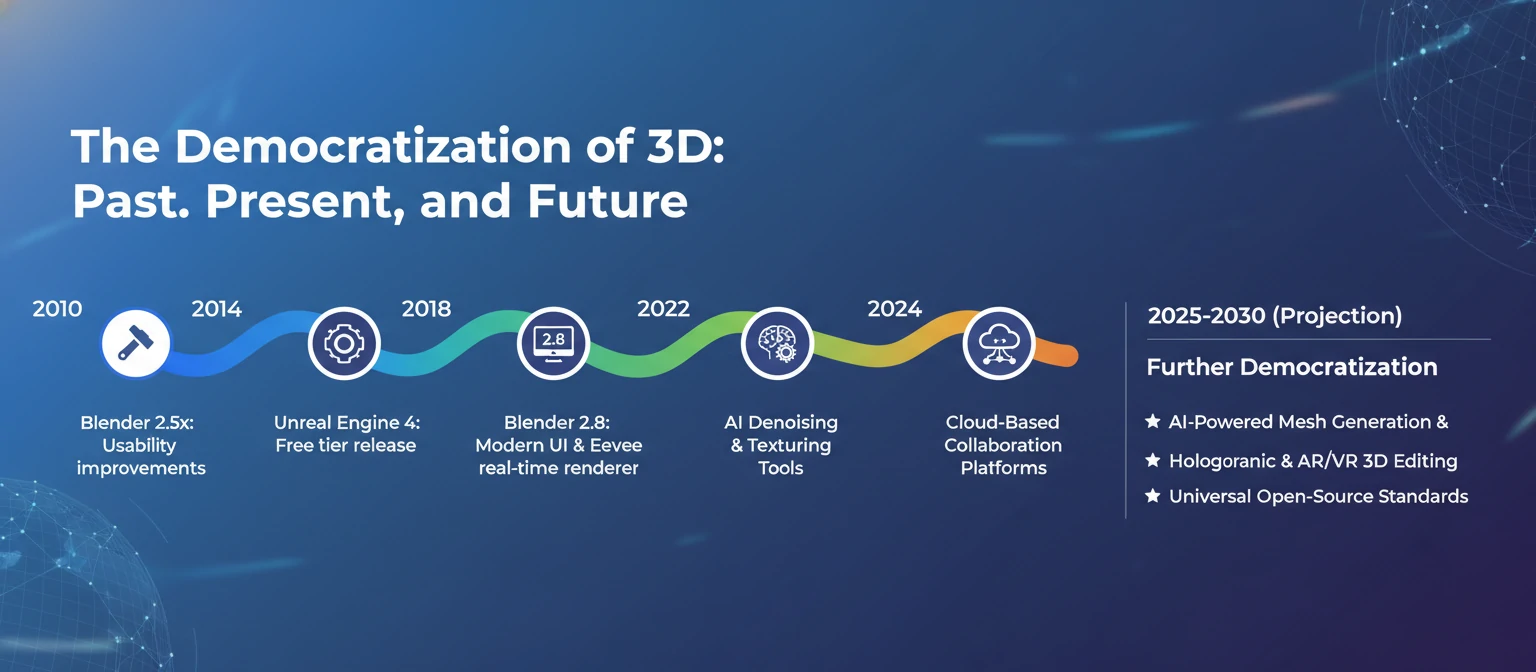
The 3D industry continues to evolve rapidly, with new budget-friendly technologies emerging regularly:
AI-Assisted 3D Creation
- AI Texture Generation: Tools like Stable Diffusion for creating custom textures
- AI Upscaling: Render at lower resolution and upscale with AI for faster workflows
- AI Denoising: Already standard in modern render engines, continuously improving
- Procedural Generation: AI-assisted asset creation and scene population
Real-Time Rendering Evolution
- Hardware Ray Tracing: Becoming standard in consumer GPUs, enabling real-time photorealism
- Cloud Gaming Technology: Streaming high-quality 3D experiences without local hardware requirements
- WebGPU: Browser-based 3D rendering approaching native application quality
Open Source Momentum
- Blender Development: Continues rapid advancement with industry funding
- Godot Engine: Free game engine gaining traction for interactive 3D
- Open Source Plugins: Growing ecosystem of free add-ons and extensions
Continuous Learning
The most important investment in a budget-friendly 3D pipeline is ongoing education:
- Follow Industry Trends: Subscribe to 3D blogs, YouTube channels, and podcasts
- Experiment Regularly: Dedicate time to learning new techniques and tools
- Community Participation: Engage with online communities to stay current
- Portfolio Development: Create personal projects that push your skills
- Cross-Discipline Learning: Study photography, cinematography, and design principles
Common Pitfalls and How to Avoid Them
Pitfall 1: Tool Hopping
The Problem: Constantly switching between different free tools without mastering any of them.
The Solution: Choose one primary tool (Blender is recommended for most use cases) and commit to mastering it for 6-12 months before exploring alternatives. Depth of knowledge beats breadth of tools.
Pitfall 2: Ignoring Fundamentals
The Problem: Focusing on software features instead of core 3D principles like composition, lighting, and color theory.
The Solution: Study traditional art fundamentals. The best 3D artists understand photography, painting, and design principles. These skills transfer across any software.
Pitfall 3: Undervaluing Your Work
The Problem: Charging low rates because you use free software, creating unsustainable business practices.
The Solution: Price based on value delivered and market rates, not your tool costs. Your efficiency with budget tools should increase your profit margin, not decrease your prices.
Pitfall 4: Neglecting Hardware
The Problem: Trying to run professional 3D software on inadequate hardware, leading to frustration and inefficiency.
The Solution: Invest strategically in hardware that provides clear productivity improvements. A $400 GPU upgrade can save 10+ hours per week—that's a 4-week payback period at $10/hour value.
Pitfall 5: Working in Isolation
The Problem: Avoiding community engagement and feedback, leading to slower skill development and missed opportunities.
The Solution: Actively participate in online communities, share your work, ask for feedback, and help others. The 3D community is remarkably supportive and collaborative.
Conclusion: The Budget-Friendly 3D Revolution
The barrier to entry for professional 3D design has never been lower. With free tools like Blender rivaling expensive commercial software, cloud rendering services eliminating hardware requirements, and abundant free learning resources, anyone with dedication can build a successful 3D career without significant financial investment.
Your Budget-Friendly 3D Journey Starts Now
The tools are free. The knowledge is accessible. The community is supportive. The only investment required is your time and dedication. Whether you're a student, freelancer, or small studio, professional-quality 3D work is within reach.
Start today: Download Blender, follow a beginner tutorial, and create your first 3D scene. The journey from beginner to professional is measured in projects completed, not dollars spent.
Success in budget-friendly 3D design comes from:
- Strategic Tool Selection: Choose free and affordable tools that meet your specific needs
- Workflow Optimization: Develop efficient pipelines that maximize productivity
- Continuous Learning: Invest time in skill development rather than expensive software
- Community Engagement: Leverage the collective knowledge and support of the 3D community
- Smart Specialization: Focus on a niche where you can develop deep expertise
- Value-Based Pricing: Charge for results and expertise, not tool costs
The future of 3D design is increasingly accessible, with open-source tools, AI assistance, and cloud computing continuing to lower barriers. By embracing budget-friendly approaches today, you're not just saving money—you're positioning yourself at the forefront of an industry revolution that values skill, creativity, and efficiency over expensive tool collections.
Final Thought: The most expensive 3D software in the world won't make you a better artist. But dedication, practice, and smart workflow choices will. Your budget-friendly pipeline isn't a limitation—it's a competitive advantage that forces you to develop genuine skill and efficiency.