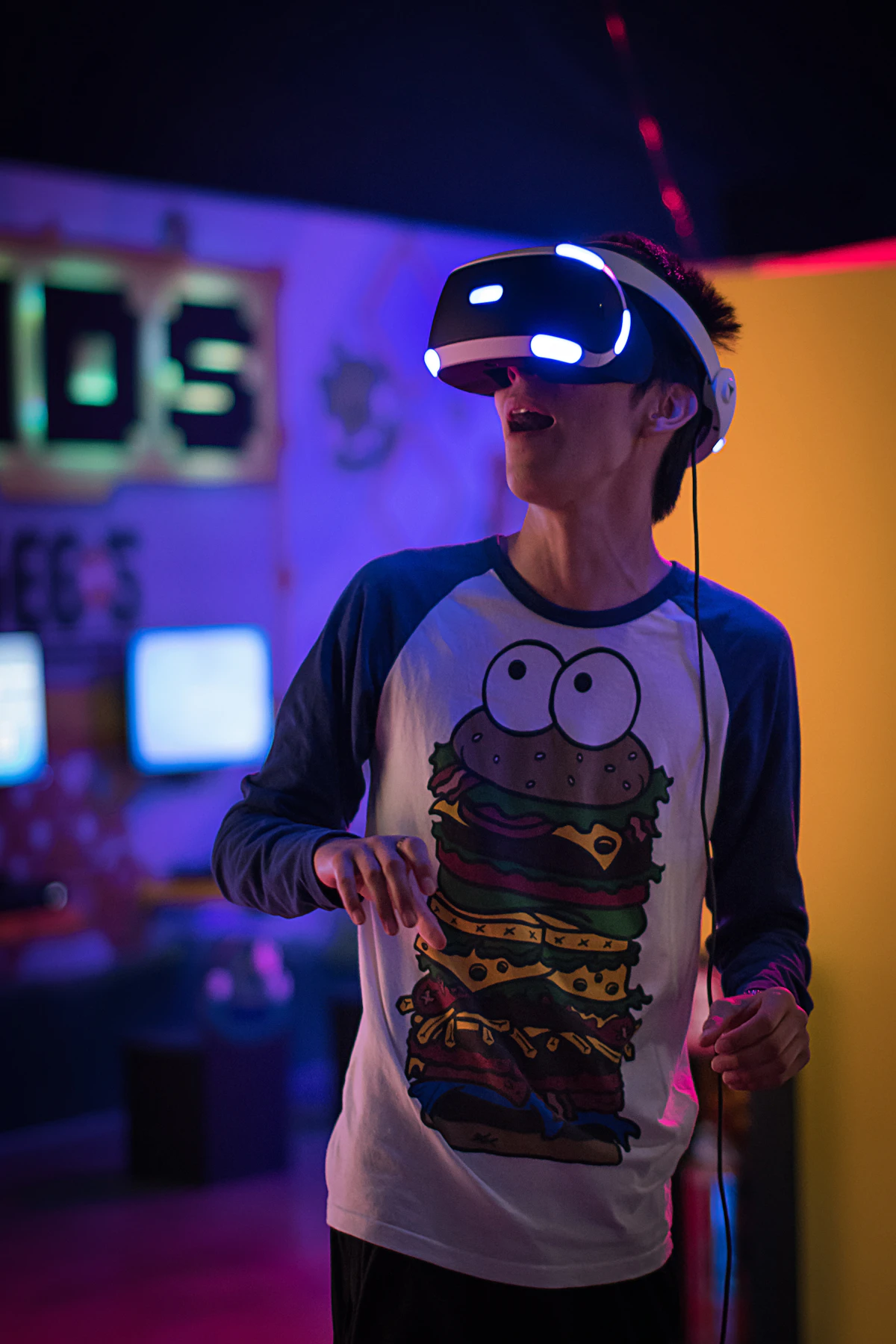
Step Into Impossible Worlds with Virtual Set Design
Build immersive digital environments that transport your production anywhere — from green screen and LED volumes to full Extended Reality stages. The set is now limited only by imagination.
 Pro Pixel Agency

Build immersive digital environments that transport your production anywhere — from green screen and LED volumes to full Extended Reality stages. The set is now limited only by imagination.
Explore Techniques
View Examples

Digital Environment
The Art of Building Worlds from Pixels
Create unlimited environments within a single physical space.
Reduce costs compared to building and storing physical sets.
Enable rapid changes between scenes or complete redesigns.
Achieve locations impossible to film in the real world.
Why Use
Why Use Virtual Sets
Cost Efficiency
Reuse digital assets endlessly — no materials or storage.
Creative Flexibility
Any era, planet, or fantasy world — instantly.
Location Independence
Shoot anywhere in the world from one stage.
Production Speed
Swap scenes in minutes — no set breakdown.
Reusability
Build once, reuse across countless productions.
Safety and Control
No dangerous locations or unpredictable weather.
Types of
Types of Virtual Production
Green Screen Compositing
Key out green and replace with any digital world.
LED Volume Stages
Giant LED walls display the world in real time.
Extended Reality (XR)
Blend physical and digital into one seamless world.
Mixed Reality Production
Combine real props with live digital extensions.
Tech Deep Dive
Green Screen vs LED vs XR
Green Screen
Pros
Lower initial cost
Widely available technology
Flexible for any 3D environment
Cons
Actors can't see the environment
No realistic lighting/reflections
Heavy post-production workload
LED Volume
Pros
Immersive for actors
Realistic lighting and reflections
Reduces post-production time
Cons
High setup cost and complexity
Limited by physical screen size
Requires real-time optimization
XR Stage
Pros
All benefits of LED Volumes
Creates a seemingly infinite world
Seamlessly blends physical & digital
Cons
Most technically complex
Highest cost and expertise required
Intensive pre-production planning
Core Design
Core Design Techniques
Camera Tracking
Matches digital perspective to camera motion.
Real-Time Rendering
Game-engine visuals drawn live on set.
Color Keying
Clean chroma keys for flawless composites.
Lighting Matching
Sync real and virtual light for realism.
Depth Compositing
Place subjects believably within the scene.
Parallax Design
Layered depth that moves with the camera.
Interactive Elements
Digital objects that react to performers.
Environmental Animation
Living worlds — weather, crowds, motion.
Essential
Production Tools
Unreal Engine
Real-time virtual production standard
Unity
Flexible real-time 3D engine
Viz Engine
Broadcast graphics & virtual studio
Disguise
XR & LED stage orchestration
Mo-Sys StarTracker
Precision camera tracking
Adobe After Effects
Compositing & finishing
Workflow
Creating Virtual Sets
01
Concept Development
02
3D Modeling
03
Texturing & Materials
04
Lighting Design
05
Animation & Effects
06
Real-Time Optimization
07
Integration Testing
08
Production Deployment
Fundamentals
Design Principles
Believability Over Spectacle
Convincing beats flashy, every time.
Lighting Consistency
Real and virtual light must agree.
Scale and Proportion
Keep the world true to human size.
Depth and Dimension
Layered space sells the illusion.
Industry
Where Virtual Sets Are Used
News Broadcasting
Film Production
Sports Coverage
Corporate Video
Educational Content
Live Events & Concerts
In the Wild
Virtual Sets in Action
From newsrooms to blockbuster worlds — see where the magic lives.

LED VOLUME
Cinematic Worlds
Episodic series shot entirely in-camera.

BROADCAST
Virtual Newsrooms
Dynamic studios that change per segment.

XR STAGE
Live Events
Concerts and keynotes in infinite space.
The Future of Virtual Production
Where the impossible becomes everyday.
AI-Generated Worlds
Describe an environment, generate it instantly.
Real-Time Ray Tracing
Film-quality light rendered live on set.
Remote Collaboration
Teams worldwide on one virtual stage.
Accessible Studios
Falling costs bring XR to small creators.
Head to Head
Virtual vs Physical Sets
Factor
Virtual Sets
Physical Sets
Initial Cost
Lower for digital assets, but needs tech/operator investment.
High — materials, labor, and physical space.
Flexibility
Extremely high — any location, modified instantly.
Very low — changes are slow and costly.
Actor Experience
Variable — tough on green screen, immersive on LED.
Most natural — touch and interact with everything.
Production Speed
Very fast — scene changes in minutes.
Slow — setup, changes, and breakdown take time.
Best For
Multiple/impossible locations, tight budgets.
Tactile, intimate scenes with heavy interaction.
Speak the Language
Virtual Production Glossary
The key terms you'll hear on any virtual set.
LED Volume
A stage walled with LED panels displaying the scene.
Frustum
The camera's view region rendered in full detail.
Camera Tracking
Feeding real camera motion to the engine.
Chroma Key
Removing a colour to composite a new background.
Genlock
Synchronizing camera and display refresh timing.
Set Extension
Digitally expanding a real partial set.
Nodal Point
The pivot that keeps parallax accurate.
Moiré
Interference patterns from filming LED pixels.
In-Camera VFX
Final effects captured live, not added later.
Plan Ahead
Getting Started Checklist
Set your virtual production up for success from day one.
Define Your Environments Early
Lock the world list before any asset work begins.
Choose the Right Method
Green screen, LED, or XR — match it to budget and scene.
Optimize Assets for Real-Time
Keep scenes performant so they render live.
Calibrate Camera Tracking
Accurate tracking is the backbone of believability.
Match Your Lighting
Align physical and virtual light before you roll.
Test Before Shoot Day
A full tech rehearsal catches issues early.
The Shift Is Real
Virtual Production by the Numbers
70% Less location travel & cost
50% Faster post-production
100s
Of LED stages worldwide
24/7 Shoot — no daylight needed
Learn From Others
Common Mistakes to Avoid
The pitfalls that break the illusion — and how to dodge them.
Mismatched Lighting
Virtual and real light that don't agree is the fastest way to look fake.
Sloppy Camera Tracking
Drift or jitter destroys parallax and shatters the depth illusion.
Unoptimized Scenes
Heavy assets drop the frame rate and stutter on the LED wall.
Ignoring Moiré
Wrong camera settings can capture LED pixel interference patterns.
Skipping Rehearsal
No tech run-through means problems surface on expensive shoot days.
Spectacle Over Story
Flashy worlds that don't serve the narrative pull viewers out.
Questions
Frequently Asked Questions
What's the difference between a green screen and an LED volume?
A green screen replaces a coloured backdrop with digital imagery in post-production, while an LED volume displays the environment live on giant screens — so actors see it, the lighting is real, and most of the work happens in-camera.
Do I need an expensive LED stage to use virtual sets?
Not at all. Green screen virtual production is affordable and widely accessible — you can achieve stunning environments with a green screen, good lighting, and skilled compositing. LED and XR are options for higher budgets.
What software powers virtual set design?
Real-time game engines like Unreal Engine and Unity lead the field, paired with tools like Disguise, Viz Engine, Mo-Sys camera tracking, and After Effects for finishing and compositing.
Why does camera tracking matter so much?
Camera tracking syncs the virtual environment's perspective to your real camera's movement. Without it, the digital world wouldn't shift correctly as the camera moves, instantly breaking the illusion of depth.
Where to go next
- Shoot More. Edit Less. We Handle the Post.
- Expert Bokeh Effect Services
- Meet the Artists Behind Your Perfect Photos
More useful paths
Use these paths to continue with the closest practical topic, service, or decision guide.
Spotted something wrong? Report an error on this page. We correct on the page and say what changed.