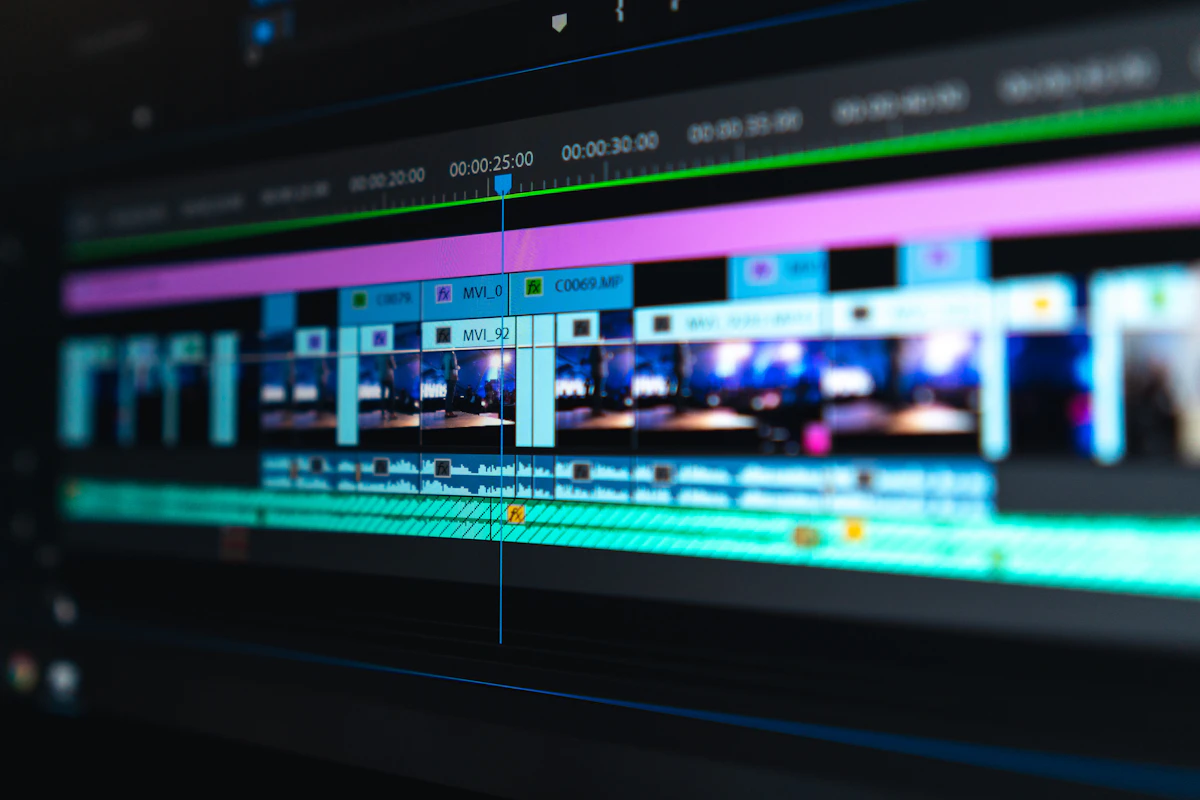
The Best AI Video Editor: Complete Guide for 2026
Explore the most powerful AI-powered video editing tools that are transforming content creation. From automated editing to intelligent effects, find your perfect editor.
 Pro Pixel Agency

Explore the most powerful AI-powered video editing tools that are transforming content creation. From automated editing to intelligent effects, find your perfect editor.
What to Look For
The best AI video editors combine powerful traditional editing tools with intelligent automation. Look for features like auto-roing, smart cuts, color matching, and generative AI effects.
AI Features
What AI does
Top Picks
Best editors
Capabilities
Key functions
Summary
Recommendations
Understanding AI Video Editing
Artificial intelligence has transformed video editing from a painstaking manual process to something approaching automation. Modern AI video editors can analyze footage, identify key moments, apply consistent color grading, remove unwanted objects, and even generate entirely new content - all while maintaining the creative control that editors need.
The best AI video editors don't replace human creativity; they enhance it. They handle tedious tasks that consume hours, freeing editors to focus on storytelling, pacing, and the artistic decisions that make videos compelling. Understanding what AI can and cannot do helps you choose the right tool for your workflow.
How AI Video Editing Works
AI video editing relies on machine learning models trained on millions of videos. These models learn to recognize patterns, objects, faces, transitions, and editing styles. When you apply AI features, the system analyzes your footage and applies learned knowledge to automate tasks that would otherwise require manual intervention.
The technology has evolved rapidly. Early AI editors could only perform simple tasks like stabilizing shaky footage or auto-cropping. Today's AI handles complex operations like subject tracking, background removal, color matching across clips, and even generating new footage from text prompts. This rapid advancement makes AI video editing an exciting space to watch.
Types of AI Features
AI features in video editors fall into several categories, each serving different purposes in the editing workflow.
Automated Editing
AI analyzes footage to create complete edits automatically, identifying best moments, applying transitions, and suggesting pacing.
Smart Effects
Background removal, object tracking, face detection, and style transfer that apply consistently across your footage.
Color & Audio
Automated color matching, noise reduction, and audio enhancement that maintains consistency throughout your video.
Generative AI
Text-to-video, image-to-video, and inpainting capabilities that extend your footage or create entirely new content.
Who Benefits Most from AI Video Editing
AI video editing tools benefit various creators, from beginners to professionals. Content creators producing regular YouTube or social media content save significant time on repetitive tasks. Professional editors handling high-volume work can process more projects without sacrificing quality. Small teams and solo creators gain capabilities previously reserved for well-funded production houses.
However, the technology isn't perfect. Complex creative decisions, narrative pacing, and artistic style still require human judgment. The best results come from combining AI efficiency with human creativity, using automation for routine tasks while focusing on the decisions that shape your unique vision.
Top AI Video Editors
After extensive research and testing, we've identified the leading AI video editors across different categories and use cases.
1. Adobe Premiere Pro (Best Overall)
Adobe Premiere Pro remains the industry standard for professional video editing, and its AI features have matured significantly. The Adobe Sensei AI powers features throughout the application, from auto-reframing to intelligent audio cleanup. Recent additions include generative AI capabilities through Firefly integration, allowing for AI-powered effects and expansion of footage.
Key AI Features
Auto Reframe for multiple aspect ratios
Neural Face Re-lighting
Auto Ducking for audio
Remove and Replace sky
2. DaVinci Resolve (Best for Color)
DaVinci Resolve has developed powerful AI features, particularly in the color department. The Color page includes sophisticated AI tools for color matching, sky replacement, and facial analysis. The software is available free with impressive capabilities, making it an excellent entry point for AI-powered color grading.
3. CapCut Pro (Best for Social Media)
CapCut has emerged as a powerful AI video editor, particularly for social media creators. Its AI features include auto-cuts, smart effects, text-to-video generation, and impressive filters. The desktop version provides professional tools while maintaining the accessibility that made the mobile app popular. The pricing is competitive, making it accessible for creators at all levels.
4. Runway (Best for Generative AI)
Runway has positioned itself as the leader in generative AI for video. Its tools allow you to generate video from text prompts, extend existing footage, remove objects, and apply artistic styles. While it requires a subscription for full access, the capabilities are genuinely groundbreaking. It integrates with other editing software as a powerful extension.
5. Final Cut Pro (Best for Mac Users)
Final Cut Pro for Mac includes several AI-powered features, including automatic scene detection, smart conform for different aspect ratios, and voice isolation for audio cleanup. The magnetic timeline makes organization easier, and the software integrates well with other Apple products. For Mac users committed to the Apple ecosystem, it offers a streamlined experience with AI features that enhance workflow.
6. HitFilm Pro (Best Budget Option)
HitFilm Pro offers impressive AI features at a more accessible price point. The software includes AI-powered tracking, compositing tools, and effects that rival more expensive options. For budget-conscious creators who want professional AI capabilities without the premium price, HitFilm delivers excellent value.
1 Adobe
2 DaVinci
3 CapCut
4 Runway
5 Final Cut
6 HitFilm
Key AI Capabilities Explained
Understanding specific AI features helps you choose the right editor for your needs. Here's what to look for.
Auto Editing and Smart Cuts
Auto editing features analyze your footage to identify the best moments and create a coherent edit automatically. Smart cuts go beyond simple trimming, understanding narrative structure and pacing to suggest edits that flow naturally. These features work by analyzing faces, movement, audio patterns, and visual composition to determine which moments matter most.
The quality of auto editing varies significantly between editors. Some produce results that need minimal tweaking, while others require substantial revision. Understanding this helps set expectations - auto edit is rarely a complete solution but rather a starting point that speeds up your workflow.
Subject Tracking and Masking
AI-powered subject tracking maintains focus on moving subjects throughout your footage. This replaces the tedious manual keyframing that used to be necessary. Modern trackers handle complex movements, occlusions, and scale changes that would challenge even experienced editors working manually.
Masking tools use AI to automatically isolate subjects from backgrounds. This enables effects like background replacement, selective color grading, and object removal that previously required green screens or rotoscoping expertise. The accuracy continues improving, though fine details like hair still sometimes require manual touch-ups.
AI Feature Comparison
Subject Tracking
Available in most editors
Auto Color
Varies by software
Generative AI
Premium feature in select editors
Color AI and Grading
AI color tools analyze your footage to apply consistent color grading across clips. Color matching automatically adjusts multiple clips to have a cohesive look, saving hours of manual color work. Some tools can even analyze the mood of your footage and suggest color grades that match the emotional tone.
Sky replacement and enhancement tools use AI to identify skies in your footage and replace or improve them. This transforms poorly lit clips into professional-looking shots. Similar technology applies to other elements like faces, ensuring skin tones remain natural while surrounding elements change dramatically.
Audio AI Enhancement
Audio AI has become sophisticated at cleaning up problematic recordings. Noise reduction, reverb removal, and voice isolation work automatically. Dialogue becomes clearer, background noise disappears, and audio quality improves without specialized equipment or expertise.
Auto-ducking automatically adjusts background music levels when speech is detected. This maintains viewer engagement by ensuring dialogue remains audible while keeping the music present. The timing and transitions have become remarkably natural, requiring less manual adjustment than earlier versions.
Generative AI Features
The newest category of AI features involves generative capabilities. Text-to-video generates footage from written descriptions, though quality varies. Image-to-video animates still images into video. Inpainting removes unwanted objects and fills the space intelligently. Outpainting extends footage beyond its original frame.
These generative features raise important ethical questions about disclosure and authenticity. Many platforms require marking AI-generated content. Understanding the capabilities and limitations helps you use these tools responsibly while benefiting from their creative potential.
Pricing and Value
AI video editors range from free options to expensive professional tools. Here's what to expect at each price level.
| Editor | Free Version | Paid Plans | Best Value For |
|---|---|---|---|
| DaVinci Resolve | Excellent free version | $295 one-time | Color grading |
| CapCut | Generous free tier | $9.99/month | Social media creators |
| Adobe Premiere | 7-day trial | $22.99/month | Professional work |
| Runway | Limited free tier | $12/month+ | Generative AI |
Free vs Paid AI Features
Most editors offer basic AI features in free versions while reserving advanced capabilities for paid plans. DaVinci Resolve provides remarkable value with its free version including most AI features that would cost significantly more elsewhere. CapCut's free tier serves casual creators well, though some premium effects require payment. Adobe reserves its most sophisticated AI features for its highest subscription tiers.
Subscription vs One-Time Purchase
The industry has shifted toward subscription pricing, making ongoing costs a significant consideration. DaVinci Resolve and HitFilm offer one-time purchases that remain viable indefinitely. Adobe and Runway require ongoing subscriptions, which adds up over time but includes continuous updates and new features.
Choosing Based on Your Needs
Different creators have different requirements. Here's how to match your needs with the right editor.
YouTubers & Content Creators
CapCut or Adobe Premiere offer excellent features for regular content production with efficiency-boosting AI tools.
Professional Colorists
DaVinci Resolve provides the most powerful AI color tools with remarkable results in its free version.
Social Media Managers
CapCut excels at quick edits for TikTok and Instagram with built-in aspect ratio optimization.
Experimental Artists
Runway provides cutting-edge generative AI features that push creative boundaries.
Beginner Recommendations
If you're new to video editing, CapCut provides the gentlest learning curve with helpful AI features that produce good results quickly. Its interface is intuitive, and the free version offers substantial capabilities. As you grow, you can transition to more powerful tools while carrying forward the concepts you've learned.
Professional Recommendations
Professional editors working on client projects benefit from Adobe Premiere Pro's integration with the broader Adobe ecosystem. The AI features enhance productivity without changing established workflows. DaVinci Resolve offers a compelling alternative, particularly for projects where color is central to the creative vision.
Integrating AI into Your Workflow
Successfully using AI video editing requires understanding when and how to apply its capabilities.
Starting with AI Assistance
Begin by using AI for tasks you find tedious rather than creative. Auto-subtitling, noise reduction, and basic color matching are excellent starting points. These save time without significantly impacting your creative vision. As you become comfortable, explore more sophisticated features.
Reviewing AI Output
AI rarely produces perfect results on the first attempt. Budget time for reviewing and refining AI-assisted edits. This might mean adjusting auto-generated cuts, fine-tuning color matches, or correcting tracking errors. The time savings still accumulate even with this review process.
AI Workflow Best Practices
Use AI for tedious, repetitive tasks
Always review AI output for errors
Maintain backups of original footage
Learn keyboard shortcuts for efficiency
Learning Curve Considerations
AI features add learning complexity on top of the base editing software. Invest time in understanding each feature's capabilities and limitations. Many editors provide tutorials. YouTube contains extensive guides. The time invested pays dividends through more efficient workflows.
The Future of AI Video Editing
AI video editing continues evolving rapidly. Understanding emerging trends helps you prepare for what's coming.
More Natural Results
AI-generated content is becoming more realistic and less prone to obvious artifacts. This improves the quality of generative features while making automated editing results more polished. The gap between AI-assisted and fully manual work continues narrowing.
Better Integration
AI features are becoming more deeply integrated into editing workflows rather than existing as isolated tools. This integration allows AI to assist throughout the editing process rather than just at specific stages. Expect smoother transitions between AI and manual work.
New Creative Possibilities
Creative AI tools are opening possibilities that didn't exist before. Video generation from text descriptions is improving rapidly. Interactive editing where you describe changes verbally and AI implements them is emerging. These capabilities will reshape what video editing means.
Real-Time Processing
AI video processing is moving toward real-time capabilities. Tasks that previously required rendering now happen instantly. This enables more interactive editing experiences where you see AI adjustments immediately rather than waiting for processing to complete. The experience becomes more fluid and creative.
Cross-Platform AI
AI capabilities increasingly work across different platforms and software. Tools that analyze footage on one system can transfer understanding to another. This flexibility allows you to use the best AI tool for specific tasks while maintaining compatibility across your workflow. The ecosystem is becoming more interconnected.
Platform-Specific Recommendations
Your choice of operating system influences which AI video editor works best for your situation.
Mac Users
Final Cut Pro or DaVinci Resolve
Windows Users
Adobe Premiere or DaVinci Resolve
Web-Based
Runway or Clipchamp
Apple Silicon Advantages
Mac computers with Apple Silicon chips offer significant advantages for AI video editing. The unified memory architecture allows AI models to process video more efficiently. Tasks like object detection, segmentation, and generative AI run faster on M-series chips compared to equivalent Intel Macs. If you're buying new hardware specifically for AI video work, Apple Silicon deserves strong consideration.
Cloud vs Local Processing
AI video editing can happen locally on your computer or in the cloud. Local processing offers privacy and doesn't require internet connectivity, but is limited by your hardware. Cloud processing uses remote servers with powerful GPUs, handling demanding AI tasks regardless of your local machine. Some editors offer hybrid approaches, letting you choose based on project needs.
Common Issues and Solutions
Even with powerful AI features, you may encounter challenges. Here are common issues and how to address them.
AI Processing Too Slow
If AI features run slowly, first check your hardware meets minimum requirements. GPU acceleration is crucial for most AI features. Update your graphics drivers to ensure optimal performance. For very long videos, consider using proxy files with reduced resolution during editing, applying AI effects to proxies, then rendering final output at full resolution.
AI Results Look Unnatural
AI-generated content sometimes looks processed or fake. This often happens when AI features are applied too strongly. Reduce effect intensity to maintain natural appearance. Many AI tools have sliders to control strength. For color grading, you can also manually adjust AI suggestions to blend automated efficiency with your personal style.
AI Misses Important Elements
AI sometimes fails to recognize subjects or objects in your footage. This commonly happens with unusual objects, uncommon lighting, or low-quality footage. Manual adjustments can supplement AI limitations. You can refine auto-generated masks, add keyframes for tracking, or use manual selection tools alongside AI features.
When AI Doesn't Work
Very low resolution footage
Extreme lighting conditions
Highly unusual subjects
Heavy motion blur
Software Crashes with AI Features
AI features can cause crashes, particularly with system resource strain. Ensure adequate RAM and GPU memory. Close other applications during intensive AI processing. Keep your editing software updated, as manufacturers frequently fix AI-related stability issues. If problems persist, report bugs to developers to help improve future versions.
AI Video Editing in Different Industries
AI video editing impacts various industries differently, each with unique requirements and priorities.
Film & Television
AI assists with visual effects, color grading, and pacing while maintaining the creative control directors require. Used for both efficiency and expanding what's possible.
Marketing & Advertising
Quick turnaround for multiple versions, A/B testing variants, and personalization at scale. AI enables rapid iteration that traditional editing can't match.
Social Media
Fast turnaround for high-volume content creation. AI handles aspect ratio changes, trend matching, and engagement optimization automatically.
Education & Training
Automated captions, visual aids, and content repurposing from longer lectures. AI makes video more accessible and engaging for learners. Educational institutions can produce more content with smaller teams, democratizing video-based learning. Students benefit from accessible content through automatic captioning and translations that break down language barriers.
Detailed Feature Comparison
Let's compare AI features across the top editors in more detail to help you make informed decisions about which tool best suits your specific needs and workflow requirements.
Automated Editing Capabilities
Automated editing features vary significantly between editors. CapCut excels at creating quick social media edits with minimal input. DaVinci Resolve offers sophisticated scene detection that understands narrative structure. Adobe Premiere Pro provides intelligent cutting based on face detection and audio analysis. Runway focuses on generative approaches that create entirely new content from your footage.
| Feature | Adobe | DaVinci | CapCut | Runway |
|---|---|---|---|---|
| Auto Reframe | ✓ | ✓ | ✓ | Limited |
| Object Removal | ✓ | ✓ | ✓ | ✓ |
| Color Match | ✓ | ✓✓ | ✓ | Basic |
| Generative AI | ✓ | Limited | ✓ | ✓✓ |
Performance Requirements
AI features demand significant computational resources. Understanding requirements helps you plan hardware investments or choose the right editor for your current system configuration. For the best experience, ensure your computer has sufficient RAM, a modern GPU with adequate VRAM, and fast storage to handle AI processing tasks efficiently.
Minimum vs Recommended Specs
Minimum specifications allow basic AI features to function, though performance may be limited. Recommended specs provide smooth experience for most AI operations including real-time preview of effects. Understanding this distinction helps set realistic expectations for your editing experience.
Minimum for Basic AI
8GB RAM, integrated GPU, basic processor. Allows auto-cuts and simple effects but limits real-time preview.
Recommended for Full AI
32GB RAM, dedicated GPU with 8GB VRAM, modern multi-core processor. Handles complex AI features smoothly.
GPU Requirements Deep Dive
The graphics processor handles most AI calculations in video editing. NVIDIA GPUs offer strong CUDA support across most editors. AMD GPUs work well with DaVinci Resolve and are improving in other software. Apple Silicon provides excellent performance for AI tasks within apps optimized for macOS. Your choice of GPU significantly impacts AI feature performance.
Storage Speed Considerations
AI processing involves reading and writing large amounts of data quickly. NVMe SSDs provide the fastest performance for AI video editing. Traditional hard drives may bottleneck AI operations even if your processor and GPU are capable. Consider your storage solution when building an AI-focused editing system.
Optimizing Your AI Workflow
Getting the most from AI features requires understanding how to optimize your workflow for AI-assisted editing.
AI Workflow Optimization Tips
Use proxy files for 4K+ footage
Close unnecessary applications
Enable GPU acceleration
Keep software updated
Cloud-Based AI Solutions
If your local hardware can't handle AI features effectively, cloud-based solutions provide an alternative. Services like Runway and cloud versions of editing software process AI tasks on remote servers, delivering results to your computer. This approach requires internet connectivity but enables powerful AI capabilities on modest local hardware.
Mobile AI Video Editing
Mobile AI video editing has advanced significantly with apps like CapCut, InShot, and LumaFusion offering impressive capabilities. These mobile solutions use on-device AI processing to deliver features previously requiring desktop hardware. While not replacing professional workflows, mobile AI editing enables quick social media content creation anywhere.
Summary and Recommendations
AI video editing has matured from experimental novelty to practical workflow enhancement. The best AI video editor depends on your specific needs, budget, and experience level. For most creators, CapCut provides an excellent balance of AI features, ease of use, and affordability. Professionals working on color-focused projects benefit from DaVinci Resolve. Those wanting cutting-edge generative capabilities should explore Runway. Adobe Premiere Pro remains the industry standard with solid AI integration.
The most important thing is to start experimenting with different AI tools and features. The AI capabilities that transform your particular workflow might be different from what works for someone else with different content creation needs and style preferences. Take advantage of free trials and versions to find what works best for your specific situation and creative goals for the future.
10+ AI Features Available
Free
Options Available
70%+
Time Saved
Where to go next
- Make Your Videos Impossible To Ignore
- Bring Your VideosBack To Life
- Stop resizing videos Let AI do it for you
More useful paths
Use these paths to continue with the closest practical topic, service, or decision guide.
Spotted something wrong? Report an error on this page. We correct on the page and say what changed.