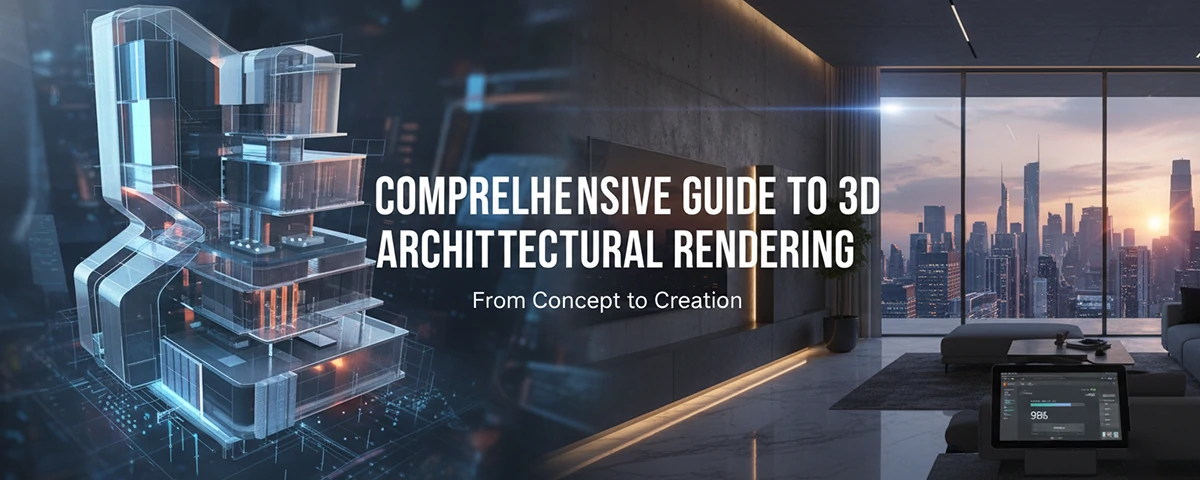
Complete Guide to 3D Architectural Rendering
Master the art of creating stunning architectural visualizations with our comprehensive guide to 3D architectural rendering
 Pro Pixel Agency

Master the art of creating stunning architectural visualizations with our comprehensive guide to 3D architectural rendering
🏗️ Introduction to 3D Architectural Rendering
3D architectural rendering has revolutionized the way architects, designers, and clients visualize building projects before they're constructed. This powerful technology transforms architectural blueprints and concepts into photorealistic digital images and animations, bridging the gap between imagination and reality.
In today's competitive architecture and design industry, 3D architectural rendering has become an indispensable tool. It allows professionals to communicate their vision effectively, identify potential design issues early, and secure client approval with confidence. Whether you're an architect presenting to stakeholders, a real estate developer marketing properties, or a designer exploring creative possibilities, mastering 3D architectural rendering is essential for success.
What You'll Learn
- ✅ Comprehensive understanding of 3D architectural rendering
- ✅ Essential tools and software for getting started
- ✅ Professional techniques for creating stunning visualizations
- ✅ Solutions to common rendering challenges
- ✅ Industry best practices and optimization strategies
🎯 Understanding 3D Architectural Rendering
What is 3D Architectural Rendering?
3D architectural rendering is the process of creating three-dimensional digital images or animations from architectural designs using specialized computer software. This technique transforms 2D architectural drawings, floor plans, and conceptual sketches into realistic, detailed visualizations that show how a building or space will look once completed.
🌟 Key Benefits
- Enhanced Visualization: See designs before construction begins
- Improved Communication: Clear client presentations and approvals
- Cost Savings: Identify issues early in the design phase
- Marketing Power: Stunning visuals for property sales
- Design Validation: Test lighting, materials, and layouts
🏢 Common Applications
- Residential Projects: Homes, apartments, condominiums
- Commercial Buildings: Offices, retail spaces, hotels
- Urban Planning: City developments, public spaces
- Interior Design: Room layouts, furniture placement
- Landscape Architecture: Gardens, parks, outdoor spaces
💡 Industry Impact
The impact of 3D architectural rendering extends beyond individual projects. It has transformed how the entire construction industry operates, enabling better collaboration between architects, engineers, contractors, and clients. Modern 3D architectural rendering techniques have reduced project timelines, minimized costly revisions, and elevated the standard of architectural presentation worldwide.
🚀 Getting Started with 3D Architectural Rendering
Essential Tools and Software
🎨 Beginner-Friendly
- SketchUp Pro
- Lumion
- Twinmotion
- Enscape
⚡ Professional
- Autodesk 3ds Max
- V-Ray
- Corona Renderer
- Revit + Enscape
🔥 Advanced
- Blender (Free!)
- Cinema 4D
- Unreal Engine
- KeyShot
Step-by-Step Beginner's Guide
Choose Your Software
Start with beginner-friendly software like SketchUp Pro or Twinmotion. These tools offer intuitive interfaces and extensive learning resources, making them perfect for newcomers to 3D architectural rendering.
Learn the Basics
Master fundamental concepts: 3D modeling, texturing, lighting, and camera positioning. Focus on understanding how these elements work together to create compelling 3D architectural renderings.
Start with Simple Projects
Begin with basic room interiors or simple building exteriors. Practice applying materials, adjusting lighting, and experimenting with different camera angles to build your 3D architectural rendering skills.
Build Your Portfolio
Create diverse projects showcasing different styles, lighting conditions, and architectural types. A strong portfolio demonstrates your 3D architectural rendering capabilities to potential clients or employers.
💻 Hardware Requirements
Minimum Specs:
- Intel i5 or AMD Ryzen 5
- 16GB RAM
- GTX 1060 or equivalent
- 500GB SSD storage
Recommended Specs:
- Intel i7/i9 or AMD Ryzen 7/9
- 32GB+ RAM
- RTX 3070 or better
- 1TB+ NVMe SSD
⚡ Optimizing 3D Architectural Rendering for Best Results
🎨 Lighting Mastery
- Natural Lighting: Use HDRI environments for realistic outdoor lighting
- Interior Lighting: Balance artificial and natural light sources
- Golden Hour: Render during optimal lighting conditions
- Shadow Quality: Adjust shadow settings for realism
🎯 Material Excellence
- High-Quality Textures: Use 4K+ resolution materials
- PBR Materials: Physically Based Rendering for accuracy
- Proper Scaling: Ensure realistic material proportions
- Variation: Add subtle imperfections for realism
Professional Rendering Techniques
📐 Composition and Framing
Master the art of composition in your 3D architectural renderings. Use the rule of thirds, leading lines, and strategic viewpoints to create visually compelling images that highlight your design's best features.
🎬 Post-Processing Excellence
Enhance your 3D architectural renderings with professional post-processing techniques. Subtle adjustments in color grading, contrast, and atmospheric effects can transform good renders into exceptional visualizations.
⚡ Performance Optimization Tips
Render Settings:
- Use progressive rendering for previews
- Optimize sampling rates
- Enable GPU acceleration
- Use render regions for testing
Scene Optimization:
- Use proxy objects for complex geometry
- Optimize polygon counts
- Implement level-of-detail systems
- Cache frequently used assets
🛠️ Common Challenges and Solutions
Long Render Times
Common Causes:
- High-resolution textures
- Complex lighting setups
- Excessive polygon counts
- Inefficient render settings
Solutions:
- Use render farms for final outputs
- Optimize geometry and materials
- Implement progressive rendering
- Use GPU-accelerated engines
Unrealistic Lighting
Common Issues:
- Overly bright or dark scenes
- Harsh shadows
- Incorrect color temperature
- Missing ambient lighting
Solutions:
- Study real-world lighting references
- Use HDRI environments
- Balance multiple light sources
- Adjust global illumination settings
Material and Texture Issues
Common Problems:
- Repetitive texture patterns
- Incorrect material scaling
- Poor texture quality
- Unrealistic material properties
Solutions:
- Use high-quality texture libraries
- Apply proper UV mapping
- Add variation with blend materials
- Study real material properties
Client Feedback and Revisions
Common Challenges:
- Unclear client requirements
- Multiple revision rounds
- Conflicting stakeholder opinions
- Last-minute design changes
Solutions:
- Create detailed project briefs
- Use iterative approval processes
- Provide multiple viewing options
- Maintain organized project files
🎯 Pro Tips for Success
Always Test Render
Use low-quality test renders to check composition and lighting before final output
Keep Learning
Stay updated with new techniques and software features in the rapidly evolving field
Build a Network
Connect with other professionals and share knowledge in online communities
🎓 Conclusion and Next Steps
Mastering 3D architectural rendering is a journey that combines technical skills, artistic vision, and continuous learning. Throughout this comprehensive guide, we've explored the fundamental concepts, essential tools, optimization techniques, and common challenges that define success in 3D architectural rendering.
The field of 3D architectural rendering continues to evolve rapidly, with new technologies like real-time rendering, virtual reality, and AI-assisted workflows reshaping how we create and experience architectural visualizations. By building a strong foundation in the principles covered in this guide, you'll be well-prepared to adapt to these emerging trends and technologies.
📚 Recommended Learning Resources
- Online Courses: Udemy, Coursera, LinkedIn Learning
- YouTube Channels: Software-specific tutorials and tips
- Forums: CGArchitect, Blender Artists, V-Ray Community
- Books: Digital architecture and visualization guides
🚀 Your Action Plan
- Choose and master one primary software
- Complete 5-10 practice projects
- Build a professional portfolio
- Network with industry professionals
Ready to Start Your 3D Architectural Rendering Journey?
The world of 3D architectural rendering offers endless creative possibilities and career opportunities. Whether you're an architect looking to enhance your presentations, a designer exploring new visualization techniques, or someone passionate about digital art and architecture, the skills you develop in 3D architectural rendering will serve you well in this exciting field.
Where to go next
- Render Faster. Optimize Smarter.
- Cinematic Bloom & Glare Effects for Stunning 3D Renders
- Make your 3D renders look breathtaking while rendering faster
More useful paths
Use these paths to continue with the closest practical topic, service, or decision guide.
Spotted something wrong? Report an error on this page. We correct on the page and say what changed.