Best Video Editing Services to Outsource
Let's be honest for a moment. Video editing is time-intensive, technical work that takes hours away from what you do best—creating content.
 Pro Pixel Agency
Why Outsource Video Editing?
Let's be honest for a moment. Video editing is time-intensive, technical work that takes hours away from what you do best—creating content. You're likely spending 4-8 hours per video in post-production, time that could go toward growing your audience, improving your content, or simply taking a break. Outsourcing transforms your production in ways most creators only realize after making that first leap.

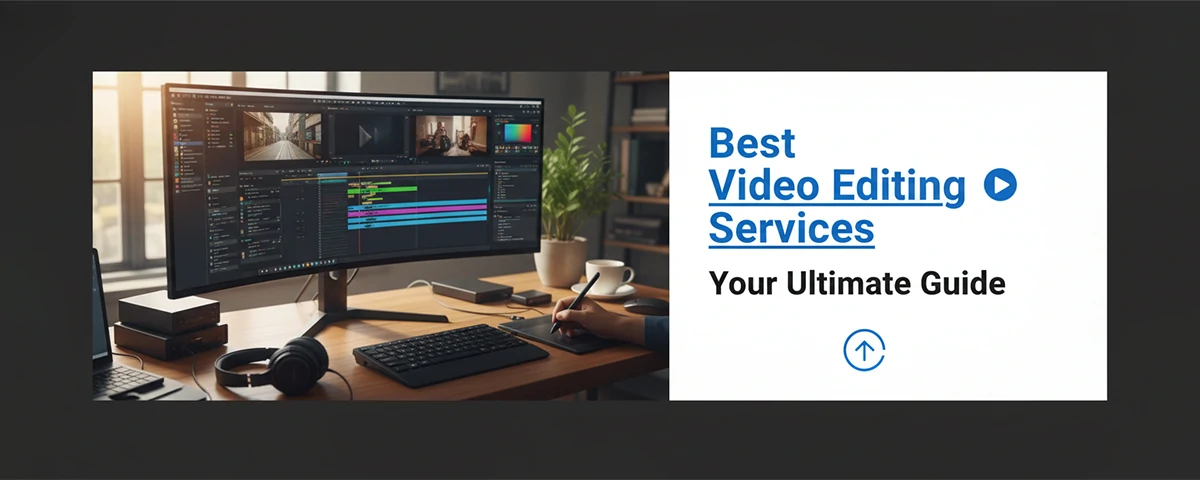
Professional editing workflow setup with dual monitors
Time is your most valuable resource as a content creator. Every hour spent editing is an hour not spent on content strategy, on-camera presence, or audience growth. When you outsource editing, you reclaim those hours while actually improving output quality. It's not about working less—it's about working smarter on what actually moves the needle.
Scalable Production Without the Sacrifice
Here's the uncomfortable truth: editing takes exponentially longer as production quality increases. What starts as a 2-hour edit becomes 4 hours, then 6, as you add transitions, color grading, motion graphics, and sound design. Outsourcing means you can scale content volume without scaling personal time investment. A dedicated editor can handle increasing workloads while you maintain consistent posting schedules—even as you grow from 1 video weekly to daily uploads.
Professional Quality That Stands Out
Professional editors specialize in software, techniques, and trends you simply don't have time to master. They bring refined skills, better equipment, and creative vision that elevates every video you publish. While you've been struggling with cutting and transitions, they've mastered these skills over years of practice. That expertise shows in your final product—smoother edits, better pacing, more engaging visual storytelling.

Color grading session with professional monitor
Focus on Your Core Strengths
Your unique value comes from being on-camera, not in post-production. That's where your personality shines, where your expertise becomes evident to viewers, where you build genuine connection. Outsourcing lets you concentrate on what actually drives channel growth—the content itself. The ideas, the delivery, the audience relationship—all the things that can't be outsourced.
Key Insight
Creators who outsource editing typically see 40-60% more content output with higher overall quality—all while reducing their personal work hours by 10+ hours weekly. That's time you can reinvest in strategy, audience engagement, or simply avoiding burnout.
Types of Video Editing Services
Understanding different service types helps you match your needs with the right provider. Each category offers distinct value and price points—and knowing what you need avoids overpaying for services you don't actually require.
Cutting Only
Basic editing from raw footage—organizing clips, removing errors, creating basic flow, and rough assembly. You handle graphics and effects separately.
Fully Edited
Complete production including cutting, effects, color grading, motion graphics, and sound design. You send raw footage, receive ready-to-upload video.
Color Grading
Specialized color correction, visual consistency, and cinematic color enhancement. Transforms raw footage into polished, professional-looking content.
YouTube Shorts/VOD
Platform-specific editing optimized for YouTube algorithm and formatting requirements. Includes chapters, cards, end screens, and platform optimization.
Sound Design
Audio mixing, sound effects, voice enhancement, and music licensing. Creates professional audio that matches visual quality.
Motion Graphics
Intro animations, lower thirds, text reveals, and custom graphics. Adds dynamic visual elements that make content professional and engaging.
Multi-Platform
Edited versions for multiple platforms from single source content. Tailored formatting for YouTube, TikTok, Instagram, and other platforms.
Viral/Shorts
Creating short-form viral content from longer videos. Identifying best moments and repackaging for maximum reach and algorithm favor.
Top Freelance Video Editors
Freelance editors offer flexibility with often lower costs than agencies. Here's what to look for and what top talent typically offers. Many creators find their perfect long-term editing partner in the freelance market.
Benefits of Working With Freelancers
- Direct Communication: Who you work with is who edits your content. No middleman, no account managers—just you and the creative handling your videos.
- Flexible Pricing: You can negotiate per-project or per-video rates, find packages that work for your budget, and build custom arrangements unavailable at agencies.
- Niche Specialization: Many freelancers specialize in specific content types—gaming, tutorials, vlogs, tech reviews. Finding someone who knows your exact format produces better results faster.
- Long-Term Relationships: Your editor learns your style over time, reducing briefing needs and improving consistency. They've seen what works for your audience!

Many talented editors work remotely as freelancers
What Top Freelancers Offer
Exceptional freelance editors typically provide comprehensive packages. Look for services including multiple revision rounds (usually 2-3 included), stock footage licensing (music and b-roll from licensed libraries), custom motion graphics tailored to your brand, platform-optimized exports in multiple formats, and rush delivery options when you need content fast.
Where to Find Quality Freelancers
Several platforms connect you with talented video editors. Upwork offers access to specialized editors with verified reviews and portfolios. Fiverr provides quick turnaround options for faster projects at various price points. People Per Hour focuses on professional UK and European talent. Reddit communities like r/videoediting and r/forhire feature direct editor outreach. LinkedIn works well for finding editorial professionals with corporate experience.
Video Editing Agencies
Agencies offer comprehensive solutions ideal for high-volume production and enterprise needs. Here's when agency relationships make sense—and when they might be overkill for your current situation.
When Agencies Make Sense
- Turnkey Solutions: They handle everything from raw footage through final delivery—their process captures footage, organizes logistics, manages assets, handles post-production, manages deliverable files.
- Scalable Capacity: Multiple editors mean guaranteed turnaround times even for large projects. There's no single point of failure—if your primary editor is unavailable, others can step in seamlessly.
- Consistent Quality: Standardized processes ensure brand coherence across all content. They have templates, workflows, and QA processes that maintain quality regardless of which editor works on your project.
- Full Teams: Access directors, motion designers, colorists, and sound engineers—all within one organization. Complex productions requiring multiple specialists benefit from coordinated teams.

Agencies provide dedicated teams for complex projects
Pro Tip
Start with freelancers to understand your style preferences and establish clear workflows. Once you have a well-defined process and quality standards, an agency can replicate your template efficiently. Many creators start with freelancers and transition to agencies once they've refined what they want.
Outsourcing Platforms Compared
Various platforms connect creators with editing talent. Here are the primary options and what each offers. Your choice depends on budget, timeline, and quality requirements.
| Platform | Best For | Price Range |
|---|---|---|
| Upwork | Finding specialized editors with verified portfolios | $25-150/hr |
| Fiverr | Quick turnaround projects | $50-500/project |
| Patreon | Exclusive communities with dedicated editors | Varies by creator |
| Filmable | Professional full-service editing | $200-2000/project |
| Videoeditor.co | YouTube creators specifically | $75-300/video |
Complete Pricing Guide
Understanding video editing pricing helps you budget effectively and evaluate quotes properly. Here's what you need to know before getting started.
Common Pricing Models
- Hourly Rate: Common for ongoing relationships. Most editors range $25-150/hour depending on experience, niche expertise, and location. Calculate based on expected editing time per video.
- Per-Minute Pricing: Popular for YouTube content. Ranges $50-500/minute for finished edits. More complex videos with effects and motion graphics cost more.
- Per-Project Fixed: Fixed price for complete videos. Often costs $200-2000+ depending on complexity, length, and requirements. Good for predictable budgeting.
- Retainer Agreements: Monthly agreements guaranteeing priority access. Usually requires monthly commitment—great when you have consistent volume.
Factors That Affect Cost
- Video Length: Longer videos require more editing time—typically calculates to per-minute pricing. A 20-minute video takes significantly longer than a 10-minute one.
- Complexity Level: Motion graphics, special effects, green screen work, and intensive color grading raise costs. Simple cutting versus full motion graphics are very different price points.
- Turnaround Time: Rush orders often cost 25-50% premium. If you need it tomorrow instead of next week, expect to pay extra for prioritized service.
- Experience Level: Editors with proven track records, niche expertise (gaming, tech, cooking), and exceptional portfolios command higher rates. You're paying for expertise.
Sample Pricing Calculations
$150-300
10-min YouTube Video
(Basic Editing)
$400-800
10-min YouTube Video
(Full Production)
$800-2000
30-min YouTube Video
(Full Production)
How to Choose the Right Service
Finding the perfect match requires knowing what to evaluate. Here's your evaluation framework to avoid costly mistakes.
-
1
Review Their Portfolio Thoroughly
Watch their previous work—particularly content similar to your own. Quality signals translate directly. Don't just glance; watch fully to assess pacing, transitions, and visual consistency. Ask for case studies if available.
-
2
Test With a Trial Project
Start with one video before committing. Test communication, quality, turnaround, and working relationship before scaling. This small investment reveals far more than any portfolio or conversation could.
-
3
Assess Communication Quality
Response quality during initial contact predicts working relationship. Fast, clear communicators typically make better partners. Note response time, clarity, and whether they ask good questions about your needs.
-
4
Check References and Reviews
Ask for previous client contacts. Speaking directly with someone they've worked with reveals honest insights. Check multiple reviews across platforms.
-
5
Clarify Rights and Ownership
Confirm what rights you receive to edited work. Ensure licensing allows your intended use—commercial, social media, broadcast. Get this in writing before starting.
Setting Up Your Workflow
Efficient workflows make outsourcing sustainable. Here's how to structure for success from day one. Good process prevents problems down the line.
Essential Workflow Elements
- Clear Briefs: Written instructions explaining exactly what you want. Include reference videos demonstrating your preferred style, specific requirements, and don'ts. The better your brief, the better the result.
- Organized Assets: Cloud folders with clearly named files. Raw footage, music, graphics in labeled subfolders. Include a shot log noting good takes and important moments.
- Feedback Forms: Structured templates make revision requests clear and rapid. Don't leave feedback in long emails—use forms for consistent communication.
- Delivery Requirements: Platform-specific specs—YouTube 4K, Instagram stories, TikTok vertical. Provide specifications upfront to avoid re-rendering.

Organized workflows enable seamless collaboration
Recommended Tool Stack
Modern editing workflows connect smoothly with collaboration tools. Use Google Drive, Dropbox, or Frame.io for file sharing and feedback. Sync with Slack or Discord for communication. Connect with Asana or Trello for project tracking. Frame.io provides video-specific feedback annotation that editors love.
Quality Control Systems
Maintaining consistent quality requires established checkpoints and revision processes. Here's how professionals ensure quality at scale.
Standard Review Stages
- Rough Cut Review: Review pacing and storyline first. Structural changes are easier now—before detailed work. Ask: Does the story flow? Is anything missing?
- Fine Cut Review: Check edits, timing, and transitions. Review before color and effects finalized. Ask: Do cuts feel natural? Is pacing right?
- Polish Review: Final review with color grading, sound design, and motion elements. Everything should be complete—this is your last chance before delivery.
Revision Policy
Establish clear revision expectations upfront. Most professional services include 1-2 revision rounds in the initial price; additional revisions may carry fees. Build revision requests into original project scope for smooth relationships. Document what's included clearly to avoid surprises.
Common Mistakes to Avoid
Learning from others' outsourcing mistakes helps you avoid them entirely. Here's what to watch for.
These Costly Errors Will Break Your Project
- Selecting based on price alone—cheapest rarely gives best value, especially for something as important as your content.
- Skipping trial projects—big commitments without testing usually result in wasted money and time.
- Unclear briefs leading to endless revision loops—clarity upfront saves everything later.
- Not clarifying rights and licensing upfront—this leads to legal issues or unexpected restrictions.
- Choosing wrong niche—find editors experienced in your specific content type, not just any editor.
- Ignoring communication quality—bad communication predicts bad working relationships.
- Not having written agreements—get everything documented, including revisions, timeline, and rights.
Scaling Your Production
As your channel grows, your editing needs evolve. Here's how to scale effectively while maintaining quality—and eventually building your own team.
Growing With Demand
Start with one editor—build relationship and quality standards together. As volume increases, bring in backup editors already familiar with your style. Eventually, consider a dedicated team with a lead editor managing others. The key is maintaining quality as you scale.
Documentation Investment
Create style guides, editing manuals, and template packages. This documentation makes onboarding new editors faster and ensures consistent output—even as your team grows. Include brand colors, preferred transitions, template locations, music guidelines, and reference videos demonstrating your style.
Building Your Internal Team
The ultimate goal is building your own editing team. This gives most control—in-house editors fully understand your brand, have guaranteed availability, and provide best long-term economics. Many successful creators eventually hire in-house editors when they reach consistent upload schedules. The progression typically goes: freelance → dedicated freelance → freelance team → in-house editor.

Building a team scales production while maintaining quality
Niche-Specific Video Editing
Different content types require different editing approaches. Understanding niche-specific requirements helps you find editors who genuinely understand your format rather than generalists who might miss the mark.
Gaming and Stream Content
Gaming content has unique needs: highlight compilation from longer streams, engagement hooks, visual effects during key moments, and platform-optimized formatting for both YouTube and clips. Editors experienced with gaming content understand how to capture and edit intense moments without over-editing.
Educational and Tutorial Content
Educational videos require clarity above all. Editing should enhance understanding through visual demonstrations, screen recordings, text overlays, and clean pacing. An editor experienced in education knows to keep cuts predictable and transitions helpful rather than flashy.
Vlogs and Lifestyle Content
Vlog editing focuses on storytelling through assembled footage, natural pacing, mood-appropriate music, and personal touches. The best vlog editors know when to cut and when to let moments breathe—they understand authenticity.
Tech Reviews and Product Content
Tech content requires clean product shots, screen recording integration, comparison graphics, and structured breakdowns. Editors in this niche understand how to make technical information visual and engaging while maintaining accuracy.
Red Flags to Watch For
Knowing what to avoid saves time and money. Here are warning signs that should make you reconsider a potential editing partner.
Too Good to Be True Pricing
Extremely low rates usually mean rushed work, template-based editing, or experience levels below what you need. Quality editing requires appropriate investment.
No Portfolio or Invalid Links
Cannot show actual work or provides links that don't work. Always verify samples—request links to complete videos, not just compilations.
Poor Communication
Slow responses or unclear communication before you even hire predict difficult working relationships once money is involved.
No Revisions Policy
Refusing any revisions is unrealistic. Professional editors include at least one round—their work shouldn't be perfect without feedback.
Vague Pricing
Cannot provide clear quotes or keeps avoiding direct answers about what's included. Transparency before hiring matters—a lot.
Unprofessional Contracts
No written agreement, no clear terms, or reluctance to document anything in writing. Get everything documented.
Managing Remote Editors Effectively
Managing remote creative talent requires different skills than in-house management. Here's how to get the best results from your editing partnership.
Clear Briefs Save Time
Invest time in initial briefings—the more context you provide upfront, the fewer revisions needed later. Include reference videos of your preferred style, specific requirements for each video, and clear do's and don'ts. Write briefs down rather than explaining verbally.
Build Relationships, Not Transactions
Treat editors as partners, not vendors. Share channel progress, include them in discussions about content direction, recognize good work publicly. When editors feel valued, they invest more in your success. Long-term relationships outperform constantly switching providers.
Regular Check-Ins
Weekly or bi-weekly check-ins catch problems early, provide context beyond individual projects, and build stronger working relationships. Use these sessions to discuss upcoming content, share feedback on patterns, and align on direction.
Feedback That Helps
Specific, constructive feedback improves results. Point to exact timestamps, reference your vision clearly, explain what feels off and why. Avoid vague feedback like "make it pop"—provide actionable direction that helps your editor improve.
Contract and Legal Considerations
Protecting yourself and your content requires clarity on legal aspects. Here are the key elements to address before starting any editing relationship.
Work Ownership Rights
Who owns the edited footage? Full transfer of rights typically requires explicit agreement. Most editors grant you usage rights for your content but may retain rights to show work in their portfolio. Clarify what you receive.
Payment Terms
Payment timing protects both parties. Common terms include partial upfront for new clients, milestone payments for large projects, and net-15 or net-30 for ongoing relationships. Never pay 100% upfront.
Revision Limits
Document what's included—typically 1-2 rounds. Define additional revision pricing to avoid surprise invoices. Clear scope prevents scope creep and ensures fair compensation.
Confidentiality
Your content ideas, strategies, and unpublished material deserve protection. Include confidentiality clauses requiring editors to not share your content publicly without permission. This is especially important for content in development.
Termination Terms
How does either party end the relationship? Define notice periods, final payment obligations for work completed, and file delivery requirements. Nobody wants to be stuck in a bad relationship without clear exit terms.
Understanding Timelines and Turnaround
Realistic timelines keep projects on track and relationships healthy. Understanding what affects turnaround helps set expectations that work for everyone.
Standard Turnaround Times
Expect 5-10 business days for standard projects (10-20 minute videos). Smaller projects might take 2-5 days. Larger productions or complex edits with extensive motion graphics require 2-3 weeks. These timelines assume your editor isn't overloaded.
Factors That Affect Timeline
Video length directly affects editing time. Complexity from motion graphics and effects adds hours. Your briefing clarity speeds or slows revision rounds. Editor availability matters—they may be booked. Rush orders typically cost 25-50% premium for priority scheduling.
Building Buffer Time
Always build buffer time into your content calendar. Plan for at least 20% beyond estimated turnaround. Unexpected issues happen—footage problems, revision requests, editor emergencies. Your content schedule shouldn't depend on miracles.
Sample Production Timeline
Day 1
Send footage + brief
Day 3-5
Rough cut delivery
Day 6-8
Revision round
Day 9-10
Final delivery
Essential Tools for Collaboration
The right tools make remote collaboration smooth. Here's what successful creator-editor partnerships use daily.
File Sharing and Storage
Frame.io leads for video-specific feedback and collaboration. Google Drive and Dropbox work for general file sharing. High-volume creators often use dedicated storage solutions with editor access. Transfer speeds matter—large footage files need good bandwidth.
Communication Platforms
Slack offers organized channels and integrations. Discord works well for real-time collaboration. Email remains for formal communications and documentation. Video calls help build relationships—use them for regular check-ins.
Project Management
Trello provides simple kanban-style tracking. Asana handles complex multi-project workflows. Notion works for documentation and knowledge bases. Choose based on your complexity needs—simpler is often better.
Software Compatibility
Industry standards include Premiere Pro, Final Cut Pro, DaVinci Resolve. Your editor should match your software or export to your preferred format. Software differences cause compatibility headaches—clarify upfront.
Future of Video Editing Outsourcing
The editing industry evolves with technology. Understanding trends helps you make better long-term decisions about your production strategy.
AI and Automation Impact
AI editing tools handle basic cutting, transcription, and even simple effects. These tools assist human editors rather than replacing them—the human creative eye remains essential for quality content. Understanding AI capabilities helps you delegate appropriately.
Remote Work Evolution
Remote editing became standard. Global talent pools mean competitive pricing. Asynchronous collaboration tools improve constantly. The future favors skill over location—find the best editor regardless of geography.
Specialization Trends
Niche specialization increases—editors who focus on specific platforms, formats, or industries command premium rates. Platform-specific expertise becomes more valuable as YouTube, TikTok, and other platforms evolve differently.
Pricing Evolution
Expect rate increases as talent demand grows. Value-based pricing becomes more common over per-hour models. Quality editors continue commanding premiums while basic editing faces downward price pressure.
Frequently Asked Questions
How much should I budget for professional video editing?
Most YouTube editing runs $50-150/minute of finished video. Calculate based on your video length. Starting freelancers often charge $25-50/hour. A 15-minute video typically costs $300-1500 depending on complexity. Budget realistically—cheap editing shows in final quality.
Is outsourcing worth it for new YouTubers?
Once you reach 2-3 videos weekly consistently, outsourcing makes financial and time sense. Before that, learning editing yourself builds valuable creative skills and saves money. However, if editing genuinely isn't your strength and slows you down significantly, consider outsourcing earlier—what matters is consistent content flow.
How do I hand off footage to editors efficiently?
Use cloud storage (Google Drive, Dropbox, Frame.io). Organize files clearly—label takes, include shot log with good moments noted, provide reference links to your style. The more organized your assets, the smoother the project flows and faster you get quality results.
What if I don't like the editing?
Professional services include revision rounds. Build clear feedback into your brief initially. If quality consistently misses expectations, find better fit���finding your right editor sometimes takes trying a few options. Don't settle for mediocrity when you've invested in your content.
Can editors match my brand style?
Yes. Provide reference videos, brand guidelines, and style guides. Top editors adapt quickly—building this understanding over time actually improves results. Your brand style becomes their expertise over multiple projects.
How long does video editing take?
Expect 1-2 weeks for standard turnaround. Complex productions or rush orders vary. Rule of thumb: editing takes roughly 1-2x the video length in hours for full production. A 15-minute video needs 15-30 hours typically.
Do I need to provide music and graphics?
Many editors include basic music licensing in packages. Graphics depend on your needs—some have stock templates available, others need custom creation. Clarify what's included in your agreements.
Final Thoughts
The right video editing service transforms your content production from a overwhelming time sink into a sustainable, scalable operation. Start with clear needs, budget realistic expectations, and begin with trial projects before making big commitments. Finding your perfect fit takes trying options—but the right partnership transforms your content and frees your time for what matters: creating.
The best outsourcing relationships become genuine partnerships. Your editor understands your vision, your brand, your audience. They elevate your content while you focus on creating the ideas that resonate with viewers. That partnership starts with taking that first step—reaching out, testing, and building the collaboration that helps your channel grow.
Remember: the cheapest option rarely provides the best value. Quality editing affects every video you publish, making this decision one of the most impactful investments you can make in your channel's growth. Invest wisely, test thoroughly, and build relationships that last.
Continue Learning
Content Production Guide
Scale your entire production pipeline.
YouTube Growth Tips
Proven strategies for scaling faster.
Creator Business Models
Build sustainable income streams.
Where to go next
- Hire Adobe Dimension Experts for Stunning 3D
- Hire designers who make Topaz Studio sing.
- Hire Expert Freelance Video Editors
More useful paths
Use these paths to continue with the closest practical topic, service, or decision guide.
Spotted something wrong? Report an error on this page. We correct on the page and say what changed.