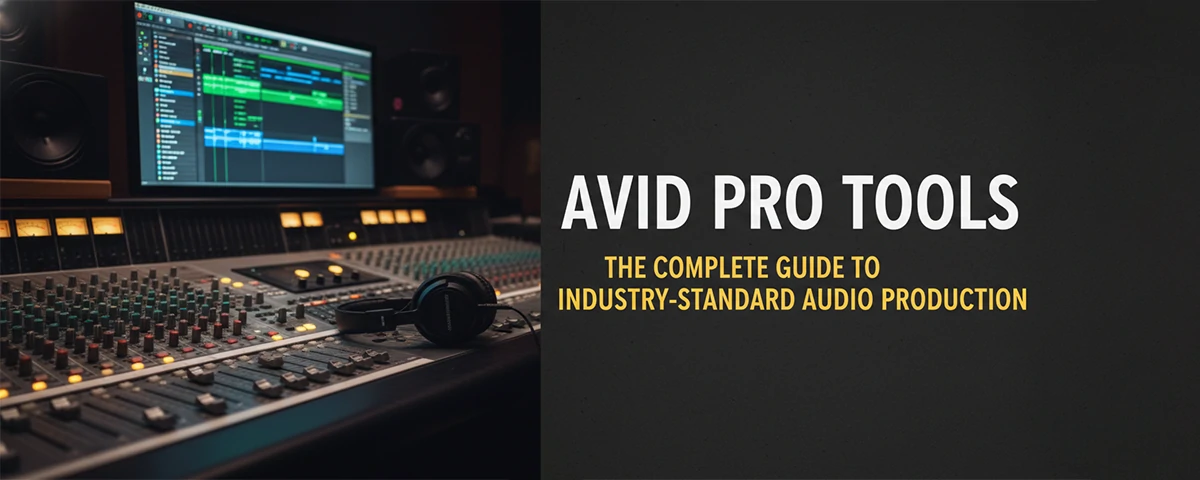
Avid Pro Tools: The Complete Guide to Professional Audio Production
Discover everything you need to know about Avid Pro Tools, from basic setup to advanced production techniques used by professionals worldwide.
 Pro Pixel Agency
Discover everything you need to know about Avid Pro Tools, from basic setup to advanced production techniques used by professionals worldwide.
Explore Features
Compare Versions
Pro
Standard in Studios
1M+ Users Worldwide
Getting Started
What Is Avid Pro Tools?
Avid Pro Tools is the industry-standard digital audio workstation (DAW) used by music producers, sound engineers, film composers, and content creators worldwide.
Industry Standard
Pro Tools is the preferred DAW in professional recording studios, film post-production facilities, and broadcast organizations across the globe.
Powerful Recording
Experience ultra-low latency recording with advanced vocal and instrument tracking capabilities that capture every nuance of your performance.
Professional Mixing
Access over 100 included instruments, effects, and sound processing tools to create radio-ready mixes directly within the application.
Why Musicians Choose Pro Tools
Whether you're producing your first album or engineering for major label releases, Pro Tools provides the reliability and features professionals demand.
The Recording Advantage
Pro Tools excels at capturing high-quality audio with its advanced recording engine. The software supports sample rates up to 384 kHz and bit depths up to 32-bit floating point, ensuring you capture every detail of your performance.
The intuitive recording interface makes it easy to set up complicated sessions with multiple inputs, create custom headphone mixes for artists, and manage complex take workflows without missing a moment of inspiration.
Professional Grade
Used by Grammy-winning producers and Hollywood sound designers
Versions
Pro Tools Versions Explained
Avid offers several versions of Pro Tools to match different needs and budgets, from hobbyists to full professional installations.
Pro Tools First
Free entry-level version
Free
- 16 tracks
- Basic effects
- Cloud collaboration
- 1GB cloud storage
Get Started Free
Most Popular
Pro Tools
Standard version
$29.99 /month
- 128 tracks
- Full effects suite
- MIDI tools
- 10GB cloud storage
Subscribe Now
Pro Tools Ultimate
Advanced version
$79.99 /month
- Unlimited tracks
- Advanced tools
- Surround mixing
- 100GB cloud storage
Core Features
Essential Pro Tools Features
Master these powerful features to take your productions to the next level.
Elastic Time and Pitch
Perfect timing and tuning without affecting audio quality. Elastic Time stretches audio to match tempo while preserving pitch, and Elastic Pitch does the reverse. These tools are essential for correcting timing issues in recorded performances.
Advanced MIDI Sequencing
Pro Tools includes a comprehensive MIDI editor that lets you manipulate notes, velocity, and timing with precision. Create drum patterns, compose melodies, and program virtual instrument parts directly in the timeline.
Avid Cloud Collaboration
Work with collaborators anywhere in the world. Share sessions, get feedback, and sync changes in real-time through Avid's cloud platform. This feature has revolutionized remote music production workflows.
Industry-Leading Plugins
Pro Tools includes hundreds of effects and virtual instruments, from EQ and compression to synthesizers and drum machines. Additional plugins from Avid and third-party developers expand your sonic possibilities infinitely.
Workflow
Setting Up Your First Session
Get started with Pro Tools by properly configuring your audio interface and session settings.
Audio Interface Setup
Connect your audio interface via USB, Thunderbolt, or PCIe. Open Playback Engine in Pro Tools and select your interface as the playback device. Set your sample rate (44.1kHz for CD, 48kHz for video, higher for quality).
Creating a New Session
Go to File > New Session. Choose your session template (Song, Full Mix, Scoring) and set your time base (Bars/Beats for MIDI, Time Code for video work). Name your session and choose where to save it.
Adding Tracks
Click Track > New to add tracks. Choose audio, MIDI, or auxiliary input tracks. Set the number of inputs and outputs. Configure track naming conventions to keep your session organized.
Recording Setup
Enable record arm on your track input. Check input monitoring is on. Set your input level to avoid clipping. Create a click track if needed. You're now ready to start recording.
Hardware
Pro Tools Compatibility
Pro Tools works with a wide range of audio interfaces and control surfaces to suit any budget.
Audio Interfaces
Pro Tools supports virtually any Core Audio (Mac) or ASIO (Windows) compatible interface. Popular choices include Universal Audio Apollo, Avid's own interfaces, Focusrite, and Presonus.
Control Surfaces
From the Avid S1 and S3 to third-party surfaces like SSL UC, Icon, and Behringer, control surfaces integrate tightly with Pro Tools for tactile mixing control.
MIDI Controllers
Connect keyboards, pad controllers, and other MIDI devices for controlling virtual instruments and transport functions. Most Class Compliant MIDI devices work plug-and-play.
System Requirements
- macOS 12/13/14 or Windows 10/11
- 16GB RAM minimum (32GB recommended)
- Intel Core i5 or higher
- 15GB disk space minimum
- SSD recommended for performance
- Internet connection for activation
Production
Mixing Basics in Pro Tools
Learn the fundamentals of creating professional-sounding mixes using Pro Tools' mixing console and effects.
Level Balancing
Start by setting relative levels between tracks. Use your ears to create a balanced mix before adding any processing. The goal is a coherent balance where all elements sit well together.
EQ Fundamentals
Use EQ to fix frequency problems and shape tone. Cut problem frequencies before boosting desired ones. High-pass filter unnecessary low content on non-bass tracks.
Compression
Control dynamic range with compression. Use moderate ratios (2:1 to 4:1) for gentle control, higher ratios for effect. Listen for unwanted artifacts like pumping or squashing.
Advanced
Advanced Production Techniques
Take your productions to the next level with these professional techniques.
Parallel Processing
Instead of replacing your dry signal with processed audio, create parallel (or parallel wet) signal chains. Send your track to an auxiliary input and process it heavily, then blend it with the dry signal for creative effects.
Example: Create a parallel drum compression send for huge, punchy drums. Add delay or reverb sends for wider stereo imaging on specific tracks.
Sidechain Compression
Use external sidechain inputs to make one track react to another. The classic use is ducking a bass track when the kick hits. This creates space in the mix and adds punch to rhythmic elements.
Tip: Try sidechaining synths to pads for ambient movement, or vocals to guitars to add clarity to vocal-forward mixes.
Advanced Automation
Pro Tools' automation system is among the most flexible in the industry. Write automation for volume, pan, sends, and plugin parameters to add movement and interest to your mixes over time.
Pro Tip: Automate plugin parameters throughout the song to add variation. Change filter sweeps, swap presets at specific sections, or automate reverb wet/dry mix.
Frequently Asked Questions
Is Pro Tools free to use?
Avid offers Pro Tools First, a free version with limited tracks and features. It's great for beginners learning the software. The full Pro Tools subscription costs $29.99/month for the standard version.
Can I use Pro Tools on Windows?
Yes, Pro Tools works on both macOS and Windows. Both versions offer identical features and workflow. Many professional studios use Windows-based Pro Tools systems with excellent results.
Do I need an audio interface for Pro Tools?
While you can use Pro Tools with your computer's built-in audio, an external audio interface is highly recommended for professional results. Interfaces provide better preamps, lower latency, and more reliable operation.
How long does it take to learn Pro Tools?
Basic proficiency takes a few weeks of consistent use. Mastery of advanced features takes months to years of practice. The interface is intuitive, but professional workflows take time to develop.
Can I open Pro Tools sessions in other DAWs?
Pro Tools sessions can be exported to generic formats like WAV and MIDI for use in other DAWs. However, complete session compatibility between DAWs is limited due to different plugin formats and automation systems.
What's the difference between Pro Tools and Pro Tools Ultimate?
Pro Tools Ultimate offers unlimited tracks, advanced scoring tools, surround mixing capabilities, and 100GB cloud storage versus 10GB in standard. It's designed for professional film, TV, and music production workflows.
Resources
Learning Pro Tools
Resources to help you master Pro Tools and improve your audio production skills.
Official Documentation
Avid's official documentation and tutorials cover every feature in detail. Access them through the Help menu in Pro Tools or visit the Avid website for additional learning resources.
Community Forums
Join the Avid User Forums to connect with other Pro Tools users, ask questions, and share knowledge. The community is incredibly helpful for troubleshooting and learning new techniques.
Video Tutorials
YouTube and professional training sites offer thousands of Pro Tools tutorials. Look for instructors with professional credits and methods that match your learning style.
Image Suggestion for This Article
- Hero: Pro Tools interface screenshot with colorful waveforms
- Session setup: Audio interface connected to computer
- Mixing: Control surface with Pro Tools on screen
- Features: Close-up of mixing console plugins
- Collaboration: Musicians working in studio
- Learning: Person watching Pro Tools tutorial
Virtual Instruments
Pro Tools Built-In Instruments
Pro Tools includes a powerful collection of virtual instruments that let you create professional music without any external hardware.
Boom Drum Machine
A classic drum machine with vintage sounds and modern editing capabilities. Create drum patterns easily with the step sequencer and tweak sounds with the built-in synthesis engine.
Mini Grand Piano
A versatile piano instrument with multiple sampled piano models. From concert grand to upright, Mini Grand delivers realistic acoustic piano sounds for any genre.
Vacuum Synth
A monophonic synthesizer that recreates the warm, retro sounds of vacuum tube circuitry. Perfect for bass lines, leads, and vintage electronic textures.
Additional Instruments Included
- Structure - Sampler/ROMpler
- Xpand!2 - Multitimbral synth
- Impact - Drum sampler
- Neo Piano - Electric pianos
- DB-33 Tonewheel organ
- Stage Piano - Acoustic pianos
Sound Design
Audio Editing Techniques
Master these essential audio editing techniques to create professional-quality productions.
Voice Editing
Clean up vocal recordings by removing breaths, fixing timing issues, and smoothing out rough patches. Use the specialized AudioSuite plug-ins designed for voice processing.
Time Stretching
Change the length of audio without affecting pitch using Elastic Time. Perfect for fitting audio to specific song tempos or adjusting timing without re-recording.
Pitch Correction
Use Elastic Pitch to fix tuning issues in recorded audio. From subtle correction to dramatic effects, pitch manipulation is seamless and high-quality.
Region Grouping
Group multiple audio regions together for easier editing. Move, edit, or process multiple parts simultaneously while maintaining their relative positions.
Workflow
Optimizing Your Session Workflow
Implement these professional workflow techniques to speed up your production process.
Template Creation
Create session templates with your preferred track layouts, routing, and plugin chains. Save time by starting every new project with your professional setup ready to go.
Keyboard Shortcuts
Learn and customize keyboard shortcuts for common tasks. The default shortcuts are well-designed, but customizing them to match your workflow can dramatically speed up editing.
Track Color Coding
Use consistent color schemes for different instrument types. This makes it easy to identify tracks visually and navigate complex sessions quickly during mixing.
Essential Keyboard Shortcuts
- Space - Play/Stop
- Return - Go to start
- Command+D - Duplicate
- Command+Z - Undo
- Command+K - Add track
- Shift+R - Record arm
Start Your Pro Tools Journey
Whether you're just starting out or looking to refine your professional skills, Pro Tools has everything you need to create amazing music.
Download Pro Tools First
View Plans & Pricing
Where to go next
More useful paths
Use these paths to continue with the closest practical topic, service, or decision guide.
Spotted something wrong? Report an error on this page. We correct on the page and say what changed.