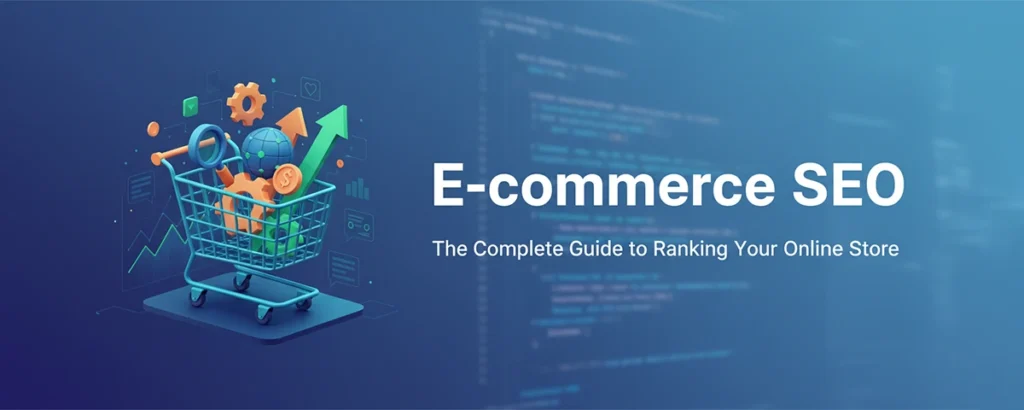
Everything you actually need to know about getting your e-commerce site to show up on Google, driving organic traffic that converts, and building a search presence that keeps paying dividends — long after you’ve done the work.
Table of contents
- Why E-commerce SEO Matters
- Keyword Research for Products
- Site Architecture & Structure
- Product Page Optimization
- Category Page SEO
- Technical SEO Essentials
- Content Marketing Strategy
- Link Building for E-commerce
- Mobile & Page Speed
- Measuring Success
- Voice Search & AI in E-commerce SEO
- International E-commerce SEO
- Key Takeaways
Let me paint you a picture. You’ve poured your heart (and a decent chunk of your savings) into building an online store. The products are amazing, the design looks sharp, and you’re ready for customers to come flooding in. But then … crickets. Sound familiar? Running an online store without SEO is like opening a gorgeous boutique in the middle of a desert with no roads leading to it. You might have the best products at the best prices, but if customers can’t find you, none of that matters.
Here’s the thing — unlike paid advertising where traffic vanishes the second you stop writing checks, SEO builds something that lasts. It’s like the difference between renting and owning. The customers who find you through organic search are actively looking for what you sell, which makes them far more likely to pull out their credit card than someone who stumbled across a random ad on social media.

In my 12 years of helping online retailers — from scrappy Shopify startups to enterprise-level operations pulling in eight figures — I’ve seen the same patterns over and over. The stores that invest in organic search don’t just survive; they thrive. In this guide, I’m going to share everything I’ve learned about ranking e-commerce websites. No fluff, no theory for theory’s sake — just battle-tested strategies that actually move the needle. Let’s dive in.
Why E-commerce SEO Matters
Let me be honest with you — if you’re running an online store and not investing in SEO, you’re leaving serious money on the table. And I’m not just saying that because it’s my job. The numbers tell a story that’s hard to argue with. Organic search drives roughly 33% of all e-commerce traffic, and here’s the kicker — those visitors convert at higher rates than almost any other channel. Think about it: when someone types “buy running shoes size 10” into Google, they’re not casually browsing. They have their wallet out.
E-commerce SEO by the Numbers
Ever wondered why some online stores seem to effortlessly dominate Google while others struggle to rank for even their own brand name? It almost always comes down to who invested in SEO early — and who kept at it. Let me break down exactly how SEO stacks up against paid advertising, because I think this comparison will really open your eyes.
SEO vs. Paid Advertising for E-commerce
| Factor | SEO | Paid Ads |
|---|---|---|
| Cost Over Time | Decreases as authority builds | Increases with competition |
| Traffic When Stopped | Continues flowing | Stops immediately |
| Trust Factor | Higher (organic results) | Lower (marked as ads) |
| Time to Results | 3–6 months | Immediate |
| Long-term Value | Compounds over time | No lasting value |
💡 Key Insight: Trust me on this one — the smartest e-commerce businesses use both SEO and paid advertising, but they invest heavily in SEO because it creates an asset that appreciates over time rather than an expense that vanishes when you stop paying. Think of SEO as buying a house and PPC as renting an apartment. Both keep a roof over your head, but only one builds equity.

Keyword Research for Products
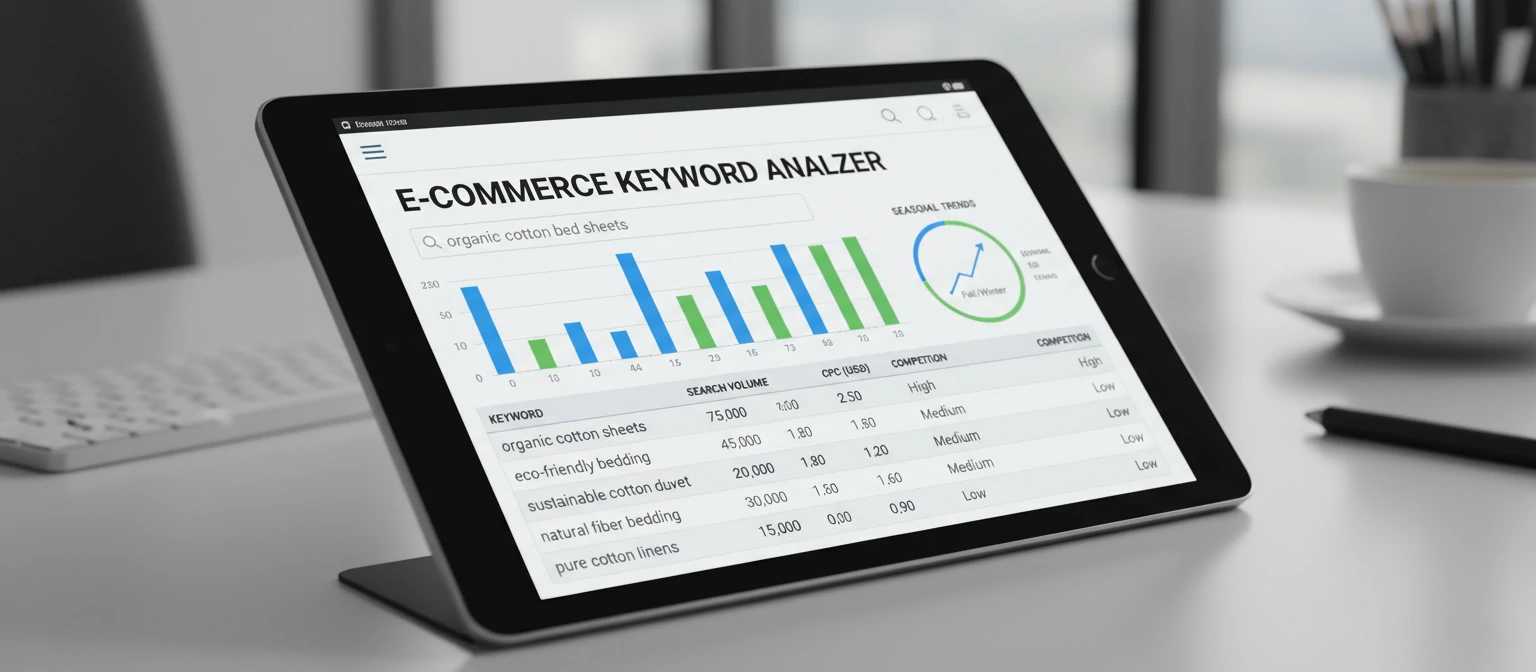
Here’s where things get interesting — and where a lot of store owners trip up. E-commerce keyword research is a completely different beast from the kind you’d do for a blog or a service business. You’re not just chasing informational queries — you’re hunting for keywords dripping with commercial and transactional intent. These are the searches where someone is basically saying, “Take my money.” Let me walk you through the different types and how to find the goldmine keywords your competitors are missing.
Types of E-commerce Keywords
Transactional Keywords
These are your money keywords — the searches that scream “I’m ready to buy right now.” Examples: “buy iPhone 15 Pro,” “order Nike Air Max,” “cheap wireless headphones free shipping.” When you rank for these, your cash register starts ringing.
Commercial Keywords
These folks are doing their homework before buying — and they’re close to pulling the trigger. Examples: “best running shoes for flat feet,” “iPhone vs Samsung comparison,” “top rated blenders 2025.” Capture them here, and you’ve got a customer for life.
Product Keywords
Specific product searches where someone already knows what they want — they just need to find where to get it. Examples: “Nike Air Max 90,” “KitchenAid stand mixer,” “Sony WH-1000XM5.” If your product page is optimized, you’re in the running.
Informational Keywords
These are the “I’m just looking” searches — but don’t underestimate them. Today’s browser is tomorrow’s buyer. Examples: “how to choose a mattress,” “what size TV for living room,” “difference between 4K and 1080p.”
The 5-Step Keyword Research Process
I’ve refined this process over hundreds of e-commerce projects. Follow these steps and you’ll uncover keywords that your competitors haven’t even thought of yet.
Start with Your Product Catalog
List every product and category you sell. These become your seed keywords. It sounds basic, but you’d be amazed how many store owners skip this step and jump straight to tools.
Analyze Competitor Rankings
Use tools like Ahrefs or SEMrush to spy on what keywords successful competitors rank for. Why reinvent the wheel when you can see what’s already working?
Mine Amazon for Keywords
This is my secret weapon. Amazon’s search suggestions reveal exactly how real shoppers search for products. Type your product name and write down every single suggestion. It’s pure gold.
Check Google Search Console
Your own data is a treasure trove. See what queries already bring traffic to your site. There are almost always quick wins hiding in your existing data — keywords where you’re ranking on page 2 that just need a little push.
Prioritize by Commercial Value
Here’s where the magic happens. Focus on keywords that balance search volume, competition, and purchase intent. A keyword with 500 monthly searches and sky-high buying intent will outperform a 10,000-search vanity keyword every single time.
Site Architecture & Structure
Think of your site architecture as the blueprint for a shopping mall. If the layout makes no sense — if customers can’t find the shoe department, or the food court is hidden behind a service door — people will leave. Same goes for your online store. A well-structured e-commerce site helps search engines understand your content hierarchy, distributes link equity effectively, and most importantly, creates a shopping experience that keeps visitors adding items to their cart instead of hitting the back button.
☝ The 3-Click Rule
Here’s a rule I live by: every single product on your site should be reachable within 3 clicks from the homepage. No exceptions. This isn’t just about user experience (though it’s massive for that) — it also ensures search engine crawlers can find and index all your content without getting lost in a maze of nested pages.
Ideal E-commerce Site Structure
URL Structure Best Practices
Your URLs are like street addresses for your products. Would you rather live at “123 Oak Street, Apartment 4B” or “Building X, Unit ?id=48271&ref=nav”? Exactly. Clean, readable URLs help both humans and search engines understand what a page is about before they even visit it.
yourstore.com/mens-shoes/running-shoes/nike-air-max-90
yourstore.com/product.php?id=12847&cat=5&ref=home
URL Guidelines for E-commerce
- Keep URLs short and descriptive — humans should be able to read them
- Include primary keyword in the URL (but don’t stuff it)
- Use hyphens to separate words (not underscores — Google treats them differently)
- Maintain logical hierarchy: category/subcategory/product
- Avoid session IDs, tracking parameters in indexed URLs
- Use lowercase letters only — mixed case can cause duplicate content issues

Product Page Optimization
Okay, let’s talk about the pages that actually make you money. Product pages are where the rubber meets the road in e-commerce SEO. They’re your revenue generators, your conversion machines — and honestly, they’re where most online stores fall flat on their faces. I can’t tell you how many times I’ve audited a store only to find product pages with copy-pasted manufacturer descriptions and zero optimization. Every element — from the title tag to the product description to the images — plays a role in both rankings and sales.
Essential Product Page Elements
🏷 Title Tag
Your title tag is prime real estate — it’s the first thing searchers see in the results. Include the product name, key attributes (size, color, model), and your brand. Keep it under 60 characters so Google doesn’t cut it off.
Example: Nike Air Max 90 Men’s Running Shoes - White/Black | YourStore
📝 Meta Description
Think of your meta description as a mini ad for your product. It should be compelling, include key selling points, maybe a price mention, and always a call-to-action. You’ve got 150–160 characters — make every one count.
Example: Shop Nike Air Max 90 running shoes. Legendary comfort, iconic style. Free shipping over $50. ★★★★★ 4.8/5 rating.
📖 Product Descriptions
Let me be honest — if you’re using the manufacturer’s copy-paste description, you’re basically invisible to Google. Every other store selling that product has the exact same text. Write unique, detailed descriptions that include benefits, features, use cases, and natural keyword variations. Yes, it takes more time. Yes, it’s absolutely worth it.
Minimum: 300+ words of unique content per product page
📷 Image Optimization
Images sell products, but they can also tank your page speed if you’re not careful. Use descriptive file names and alt text (not “IMG_4872.jpg”). Compress images for speed without sacrificing quality. And include multiple angles — Google Image Search drives more e-commerce traffic than most people realize.
Alt text example: “Nike Air Max 90 white black men’s running shoe side view”
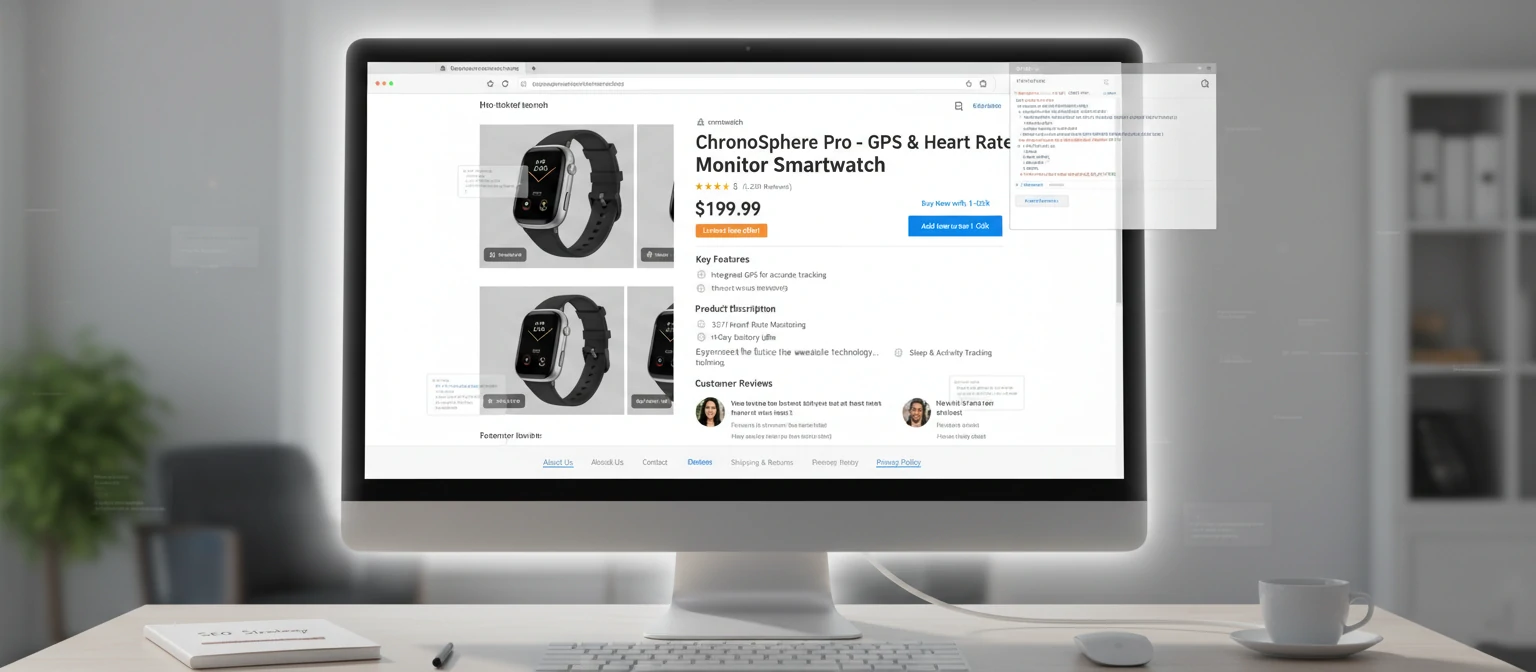
Product Schema Markup
Want to really stand out in search results? Structured data is your secret weapon. It helps search engines understand your products and can earn you those eye-catching rich snippets showing price, availability, and star ratings directly in the results. When your listing shows ★★★★★ 4.8/5 and your competitor’s is just plain text — who do you think gets the click?
Category Page SEO
Here’s something that might surprise you — your category pages are often the most valuable pages on your entire site for SEO. Not the homepage, not individual product pages — categories. Why? Because they target broader, higher-volume keywords and serve as hubs that pass authority down to all those individual product pages. I see so many e-commerce sites that treat category pages as nothing more than a product grid with zero content. Don’t make that mistake. It’s like having a storefront window and leaving it empty.
💡 Category pages typically rank for keywords like “men’s running shoes” while product pages rank for specific queries like “Nike Air Max 90 size 10.” Both are essential for a complete SEO strategy — but if I had to pick one to optimize first, I’d start with categories every single time.
Category Page Optimization Checklist
I’ve used this exact checklist on stores doing $100K/month and stores doing $10M/month. The fundamentals don’t change — just the scale.

Technical SEO Essentials
I know, I know — “technical SEO” sounds about as exciting as reading a phone book. But hear me out, because this is where a lot of e-commerce stores unknowingly sabotage their own rankings. E-commerce sites face unique technical challenges due to their sheer size, complexity, and dynamic nature. You might have thousands (or tens of thousands) of product pages, seasonal items coming and going, filters creating infinite URL combinations — it’s a lot. Getting the technical foundation right ensures search engines can actually crawl, index, and rank your content effectively. Without it, all that beautiful content optimization we just talked about? Wasted effort.
The 3 Critical Technical Issues (And How to Fix Them)
In my experience, these three issues account for about 80% of the technical SEO problems I find in e-commerce audits. Fix these first, and you’re already ahead of most of your competitors.
Duplicate Content
This is the silent killer of e-commerce SEO. Product variations (size, color), filter pages, sort options, and session IDs can all create duplicate content without you even realizing it. I’ve seen stores with 5,000 products that Google thought had 50,000 pages — 90% of which were duplicates. Not a good look.
Crawl Budget Waste
Here’s something most store owners don’t know: Google allocates a limited “crawl budget” to each site. It only has so much time to spend discovering and re-crawling your pages. If Google wastes its budget on low-value filter pages and redirect chains, your important product pages might not get crawled for weeks — or at all.
Out-of-Stock Products
What do you do when a product sells out or gets discontinued? If your answer is “delete the page,” you’re throwing away all the SEO equity that page has built up — backlinks, rankings, traffic. It’s like burning money. There’s a better way.
Technical SEO Checklist
Bookmark this. Run through it quarterly. Thank me later.
🔎 Crawlability
- XML sitemap submitted to Search Console
- Robots.txt properly configured
- No orphan pages (every page linked internally)
- Solid internal linking structure
📄 Indexability
- Canonical tags on every page
- No duplicate title or meta tags
- Strategic noindex usage on thin pages
- Hreflang tags for international stores
🔒 Security & Protocol
- HTTPS everywhere (no excuses in 2025)
- No mixed content warnings
- Valid SSL certificate
- Proper redirect usage (301 vs 302)
💡 Pro Tip: Run a crawl with Screaming Frog or Sitebulb at least once a quarter. I can’t tell you how many times I’ve found critical issues — broken canonical tags, accidental noindex directives, redirect loops — that had been silently hurting rankings for months. An ounce of prevention is worth a pound of cure.

Content Marketing Strategy
Here’s the thing — your product pages can only do so much heavy lifting. If you want to capture people before they’re ready to buy, you need content that meets them where they are. Think of it as planting seeds that grow into sales.

Ever wondered why some online stores seem to show up everywhere you search? It’s not magic — it’s a well-oiled content engine running behind the scenes. Let me walk you through the four content types that consistently drive traffic and revenue for e-commerce brands.
Buying Guides
Picture someone who knows they need a new espresso machine but has no idea where to start. That’s your audience for buying guides. These comprehensive pieces walk shoppers through every consideration — budget, features, skill level — and naturally funnel them toward products you sell.
Trust me on this one: a well-crafted buying guide can rank for dozens of long-tail keywords and drive consistent traffic for years. Include comparison tables, pros and cons, and clear “who this is for” sections.
Product Comparisons
Sound familiar? “Product A vs Product B” — we’ve all Googled it. These comparison pages catch people at the decision stage, which is pure gold for conversions. They already want to buy; they just need help choosing.
Structure these with side-by-side spec tables, real-world performance notes, and a clear verdict. Be honest — recommending a competitor’s product when it genuinely fits better builds trust that pays off long-term.
“Best Of” Roundups
“Best running shoes for flat feet 2025” — these listicle-style posts are search magnets. They capture broad, high-intent keywords and give you room to feature multiple products from your catalog.
The secret sauce? Update them regularly (at least quarterly) and include genuine mini-reviews, not just product specs. Readers can smell lazy roundups from a mile away, and so can Google.
How-To Tutorials
Here’s where you become genuinely useful. How-to content builds authority and attracts top-of-funnel visitors who may not even know they need your product yet. A cookware brand publishing “How to Season a Cast Iron Skillet” is helping people — and subtly showcasing their products.
Include step-by-step photos or videos, link naturally to relevant products, and target “how to” keyword variations. These pieces tend to earn backlinks organically too, which is a beautiful bonus.
Link Building for E-commerce
Let me be honest — link building for e-commerce is harder than for blogs or media sites. Nobody naturally links to a product page. But that doesn’t mean it’s impossible. You just need the right playbook.

Think of backlinks as votes of confidence from other websites. The more high-quality votes you get, the more Google trusts your store. Here are five tactics that actually work — no shady PBN networks, no buying links from Fiverr. Real strategies that build real authority.
Digital PR & Data-Driven Stories
You’re sitting on a goldmine of data — sales trends, customer behavior, industry insights. Package that into compelling stories and pitch them to journalists. “Our data shows running shoe sales spike 340% every January” is the kind of stat reporters love. One viral data story can earn hundreds of backlinks overnight.
Broken Link Building
This one’s a classic for a reason. Find resource pages in your niche that link to dead URLs, create something better on your site, then reach out to the page owner. You’re doing them a favor by pointing out broken links — and offering a ready-made replacement. Win-win.
Supplier & Manufacturer Links
This is the low-hanging fruit most e-commerce stores overlook. Your suppliers and manufacturers often have “Where to Buy” or “Authorized Retailers” pages. A polite email asking to be listed can land you high-authority links with almost zero effort. I’ve seen stores pick up 20+ solid links this way in a single afternoon.
Guest Posting on Niche Blogs
Not the spammy “I’ll write 500 words for $5” kind. We’re talking genuinely valuable articles on respected industry blogs. Share your expertise, tell real stories from running your store, and include a natural link back. Quality over quantity — always.
Linkable Assets & Free Tools
Create something so useful that people can’t help but link to it. Size guides, calculators, interactive quizzes, infographics — these assets earn links passively over time. A well-made “Find Your Perfect Size” tool can attract hundreds of links from forums, blogs, and social media without you lifting a finger after launch.
Mobile & Page Speed
Here’s a stat that should keep you up at night: over 70% of e-commerce traffic now comes from mobile devices, and a one-second delay in page load time can slash conversions by up to 7%.
Speed = Revenue
Amazon found that every 100ms of added load time cost them 1% in sales. If it matters that much to the biggest store on earth, imagine what slow speeds are costing your store. Let me be honest — this isn’t optional anymore. It’s survival.

Core Web Vitals — The Metrics Google Actually Cares About
Google doesn’t just say speed matters — they measure it with three specific metrics. Nail these, and you’ve got a real competitive edge.
Largest Contentful Paint
How fast does your main content load? Think hero images, product photos.
Goal: ≤ 2.5sFirst Input Delay
How quickly does your page respond when someone taps a button or link?
Goal: ≤ 100msCumulative Layout Shift
Does your page jump around while loading? Nothing frustrates shoppers more.
Goal: ≤ 0.1Your Speed Optimization Checklist
Don’t get overwhelmed. Work through these one at a time, and you’ll be amazed at the difference. I’ve seen stores cut load times in half just by tackling the first three items.
Images are typically the biggest culprit. Converting to modern formats can reduce file sizes by 30–50% with no visible quality loss.
Serve assets from servers closest to your visitors. Cloudflare has a generous free tier that works great for most stores.
Strip out unnecessary characters, whitespace, and comments. Most build tools handle this automatically.
Why load 50 product images at once when the visitor can only see 6? Load them as the user scrolls.
Every chat widget, analytics tag, and retargeting pixel adds weight. Audit regularly and cut anything that isn’t earning its keep.
Returning visitors shouldn’t have to re-download your logo and CSS every single time. Set long cache times for static assets.
Measuring Success
You can’t improve what you don’t measure. But here’s the thing — you also don’t need to drown in data. Focus on the metrics that actually move the needle, and ignore the vanity numbers.
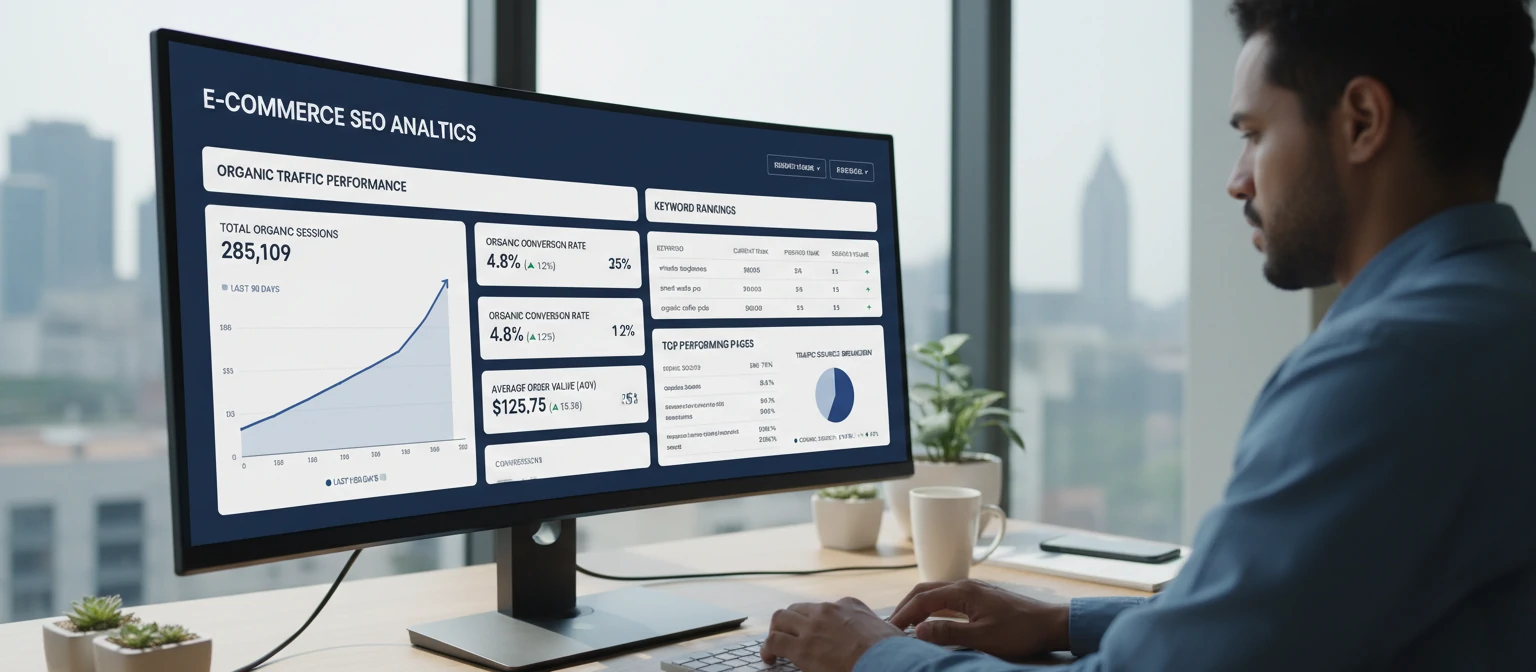
The 4 Metrics That Actually Matter
Organic Revenue
At the end of the day, this is what pays the bills. Track revenue specifically from organic search in GA4. If traffic goes up but revenue doesn’t, something’s off with your targeting or conversion path.
Organic Traffic
Your leading indicator. More qualified organic visitors generally means more sales are coming. Compare year-over-year to account for seasonality — monthly comparisons can be misleading for retail.
Conversion Rate
What percentage of your organic visitors actually buy? E-commerce averages hover around 2–3%, but top performers hit 5%+. If you’re below average, the fix might be UX, not more SEO.
Keyword Rankings
Track your target keywords, but don’t obsess over individual positions. Look at trends across keyword groups. Are your product category pages generally moving up? That’s what matters.
Essential Tools for Your SEO Stack
You don’t need a dozen tools. These four cover 95% of what you need to track, analyze, and improve your e-commerce SEO.
Google Analytics 4
Free. Non-negotiable. Track organic traffic, revenue, user behavior, and conversion paths. Set up e-commerce tracking from day one.
Google Search Console
Also free. See which queries bring people to your site, monitor indexing issues, and submit sitemaps. Your direct line to Google.
Ahrefs / Semrush
Paid but worth every penny. Keyword research, competitor analysis, backlink tracking, and content gap analysis all in one platform.
Screaming Frog
The technical SEO auditor. Crawls your entire site and flags broken links, duplicate content, missing tags, and redirect chains. Free up to 500 URLs.
Voice Search & AI in E-commerce SEO
Ever asked Alexa to reorder paper towels? Or told Siri to “find the best wireless earbuds under $100”? You’re not alone — and this shift is fundamentally changing how people discover products online.

75%
of US households projected to own a smart speaker by 2026
58%
of consumers have used voice search to find local business info
$40B+
estimated voice commerce market value in the US
Here’s the thing about voice search — people don’t talk the way they type. Nobody says “best wireless earbuds 2025” out loud. They ask, “Hey Google, what are the best wireless earbuds I can get for under a hundred dollars?” That difference changes everything about how you optimize.
Voice Search Optimization Tips
Write like you talk. Instead of “premium stainless steel water bottle 32oz insulated,” try “This 32-ounce insulated water bottle keeps your drinks cold for 24 hours.” Voice assistants prefer content that sounds human.
Voice queries are typically 3–5 words longer than typed searches. Focus on “what,” “how,” “where,” “which,” and “best” question formats. Tools like AnswerThePublic are goldmines for this.
Voice assistants often read from featured snippets. Structure your content with clear questions as headings and concise, direct answers in the first 40–50 words below. Lists and tables get picked up frequently.
FAQ structured data gives search engines a clear signal that your page directly answers questions. This dramatically increases your chances of being the voice search result. Add FAQPage schema to product and category pages.
If you have brick-and-mortar stores, this is huge. “Where can I buy running shoes near me?” queries have exploded. Keep your Google Business Profile updated, include location-specific content, and make sure your NAP (Name, Address, Phone) data is consistent everywhere.
AI Tools Reshaping E-commerce SEO
Let me be honest — AI isn’t going to replace SEO professionals. But SEO professionals who use AI will replace those who don’t. Here’s where AI is making the biggest impact right now:
AI-Powered Content Creation & Optimization
Generate product descriptions at scale, optimize existing content for target keywords, and create meta tags across thousands of pages in hours instead of weeks. The key is human editing — AI drafts, you refine.
Predictive Analytics for Keyword Trends
AI can analyze historical search patterns and predict upcoming trends before they peak. Imagine optimizing for “summer gadgets 2025” months before your competitors even think about it. That’s the power of predictive SEO.
Automated Technical SEO Audits
AI-driven crawlers can identify issues traditional tools miss — like subtle cannibalization patterns, internal linking opportunities, and content gaps. They prioritize fixes by potential traffic impact, so you always work on what matters most.
Personalized Product Recommendations for SEO
AI personalization engines improve dwell time and reduce bounce rates — both indirect ranking signals. When visitors see products tailored to their behavior, they stay longer, browse more pages, and convert at higher rates.
International E-commerce SEO
Ready to take your store global? Exciting times! But here’s where I’ve seen so many brands stumble — they assume “international SEO” just means translating their existing content. Spoiler: it doesn’t.
Expanding internationally is like opening a new store in a different city — except the city speaks a different language, uses a different currency, has different cultural expectations, and searches for products in ways you might never anticipate. Let’s make sure you do it right.
Key Considerations for Going Global
Hreflang Implementation for Language & Region Targeting
This is the technical backbone of international SEO. Hreflang tags tell Google, “Hey, this page is for French speakers in Canada, and this version is for French speakers in France.” Get it wrong, and Google might show your German product page to English shoppers. Not ideal.
ccTLD vs. Subdomain vs. Subdirectory Strategy
Should you use example.de, de.example.com, or example.com/de/? Each has trade-offs. ccTLDs send the strongest geo-signal but split your domain authority. Subdirectories keep everything under one domain but need careful hreflang. For most growing stores, subdirectories (example.com/de/) are the sweet spot — simpler to manage and you keep all your link equity.
Localized Keyword Research (Don’t Just Translate!)
Trust me on this one — direct translation is a recipe for disaster. In Germany, people search for “Handy” when they want a mobile phone. In Spain, the word “ordenador” means computer, but in Latin America, they use “computadora.” You need native speakers doing keyword research for each market, period.
Currency & Pricing Display for Local Markets
Nothing kills a conversion faster than showing prices in the wrong currency. Implement geo-based currency switching, display local payment methods (iDEAL in Netherlands, Boleto in Brazil), and make sure prices feel natural — €19,99 in Europe, not €19.99. Yes, the comma vs. period thing matters.
Local Link Building & Content Strategies
You can’t rank in Germany with only American backlinks. Each market needs its own link building strategy — local bloggers, regional press, country-specific directories, and partnerships with local influencers. It’s more work, but the stores that invest in this dominate their international markets.
Common International SEO Mistakes
I’ve seen these mistakes cost stores millions in lost international revenue. Don’t repeat them.
Auto-Translating Without Localization
Machine translation misses idioms, cultural nuances, and local product terminology. “Sneakers” in American English becomes “trainers” in British English — Google Translate won’t catch that. Always have native speakers review and localize.
Ignoring Local Search Engines
Google isn’t king everywhere. Baidu dominates China, Yandex is huge in Russia, and Naver rules South Korea. Each has its own ranking factors and optimization requirements. If you’re entering these markets, you need platform-specific strategies.
Not Adapting Product Offerings
What sells in the US might not sell in Japan. Clothing sizes, color preferences, seasonal timing, even product categories can vary wildly. Research each market’s buying habits and adapt your catalog and merchandising accordingly.
Key Takeaways
If you only remember seven things from this entire guide, make it these. Print them out, stick them on your monitor — whatever works for you.
Keyword research is your foundation. Every successful e-commerce SEO strategy starts with understanding exactly what your customers are searching for — and the intent behind those searches.
Technical SEO is non-negotiable. Site architecture, crawlability, structured data, and clean URLs are the infrastructure that everything else builds on. Skip these, and nothing else works.
Content marketing drives top-of-funnel growth. Buying guides, comparisons, and how-to content capture customers before they’re ready to buy — and build the authority Google rewards.
Mobile speed directly impacts revenue. Every second counts. Optimize Core Web Vitals, compress images, and ruthlessly cut unnecessary scripts. Your bottom line will thank you.
Measure what matters, ignore the rest. Organic revenue, qualified traffic, conversion rate, and strategic keyword positions. Everything else is noise that distracts from real progress.
Voice search and AI are reshaping how customers find products — optimize for conversational queries now. The stores that adapt early will have a massive first-mover advantage.
International expansion requires more than translation — it demands localized SEO strategies for each market. Do the research, respect cultural differences, and invest in native-language optimization.
Sarah Greene
E-commerce SEO Strategist & Growth Consultant
With over 12 years of experience helping online stores grow their organic traffic, Sarah has worked with brands ranging from scrappy startups to Fortune 500 retailers. She’s obsessed with the intersection of technical SEO and user experience — because the best SEO strategy is one that makes real people’s shopping experience better. When she’s not auditing sitemaps, you’ll find her testing out new e-commerce sites (strictly for research purposes, of course).