Create stunning AI-generated videos without spending a single dollar. We tested every free option to find the tools that actually deliver quality without hidden catches.
Table of contents
- What "Free" Really Means in 2026
- How Free AI Video Generation Works
- 12 Best Free AI Video Generators in 2026
- Free Tier Comparison Table
- Understanding Free Tier Limitations
- How to Maximize Your Free Credits
- Best Use Cases for Free AI Video
- Frequently Asked Questions
- Which free AI video generator has no watermark?
- Can I use free AI-generated videos commercially?
- Do I need a credit card for free tiers?
- How long does free AI video generation take?
- What's the best free AI video generator for beginners?
- Will free tiers remain available?
- Can free AI video generators create realistic human videos?
- How do I run Stable Video Diffusion for free locally?
- Start Creating Today—For Free
Here's a secret the AI industry doesn't advertise loudly: some of the most powerful video generation tools available today cost absolutely nothing to use. While premium subscriptions grab headlines with their advanced features, free tiers have quietly become remarkably capable—often delivering results that would have cost thousands of dollars in production just a few years ago.
We've spent weeks testing every free AI video generator we could find. Not just quick trials, but real projects—social media content, concept visualizations, creative experiments. Many disappointed us with hidden limitations or watermarks. But twelve tools genuinely impressed us with their generous free offerings and quality output.

This guide focuses exclusively on genuinely free options—no trials that expire, no mandatory credit cards, no surprise paywalls. Whether you're a student, hobbyist, or professional testing the waters, these tools let you explore AI video creation without financial risk.
What "Free" Really Means in 2026
Let's be honest about what "free" means in the AI video space. Companies aren't running charities—they offer free tiers strategically. Understanding their motivations helps you make the most of what's available without getting frustrated by limitations.
Types of Free Access
Permanent access with daily/monthly limits. Resets regularly. No credit card required. This is the gold standard.
One-time or renewable credits. Use them at your pace. Often generous for new signups.
Completely free if you run it yourself. Requires technical setup and hardware, but no limits.
Free during development phase. May become paid later. Often the cutting edge features.
Why Companies Offer Free Tiers
Understanding motivations helps you predict which free tiers will remain generous. Companies offer free access to build user bases and create network effects—your creations shared online become free marketing. They also gather training data (your prompts improve their models) and hope you'll upgrade when you hit limitations. This is actually good news: as long as these incentives exist, free tiers will remain available.
Understanding motivations helps you predict which free tiers will remain generous. Companies offer free access to build user bases and create network effects—your creations shared online become free marketing. They also gather training data (your prompts improve their models) and hope you'll upgrade when you hit limitations. This is actually good news: as long as these incentives exist, free tiers will remain available.
The AI video space is also intensely competitive. New players must offer compelling free options to attract users away from established platforms. This competition directly benefits you—free tiers keep getting better as companies fight for market share.
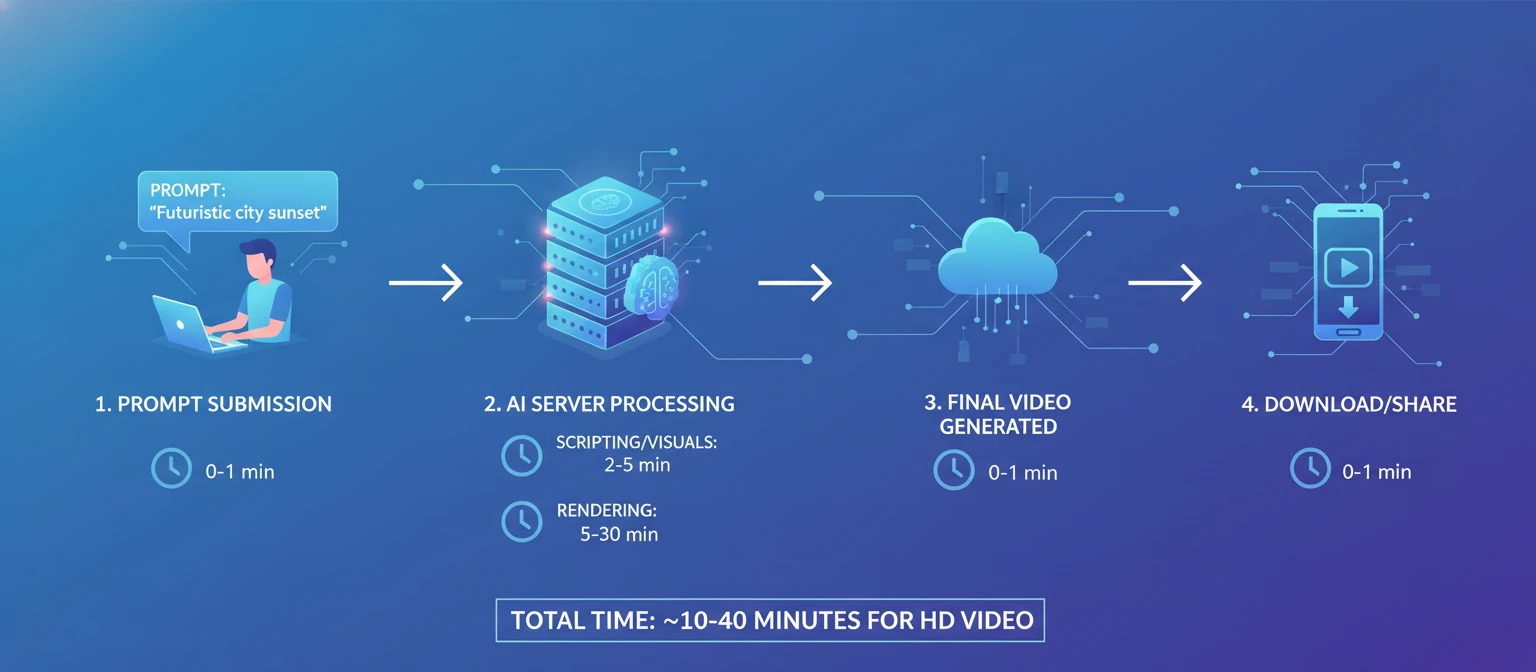
How Free AI Video Generation Works
Free AI video generators use the same underlying technology as paid versions—diffusion models that transform noise into coherent video frames. The difference lies in access limits, resolution caps, and processing priority, not fundamental capability.
You Submit a Prompt
Describe what you want to see in text, upload a reference image, or both. The AI interprets your instructions and begins planning the video.
Server Processing
Your request enters a queue. Free tier users typically wait longer than paid subscribers. Powerful GPUs generate your video frame by frame through the diffusion process.
Download Your Video
Once complete, you download the video file. Free tiers may limit resolution (720p vs 4K) or add small watermarks, but the core content is yours.
free generations possible daily across platforms
maximum resolution on best free tiers
total cost with smart platform usage
12 Best Free AI Video Generators in 2026
These twelve platforms offer genuinely useful free tiers—not just trial periods or heavily watermarked previews. Each has been tested with real projects to verify their free offerings deliver actual value.
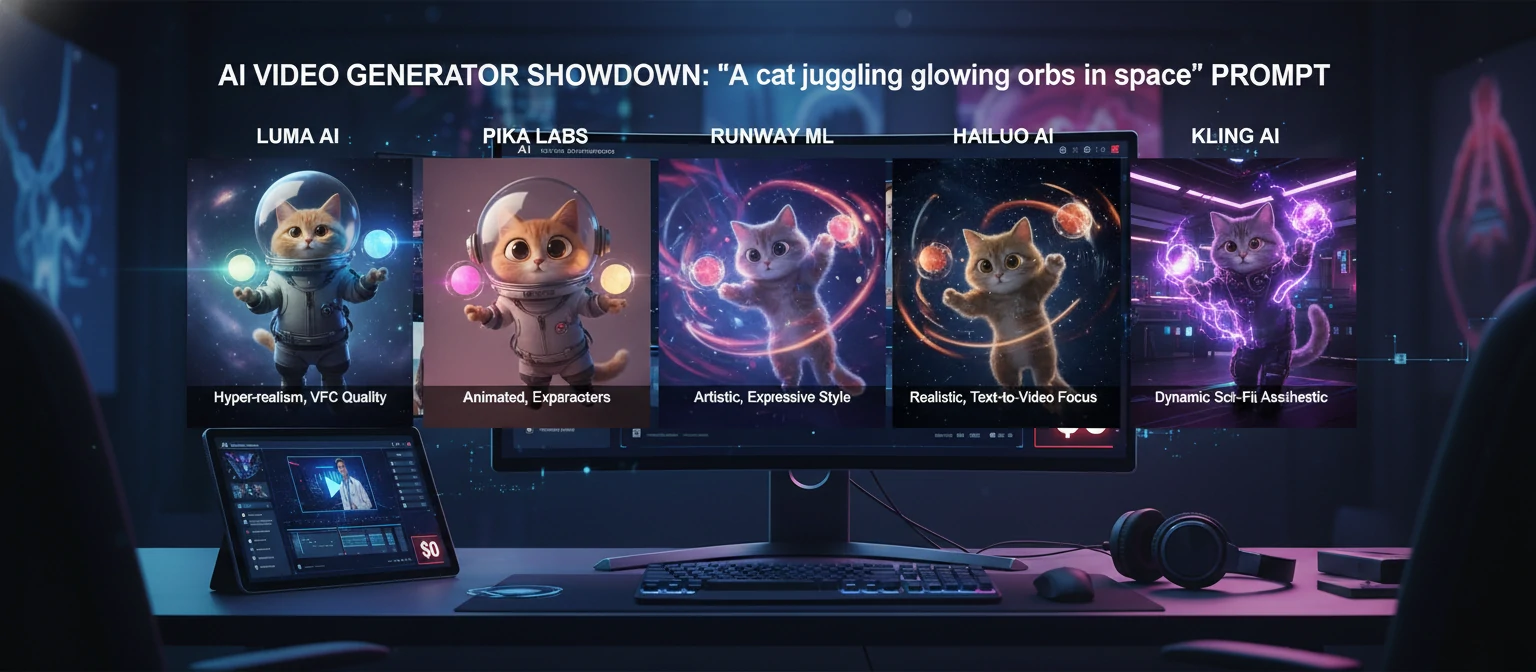
Luma Dream Machine
Best Overall Free OptionLuma Dream Machine earns the top spot for the most generous and capable free tier in the AI video space. You get 30 free generations per month—enough for serious experimentation and even small projects. The quality rivals paid alternatives, with impressive camera motion and 3D understanding.
What makes Dream Machine special is its heritage from Luma AI's 3D capture technology. The model understands spatial relationships better than most, creating videos with convincing depth and natural camera movements. Text-to-video and image-to-video both work excellently, with consistent results across generations.
30 generations/month • Up to 5 seconds per video • 720p resolution • No watermark • Commercial use allowed
Pika
Best for Quick ExperimentsPika's free tier gives you 250 credits upon signup—enough for approximately 50 video generations. The platform is designed for rapid iteration, generating results quickly so you can experiment freely. While credits don't renew monthly for free users, the initial allocation is generous.
The interface is exceptionally user-friendly, making Pika ideal for beginners. Unique features like lip-sync, region-based editing, and the ability to extend videos set it apart. Free users access the same powerful features as paid subscribers—just with limited credits.
250 credits on signup (~50 videos) • 3-second clips • 720p • Small watermark • Lip sync feature
Runway Gen-3 Alpha
Best Quality on Free TierRunway offers 125 free credits to new users, giving access to their industry-leading Gen-3 Alpha model. While the credits are limited, the quality is exceptional—this is the same technology used by professional filmmakers and advertising agencies worldwide.
The Runway suite includes more than just video generation. Free users also access image generation, background removal, and other AI tools. For those prioritizing quality over quantity, Runway's free tier delivers professional-grade results that rival any paid platform.
125 credits on signup • Gen-3 Alpha access • 5-10 second clips • 720p • Watermark • Full creative suite
Hailuo AI (MiniMax)
Best for Human MotionHailuo AI from Chinese tech giant MiniMax offers a remarkably generous free tier with daily credit renewals. The model excels at human motion and emotional expression, producing videos with natural movement that many competitors struggle to match.
What sets Hailuo apart is the quality-to-cost ratio. Free users get access to genuinely impressive capabilities without significant restrictions. The platform is particularly strong for character animation and realistic human subjects, making it valuable for specific creative needs.
Daily free credits (renewing) • 6-second videos • 720p • No watermark • Excellent human motion
Kling AI
Best for Realistic PhysicsKling AI provides free daily credits that enable consistent experimentation without payment. Developed by Kuaishou, the model demonstrates remarkable understanding of physics—water flows naturally, hair moves convincingly, and objects interact with realistic weight and momentum.
The free tier includes access to their most capable model, not a stripped-down version. While generation queues can be longer for free users during peak times, the quality output justifies the wait. For realistic scenes, Kling often outperforms more expensive alternatives.
66 free credits daily • Up to 10 seconds • 720p standard • Physics-aware generation • Queue priority varies
More Excellent Free Options
#6 PixVerse
ANIME & STYLIZEDPixVerse excels at anime-style and character-focused videos. The free tier offers daily credits with no watermarks on output. Particularly strong community features let you see what others create and remix popular styles.
#7 Genmo
CREATIVE SANDBOXGenmo provides a creative playground with generous free daily generations. The interface encourages experimentation with motion controls, camera paths, and style adjustments. Perfect for learning AI video fundamentals.
#8 Stable Video Diffusion
OPEN SOURCECompletely free and unlimited if you run it locally. Stability AI's open-source model lets you generate videos on your own hardware with no restrictions. Requires technical setup but offers total freedom and privacy.
#9 Leonardo Motion
IMAGE-TO-VIDEOPart of the Leonardo AI suite, Motion turns still images into video. Free users get 150 daily tokens for both image and video generation. The seamless workflow between image creation and animation is unique.
Three More Free Options
Types of Free Access
Canva AI Video
Canva's free tier includes AI video generation tools. While limited, they integrate perfectly with Canva's design ecosystem. Great for social media content and quick marketing videos.
CapCut AI Features
CapCut's free video editor includes AI-powered features like background generation and style transfer. Not pure AI generation, but powerful free AI enhancement for your existing videos.
Kaiber Free Tier
Kaiber offers limited free credits for their artistic video transformation tools. Specializes in turning images and videos into stylized animations—particularly popular for music videos.
Free Tier Comparison Table
Quick reference comparing what each platform offers in their free tier. Use this to identify which combinations might work best for your needs.
| Platform | Free Amount | Renews? | Max Length | Watermark | Quality |
|---|---|---|---|---|---|
| Luma Dream Machine | 30/month | ✓ Monthly | 5 sec | None | ★★★★★ |
| Pika | 250 credits | ✗ One-time | 3 sec | Small | ★★★★☆ |
| Runway | 125 credits | ✗ One-time | 10 sec | Yes | ★★★★★ |
| Hailuo AI | Daily credits | ✓ Daily | 6 sec | None | ★★★★☆ |
| Kling AI | 66/day | ✓ Daily | 10 sec | Small | ★★★★★ |
| PixVerse | Daily credits | ✓ Daily | 4 sec | None | ★★★★☆ |
| Stable Video (Local) | Unlimited | ✓ Always | Varies | None | ★★★★☆ |
Understanding Free Tier Limitations
Free tiers come with trade-offs. Understanding these limitations upfront helps you work within them effectively rather than getting frustrated.
⏱️ Generation Limits
Most platforms restrict free users to a set number of generations per day or month. Plan your experiments strategically—don't waste credits on vague prompts. Refine your ideas before generating.
📐 Resolution Caps
Free tiers often cap resolution at 720p when paid users get 1080p or 4K. This matters less for social media (which compresses video anyway) but can be limiting for professional projects.
⏳ Longer Queue Times
Free users typically wait longer in generation queues—especially during peak hours. Paid subscribers get priority. Work around this by generating during off-peak times or batching your requests.
💧 Watermarks
Some platforms add watermarks to free tier exports. Not all do—Luma, Hailuo, and PixVerse are watermark-free. Check before choosing a platform if clean exports matter for your use case.
📏 Shorter Video Lengths
Free tiers typically limit video length to 3-5 seconds when paid versions allow 10+ seconds or longer. For longer content, you'll need to generate multiple clips and edit them together.
How to Maximize Your Free Credits
Smart strategies can stretch your free allocations much further. These tips come from extensive testing and community wisdom.
Use Multiple Platforms
Don't limit yourself to one platform. Register for free tiers across Luma, Pika, Hailuo, Kling, and others. Combined, you'll have dozens of free generations available daily. Use each platform for what it does best.
Refine Prompts Before Generating
Write and refine your prompts in a text document first. Be specific about camera angles, lighting, movement, and style. A well-crafted prompt gets better results on the first try, saving credits.
Start with Image-to-Video
Image-to-video often gives more predictable results than text-to-video. Generate or find a reference image first (many free AI image tools exist), then animate it. You'll waste fewer credits on unwanted results.
Use Daily Renewal Platforms
Prioritize platforms with daily credit renewals (Hailuo, Kling, PixVerse) for regular use. Save one-time credit platforms (Pika, Runway) for important projects where you need their specific capabilities.
Watch for Promotions
Platforms frequently offer bonus credits for referrals, social sharing, or special events. Follow their social accounts and newsletters. Some give extra credits for feedback or participating in beta features.
💡 Pro Strategy: The Multi-Platform Workflow
Combine platforms strategically: Use Hailuo for human subjects (best motion), Kling for physics-heavy scenes (realistic interactions), Luma for camera movements (best 3D understanding), and Pika for quick iterations (fastest generation). This approach gives you 50+ free quality generations daily.
Hailuo (10) + Kling (10) + Luma (1) + PixVerse (5) + Genmo (10) = 36+ free videos per day
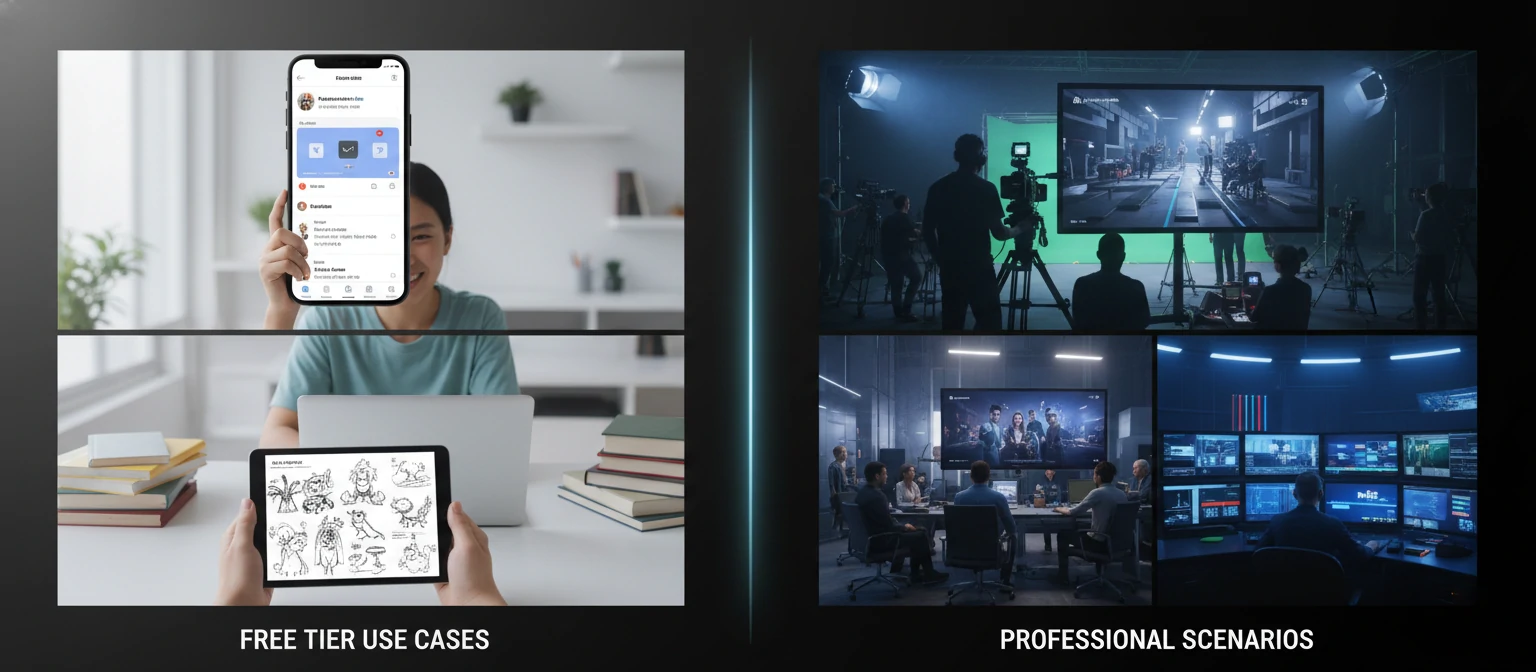
Best Use Cases for Free AI Video
Free tiers work better for some applications than others. Here's where free AI video generation shines—and where you might eventually need to upgrade.
✅ Perfect for Free Tiers
Short clips for TikTok, Instagram Reels, YouTube Shorts—free tiers were made for this
Learning the technology, exploring artistic possibilities, testing ideas
Quick mockups and pre-visualization before committing to full production
Student work, learning materials, classroom demonstrations
⚠️ May Need Paid Tiers
Higher resolution, longer clips, and no watermarks typically require paid plans
High-volume needs and commercial licensing often exceed free tier limits
Tight deadlines don't mix well with free tier queue times and daily limits
Frequently Asked Questions
Which free AI video generator has no watermark?
Luma Dream Machine, Hailuo AI, and PixVerse all offer watermark-free exports on their free tiers. Luma is the most generous with 30 monthly generations. Others like Pika and Runway add small watermarks to free exports.
Can I use free AI-generated videos commercially?
Policies vary by platform. Luma and Hailuo allow commercial use on free tiers. Others restrict commercial use to paid plans. Always check the specific terms of service—they change frequently, and using content incorrectly could create legal issues.
Do I need a credit card for free tiers?
Most platforms featured here don't require credit cards for free access. You typically just need an email address or can sign in with Google/social accounts. Be wary of "free trials" that do require payment info—those aren't true free tiers.
How long does free AI video generation take?
Typical wait times range from 30 seconds (Pika) to 8+ minutes (Kling during peak hours). Free users usually wait 2-3x longer than paid subscribers. Off-peak hours (early morning, late night in US time zones) typically have shorter queues.
What's the best free AI video generator for beginners?
Pika offers the most beginner-friendly interface with clear controls and fast results. Luma Dream Machine is excellent for those who want quality without complexity. Start with these before exploring more advanced options like Runway.
Will free tiers remain available?
The competitive landscape makes free tiers strategically important for most platforms. However, specific offerings can change. Some may reduce free allocations as they mature. Enjoy generous tiers while they last, and don't build workflows dependent on any single platform's free offering.
Can free AI video generators create realistic human videos?
Yes—Hailuo and Kling excel at realistic human motion even on free tiers. Results have improved dramatically. However, be aware of ethical considerations and platform policies around creating videos of real people without consent.
How do I run Stable Video Diffusion for free locally?
You'll need a powerful GPU (RTX 3080 or better recommended), Python knowledge, and comfort with command-line tools. Follow Stability AI's GitHub instructions. ComfyUI and Automatic1111 offer user-friendly interfaces. The learning curve is steep but rewards you with unlimited, private generation.
Start Creating Today—For Free
The barrier to AI video creation has never been lower. You don't need to spend money to experience this technology. You don't need expensive equipment. You just need curiosity and a few minutes to sign up for free accounts.
Start with Luma Dream Machine for its generous monthly allocation and watermark-free output. Add Hailuo and Kling for their daily renewals. Experiment with Pika for its fast, beginner-friendly experience. Combined, you'll have more free AI video generation than you could possibly use in a day.
The technology is evolving rapidly. What's premium today often becomes free tomorrow as companies compete for users. By building skills now with free tools, you'll be ready to leverage even more powerful capabilities as they emerge.
Your only investment is time—and the return is access to creative possibilities that didn't exist until recently. What will you create?
About the Author
AI Tools Researcher & Budget-Conscious Creator
We believe powerful creative tools should be accessible to everyone. Our team tests every free AI tool we can find, documenting what actually works without payment. We're committed to helping creators achieve professional results on any budget—including zero.