Transform Your Video Creation with Artificial Intelligence
Master the revolutionary world of AI-powered video editing. From automated cuts to intelligent effects, discover how artificial intelligence is transforming the way creators produce stunning videos in 2026.
Table of contents
- What is an AI Video Editor?
- How AI Video Editing Works
- Essential AI Editing Features
- Best AI Video Editors in 2026
- AI Video Editor Comparison
- AI Video Editing Workflow
- Who Benefits from AI Video Editing?
- Tips for Maximizing AI Video Editing
- Frequently Asked Questions
- What is the best AI video editor for beginners?
- Is AI video editing going to replace human editors?
- How accurate are AI-generated captions?
- Can AI video editors work with 4K footage?
- Do AI video editors require internet connection?
- What computer specs do I need for AI video editing?
- Are free AI video editors good enough for professional work?
- How long does AI video processing take?
- The Future of Video Editing is Intelligent
What is an AI Video Editor?
An AI video editor is a sophisticated software application that harnesses the power of artificial intelligence and machine learning to automate, enhance, and streamline the video editing process. Unlike traditional video editing software that requires manual input for every cut, transition, and effect, AI video editors can analyze your footage, understand its content, and make intelligent editing decisions automatically.
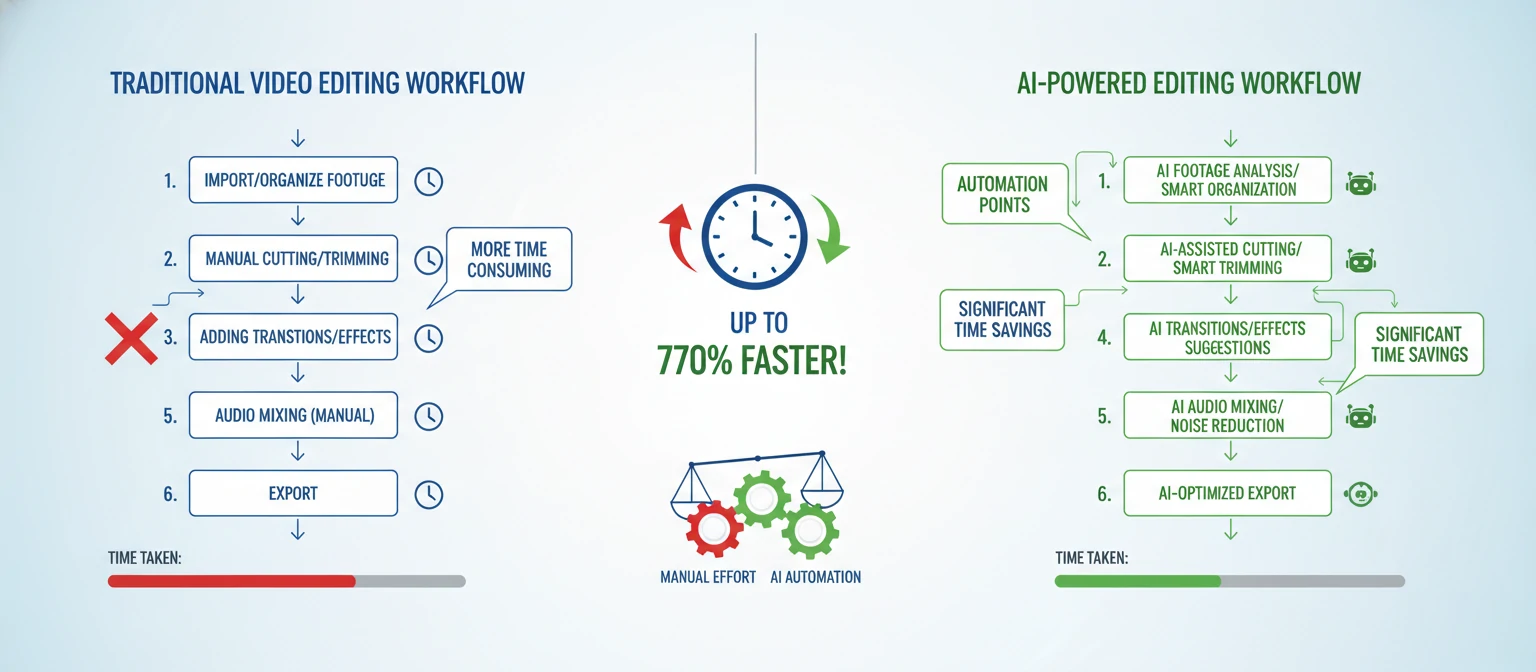
The concept might seem futuristic, but in 2026, AI video editing has become remarkably accessible and powerful. These tools use advanced neural networks trained on millions of video clips to understand visual composition, pacing, emotional tone, and storytelling principles. The result is software that can assist with everything from basic trimming to complex multi-layer compositions.
What makes AI video editors truly revolutionary is their ability to learn and adapt. Modern AI editing tools don't just follow pre-programmed rules—they understand context. They can recognize faces, identify objects, detect scene changes, analyze audio content, and even understand the emotional undertone of your footage. This contextual awareness enables them to make editing decisions that feel natural and purposeful.
🧠 The AI Difference
Computer Vision
AI can "see" and understand what's happening in each frame of your video
Pattern Recognition
Identifies best moments, peak action, and compelling segments automatically
Natural Language Processing
Understands spoken words for automatic captions, translations, and content-based editing
For content creators, marketers, businesses, and even casual users, AI video editors represent a paradigm shift in how we approach video production. Tasks that once required hours of manual work can now be accomplished in minutes. Skills that took years to develop can now be augmented or replicated by intelligent algorithms. This democratization of video editing means that anyone with a story to tell can create polished, professional-looking content.
How AI Video Editing Works
Understanding how AI video editors work helps you leverage their capabilities more effectively. At their core, these tools combine multiple AI technologies working in harmony to analyze, process, and enhance your video content. Let's explore the key technologies that power modern AI video editing.
Scene Detection & Analysis
AI algorithms analyze every frame of your video to identify scene changes, camera movements, and visual transitions. Using convolutional neural networks (CNNs), the system can detect when the visual content changes significantly—whether that's a hard cut, a fade, or a camera pan. This technology enables automatic scene splitting, making it easy to navigate and organize long recordings. The AI also classifies scene types (interview, action, landscape, close-up) to inform editing decisions.
Speech Recognition & NLP
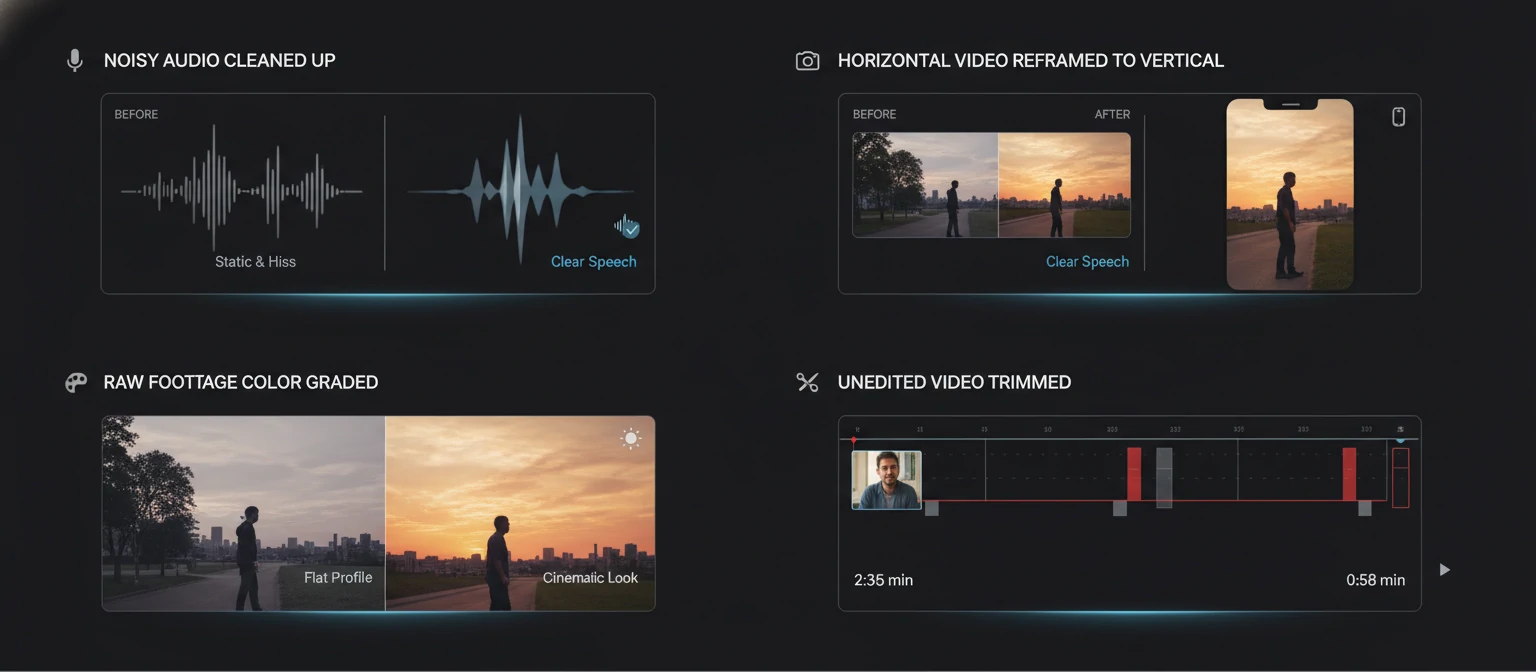
Natural Language Processing enables AI editors to transcribe spoken content with remarkable accuracy—often exceeding 98% for clear audio. But transcription is just the beginning. Advanced NLP models understand context, identify speakers, detect emotions in voice, and can even summarize content. This powers features like automatic captioning, search-by-word (find the exact moment someone says something specific), and content-aware editing where the AI removes filler words, pauses, or off-topic tangents.
Object & Face Recognition
Computer vision models can identify and track specific objects, people, and faces throughout your video. This enables powerful features like automatic reframing (keeping subjects centered even when you crop for different aspect ratios), face-based scene sorting, and subject tracking for effects. The AI can distinguish between different individuals, enabling features like "show all clips featuring Person A" or automatic speaker-focused editing in multi-person videos.
Intelligent Color & Quality Enhancement
AI-powered color correction goes beyond simple filters. Machine learning models trained on millions of professionally graded images understand how colors should look in different contexts. They can automatically balance exposure, correct white balance, enhance details, reduce noise, and apply cinematic color grades that match your content's mood. Some advanced systems can even upscale low-resolution footage to 4K using super-resolution neural networks.
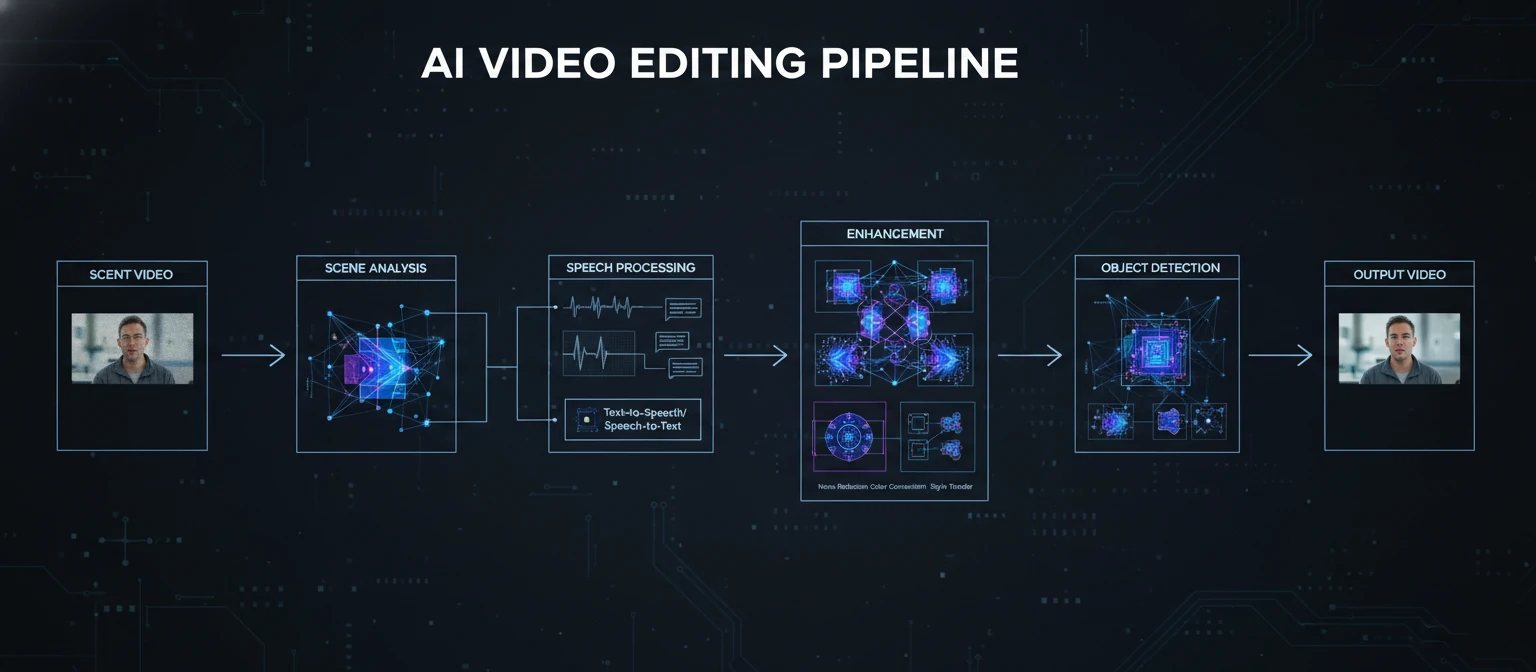
What makes 2026's AI video editors particularly impressive is how these technologies work together seamlessly. The speech recognition understands what's being said, the computer vision sees what's happening, and the editing AI combines this information to make intelligent cuts that preserve meaning and flow. It's this multi-modal understanding that separates true AI editing from simple automated filters.
Essential AI Editing Features
These are the AI-powered features that define modern video editing and dramatically accelerate your workflow.
Best AI Video Editors in 2026
Our comprehensive reviews of the top AI-powered video editing tools, tested and evaluated for real-world performance.
Adobe Premiere Pro with Sensei AI
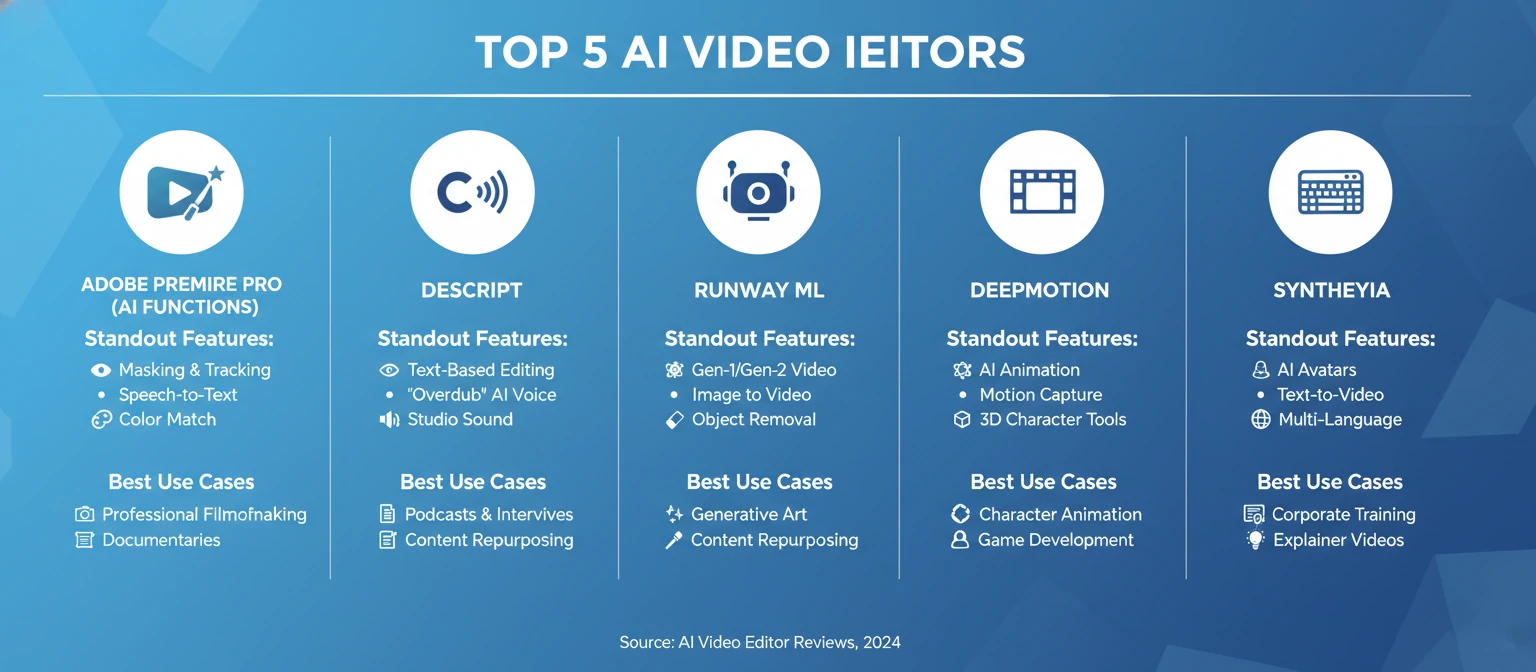
Adobe's flagship editor has embraced AI in a big way with Sensei technology powering numerous intelligent features. In 2026, Premiere Pro offers some of the most sophisticated AI editing capabilities available, seamlessly integrated into a professional workflow. Auto Reframe intelligently tracks subjects for any aspect ratio. Scene Edit Detection analyzes footage and automatically places cuts. Speech-to-Text generates captions with remarkable accuracy across dozens of languages.
The new AI-powered Color Match feature can analyze reference images and apply that look to your footage. Audio enhancement tools remove background noise and improve dialogue clarity automatically. Morph Cut uses AI face detection to smooth jump cuts in talking head videos. For professionals who need deep control alongside AI assistance, Premiere Pro remains the gold standard.
DaVinci Resolve + Neural Engine
Blackmagic Design's DaVinci Resolve continues to blur the line between free and professional software. The Neural Engine, powered by AI and machine learning, offers capabilities that rival paid competitors. Face recognition, object tracking, and smart reframe come standard. The AI-powered Magic Mask tool can isolate subjects from backgrounds with minimal effort—no green screen required.
Speed Warp uses AI to create smooth slow motion from any footage, intelligently generating new frames. Voice isolation separates dialogue from background noise with impressive accuracy. The 2026 version introduces AI-assisted color grading that analyzes scenes and suggests adjustments. With the free version offering nearly all AI features, DaVinci Resolve is unmatched value.
CapCut
CapCut has evolved from a simple TikTok companion app to a powerhouse AI video editor. In 2026, it offers one of the most accessible AI editing experiences available, with both mobile and desktop versions. The auto-captions feature is incredibly accurate and offers trendy animated styles perfect for social content. Background removal works in real-time without green screens.
The AI-powered "Script to Video" feature transforms text into complete videos with stock footage, voiceover, and captions. Auto-reframe adapts content for any platform instantly. New AI avatars can deliver your script with lifelike expressions. Music matching AI suggests and aligns tracks to your edit automatically. For social media creators, CapCut's AI features are unmatched in accessibility and trend-awareness.
Descript
Descript pioneered the concept of editing video like a document, and its AI capabilities have only grown stronger. The revolutionary approach lets you edit by editing text—delete a word from the transcript, and it's removed from the video. Filler word removal ("um," "uh," "like") happens with a single click. Overdub lets you generate voice clips in your own AI-cloned voice.
Eye Contact AI adjusts speakers' gazes to look directly at camera, even if they were reading notes. Studio Sound enhances audio to professional podcast quality. Green Screen AI removes backgrounds without physical setup. The 2026 version introduces AI-powered chapter generation and automatic highlight clip creation. For dialogue-heavy content like podcasts and interviews, Descript's approach is revolutionary.
Runway
Runway sits at the cutting edge of AI video technology, offering tools that feel like they're from the future. Their Gen-3 Alpha model creates realistic video from text prompts. Inpainting removes unwanted objects from video seamlessly. Motion Brush lets you animate static images with natural movement. The AI Magic Tools suite includes over 30 different AI capabilities.
Frame interpolation creates smooth slow motion from any footage. Super-resolution upscales video to 4K with AI-enhanced detail. Color grading AI matches reference images or films. Audio Clean removes background noise, isolates vocals, and transcribes. For creators who want to experiment with the latest AI capabilities, Runway is an essential playground.
More AI Video Editors Worth Considering
Filmora 14
User-friendly editor with AI portrait, motion tracking, and auto beat sync. Great for beginners.
Final Cut Pro 11
Apple's editor with AI-powered Smart Conform, scene detection, and voice isolation for Mac users.
Opus Clip
AI that automatically extracts viral-worthy clips from long videos for social media repurposing.
VEED.io
Browser-based editor with AI avatars, auto-subtitles, eye contact correction, and background removal.
InVideo AI
Text-to-video AI that creates complete videos from scripts or ideas with voiceover and visuals.
Topaz Video AI
Specialized in AI upscaling, frame interpolation, and restoration of old or low-quality footage.
AI Video Editor Comparison
| Tool | Auto Captions | Smart Reframe | Object Removal | Audio AI | Free Tier | Price |
|---|---|---|---|---|---|---|
| Premiere Pro | ✓ | ✓ | ✓ | ✓ | ✗ | $22.99/mo |
| DaVinci Resolve | ✓ | ✓ | ✓ | ✓ | ✓ | Free/$295 |
| CapCut | ✓ | ✓ | ✓ | ✓ | ✓ | Free/$9.99 |
| Descript | ✓ | ◐ | ✓ | ✓ | ✓ | Free/$12/mo |
| Runway | ✓ | ✓ | ✓ | ✓ | ✓ | Free/$12/mo |
AI Video Editing Workflow
Import & Auto-Analyze
Upload your footage and let AI analyze it automatically. Most AI editors will immediately begin transcribing audio, detecting scenes, identifying faces, and cataloging content. This initial analysis powers all subsequent AI features. Depending on video length, this takes seconds to a few minutes. Use this time to organize your project and outline your goals.
AI-Assisted Rough Cut
Let AI create your first assembly. Use highlight detection to find the best moments. Remove silences and filler words with one click. If using text-based editing, delete unwanted sections from the transcript. Many tools offer "auto-edit" features that create a rough cut based on content type. Review and adjust the AI's suggestions—this is your creative input layer.
Enhance Audio & Visuals
Apply AI audio enhancement to clean up sound—remove noise, normalize levels, enhance voice clarity. Run auto color correction to fix exposure and white balance issues. Apply color grades that match your content's mood. Use AI upscaling if working with lower-resolution source material. These one-click improvements dramatically elevate production quality.
Add Captions & Graphics
Generate auto-captions and customize their style. Choose from animated caption presets or create custom designs. Add lower thirds, titles, and outros using AI-suggested templates. If your tool supports it, use AI avatars or text-to-speech for narration. This layer adds polish and accessibility to your content.
Export & Repurpose
Export your final video in the highest quality needed. Use smart reframe to automatically create versions for different platforms—horizontal for YouTube, vertical for TikTok and Reels, square for Instagram feed. Let AI create highlight clips for social media promotion. Some tools can auto-generate thumbnails from the best frames. Maximize reach with minimal extra effort.
💡 Pro Workflow Tip
The most efficient AI editing workflow combines automation with human creativity. Let AI handle the tedious technical tasks—silence removal, transcription, color correction, audio cleanup—while you focus on the storytelling decisions that require human judgment. Think of AI as your tireless assistant, not your replacement. The best results come from this human-AI collaboration.
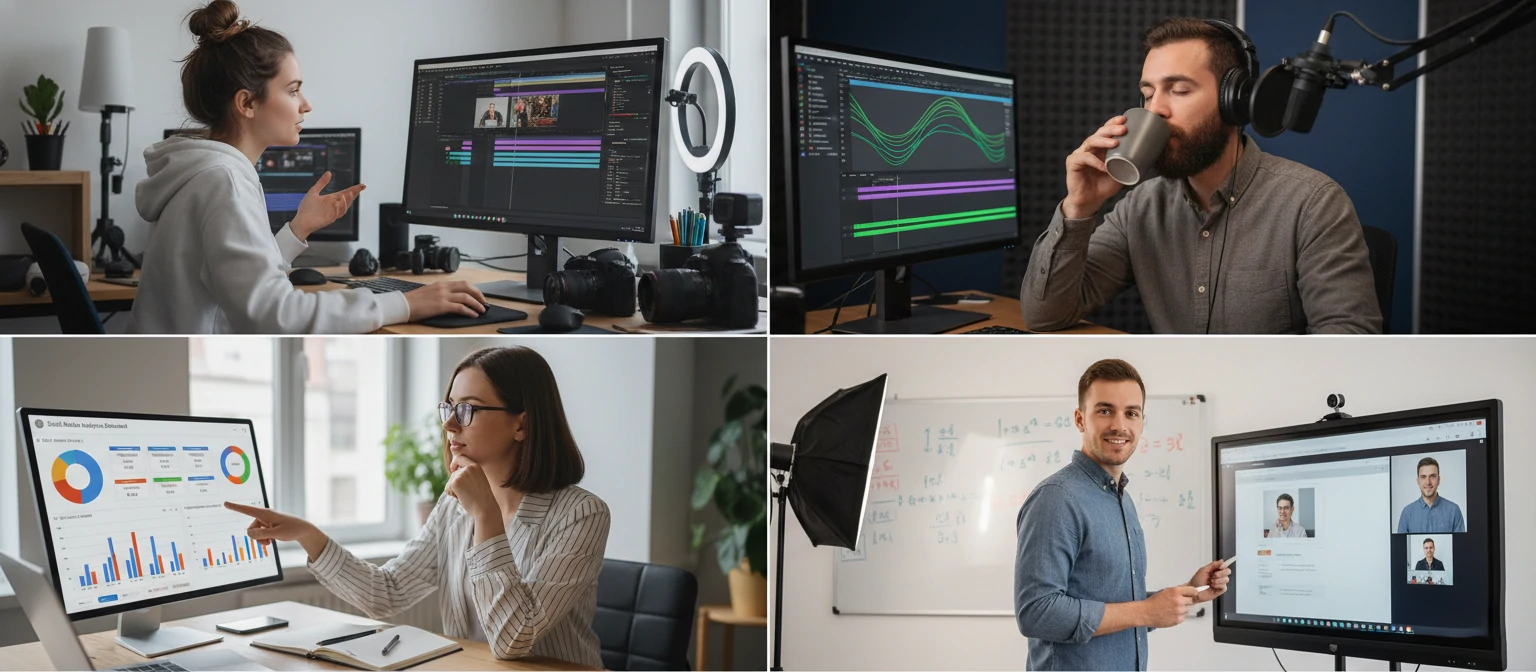
Who Benefits from AI Video Editing?
AI video editors serve a wide range of creators and industries. Find your use case below.
Content Creators & YouTubers
Upload and post more frequently with AI handling time-consuming tasks. Auto-captions increase accessibility and SEO. Silence removal speeds up talking head videos. Highlight detection helps create shorts and clips from long-form content. Smart reframe enables multi-platform publishing.
Podcasters
Transform audio podcasts into video content with AI. Text-based editing makes cutting interviews effortless. Filler word removal cleans up speech patterns. Studio Sound turns home recordings into professional audio. Eye contact correction fixes reading-from-notes issues. Auto-chapters help navigation.
Social Media Managers
Create platform-optimized content at scale. Smart reframe adapts content for every platform automatically. Trendy caption styles match platform aesthetics. Auto-generated clips maximize content mileage. Quick turnaround from shoot to post keeps feeds fresh.
Marketing Teams
Produce professional video marketing without massive budgets. AI avatars enable spokesperson videos without filming. Text-to-video creates product demos from scripts. Multi-language captions reach global audiences. Rapid iteration allows testing multiple versions.
Educators & Course Creators
Produce more learning content with less production time. Auto-captions improve accessibility for all learners. Silence removal tightens lectures. Auto-chapters create navigable course content. Translation features enable reaching international students.
Small Business Owners
Compete with bigger budgets through AI efficiency. Create professional-looking promo videos without hiring editors. Product demonstration videos from simple shoots. Customer testimonial editing made simple. Local business marketing at scale.
Tips for Maximizing AI Video Editing
Get the best results from your AI editing tools with these expert strategies.
🎤 Start with Quality Audio
AI can enhance audio, but garbage in still means garbage out. Use a decent microphone for recording. The cleaner your source audio, the better AI transcription accuracy will be, and the more effective noise reduction becomes.
✍️ Review AI Transcripts
Even 98% accurate transcription means errors. Always review captions before publishing. Look for misheard words, especially names, technical terms, and words in different languages. Most tools let you edit the transcript, and changes reflect in the video.
🎯 Use AI as a Starting Point
AI suggestions are excellent starting points, not final products. Let AI create your rough cut, then refine with human judgment. The combination of AI efficiency and human creativity produces the best results.
📊 Learn Your Tool's Strengths
Different AI editors excel at different tasks. CapCut's captions are trendy and social-ready. Descript's text-based editing is unmatched. Runway's generative features are bleeding-edge. Use each tool for what it does best, and don't hesitate to use multiple tools in your workflow.
⏱️ Batch Similar Tasks
AI processing takes time. Queue up multiple videos for transcription, enhancement, or rendering while you work on other tasks. Most cloud-based tools can process in the background. Efficient creators batch AI tasks and check results later.
Frequently Asked Questions
What is the best AI video editor for beginners?
CapCut is generally considered the best AI video editor for beginners. It offers an intuitive interface, powerful AI features like auto-captions and background removal, and it's free. The learning curve is gentle, and you can create professional-looking content within hours of starting. Filmora 14 is another excellent beginner-friendly option with a slightly more traditional editor layout.
Is AI video editing going to replace human editors?
AI won't replace human editors, but editors who use AI will replace those who don't. AI handles technical, repetitive tasks brilliantly—removing silences, syncing audio, generating captions, color correcting. But storytelling, creative decisions, emotional pacing, and unique artistic vision remain fundamentally human skills. The future is human-AI collaboration, not replacement.
How accurate are AI-generated captions?
Top AI caption tools achieve 95-99% accuracy for clear English audio. Accuracy decreases with accents, background noise, multiple speakers, technical jargon, or less common languages. Always review captions before publishing. Most tools allow easy editing of the transcript. For professional content, budget time for caption review and correction.
Can AI video editors work with 4K footage?
Yes, most modern AI video editors fully support 4K footage. Professional tools like Premiere Pro, DaVinci Resolve, and Final Cut Pro handle 4K natively. Cloud-based tools process 4K on their servers, though upload/download times increase. Some AI features, like super-resolution upscaling, can even enhance lower-resolution footage to 4K quality.
Do AI video editors require internet connection?
It depends on the tool. Cloud-based editors like Runway, VEED, and Descript require internet for AI features. Desktop applications like Premiere Pro, DaVinci Resolve, and Final Cut Pro can run many AI features locally using your computer's GPU, though some features may need periodic internet verification. For offline work, desktop applications are preferable.
What computer specs do I need for AI video editing?
For desktop AI editing, you'll want: modern multi-core CPU (Intel i7/AMD Ryzen 7 or better), 16GB+ RAM (32GB recommended), dedicated GPU with 6GB+ VRAM (NVIDIA RTX series recommended for best AI acceleration), and fast SSD storage. Cloud-based tools have lower requirements since processing happens on remote servers—any modern computer with stable internet works.
Are free AI video editors good enough for professional work?
Absolutely. DaVinci Resolve's free version rivals any paid software and is used in Hollywood productions. CapCut's free tier offers extensive AI features. The difference between free and paid is often watermark removal, export quality limits, or advanced features most users don't need. Start with free options and upgrade only when you hit genuine limitations.
How long does AI video processing take?
Processing time varies by feature and video length. Transcription typically processes at 2-5x real-time speed (a 10-minute video takes 2-5 minutes). AI enhancement and color grading can be near real-time on powerful hardware. Complex features like object removal or video generation take longer. Cloud tools vary based on server load. Plan for processing time in your workflow.
The Future of Video Editing is Intelligent
AI video editors have fundamentally changed what's possible for creators of all skill levels. What once required expensive software, powerful hardware, and years of training is now accessible to anyone with a computer and an internet connection. The tools we've explored—from professional powerhouses like Premiere Pro and DaVinci Resolve to accessible innovators like CapCut and Descript—represent just the beginning of this transformation.
In 2026, the question isn't whether you should use AI in your video editing workflow—it's which AI tools best fit your needs. The creators who thrive will be those who embrace AI as a powerful collaborator, using it to handle the technical heavy lifting while focusing their energy on what humans do best: telling compelling stories, making creative decisions, and connecting with audiences on an emotional level.
Whether you're a YouTuber looking to post more consistently, a business owner needing marketing videos, a podcaster expanding into video, or a professional editor seeking efficiency, there's an AI video editor that can transform your workflow. Start with the free options, experiment with different tools, and discover how artificial intelligence can amplify your creative vision.