From Photoshop to Illustrator, InDesign to Firefly—master the world's most powerful creative ecosystem and bring your design vision to life.
Table of contents
- Adobe's Journey: From PostScript to AI
- Core Adobe Graphic Design Applications
- Adobe Firefly: AI That Understands Designers
- Supporting Adobe Applications for Designers
- The Adobe Ecosystem Advantage
- Adobe Pricing: Understanding Your Options
- Learning Adobe Graphic Design Tools
- Adobe Alternatives: When to Consider Other Options
- Frequently Asked Questions
- Which Adobe app should I learn first for graphic design?
- Is Adobe Creative Cloud worth the cost?
- What's the difference between Illustrator and Photoshop?
- Can I use Adobe apps on iPad?
- Is Adobe Firefly safe for commercial use?
- How long does it take to learn Adobe applications?
- Do I need a powerful computer for Adobe apps?
- What's included with Adobe Fonts?
- Your Adobe Design Journey Begins
When someone mentions "graphic design software," Adobe is usually the first name that comes to mind—and for good reason. For over three decades, Adobe has shaped how creative professionals work, setting industry standards that others follow. The iconic red splash of Photoshop, the orange precision of Illustrator, the pink elegance of InDesign—these tools have become extensions of designers' creative minds worldwide.
But Adobe in 2026 is vastly different from the Adobe of even five years ago. The shift to Creative Cloud brought continuous updates and cloud collaboration. The introduction of Adobe Firefly brought generative AI directly into creative workflows. New apps like Adobe Express democratized design for non-professionals. The ecosystem has grown into something far more comprehensive than a collection of individual applications.
This guide explores Adobe's graphic design tools in depth—what each application does best, how they work together, the AI features transforming creative work, and how to decide which tools fit your specific needs. Whether you're a seasoned professional considering Creative Cloud or a newcomer wondering where to start, you'll find your answers here.
Adobe's Journey: From PostScript to AI
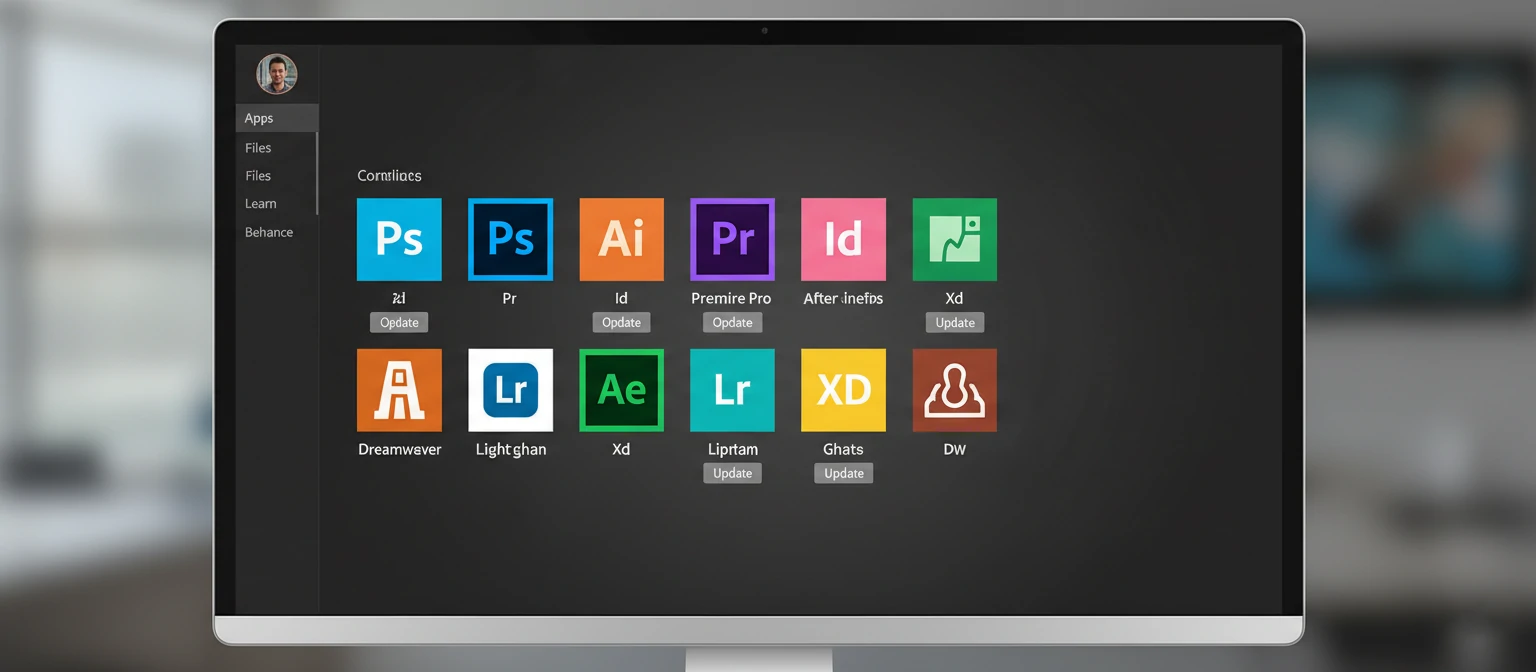
Adobe's story begins not with Photoshop, but with PostScript—a page description language that revolutionized desktop publishing in 1985. This foundational technology established Adobe as a company that solves creative problems through software innovation.
Illustrator arrived in 1987, bringing vector graphics to the masses. Photoshop followed in 1990, initially as a photo editing tool that quickly became the definitive digital imaging application. InDesign launched in 1999, eventually dethroning QuarkXPress as the publishing standard. Each application addressed specific creative needs while maintaining consistent interface philosophies that made learning multiple Adobe tools intuitive.
📅 Adobe Design Milestones
The 2013 transition to Creative Cloud was controversial but transformative. Continuous updates replaced infrequent major versions. Cloud storage enabled seamless work across devices. Collaboration features connected creative teams globally. Today's Creative Cloud bears little resemblance to the boxed software of the Creative Suite era.
Core Adobe Graphic Design Applications
At the heart of Adobe's graphic design ecosystem are three foundational applications. Each serves distinct purposes, yet they work together seamlessly—sharing assets, maintaining consistency, and enabling workflows that span multiple creative disciplines.
● Adobe Illustrator — Vector Mastery
Illustrator is where precision meets creativity. As a vector graphics editor, everything you create consists of mathematical paths that scale infinitely without quality loss. A logo designed in Illustrator looks equally crisp on a business card and a billboard. This makes Illustrator essential for brand identity, icon design, illustration, typography, and any graphics requiring size flexibility.
The 2026 Illustrator introduces powerful AI capabilities through Adobe Firefly integration. Generative Recolor suggests complete palette variations in seconds. Text-to-vector generates editable vector graphics from descriptions—imagine typing "minimalist mountain logo" and receiving multiple starting points. The new Mockup feature places your designs on realistic 3D objects automatically. Yet beneath these innovations, Illustrator's core remains unchanged: the pen tool, pathfinder operations, and precise control that professionals have relied on for decades.
Illustrator Excels At:
- Logo design and brand identity systems
- Icon sets and UI graphics
- Illustrations and character design
- Typography and lettering
- Packaging and label design
- Infographics and data visualization
● Adobe Photoshop — Pixel Perfection
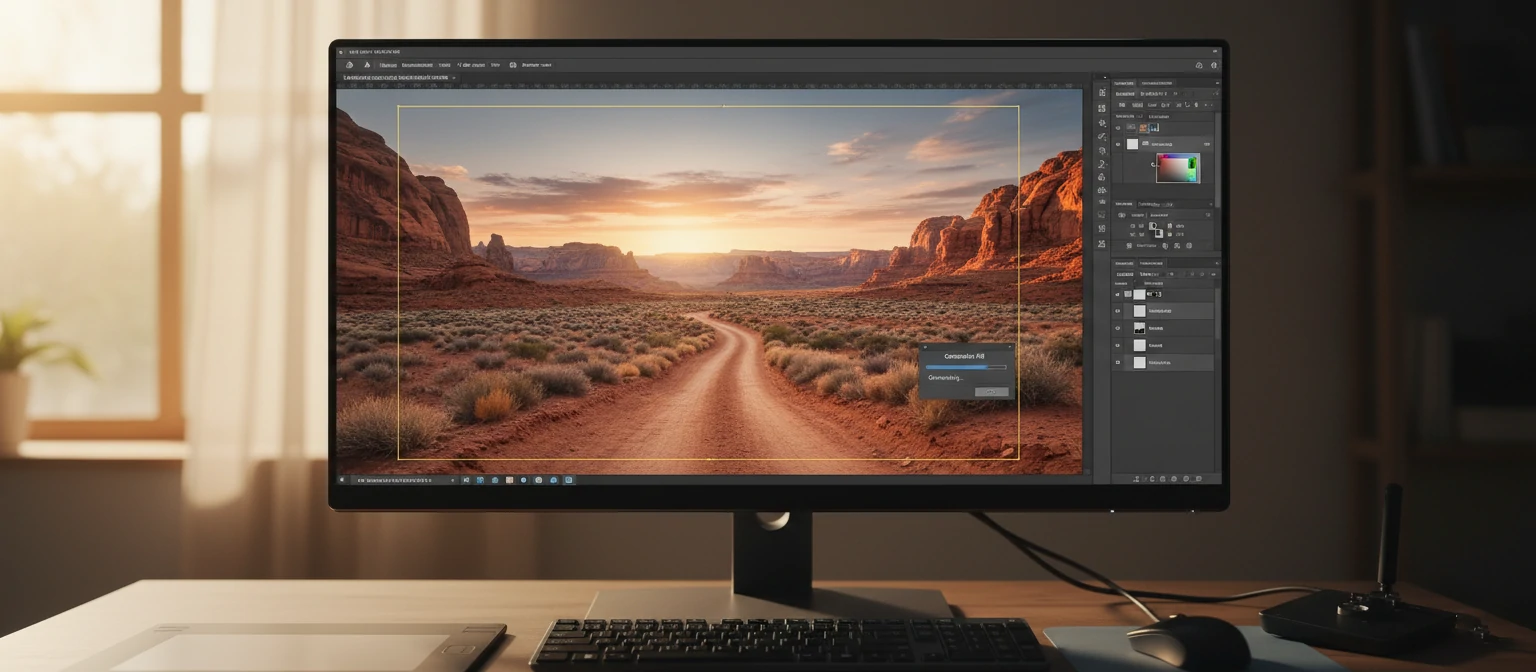
Photoshop's name has become a verb—"to photoshop" means to digitally alter images in common parlance. But reducing Photoshop to photo editing undersells its capabilities. This is a complete digital imaging platform where photographers retouch portraits, designers create composite artwork, digital painters craft illustrations, and 3D artists texture models.
The 2026 Photoshop showcases Adobe's AI ambitions most dramatically. Generative Fill expands images beyond their original boundaries with remarkable coherence. Generative Expand adds content to extend compositions naturally. Remove Tool eliminates unwanted elements while intelligently filling the space. Neural Filters apply complex transformations—change expressions, transfer styles, colorize black-and-white photos. These AI features haven't replaced skill; they've amplified what skilled designers can accomplish.
Photoshop Excels At:
- Photo retouching and manipulation
- Digital compositing and collage
- Digital painting and illustration
- Web and social media graphics
- Texture creation for 3D
- Mockups and presentations
● Adobe InDesign — Layout Excellence
When your design spans multiple pages—magazines, books, reports, catalogs, brochures—InDesign is purpose-built for the task. The software excels at managing complex documents with consistent styling, master pages for repeated elements, and sophisticated typography controls that give you precise control over every aspect of text.
InDesign's power lies in structure. Paragraph and character styles ensure consistency across hundreds of pages. Master pages eliminate repetitive work. Table of contents and index features update automatically as content changes. For anyone producing publications, InDesign's document management capabilities are genuinely indispensable. The 2026 version adds AI-assisted text fitting, automatic image placement suggestions, and improved collaboration features for editorial teams.
InDesign Excels At:
- Magazine and newspaper layouts
- Book design and publishing
- Annual reports and corporate documents
- Catalogs and product guides
- Brochures and marketing collateral
- Interactive PDFs and digital publications
Adobe Firefly: AI That Understands Designers
Adobe Firefly represents Adobe's answer to the AI revolution sweeping creative industries. Unlike standalone AI image generators, Firefly integrates directly into Adobe applications, understanding creative context and producing commercially safe results trained on licensed content.
🔥 Firefly Capabilities in 2026
Text-to-Image
Generate images from text descriptions with style controls, aspect ratios, and content type specifications. Results are commercially licensable.
Generative Fill
Select any area in Photoshop and describe what should appear. AI generates content that matches lighting, perspective, and style.
Text Effects
Apply textures and styles to text by describing what you want—"text made of flowing water" or "metallic gold 3D letters."
Generative Recolor
In Illustrator, describe a color theme and AI generates harmonious palette variations for your entire vector artwork.
Text-to-Vector
Generate editable vector graphics from text descriptions. Create icons, patterns, and illustrations with full editability.
3D to Image
Position simple 3D shapes, then let AI generate detailed images matching your composition and lighting.
What distinguishes Firefly from competitors is commercial safety. Adobe trained Firefly on Adobe Stock images, openly licensed content, and public domain material—not scraped internet images with unclear rights. This means Firefly-generated content is safe for commercial use, addressing a major concern with other AI generators. For professional designers, this legal clarity is invaluable.
The integration strategy matters too. Rather than a separate tool, Firefly features appear within Photoshop, Illustrator, and other apps exactly where you need them. Select an area, type a description, and AI generates content that matches your existing work. This contextual awareness produces more useful results than standalone generators because the AI understands what you're already creating.
Supporting Adobe Applications for Designers
Beyond the core trio, Adobe offers specialized applications that extend graphic design capabilities into new areas. These tools integrate with the core apps, sharing assets and workflows seamlessly.
Adobe XD
UI/UX design and prototyping tool. Create interactive prototypes, design systems, and collaborate on digital product design. Integrates with Photoshop and Illustrator assets.
Adobe Express
Quick design for non-designers. Templates for social media, flyers, videos, and web pages. Perfect for marketing teams and small businesses needing polished visuals fast.
Adobe Dimension
3D design made accessible. Create photorealistic mockups by placing 2D designs on 3D objects. Perfect for product visualization and packaging mockups.
Adobe Fresco
Natural drawing and painting. Live brushes simulate real watercolors and oils. Perfect for illustrators and artists wanting traditional media feel digitally.
After Effects
Motion graphics and visual effects. Animate logos, create title sequences, produce explainer videos. Essential when designs need to move.
Lightroom
Photo editing and management. Develop RAW photos, apply presets, organize libraries. Designers working with photography start here before Photoshop.
The Adobe Ecosystem Advantage
Adobe's greatest strength isn't any individual application—it's how everything works together. This ecosystem approach creates efficiencies impossible with disconnected tools.
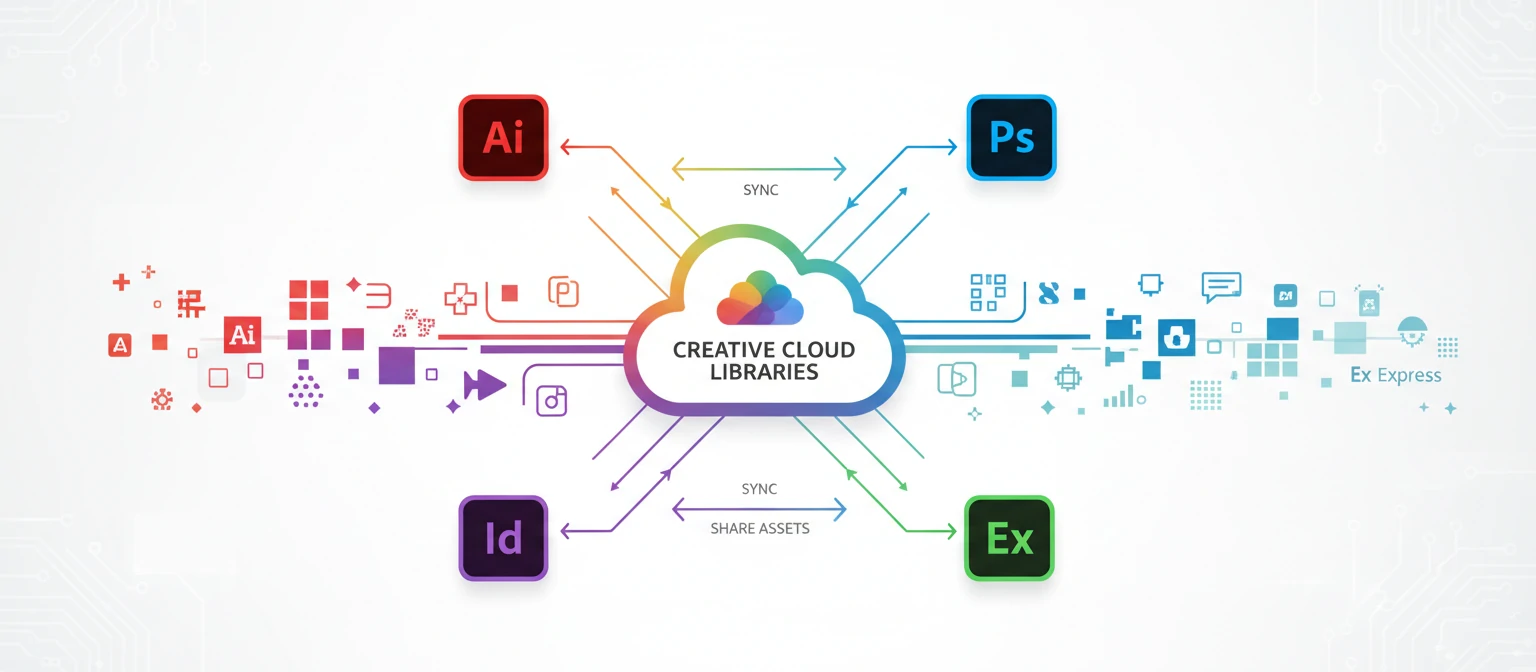
Creative Cloud Libraries
Libraries sync assets across all Adobe applications. Save a color palette in Illustrator and it appears in Photoshop, InDesign, and Express. Store logos, graphics, and brand elements in one place accessible everywhere. Team libraries let entire organizations share approved brand assets, ensuring consistency across projects and designers.
Seamless File Exchange
Place an Illustrator file in Photoshop and it remains linked—update the original and the placed version updates automatically. InDesign documents can contain both Photoshop and Illustrator assets with live links. This non-destructive workflow means you can refine individual elements without recreating entire compositions.
Adobe Fonts Integration
Creative Cloud includes access to thousands of high-quality fonts through Adobe Fonts (formerly Typekit). Activate any font and it syncs across all applications and devices instantly. No more font management headaches or missing font warnings—everything just works. For typography-focused designers, this library alone provides significant value.
Cloud Storage and Collaboration
Creative Cloud storage keeps files accessible from any device. Start a design on your desktop, continue on iPad, share for review from your phone. Collaboration features let teams work together on documents, leave comments, and track versions. For agencies and in-house teams, these capabilities streamline client feedback and approval processes.
Adobe Pricing: Understanding Your Options
Adobe's subscription model offers flexibility but requires understanding the options to choose wisely. Here's how the 2026 pricing structure works for graphic designers.
💡 Money-Saving Tips
- Annual prepaid plans save significant money over monthly billing.
- Photography Plan is exceptional value if you primarily need Photoshop.
- Student discounts apply broadly—check if you qualify through any educational connection.
- Black Friday sales often offer 40-50% off annual plans.
- Cancel and return offers—Adobe sometimes offers retention discounts if you attempt to cancel.
Learning Adobe Graphic Design Tools
Adobe applications have learning curves—there's no sugarcoating that. But the investment pays dividends throughout your creative career. Here's how to approach learning effectively.
Adobe Learn
Adobe's free tutorials cover every application. Structured learning paths take you from beginner to advanced. Start here—it's comprehensive and always current.
YouTube Channels
Creators like Dansky, Will Paterson, and Pixel & Bracket offer excellent free tutorials. YouTube often covers techniques faster than official resources.
Structured Courses
LinkedIn Learning, Skillshare, and Domestika offer guided courses. Best for those preferring structured learning with project-based outcomes.
Project-Based Practice
The fastest learning happens through real projects. Recreate designs you admire. Take on freelance work. Learning context matters more than isolated tutorials.
One crucial piece of advice: learn one application well before expanding. Many designers try to learn Photoshop, Illustrator, and InDesign simultaneously, developing shallow knowledge of all three. Deep expertise in one tool serves you better than superficial familiarity with many. Most designers start with Photoshop or Illustrator based on their primary work, then expand as projects require.
Adobe Alternatives: When to Consider Other Options
Adobe dominates professional design, but alternatives exist for those with specific needs or budget constraints. Understanding when alternatives make sense helps you choose wisely.
Viable Adobe Alternatives
Affinity Suite (Designer, Photo, Publisher)
One-time purchase alternative to Illustrator, Photoshop, and InDesign. Professional capabilities at $69.99 per app (or ~$170 for all three). Best for professionals tired of subscriptions or those with straightforward workflows.
Figma
Dominant in UI/UX design with collaboration features surpassing Adobe XD. Free tier handles most individual needs. Best for digital product designers and teams prioritizing real-time collaboration.
Canva
Template-based design for non-designers. Handles social media, presentations, and marketing materials capably. Best for small businesses and marketing teams needing quick, polished graphics.
Free/Open Source (GIMP, Inkscape, Scribus)
Completely free alternatives with capable features. Learning curves can be steep. Best for hobbyists, students, and those with zero budget who can invest time learning different interfaces.
The reality for most professional designers: Adobe remains the standard because clients expect it, teams use it, and the ecosystem advantages compound over time. Alternatives make sense for specific situations—budget constraints, philosophical objections to subscriptions, or specialized workflows—but switching costs are real. Consider alternatives carefully before committing to learning new systems.
Frequently Asked Questions
Which Adobe app should I learn first for graphic design?
Start with either Illustrator or Photoshop depending on your primary work. Illustrator for logos, icons, and illustration. Photoshop for photo editing, compositing, and digital artwork. Both provide foundational skills transferable to other Adobe apps. InDesign typically comes third, after you have elements to place in layouts.
Is Adobe Creative Cloud worth the cost?
For professional designers, yes—the industry standardization, continuous updates, and ecosystem integration justify the cost. For hobbyists or those with limited budgets, alternatives like Affinity (one-time purchase) or free tools may be more appropriate. The Photography Plan at $9.99/month offers exceptional value if Photoshop and Lightroom cover your needs.
What's the difference between Illustrator and Photoshop?
Illustrator creates vector graphics (mathematical paths that scale infinitely)—ideal for logos, icons, and illustrations. Photoshop works with raster images (pixels)—ideal for photos, composites, and detailed digital artwork. Logos belong in Illustrator because they need to scale from business cards to billboards. Photo retouching belongs in Photoshop.
Can I use Adobe apps on iPad?
Yes. Photoshop, Illustrator, and Fresco have full iPad versions with Apple Pencil support. These aren't simplified companions—they're increasingly capable professional tools. Many illustrators use iPad as their primary device. Files sync seamlessly with desktop versions through Creative Cloud.
Is Adobe Firefly safe for commercial use?
Yes. Adobe specifically trained Firefly on Adobe Stock images, openly licensed content, and public domain material to ensure commercial safety. This distinguishes Firefly from competitors trained on scraped internet images with unclear rights. Firefly-generated content is covered by Adobe's standard licensing terms.
How long does it take to learn Adobe applications?
Basic competency in one application typically takes 2-4 weeks of focused learning. Intermediate proficiency develops over 3-6 months of regular use. True mastery is ongoing—even experts continue discovering features. Start with fundamentals, build through projects, and expertise develops naturally over time.
Do I need a powerful computer for Adobe apps?
Modern Adobe apps benefit from capable hardware, but minimum requirements are reasonable. 8GB RAM works (16GB recommended), integrated graphics handle basic work (dedicated GPU helps), and SSD storage improves performance significantly. Complex files and AI features demand more resources. Check Adobe's current system requirements for specific recommendations.
What's included with Adobe Fonts?
All Creative Cloud plans include access to over 25,000 fonts through Adobe Fonts. Activate any font and it syncs across all applications instantly. Fonts are licensed for commercial use with no additional fees. The library includes premium typefaces that would cost hundreds to license separately.
Your Adobe Design Journey Begins
Adobe's graphic design tools represent decades of refinement, used by millions of creative professionals worldwide. From the precision of Illustrator to the power of Photoshop, from the layout mastery of InDesign to the AI innovation of Firefly—this ecosystem offers capabilities unmatched by any competitor.
But tools don't create great design—designers do. Adobe applications are instruments for expressing creativity, solving visual problems, and communicating ideas. The best investment isn't just in software subscriptions but in developing your creative eye, understanding design principles, and practicing your craft relentlessly.
Start with one application that serves your immediate needs. Learn it deeply before expanding. Build projects that challenge you. Let the tools grow with your ambitions. The creative journey is lifelong, and Adobe's ecosystem is ready to support wherever that journey takes you.