The Legendary Software Bundle That Defined Creative Design
From CS1 to CS6, Adobe Creative Suite revolutionized how designers, photographers, and video editors worked. Explore the complete history, its evolution to Creative Cloud, and what options exist for creative professionals in 2026.
Table of contents
- What Was Adobe Creative Suite?
- Complete Version History
- Applications in Creative Suite
- Creative Suite Editions
- The Transition to Creative Cloud
- Creative Suite 6 vs Creative Cloud
- Your Options in 2026
- Frequently Asked Questions
- Can I still buy Adobe Creative Suite?
- Does Creative Suite CS6 still work?
- What's the difference between Creative Suite and Creative Cloud?
- Why did Adobe switch to subscriptions?
- Is there a one-time purchase alternative to Adobe?
- Was Creative Suite CS2 really free?
- How much did Creative Suite cost?
- Should I use Creative Suite or Creative Cloud?
- A Legacy That Shaped Creative Industries
What Was Adobe Creative Suite?
Adobe Creative Suite (commonly abbreviated as CS) was a bundled collection of Adobe's professional creative software applications sold as a one-time purchase. From 2003 to 2013, Creative Suite was the primary way creative professionals accessed tools like Photoshop, Illustrator, InDesign, Premiere Pro, and After Effects. It was the industry standard that shaped modern graphic design, video production, and digital publishing.
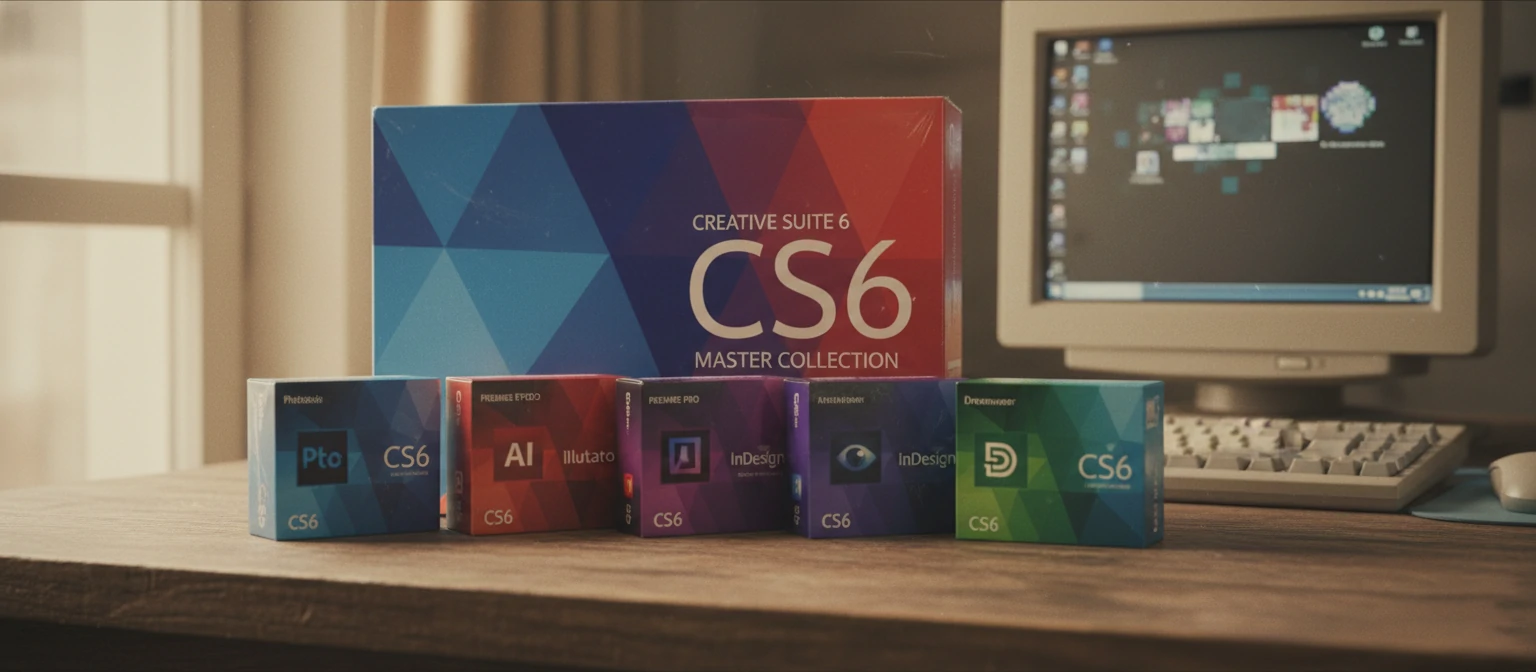
Unlike today's subscription model, Creative Suite was purchased outright for a significant one-time fee, typically ranging from $1,299 to $2,599 depending on the edition. Once purchased, you owned that version forever—you could install it, use it indefinitely, and weren't required to pay ongoing fees. This perpetual licensing model was the standard for software at the time and remained popular with many users even as the industry shifted toward subscriptions.
The "suite" concept was revolutionary when introduced. Rather than buying individual applications separately (which would cost significantly more), Creative Suite bundled related applications together with integration features that made them work seamlessly. A designer could create vectors in Illustrator, edit photos in Photoshop, and layout a magazine in InDesign—all with shared assets, consistent interfaces, and optimized workflows between applications.
📦 What Made Creative Suite Special
One-Time Purchase
Pay once, own forever—no subscriptions
Physical Media
Came on DVDs with printed manuals
Integrated Suite
Apps designed to work together seamlessly
Perpetual License
Use your version indefinitely
Creative Suite defined an era of creative software. Design schools taught using CS applications. Job listings required "Adobe CS proficiency." The splash screens, box art, and version numbers became icons of the creative industry. Even today, many professionals have fond memories of their first Creative Suite installation and the possibilities it unlocked.
Complete Version History
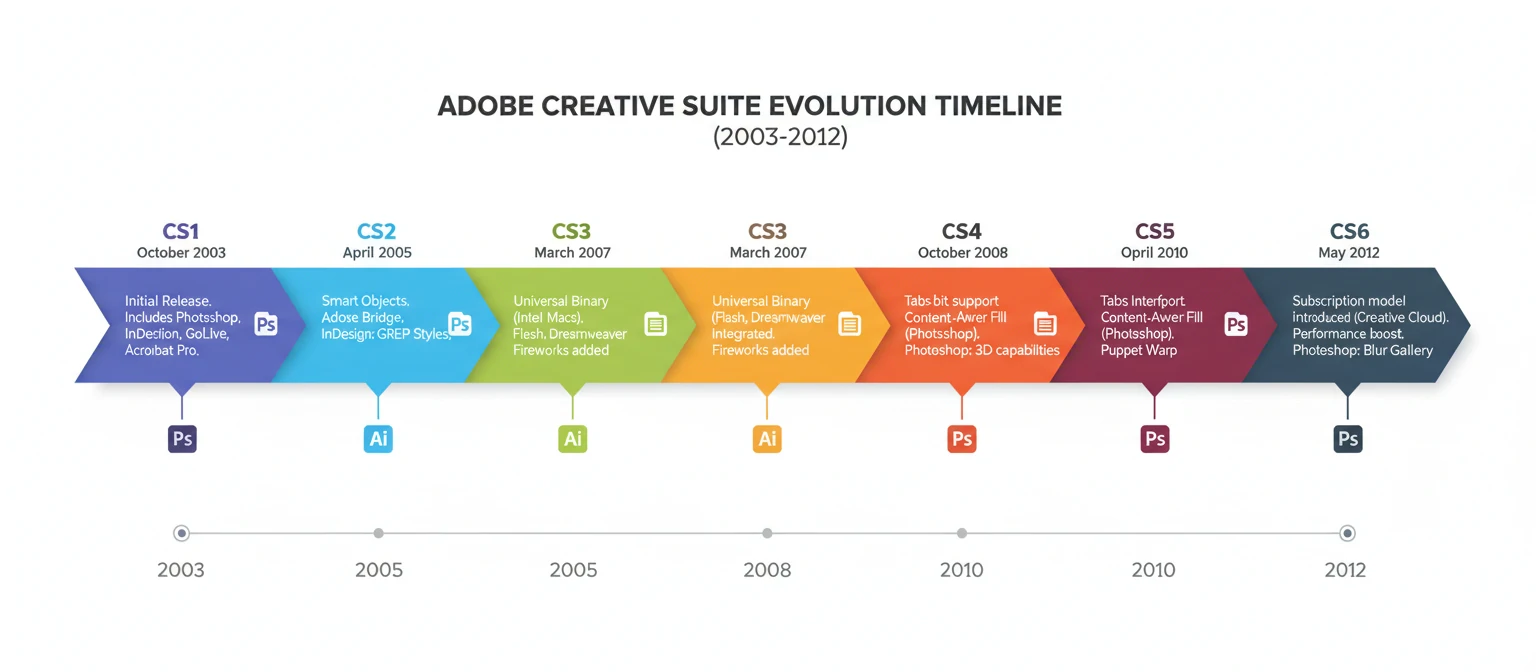
Creative Suite 1 (CS)
October 2003The original Creative Suite launched with Photoshop CS, Illustrator CS, InDesign CS, GoLive CS, and Acrobat 6 Professional. This groundbreaking release unified Adobe's professional tools under one roof for the first time. Version Cue provided file management, and Adobe Bridge debuted as a media browser. The "CS" branding replaced version numbers (like Photoshop 8 became Photoshop CS).
Creative Suite 2 (CS2)
April 2005CS2 introduced major features that remain essential today. Photoshop CS2 brought Smart Objects, Vanishing Point, and Spot Healing Brush. Illustrator CS2 added Live Trace and Live Paint. InDesign CS2 included Object Styles and Snippets. Adobe Stock Photos integration debuted. Notably, Adobe later made CS2 freely downloadable (with serial numbers) as legacy support, though this wasn't intended as a free release.
Creative Suite 3 (CS3)
April 2007CS3 was a landmark release that brought Intel Mac support (Universal Binary) and introduced the colorful app icons we recognize today. After the Macromedia acquisition, Flash, Dreamweaver, and Fireworks joined the suite. Photoshop CS3 introduced Smart Filters and improved Camera Raw. This version established the six edition structure: Design Standard/Premium, Web Standard/Premium, Production Premium, and Master Collection.
Creative Suite 4 (CS4)
October 2008CS4 emphasized performance and workflow improvements. Photoshop CS4 brought GPU acceleration, Content-Aware Scaling, and tabbed documents. 64-bit support arrived for After Effects. Flash Professional CS4 introduced inverse kinematics for animation. The interface received a darker, more modern look. Premiere Pro and After Effects gained deeper integration through Dynamic Link.
Creative Suite 5 (CS5)
April 2010CS5 was a feature-packed release with revolutionary tools. Photoshop CS5 introduced the game-changing Content-Aware Fill, plus Puppet Warp, HDR Pro, and improved selections. Premiere Pro went fully 64-bit with Mercury Playback Engine. Illustrator CS5 added Perspective Grid and bristle brushes. A CS5.5 update in 2011 added HTML5 tools as Flash began its decline.
Creative Suite 6 (CS6)
FINAL VERSIONThe final Creative Suite release was also its most polished. Photoshop CS6 featured Content-Aware Move/Patch, video editing, and the dark interface that became standard. Illustrator CS6 added gradient on strokes and pattern creation. Premiere Pro CS6 introduced adjustment layers and improved multicam. After Effects CS6 brought Global Performance Cache. This version remains in use by some professionals today, though increasingly incompatible with modern systems.
Applications in Creative Suite
Creative Suite bundled Adobe's professional applications into themed editions. Here are the core applications that defined the suite.
Photoshop
Image Editing
The flagship application for photo editing, digital painting, and compositing. Photoshop CS introduced layers, adjustment layers, and the tools that became industry standards for image manipulation.
Illustrator
Vector Graphics
The premier vector graphics editor for logos, icons, illustrations, and typography. Illustrator's pen tool and Bezier curves became fundamental skills for every designer.
InDesign
Page Layout
Professional page layout for print and digital publishing. InDesign replaced QuarkXPress as the industry standard for magazines, books, brochures, and marketing materials.
Premiere Pro
Video Editing
Non-linear video editing for film, TV, and web. Premiere Pro's timeline-based editing and extensive format support made it a favorite among video professionals.
After Effects
Motion Graphics
Motion graphics and visual effects powerhouse. After Effects enabled everything from simple title animations to complex compositing and visual effects work.
Dreamweaver
Web Development
Visual web development environment with code and design views. Dreamweaver helped designers build websites without deep coding knowledge while supporting professional development.
Flash Professional
Animation (Discontinued)
The dominant tool for web animation and interactive content in its era. Flash powered much of the early interactive web before HTML5 replaced it. Now discontinued; evolved into Animate.
Audition
Audio Editing
Professional audio workstation for recording, editing, mixing, and restoring audio. Audition provided the audio capabilities that complemented video production workflows.
Creative Suite Editions
Adobe offered Creative Suite in multiple editions, each targeting specific creative workflows. The CS6 structure included these options:
Design Standard
~$1,299 MSRPThe entry-level suite for print designers. Included Photoshop, Illustrator, InDesign, and Acrobat Pro. Perfect for creating print materials, logos, and marketing collateral without video or web tools.
Design & Web Premium
~$1,899 MSRPExpanded suite for designers who also worked on web projects. Added Dreamweaver, Flash Professional, Fireworks, and additional web-focused tools to the Design Standard foundation.
Production Premium
~$1,899 MSRPThe video professional's suite. Focused on video editing, motion graphics, and audio production. Included the complete video workflow from editing through effects and audio mixing.
Master Collection
~$2,599 MSRPThe complete Adobe Creative Suite—every application in one package. For studios, agencies, and multi-disciplinary creatives who needed access to the entire Adobe toolkit. The ultimate creative bundle.
The Transition to Creative Cloud
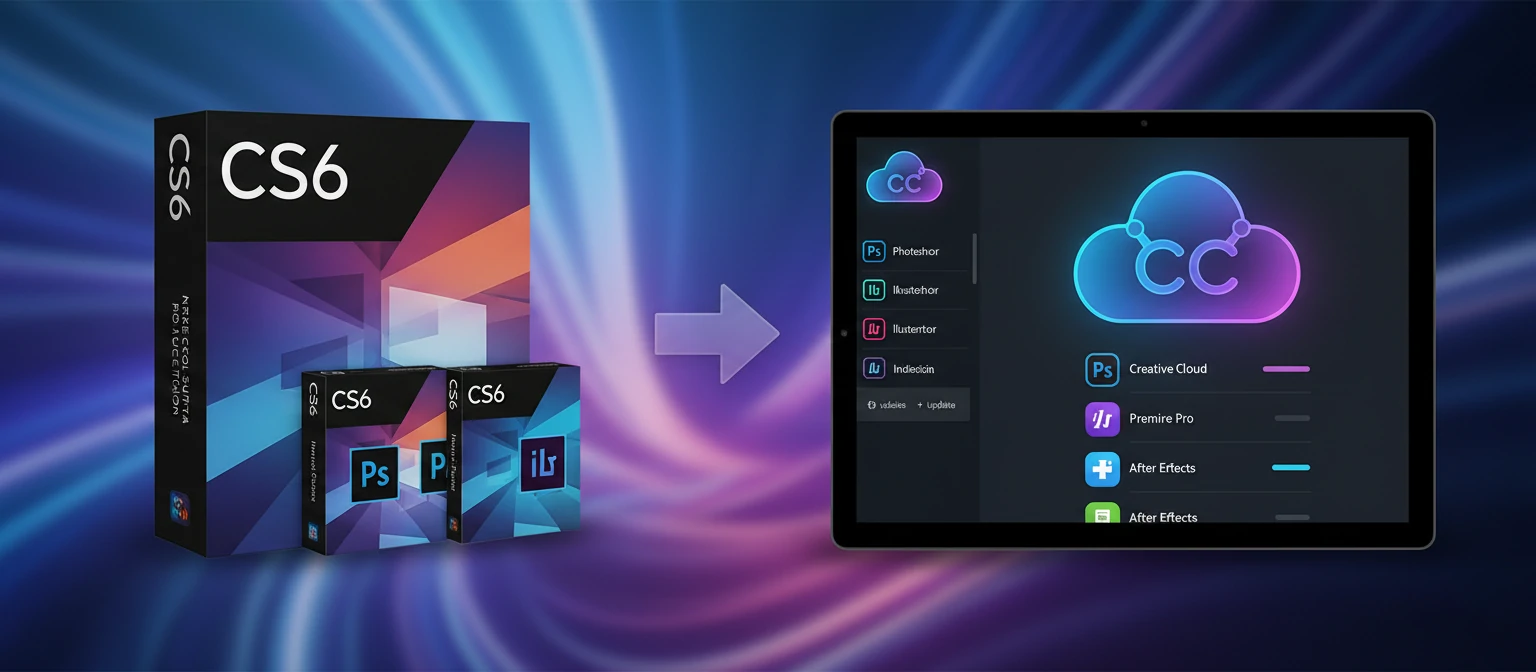
In 2013, Adobe made one of the most controversial decisions in software history—ending perpetual licenses in favor of subscriptions.
📅 May 6, 2013: The Announcement
Adobe announced that Creative Suite 6 would be the final version. All future development would be exclusive to Creative Cloud, available only through monthly or annual subscriptions. The creative community erupted. Petitions gathered hundreds of thousands of signatures. Professionals worried about ongoing costs. Some threatened to switch to competitors. It was a seismic shift in how software was sold.
💭 Why Adobe Made the Change
Adobe cited several reasons: Predictable revenue allowed more consistent development investment. Piracy reduction through online validation. Continuous updates instead of waiting 18-24 months between versions. Cloud services like storage, fonts, and collaboration tools. Lower upfront costs making software more accessible (though debatable over time). From a business perspective, subscription revenue is more predictable and valuable than cyclical upgrade sales.
😤 The Backlash
Many users were furious. Concerns included: Endless payments with no ownership, internet dependency for license validation, loss of access if you stop paying, price increases once locked in, and forced upgrades even when current version works fine. A vocal minority vowed to use CS6 forever. Some turned to alternatives like Affinity, Capture One, and DaVinci Resolve. Over time, most professionals reluctantly transitioned.
📈 The Outcome
Despite the backlash, the transition succeeded beyond Adobe's expectations. Creative Cloud subscribers grew from around 700,000 at launch to over 30 million by 2026. Adobe's stock price increased dramatically. The subscription model has become the standard across software industries. Love it or hate it, Creative Cloud proved the viability of subscription software for professional tools.
Creative Suite 6 vs Creative Cloud
| Aspect | Creative Suite 6 | Creative Cloud 2026 |
|---|---|---|
| Pricing Model | One-time purchase ($1,299-$2,599) | Subscription ($22.99-$59.99/month) |
| Ownership | Perpetual license ✓ | Rental (lose access if canceled) |
| Updates | Only bug fixes (major versions = new purchase) | Continuous updates included ✓ |
| AI Features | None (2012 technology) | Adobe Sensei, Firefly, Neural Filters ✓ |
| Cloud Storage | None | 100GB included ✓ |
| Fonts | Limited bundled fonts | 25,000+ Adobe Fonts ✓ |
| Mobile Apps | None | Full iPad apps, mobile companions ✓ |
| Collaboration | Basic (manual file sharing) | Real-time collaboration, Frame.io ✓ |
| OS Compatibility | Increasingly broken on modern systems | Fully supported on latest OS ✓ |
📊 The Verdict
While Creative Suite 6 offered true ownership, it's now over a decade old with no new features, degrading OS compatibility, and no support. Creative Cloud costs more over time but provides modern tools, AI features, cloud services, continuous updates, and mobile apps. For professional use in 2026, Creative Cloud is the practical choice despite the subscription model's drawbacks. CS6 users face increasing compatibility issues and missing a decade of innovation.
Your Options in 2026
If you're looking for creative software today, here's what's available—from Adobe and alternatives.
☁️ Adobe Creative Cloud (Recommended)
The modern successor to Creative Suite. Subscription-based access to all Adobe apps including Photoshop, Illustrator, Premiere Pro, After Effects, and 20+ more. Includes cloud storage, Adobe Fonts, AI features, mobile apps, and continuous updates. The industry standard for professional creative work.
Starting at $22.99/month (single app) or $59.99/month (all apps)
💎 Affinity Suite (One-Time Purchase Alternative)
The most popular Adobe alternative for those who prefer perpetual licenses. Affinity Photo (Photoshop alternative), Affinity Designer (Illustrator alternative), and Affinity Publisher (InDesign alternative). Professional-grade tools at a fraction of the price with no subscriptions.
$69.99 per app (one-time) or $169.99 for all three
🎬 DaVinci Resolve (Free Video Editing)
A complete video production suite that rivals Premiere Pro and After Effects. The free version includes professional editing, color grading, visual effects (Fusion), and audio (Fairlight). Used in Hollywood productions. Studio version ($295 one-time) adds GPU acceleration and collaboration.
Free (Studio version: $295 one-time)
📷 Capture One (Photo Editing)
Professional photo editing and RAW processing preferred by many photographers over Lightroom. Exceptional color science and tethered shooting. Available as subscription or perpetual license. Strong choice for serious photographers who want alternatives to Adobe.
$179/year subscription or $299 perpetual license
Frequently Asked Questions
Can I still buy Adobe Creative Suite?
No, Adobe stopped selling Creative Suite in 2013. CS6 was the final version. You cannot purchase new licenses from Adobe. While some third-party sellers may offer old copies, Adobe no longer supports, activates, or updates Creative Suite. The only current option from Adobe is Creative Cloud subscription.
Does Creative Suite CS6 still work?
Technically, CS6 can still run if you have a valid license, but compatibility decreases with each OS update. macOS Catalina (2019) and later don't support 32-bit apps, breaking some CS6 components. Windows 11 has various compatibility issues. No security updates means vulnerabilities remain unpatched. For professional use, CS6 is increasingly impractical.
What's the difference between Creative Suite and Creative Cloud?
Creative Suite was a one-time purchase with perpetual license—you bought a version and owned it forever. Creative Cloud is a subscription service—you pay monthly or annually for access to always-updated software. Creative Cloud includes cloud storage, fonts, mobile apps, and AI features that Creative Suite never had. The apps themselves evolved from CS6 versions but are now significantly more advanced.
Why did Adobe switch to subscriptions?
Adobe cited several reasons: predictable recurring revenue, reduced piracy through online validation, ability to deliver continuous updates rather than waiting for major versions, and lower upfront costs making software more accessible. Critics note that subscriptions generate more revenue over time than periodic purchases, benefiting Adobe's bottom line regardless of user preference.
Is there a one-time purchase alternative to Adobe?
Yes! The Affinity Suite (Photo, Designer, Publisher) offers professional tools for one-time purchase around $70 each. DaVinci Resolve provides free professional video editing. Capture One offers perpetual license photo editing. These alternatives have matured significantly and are viable for many workflows, though Adobe remains the industry standard with the deepest feature sets.
Was Creative Suite CS2 really free?
Not officially. In 2013, Adobe disabled the CS2 activation servers and provided serial numbers so existing CS2 owners could continue using their software. This was widely misinterpreted as Adobe giving CS2 away free. Adobe clarified it was only for existing license holders, but the serial numbers worked for anyone. The downloads have since been removed.
How much did Creative Suite cost?
Creative Suite 6 pricing (2012): Design Standard ~$1,299, Design & Web Premium ~$1,899, Production Premium ~$1,899, Master Collection ~$2,599. Upgrades from previous versions cost less. Individual apps like Photoshop CS6 were around $699. Education pricing was significantly discounted. These were substantial one-time investments but provided perpetual use.
Should I use Creative Suite or Creative Cloud?
For professional work in 2026, Creative Cloud is the practical choice. CS6 is 12+ years old with increasing compatibility issues, no AI features, no cloud services, and no support. While the subscription model has downsides, the tools have advanced dramatically. If budget is a concern, consider alternatives like Affinity or DaVinci Resolve rather than relying on outdated CS6.
A Legacy That Shaped Creative Industries
Adobe Creative Suite was more than software—it was the foundation of modern creative work. From CS1's revolutionary bundled approach to CS6's polished final form, Creative Suite enabled millions of designers, photographers, videographers, and artists to bring their visions to life. The skills learned in those applications remain relevant today.
The transition to Creative Cloud was controversial and remains so for those who preferred perpetual licenses. But the creative tools themselves have never been more powerful. AI assistance, cloud collaboration, mobile apps, and continuous innovation have transformed what's possible. Adobe's gamble on subscriptions paid off commercially, even as it changed the relationship between users and their tools.
Whether you're a creative professional evaluating your options, a student entering the field, or someone nostalgic for the boxed software era, understanding Creative Suite's history provides valuable context. The industry has moved forward, but the legacy of those colorful boxes and splash screens lives on in every Adobe application used today.
About the Author
Creative Software Historian
Having used every version of Adobe Creative Suite from CS1 through CS6 and now Creative Cloud, our author brings two decades of perspective on Adobe's evolution and its impact on creative industries worldwide.