Turning "record" into "record-breaking." A deep dive into the creative processing techniques that turn flat, boring audio into rich, broadcast-ready sound.
There is a massive difference between "fixing" audio and "enhancing" audio. Fixing is remedial—it's about removing problems (hiss, echo, clicks). Enhancing, however, is creative. It's about taking a clean but boring recording and giving it weight, presence, air, and authority.
When you listen to a movie trailer, a top-tier podcast, or a pop song, you aren't just hearing the microphone; you are hearing a chain of deliberate aesthetic decisions. To enhance audio is to design the listener's experience.
In this guide, we assume your audio is already "clean." Now, we are going to teach you how to make it shine. We will explore the "Sweetening Chain"—the specific order of effects pro engineers use to make a $100 microphone sound like a $1,000 one.
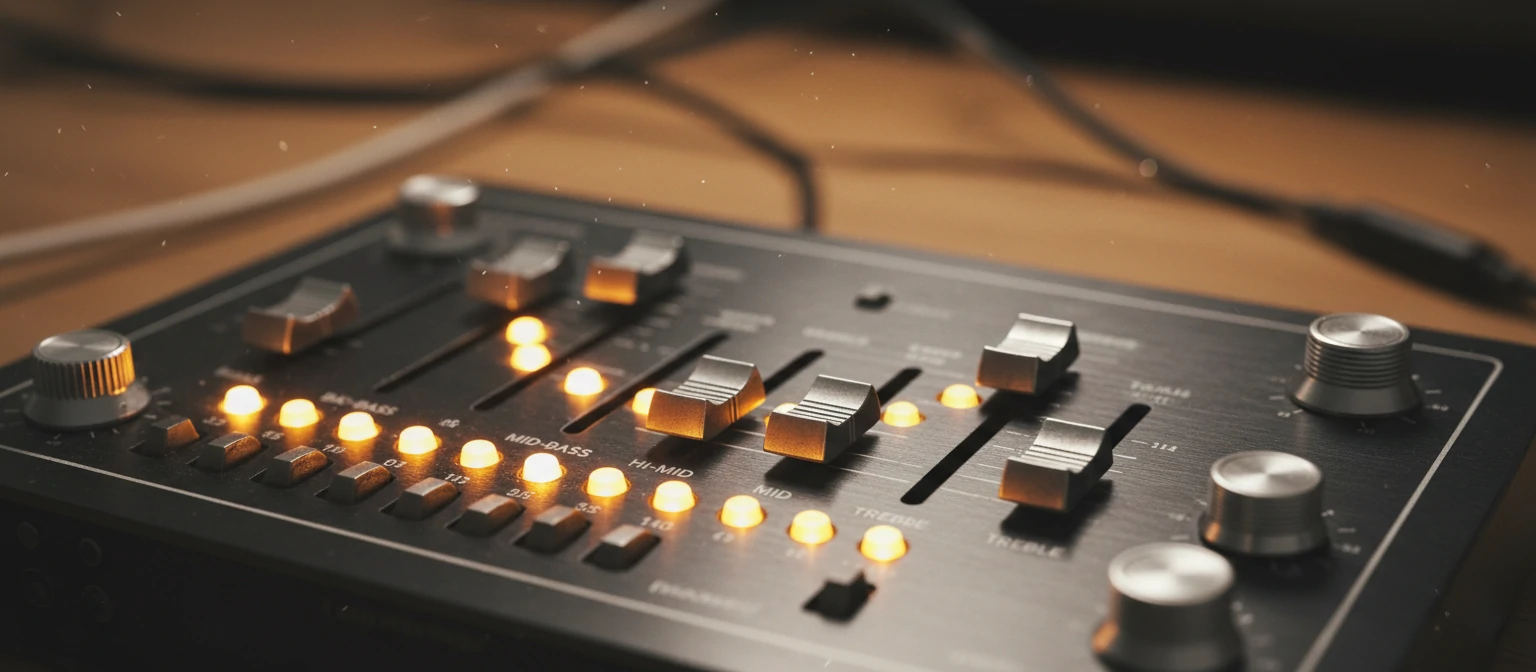
The Enhancement Chain
Pros don't just slap effects on randomly. They follow a signal path. Here is the blueprint for the "Radio God" voice.
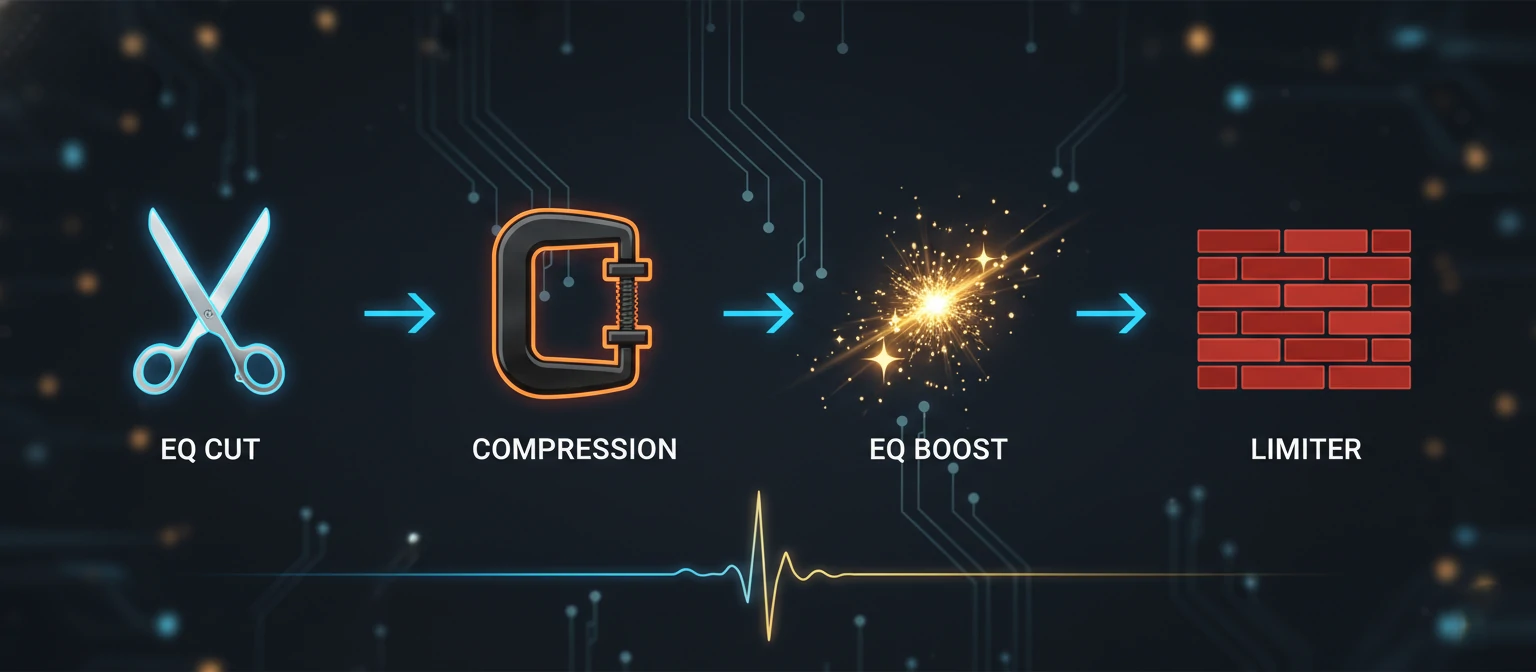
Subtractive EQ (Surgical)
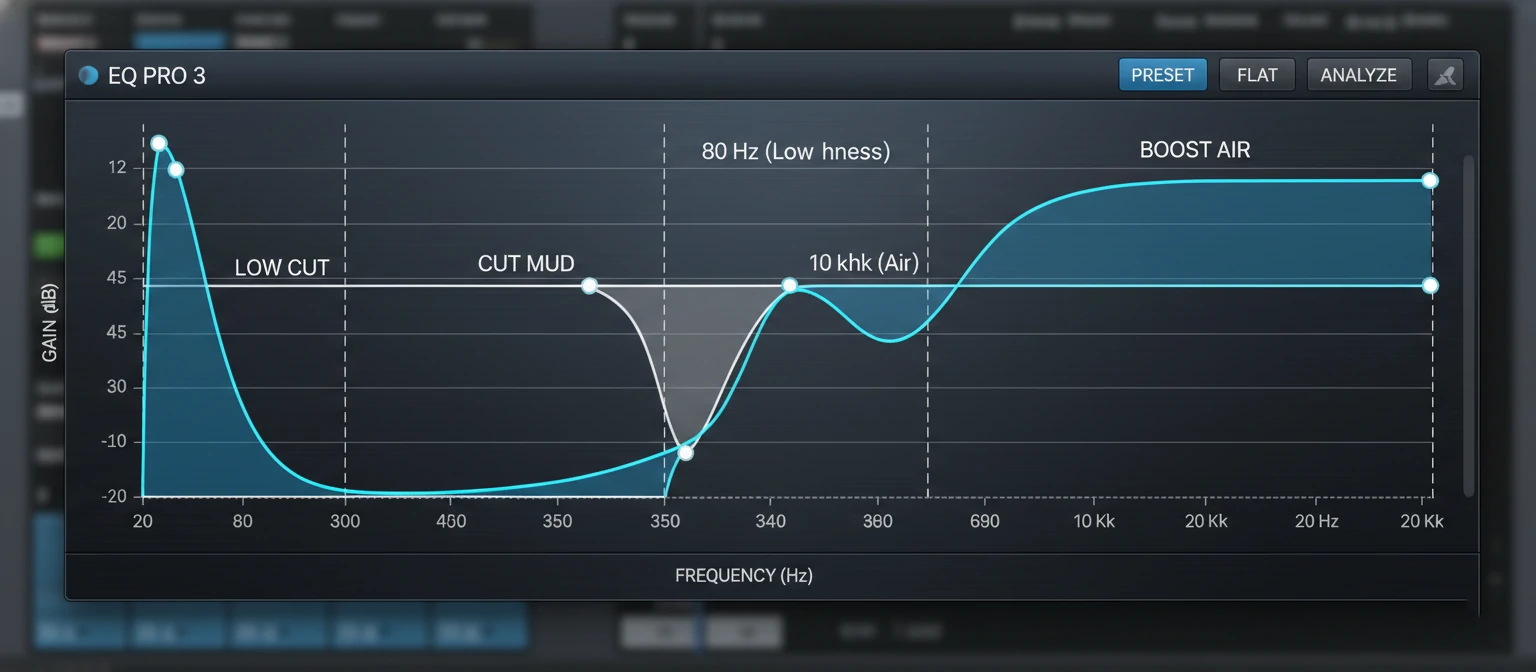
Before enhancing, cut the mud. Use a High-Pass Filter to remove everything below 80Hz (rumble). Cut "boxy" frequencies around 400-500Hz slightly.
Compression (Control)
Compression evens out the volume. It makes whispers louder and screams quieter. This brings the voice "forward" and makes it sound consistent and energetic.
Additive EQ (Flavor)
Now we add. Boost the "Presence" (3kHz - 5kHz) for intelligibility. Boost the "Air" (10kHz+) for that expensive sizzle on the vocals.
Limit & Normalize
The safety net. A Limiter prevents audio from clipping (distorting) while allowing you to push the overall volume up to -1dB or -14 LUFS (standard).
The Secret Sauce: Saturation
The EQ Cheat Sheet
Memorize these frequencies to instantly enhance any voice.
Rumble
Cut this to remove HVAC noise
and desk bumps.
Mud / Boxiness
Cut slightly to "clear
up" the voice.
Presence
Boost to make words
intelligible and clear.
Air / Sparkle
Boost shelf for an
expensive, high-fidelity sheen.
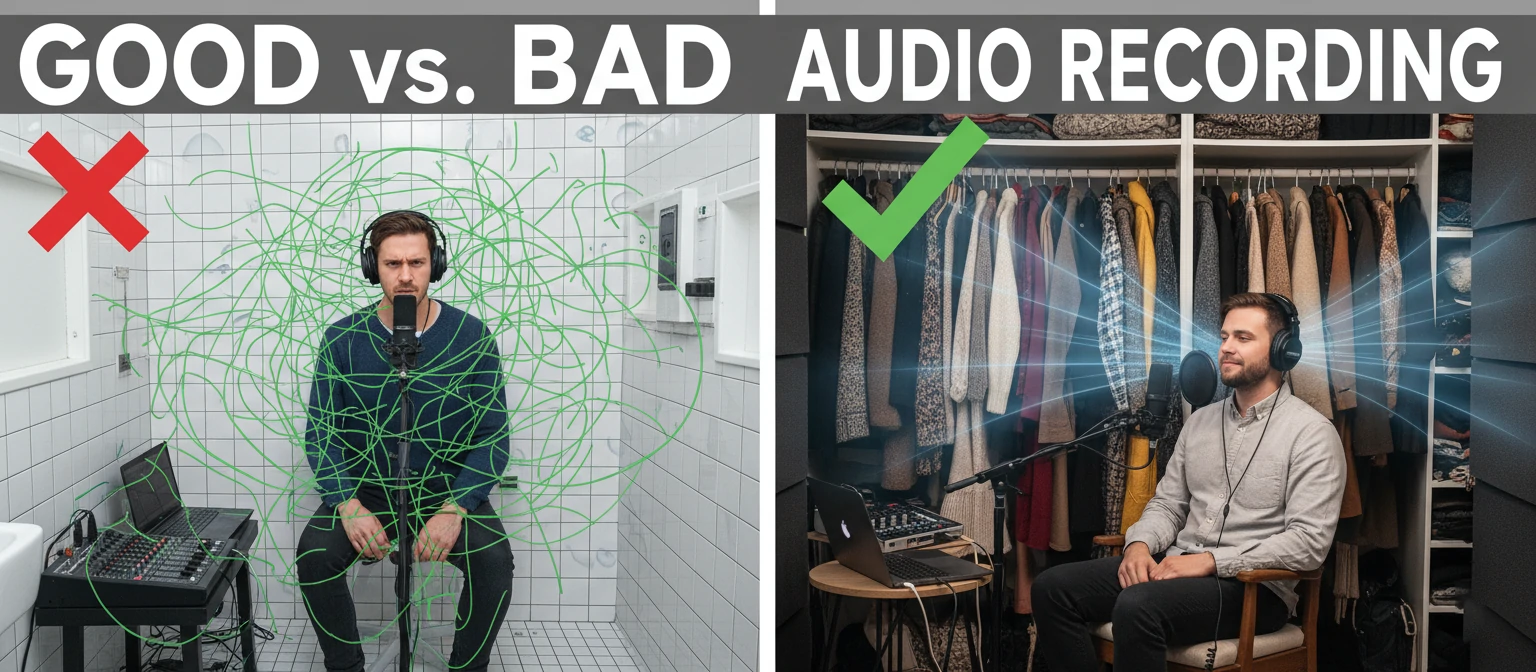
You Can't Enhance Echo
Here is the hard truth: Enhancement amplifies the room.
When you compress audio, you make the quiet parts louder. The "quiet parts" of your recording contain the room reverb (echo). If you record in an empty kitchen and try to enhance it, you will sound like you are shouting in a cave.
Physical Enhancement > Digital Enhancement. Putting a blanket over your head or recording in a closet often does more for your audio quality than a $500 plugin ever could.
Soft Surfaces
Are your best friends.
AI vs. The Human Ear
One-click AI enhancers (like Adobe Podcast) are incredible, but they are aggressive. They often strip the emotion out of a voice, making it sound flat and monotone.
The Pro Hybrid approach: Use AI to clean the noise (repair), but use manual EQ and Compression to enhance the tone (polish). Never let AI make the creative decisions for you. Your ears are the final judge.