Master the art of voice enhancement with professional tools, techniques, and insider knowledge for pristine vocal quality
Table of contents
- Key Takeaways
- 1. What Is a Voice Enhancer?
- 2. How Voice Enhancement Works
- 3. Types of Voice Enhancers
- 4. Top Voice Enhancement Software
- 5. Essential Enhancement Techniques
- 6. Voice Enhancement Use Cases
- 7. AI-Powered Voice Enhancement
- 8. Pro Tips for Better Results
- 9. Common Mistakes to Avoid
- 10. The Future of Voice Enhancement
- Frequently Asked Questions
Your voice is your most personal instrument. Whether you're recording a podcast, creating YouTube content, joining video calls, narrating audiobooks, or producing music, the quality of your voice recording can make the difference between amateur and professional results. That's where voice enhancers come in—powerful tools that transform ordinary recordings into broadcast-quality audio.
I've spent over a decade working as an audio engineer, refining vocals for everything from Grammy-nominated albums to corporate training videos. In that time, I've witnessed remarkable advances in voice enhancement technology. What once required expensive studio equipment and years of expertise is now accessible to anyone with a computer and the right knowledge.
This comprehensive guide will take you through everything you need to know about voice enhancers—from understanding the fundamental concepts to mastering professional techniques. Whether you're a complete beginner or looking to refine your existing workflow, you'll find actionable insights to dramatically improve your vocal audio quality.

Key Takeaways
- ♫ Voice enhancers use noise reduction, EQ, compression, and de-essing to transform raw recordings into polished audio
- ♫ AI-powered tools like Adobe Podcast and Descript have revolutionized voice enhancement for beginners
- ♫ The best enhancement starts with good recording practices—no software can fix fundamentally bad audio
- ♫ Real-time voice enhancers work great for live calls; post-processing tools offer more control for recordings
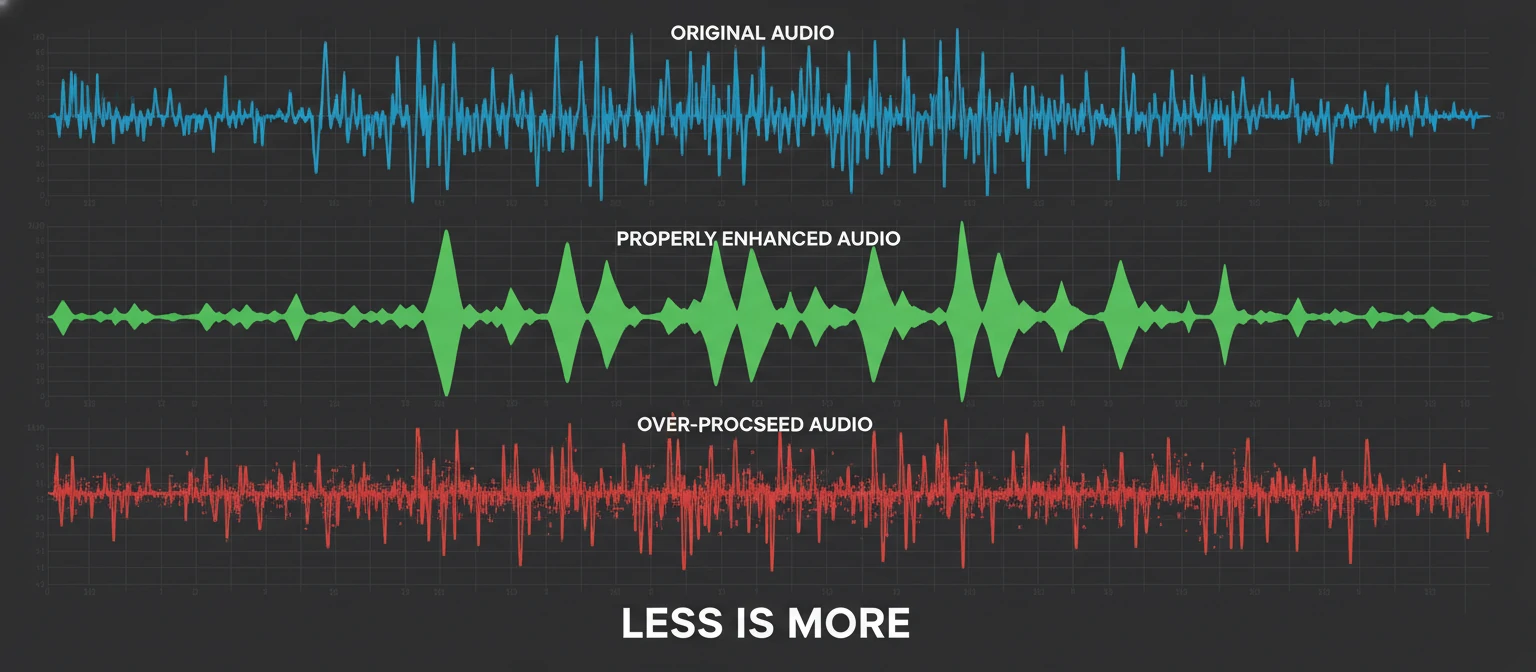
- ♫ Subtle enhancement sounds professional; over-processing makes voices sound artificial and fatiguing
1. What Is a Voice Enhancer?
A voice enhancer is any tool, software, or technique that improves the quality, clarity, and overall sound of vocal recordings. Think of it as a makeover for your voice—smoothing out imperfections, removing unwanted noise, and bringing forward the qualities that make your voice sound its best.
Voice enhancers work by analyzing audio signals and applying various processing algorithms to address common vocal issues. These might include background noise, room echo, uneven volume levels, harsh frequencies, or muffled sound. The goal is always the same: to make the voice sound clear, present, and pleasant to listen to.
What Voice Enhancers Can Fix
Background Noise
AC hum, traffic, fans, computer noise
Room Echo
Reverb, reflections, hollow sound
Volume Swings
Too quiet, too loud, inconsistent levels
Harsh Frequencies
Sibilance, plosives, shrill tones
Muffled Sound
Lack of clarity, poor articulation
Thin Voice
Lacking warmth, body, or presence
It's important to understand that voice enhancers are not magic wands. They work best when starting with reasonably recorded audio and can't resurrect completely destroyed recordings. The phrase "garbage in, garbage out" applies—enhancement amplifies what's there, so starting with the best possible raw recording always yields superior results.
2. How Voice Enhancement Works
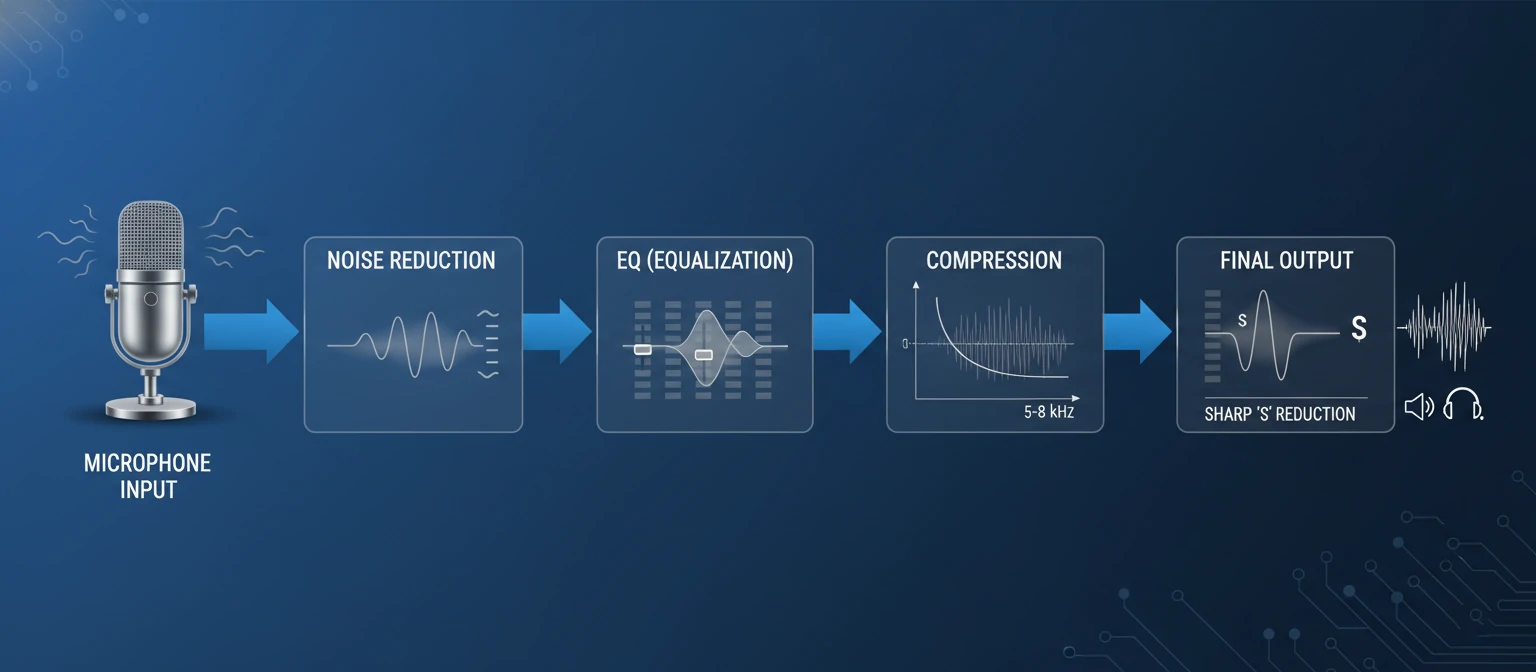
Understanding the mechanics behind voice enhancement helps you make better decisions about which tools to use and how to use them effectively. At its core, voice enhancement involves several distinct processes that can be applied individually or in combination.
Noise Reduction
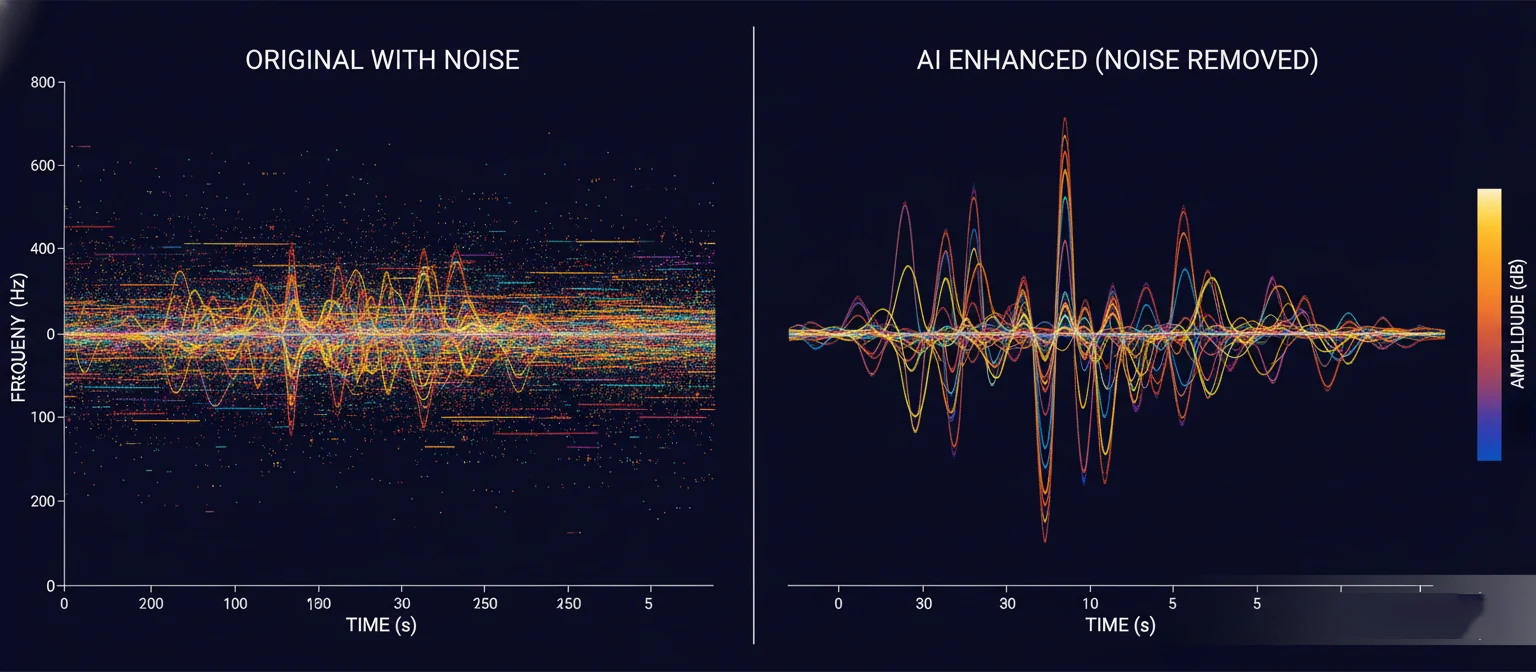
Noise reduction identifies and removes unwanted sounds from your recording. Traditional algorithms analyze a "noise profile"—a sample of just the noise without voice—then subtract those frequencies throughout the recording. Modern AI-based systems can identify and separate voice from noise without needing a sample, working in real-time with remarkable accuracy.
Equalization (EQ)
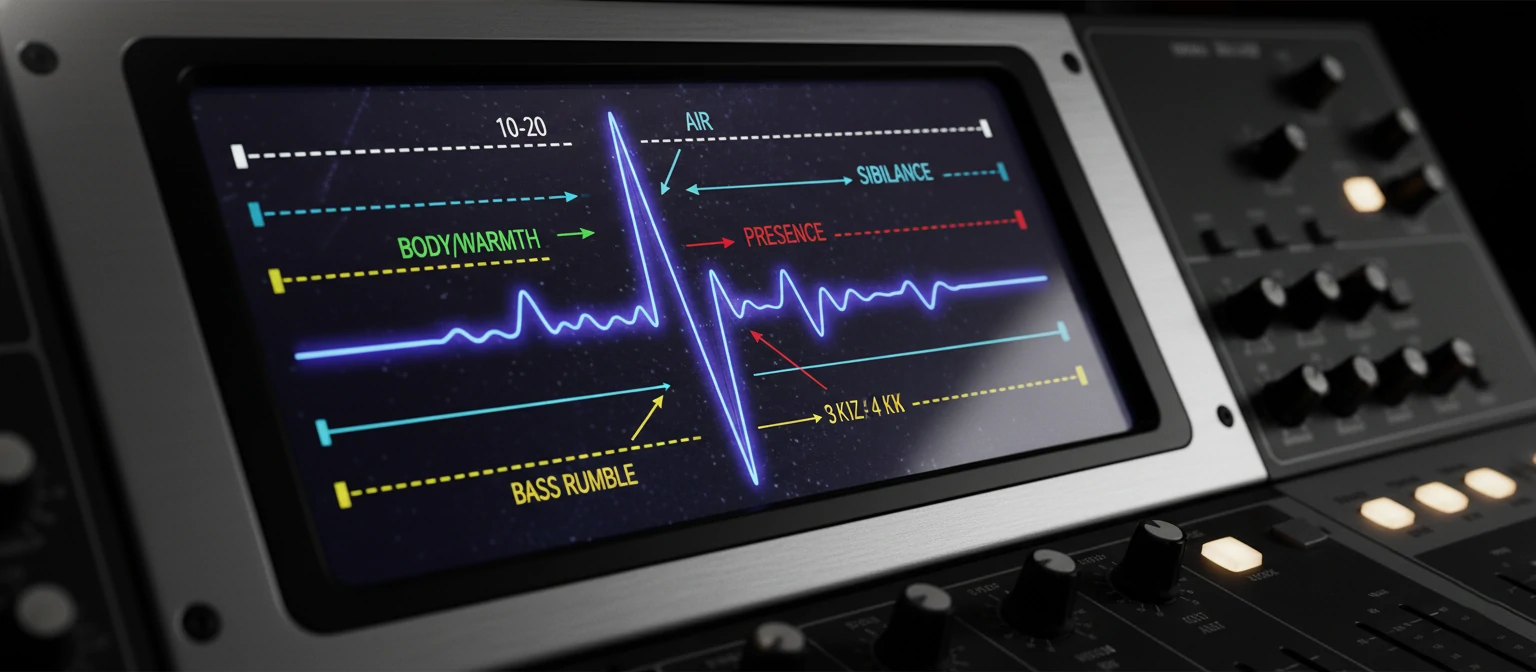
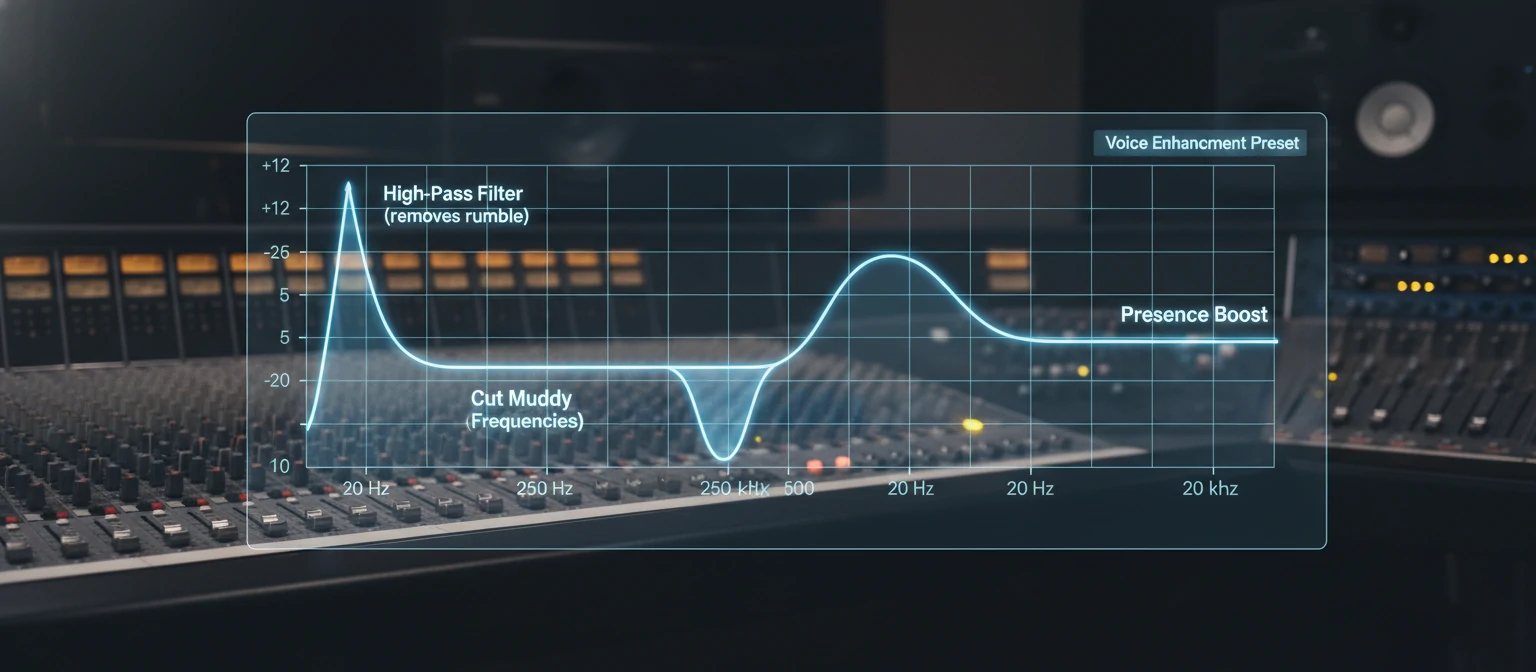
EQ adjusts the balance of frequencies in your voice. Every voice has a unique frequency signature, and room acoustics can color that signature in unwanted ways. EQ allows you to boost frequencies that add clarity and warmth while cutting frequencies that cause muddiness or harshness. Common voice EQ moves include rolling off low-end rumble below 80Hz, reducing muddiness around 200-400Hz, and adding presence in the 2-5kHz range.
The Voice Enhancement Chain
Removes silence noise
Removes background noise
Shapes tonal balance
Tames harsh sibilance
Evens volume levels
Prevents clipping
Compression
Compression reduces the dynamic range of your voice—the difference between the quietest and loudest moments. This creates a more consistent, easier-to-listen-to recording where every word is audible without volume jumps startling the listener. Proper compression makes voices sound fuller and more professional without obvious artifacts.
De-essing
De-essers specifically target sibilant sounds—the harsh "S," "SH," and "CH" sounds that can become piercing in recordings, especially with certain microphones or voices. These tools detect when sibilance occurs and automatically reduce its intensity, smoothing out harsh moments without affecting the rest of the audio.
3. Types of Voice Enhancers
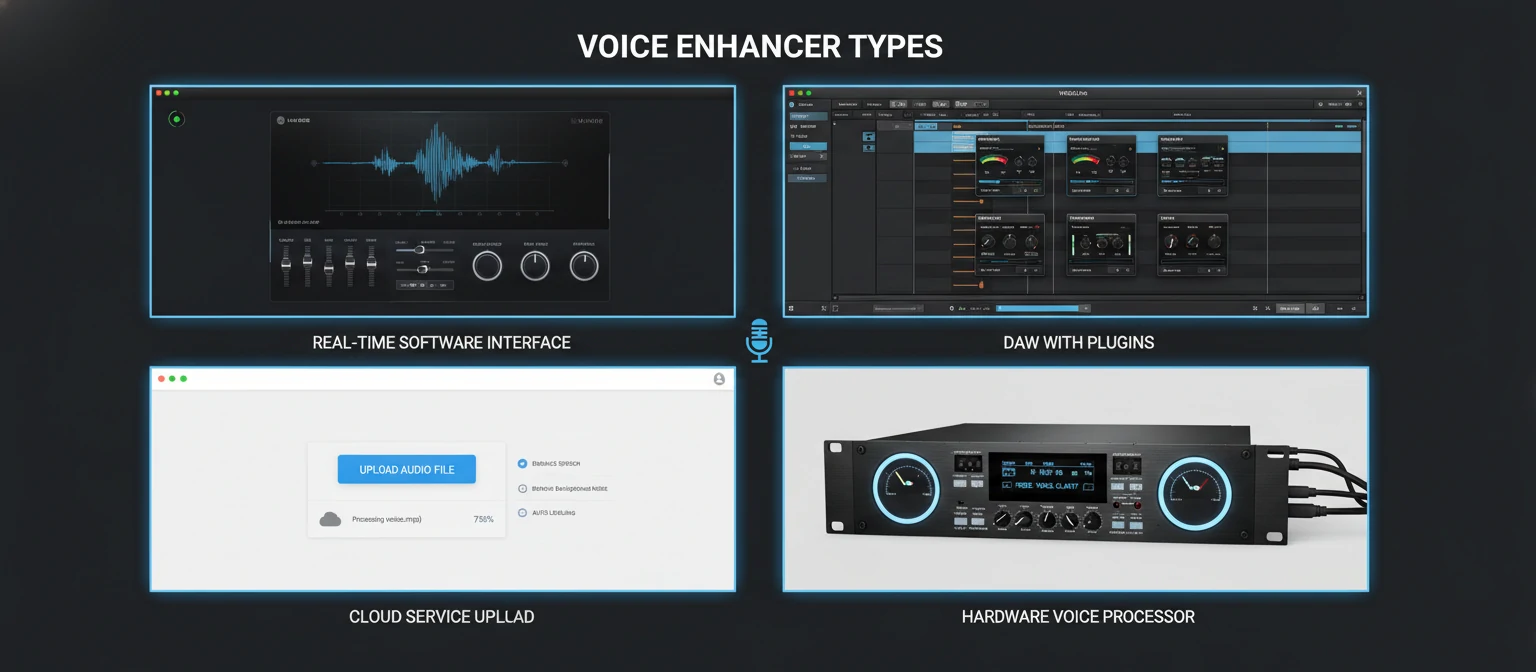
Voice enhancement tools come in various forms, each suited to different workflows, skill levels, and use cases. Understanding these categories helps you choose the right tool for your specific needs.
Real-Time Voice Enhancers
These process your voice instantly as you speak, making them perfect for live applications. They sit between your microphone and your communication software, enhancing audio before it reaches your meeting or stream.
Best For: Video calls, live streaming, gaming, virtual presentations
Examples: NVIDIA Broadcast, Krisp, RTX Voice
Post-Processing Software
These enhance recordings after they're captured, offering maximum control and quality. They allow multiple passes, fine-tuning, and the ability to undo changes—ideal for content that will be published.
Best For: Podcasts, YouTube videos, audiobooks, music production
Examples: Adobe Audition, iZotope RX, Audacity
AI-Powered Cloud Services
Upload your audio to cloud servers where sophisticated AI processes it automatically. These require minimal expertise and deliver impressive results with one-click simplicity.
Best For: Beginners, quick fixes, batch processing, mobile users
Examples: Adobe Podcast Enhance, Descript, Auphonic
DAW Plugins
These integrate into digital audio workstations as plugins (VST, AU, AAX), offering professional-grade enhancement within your existing production workflow.
Best For: Professional producers, complex projects, maximum control
Examples: Waves plugins, FabFilter, iZotope Nectar
Hardware Voice Processors
Physical devices that process audio signals in real-time with dedicated circuitry. These offer zero latency and consistent performance without taxing your computer's resources.
Best For: Live performance, broadcast studios, permanent installations
Examples: TC-Helicon GoXLR, dbx 286s, Focusrite Vocaster
4. Top Voice Enhancement Software
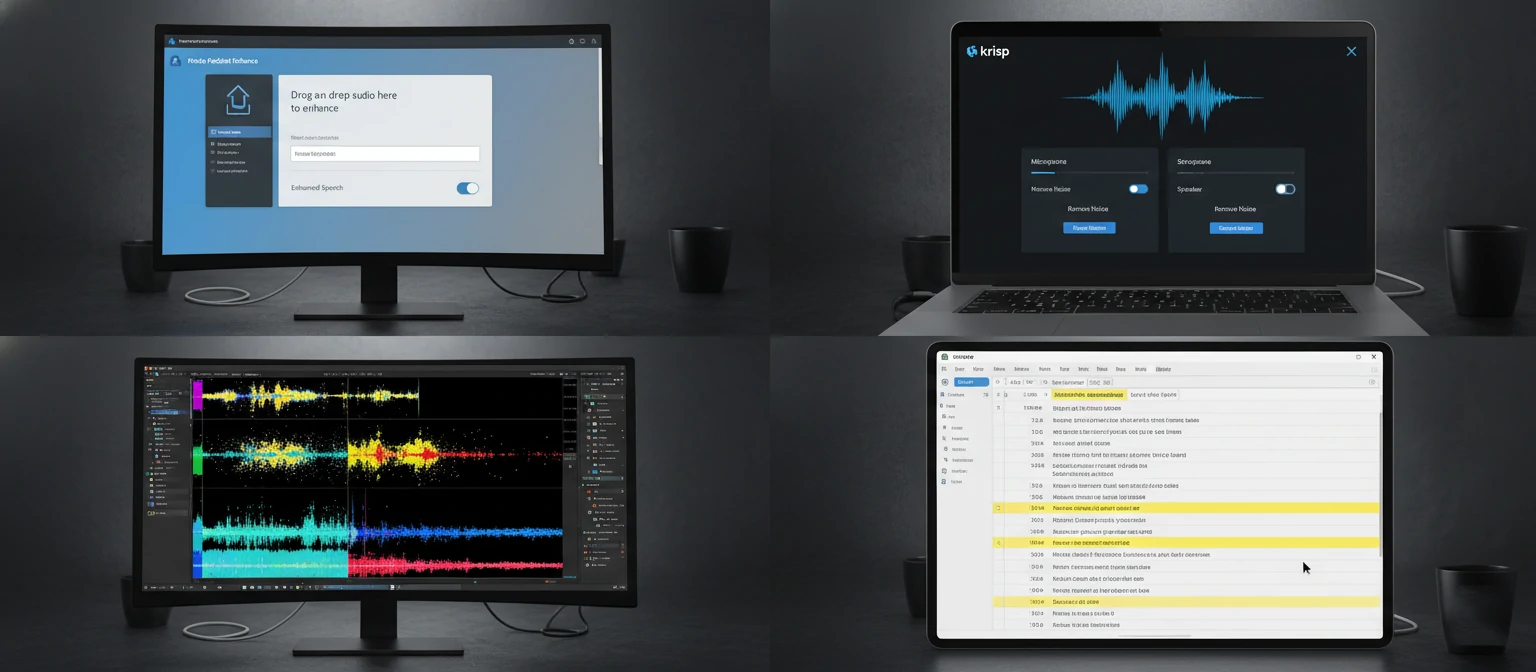
The market offers dozens of voice enhancement options at every price point. After extensive testing, here are the standout tools that consistently deliver excellent results across different use cases and skill levels.
Software Comparison
| Software | Best For | Skill Level | Price |
|---|---|---|---|
| Adobe Podcast Enhance | Quick AI enhancement | Beginner | Free |
| Krisp | Real-time calls | Beginner | Free / $8/mo |
| NVIDIA Broadcast | Streaming/gaming | Beginner | Free (RTX GPU) |
| Descript | Podcast production | Intermediate | Free / $12/mo+ |
| Adobe Audition | Professional editing | Intermediate | $22.99/mo |
| iZotope RX | Audio restoration | Advanced | $129 - $1,199 |
| Waves Clarity Vx | Real-time plugin | Intermediate | $35.99 |
| Audacity | Free basic editing | Beginner | Free |
Top Picks by Category
Best Free Option: Adobe Podcast Enhance Speech is remarkably effective for a free tool. Simply upload your audio and let the AI work its magic. The results rival paid software for many use cases.
Best for Video Calls: Krisp excels at real-time noise removal and works with any communication app. It eliminates background noise from both your end and incoming audio.
Best for Professionals: iZotope RX remains the gold standard for audio restoration and voice enhancement. Its surgical tools can fix problems other software can't touch.
Best All-Around: Descript combines transcription, editing, and AI enhancement in one package, making it ideal for podcasters and content creators who want a complete solution.
5. Essential Enhancement Techniques
While one-click AI solutions work well for basic needs, understanding fundamental techniques gives you more control and better results. Here are the core skills every voice enhancer user should master.
The Golden Rule of Enhancement
"Enhance in small increments and compare frequently to the original. If you can obviously hear the processing, you've probably gone too far. The best enhancement is invisible—listeners should simply think you have a great voice and recording setup."
Noise Reduction Best Practices
Start with the lightest possible noise reduction that achieves acceptable results. Aggressive noise reduction causes artifacts—that "underwater" or "robotic" sound that immediately signals over-processing. If your noise floor is too high for gentle reduction, consider re-recording in a better environment.
EQ for Voice Clarity
A basic voice EQ approach includes these moves:
- High-pass filter at 80-100Hz: Removes rumble and low-end noise without affecting voice
- Cut 200-400Hz if muddy: This range often needs reduction, especially in untreated rooms
- Slight boost at 2-4kHz: Adds presence and intelligibility
- Gentle boost at 8-12kHz: Adds "air" and brightness (use sparingly)
- Cut harsh frequencies: Use a narrow cut if specific frequencies sound piercing
Compression Settings for Voice
Voice compression typically uses a ratio of 3:1 to 6:1, with a medium attack (10-30ms) to preserve transients and a medium-fast release (50-100ms) that follows the natural decay of speech. Aim for 3-6dB of gain reduction on peaks. The goal is consistency, not squashing—the voice should still sound dynamic and natural.
Quick Enhancement Checklist
6. Voice Enhancement Use Cases
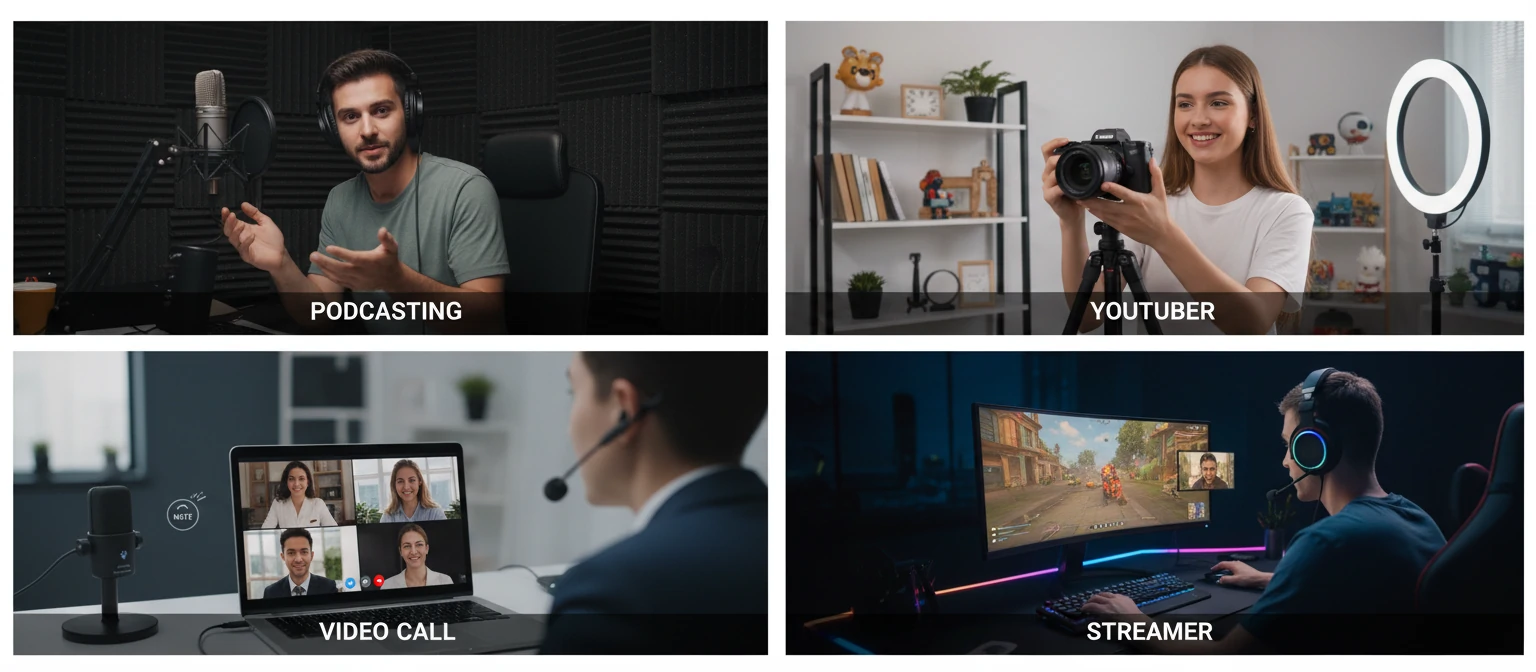
Different applications require different enhancement approaches. What works for a podcast might not suit a music vocal, and video call enhancement has unique constraints. Let's explore the most common use cases and their specific requirements.
Podcasting
Consistency across episodes and between hosts matters most. Use templates for uniform processing, match loudness levels (-16 to -19 LUFS), and prioritize clarity over character.
Key Focus: Noise reduction, loudness normalization, consistency
YouTube & Video Content
Voice must cut through background music and sound effects. Brighter EQ helps intelligibility. Consider how audio sounds on phone speakers, not just studio monitors.
Key Focus: Presence, cutting through mix, mobile playback
Audiobooks & Narration
Hours of listening demand fatigue-free audio. Warm, smooth sound without harshness. Absolute consistency in tone and level across chapters. ACX has specific technical requirements.
Key Focus: Warmth, zero harshness, technical compliance
Video Calls & Meetings
Real-time processing with minimal latency is essential. Focus on noise removal and basic clarity rather than heavy enhancement. Compatibility with meeting software matters.
Key Focus: Low latency, noise suppression, reliability
Music Vocals
Creative enhancement that serves the song. Processing varies dramatically by genre. Often involves pitch correction, doubling, harmonies, and effects beyond basic enhancement.
Key Focus: Creative processing, genre-appropriate treatment
Gaming & Streaming
Real-time enhancement that handles dynamic speaking (quiet commentary to excited outbursts). Noise gates prevent keyboard/mouse sounds. Often combined with voice changers.
Key Focus: Dynamic range control, noise gating, low CPU usage
7. AI-Powered Voice Enhancement
Artificial intelligence has revolutionized voice enhancement in the past few years. Tasks that once required expert ears and hours of work now happen automatically in seconds. Understanding what AI can and can't do helps you leverage these tools effectively.
How AI Enhancement Works
Modern AI voice enhancers use deep learning models trained on thousands of hours of audio. They learn to distinguish between voice and noise, between good audio and bad, and between enhanced and original recordings. This training allows them to make intelligent decisions about how to process new audio they've never heard before.
Unlike traditional algorithms that follow rigid rules, AI systems adapt to each unique recording. They can identify and remove specific types of noise (traffic, wind, typing) rather than treating all noise the same way. They can enhance voices while preserving natural characteristics that rule-based systems might accidentally remove.
AI Enhancement Capabilities
✔ AI Excels At
- Noise separation and removal
- Room reverb reduction
- Automatic level balancing
- One-click enhancement
- Processing speed
✘ AI Limitations
- Creative/artistic decisions
- Genre-specific processing
- Heavily damaged audio
- Nuanced tonal shaping
- Understanding context
Leading AI Enhancement Tools
Adobe Podcast Enhance Speech: Free, web-based, and remarkably effective. Upload audio and get studio-quality results in minutes. The technology behind it powered professional tools before becoming free.
Descript Studio Sound: Integrated into Descript's editing workflow, offering one-click enhancement that removes background noise and room reverb while improving overall clarity.
NVIDIA Broadcast: Real-time AI enhancement using GPU acceleration. Removes noise, room echo, and even works on incoming audio from other participants.
Auphonic: Cloud-based service that automatically processes podcasts and audio files, handling loudness normalization, noise reduction, and leveling with minimal user input.
8. Pro Tips for Better Results
After years of enhancing voices professionally, I've collected techniques that consistently produce superior results. These insights go beyond basic tutorials to address real-world challenges.
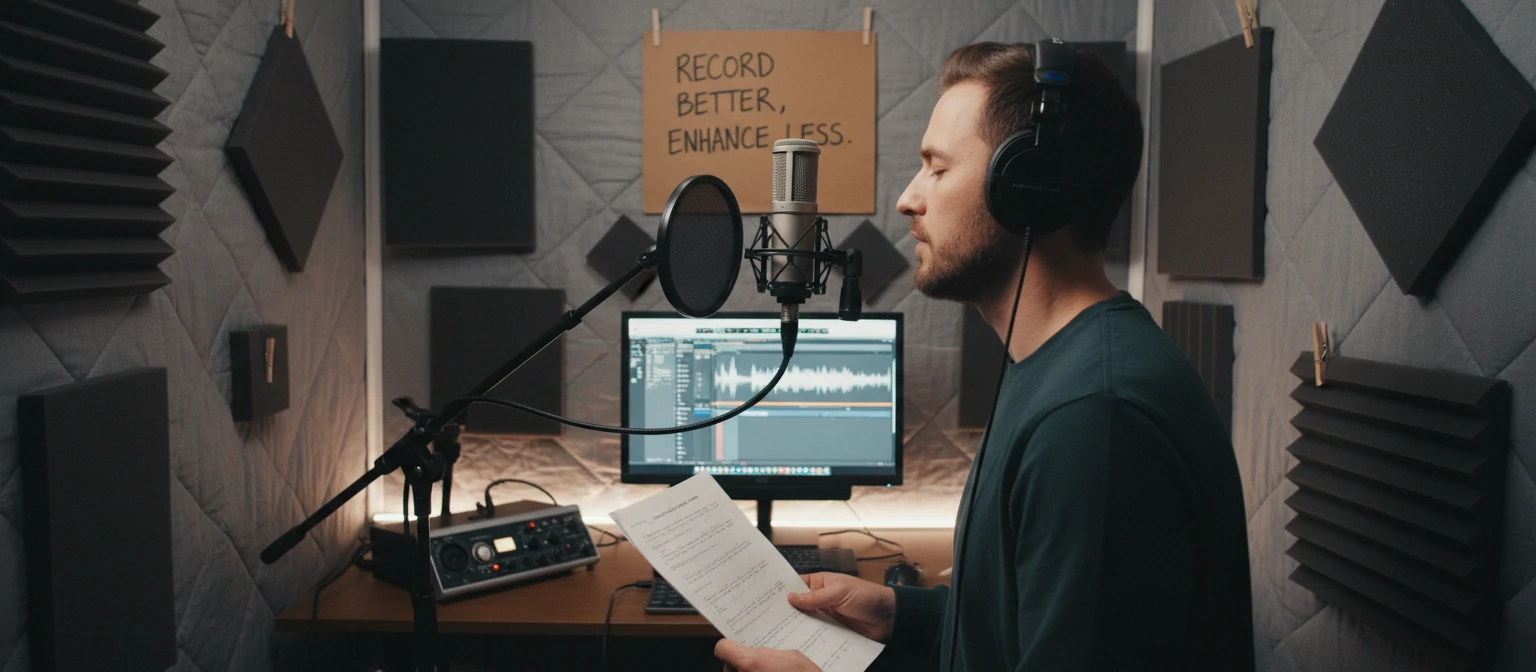
Record Better, Enhance Less
The best enhancement is prevention. Treat your room with blankets or foam, get closer to the microphone (6-12 inches), and eliminate noise sources before recording. Clean audio requires minimal processing and sounds more natural.
Listen on Multiple Systems
Check your enhanced audio on headphones, studio monitors, phone speakers, and car stereos. Enhancement that sounds great on expensive monitors might reveal problems on cheap earbuds—where most people will actually listen.
Use Subtractive EQ First
Cut problem frequencies before boosting good ones. Cutting 3dB at 300Hz is often more effective than boosting 3dB at 3kHz for clarity. Subtractive EQ sounds more natural and avoids building up harshness.
Match Processing to Content
An intimate podcast needs different enhancement than an energetic YouTube video. Consider the emotional tone, pacing, and listening context when making processing decisions.
Take Breaks During Processing
Ear fatigue causes poor decisions. After 30-45 minutes of detailed audio work, take a break. You'll hear problems (or over-processing) when you return that you missed when fatigued.
Save Presets for Consistency
Once you dial in settings that work for your voice and setup, save them as presets. This ensures consistent sound across recordings and speeds up your workflow dramatically.
9. Common Mistakes to Avoid
Even experienced users fall into traps that undermine their enhancement work. Recognizing these pitfalls helps you avoid them and achieve consistently better results.
Critical Mistakes to Avoid
Over-Processing
The most common mistake. Heavy noise reduction creates artifacts, excessive compression squashes dynamics, and aggressive EQ sounds unnatural. If processing is obvious, dial it back.
Ignoring Monitoring Volume
Processing at high volumes masks problems and leads to over-enhancement. Work at moderate, consistent levels. Loud monitoring fatigues ears quickly and distorts perception.
Processing in Wrong Order
Signal chain order matters. Noise reduction should come first, then EQ, then compression. De-essing before compression prevents the compressor from pumping on sibilance.
Not Comparing to Original
Regular A/B comparison with bypassed processing reveals whether you're actually improving the audio or just making it different (or worse). Toggle processing off frequently.
Trusting AI Blindly
AI tools are impressive but not perfect. Always review AI-enhanced audio carefully. Sometimes AI introduces artifacts or makes voices sound processed. Trust your ears over algorithms.
Destructive Editing
Always keep original files and work non-destructively. Export enhanced versions separately. If you discover problems later, you can re-process from the clean source.
10. The Future of Voice Enhancement
Voice enhancement technology continues advancing at remarkable speed. Understanding where things are heading helps you make smart decisions about skills to develop and tools to invest in.
Emerging Trends
Real-Time AI Processing
AI enhancement that runs locally with zero latency, enabling live broadcast-quality audio from any environment.
Voice Cloning & Synthesis
AI that can generate natural-sounding speech in any voice, enabling correction of mispronunciations or generation of new content.
Spatial Audio Enhancement
Processing that places voices in 3D space, enabling immersive audio experiences for VR, AR, and next-gen content.
Mobile-First Processing
Professional-grade enhancement running entirely on smartphones, enabling high-quality recording anywhere.
What This Means for You
As AI handles more technical tasks automatically, human skills shift toward creative decisions, quality judgment, and understanding how to achieve specific sonic goals. Learning the fundamentals—understanding what good audio sounds like and why certain processing choices work—remains valuable even as the tools become more automated.
The democratization of voice enhancement continues. What once required expensive studios and years of training is increasingly accessible to anyone. This raises the quality bar across all audio content—audiences now expect clean, professional-sounding audio regardless of the creator's budget or experience level.

Frequently Asked Questions
Can voice enhancement fix any recording?
No. Voice enhancers work best with recordings that have reasonable quality to begin with. Severely clipped (distorted) audio, recordings with voice and noise at similar levels, or extremely low-quality sources may be beyond repair. Enhancement amplifies what's there—it can't create missing information.
Is free voice enhancement software good enough?
For many use cases, yes. Adobe Podcast Enhance Speech is genuinely impressive for a free tool. Audacity with basic plugins handles many tasks competently. Free tools are excellent for learning and casual use. Professional work may benefit from paid tools' additional features and precision.
Do I need expensive equipment for good voice recordings?
Expensive equipment helps, but room treatment and technique matter more. A $100 microphone in a treated room with proper technique will beat a $1000 microphone in a bathroom with poor positioning. Focus on fundamentals before investing in gear.
Will AI replace human audio engineers?
AI is changing the role rather than eliminating it. Routine enhancement tasks are increasingly automated, but creative decisions, quality control, and solving unique problems still require human expertise. The best results often combine AI efficiency with human judgment.
How do I learn voice enhancement professionally?
Start with free tools and YouTube tutorials to learn fundamentals. Practice on your own recordings. As you advance, explore professional software trials and online courses. Consider audio engineering programs for comprehensive training. Most importantly, train your ears by actively listening to professional audio and analyzing what makes it sound good.
About Alex Warren
Alex Warren is an audio engineer and voice specialist with over a decade of experience in music production, podcast editing, and broadcast audio. He has worked with Grammy-nominated artists, Fortune 500 companies, and independent creators alike. Alex is passionate about democratizing professional audio quality and helping creators of all levels achieve studio-grade sound.