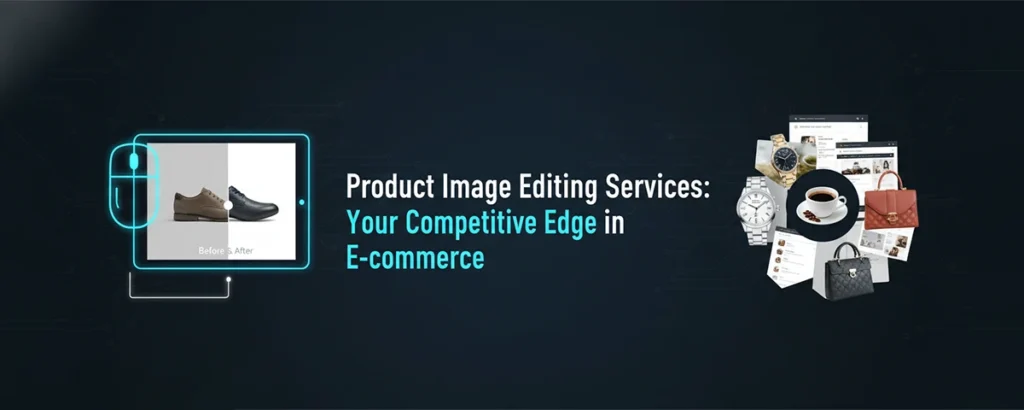
In online retail, your product photos are your salespeople. Professional product image editing transforms ordinary shots into conversion-driving assets. Here's everything you need to know.
What Are Product Image Editing Services?
Product image editing services specialize in enhancing, correcting, and optimizing photographs of products for e-commerce, catalogs, advertising, and marketing purposes. Unlike general photo editing, these services focus specifically on the unique requirements of product photography—marketplace compliance, consistency across SKUs, and visual presentation that drives purchasing decisions.
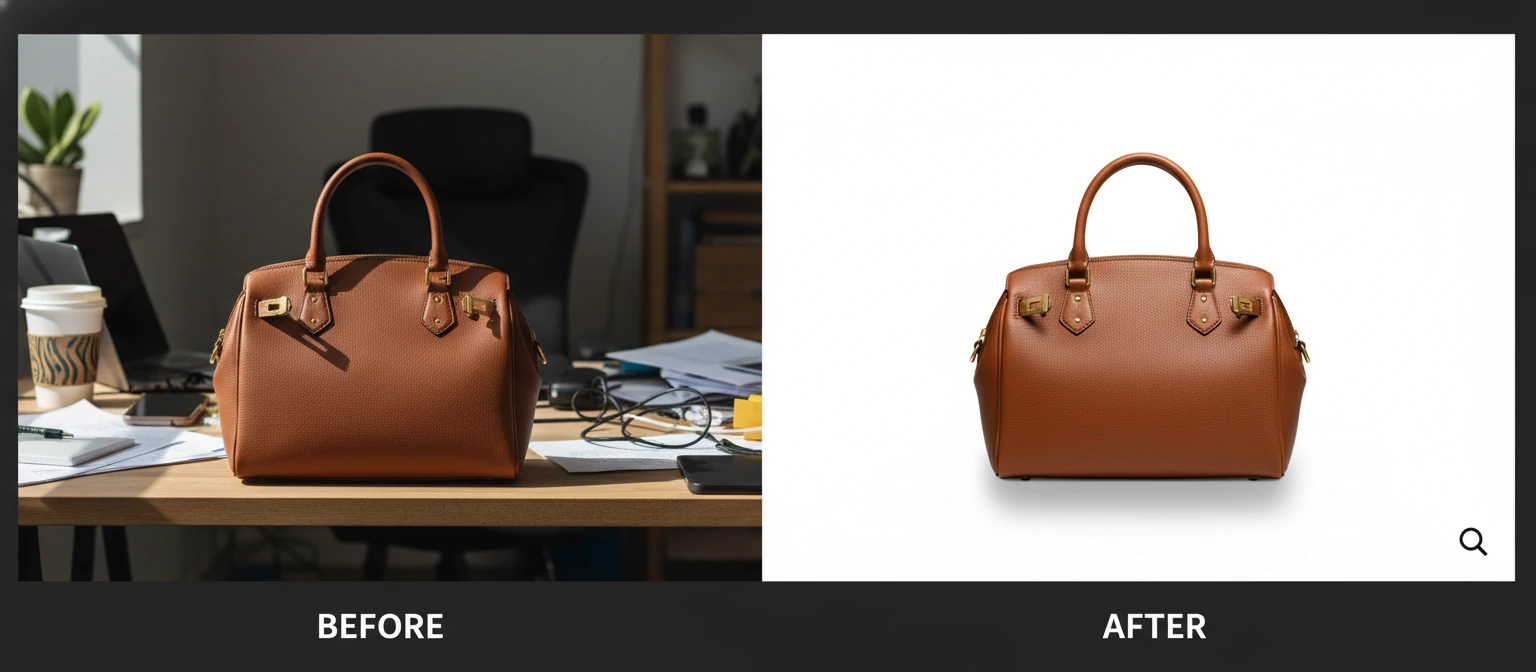
Professional product editing goes far beyond basic retouching. It includes background removal and replacement, color correction to match physical products, shadow creation for depth, image resizing for platform specifications, and advanced techniques like ghost mannequin effects for apparel.
For e-commerce sellers—from solo Etsy shops to enterprise Amazon brands—consistent, high-quality product images are directly tied to revenue. Studies consistently show that better product photography increases conversion rates, reduces return rates (by setting accurate expectations), and builds brand trust.
The Amazon Effect
Amazon, eBay, Walmart, and other marketplaces have strict image requirements: white backgrounds, specific dimensions, no watermarks, product-focused framing. Product image editing services ensure compliance while maximizing visual appeal within these constraints.
Types of Product Image Editing Services
From basic cleanup to advanced manipulation, here's what professional product editing encompasses.
Background Removal & Replacement
The most requested service. Products are isolated from original backgrounds and placed on pure white (standard for marketplaces), transparent, or custom colored/lifestyle backgrounds.
- Pure white (#FFFFFF) for Amazon, eBay
- Transparent PNG for flexible use
- Lifestyle/contextual backgrounds
Color Correction & Matching
Ensuring product colors in photos match the actual physical product. Reduces returns caused by color discrepancies. Also includes consistency within product color variants.
- White balance correction
- Color variant consistency
- Fabric/material color accuracy
Shadow & Reflection Creation
Adding natural-looking shadows and reflections makes products look grounded rather than floating. Significantly improves perceived quality and professionalism.
- Drop shadows (soft/hard)
- Natural shadows
- Mirror reflections for premium look
Ghost Mannequin (Neck Joint)
Removing the mannequin from apparel photos while preserving the 3D shape. Creates a hollow, floating garment effect showing collar tags and interior details.
- Front and back neck joint
- Sleeve and bottom hem finishing
- 3D product presentation
Advanced Product Editing Techniques
Image Resizing & Optimization
Cropping and resizing to platform specifications (Amazon 1000x1000, Shopify, etc.) while maintaining quality. File size optimization for fast page loads without quality loss. Batch processing for catalogs.
Product Retouching & Cleanup
Removing dust, scratches, fingerprints, tags, and imperfections. Smoothing surfaces, enhancing textures, fixing small damages that appear in photos but shouldn't represent the actual product quality.
Jewelry & Reflective Products
Specialized editing for highly reflective surfaces: jewelry, watches, glassware, chrome items. Removing unwanted reflections, enhancing sparkle, correcting metal color casts, and creating flawless presentation.
Multi-Image Composite
Combining multiple shots of the same product into one perfect image. Useful when different angles capture different details best—for example, combining the best lighting on different parts of a complex product.
Lifestyle Image Creation
Placing products into realistic lifestyle scenes through compositing. Show a lamp in a living room, a bag on a cafe table, or furniture in a decorated space—without an actual photo shoot.
Marketplace Image Requirements
Each platform has specific requirements. Professional editing ensures compliance.
Amazon
- Pure white background (#FFFFFF)
- Minimum 1000px on longest side
- Product fills 85%+ of frame
- No text, logos, or watermarks
eBay
- White or light gray background
- Minimum 500px on longest side
- Product centered in frame
- No borders or added graphics
Shopify
- Square (1:1) recommended
- 2048x2048px ideal size
- Consistent look across catalog
- Multiple angles encouraged
Etsy
- 5:4 aspect ratio preferred
- Minimum 2000px on shortest side
- Lifestyle images perform well
- Unique, artisan aesthetic valued
Product Image Editing Pricing
Per-image pricing is standard, with significant volume discounts.
Per image. Background removal, cropping, basic color correction.
Per image. Full editing, shadow creation, retouching, color matching.
Per image. Ghost mannequin, complex retouching, compositing, lifestyle.
💡 Volume Pricing Example
How to Choose a Product Editing Service
1. Request Sample Edits
Most services offer free trials on 2-5 images. Use YOUR actual product photos to evaluate quality. Pay attention to edge cutout precision, color accuracy, and shadow realism.
2. Check E-commerce Experience
Generic photo editing isn't the same as e-commerce product editing. Ask specifically about marketplace experience—do they understand Amazon requirements? Can they ensure catalog consistency?
3. Evaluate Turnaround Times
E-commerce moves fast. Can they deliver 24-48 hour turnaround? Do they have capacity for sudden large orders (seasonal launches, new product lines)? Ask about rush service availability.
4. Understand Revision Policies
How many revision rounds are included? How quickly are revisions processed? Clear policies prevent frustration. Good services include 1-2 free revision rounds with fast turnaround.
5. Test Consistency at Scale
A few great samples don't prove consistency across hundreds of images. Start with a medium-sized batch (20-50 images) before committing to large volumes. Evaluate consistency across the batch.
Frequently Asked Questions
What file formats should I send?
RAW or TIFF files are ideal as they contain maximum data. High-quality JPEG is acceptable. Send the highest resolution available. Most services deliver JPEG, PNG (for transparent backgrounds), and can provide PSD if needed.
How long does product editing take?
Basic editing: 12-24 hours. Standard editing: 24-48 hours. Complex work (ghost mannequin, composites): 48-72 hours. Most services offer rush options for urgent projects at premium rates.
Can editing fix poorly shot photos?
Editing enhances but can't work miracles. Extremely blurry, heavily underexposed, or badly composed shots have limits. Start with decent source material—even smartphone photos in good light can be edited beautifully.
How do I ensure color accuracy?
Provide physical samples or Pantone references when possible. Communicate color expectations clearly. Review on a calibrated monitor. Professional services can match colors closely, but final output depends on viewing devices.